The standing desk market is on pace to reach $9.1 billion by the end of 2026, up from $8.6 billion the year before. More desks are available than ever — at every price point from $150 to $2,000+. That is a lot of noise to cut through when all you want is a desk that does not wobble, fits your body, and lasts more than three years.
This guide covers every spec that actually matters, the ones you can safely ignore, and how to match the right desk to your budget and setup. If you are in a hurry: the FlexiSpot E6 is the desk most people should buy. But read on before you click — there are real reasons you might want something else.
The 6 Specs That Actually Matter
1. Height Range
This is the most important spec on the sheet, and the most misunderstood. You need a desk that reaches both low enough for sitting and high enough for standing comfortably.
How to calculate your ideal standing height: Stand up straight, let your arms hang naturally at your sides. Bend your elbows to 90 degrees. The height of your hands is roughly where your keyboard should sit while standing — measure from the floor to get your target standing height.
For seated work, the math is similar: sit normally with your feet flat on the floor, measure from the floor to your bent elbow.
General targets:
- 5’0” to 5’4”: Sit at 22–25 inches, stand at 37–41 inches
- 5’5” to 5’11”: Sit at 25–28 inches, stand at 41–45 inches
- 6’0” to 6’4”: Sit at 27–30 inches, stand at 44–48 inches
- 6’5”+: Need at least 50 inches max height
Most budget desks bottom out at 28–29 inches. That is too high for anyone shorter than 5’5” — or for anyone using an ergonomic saddle stool. Look for a desk that starts at 24–26 inches if you are on the shorter side.
Bottom line: Prioritize min height for shorter users, max height for taller users. A 25” to 51” range covers nearly everyone.
2. Frame Type and Stability
Standing desk frames come in two configurations:
T-frame (crossbar design): Two legs connected by a crossbar at the back. More affordable, but the crossbar limits how low the desktop goes and introduces flex at height. Most budget desks under $400 use this design.
C-frame (no crossbar): Each leg attaches independently. More stable, no depth restriction, more adjustable. UPLIFT’s signature design. Expect to pay $600+ for a quality C-frame.
2-stage vs 3-stage legs: Stage count refers to how many telescoping sections each leg has. 3-stage legs give a wider height range, start lower, and reach higher. At the same budget, 3-stage legs are always the better choice.
Wobble test: Read owner reviews for the word “wobble.” Every standing desk wobbles a little at full height — that is physics. Problematic wobble is anything that moves your monitor while you type. A dual-motor 3-stage desk from a reputable brand should pass this test under normal loads.
3. Motor Configuration
Single motor: One motor drives both legs via a shaft. Cheaper, lighter, but more prone to uneven lifting over time. Fine for occasional sit-stand switching, problematic for heavy loads or frequent users.
Dual motor: Each leg has its own motor. More powerful, more balanced, and significantly more reliable long-term. Any desk you plan to use seriously should have dual motors. The price premium is usually $50–$100.
Lift speed: Most desks move at 1.0–1.5 inches per second. Faster is a minor convenience, not a dealbreaker. Do not pay extra for it.
4. Weight Capacity
Desk manufacturers tend to be optimistic with weight ratings. A real-world usable number is about 60–70% of the rated maximum.
What a typical desk setup weighs:
- Dual 27” monitors: ~30 lbs
- Ultrawide 34”+ monitor: ~25–35 lbs
- Monitor arm(s): ~10–20 lbs
- Desktop PC tower: ~20–30 lbs
- Peripherals (keyboard, mouse, accessories): ~5–10 lbs
- Laptop: ~3–7 lbs
A dual-monitor setup with a tower PC and accessories easily hits 70–90 lbs of actual equipment. With a 70% safety margin, you need a rated capacity of at least 130 lbs to be comfortable. Most desks in the $250+ range rate at 150–220 lbs. That is sufficient for most home offices.
Heavy setups (3+ monitors, heavy desktop, large speakers, camera rigs): aim for 300+ lb rated capacity.
5. Warranty
A standing desk has 50,000+ lift cycles in its future if you switch positions twice a day for 10 years. That is not a lot of stress for quality hardware — but a lot for budget hardware.
Warranty tiers to know:
- 2–3 years: Budget tier. Electronics and motors may fail before the warranty ends. Acceptable on a $250 desk.
- 5 years: Mid-tier. Covers most common failures. Acceptable on a $300–$450 desk.
- 10 years: Premium tier. The brand is confident enough in their hardware to back it. UPLIFT and Fully hit this tier.
- 15 years: Best in class. Extremely rare.
A longer warranty does not just mean free replacement parts — it means the desk was engineered to last. Factor this into your cost-per-year calculation.
6. Keypad and Controls
Every desk in 2026 includes at least a basic up/down control pad. What varies is whether you get programmable memory presets.
No presets (manual up/down only): Fine for occasional users. You hold the button to your height each time.
Programmable presets (2–4 slots): Save your sit height and stand height. One button press reaches your exact position. This feature costs almost nothing extra and makes a big difference in daily use. Aim for at least 3 presets.
App connectivity: Higher-end desks now offer Bluetooth connectivity with reminders, usage tracking, and sit-stand schedules. Hexcal’s 2026 smart desks shown at CES showcased app-based posture alerts and usage analytics. Useful if you want accountability; easy to ignore if you do not.
What to Ignore
Motor noise (mostly): Every advertised decibel rating is from ideal lab conditions. In a real room with ambient noise, you will not hear the difference between a 45 dB and a 52 dB motor unless your office is a recording studio.
Exact assembly time claims: Every brand claims 30 minutes. Real-world: 30–60 minutes for most people, 15 for experienced assemblers.
“Certified ergonomic” badges: No universal certification body exists for standing desks. These labels are marketing.
Bamboo vs. laminate desktop: Bamboo looks beautiful, dents when you drop a pen, and darkens unevenly over time. Laminate is more durable, easier to wipe down, and available in better colors. Do not pay a premium for bamboo unless you love the aesthetic.
Budget vs. Mid-Range vs. Premium
| Budget | Mid-Range | Premium |
|---|---|---|
| $150–$350 | $350–$650 | $650–$1,500+ |
| Single or dual motor | Dual motor | Dual motor, C-frame |
| 2-stage legs | 3-stage legs | 3-stage legs |
| 2–5 year warranty | 10 year warranty | 10–15 year warranty |
| 150–220 lb capacity | 250–355 lb capacity | 355–500+ lb capacity |
| Fine for light use | Best all-round value | Best for heavy setups and longevity |
Buy budget if: You are trying standing desks for the first time, working from home occasionally, or your setup weighs under 50 lbs.
Buy mid-range if: You work 8+ hours a day, have a heavy setup, or plan to keep the desk for 5–10 years. This is where the best value lives.
Buy premium if: You want the maximum in stability, want a custom desktop size or finish, or have a professional workspace where the desk needs to perform and look the part.
Desk Size: Width and Depth
Width: 48 inches is the minimum for a single-monitor setup with room for a keyboard, mouse, and notebook. 60 inches is comfortable for dual monitors. 72–80 inches handles triple-monitor setups and broadcast rigs.
Depth: 24 inches is standard. 30 inches is better for large monitors mounted far back, or if you read physical documents at the desk. The extra 6 inches prevents neck strain from monitors that are too close.
L-shaped desks: Available in the $500–$900 range from FlexiSpot, UPLIFT, and Vari. Genuinely useful for corner setups or if you need to separate task zones. Require more complex installation.
Our Top 3 Picks
Based on the specs above, here are the three desks that best cover the market in 2026.
Best Budget: FEZIBO Electric Standing Desk
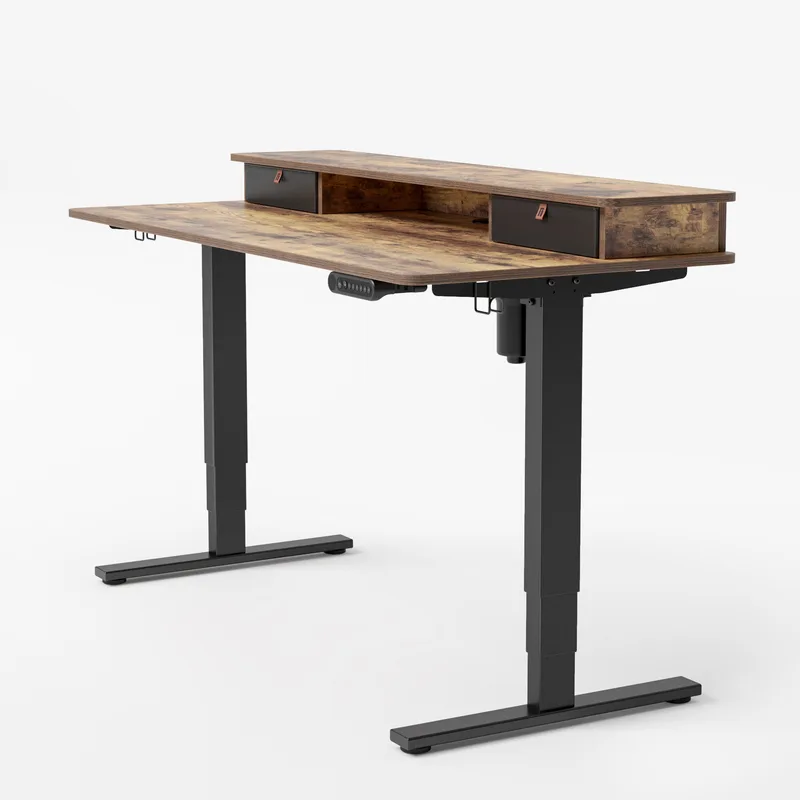
At $179, the FEZIBO is the easiest recommendation for anyone who has never owned a standing desk. Three memory presets, a 176 lb capacity, and a reasonably quiet motor. The 28.3–46.5 inch height range means shorter users (under 5’3”) and very tall users (over 6’1”) should look elsewhere — but for average-height adults with a typical single-monitor setup, it covers the bases.
Owner reports on Amazon consistently praise the easy assembly and the stability at mid-height positions. The single motor is the main long-term risk. If you use this desk twice a day for years, dual motor would be more reliable. But for occasional switchers or first-time buyers, the FEZIBO is a solid starting point.
Best Overall: FlexiSpot E6
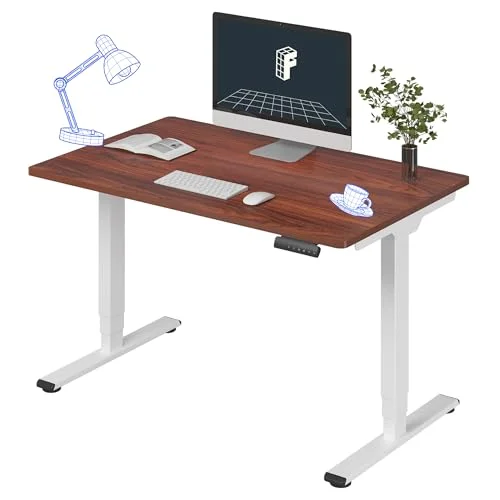
The E6 is the desk the majority of people should buy on the listing facts: a dual-motor, 3-stage frame with the 48” x 30” desktop included, four memory presets, and a 23.6” to 48.8” height range — a complete desk at a mid-range price.
The listed capacity is 220 lbs, which covers a typical monitor, laptop and accessory setup; heavy multi-monitor rigs should look at the UPLIFT V3’s 355 lbs. The 23.6” minimum covers shorter users and the 48.8” maximum sits a touch above the UPLIFT V3’s 48.7” — run the height-range math above for your own numbers.
The only real knock: a single size and finish on this listing, so if you want a 60” top or a wood finish you are shopping UPLIFT.
See our full roundup of the best standing desks in 2026 for more details on the E6.
Best Premium: UPLIFT V3
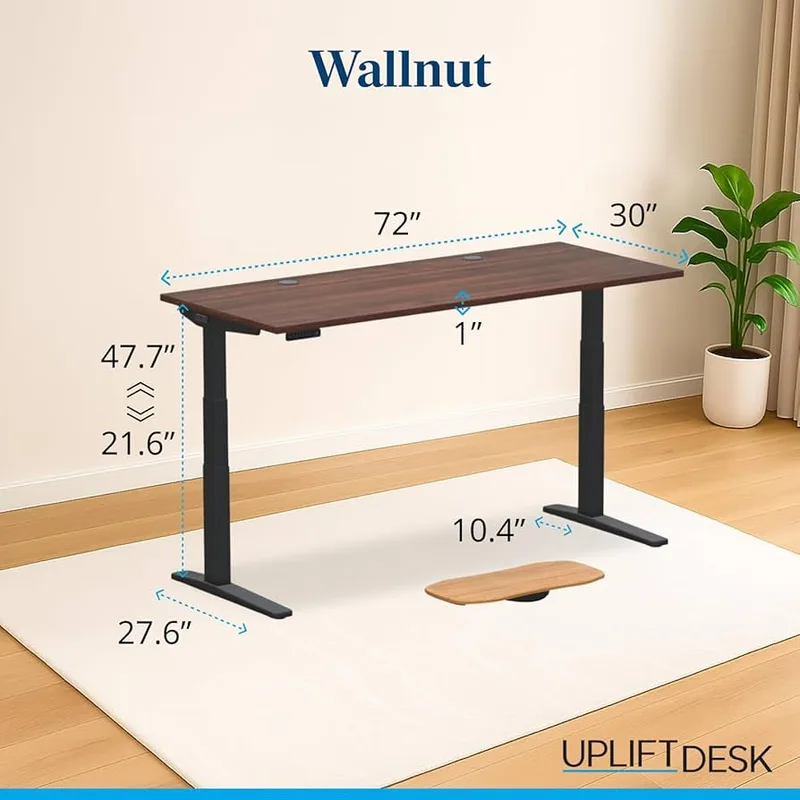
If you want the most stable desk on the market, the UPLIFT V3’s C-frame eliminates the crossbar wobble that plagues T-frame desks at full height. The 48 accessory mounting points let you build out your rig properly — cable management, monitor arms, drawer systems, all attach cleanly.
The keypad is the best UX in the industry: responsive, intuitive, with real visual feedback on your height. If you spend eight hours a day at your desk, the V3 is worth the price premium.
The trade-off: at $699 it costs roughly twice the E6, and brings more listed capacity (355 vs 220 lbs), a 10-year warranty and 22+ desktop finishes. You are paying for those specs and the UPLIFT ecosystem. Worth it for the right buyer.
Product Comparison
| Desk | Price | Height Range | Capacity | Motor | Warranty | Best For |
|---|---|---|---|---|---|---|
| FEZIBO 48x24 | Unavailable | 28.3”–46.5” | 176 lbs | Single | 5 yr | First-time buyers |
| FlexiSpot E6 | $339.99 as of Oct 18, 2026 | 23.6”–48.8” | 220 lbs | Dual, 3-stage | Not listed | Most people |
| UPLIFT V3 | $648.00 as of Oct 18, 2026 | 21.6”–47.7” | 355 lbs | Dual, 3-stage | 10 yr | Premium/heavy use |
Standing Desk Add-Ons Worth Having
Once you have the desk, a few accessories make a significant difference:
Anti-fatigue mat: Standing on a hard floor for hours is hard on your joints. An anti-fatigue mat — specifically a cushioned one with beveled edges — reduces fatigue according to owner reports. The
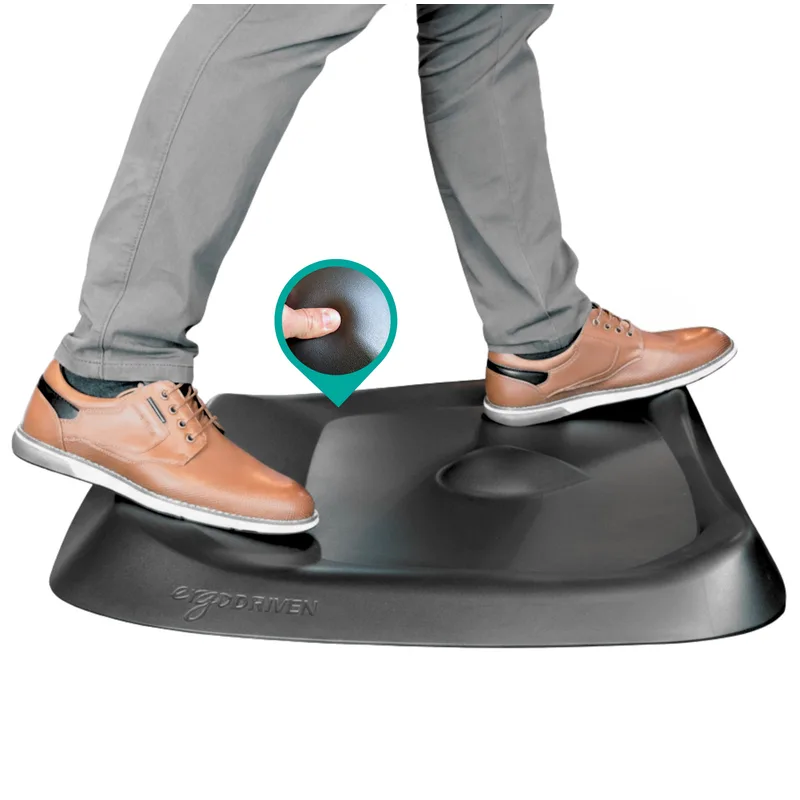
Topo by Ergodriven
Pros
- ✓ Calculated terrain encourages micro-movements
- ✓ Medical-grade polyurethane holds up for years
- ✓ 7 distinct zones for foot positioning
- ✓ NYT Wirecutter's top pick since 2016
Cons
- ✗ Requires a 2-3 week adjustment period
- ✗ Too small for users over 6'5"
- ✗ Not ideal with stiletto heels
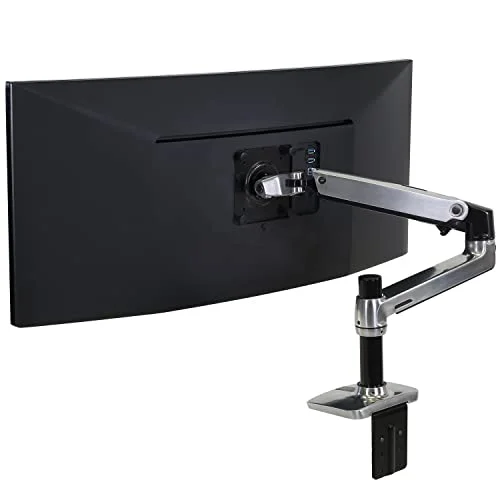
Monitor arm: Frees up desk space, positions your screen at exact eye level, and eliminates neck strain. A dual-arm setup on a 60-inch desk is one of the biggest ergonomic upgrades available. The
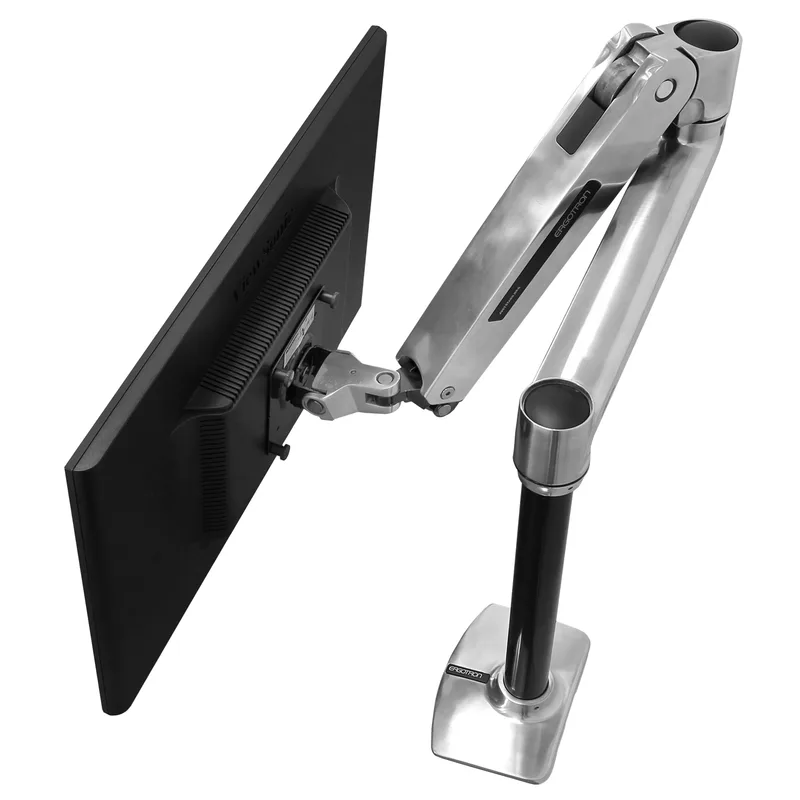
Ergotron LX Monitor Arm
Pros
- ✓ Smooth gas spring handles heavy monitors with ease
- ✓ 10-year warranty — best in class for the price
- ✓ 360-degree rotation for portrait mode
- ✓ Frees up desk space for a cleaner standing setup
Cons
- ✗ $209 is a real investment for a single arm
- ✗ 25 lb capacity won't hold large ultrawide monitors
- ✗ Requires desk clamp or grommet clearance
Keyboard tray: If your desk cannot reach low enough for your seated height, a keyboard tray drops your typing position by 3–5 inches. See our keyboard tray guide.
Cable management: As the desk moves up and down, loose cables become a mess. A cable tray mounted under the desktop keeps everything tidy. Most premium desks include one; budget desks usually do not.
For a complete setup walkthrough, read our standing desk setup guide.
How to Use a Standing Desk Correctly
Owning a standing desk does not automatically improve your posture or health. How you use it matters as much as which one you buy.
Alternate, do not stand all day. Research consistently shows the benefit comes from switching positions, not from standing. A 20–30 minute standing interval followed by 40–50 minutes of sitting is a common starting pattern. Adjust based on how your back and legs feel.
Set your heights before day one. Program your sit and stand heights before you start using the desk. If reaching your position requires more than one button press, you will not switch as often.
Get eye level right at both heights. Your monitor should be at or just below eye level whether you are sitting or standing. A monitor arm is the only way to achieve this without compromise.
Build the habit gradually. Most people who fail with standing desks try to stand too much too soon. Start with 1–2 hours of standing per day and add time as your legs adapt. Most people reach a natural 50/50 split after 2–3 weeks.
Read our complete guide to how long to stand at a standing desk for more on optimal sit-stand ratios.
FAQ
How much should I spend on a standing desk?
For occasional use or a first purchase, $250–$350 is reasonable. For daily use or a heavy setup, invest $500–$650 in a dual-motor desk with a 10+ year warranty. The math works out: a $600 desk lasting 10 years costs $60/year. A $250 desk that fails in 3 years costs $83/year and comes with the frustration of replacement.
Should I buy a frame-only or a full desk?
Frames-only are cheaper and let you choose a custom desktop. Full desks (frame + desktop) are more convenient and sometimes cheaper overall. If you want a specific width or finish not available in a bundle, buy the frame separately. If you want simplicity, buy a complete desk.
What is the best standing desk for tall people?
For users 6’2” and above, prioritize max height over everything else. The Fully Jarvis reaches 51 inches and the Autonomous SmartDesk 2 reaches 51 inches; the FlexiSpot E6 tops out at 48.8 inches. Most standard desks cap at 47–49 inches, which may not be enough for very tall users. See our guide to standing desks for tall people.
Can I use a standing desk converter instead of a full desk?
Yes, if you want to try sitting-standing without replacing your whole desk. Converters sit on top of your existing desk and raise just the monitor and keyboard. They are significantly cheaper ($80–$350) but more limiting. If you know you want a standing desk long-term, a full desk is the better investment. Compare the options in our standing desk vs converter guide.
Do standing desks actually improve health?
The evidence is clear that prolonged sitting increases risk of cardiovascular issues and back pain. Standing desks reduce continuous sitting time, which is the actual health benefit — not standing per se. The biggest wins reported by standing desk owners are reduced afternoon fatigue and less lower back tightness. Standing all day is also bad. Alternating is what works. For the full breakdown, read do standing desks help back pain.
How long does assembly take?
Most standing desks take 30–60 minutes for one person with basic tools. Having a second person to hold the frame while you attach the desktop cuts that time significantly. Budget desks tend to have simpler instructions; premium desks often have better-designed components that go together faster.
Conclusion
The standing desk market in 2026 has never been better value. A dual-motor, 3-stage desk with the top included (the FlexiSpot E6) now sits in the mid-range price band. Even at $179, the FEZIBO gives you a functional sit-stand setup that beats the ergonomics of most static desks.
The decision comes down to how seriously you will use it:
- Occasional switcher, light setup: FEZIBO at $179. It works.
- Daily user, average setup: FlexiSpot E6. Dual-motor, 3-stage, desktop included.
- Heavy setup or premium build quality: UPLIFT V3 at $699. Worth the premium if stability and ecosystem matter.
Whatever you choose, a standing desk is a genuine investment in daily comfort — provided you actually use it. Program your presets on day one. Build the habit.
For more product-specific recommendations, see:
- Best Standing Desks in 2026 — full roundup, all budgets
- Best Standing Desks Under $400 — best budget options
- Best Standing Desks Under $500 — mid-range picks
- Standing Desk Setup Guide — get the most from your desk