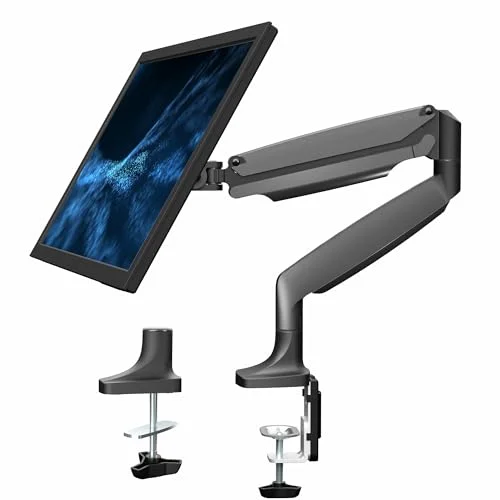
Your standing desk goes up and down. Your monitor should follow without wobbling, drifting, or requiring a two-hand wrestling match every time you switch positions. That’s the whole point of a good monitor arm — and most of them fail at it.
The gap between a good monitor arm and a cheap one is enormous when you’re on a standing desk. A $30 arm might hold your screen in place at sitting height, but raise and lower your desk twice a day and the problems show up fast: wobble during transitions, slow drift over weeks, and tension screws that need constant readjusting.
Short on time? The Ergotron LX is the best monitor arm for most standing desk users. Rock-solid stability, smooth gas spring, 25-inch reach, and a 10-year warranty. If that’s over budget, the VIVO STAND-V001Q delivers genuine gas spring performance for around $55.
For a full picture of what else your standing desk needs beyond a monitor arm, check our complete standing desk setup guide.
Ergotron LX Desk Mount — Best Overall
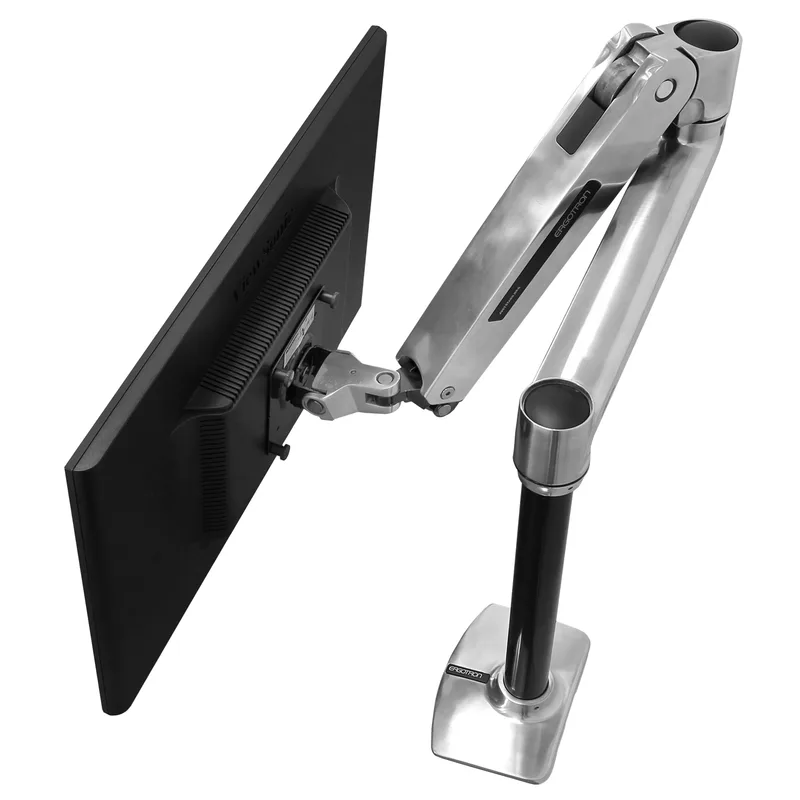
Ergotron LX
Pros
- ✓ Aircraft-grade aluminum build
- ✓ Smooth gas spring handles heavy monitors with ease
- ✓ 10-year warranty — best in class for the price
- ✓ 360-degree rotation for portrait mode
Cons
- ✗ Costs $289+ — not a budget option
- ✗ Tension adjustment tool easy to misplace
- ✗ Overkill if you have a lightweight 24-inch monitor
Price: $289+ | Capacity: 7–25 lbs | Max Monitor: 34”
The Ergotron LX is the arm other arms get compared to, and for good reason. The gas spring mechanism lets you reposition a 25-pound monitor with one finger — genuinely one finger, not marketing exaggeration. The aluminum construction feels substantial without being heavy, and the arm holds position perfectly whether your desk is at sitting or standing height.
The 25-inch reach is the longest in this roundup. That matters more than you’d think. Deep desks, corner setups, or situations where you need to push the monitor back for document work all benefit from that extra extension. The 13-inch height range handles the full sit-to-stand transition for most people.
One real complaint: the tension adjustment requires a small hex wrench that Ergotron includes but you’ll probably lose within a month. Buy a spare. You’ll need it when you change monitors or want to fine-tune the counterbalance.
Who should buy this: Anyone with a 27–34” monitor who wants a set-it-and-forget-it arm with a real warranty behind it.
Who should skip this: If your monitor weighs under 10 lbs or you’re on a tight budget, you’re paying for capacity you won’t use.
VIVO STAND-V001Q — Best Value
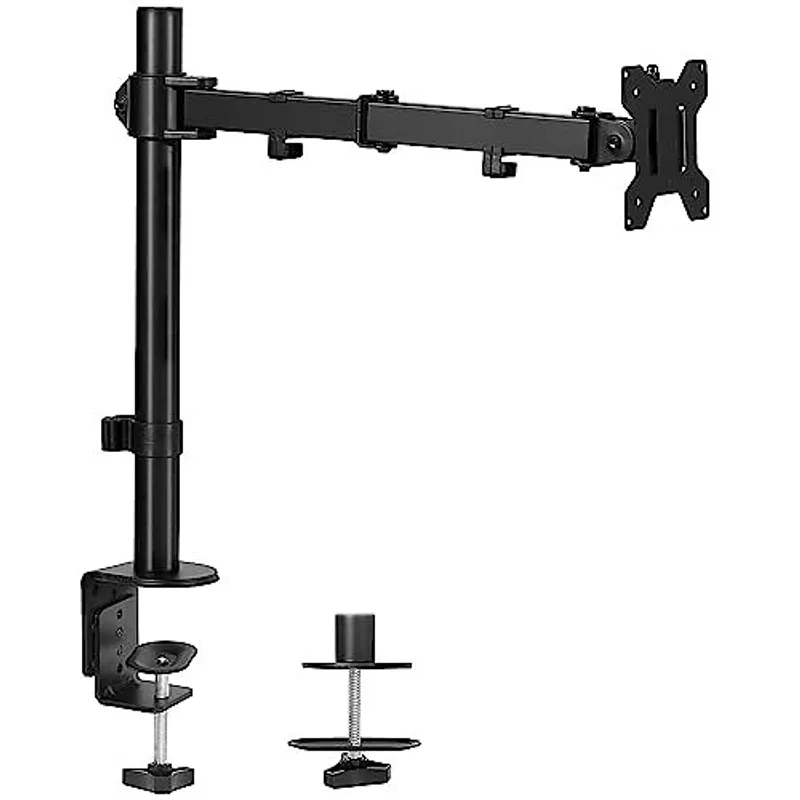
VIVO STAND-V001
Pros
- ✓ Under $35 — hard to beat on price
- ✓ 22 lb capacity handles most 27-inch monitors
- ✓ Both clamp and grommet mounts included
- ✓ Simple installation, clear instructions
Cons
- ✗ Manual height adjustment — no gas spring
- ✗ Wobble at full extension with heavier monitors
- ✗ Tilt adjustment can loosen over time
Price: ~$55 | Capacity: 2–20 lbs | Max Monitor: 32”
The V001Q is VIVO’s premium gas spring arm — the step up from their popular V001 — and at around $55 it delivers genuine one-hand repositioning at roughly a third of the Ergotron LX’s price. The aluminum construction feels solid, the gas spring mechanism is smooth and holds position well, and VIVO includes both clamp and grommet hardware in the box.
The specs are narrower than the Ergotron LX. The 20 lb capacity handles most 27-inch monitors comfortably, but heavier 32-inch panels push against the limit. The 20-inch reach also trails the Ergotron’s 25 inches — enough for most setups, but shallow-desk users should note the difference. Cable channels run along the arm and do a reasonable job managing cords through height transitions.
The 3-year warranty is fair for the price — better than a budget arm, well short of the Ergotron’s 10-year coverage.
Who should buy this: Anyone who wants gas spring convenience without paying Ergotron prices, and who’s running a monitor 27 inches or smaller.
Who should skip this: Users with heavy 32-inch panels or who need the Ergotron’s 25-inch reach for deep desk setups.
VIVO STAND-V001 — Best Budget
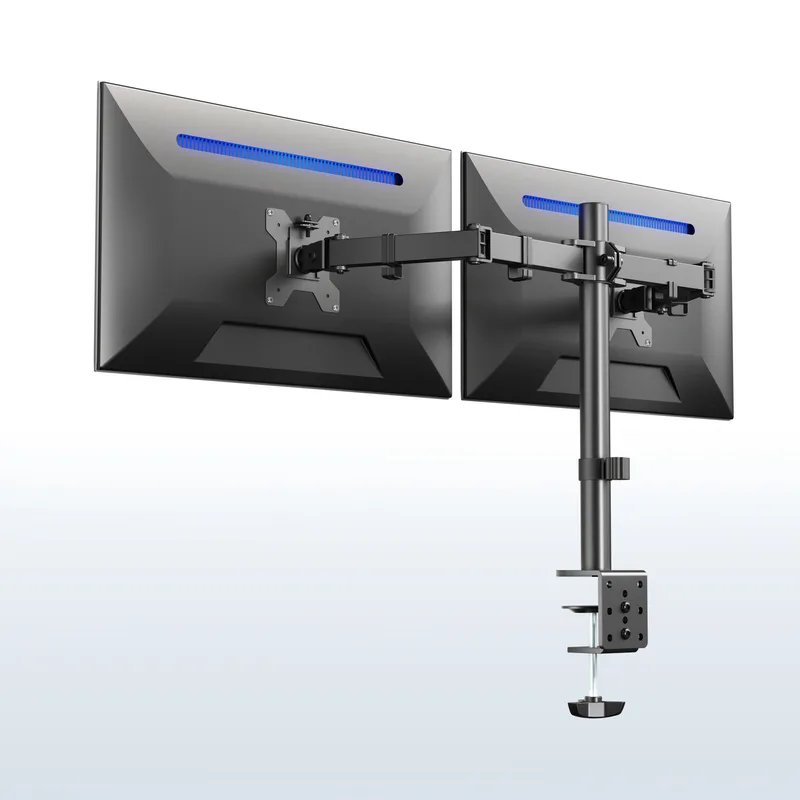
VIVO STAND-V002
Pros
- ✓ Under $40 for a dual monitor setup
- ✓ Independent height adjustment per arm
- ✓ 22 lbs per arm — handles two 27-inch displays
- ✓ Micro-adjustment for perfect alignment
Cons
- ✗ Manual pole adjustment, no gas spring
- ✗ 30-inch max — no ultrawide support
- ✗ Center pole takes up desk space
Price: $30–$35 | Capacity: 22 lbs | Max Monitor: 32”
The VIVO V001 costs less than a decent lunch for two and does a surprisingly competent job. It won’t feel like the Ergotron — height adjustments require loosening a clamp, sliding the arm up or down a center pole, and retightening. But once positioned, it holds.
For standing desk users, the pole-based design actually has a minor advantage: 16 inches of height adjustment, which is more than the Ergotron’s 13. The catch is that you can’t adjust on the fly. You set it for either sitting or standing height, and it stays there. If you transition frequently, you’ll get tired of the adjustment process fast.
Build quality is what you’d expect at this price. The steel pole feels solid, but the joints where the arm articulates have more play. With a 24-inch monitor under 15 lbs, this isn’t noticeable. Push it to the 22 lb limit with a 27-inch panel and you’ll see wobble at full extension.
Who should buy this: Anyone with a lighter monitor (under 15 lbs) who doesn’t need to reposition the arm constantly.
Who should skip this: Frequent sit-to-stand switchers. The manual adjustment will annoy you by day three.
Humanscale M8 Pro — Best Premium
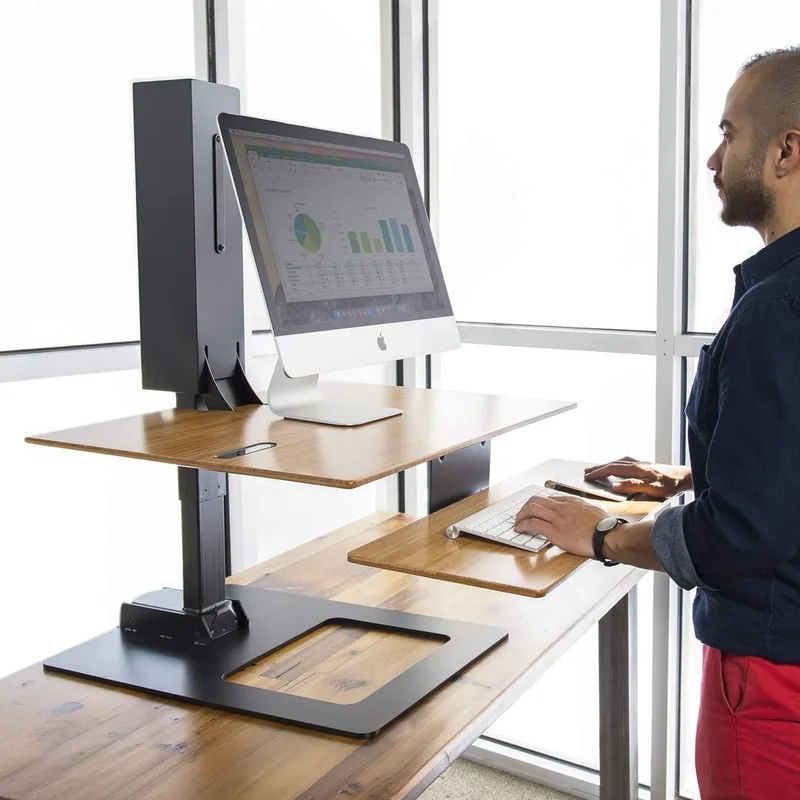
Humanscale M8 Pro
Pros
- ✓ Handles monitors from 9 to 50 lbs — widest weight range available
- ✓ Weight-compensating spring — no gas cylinder to fail
- ✓ 15-year warranty speaks to build quality
- ✓ Smart Stop prevents monitor from hitting walls
Cons
- ✗ $642+ starting price — serious investment
- ✗ Reach is shorter than Ergotron LX (22 vs 25 inches)
- ✗ Only available direct from Humanscale — no Amazon option
Price: $642+ | Capacity: 9–50 lbs | Max Monitor: 65”
The M8 Pro is what happens when an industrial design firm makes a monitor arm. Humanscale’s weight-compensating spring mechanism eliminates the gas cylinder entirely — and with it, the most common failure point in monitor arms. The arm uses a mechanical spring calibrated to your exact monitor weight, and it handles repositioning differently from any gas spring arm: smoother, more precise, with zero bounce even after thousands of adjustments.
Launched in January 2026 as part of Humanscale’s new M/Class lineup, the M8 Pro dramatically expanded on its predecessor. Weight capacity jumped to 9–50 lbs — up 79% from the prior generation — and maximum monitor size went from 32 to 65 inches. If you’re running a large display or an ultrawide, this arm can handle it where the old M8.1 couldn’t.
The Smart Stop feature is clever: you can set invisible boundaries so the monitor won’t swing past a certain point. Great for preventing wall or cabinet collisions in tight setups. And the 15-year warranty backs everything up.
The tradeoffs are real. At $642+, this costs more than most people’s monitors. The 22-inch reach is three inches shorter than the Ergotron LX — a difference that matters in deep desk setups. And the M8 Pro is only available direct from Humanscale, so no Amazon returns if anything goes wrong.
Who should buy this: Design-conscious professionals who want the best-built arm available, especially those running large displays that gas-spring arms struggle with.
Who should skip this: Anyone who considers a monitor arm a utility, not a design statement. The Ergotron LX does 90% of this for less than a third of the price.
Ergotron LX Tall Pole — Best for Standing Desks

Ergotron LX Tall Pole
Pros
- ✓ Identical gas spring to the standard Ergotron LX — same one-finger repositioning
- ✓ 5 extra inches of pole height for taller users or high standing desk positions
- ✓ 25-inch reach — same as the standard LX, handles deep desks
- ✓ 10-year warranty
Cons
- ✗ ~$20 more than the standard Ergotron LX for the taller pole
- ✗ Unnecessary if you're under 6 feet or your desk runs at a standard height
- ✗ Same hex wrench tension adjustment as the standard LX (easy to misplace)
Price: ~$199 | Capacity: 7–25 lbs | Max Monitor: 34”
The Ergotron LX Tall Pole solves a specific standing desk problem: you’re taller than 6 feet, or your desk runs at a high position, and the standard Ergotron LX doesn’t get your monitor high enough when standing. The Tall Pole variant adds a 13.25-inch base pole instead of the standard LX’s 8-inch pole — giving 5 extra inches of clearance above the desk surface without any modification.
Everything else is identical to the standard Ergotron LX: same Constant Force gas spring, same 25-inch reach, same 25 lb capacity, same 10-year warranty. One-finger repositioning, solid hold, no drift. You’re paying about $20 more for the taller pole, which is a reasonable premium if your desk height requires it.
For standing desks specifically, the tall pole matters during the raised position. At sitting height, most standard arms position monitors fine. Raise your desk to 40–44 inches for standing use with a 27-inch monitor and the standard arm may not reach eye level — the tall pole resolves this naturally.
Who should buy this: Standing desk users who are 6’0” or taller, or anyone who finds the standard LX doesn’t raise their monitor high enough at full standing height.
Who should skip this: Users under 6 feet at a standard desk height. The regular Ergotron LX at $20 less is sufficient.
VIVO STAND-V002 — Best for Dual Monitors
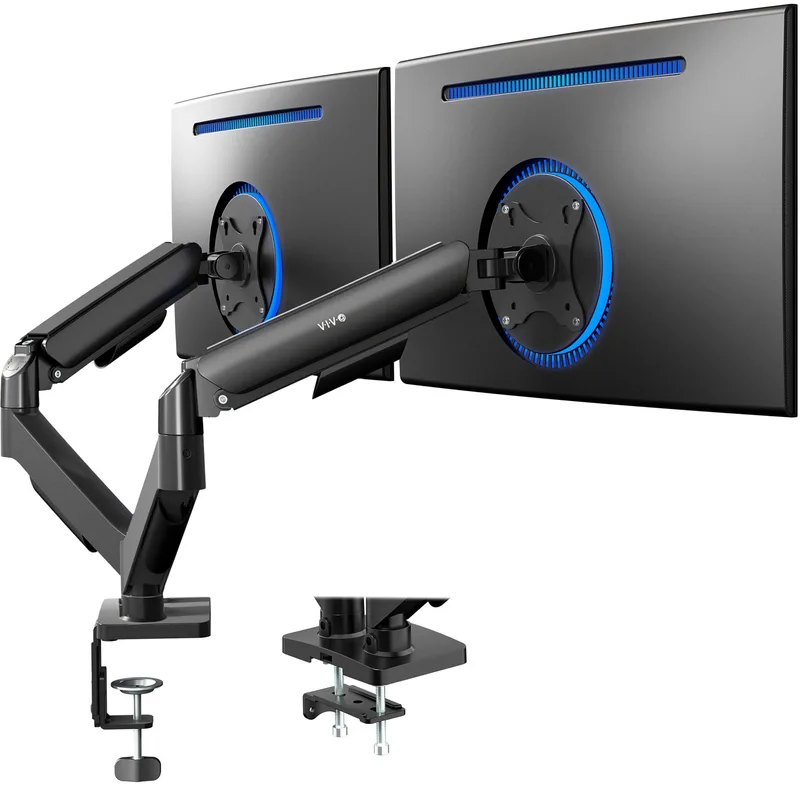
Price: $30–$40 | Capacity: 22 lbs per arm | Max Monitor: 30” per screen
Running two monitors on a standing desk? The V002 puts both on a single center pole for under $40. Each arm moves independently, and VIVO includes micro-adjustment plates so you can dial in perfect alignment between screens — something that’s surprisingly fiddly with cheap dual setups.
Same manual pole adjustment as the V001, same build quality, same limitations. For dual monitors at a desk that transitions between sitting and standing, you’ll want to set the height once and leave it. The combined weight of two monitors plus two arms makes the readjustment process more involved than with a single arm.
The 30-inch per-screen limit is worth noting. Two 27-inch monitors? Perfect. Two 32-inch panels? Too heavy and too wide for this mount. For larger dual setups, look at the Ergotron LX Dual or VIVO’s gas-spring V002O upgrade.
Who should buy this: Dual-monitor users who want a cheap, functional solution and don’t need constant height adjustments.
Who should skip this: Power users with 32-inch panels. You need something sturdier.
Comparison Table
| Feature | Ergotron LX | VIVO V001Q | VIVO V001 | Humanscale M8 Pro | Ergotron LX Tall Pole | VIVO V002 |
|---|---|---|---|---|---|---|
| Price | ~$289 | ~$55 | ~$35 | $642+ | ~$199 | ~$37 |
| Weight Capacity | 7–25 lbs | 2–20 lbs | 22 lbs | 9–50 lbs | 7–25 lbs | 22 lbs/arm |
| Max Monitor | 34” | 32” | 32” | 65” | 34” | 30”/screen |
| Height Range | 13” | 15” | 16” (pole) | 12” | 13” + 5” extra pole | 16” (pole) |
| Reach | 25” | 20” | ~15” | 22” | 25” | ~15” |
| Mechanism | Gas spring | Gas spring | Manual clamp | Weight-compensating spring | Gas spring | Manual clamp |
| Warranty | 10 years | 3 years | 3 years | 15 years | 10 years | 3 years |
| VESA | 75/100mm | 75/100mm | 75/100mm | 75/100mm | 75/100mm | 75/100mm |
Buying Guide: What to Look for in a Standing Desk Monitor Arm
Weight Capacity — Get More Than You Need
Check your monitor’s spec sheet for its weight without the stand. Then add 2–3 lbs of headroom. A monitor arm at its max capacity works, but the gas spring or counterbalance will feel stiff and adjustments won’t be as smooth.
Quick reference:
- 24” monitors: 8–12 lbs — any arm on this list works
- 27” monitors: 12–18 lbs — avoid ultra-budget arms under $25
- 32” monitors: 15–25 lbs — stick to 25+ lb capacity arms
- 34” ultrawides: 20–30 lbs — Ergotron LX minimum, or the Ergotron HX for the heaviest panels
Adjustment Mechanism
Gas spring arms (Ergotron LX, VIVO V001Q) let you reposition your monitor with one hand in real time. Best for standing desk users who switch positions multiple times daily.
Counterbalance spring arms (Humanscale M8 Pro) offer precise positioning with a mechanical spring. Smooth and durable, but you need to calibrate them to your monitor’s weight.
Manual pole arms (VIVO V001, V002) require loosening a clamp, repositioning, and retightening. Fine for set-it-and-forget-it setups. Frustrating if you adjust often.
Reach and Height Range
For standing desks specifically, you need enough height range to cover your sit-to-stand transition — typically 10–15 inches. Every arm on this list handles that. Reach matters for deep desks (25”+ depth) or setups where you need to push the monitor back. The Ergotron LX’s 25-inch reach leads here.
Mount Type
C-clamp: Fastest install, works with any desk up to the thickness limit. Most versatile. The clamp does take up space under the desk edge.
Grommet: Cleaner look, requires drilling a hole. More stable than clamp mounts. Better for permanent setups.
Most arms on this list include both clamp and grommet hardware — you choose during installation.
Cable Management
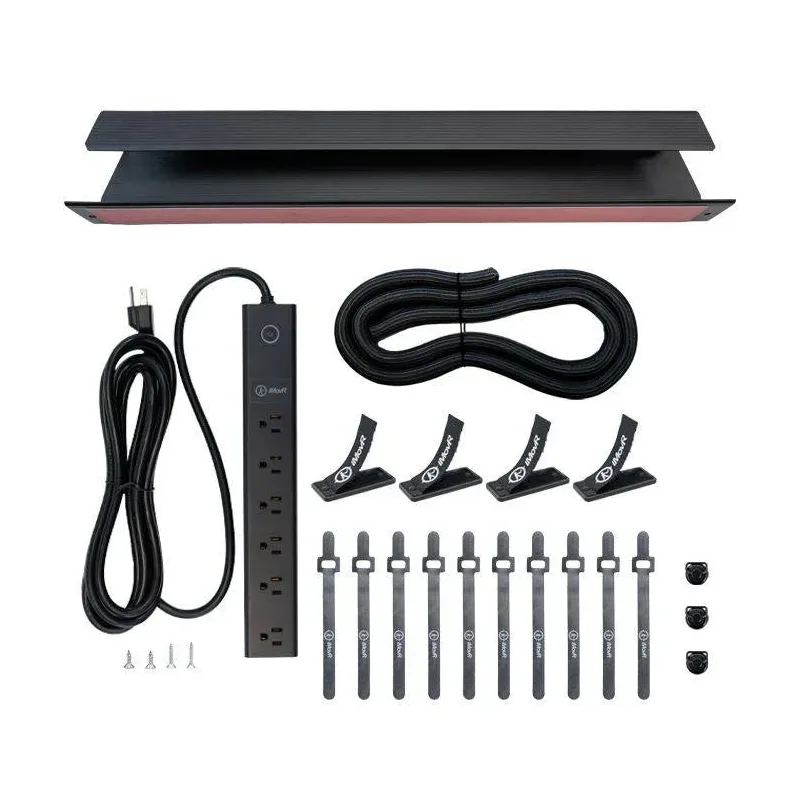
Standing desks create a cable management challenge that fixed desks don’t: cables need slack to accommodate height changes. Arms with built-in cable channels (Ergotron LX, VIVO V001Q) keep cables routed along the arm itself, reducing the tangle. The VIVO V001 and V002 use external clips, which work but look messier.
FAQ
Do monitor arms work with all standing desks?
Yes, as long as your desk edge is within the arm’s clamp thickness range (typically 0.4–2.5 inches, up to 3.35 inches on the Jarvis arm). The only exception is desks with a severely curved or beveled edge — the clamp may not grip properly. Grommet mounts bypass this issue entirely but require drilling. Note: if you have an unusually thick desktop (butcher block, bamboo), confirm the arm’s clamp depth range before purchasing.
Can I mount an ultrawide monitor on a single arm?
Depends on weight. Most 34-inch ultrawides weigh 16–22 lbs, which the Ergotron LX handles fine. For 38-inch and 49-inch super ultrawides (25–35 lbs), you need a heavy-duty arm like the Ergotron HX, which supports up to 45 lbs.
Is a gas spring arm worth the extra cost over a manual arm?
If you switch between sitting and standing multiple times daily, absolutely. Gas spring arms let you reposition your monitor in two seconds with one hand. Manual pole arms take 30+ seconds and two hands. If you set your desk height once in the morning and leave it, a manual arm is fine.
Will a monitor arm damage my desk?
Clamp mounts can leave impressions on soft wood surfaces over time. Use the included desk pads (most arms include them) and check the tightness periodically — overtightening causes most surface damage. Grommet mounts distribute force more evenly and are gentler on desk surfaces.
How do I know if my monitor is VESA compatible?
Check the back of your monitor for a square pattern of four screw holes spaced either 75mm or 100mm apart. Almost all monitors 24 inches and above include VESA mounting. Some thin or budget monitors lack it — check your model’s spec sheet before buying an arm.
Do I need to buy a separate arm for portrait mode?
No. Every arm in this roundup supports 360-degree rotation, so you can flip between horizontal and portrait orientations. Just confirm your monitor’s own bezel and stand clearance won’t interfere when rotated — some monitors with thick bottom bezels look awkward in portrait orientation.
The Bottom Line
For most standing desk users, the Ergotron LX is the right choice. The gas spring handles heavy monitors effortlessly, the 25-inch reach works with any desk depth, and the 10-year warranty means you’re covered well into your next monitor upgrade. It’s $289 well spent.
On a budget? The VIVO STAND-V001Q delivers genuine gas spring performance for around $55 — roughly a third of the Ergotron price. You’re trading some reach and capacity for significant savings.
Spending under $40? The VIVO V001 gets the job done for single monitors, and the V002 handles dual setups at a price that’s almost disposable. Just accept the manual adjustment tradeoff.
Standing desk user who’s 6’0” or taller? The Ergotron LX Tall Pole adds 5 inches of extra height above the desk for $20 more than the standard LX — the same gas spring and 10-year warranty, just higher pole.
Want the absolute best? The Humanscale M8 Pro is the finest monitor arm you can buy. The mechanical spring mechanism handles up to 50 lbs — covering any monitor you’ll ever own — and the 15-year warranty proves Humanscale stands behind it. At $642+, it’s only worth it if you care deeply about build quality and long-term durability over the Ergotron’s already-excellent gas spring.
For more ways to optimize your standing desk setup, see our guide to the best desk accessories for remote work. Pair your new arm with a cable management solution to keep wires routed cleanly through the arm’s height transitions, and add a standing desk mat if you plan to spend time on your feet. If you’re still choosing a desk, our best standing desks roundup is the right starting point.