Disclosure: PostureRanked is reader-supported. When you buy through links on our site, we may earn an affiliate commission at no additional cost to you. Our recommendations are based on independent research and testing.
| Product | Price | Rating |
|---|---|---|
| FlexiSpot E7 Pro | — | 9.4 |
| Branch Standing Desk | — | 9.0 |
| UPLIFT V3 Standing Desk | — | 9.2 |
| UPLIFT V2 Standard | — | 9.0 |
| Vari Electric Standing Desk | — | 8.6 |
| Herman Miller Motia | — | 8.8 |
| Secretlab Magnus Pro | — | 9.0 |
PostureRanked is reader-supported. When you buy through links on our site, we may earn an affiliate commission at no additional cost to you. Learn more
I’m 6’3”. The first standing desk I bought maxed out at 46 inches. Standing at it felt like hovering over a kitchen counter — shoulders hunched, neck craned forward, back aching after twenty minutes. The whole point of a standing desk is better posture. A desk that’s too short just trades one problem for another. For the full market overview including options at every height, see our best standing desks of 2026 roundup.
If you’re over 6 feet tall, the single most important spec is maximum height. Most desks top out around 46-48 inches, which barely works at 6’0” and falls apart for anyone taller. You need a desk that actually reaches your elbow height when standing — otherwise you’ll slouch, get frustrated, and sit back down permanently.
Short on time? The FlexiSpot E7 Pro is our top pick for most tall users. It reaches 50.6”, holds 440 lbs, and costs half what premium desks charge. If you’re over 6’5”, grab the Branch Standing Desk — its 52” max height is the tallest we’ve found.
FlexiSpot E7 Pro — Best Overall for Tall Users
FlexiSpot E7 Pro
Pros
- ✓ 440 lb weight capacity crushes the competition
- ✓ 50.6" max height fits users up to 6'8" comfortably
- ✓ Dual motor with anti-collision detection
- ✓ 4 programmable height presets
Cons
- ✗ Desktop options limited compared to UPLIFT
- ✗ Assembly takes 45-60 minutes
- ✗ Warranty details not prominently listed
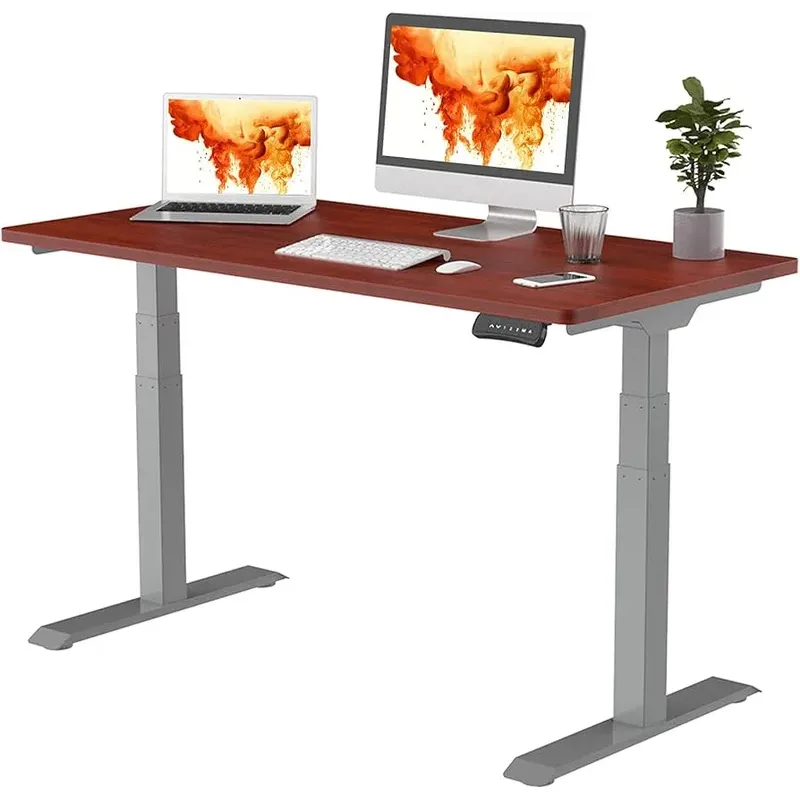
The FlexiSpot E7 Pro hits a rare sweet spot: it goes high enough for most tall users (50.6”), holds more weight than desks twice its price (440 lbs), and doesn’t cost a fortune.
That 440-pound capacity isn’t just a spec sheet number. It means you can load this thing up with dual monitors on a heavy arm, a full desktop PC, speakers, and a pile of books without any wobble issues. Most desks in this price range cap out around 200-300 lbs.
The height range of 25” to 50.6” covers seated work for shorter family members all the way up to comfortable standing for someone 6’6” to 6’8”. The dual motors move at about 1.5 inches per second — not the fastest, but quiet enough that you won’t disrupt a video call. Four programmable presets let you save your exact sitting and standing heights.
The semi-C-leg design opens up under-desk space for drawers or a treadmill. Assembly is straightforward but budget 45-60 minutes. Desktop options include chipboard, bamboo, and solid wood in sizes from 48×24” to 80×30”.
Who should buy this: Tall users who want the best combination of height range, capacity, and value. Works especially well for heavy multi-monitor setups.
Who should skip this: If you’re over 6’6” and want maximum overhead, the Branch goes 1.4 inches higher. If you want 20+ desktop materials, UPLIFT has more choices.
Branch Standing Desk — Best for Very Tall Users (6’5”+)
Branch Standing Desk
Pros
- ✓ Industry-leading 52" max height accommodates users up to 7 feet tall
- ✓ Clean, minimal design fits any office
- ✓ 10-year warranty on frame and desktop
- ✓ Competitive pricing starting around $499
Cons
- ✗ 275 lb capacity is lower than UPLIFT or FlexiSpot
- ✗ Fewer desktop material choices
- ✗ 3-year warranty on motors and electronics
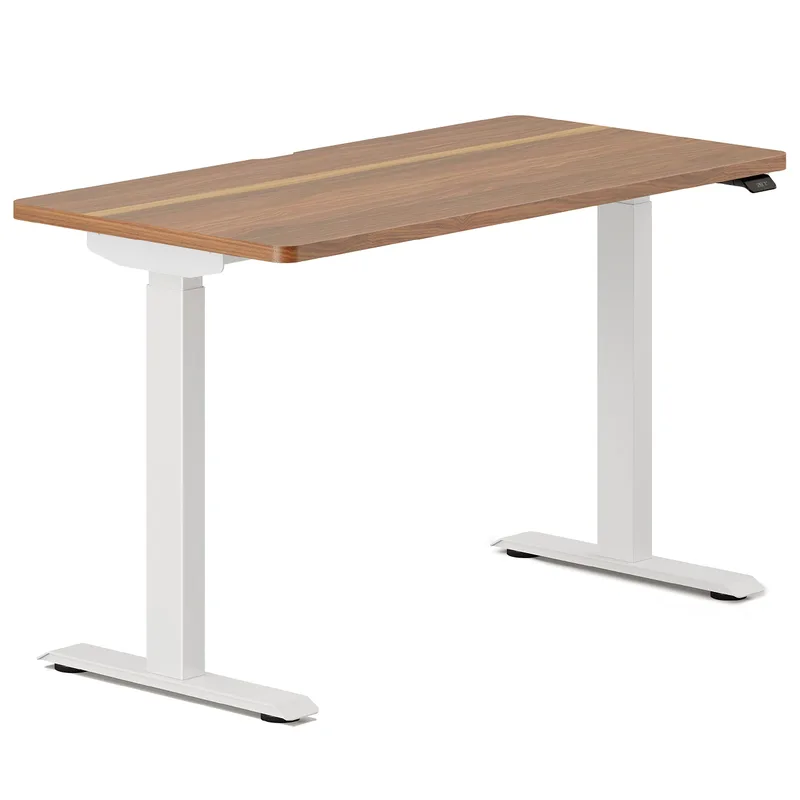
Branch’s standing desk reaches 52 inches. That’s the highest max height of any desk on this list — and one of the highest in the entire market. For users 6’5” to 7 feet tall, this is the desk that actually fits.
At 52”, someone who is 6’8” can stand with elbows at a proper 90-degree angle. That’s a full 3-4 inches above what most “tall-friendly” desks offer. The design is clean and minimal — no flashy RGB, no gamer aesthetic. It looks like a proper office desk.
The tradeoff? Weight capacity drops to 275 lbs, which still handles most setups but means you should think twice before loading it with three monitors and a mini-fridge. The 10-year warranty covers the frame and desktop, though motors and electronics get a shorter 3-year coverage.
Pricing starts around $699 for the 48×24” desktop, climbing to roughly $799 for the 60×30”. Price updated April 2026. That’s excellent value for a desk with this height range.
Who should buy this: Anyone over 6’5” who has struggled to find a desk tall enough. Also great for shared offices where users vary widely in height.
Who should skip this: If you need to park 100+ lbs of equipment on the desk, the FlexiSpot E7 Pro or UPLIFT V2 handle heavy loads better.
UPLIFT V3 Standing Desk — Premium Pick
UPLIFT V3 Standing Desk
Pros
- ✓ Most desktop material options (20+ choices including bamboo, reclaimed wood)
- ✓ BIFMA-certified ergonomic height range
- ✓ Patent-pending FlexMount cable management
- ✓ 15-year warranty is among the best
Cons
- ✗ 48.7" max may be tight for users over 6'4"
- ✗ Premium configurations easily exceed $1,500
- ✗ C-frame design limits some under-desk accessories
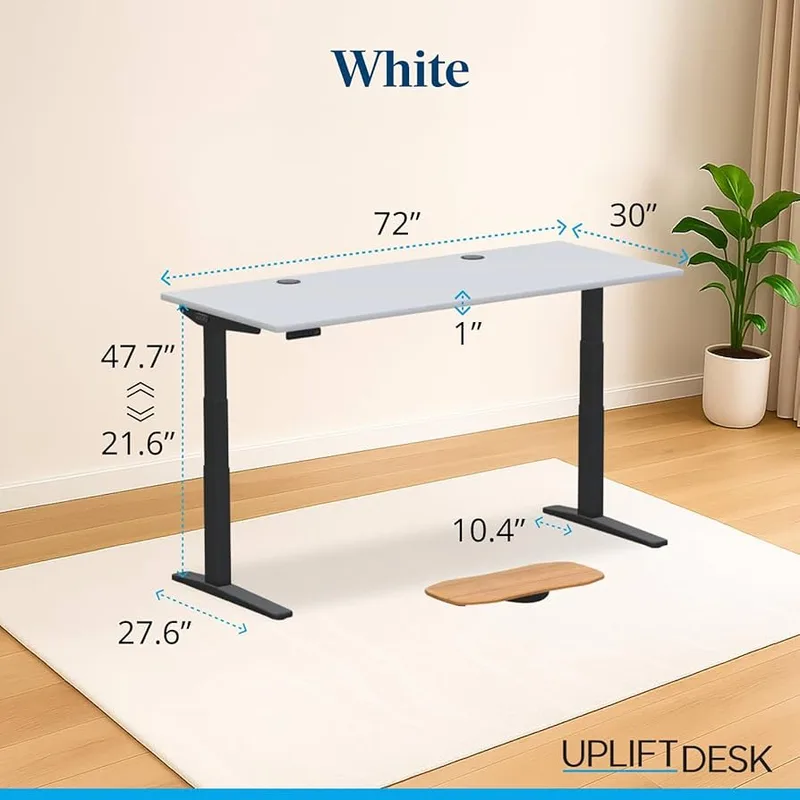
UPLIFT’s V3 is the desk for people who care about customization. Over 20 desktop materials — bamboo, walnut, reclaimed Douglas fir, solid rubberwood — and a massive accessory ecosystem. Monitor arms, keyboard trays, cable management kits, power grommets, all designed to slot right in.
The desk itself performs well. The dual motors are quiet (under 48 dB), the travel speed hits 2 inches per second (fastest on this list), and the 355-lb capacity handles serious workstations. UPLIFT’s 15-year warranty is among the best in the industry, and they ship same-day for standard configurations.
Here’s the catch for tall users: the max height is 48.7 inches. That works fine up to about 6’2”, gets tight at 6’3”-6’4”, and isn’t enough for anyone taller. If you’re right around 6’0”-6’2”, this is a fantastic desk. Taller than that — look at the E7 Pro, Branch, or the UPLIFT V2 instead.
The other catch is price. A basic 48” model starts around $699, but pick a premium desktop and some accessories and you’ll blow past $1,500 fast.
Who should buy this: Users 6’0”-6’3” who want premium materials, fast motor speed, and maximum customization.
Who should skip this: Users over 6’4” — the 48.7” ceiling is too low for comfortable ergonomics.
UPLIFT V2 Standard — Best Value for Tall Users
UPLIFT V2 Standard
Pros
- ✓ 51.1" max height beats most competitors
- ✓ 355 lb capacity handles heavy multi-monitor setups
- ✓ 15-year warranty with optional 25-year extension
- ✓ Huge accessory ecosystem (monitor arms, trays, grommets)
Cons
- ✗ V3 has better cable management and stability
- ✗ Older design lacks some V3 refinements
- ✗ Can wobble slightly at max height under heavy loads
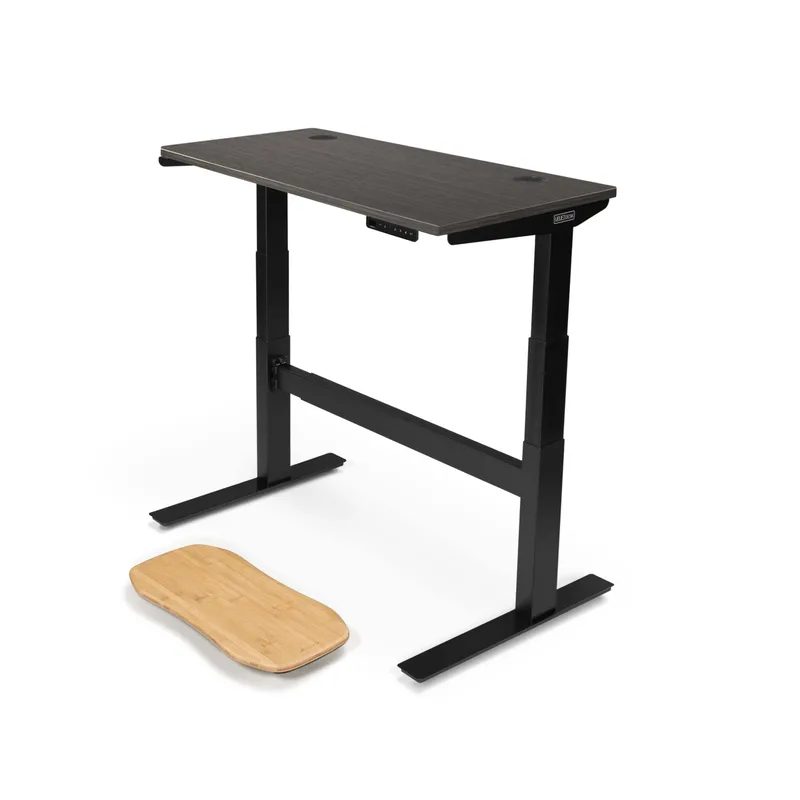
The V2 is UPLIFT’s older model, and honestly, it’s the better pick for tall users. Why? It goes to 51.1 inches. That’s 2.4 inches higher than the newer V3, and it accommodates users from 4’9” to about 6’7” in proper ergonomic positioning.
You still get the dual motors, 355-lb capacity, and access to UPLIFT’s accessory lineup. The 15-year warranty carries over from the V3, and there’s even an optional 25-year extended warranty for $179 if you plan to keep this desk for a long time.
It doesn’t have the V3’s improved cable management or its lateral stability refinements. At maximum height with a heavy load, you might notice a slight wobble during aggressive typing. But for the price — starting around $599 — you’re getting a desk that goes higher than its more expensive successor.
Who should buy this: Tall users (6’3”-6’7”) who want UPLIFT quality and accessory compatibility without paying V3 prices.
Who should skip this: If you’re under 6’2” and want the latest design, the V3 is a better overall package.
Vari Electric Standing Desk — Best Warranty
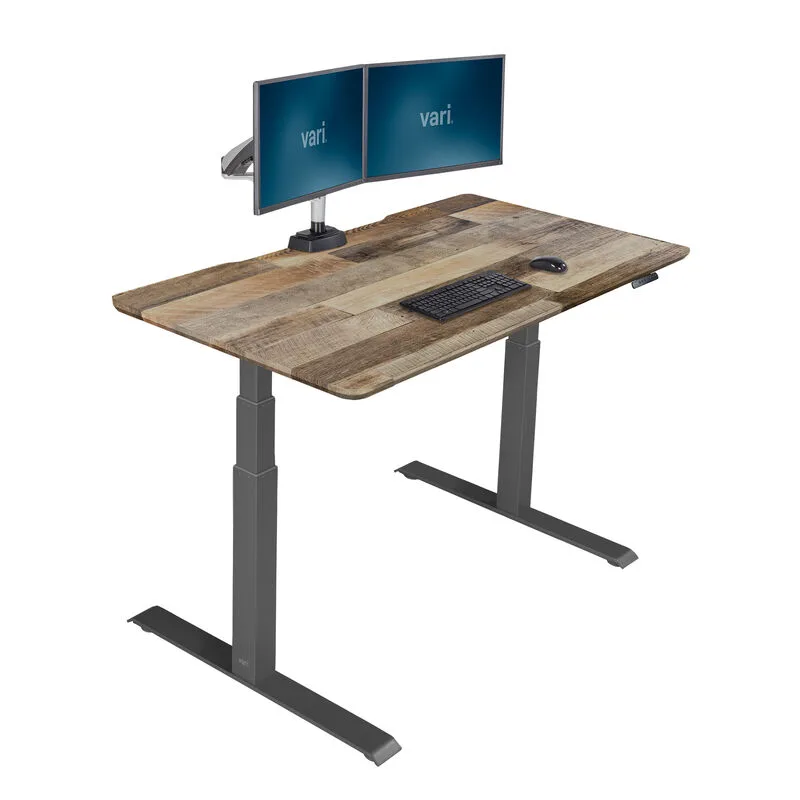
Vari Electric Standing Desk
Pros
- ✓ 50.5" max height is strong for tall users
- ✓ Lifetime warranty on frame
- ✓ Fast 15-minute assembly on some models
- ✓ Programmable LED height display
Cons
- ✗ 200 lb weight capacity is the lowest here
- ✗ Noticeable wobble at max height with aggressive typing
- ✗ Premium pricing for the capacity you get
Vari built its reputation on the original VariDesk converter, and the electric standing desk line carries that legacy forward. The max height hits 50.5” — competitive with the FlexiSpot E7 Pro and solid for users up to about 6’6”.
The standout feature is the lifetime warranty on the frame. No other desk on this list matches that. Assembly is fast too — some models come together in 15 minutes.
The downside is weight capacity. At 200 lbs, it’s the lowest on this list by a significant margin. If you’ve got a single monitor and a laptop, no problem. A dual-monitor arm with a heavy desktop tower? You’re pushing it. There’s also noticeable wobble at max height if you’re a heavy typer.
Pricing runs $799-$999 depending on size and configuration, with periodic sales dropping prices 20%.
Who should buy this: Tall users who prioritize warranty coverage and quick assembly, with lighter desk setups.
Who should skip this: Anyone with a heavy multi-monitor workstation. The 200 lb limit is restrictive.
Herman Miller Motia — Luxury Office Pick
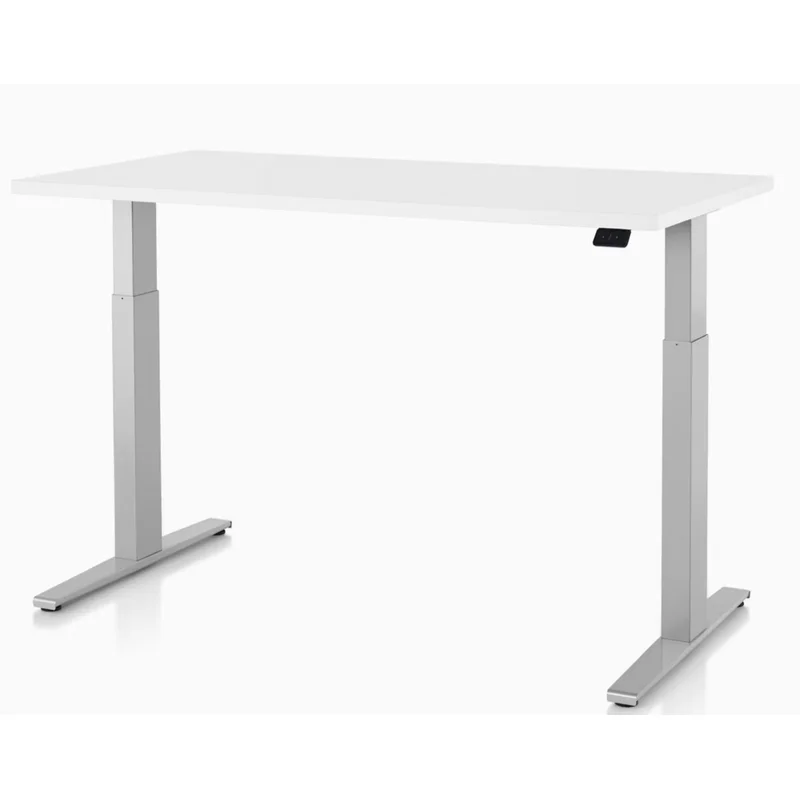
Herman Miller Motia
Pros
- ✓ Herman Miller build quality and design
- ✓ 12-year warranty with 3-shift coverage
- ✓ Extended range option reaches 48"
- ✓ Premium laminate surface is extremely durable
Cons
- ✗ 48" max height limits users over 6'3"
- ✗ Starting price above $1,000
- ✗ Weight capacity lower than competitors after desktop weight
The Motia is a Herman Miller desk, and that means two things: exceptional build quality and a premium price tag.
The extended range (D) model adjusts from 22” to 48”, which works for users up to about 6’2”-6’3”. The standard range tops out at 46”, so tall users must select the extended range option. The 12-year warranty with 3-shift coverage is built for commercial environments — this desk is designed to last in an office that runs around the clock.
The laminate surface is nearly indestructible. The design is elegant and understated. But at $1,042+ (currently 25% off from the usual $1,390), you’re paying a serious premium for a desk whose height range doesn’t actually serve very tall users. Someone 6’4” or above should look elsewhere.
Who should buy this: Users 6’0”-6’2” who want commercial-grade build quality, premium aesthetics, and don’t mind paying for the Herman Miller name.
Who should skip this: Anyone over 6’3” or anyone on a budget. The height range and price both work against tall users.
Secretlab Magnus Pro — Best for Gaming
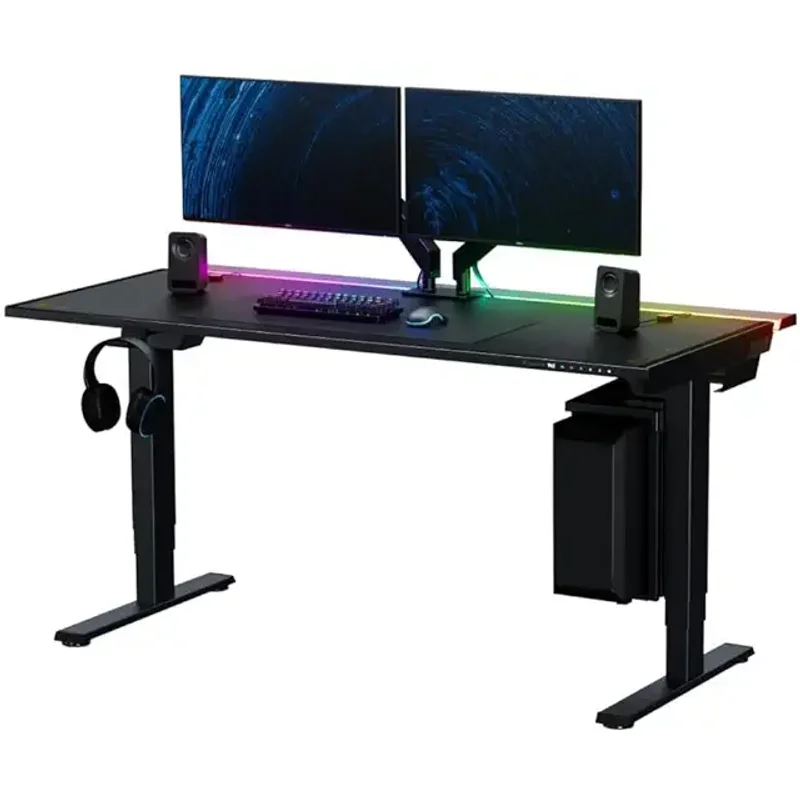
Secretlab Magnus Pro
Pros
- ✓ Best-in-class cable management with integrated PCBS system
- ✓ Full-surface magnetic leatherette desk mat
- ✓ Millimeter-precision height adjustment
- ✓ Looks incredible in a gaming setup
Cons
- ✗ 49.2" max height limits very tall users
- ✗ Only two size options
- ✗ $799-$949 is steep for the height range
Secretlab designed the Magnus Pro for gamers, and it shows. The integrated cable management system (PCBS — PC Backpack System) routes every cable underneath the desk surface through a magnetic panel. The full-surface magnetic leatherette desk mat keeps your gear in place. It looks incredible.
Height adjustment ranges from 25.6” to 49.2” with millimeter precision — fine for gamers up to about 6’2”. The 265-lb weight capacity handles a gaming PC, dual monitors, and peripherals without issue.
The standard 59” model starts at $799, with the 67” XL at $949. The 5-year warranty is shorter than office-focused competitors, and the height ceiling limits very tall users. But if gaming is your primary use and you’re under 6’3”, this is the best-looking, most cable-friendly desk you can buy.
Who should buy this: Gamers under 6’3” who want clean cable management and a sleek gaming aesthetic.
Who should skip this: Tall users over 6’3” or anyone who needs maximum height range for ergonomic standing.
Comparison Table
| Desk | Max Height | Weight Capacity | Price Range | Warranty | Best For |
|---|---|---|---|---|---|
| FlexiSpot E7 Pro | 50.6” | 440 lbs | $400-$600 | Not listed | Best overall for tall users |
| Branch Standing Desk | 52” | 275 lbs | $699-$799 | 10 years | Very tall users (6’5”+) |
| UPLIFT V3 | 48.7” | 355 lbs | $699-$1,500+ | 15 years | Premium customization |
| UPLIFT V2 Standard | 51.1” | 355 lbs | $599-$659+ | 15 years | Value for tall users |
| Vari Electric | 50.5” | 200 lbs | $799-$999 | Lifetime (frame) | Warranty-conscious buyers |
| Herman Miller Motia | 48” | 250 lbs | $1,042-$1,390 | 12 years | Luxury office |
| Secretlab Magnus Pro | 49.2” | 265 lbs | $799-$949 | 5 years | Gaming setups |
Buying Guide: What Tall Users Should Look For
Height Range Is Everything
Here’s the math. Stand up straight, let your arms hang at your sides, then bend your elbows to 90 degrees. Measure from the floor to the bottom of your forearm. That number is your target desk height.
For a 6’0” person, that’s typically 42-44 inches. For 6’3”, it’s around 45-47 inches. For 6’6”+, you’re looking at 48-50 inches. Always add an inch or two for shoes and an anti-fatigue mat.
If a desk’s max height doesn’t clear your number with room to spare, don’t buy it. “Close enough” means you’ll hunch.
Weight Capacity Matters More Than You Think
A single 27” monitor weighs about 12 lbs. A monitor arm adds 5-10 lbs. A desktop PC: 20-30 lbs. Add a laptop, keyboard, books, and a coffee mug — a typical dual-monitor setup hits 50-80 lbs fast.
At that load, a 200-lb-capacity desk works fine. But desks with higher capacities (355-440 lbs) are also more stable. The extra structural reinforcement that supports heavier loads also reduces wobble at maximum height. For tall users standing at 48”+ with monitors at eye level, stability matters.
Stability at Max Height
Every standing desk wobbles a little at its highest setting. The question is how much. Wider feet, cross-support bars, and C-frame designs all help. If you’re planning to stand at 48” or above regularly, prioritize desks with dual motors and wide frame bases.
The UPLIFT Commercial frame (available as an upgrade for V2/V3) adds a cross-support bar specifically for high-height stability. Worth the upcharge if you’re 6’3”+.
Warranty Length
Standing desks have motors, electronics, and moving parts. A 15-year warranty (UPLIFT) or lifetime frame warranty (Vari) gives real peace of mind. Be sure to check what’s covered — some warranties cover the frame but only give 3-5 years on motors and electronics.
Frequently Asked Questions
What is the ideal desk height for someone 6 feet tall?
For a 6’0” person, the ideal standing desk height is typically 42-44 inches. This places your forearms parallel to the floor with elbows at 90 degrees. Add 1-2 inches if you wear shoes or use an anti-fatigue mat while standing.
Can I use a standard standing desk if I’m over 6’3”?
Most standard standing desks max out at 46-48 inches, which isn’t enough for comfortable ergonomics above 6’3”. You’ll likely hunch your shoulders, defeating the purpose. Look for desks with at least a 50” maximum — the FlexiSpot E7 Pro (50.6”), UPLIFT V2 (51.1”), or Branch (52”) are safe choices.
Do taller standing desks wobble more?
Yes, to some degree. The higher a desk extends, the more physics works against stability. Desks with wider feet, dual motors, and higher weight capacities tend to wobble less at max height. The UPLIFT Commercial frame cross-support bar specifically addresses this issue for tall users.
Is the UPLIFT V3 or V2 better for tall people?
The V2 is actually better for tall users — it reaches 51.1” compared to the V3’s 48.7”. The V3 has improved cable management and stability, but that 2.4-inch height difference matters when you’re over 6’3”. If you’re 6’0”-6’2”, the V3 is the better overall desk.
How much should I spend on a standing desk for tall people?
For a quality electric standing desk that reaches 50”+ and will last 10+ years, budget $500-$900. The FlexiSpot E7 Pro at $400-$600 is the best value. Premium desks over $1,000 (UPLIFT V3 with upgrades, Herman Miller Motia) add better materials and longer warranties, but the core functionality is similar.
Should I get an L-shaped standing desk if I’m tall?
L-shaped desks give you more surface area, which is nice. But the height range is what matters for tall users — and many L-shaped models top out lower than their straight counterparts. Check the max height spec before buying. Vari’s L-shaped option maintains the full 50.5” height range, making it one of the better tall-friendly L-shaped options.
Conclusion
For most tall users, the FlexiSpot E7 Pro is the desk to buy. The 50.6” max height covers users up to 6’6”-6’8”, the 440-lb weight capacity is unmatched at this price, and dual motors keep transitions smooth and quiet. At $400-$600, it’s hard to beat. For a detailed breakdown of this desk’s performance, see our FlexiSpot E7 Pro review.
If you’re over 6’5”, the Branch Standing Desk is your best option. That 52” max height is 1.4 inches above the FlexiSpot and 3+ inches above most competitors. It’s the only desk here that truly accommodates users approaching 7 feet tall.
For UPLIFT loyalists who want maximum customization, the UPLIFT V2 Standard is the smarter pick over the V3 — it goes 2.4 inches higher and costs less. And if you’re a gamer under 6’3”, the Secretlab Magnus Pro has the cleanest cable management and best aesthetics in the category.
Skip the Herman Miller Motia unless you’re under 6’3” and specifically want commercial-grade build quality. Its 48” ceiling and $1,000+ price tag don’t make sense for most tall users looking for maximum height range. See the FlexiSpot vs UPLIFT comparison if you’re weighing those two popular brands, and pick up an anti-fatigue mat once you’ve chosen your desk — at taller standing heights, a good mat makes a significant comfort difference.