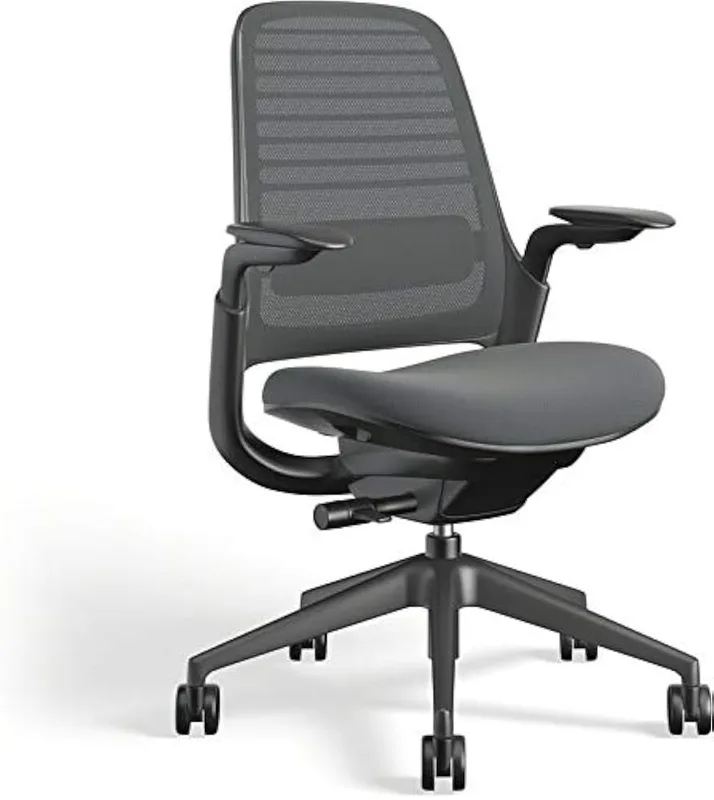
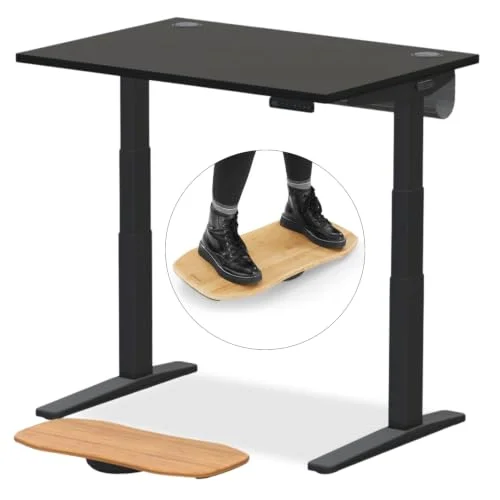
If you’re under 5’4” and working from home, you’re using equipment designed for someone else. The average ergonomic office chair is engineered for a 5’8”–5’10” frame. Most standing desks have a minimum sitting height of 28 to 30 inches — which is two to four inches too tall for many petite workers. By 2026, ergonomic furniture designers have started paying attention, but the mainstream market still defaults to average-male proportions.
The result is predictable: feet dangling off chairs, lumber support pressing against the mid-back instead of the lower back, monitors aimed at foreheads instead of eye level, and keyboards placed too far forward for short arms to reach comfortably. Each problem, individually, is a mild annoyance. Combined across an eight-hour workday, they accumulate into neck pain, lower back fatigue, wrist strain, and poor circulation.
Quick recommendation: If you only make one change, get the SIDIZ T25 — a chair actually proportioned for petite users. If feet are dangling, add the HUANUO footrest immediately. If your monitor height is wrong, the Ergotron LX arm fixes it permanently.
The Core Problems Petite Workers Face
Before getting into products, it helps to understand exactly what goes wrong when standard equipment meets a petite frame.
Chair seat too deep. Standard office chairs have a seat depth of 19–21 inches. Petite users — especially those under 5’2” — often need 16–18 inches. With a standard seat, you’re either sitting forward without back support, or sitting back with your knees cutting off circulation at the edge.
Desk too tall. For a sitting worker, the elbows should be close to desk height with shoulders relaxed. For a 5’1” person, that’s roughly 24–25 inches. Most fixed-height desks sit at 28–30 inches. Standing on the chair (figuratively) by raising the seat height just moves the problem — now feet don’t reach the floor.
Monitor aimed wrong. The top of the monitor should be roughly at eye level. Petite users on standard setups often look slightly upward or dramatically downward, depending on whether they raised the chair or left it low. Both positions create neck strain over time.
Keyboard too far away. Full-size keyboards with a numpad push the mouse another 6 inches to the right. For shorter arms, this means constant shoulder abduction just to reach the mouse. Compact keyboards close that gap.
5 Products That Actually Fix It
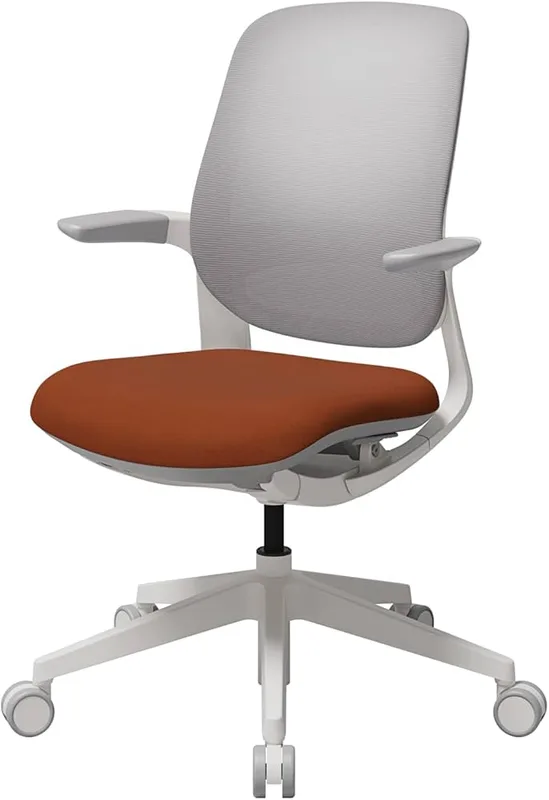
SIDIZ T25 Petite Ergonomic Chair
SIDIZ T25 Petite Ergonomic Chair
Pros
- ✓ Specifically proportioned for petite frames — smaller seat, lower minimum height
- ✓ Weight-sensing tilt adjusts automatically to lighter users
- ✓ GREENGUARD certified — no chemical off-gassing
- ✓ 30-day free trial from SIDIZ direct
Cons
- ✗ Fixed armrests on the base model (upgrade to 3-way for $30 more)
- ✗ White plastic aesthetic isn't for everyone
- ✗ 275 lb weight limit lower than most office chairs
The SIDIZ T25 is designed from the ground up for users 4’9” and taller — not as an afterthought, but as the primary design brief. The seat is shallower, the backrest shorter, and the minimum seat height lower than a standard office chair. These aren’t cosmetic differences. They change how the chair supports the body.
The auto-fit tilt is the most practically useful feature for petite users. Most chairs set tilt tension based on body weight — and the default tension is calibrated for heavier users. Lighter users end up with a tilt that’s either locked solid or falls back with no resistance. The T25’s weight-sensing mechanism adjusts automatically, so a 110-lb user gets the same controlled lean that a 175-lb user gets.
The GREENGUARD certification matters for home offices where you’re sitting in a small space all day. GREENGUARD testing checks for chemical off-gassing from foams and adhesives. It’s not glamorous, but it’s worth having if you’re pregnant, have chemical sensitivities, or just don’t want to breathe off-gassing foam for years.
Best for: Petite workers who want a chair that was actually designed for their proportions, not a standard chair in a smaller box.
Check current price on Amazon: SIDIZ T25
HUANUO Adjustable Desk Footrest
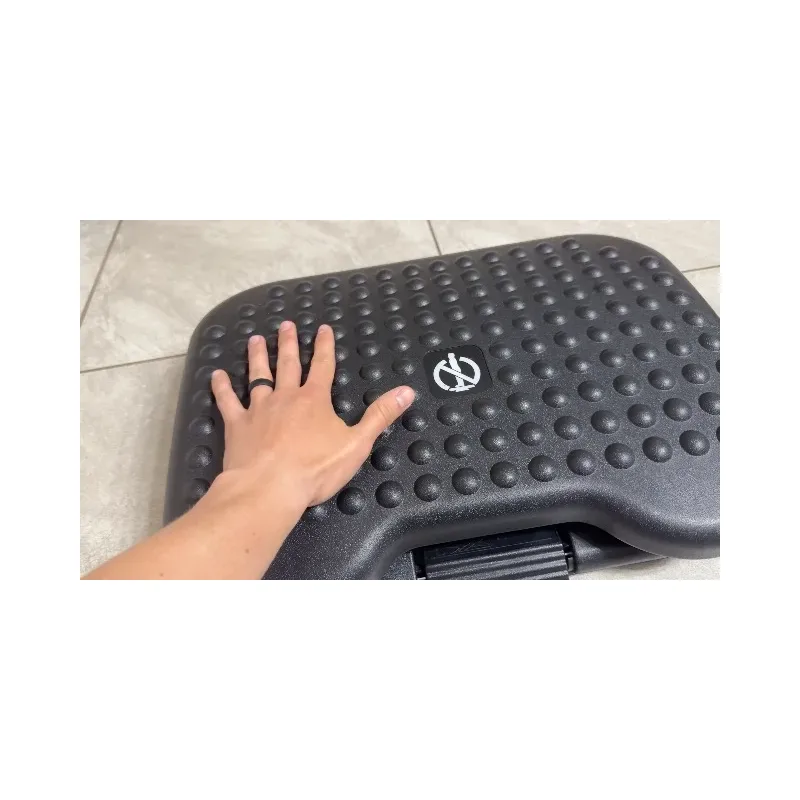
HUANUO Adjustable Desk Footrest
Pros
- ✓ Three height settings cover most petite desk situations
- ✓ Free-rocking motion keeps legs moving — reduces fatigue
- ✓ Massage-texture surface is genuinely comfortable
- ✓ Best price-to-feature ratio in this category
Cons
- ✗ All-plastic construction feels less premium over time
- ✗ Roller mechanism can slide on smooth floors if not anchored
- ✗ Height steps are fixed — no continuous adjustment
The footrest is the most underrated ergonomic upgrade for petite workers. If your chair is at a height that supports your back but your feet don’t reach the floor, you have two choices: lower the chair (and lose lumbar support), or add a footrest. The footrest is the right answer.
The HUANUO offers three height settings — 4.3, 5.5, and 6.7 inches — which cover most scenarios where the desk is at standard height and the chair needs to be a few inches higher than ideal. The rocking motion is an underappreciated feature: keeping feet moving even slightly has measurable benefits for circulation in sedentary work.
The massage-textured surface makes it more comfortable than a flat plastic platform. The 30° tilt range lets you angle the foot surface to match the natural foot position when legs are hanging rather than flat on the floor.
At $35, this is the cheapest effective fix for a petite worker using a standard-height desk. Buy one before spending on anything else if feet aren’t reaching the floor.
Best for: Anyone whose chair height is correct for lumbar support but feet don’t touch the floor.
Check current price on Amazon: HUANUO Footrest
Also see: Best Footrests for Standing Desks
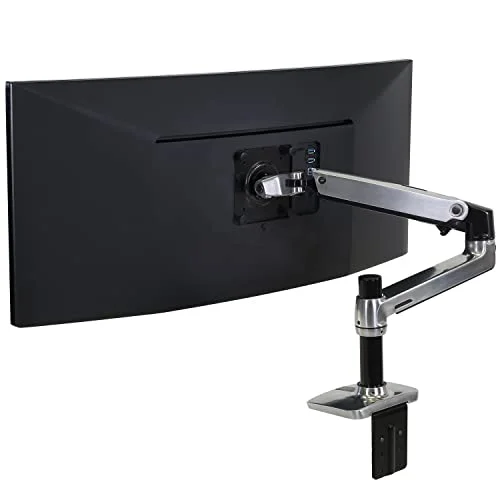
Ergotron LX Monitor Arm
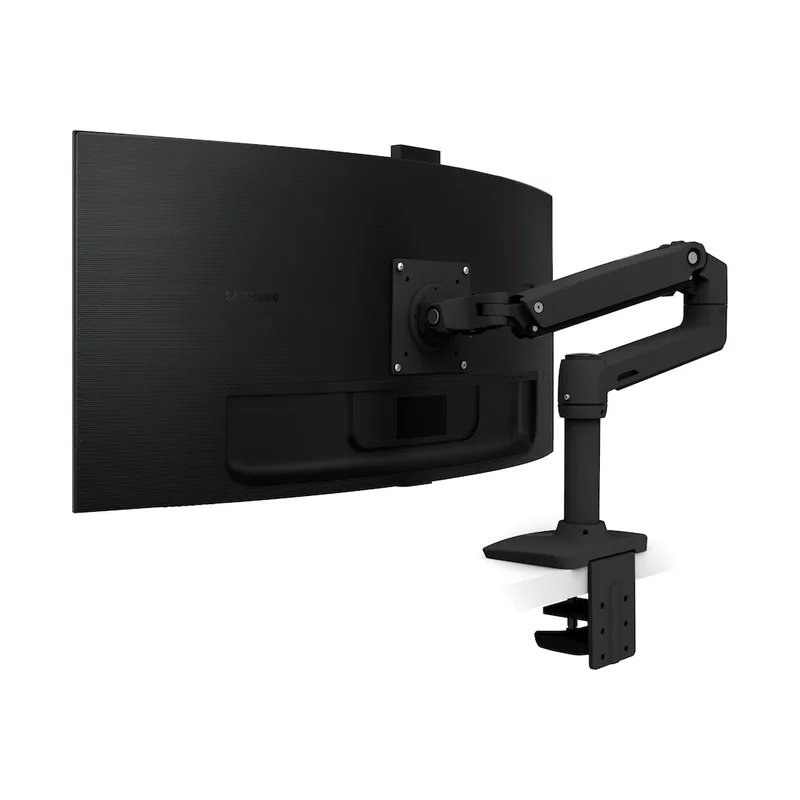
Ergotron LX Monitor Arm
Pros
- ✓ Gas spring repositions a 25-lb monitor with one finger
- ✓ Full range of motion — height, depth, tilt, rotation
- ✓ 25-inch reach covers deep desks and most mounting positions
- ✓ 10-year warranty — will outlast most monitors
Cons
- ✗ Premium price versus budget arms
- ✗ Clamp mount requires desk edge clearance (at least 2.5" overhang)
- ✗ Some assembly required — takes about 15 minutes
Monitor height is the single easiest ergonomic problem to solve and the one petite workers most often ignore. The standard fix — stacking books under the monitor — leaves the monitor unstable and the desk messy. A monitor arm mounts the screen precisely and holds it there permanently.
The Ergotron LX is the benchmark that other monitor arms get measured against. Its Constant Force gas spring repositions a 25-pound monitor with genuine one-finger effort — not the stiff, resist-and-release mechanism you find on cheaper arms. The 25-inch reach handles most mounting positions. The 10-year warranty means it will outlast several monitors.
For petite workers specifically, the value is in height flexibility. A monitor on a stand is stuck at whatever height the stand allows. A monitor on the LX can go anywhere from just above desk height to eye level standing, with smooth adjustment between. This matters especially when using a height-adjustable desk — the monitor moves with you.
The polished aluminum build feels substantial. Cable routing channels aren’t perfect but functional. Setup takes about 15 minutes.
Best for: Anyone who wants precise monitor positioning and plans to keep it for a decade.
Check current price on Amazon: Ergotron LX
Also see: Best Monitor Arms for Standing Desks
FlexiSpot E7 Pro Standing Desk
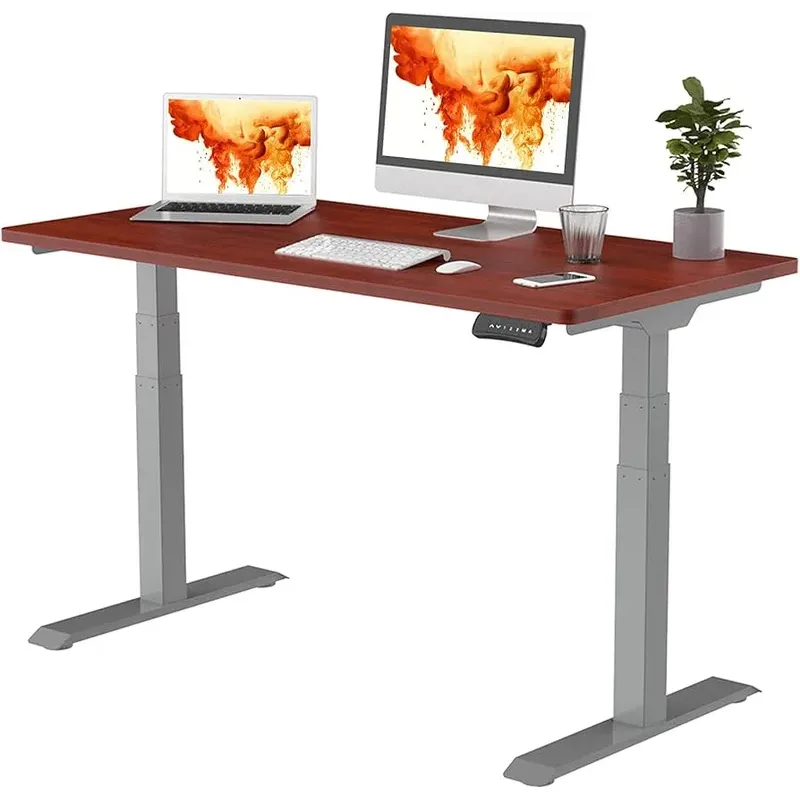
FlexiSpot E7 Pro Standing Desk
Pros
- ✓ 22.8" minimum height — one of the lowest available, critical for petite users
- ✓ 440 lb capacity handles any monitor or dual-screen setup
- ✓ 15-year warranty backed by a real company
- ✓ Memory presets lock in your exact sitting and standing heights
Cons
- ✗ At $599, it's a significant investment
- ✗ Desktop sold separately on the frame-only option
- ✗ Full assembly takes 45–60 minutes
The minimum sitting height of a standing desk is more important for petite workers than maximum standing height. Most people focus on how high a desk goes; petite workers should focus on how low.
The FlexiSpot E7 Pro goes down to 22.8 inches. For a 5’0” person, the ergonomically correct sitting height is approximately 23–24 inches from floor to work surface. The E7 Pro reaches it. Most budget electric desks start at 28–30 inches — effectively unusable at proper sitting height without a footrest and compromised arm position.
The dual-motor, 3-stage legs are the quietest mechanism in this price range. The 440 lb capacity handles dual monitors, a desktop PC, and a full desk setup without issue. The 15-year warranty is one of the few in this price category that’s actually backed by a company large enough to honor it.
Memory presets are especially useful for petite workers who share a desk. Program your exact sitting and standing heights and switch with one button — no guessing, no measuring.
Read our full FlexiSpot E7 Pro review for more detail on stability and assembly.
Best for: Petite workers investing in a long-term setup who need a desk with a genuinely low sitting minimum.
Check current price on Amazon: FlexiSpot E7 Pro
Logitech K380 Compact Keyboard
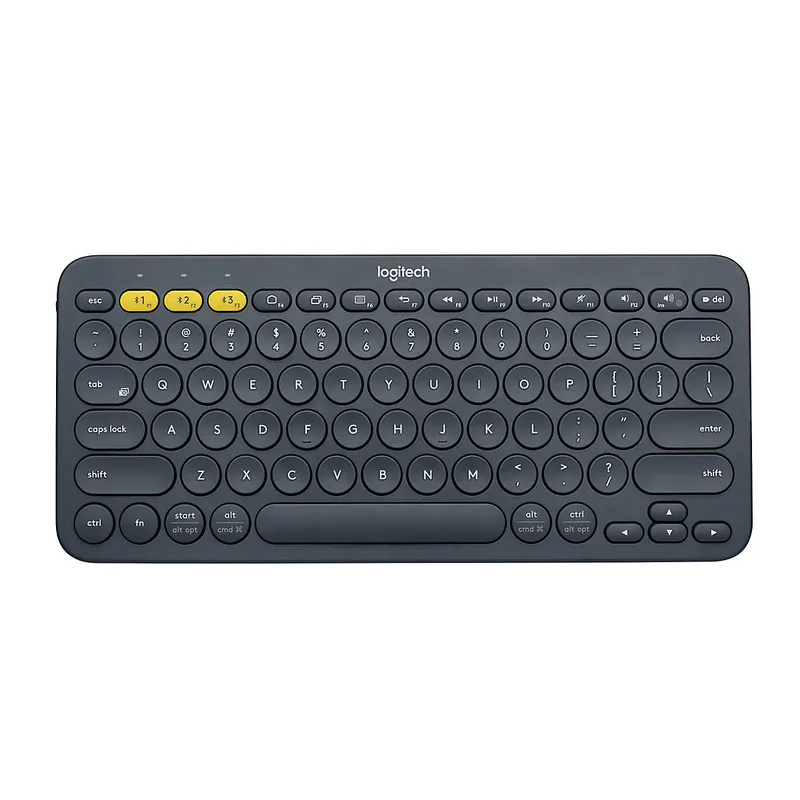
Logitech K380 Compact Keyboard
Pros
- ✓ 30% narrower than full-size keyboards — naturally centers arms
- ✓ Bluetooth multi-device switches between up to 3 devices
- ✓ Compact layout reduces reach to the mouse
- ✓ Up to 2-year battery life on 2 AAA batteries
Cons
- ✗ Round keycaps take 1–2 days to adjust to
- ✗ No backlight
- ✗ Not a split or ergonomic layout — improves reach, not wrist angle
A compact keyboard isn’t an ergonomic accessory in the traditional sense — there’s no wrist rest, no split layout, no special angle. What it does do is remove the numpad that forces the mouse another 6 inches to the right on full-size boards. For shorter arms, that 6 inches matters. Reaching outward and slightly forward to grab the mouse puts the shoulder in a position it shouldn’t be in for hours at a time.
The K380 is 11 inches wide vs. 17 inches for a full-size keyboard. That’s not just a space savings — it actively keeps the shoulder in a more neutral position for mouse work. The Bluetooth multi-device support (up to 3 devices) is useful for desk workers who switch between a laptop and a desktop, or between a personal and work computer.
Battery life is exceptional — up to 2 years on two AAA batteries. The round keycaps look unusual but the typing feel is clean after a short adjustment period.
Best for: Petite workers whose mouse hand consistently ends up too far to the right, or who want a keyboard that doesn’t dominate a small desk.
Check current price on Amazon: Logitech K380
Setting Up Your Workstation: The Petite-Worker Sequence
Getting the numbers right matters more than any single product. Here’s the correct setup sequence:
Step 1: Set Chair Height First
Start with the chair. Adjust seat height so your thighs are parallel to the floor (or very slightly declined — not angled upward). Your feet should ideally rest flat, but if they don’t, that’s what the footrest is for. Never raise the chair so high that back support is lost — you’ll end up with worse posture than a low chair.
For most petite workers at a standard 28–30” desk: set the chair to the height where your elbows are at roughly desk height with shoulders relaxed. This may mean feet are 2–4 inches off the ground — footrest territory.
Step 2: Add Footrest if Needed
If feet are off the floor after setting chair height correctly, get a footrest. Height of 4–6 inches covers most petite workers at standard desks. The goal is contact — feet resting on something creates a stable base for the pelvis, which supports the lower back. Feet dangling is a direct cause of lower back pain over long sessions.
Step 3: Set Monitor Height and Distance
Top of the monitor should be at approximately eye level. For most petite workers, this means raising the monitor — either with a monitor arm or a stable stand. A monitor arm is better because it also handles depth: the screen should be roughly arm’s length away (20–28 inches for most people).
Don’t look down at the monitor for hours — that’s forward head posture in slow motion. If the monitor can’t come up to eye level on a stand, a monitor arm is the fix.
Step 4: Position Keyboard and Mouse
Keyboard at elbow height, mouse directly beside the keyboard. For standard-height desks with a petite frame, a keyboard tray can lower the input surface to proper height and pull both keyboard and mouse closer to the body. See our guide on best keyboard trays for standing desks if the desk surface is too tall for comfortable typing.
For standing desk users: the seated position is dialed in with the height settings above; for standing, add 1–2 inches to elbow height to account for the slight forward lean most people use when standing.
Comparison Table
| Product | Price | What It Fixes | Best For |
|---|---|---|---|
| SIDIZ T25 Chair | Unavailable | Seat depth, seat height, auto-tilt | Petite workers who need a properly proportioned chair |
| HUANUO Footrest | $29.99-$35.99 as of Oct 18, 2026 | Feet off floor, lower back support | Fixed-height desk users |
| Ergotron LX Arm | $165.99-$199.99 as of Oct 18, 2026 | Monitor eye height, depth | Anyone with a monitor on a stand |
| FlexiSpot E7 Pro | Unavailable | Desk too tall, standing options | Workers building a long-term setup |
| Logitech K380 | Unavailable | Mouse too far right, desk space | Small desk or short-arm workers |
Buying Guide: What to Look For
Chair: Seat Height Range and Seat Depth
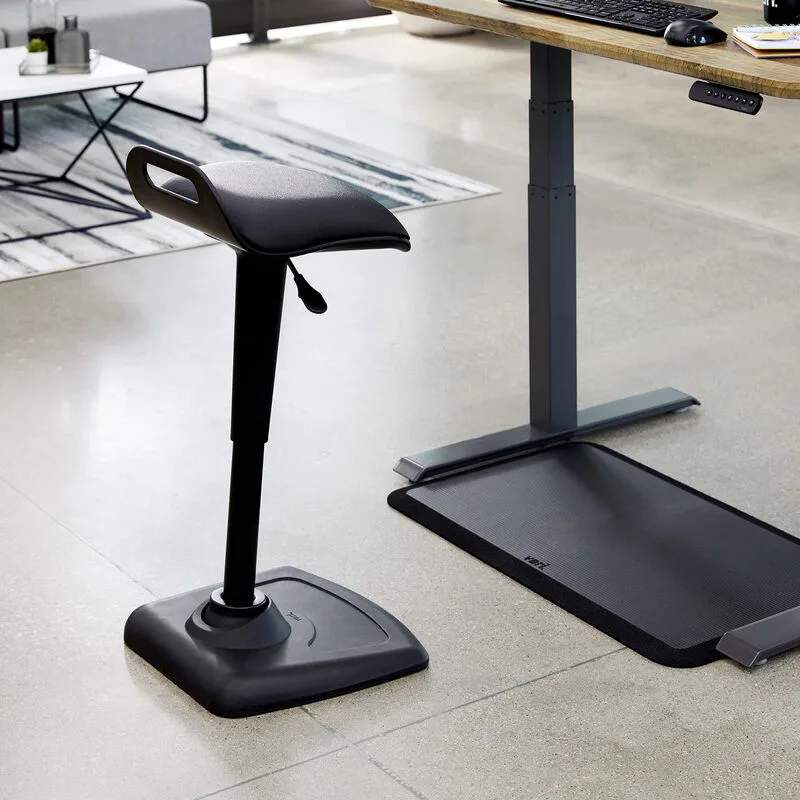
The two numbers that matter most for petite buyers are minimum seat height and seat depth. Minimum seat height should be at or below 16 inches for most petite users. Seat depth should be adjustable or in the 16–18” range for typical petite frames — a 20”+ fixed seat depth means you can’t sit fully back without losing edge support behind the knees.
Weight-activated tilt (like the SIDIZ T25) is worth seeking out. Standard tilt mechanisms calibrate tension for heavier users, making them stiff for lighter frames.
Footrests: Height Range Is Everything
Most footrests cover 3–6 inches of lift. For petite workers at standard 28” desks with a properly set chair, 4–6 inches is typically sufficient. Look for adjustable height in at least two steps, a non-slip base, and a surface wide enough for both feet.
Rocking footrests (like the HUANUO) encourage micro-movements that improve circulation. Static flat footrests work but offer no movement.
Standing Desks: Focus on Minimum Height
For petite users, the minimum height is the most important spec. Ignore the maximum. Look for desks that go to 23–25 inches sitting height. The FlexiSpot E7 Pro at 22.8 inches is one of the lowest available at this price. Budget desks that start at 28 inches are functionally useless for petite workers at a proper sitting position without adding a footrest — at which point, you still have a desk at the wrong height.
Monitor Arms: Reach and Weight Rating
For single monitors under 27 inches, most arms work. For larger monitors or ultrawides, check the weight rating — arms with a gas spring mechanism are better for daily repositioning. A 25-inch reach (like the Ergotron LX) handles most desk configurations. Shorter reach (18–20 inches) works for shallow desks only.
FAQ
What is the ideal chair height for someone 5’2”?
For a 5’2” person, the correct chair height positions the knees at approximately 90 degrees with thighs parallel to the floor. That typically works out to a seat height of around 16–17 inches. Most standard office chairs bottom out at 17–18 inches — workable but tight. Petite chairs (like the SIDIZ T25) go lower and have shallower seat depths to match the frame.
Do I actually need a footrest, or can I just lower my chair?
If you lower your chair to get feet flat on the floor, your elbows end up below desk height — forcing shoulders up and forward to type. That’s worse than using a footrest. The correct sequence is to set chair height based on arm/shoulder position, then add a footrest to bring the floor up to your feet. See our full ergonomic chairs for short people guide for chair-specific recommendations.
Why do standard ergonomic chairs feel wrong for petite users?
Most ergonomic chairs are designed around average male body proportions: roughly 5’8”–5’10”, 160–180 lbs, with a seat depth calibrated for longer thighs. For a user 4–5 inches shorter, the seat depth is too long (blocking circulation), the lumbar support hits too high, and the seat height minimum may still be too tall. Ergonomics designed for an “average” body actively create discomfort for outliers on either end.
What monitor height is correct for petite desk workers?
The top edge of the monitor should sit at approximately eye level, with the screen tilted slightly backward (10–20 degrees). For a 5’1” worker at a standard desk in a properly set chair, the monitor’s top edge needs to be at roughly 46–48 inches from the floor — much higher than a monitor sitting on its stand can achieve on most desks. A monitor arm solves this without any hacks.
Can I fix a too-tall desk without buying a new one?
Yes, partially. A footrest helps with feet-off-floor problems. A keyboard tray that mounts under the desk surface lowers the input position by 3–4 inches, fixing the arm angle. A monitor arm raises the screen to eye level. If all three are needed, you’re effectively spending $300+ on workarounds — at which point a proper adjustable standing desk becomes cost-competitive for the long term.
Is the SIDIZ T25 worth it compared to a cheaper petite chair?
The T25’s advantage is the combination of weight-sensing tilt, GREENGUARD certification, and ANSI/BIFMA compliance. Budget petite chairs exist in the $150–$200 range (usually gaming chairs in smaller sizes) but they typically have fixed tilt tension, no lumbar adjustability, and no independent certifications. If you’re sitting 6–8 hours daily, the $349 is the better long-term investment. If you’re at the desk 2–3 hours daily, a well-configured budget chair with a footrest is acceptable.
Conclusion
The standard ergonomic setup advice doesn’t fully apply to petite workers because the products that advice assumes are built for larger frames. Fixing petite-specific ergonomics means addressing the right problems in the right order: chair proportions first, foot support second, monitor height third, keyboard reach fourth.
- Best all-in-one fix: SIDIZ T25 — a chair actually designed for petite proportions, with auto-fit tilt that accounts for lighter body weight
- Fastest affordable improvement: HUANUO Footrest at $35 — solves the most common petite desk problem immediately
- Long-term setup investment: FlexiSpot E7 Pro — the right desk height from the start is cheaper than years of compensating with workarounds
If budget is limited, prioritize the footrest and chair in that order, then add the monitor arm when the setup allows. The keyboard is a quality-of-life upgrade worth the $32 but won’t prevent injury the way the first three will.
For the complete ergonomic picture, see our complete ergonomic workspace setup guide and home office ergonomics budget guide.