Disclosure: PostureRanked is reader-supported. When you buy through links on our site, we may earn an affiliate commission at no additional cost to you. Our recommendations are based on independent research and testing.
| Product | Price | Rating |
|---|---|---|
| FlexiSpot E7 Pro | — | 9.0 |
| UPLIFT V3 | — | 9.2 |
| Fully Jarvis | — | 9.0 |
| Branch Standing Desk | — | 9.0 |
| VariDesk Pro Plus 36 | — | 8.6 |
| FlexiSpot M7B Converter | — | 8.8 |
| Ergotron WorkFit-T | — | 9.0 |
PostureRanked is reader-supported. When you buy through links on our site, we may earn an affiliate commission at no additional cost to you.
You’ve Got Two Paths — Pick the Right One
Your back hurts. Your energy crashes at 2pm. You’ve decided to start standing while you work. Good call. But now you’re staring at two very different solutions: buy a full electric standing desk, or slap a desk converter on top of what you already have.
Here’s the short version. If you’re building a dedicated home office and plan to stand daily, get a full standing desk — the FlexiSpot E7 Pro is the best value in the category, and our best standing desks of 2026 roundup covers all the top options. If you want to test standing without gutting your setup, grab a converter — the VariDesk Pro Plus 36 is the most reliable option, and our best sit-stand desk converters guide covers every budget tier.
Want the details? Keep reading.
What’s Actually Different?
A full-size standing desk replaces your entire desk. Motorized legs raise and lower the whole surface — your monitors, keyboard, coffee, all of it moves together. Desktops run 48 to 72 inches wide. Price range: $400 to $1,500+.
A desk converter sits on top of your existing desk. It’s a two-tier platform — keyboard/mouse below, monitor shelf above — with a spring or gas mechanism that lets you raise it when you want to stand. Price range: $100 to $650.
Same goal, completely different approach. The right pick depends on your budget, your space, and how committed you are.
The Best Standing Desks
FlexiSpot E7 Pro
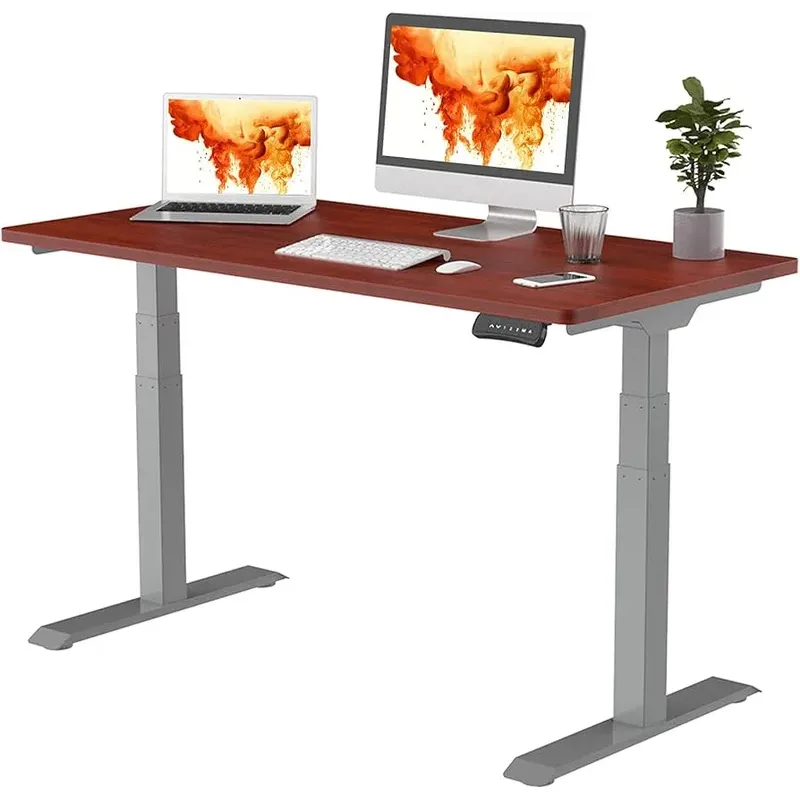
$559–$680 | Buy on Amazon
The E7 Pro is the desk I recommend most often, and the reason is simple: it does everything well without costing a fortune. Dual motors, 355 lb capacity, and a height range from 22.8” to 48.4” — short enough for someone 5’0” sitting, tall enough for someone 6’5” standing.
The motors run at under 45 dB — among the quietest in the category. That matters if you’re on video calls while adjusting. Four programmable presets let you dial in your sitting and standing heights and switch with one tap.
Who should buy it: Anyone who wants the best all-around desk without overpaying. Handles heavy dual-monitor setups without breaking a sweat.
Who should skip it: If you need maximum customization (desktop materials, accessories), the UPLIFT V3 offers more options.
UPLIFT V3
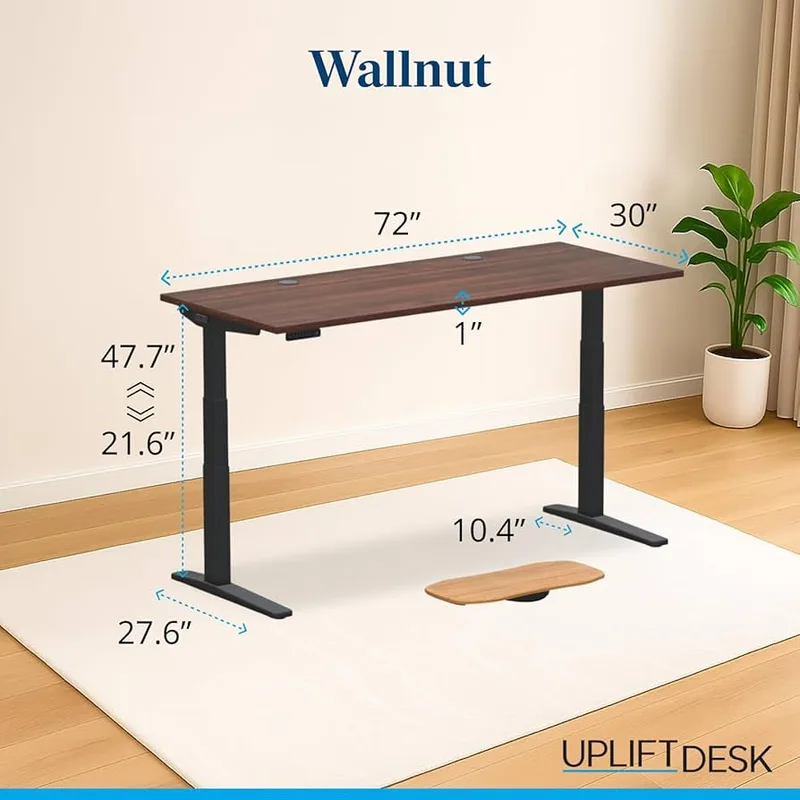
$599–$1,000+ | Buy on Amazon
UPLIFT’s pitch is customization. Dozens of desktop materials, frame colors, and add-ons — wire trays, power strips, drawers, monitor arms. If you want your desk exactly the way you want it, this is your desk.
The 15-year warranty is the best in the industry. The 6-axis anti-collision sensor prevents the desk from crushing anything it bumps into (useful if you have a cat that sleeps under your desk). The V3 frame dramatically improved stability over its predecessor — redesigned feet and thicker base segments reduce wobble significantly even at maximum height. The V3 also consolidates the old V2 and V2 Commercial into a single, more capable frame.
Who should buy it: Customization junkies and people who plan to build an entire desk ecosystem with accessories.
Who should skip it: Budget buyers. By the time you add a nice top and a few accessories, you’re north of $900.
Fully Jarvis
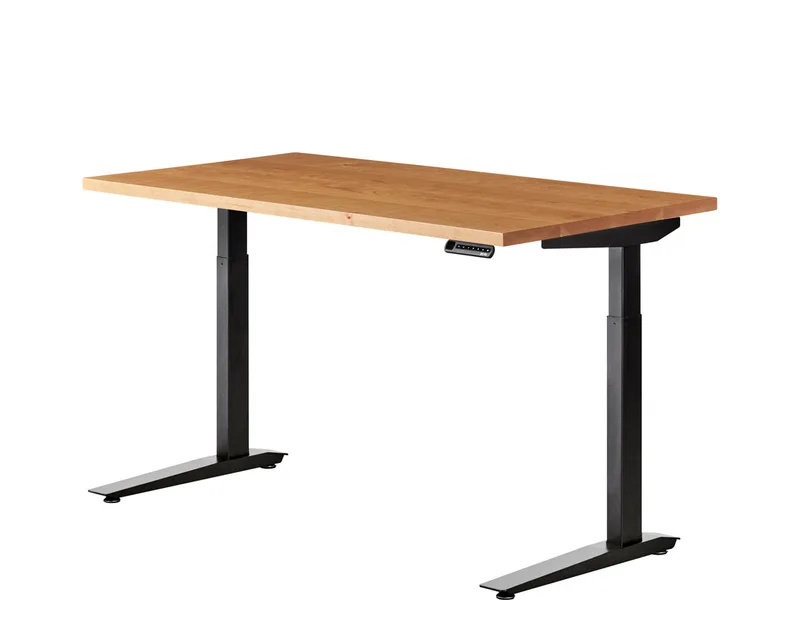
$1,095–$1,575+ | Buy at Herman Miller
Now part of the Herman Miller family, the Jarvis has arguably the best-looking desktop options — the bamboo top is genuinely beautiful. The OLED touch handset feels premium. Note: pricing has increased substantially since the Herman Miller acquisition — the laminate version now starts around $1,095 and bamboo from $1,175 (prices updated April 2026).
The tradeoff is a shorter warranty (7 years vs. 15 from UPLIFT and FlexiSpot) and consistent wobble complaints above 40 inches. If you’re under 6’0”, you won’t push the desk high enough for this to matter.
Who should buy it: Design-conscious buyers whose budget extends to $1,100+, who want beautiful hardwood or bamboo desktop options backed by Herman Miller quality.
Who should skip it: Budget buyers — at current pricing, the FlexiSpot E7 Pro or UPLIFT V3 offer significantly better value per dollar.
Branch Standing Desk
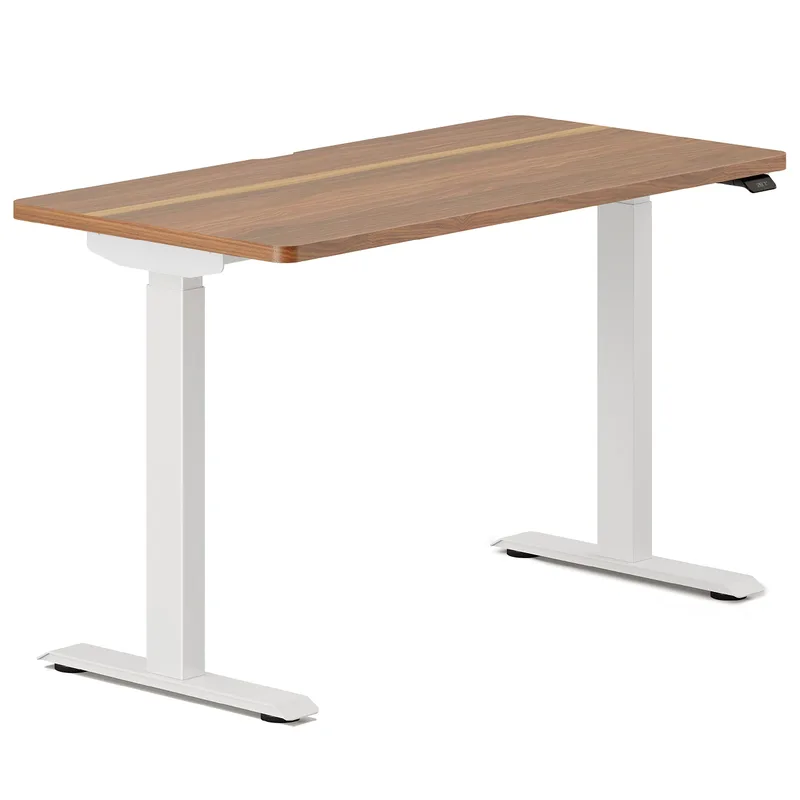
$699–$799 | Buy on Amazon
Branch’s desk is the most stable in this lineup. Reviewers consistently note minimal wobble at all heights, including maximum extension. The integrated control pad is elegant — flush-mounted in the desktop corner rather than dangling from a wire.
The catch: 275 lbs weight capacity is the lowest here, and the motor warranty is only 3 years. It’s a premium product with a shorter safety net.
Who should buy it: People who prioritize stability and clean aesthetics above everything else.
Who should skip it: Heavy multi-monitor users or anyone who wants a long warranty for peace of mind.
The Best Desk Converters
Branch Standing Desk
Pros
- ✓ Minimal wobble even at maximum height
- ✓ Clean, integrated control pad
- ✓ 26" height range suits most body types
- ✓ Easy assembly with photo-driven guide
Cons
- ✗ 275 lb capacity is lowest in class
- ✗ Motor warranty limited to 3 years
- ✗ Fewer customization options than UPLIFT or FlexiSpot
VariDesk Pro Plus 36
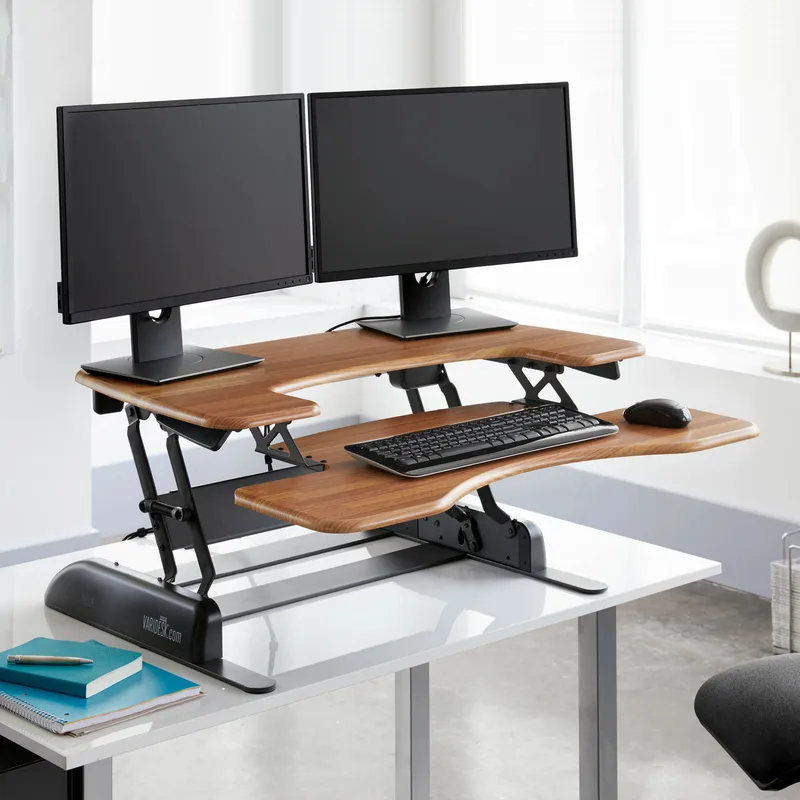
$395–$429 | Buy on Amazon
The VariDesk is the Honda Civic of converters — not flashy, but it just works. It arrives fully assembled. You put it on your desk and start using it. The spring-loaded mechanism needs no electricity and has proven itself over millions of units sold.
The 36-inch width fits dual monitors. The z-frame design is the main drawback — it extends about 12 inches toward you at full height, which eats into your standing space. And at $400+, it’s expensive for a converter. But reliability has a price.
Who should buy it: Office workers who need a proven, zero-setup solution. Especially useful in corporate environments where you can’t replace furniture.
Who should skip it: Anyone on a tight budget or with a shallow desk (you need at least 30 inches of depth).
FlexiSpot M7B Converter
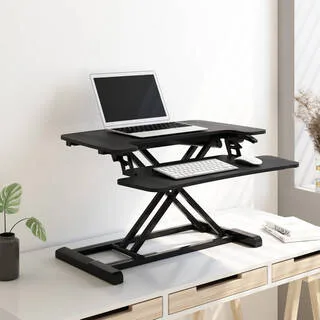
~$100 | Buy on Amazon
At around $100, the M7B is the cheapest way to start standing. The gas-spring mechanism is smooth, the height range reaches 19.7 inches, and setup takes five minutes with no tools.
Fair warning: FlexiSpot appears to be phasing this model out, so availability is spotty. The 28-inch width also limits you to a single monitor. But if you want to test whether standing works for you without spending serious money, this is the entry point.
Who should buy it: Budget-conscious buyers and anyone who just wants to try standing for a few months before committing.
Who should skip it: Dual-monitor users or anyone who needs long-term product support.
Ergotron WorkFit-T
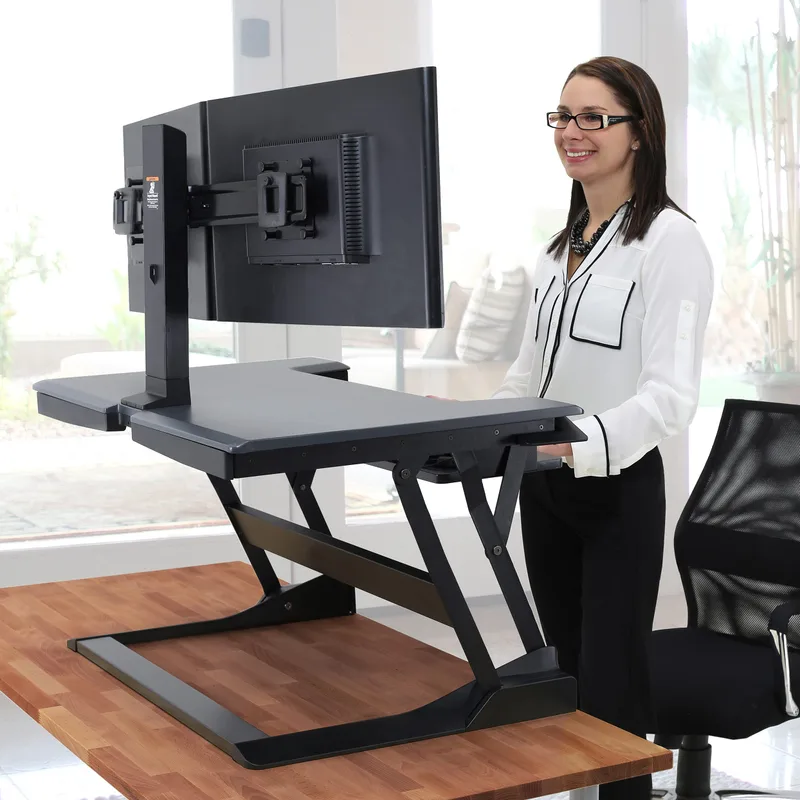
$540–$650 | Buy on Amazon
The WorkFit-T is the premium converter option. Its straight up-and-down lift path is a major advantage — unlike the VariDesk’s z-frame, the WorkFit-T rises vertically without creeping toward you. That matters in tight spaces.
Twenty height positions across a 15-inch range give you fine-grained control. The counterbalance mechanism feels almost weightless. But the 24.8-inch keyboard tray is cramped, and at $540+, you’re approaching standing desk prices.
Who should buy it: Users who want the most ergonomically correct converter, especially in tight workspaces where the straight lift path shines.
Who should skip it: Anyone whose budget could stretch to a full standing desk — at this price, you’re close.
Head-to-Head Comparison
| Feature | Standing Desk | Desk Converter |
|---|---|---|
| Price range | $599 – $1,600+ | $100 – $650 |
| Stability | Excellent | Good to fair |
| Workspace | Full desktop surface | Limited platform |
| Height range | 22” – 52” | 4.5” – 20” lift |
| Weight capacity | 275 – 355 lbs | 33 – 40 lbs |
| Setup time | 30 – 60 min assembly | Place on desk, done |
| Ergonomics | Superior | Acceptable |
| Aesthetics | Clean and modern | Bulky when raised |
| Commitment | Replaces your desk | Keeps your desk |
Buying Guide: How to Choose
Start with your budget. Under $300? A converter is your only real option — the FlexiSpot M7B at $100 or the VariDesk at $400. Over $500? A full standing desk delivers better value per dollar.
Measure your space. Converters need desk depth (the VariDesk requires 30 inches minimum). Standing desks need floor space for the frame. Measure before you buy.
Think about your monitors. Dual monitors? You need at least 36 inches of width. That rules out the FlexiSpot M7B and makes full desks more attractive.
Consider your timeline. Renters who move often do better with converters — no assembly, no disassembly, toss it in a box. Homeowners building a permanent office should invest in a standing desk.
Check your existing desk. If you love your current desk, a converter preserves it. If your desk is falling apart anyway, replace it with a standing desk.
Frequently Asked Questions
Can I use a desk converter on any desk?
Most converters work on any flat surface that supports the weight — typically 35 to 55 lbs for the converter plus your gear. Make sure your desk is sturdy and deep enough. The VariDesk Pro Plus needs at least 30 inches of depth, while the FlexiSpot M7B fits on surfaces as shallow as 15 inches.
How long do desk converters last?
Quality converters with gas-spring or counterbalance mechanisms last 5 to 10 years. The Ergotron WorkFit-T comes with a 5-year warranty. Cheaper mechanical-lift models wear out faster, typically 3 to 5 years.
Is a converter good enough, or do I need a real standing desk?
Converters are genuinely good enough for most people. The main limitations are workspace size and ergonomic flexibility. If you only use one monitor and don’t need a ton of desk space, a converter does the job. If you run dual monitors, need room for notebooks and accessories, or want pixel-perfect height adjustment, go full desk.
Are standing desks hard to assemble?
Most take 30 to 60 minutes with a partner. The FlexiSpot E7 Pro and Branch desks have the clearest instructions. The UPLIFT V2 has more bolts and takes a bit longer. All of them are doable solo, but a second person makes lifting the desktop onto the frame much easier.
How often should I switch between sitting and standing?
Most ergonomic guidelines suggest a 1:1 or 2:1 ratio — 30 minutes sitting, 30 minutes standing, or 40 minutes sitting, 20 minutes standing. The key is movement. Don’t stand for 4 hours straight any more than you’d sit for 4 hours straight. Use your desk’s memory presets to make transitions effortless. Our guide on how long to stand at a standing desk covers the research-backed 20-8-2 protocol and other proven frameworks.
The Bottom Line
For a dedicated home office, get a standing desk. The stability, workspace, and ergonomics are worth the investment. The FlexiSpot E7 Pro gives you the best features per dollar. The UPLIFT V3 is the move if you want maximum customization and a 15-year warranty.
For testing the waters, grab a converter. The VariDesk Pro Plus 36 is the safest bet — zero assembly, proven reliability, fits dual monitors. If budget is tight, hunt down a FlexiSpot M7B while they’re still available.
For a tight workspace with a converter budget, get the Ergotron WorkFit-T. The straight vertical lift saves desk space that z-frame converters waste.
Either way, you’re making the right call. Standing even a few hours a day makes a measurable difference in energy, focus, and long-term back health. The best desk is the one you’ll actually use. Don’t skip the anti-fatigue mat — it makes standing sessions dramatically more comfortable regardless of which path you choose.