Disclosure: PostureRanked is reader-supported. When you buy through links on our site, we may earn an affiliate commission at no additional cost to you. Our recommendations are based on independent research and testing.
PostureRanked is reader-supported. When you buy through links on our site, we may earn an affiliate commission at no additional cost to you.
The most common mistake new standing desk users make is standing too much. Yes, too much. The goal isn’t to replace sitting with standing—it’s to replace static positioning with movement. Standing all day creates its own set of problems: leg fatigue, foot pain, varicose veins, and even decreased cognitive performance. For the research behind this advice, see our standing desk benefits research guide.
So how long should you actually stand? Research gives clear guidelines that balance the benefits of standing with the realities of human physiology. The short answer: 2–3 hours of total standing across an 8-hour workday, spread in short intervals. The long answer involves understanding why these numbers work—and how to build a sustainable habit around them.
Quick Answer: The Evidence-Based Recommendations
| Guideline | Standing Time | Sitting Time | Movement |
|---|---|---|---|
| 20-8-2 Rule (Cornell) | 8 minutes | 20 minutes | 2 minutes per 30 min |
| Sit-Stand Consensus | 30-40% of work time | 50-60% of work time | Regular breaks |
| Daily Total | 2-4 hours total | 4-6 hours | Hourly movement |
| Starting Out | 10-15 min/hour | 45-50 min/hour | Walk breaks |
If you want the one rule to follow, use the 20-8-2.
The 20-8-2 Rule: Research-Backed Protocol
Developed by Alan Hedge, Professor of Ergonomics at Cornell University, the 20-8-2 rule provides a specific, research-backed framework:
- Sit for 20 minutes
- Stand for 8 minutes
- Move for 2 minutes
Repeat this cycle throughout your workday.
Why These Numbers?
The 20-minute sitting interval reflects research showing metabolic slowdown begins after about 20 minutes of static sitting. The 8-minute standing interval delivers postural benefits without the fatigue that longer standing periods create. The 2-minute movement break addresses the core issue that both sitting and standing share: static positioning.
Research from Texas A&M confirmed the 20-8-2 pattern improves energy expenditure without reducing attention span, short-term memory, or task performance. You get the health benefits without the productivity cost. That’s rare in the ergonomics world.
How to Implement
- Set a 30-minute timer
- Start sitting (minutes 0-20)
- Stand and continue working (minutes 20-28)
- Walk, stretch, or move (minutes 28-30)
- Repeat
This pattern results in approximately 16 minutes of standing and 4 minutes of movement per hour—well within healthy guidelines. Over an 8-hour workday, you accumulate roughly 2 hours of standing and 32 minutes of active movement.
The Sit-Stand Consensus Statement
A 2018 consensus statement published in Applied Ergonomics and endorsed by Public Health England provides broader guidelines based on comprehensive research review:
Key Recommendations:
- Stand for 30-40% of your total work time
- Don’t exceed 50% standing time
- For every 60-90 minutes sitting, stand for at least 30 minutes
- Include regular movement throughout
For an 8-hour workday, this translates to:
- Standing: 2.5-3.5 hours total
- Sitting: 4-5 hours total
- Movement: Distributed throughout
A 2022 six-month sit-stand desk intervention study found that workers using height-adjustable desks reduced sitting time by 17% and reported significant decreases in neck and shoulder discomfort. Insulin resistance improved 23% at the six-month mark. These aren’t marginal benefits—they’re meaningful health outcomes from a relatively small behavior change.
Why You Shouldn’t Stand All Day
A landmark 2017 study in Ergonomics found that workers who stood for more than 4 cumulative hours per day showed increased discomfort compared to those who stood for 2-3 hours. The problems with excessive standing compound:
Physical Strain
- Leg and foot fatigue that accumulates through the day
- Lower back pain (yes, standing causes this too—different muscles, same result)
- Varicose vein development with chronic excessive standing
- Joint stress from prolonged load-bearing on knees and hips
Diminishing Returns
Standing burns only 8-10 more calories per hour than sitting. The metabolic benefits of standing are overstated in fitness media. The real benefit isn’t standing itself—it’s the postural variation and movement that come with changing positions.
Cognitive Effects
Prolonged standing actually decreases cognitive performance on complex tasks. When your body works hard to support itself upright for extended periods, it diverts resources from mental processing. If you’ve ever felt foggy after standing too long at a conference, that’s why.
The Real Enemy: Static Loading
The core issue isn’t sitting or standing—it’s static loading. Maintaining any single posture for extended periods is a primary risk factor for musculoskeletal disorders. This applies equally to sitting in an expensive ergonomic chair and standing at a premium electric desk.
What Is Static Loading?
When you hold a position without moving, specific muscle groups remain constantly engaged. Blood flow decreases. Metabolic waste accumulates. Over hours and days:
- Muscle fatigue and pain develop
- Flexibility decreases
- Circulation suffers
- Injury risk increases
The Solution: Postural Variation
Neither sitting nor standing eliminates static loading—only movement does. The specific sit-stand ratio matters less than consistently changing positions throughout the day.
Think of it as a hierarchy:
- Best: Frequent position changes + movement
- Good: Alternating sitting and standing
- Poor: Standing all day
- Worst: Sitting all day
A well-timed cheap adjustable desk beats an expensive fixed desk. The desk that moves is the desk that works.
Building Your Standing Routine
Adaptation takes time. New standing desk users who jump straight to 2-3 hours of standing often quit within a week from fatigue. Build gradually.
Week 1-2: Foundation
Start conservatively to avoid fatigue and discouragement:
- Stand for 10-15 minutes per hour
- Focus on one consistent standing period per hour
- Take a 2-minute walk break each hour
- Listen to body signals — fatigue and discomfort are meaningful feedback
Week 3-4: Building Duration
Gradually increase as your body adapts:
- Stand for 15-20 minutes per hour
- Add a second standing period if your body handles the first well
- Maintain movement breaks regardless of how good you feel
- Note which tasks feel natural standing versus sitting — this varies by person
Month 2+: Sustainable Pattern
Settle into your optimal rhythm:
- Most people stabilize at 2-3 hours of total standing per day
- The 20-8-2 pattern becomes automatic, like checking your phone
- Adjust based on daily variation — energy, tasks, footwear, and whether you slept well all affect your standing capacity
What You Need to Make Standing Work
Standing more is only beneficial if you set up your environment correctly. The accessories below remove the common friction points that cause people to abandon their standing desk.
An Anti-Fatigue Mat
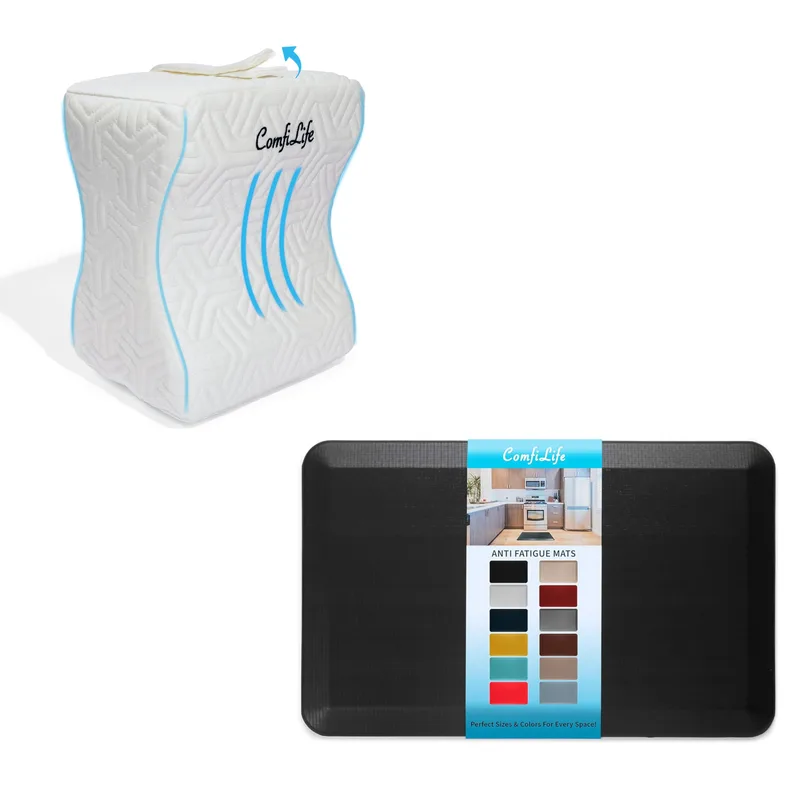
Standing on hard floors significantly accelerates fatigue. An anti-fatigue mat creates a slightly unstable surface that engages your legs’ small stabilizing muscles, promoting micro-movement even while standing. On hard floor, most people last 20-30 minutes before discomfort kicks in. On a good mat, that extends to 45-60 minutes.
See our full roundup: The Best Anti-Fatigue Mats for Standing Desks
Supportive Footwear (or Go Barefoot)
This is underrated. Dress shoes with hard soles and minimal cushioning turn a 20-minute standing session into a foot-pain experience. Wear shoes with arch support and cushioning — trail runners, walking shoes, and supportive sneakers all work. On a quality anti-fatigue mat, going barefoot is often better than dress shoes.
What to avoid: heels, hard leather soles, slip-on dress shoes, and flip flops. These shift weight distribution in ways that cause knee and lower back strain.
A Timer or App
Manual habit formation rarely sticks. Set a 30-minute recurring timer using your phone, computer, or a dedicated app. The most common reason people don’t follow the 20-8-2 pattern isn’t willpower — it’s that they forget. A timer removes the cognitive load.
Options: built-in timer apps, Google Calendar recurring reminders, or dedicated sit-stand apps like Stand Up! (iOS) or Stretchly (desktop, free and open source).
Correct Desk Height
This matters more than most people realize. Poor desk height at standing position causes you to hunch, reach, or lean — creating the exact musculoskeletal problems you’re trying to prevent.
Standing ergonomics setup:
- Elbows at 90 degrees when arms rest on the desk
- Screen top at or slightly below eye level
- Keyboard and mouse close enough that shoulders aren’t elevated
Getting your desk height wrong is the fastest path to neck and shoulder pain. See The Complete Standing Desk Setup Guide for full setup instructions. For a complete picture of how every piece of your workstation works together ergonomically, see our ergonomic workstation setup guide.
If you’re still shopping for a desk, our best standing desks of 2026 covers options across every budget.
Standing Schedules for Different Work Types
The right time to stand isn’t random — certain tasks suit standing better than others. Work with your nature, not against it.
Focus Work (Writing, Coding, Deep Analysis)
- Sit for extended focus periods — many people find deep concentration easier sitting
- Stand during review, editing, planning, and anything that doesn’t require intense cognitive load
- Pattern: 30-40 min sit, 10-15 min stand
- Don’t force standing during flow states; the health benefit isn’t worth breaking concentration
Communication (Meetings, Calls, Email)
- Stand during video calls — it increases energy and vocal presence naturally
- Stand for brainstorming sessions and creative whiteboarding
- Sit for long listening-focused meetings where you’re absorbing, not contributing
- Email batching is a natural standing opportunity — it’s low cognitive load, high volume
Administrative Work
- Alternate freely — emails, calendar, routine tasks are all good standing candidates
- Use standing periods to process batch work without deep thinking required
Creative Work
- Experiment — some people think better standing, others sitting, and it often changes with the type of creative task
- Walking is the most effective creative tool: ideate while walking, execute while seated or standing
Signs You’re Standing Too Much
Your body communicates clearly. These signals mean sit more:
- Leg fatigue that doesn’t resolve with shifting weight or a brief sit
- Lower back ache that improves when you sit down
- Foot pain or visible swelling by afternoon
- Decreased focus during standing periods — your body is diverting resources
- Dreading your standing intervals before they start
Signs You’re Sitting Too Much
Conversely, these suggest you need more standing:
- Stiffness when you finally stand — joints that need time to “loosen up”
- Lower back pain that improves when you stand and move
- Afternoon energy crashes that a coffee doesn’t fix
- Restlessness while seated, inability to get comfortable
Frequently Asked Questions
Is standing for 8 hours healthy?
No. Research shows standing for more than 4 hours daily increases discomfort and health risks. Standing all day creates its own injury and fatigue profile — the goal is alternation, not replacement.
Can I stand too little?
Yes, if you never stand. The minimum recommendation is about 30 minutes of standing per 60-90 minutes of sitting. Less than this and you lose most of the metabolic and postural benefits.
Do calories burned justify standing?
Not really. Standing burns only 8-10 additional calories per hour versus sitting. The benefits come from postural variation and reduced static loading — not calorie burn. Anyone selling a standing desk primarily as a weight-loss tool is overstating the case.
Should I stand more if I’m healthy?
Healthy individuals should still follow the 2-4 hour daily guideline. More isn’t better — it’s just different loading on your body. The sweet spot exists for a reason.
What if standing causes pain?
First, check your desk height and footwear. Most standing pain comes from wrong height settings or inadequate foot support. If pain persists despite good ergonomics, stand less frequently or for shorter periods. Some medical conditions make extended standing inadvisable — consult a healthcare provider if pain is persistent.
Does using a treadmill desk change the guidelines?
Yes — walking is fundamentally different from static standing. Treadmill desk users can often extend their “standing” time because movement continuously prevents static loading. However, walking while working has its own fatigue profile and isn’t sustainable for 8 hours either. Start at 1-1.5 mph and build slowly.
The Bottom Line
Most standing desk users get the usage wrong in one of two directions: either they stand so much they burn out in the first month, or they stand so little the desk becomes an expensive clothes rack.
The research-backed target for most people:
- Total standing: 2-3 hours per 8-hour workday
- Per interval: 15-30 minutes before switching
- Movement: At least 2 minutes per hour
- Pattern: 20-8-2 rule or any consistent alternation you’ll actually maintain
If you’re new to a standing desk: start at 10-15 minutes standing per hour, use a timer, and build over 4-6 weeks. Your feet and legs need time to adapt.
If you’re an experienced user feeling fatigued: you’re probably standing too long per interval. Cut intervals to 15-20 minutes and increase switch frequency instead.
The specific numbers matter less than the principle: change positions frequently. A standing desk isn’t about standing — it’s about having the freedom to move between positions throughout your day. The best sit-stand ratio is the one you’ll maintain day after day, not the one that looks best on paper.
Get the mat, set the timer, and start building the habit. Everything else optimizes itself over time.
For the full picture of workspace ergonomics — chair setup, monitor height, keyboard position, and lighting — see the Complete Ergonomic Workspace Setup Guide.