Disclosure: PostureRanked is reader-supported. When you buy through links on our site, we may earn an affiliate commission at no additional cost to you. Our recommendations are based on independent research.
| Product | Price | Rating |
|---|---|---|
| Humanscale Float Keyboard Tray | $382 | 9.4 |
| UPLIFT Big Standard Keyboard Tray | $114 | 9.2 |
| Uncaged Ergonomics KT2 Keyboard Tray | $130 | 8.7 |
| Uncaged Ergonomics KT1 Keyboard Tray | $90 | 8.4 |
| VIVO Large Clamp-On Keyboard Tray | $49.99 | 8.0 |
PostureRanked is reader-supported. When you buy through links on our site, we may earn an affiliate commission at no additional cost to you.
Your standing desk is set to the perfect height. Your monitor is at eye level. But your shoulders are creeping up toward your ears because the keyboard is sitting on a desktop that’s two inches too high for comfortable typing. Sound familiar?
Most standing desks — even expensive ones — put the keyboard surface above the ideal typing height. That forces your wrists into extension and your shoulders into a shrug that becomes painful after an hour. A keyboard tray drops your hands to the right height and angles your keyboard for neutral wrist posture. It’s often the cheapest upgrade that makes the biggest ergonomic difference.
Short on time? The Humanscale Float is the best keyboard tray for motorized standing desks. The UPLIFT Big Standard delivers a 27-inch platform and 15-year warranty for $114. And if you just want to try one without drilling, the VIVO clamp-on gets you started for under $50.
Why Your Standing Desk Needs a Keyboard Tray
Standing desk users face a geometry problem. Your desk surface needs to be high enough for your monitor, but your keyboard needs to sit lower — roughly at elbow height with your arms relaxed at your sides. Without a keyboard tray, you’re forced to compromise: either the monitor is too low or the keyboard is too high.
Cornell University ergonomics research has long established that negative-tilted keyboard trays produce better wrist and upper body posture than keyboards placed directly on desk surfaces — and those benefits can’t be replicated by adjusting desk height alone.
There’s a second problem specific to standing desks. Most sit-stand frames have a stability crossbar between the legs. That crossbar blocks the mounting rail that traditional keyboard trays need — which typically requires 17 to 21 inches of free depth. You need a tray designed around this constraint.
The right keyboard tray gives you negative tilt (keyboard angled away from you), proper height separation from your monitor, and a stable platform that doesn’t wobble when you type. Here are five that actually deliver.
Humanscale Float Keyboard Tray — Best Overall
Humanscale Float Keyboard Tray
Pros
- ✓ Built-in mousing surface eliminates separate mouse platform
- ✓ 15-year warranty — longest in the industry
- ✓ Ultra-thin phenolic tray is durable and easy to clean
- ✓ Designed specifically for height-adjustable desks
Cons
- ✗ No independent height adjustment (relies on desk motor)
- ✗ Tilt maxes out at -15° — not enough for treadmill desk users
- ✗ Premium price puts it out of reach for many buyers
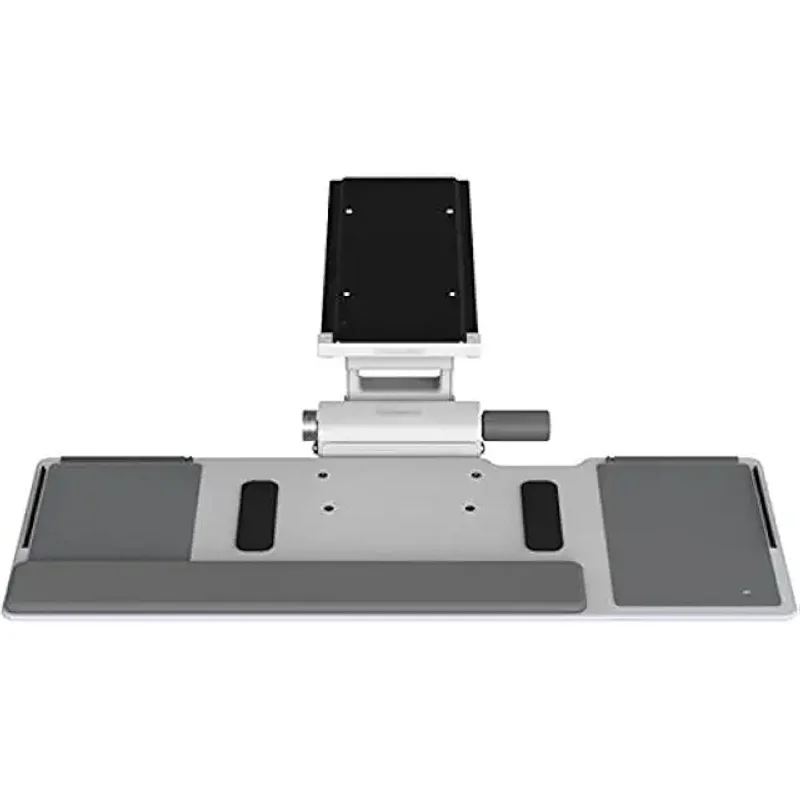
The Humanscale Float uses the company’s 6F mechanism, which has been the industry benchmark for under-desk keyboard systems for over two decades. Humanscale sells more keyboard tray systems than all other manufacturers combined, and the Float is their purpose-built solution for height-adjustable desks.
The key design decision: the Float doesn’t include its own height adjustment. Instead, it relies on your standing desk’s motor to handle height changes. That sounds like a limitation, but it actually makes the tray thinner, lighter, and more stable than alternatives that bolt on their own lift mechanism. The 25-by-9-inch phenolic composite platform is nontoxic, easy to clean, and includes a built-in mousing surface — no separate mouse platform dangling off the side.
Tilt adjustment ranges from flat to -15 degrees. That’s enough for most seated and standing work but may fall short for treadmill desk users who often need -20 to -35 degrees.
The 15-year warranty is the real confidence signal here. No manufacturer would offer that on a product they expected to break.
Who should buy this: Anyone with a motorized standing desk who wants the most refined, stable keyboard tray available. The Float feels like it belongs on the desk — not bolted to it as an afterthought.
Who should skip this: Treadmill desk users who need extreme negative tilt, or anyone on a tight budget. At $382, it costs more than some standing desks.
Price: $382 | Buy on Amazon
UPLIFT Big Standard Keyboard Tray — Best Value
UPLIFT Big Standard Keyboard Tray
Pros
- ✓ 27-inch platform fits full-size keyboard and mouse side by side
- ✓ Two track lengths for different desk depths
- ✓ Optional bamboo tray for a premium look
- ✓ 15-year warranty matches Humanscale
Cons
- ✗ Economy mechanism requires two hands to adjust
- ✗ Quick-Adjust upgrade adds $50 to the price
- ✗ Heavy full assembly is a downside if you reposition often
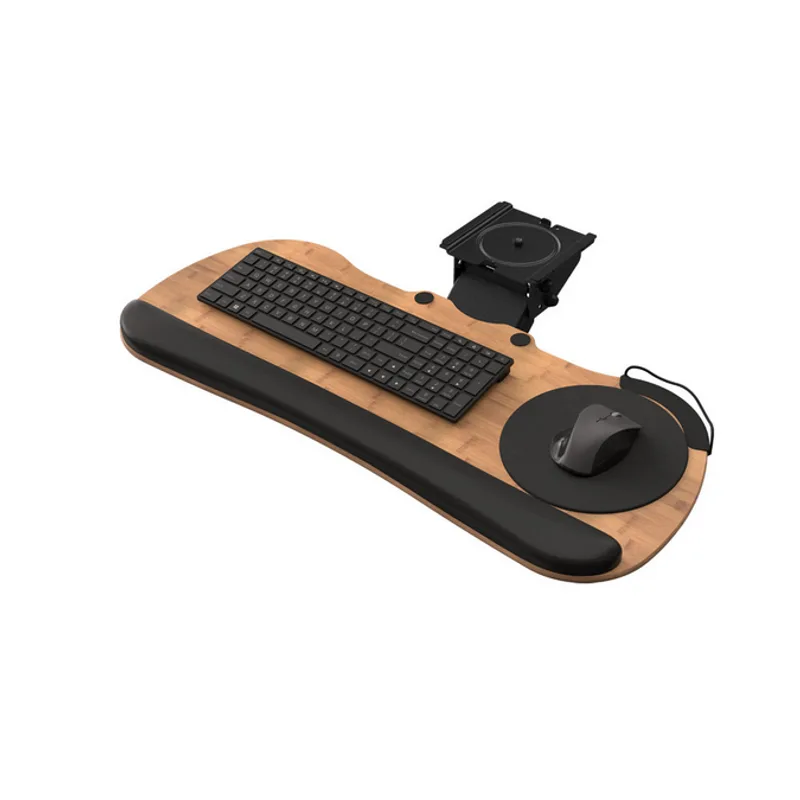
UPLIFT’s Big Standard tray solves the most common keyboard tray complaint: the platform is too small. At 27 inches wide, there’s room for a full-size keyboard and a mouse side by side without cramping. No separate mouse attachment required.
The system comes with two track lengths — 11 inches for shallow desks and 21 inches for standard depths — so compatibility is rarely an issue. Track spacers are included for mounting over standing desk crossbars, a detail many competitors overlook.
Two mechanism choices. The economy mechanism uses a single knob for height and tilt adjustment — functional but fiddly. The Quick-Adjust upgrade ($50 extra) adds lift-and-release height adjustment and a tilt angle dial. If you switch between sitting and standing multiple times per day, the Quick-Adjust is worth it. Wrestling with a knob every time you change positions gets old fast.
UPLIFT also offers the tray in bamboo ($30 extra) if you want the platform to match a bamboo desktop. Like Humanscale, UPLIFT backs their trays with a 15-year warranty. For hardware that lives bolted under your desk, that guarantee matters.
Who should buy this: Anyone who wants a large, stable platform without spending $300+. The 27-inch width is the best in this roundup and the 15-year warranty gives it premium-tier reliability at a mid-range price.
Who should skip this: If your desk depth is under 24 inches, even the short 11-inch track might be tight. Measure before ordering.
Price: Starting at $114 | Buy on Amazon
Uncaged Ergonomics KT2 — Best Budget for Standing Desks
Uncaged Ergonomics KT2 Keyboard Tray
Pros
- ✓ Only budget tray that raises above desk height for standing
- ✓ 360-degree swivel and full slide-away design
- ✓ Independent mouse pad tilt adjustment
- ✓ Extended arm enables true sit-stand keyboard positioning
Cons
- ✗ Short 90-day warranty for hardware that lives under your desk
- ✗ Longer arm introduces more wobble than fixed-mount trays
- ✗ Narrow 18.5-inch platform is tight for full-size keyboards
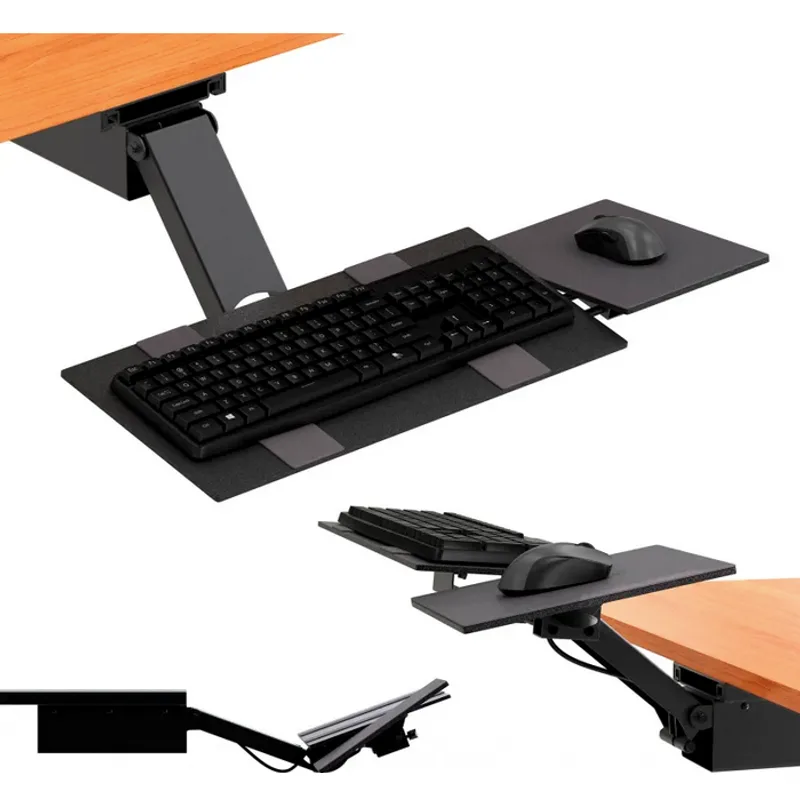
The KT2 solves the standing desk problem that cheaper trays ignore: the keyboard needs to rise above the desk surface when the desk is raised for standing. The KT2’s extended arm drops 10 inches below desk height and raises 8.5 inches above it. That above-desk reach is what makes it usable for standing — you can position the keyboard lower than the desktop even when the desk is fully raised.
Everything else carries over from the KT1 below: 360-degree swivel, slide-away design, steel frame, and an independently tilting mouse pad. The platform is the same 18.5-inch width, which remains tight for full-size keyboards with a number pad.
The longer arm introduces slightly more wobble during fast typing compared to the rock-solid Humanscale Float. Not dramatic, but heavy typists will notice it. The 90-day warranty is the same short coverage as the KT1.
At $130, the KT2 bumps up against the UPLIFT Big Standard at $114. The UPLIFT has a wider platform, better mechanism, and a 15-year warranty. The KT2’s advantage — and it’s a real one — is the above-desk height range, which matters if you have a fixed-height desk you’re trying to make standing-friendly.
Who should buy this: People with fixed-height desks who want to add sit-stand keyboard positioning. Also a solid pick for motorized desk owners who want the widest height range on a budget.
Who should skip this: Anyone with a motorized standing desk and $114 to spend. Get the UPLIFT instead — the wider platform and 15-year warranty win.
Price: ~$130 | Buy on Amazon
Uncaged Ergonomics KT1 — Best for Sitting-Only Desks
Uncaged Ergonomics KT1 Keyboard Tray
Pros
- ✓ Lowest price for real tilt and height adjustment
- ✓ 360-degree swivel pushes completely under the desk
- ✓ Detachable mouse pad mounts on either side
- ✓ Steel frame feels solid for the price
Cons
- ✗ Only 90-day warranty — a red flag for durability
- ✗ Cannot raise above desk height — sitting-only solution
- ✗ Narrow platform is tight for larger keyboards
The KT1 is the entry point for real ergonomic keyboard trays — not the flimsy sliding drawers you find for $30, but an actual tilt-and-height-adjustable system with a steel frame.
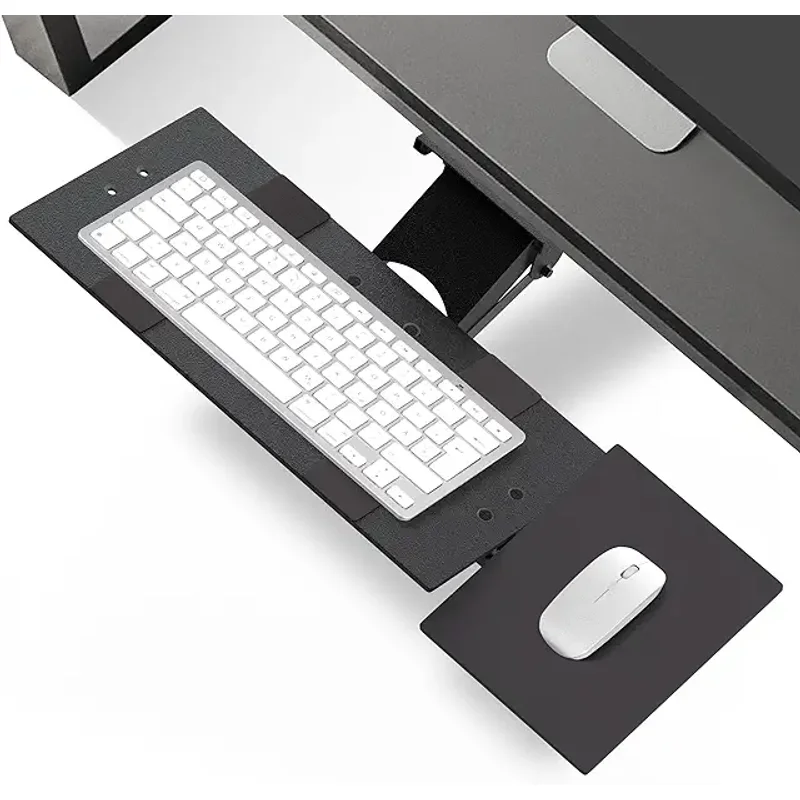
A single lever controls both height and angle. You can drop the keyboard 4.5 inches below desk level and adjust tilt between negative and neutral. The tray swivels 360 degrees and slides completely under the desk when you need the space. A detachable mouse pad clips onto either side for left- or right-handed use and tilts independently of the main platform.
The KT1’s biggest limitation: it can’t raise above desk height. That makes it a sitting-only solution. If your desk stays at one height all day, that’s fine. But standing desk users need the KT2.
The platform at 18.5 by 8.75 inches is fine for a tenkeyless keyboard but tight for a full-size board with a number pad. The 90-day warranty should give you pause — compare that to the 15-year warranties on the Humanscale and UPLIFT. The steel frame feels sturdy enough in practice, but the short warranty is a legitimate concern for hardware you expect to last years.
Who should buy this: Budget-conscious buyers with a fixed-height desk who want negative tilt and height adjustment under $100. A good fit for a second workstation or shared desk.
Who should skip this: Anyone with a sit-stand desk. The KT1 doesn’t raise above desk height — get the KT2 for $40 more.
Price: ~$90 | Buy on Amazon
VIVO Large Clamp-On Keyboard Tray — Most Affordable
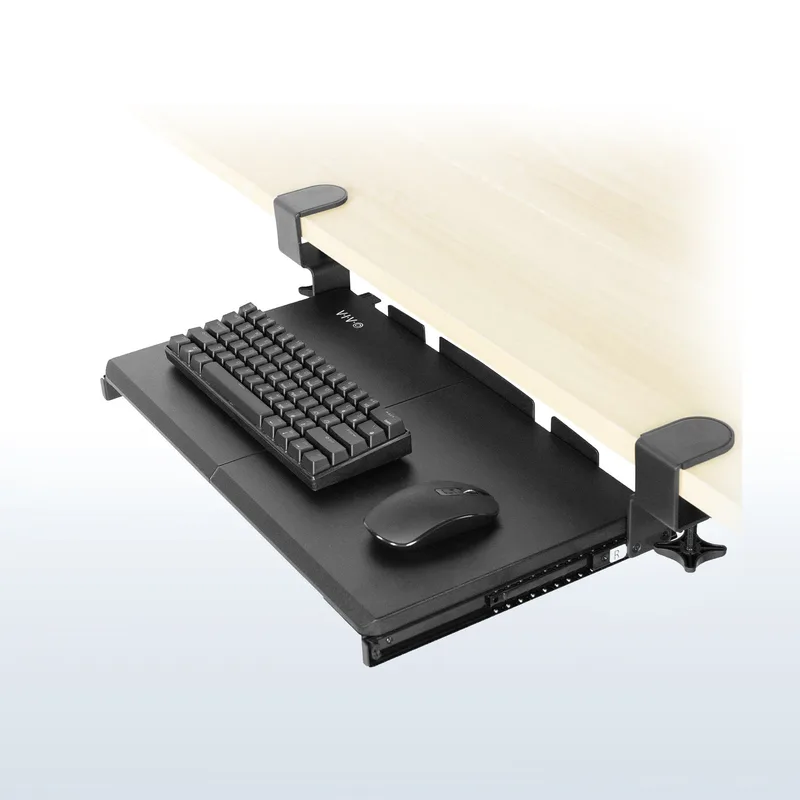
VIVO Large Clamp-On Keyboard Tray
Pros
- ✓ Under $50 — lowest price in this roundup
- ✓ 27-inch wide platform fits keyboard and mouse together
- ✓ Clamp-on mount requires no drilling or desk modification
- ✓ Multiple finishes including wood grain options
Cons
- ✗ No above-desk height adjustment for standing work
- ✗ Basic tilt mechanism lacks the refinement of dedicated ergonomic trays
- ✗ Clamp must fit desk edge up to 2.5" thick — measure first
At $49.99, the VIVO MOUNT-KB05E is the entry point for keyboard trays — period. It clamps onto any desk edge up to 2.5 inches thick with no drilling required, which makes it the easiest to install and remove in this roundup. The 27-inch wide platform is genuinely impressive for the price — it matches the UPLIFT for width and fits a full-size keyboard and mouse side by side.
The tradeoff: this is a basic tray. You get simple tilt adjustment but no height adjustment beyond what the clamp position allows. There’s no mechanism to raise or lower the platform relative to the desk surface. The design is solid steel with a smooth sliding pull-out, and VIVO backs it with a 3-year warranty — far better than the KT1/KT2’s 90 days, which is surprising for a tray at this price.
The VIVO makes the most sense if you’re skeptical about keyboard trays and want to try one before committing $100+. It also works well on a rental desk or any setup where drilling isn’t an option.
Who should buy this: First-time keyboard tray buyers, renters who can’t modify their furniture, or anyone who just wants a basic pull-out shelf for their keyboard without fuss or commitment.
Who should skip this: Standing desk users who need to reposition their keyboard when switching heights. The VIVO has no adjustment range for sit-stand workflows.
Price: $49.99 | Buy on Amazon
Comparison Table
| Feature | Humanscale Float | UPLIFT Big Standard | KT2 | KT1 | VIVO Clamp-On |
|---|---|---|---|---|---|
| Price | $382 | $114+ | ~$130 | ~$90 | $49.99 |
| Platform Width | 25” | 27” | 18.5” | 18.5” | 27” |
| Height Adjustment | Via desk motor | Up to 8” | 10” below to 8.5” above | 4.5” below desk only | None |
| Negative Tilt | Up to -15° | Yes (adjustable) | Yes (adjustable) | Yes (adjustable) | Basic |
| Mouse Solution | Built-in surface | Fits on platform | Detachable pad | Detachable pad | Fits on platform |
| Warranty | 15 years | 15 years | 90 days | 90 days | 3 years |
| Drilling Required | Yes | Yes | Yes | Yes | No |
| Best For | Premium standing desks | Value + large platform | Budget standing desks | Budget seated desks | No-drill / first-timers |
| Rating | 9.4 | 9.2 | 8.7 | 8.4 | 8.0 |
Buying Guide: What to Look For
Platform Size
Measure your keyboard first. A standard full-size keyboard is about 17 inches wide. A tenkeyless is around 14 inches. Add your mouse — that’s another 8 to 10 inches. If you want keyboard and mouse on the same platform without a separate attachment, you need at least 25 inches. The UPLIFT and VIVO at 27 inches are the most generous here; the KT1 and KT2 at 18.5 inches require their clip-on mouse pads to accommodate both.
Standing Desk Compatibility
Check two things. First, does your desk have a crossbar between the legs? If so, you need either a tray that mounts with track spacers (UPLIFT includes them) or one that clamps to the front edge (VIVO). Second, measure the free depth under your desk from the front edge — most under-desk trays need 17 to 21 inches of clearance. The Humanscale Float’s short 12.5-inch track is specifically designed to fit tighter standing desk frames.
Tilt Range
Negative tilt — where the keyboard slopes away from you — is the whole point. For seated work, -10 to -15 degrees keeps your wrists neutral. For standing, -15 to -20 degrees. Treadmill desk users may need -30 degrees or more. The Humanscale caps at -15 degrees, which covers most use cases but limits treadmill setups. The VIVO’s basic tilt is the least refined option.
Adjustment Mechanism
Single-knob adjustments (KT1 and economy UPLIFT) work but require two hands and some fiddling. Quick-adjust mechanisms (upgraded UPLIFT) let you change height with one hand. The Humanscale delegates height to your desk motor, which is the most seamless approach — but only if your desk is motorized.
Warranty and Build Quality
A keyboard tray lives under your desk and takes daily use for years. The 15-year warranties on the Humanscale and UPLIFT reflect genuine confidence in durability. The 90-day warranties on the KT1 and KT2 are genuinely concerning for hardware you expect to last — the steel frames have proven durable in practice, but the short coverage period is a real risk. The VIVO’s 3-year warranty is a pleasant surprise for its price tier.
Drilling vs. Clamp-On
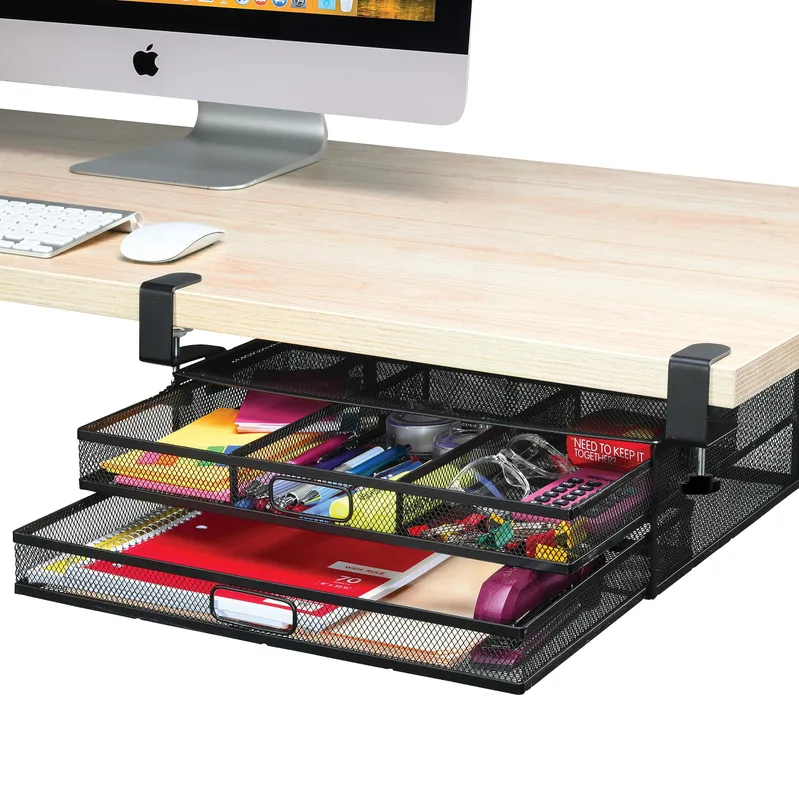
All trays except the VIVO require drilling pilot holes into your desk’s underside. If you’re renting, have a glass desk, or just want a reversible installation, the VIVO clamp-on is your only option in this roundup. For most desk owners who can drill, the drilled trays are more stable and allow for better height adjustment.
Frequently Asked Questions
Can I install a keyboard tray on a standing desk with a crossbar?
Yes, but you need the right mounting setup. UPLIFT includes track spacers specifically for this purpose. The Humanscale Float’s short 12.5-inch track fits on desks where longer-tracked trays won’t. The KT1 and KT2 clamp to the desk edge, so crossbars aren’t an issue. The VIVO clamp-on also bypasses crossbar issues entirely. Always measure your available depth before ordering.
How much negative tilt do I actually need?
For seated desk work, -10 to -15 degrees keeps your wrists neutral. Standing desk users typically find -15 to -20 degrees comfortable. Treadmill desk users — where your hands are further from the keyboard — may need -25 to -35 degrees. If you split time between sitting and standing, look for a tray with easy tilt adjustment so you can switch angles without a tool.
Is a keyboard tray worth it if I already have a standing desk?
Absolutely. A standing desk adjusts your overall work surface height, but it can’t separate your keyboard height from your monitor height. That separation is what matters — your monitor needs to be at eye level while your keyboard needs to be at elbow level. A keyboard tray creates that split. It’s one of the most cost-effective ergonomic upgrades you can add to any desk.
Will a keyboard tray fit my laptop?
Most keyboard trays work fine with external keyboards, but laptops are trickier. The platform needs to be deep enough (9 inches minimum) and stable enough to hold the laptop’s weight. The Humanscale Float and UPLIFT Big Standard can handle it. The KT1 and KT2’s narrower platforms are tight for most laptops. For laptop users, the better approach is an external keyboard on the tray with the laptop on the desk as a secondary screen.
What’s the difference between the KT1 and KT2?
Arm length — and that difference defines their use cases entirely. The KT1 adjusts from 4.5 inches below your desk to desk height, making it a sitting-only solution. The KT2’s extended arm reaches 10 inches below to 8.5 inches above the desk, making it the only budget option that works for standing. If you have a sit-stand setup, get the KT2. If your desk stays at one height, save $40 with the KT1.
Do I need a keyboard tray if I have a monitor arm?
A monitor arm and a keyboard tray solve different problems. A monitor arm adjusts your screen position. A keyboard tray adjusts your hand position. You often need both — the monitor arm to raise the screen to eye level, and the keyboard tray to drop the keyboard to elbow level. They work together, not as alternatives.
The Bottom Line
For most standing desk users, the UPLIFT Big Standard is the right call. The widest platform in this roundup, a 15-year warranty, and a starting price of $114 — hard to argue with. Add the Quick-Adjust mechanism for $50 if you switch positions multiple times a day.
If you want the absolute best and budget isn’t a constraint, the Humanscale Float at $382 is the most refined keyboard tray available. Integrated mousing surface, phenolic construction, 15-year warranty — it’s built for people who type eight-plus hours daily and expect their equipment to match.
On a budget with a standing desk? The KT2 at $130 is the cheapest way to get keyboard ergonomics that actually works at standing height. You’re trading platform width and warranty coverage for the savings, but the above-desk height range is genuinely useful.
Trying keyboard trays for the first time and not ready to drill? The VIVO clamp-on at $49.99 is a low-commitment way to test whether a tray improves your setup before upgrading.
Pair your keyboard tray with a standing desk mat and a monitor arm to complete the ergonomic stack. For wrist pain specifically, pairing the tray with a wrist rest and an ergonomic keyboard addresses the full chain of issues. Building a complete ergonomic workstation from scratch? The Complete Ergonomic Workspace Setup Guide covers every category in one place.