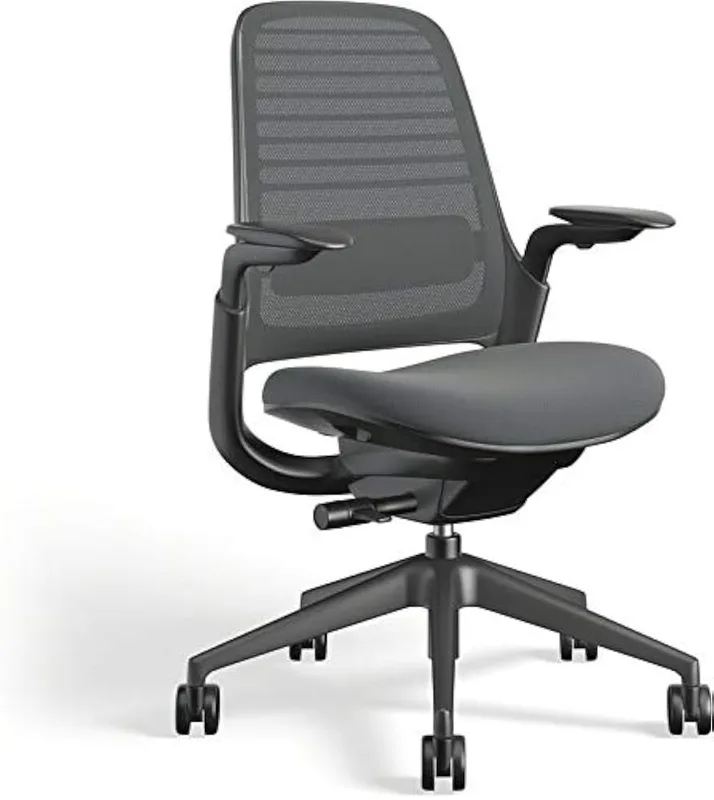
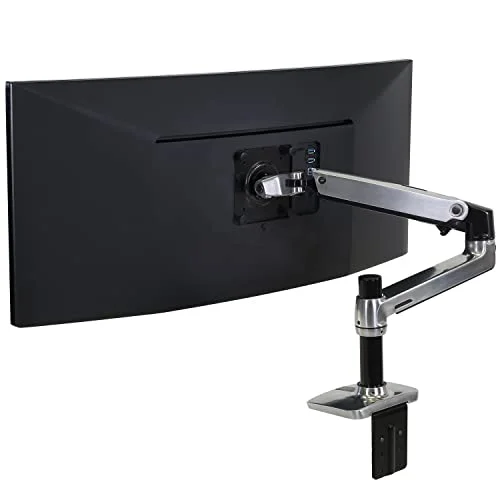
The home office wasn’t designed with your spine in mind. Most remote workers are sitting in wrong-height chairs, looking at monitors that sit 4 inches below eye level, and typing with their wrists angled upward all day. Back pain, neck stiffness, and wrist issues aren’t inevitable outcomes of desk work — they’re the result of a setup that was never optimized. The good news: you don’t need $1,500 worth of Herman Miller and UPLIFT to fix it.
This guide breaks ergonomic upgrades into three budget tiers: quick wins under $50, functional upgrades under $150, and high-impact investments under $300. With 52% of American workers now in hybrid arrangements (Gallup 2025 data), the home office is half your working life for a huge share of the workforce. In 2026, Hbada even launched a new 2026 Edition ergonomic chair line specifically targeting the growing home office market — a sign of how seriously manufacturers are now treating the segment. Start at whichever tier your budget allows. Any single change here will improve how you feel by end of day.
Quick picks: Biggest return on investment under $50: the Everlasting Comfort seat cushion. Best chair under $150: the SIHOO M18. Best overall chair in this guide: the Hbada E3 Air 2026.
How to Prioritize Your Ergonomic Upgrades
Not sure where to start? Let your biggest pain point guide the order:
- Lower back or hip pain → Fix the chair first. No amount of accessories compensates for a bad chair.
- Neck or shoulder stiffness → Fix monitor height. A monitor arm or riser will get you there.
- Wrist or forearm pain → Keyboard height and wrist support are the priority. Keyboard tray + wrist rest, or step up to an ergonomic keyboard.
- Foot and leg fatigue → Anti-fatigue mat if you’re standing, footrest if you’re seated.
If you have multiple issues, start with the chair. Everything downstream — monitor height, keyboard position, wrist support — gets harder to fix properly if your seated foundation is wrong.
Tier 1: Quick Wins Under $50
Three upgrades that require no installation, no tools, and deliver noticeable improvement from day one.
Everlasting Comfort Memory Foam Seat Cushion
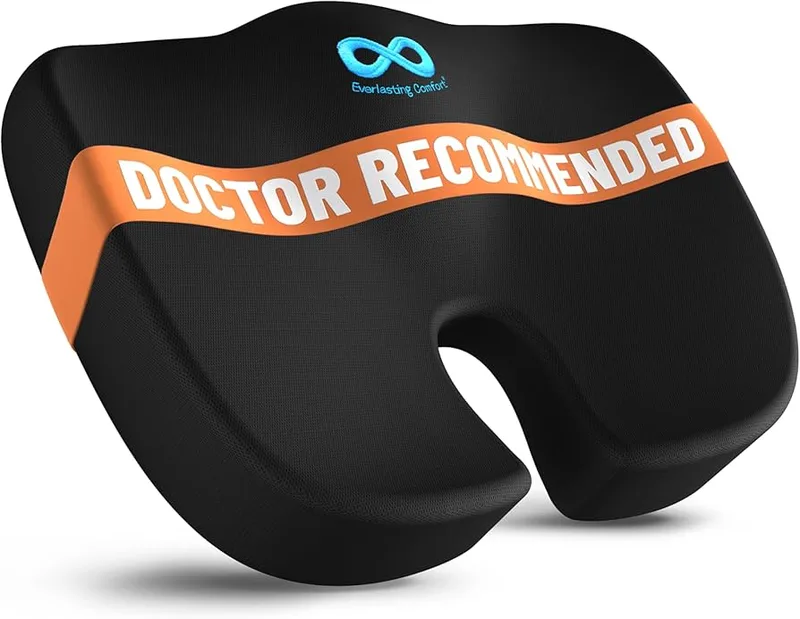
Everlasting Comfort Memory Foam Seat Cushion
Pros
- ✓ U-shaped cutout takes pressure off the tailbone and coccyx directly
- ✓ Memory foam holds its shape through the workday without flattening
- ✓ Machine-washable cover keeps it hygienic long-term
- ✓ Works on any chair, car seat, or airline seat — portable ergonomics
Cons
- ✗ Raises seat height by 2-3 inches, which may conflict with armrest positioning
- ✗ Not a substitute for a proper ergonomic chair for all-day use
- ✗ Some owners find the initial foam density too firm before break-in
A well-designed seat cushion does more than add padding. It shifts your pelvis angle and moves pressure away from the coccyx — a common source of low-back pain in chairs with flat or worn-out foam. The Everlasting Comfort cushion’s U-shaped cutout specifically offloads the tailbone, which is often what makes the difference between a manageable chair and an uncomfortable one.
At $30, this is the best-value upgrade in this entire guide. It works on office chairs, dining chairs, car seats, and airline seats. Memory foam maintains its shape through an eight-hour workday, unlike polyester fill that flattens by noon. The machine-washable cover is a practical detail that most competitors skip at this price point.
Best for: People working on a non-ergonomic chair who can’t yet justify a full replacement.
MROCO Ergonomic Mouse Pad with Gel Wrist Rest
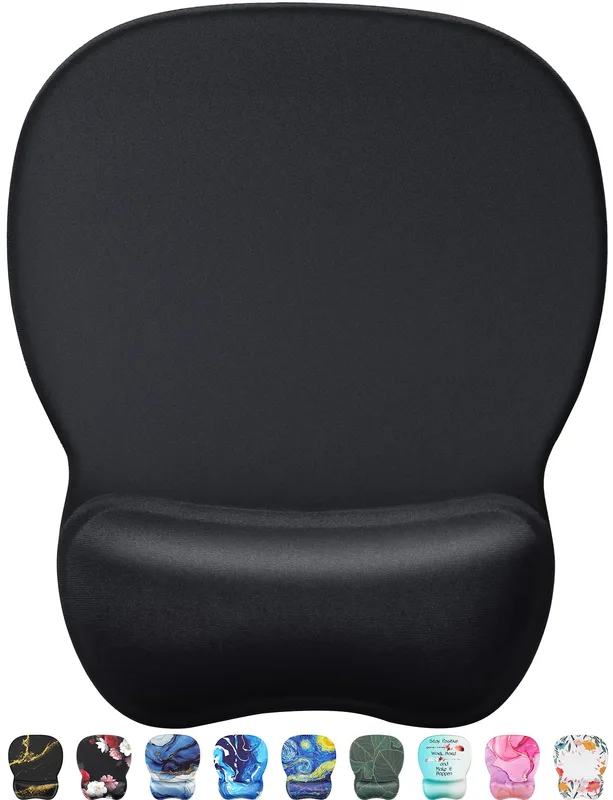
MROCO Ergonomic Mouse Pad with Gel Wrist Rest
Pros
- ✓ Gel wrist support keeps the wrist in a more neutral position while mousing
- ✓ Non-slip PU base stays put during active mousing
- ✓ Smooth surface is compatible with all mouse sensor types
- ✓ At $13, it's the cheapest ergonomic improvement in this guide
Cons
- ✗ Gel can compress and flatten after 12-18 months of heavy daily use
- ✗ Small size — limited to close-range mousing, not wide sweeping movements
- ✗ Wrist rest height is fixed, not adjustable
Most mouse pads are flat. Mousing on a flat surface forces the wrist into slight extension for hours at a time — that sustained tension is how RSI and carpal tunnel symptoms develop over months of desk work. The MROCO gel wrist rest keeps your wrist in a more neutral position while mousing by raising the heel of the hand to match the mouse height.
It’s not a complete ergonomic solution on its own. But at $13, it’s the lowest-friction, lowest-cost ergonomic improvement you can make. The smooth textile surface works with all mouse types; the non-slip PU base stays put during active use.
Best for: Heavy mouse users with early wrist fatigue, tingling, or soreness after long computing sessions.
The Original Bamboo Monitor Stand
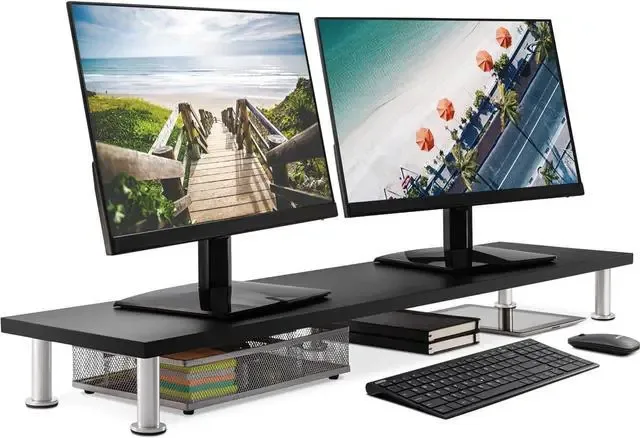
The Original Bamboo Monitor Stand
Pros
- ✓ Raises monitor 5-6 inches to near eye-level with no tools or drilling
- ✓ Lower shelf stores keyboard or accessories when not in use
- ✓ Natural bamboo adds a quality look for a $30 price
- ✓ Works with monitors, laptops, and external displays
Cons
- ✗ Fixed height — can't fine-tune to exact centimeter for your seated position
- ✗ Not suitable for monitors heavier than 20 lbs without additional support
- ✗ Less adjustable than a monitor arm for varied seating positions
Most monitors sit at desktop level — around 28-30 inches. For most adults, that puts the screen significantly below eye level, requiring 15-20 degrees of head-down tilt. Held for eight hours, that tilt creates significant neck and upper back load.
This bamboo riser raises your display 5-6 inches to near-eye-level without any drilling or tools. The lower shelf stores a keyboard when not in use, which doubles as a quick desk organization win. At $30, it’s the cheapest fix for a neck that’s been craning down all day. If you want full adjustability and a cable-managed solution, step up to the VIVO monitor arm below — but the bamboo stand is the right starting point if you just need height.
Best for: Laptop users or anyone with an external monitor that’s sitting too low.
Tier 2: Functional Upgrades Under $150
These solve the problems that $30 accessories can’t: a bad chair, a non-adjustable monitor, and a keyboard at the wrong height. Each of these three picks is under $150 individually.
SIHOO M18 Ergonomic Office Chair
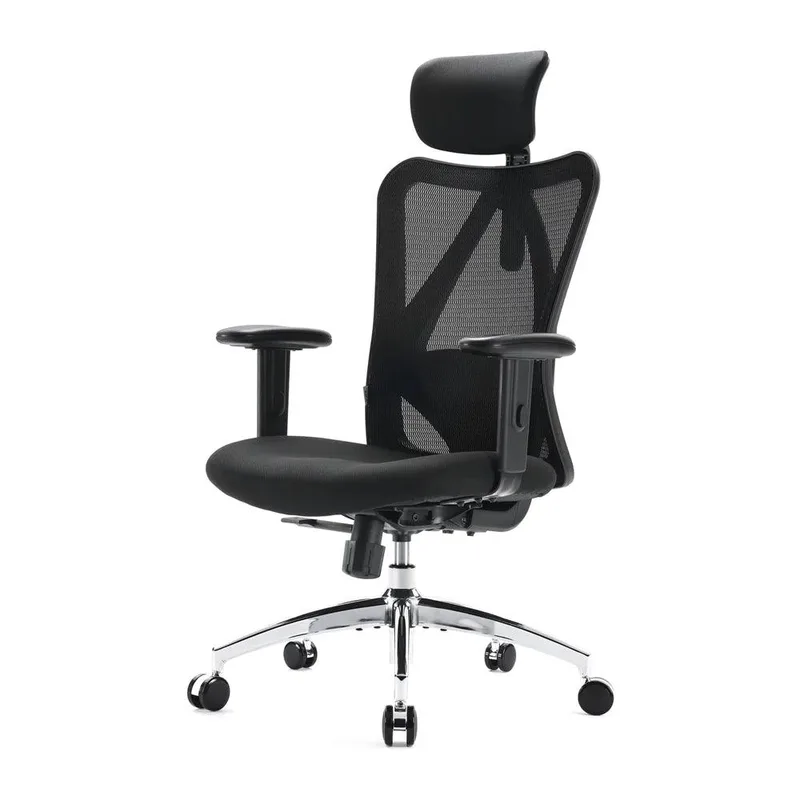
SIHOO M18 Ergonomic Office Chair
Pros
- ✓ 330 lb weight capacity exceeds most chairs at this price point
- ✓ Wide seat cushion with adequate foam density for multi-hour use
- ✓ Adjustable lumbar support and headrest both included
- ✓ Frequently available at $155-$169 on Amazon
Cons
- ✗ Armrests are 2D only — no inward/outward width adjustment
- ✗ Lumbar support is fixed-position, not floating like premium chairs
- ✗ Mesh backing lacks the fine-tune adjustments of pricier ergonomic chairs
If you’re sitting in a dining chair, a generic task chair, or a cheap gaming chair with a lumbar pillow duct-taped to it, the SIHOO M18 is the single most impactful upgrade you can make. The M18 is a genuine ergonomic chair — not just a chair that looks ergonomic in the product photos.
Key specs that matter: adjustable lumbar support (not just a fixed bump), adjustable headrest, high-back mesh for air circulation, and a 330 lb weight capacity that beats most competitors at two to three times the price. The wide foam seat cushion has reasonable density for multi-hour use.
What it isn’t: the lumbar support adjusts but doesn’t float or self-adjust like premium chairs. The 2D armrests move up and down and pivot slightly, but they don’t adjust inward or outward for shoulder width. At $169 (it frequently drops to the mid-$150s on Amazon), you’re getting entry-level ergonomics, not a Steelcase Leap. But entry-level ergonomics done right is vastly better than no ergonomics.
Best for: Budget buyers who want a real ergonomic chair without the $500+ commitment.
VIVO Single Monitor Arm Desk Mount
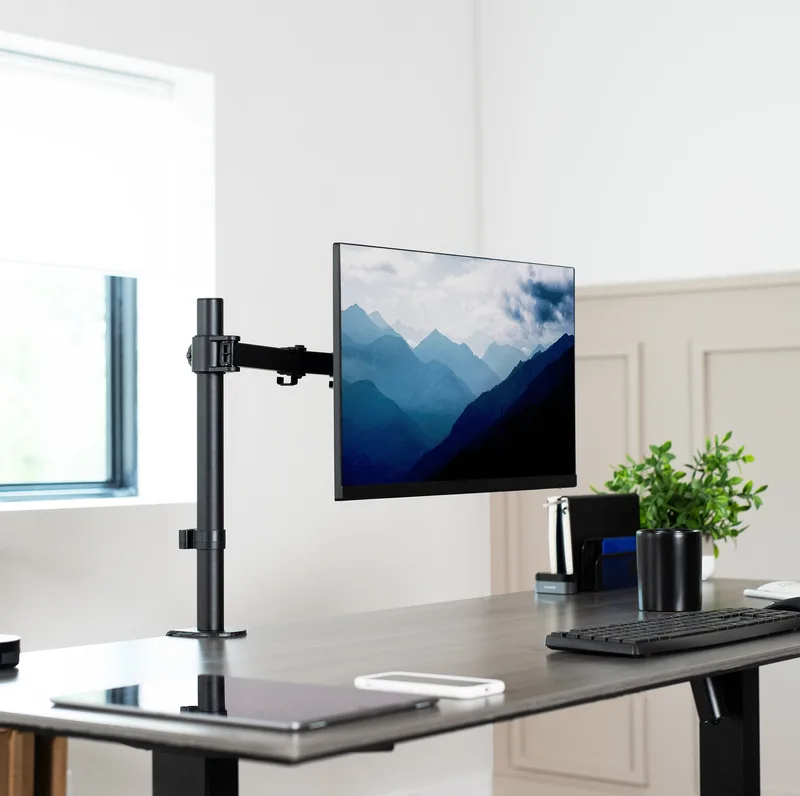
VIVO Single Monitor Arm Desk Mount
Pros
- ✓ Works with standard and ultrawide monitors up to 38 inches wide
- ✓ C-clamp attaches without drilling into the desk
- ✓ Full adjustment range lets you dial in the exact height for your seated position
- ✓ Frees up significant desk surface by eliminating the monitor base footprint
Cons
- ✗ No gas spring — requires Allen key to adjust arm tension
- ✗ Arm can drift slightly under heavier monitors over time
- ✗ Basic build quality; motion is less smooth than Ergotron LX
The VIVO STAND-V001 is the monitor arm most budget home offices should start with. It holds monitors up to 38 inches wide and 22 lbs, attaches via C-clamp with no drilling, and offers full height, tilt, swivel, and rotation adjustment. Cable management channels keep cords from becoming a visual mess.
The difference between this and the bamboo riser above: the arm lets you set the exact height and distance for your specific seating height. Your eye line should land at the top third of the monitor when seated upright. Hitting that precisely is hard with a fixed-height riser; straightforward with an adjustable arm.
It’s not gas-spring — you’ll use an Allen key to set tension rather than floating the monitor into position. But for $35, the adjustment range is excellent and the mount holds position under normal use.
Best for: Anyone who wants precise monitor positioning or has a desk they share with someone of a different height.
Mount-It! Clamp-On Keyboard Tray
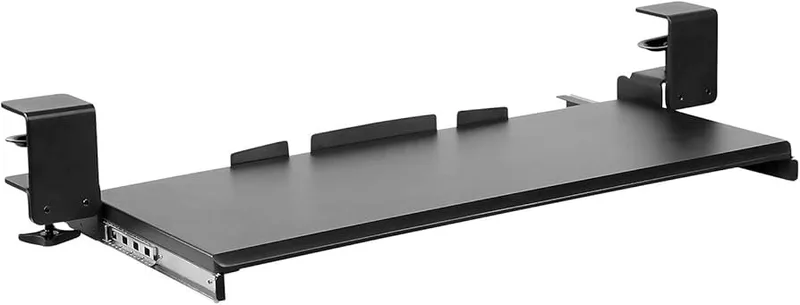
Mount-It! Clamp-On Keyboard Tray
Pros
- ✓ No-drill clamp installs in under 10 minutes with no tools
- ✓ 27-inch width fits a full-size keyboard and mouse pad together
- ✓ Brings keyboard below desk height to eliminate wrist extension
- ✓ Mouse platform adjusts to either side
Cons
- ✗ Clamp can loosen on very thin desk edges over time
- ✗ No height or tilt adjustment — fixed depth below desk surface
- ✗ Not suitable for standing desks where tilt adjustment is needed
Most desks put the keyboard surface at 28-30 inches. That’s fine for writing by hand, but too high for ergonomic typing. Proper keyboard height is typically 1-2 inches below elbow height — around 23-27 inches for most seated adults. Working above that height every day puts sustained load on the wrists, forearms, and shoulders.
The Mount-It clamp-on tray brings your keyboard below desk level without any drilling. One clamp, 10 minutes. The 27-inch width fits a full-size keyboard plus mouse pad together. An adjustable mouse platform extends on either side. Not ideal for standing desks (no tilt adjustment for standing height), but excellent for fixed-height and standard adjustable desks.
See our full keyboard trays guide if you need a standing-desk-compatible option.
Best for: Desk workers with wrist pain, forearm tension, or shoulder fatigue during heavy typing sessions.
Tier 3: High-Impact Investments Under $300
These are the upgrades that compound everything from Tiers 1 and 2. A better chair is the most impactful thing you can buy. An ergonomic keyboard and standing mat extend those gains to wrists and legs.
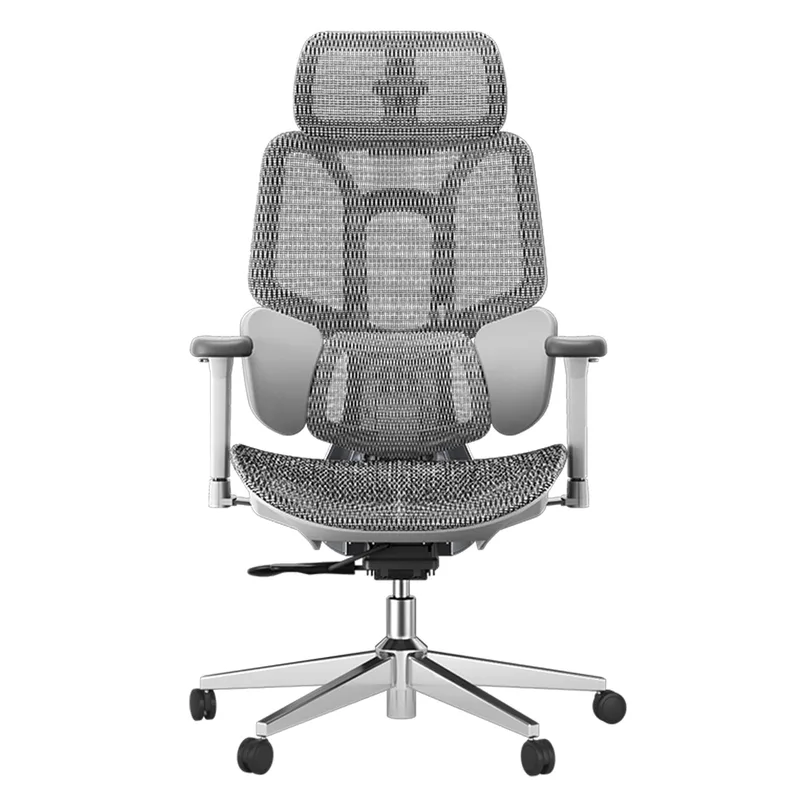
Hbada E3 Air 2026 Ergonomic Chair
Hbada E3 Air 2026 Ergonomic Chair
Pros
- ✓ 3-zone lumbar tracks your posture automatically rather than sitting at a fixed point
- ✓ 4D headrest adjusts height, angle, and forward/back reach
- ✓ 140° recline is useful for mental recharge breaks without leaving the chair
- ✓ 2026 edition brings updated mesh and revised foam seat cushion
Cons
- ✗ At $299, it's the most expensive pick in this guide
- ✗ Setup takes 30-40 minutes out of the box
- ✗ Newer model means fewer long-term durability reviews available
Hbada launched the E3 Series 2026 Edition in March 2026, and the E3 Air represents the best value in the lineup at $299. The defining upgrade over budget chairs is the 3-zone dynamic lumbar support — it adapts to your movement rather than sitting at a fixed point in your lower back. That difference matters during long sessions where you shift position constantly.
The 4D headrest adjusts for height, angle, and forward/back reach, covering a wide range of sitting heights. The 140° recline with auto-return function is genuinely useful for brief focus breaks without getting out of the chair. Mesh backrest maintains air flow during long sessions.
At $299, this is meaningfully better ergonomics than the SIHOO M18. If you sit 7+ hours a day for work and are still dealing with back pain by afternoon, this is where to invest. For broader context on what the premium tier looks like, see our best ergonomic chairs under $300 roundup.
Best for: Full-time remote workers who want dynamic lumbar support without paying $800+ for Herman Miller.
Logitech Ergo K860 Wireless Ergonomic Keyboard
Logitech Ergo K860 Wireless Ergonomic Keyboard
Pros
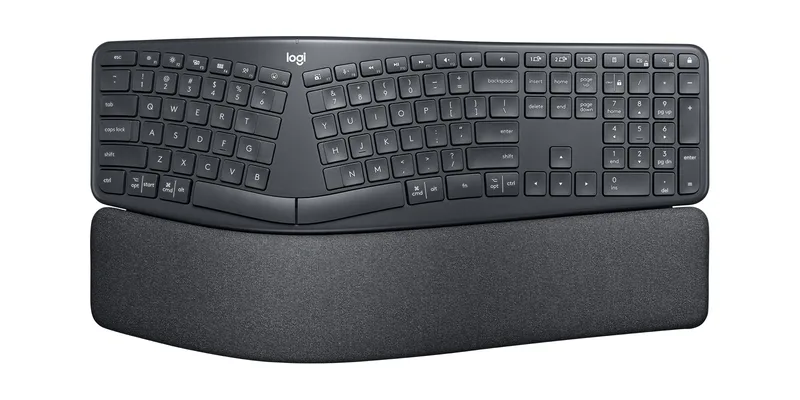
- ✓ Curved split layout reduces wrist bending and forearm tension during typing
- ✓ Built-in memory foam wrist rest eliminates the need for a separate purchase
- ✓ Wireless with a two-year battery life — no cable management hassle
- ✓ Logitech data shows 54% reduction in wrist extension vs flat keyboards
Cons
- ✗ Takes 1-2 weeks of adjustment if coming from a flat keyboard
- ✗ No backlight — difficult to use in low-light environments
- ✗ Full-size split layout is large; not ideal for cramped desks
The K860 is the most polished ergonomic keyboard under $150. The split curved layout positions your hands at a more natural angle, reducing the inward wrist rotation and extension that standard flat keyboards require. The integrated memory foam wrist rest is not an afterthought — it’s properly contoured and holds its shape.
Wireless on Bluetooth and USB receiver, two-year battery life, Windows/macOS/Chrome OS compatible. No excuses to stay wired.
The adaptation period is real. If you’ve typed on a flat keyboard your whole life, the curved split layout will feel wrong for one to two weeks. Give it that time. Most people who push through the adjustment period report that flat keyboards feel noticeably uncomfortable afterward.
Logitech’s own data claims the K860 reduces wrist extension by 54% compared to flat keyboards. That figure is from Logitech’s research, but the biomechanical logic is sound — the wave profile and wrist rest work together to keep the wrist in a more neutral position throughout the keystroke range.
Best for: Heavy typists dealing with wrist pain, forearm tension, or early RSI symptoms. Pairs well with our best ergonomic keyboards for programmers guide.
Ergodriven Topo Anti-Fatigue Standing Mat
Ergodriven Topo Anti-Fatigue Standing Mat
Pros
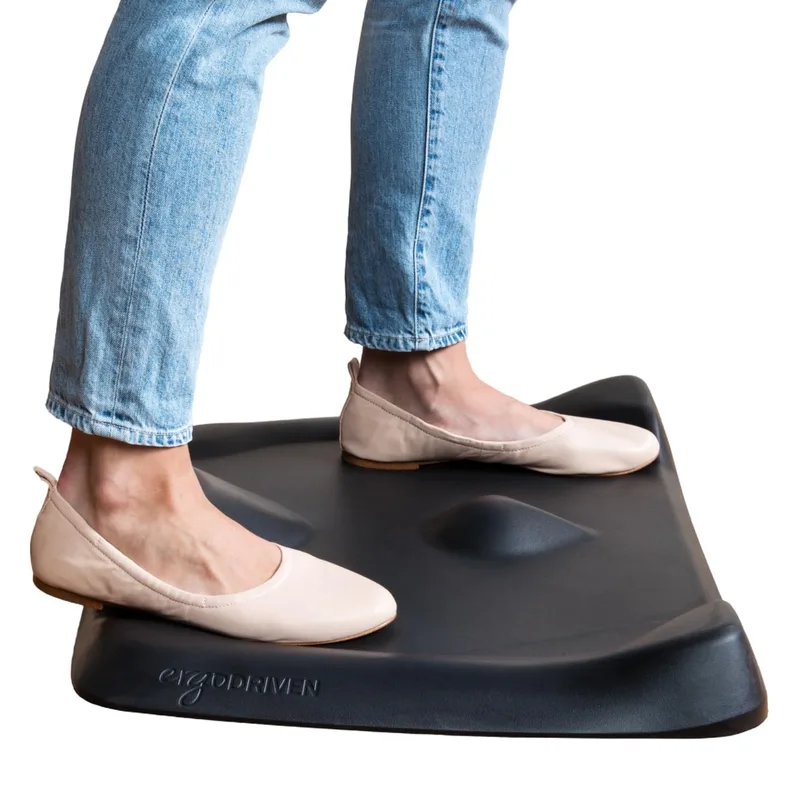
- ✓ Contoured ridges encourage subtle movement while standing, reducing muscle fatigue
- ✓ PVC-free and PFA-free materials — safer for daily skin contact
- ✓ Dense foam holds shape for years under daily use
- ✓ Significantly reduces end-of-day leg soreness vs flat mats, per owner reports
Cons
- ✗ Higher price than flat anti-fatigue alternatives
- ✗ Contoured surface takes a few sessions to get used to
- ✗ Large footprint — needs more floor clearance than flat mats
If you have a standing desk, the flat mat you’re probably using is helping — but only partially. Flat mats reduce fatigue compared to bare floor, but they still encourage static standing. Static standing leads to venous pooling and fatigue in the calves and lower back, sometimes faster than sitting does.
The Topo’s contoured surface — a central raised ridge with sloping terrain around it — actively encourages micro-movements while you stand. Your weight shifts constantly between the flat zone and the ridge without you thinking about it. Owner feedback consistently notes significantly less leg and hip soreness after a full standing shift compared to flat alternatives.
At $89, it’s more expensive than flat anti-fatigue mats. But the polyurethane foam holds its shape for years under daily use. No PVC, no PFAs. If you’re standing 2+ hours per day, the Topo earns back its price difference quickly. See our full standing desk mats guide for more options.
Best for: Standing desk owners who are still tired by end of day despite using a flat mat.
What Order Should You Buy?
| Your Main Issue | First Upgrade | Second Upgrade |
|---|---|---|
| All-day back/hip pain | SIHOO M18 chair ($169) | Hbada E3 Air 2026 ($299) |
| Neck and shoulder stiffness | Bamboo monitor stand ($30) | VIVO monitor arm ($35) |
| Wrist or forearm pain | MROCO wrist rest ($13) | Mount-It keyboard tray ($65) |
| Wrist pain + heavy typing | Logitech K860 ($120) | Mount-It keyboard tray ($65) |
| Leg fatigue from standing | Ergodriven Topo mat ($89) | — |
| Building from scratch | Hbada E3 Air 2026 ($299) | Logitech K860 + VIVO arm |
Full Product Comparison
| Product | Price | Category | Tier | Rating |
|---|---|---|---|---|
| Hbada E3 Air 2026 | Unavailable | Chair | Under $300 | 9.2 |
| SIHOO M18 | $146.99 as of Oct 18, 2026 | Chair | Under $200 | 8.4 |
| Logitech Ergo K860 | $76.79-$119.99 as of Oct 18, 2026 | Keyboard | Under $150 | 8.8 |
| Everlasting Comfort | $47.99 as of Oct 18, 2026 | Seat Cushion | Under $50 | 8.6 |
| Ergodriven Topo Mat | $109.00 as of Oct 18, 2026 | Standing Mat | Under $300 | 8.7 |
| VIVO Monitor Arm | $32.44-$34.99 as of Oct 18, 2026 | Monitor Arm | Under $150 | 8.2 |
| Mount-It Keyboard Tray | $77.99 as of Oct 18, 2026 | Keyboard Tray | Under $150 | 8.0 |
| MROCO Wrist Rest | Check price | Accessory | Under $50 | 8.1 |
| Bamboo Monitor Stand | Unavailable | Monitor Riser | Under $50 | 8.0 |
Frequently Asked Questions
What’s the best single ergonomic upgrade under $50?
The Everlasting Comfort seat cushion at $30. It improves any chair you’re currently sitting in by redistributing pressure away from the tailbone and adjusting pelvis angle. If wrist pain is also present, add the MROCO wrist rest for $13 more.
Is a $169 budget ergonomic chair good enough for all-day use?
Yes, with realistic expectations. The SIHOO M18 at $169 covers the ergonomic basics: lumbar support, adjustable headrest, mesh back, and a proper seat cushion. It won’t match a $500 Steelcase for lumbar tracking depth or armrest adjustability. If you sit 8+ hours daily, the Hbada E3 Air is the better long-term investment.
Do I need a monitor arm if I already have a monitor riser?
A riser is a fixed-height solution. An arm lets you dial in exact height, distance, and angle for your sitting height and desk setup. If your monitor riser already puts the screen at eye level and you’re comfortable, keep it. If you’re still adjusting position or someone else uses the desk, the $35 VIVO arm is a worthwhile upgrade.
What order should I buy ergonomic upgrades in?
Chair first — always. No amount of accessories fully compensates for a bad chair. Then fix monitor height. Then keyboard height. Then wrist support. Then consider an ergonomic keyboard if typing-related pain persists. Don’t spend $120 on a split keyboard while sitting in a kitchen chair.
Is the Logitech K860 worth $120 over a regular keyboard?
For heavy typists dealing with wrist or forearm pain, yes. The curved split layout with wrist rest addresses wrist extension at the source rather than just adding cushioning. For light typists whose pain comes mainly from mousing rather than typing, the MROCO wrist rest at $13 is higher priority.
Do anti-fatigue mats actually help, or is it marketing?
Flat mats reduce fatigue compared to standing on bare floor — that’s well-documented. The Topo does more by encouraging constant micro-movement, which reduces venous pooling and muscle fatigue better than static standing. If you stand more than 2-3 hours per day, the difference between a flat mat and the Topo is real.
Bottom Line
You don’t have to overhaul everything at once. Pick the upgrade that matches your biggest daily pain point.
Under $50: The Everlasting Comfort cushion gives the best return on $30 you can spend on ergonomics. Add the MROCO wrist rest if wrist pain is also an issue, and the bamboo monitor stand if your neck is suffering.
Under $150: The SIHOO M18 is the chair to buy. If your chair is already decent, the VIVO monitor arm ($35) and Mount-It keyboard tray ($65) together fix the two most commonly overlooked ergonomic problems in a home office.
Under $300 and building for the long term: The Hbada E3 Air 2026 is the desk chair worth the investment at this price. Pair it with the Logitech K860 if typing long hours, and the Ergodriven Topo mat if you’re using a standing desk.
For deeper coverage on specific categories, see our best ergonomic chairs under $300 guide, best monitor arms guide, and best standing desks if you’re ready to go fully adjustable.