A six-hour recording day looks nothing like a six-hour office day. You’re not just sitting — you’re twisting toward a camera, reaching for a stream deck, leaning into a mic, then standing up to edit the footage you just shot. Ergonomists tracking this shift in 2026 have started talking about “active ergonomics” for creators: the idea that a healthy setup isn’t one fixed position, it’s a station built to let you change position often without breaking your on-camera frame. Part of that thinking is the “reach zone” principle — keep your most-used gear within about a 15-inch radius of your seated position so you’re not twisting your torso fifty times a stream to grab a mic or a stream deck.
This guide is built around that idea. It’s not another gaming-chair roundup — if you want the loudest, most feature-packed gaming chair on the market, our gaming chair roundup covers that ground. This is for the creator whose desk is also their backdrop, whose cables are also on camera, and whose session length is dictated by a release schedule instead of a shift clock.
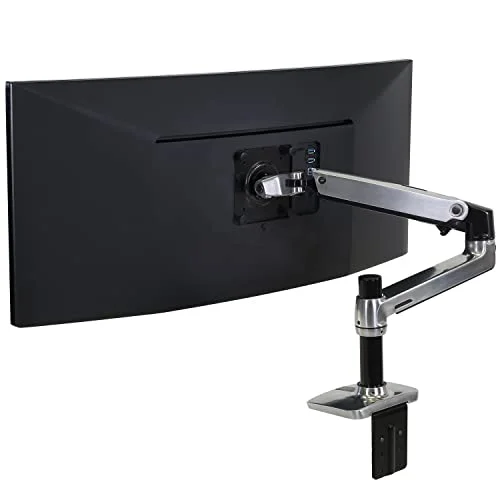
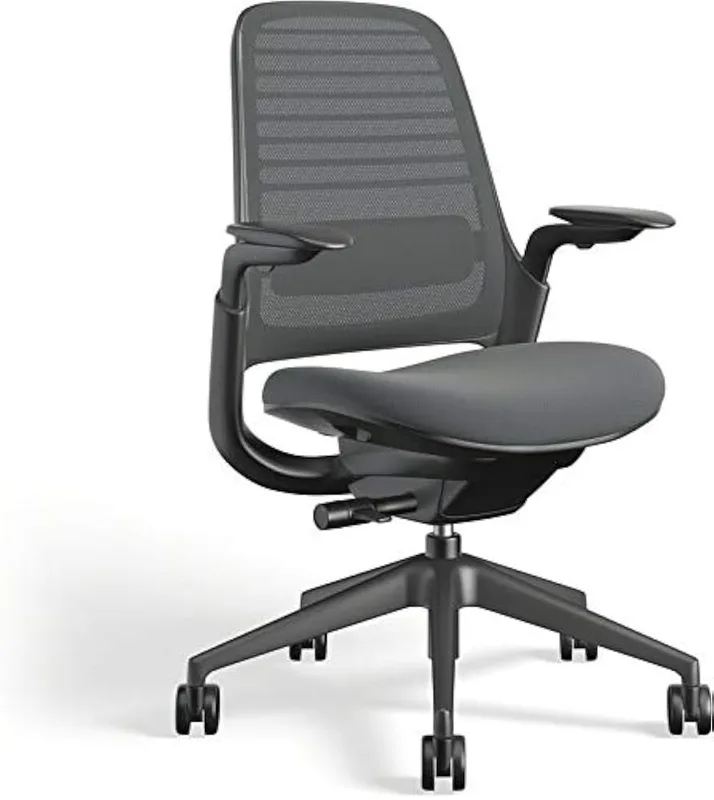
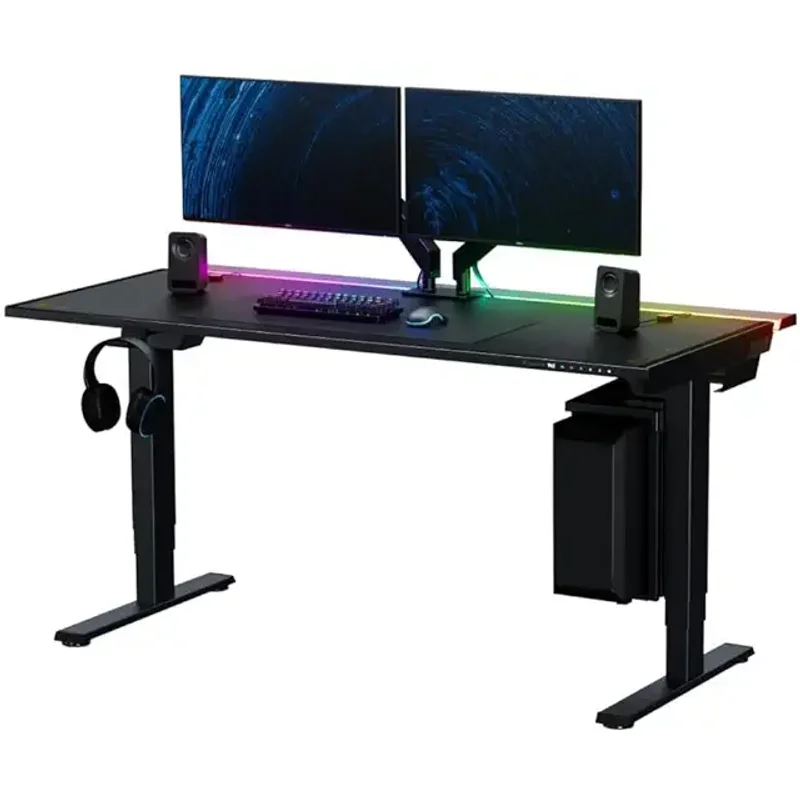
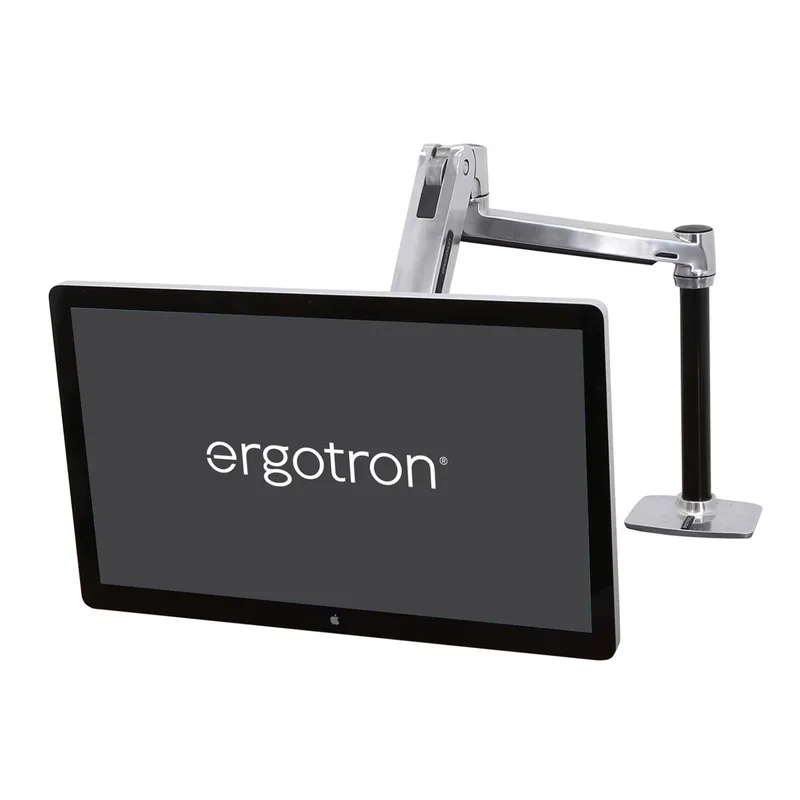
Quick Picks: The Steelcase Series 1 if you want a chair that reads as professional on stream, the Secretlab Magnus Pro if cable clutter is ruining your frame, and the Ergotron LX if you’re still looking down at a laptop or a flat monitor.
The Reach Zone: Arrange Gear Before You Arrange Furniture
Before buying anything, map your reach zone. Sit in your current chair and, without standing, note what you can grab in one motion: keyboard, mouse, mic, stream deck, drink. Everything you use constantly during a session belongs in that zone. Everything else — your light, your camera, your backup drive — can live outside it.
Most creator setups fail this test because gear gets added over time, one purchase at a time, with no plan. A capture card goes wherever there’s an open USB port. A ring light goes wherever there’s floor space. Six months later you’re twisting 45 degrees to hit a hotkey or leaning across the desk to adjust a light mid-recording — exactly the kind of repeated, awkward motion that causes shoulder and lower-back strain over a full year of sessions.
Two cheap fixes do most of the work here: a cable management system that gets wires up off the floor and off the desk surface, and a desktop organizer that gives small gear (SD cards, lav mics, remotes) a fixed home inside the reach zone instead of wherever they landed last.
A Chair That Looks Good on Camera
Most “ergonomic streaming chair” advice defaults straight to a gaming chair — big bolsters, bright stitching, a racing-seat silhouette. That’s a reasonable call if you’re gaming on camera. It’s a worse call if you’re recording tutorials, podcasting, or doing long-form YouTube where the chair sits in frame behind a desk, in a room that’s also supposed to look like a workspace rather than a cockpit.
The Steelcase Series 1 is the chair I’d point most creators toward instead. It’s commercial-grade — rated for multi-shift, every-day use, which matters more than most reviews give it credit for, because a creator’s “workday” often runs longer than a typical office shift once editing and recording are combined. The LiveBack frame flexes with you as you shift from leaning into a mic to leaning back to think, rather than holding you rigid in one position. The 4D arms adjust to match almost any desk height, and the slim, upholstered profile just looks like an office chair on camera — not a RGB accessory.
It’s not a chair for naps between takes; there’s no deep recline. If that matters more to you than the professional look, the Secretlab Titan Evo in our streaming gear roundup covers that trade-off, and a mesh option from our budget chair roundup runs cooler under hot studio lighting.
Who should buy this: Creators whose desk setup doubles as their on-camera background and want the chair to blend in rather than stand out.
Who should skip: Anyone who wants a full recline for between-take breaks — look at a gaming chair instead.
A Desk Built Around Hidden Cables
Cable clutter is an ergonomics problem for creators in a way it isn’t for office workers. A tangle of cords under a normal desk is just ugly. A tangle of cords under a creator’s desk is often visible in the shot, and the habit of constantly rerouting cables around a camera tripod or light stand is exactly the kind of repetitive reaching and crouching that adds up to back strain over a year of sessions.
The Secretlab Magnus Pro is built for that specific problem. Its integrated power column runs a single cable down the leg to a wall outlet, so a power strip, your camera’s power supply, and your light’s adapter all sit hidden inside a hinged cable tray instead of zip-tied along the desk edge. Three programmable height presets let you snap between a seated recording height and a standing editing height without re-centering your frame each time.
The trade-off is capacity and price. At 265 lbs, it holds less than most electric desks in this range, and $1,099 is a real jump over a desk like the FlexiSpot E7 Pro, which carries more weight for less money if cable concealment isn’t your top priority. If your rig is lighter — a single monitor, a small mixer, no dual-PC streaming setup — the FlexiSpot E5 or another pick from our budget electric desk roundup gets you height adjustment without the premium.
Who should buy this: Creators recording in a visible, cable-heavy setup where a clean on-camera background matters.
Who should skip: Anyone running heavy dual-monitor arms or a multi-PC streaming rig near the 265 lb limit — check our standing desks under $500 roundup for higher-capacity options instead.
Get the Camera Height and the Eye Level Right With One Arm
A monitor sitting flat on the desk is the single most common ergonomic mistake in a creator’s setup, and it causes two separate problems at once. For your neck, it forces a forward chin-tuck that builds tension in the upper traps over a long edit session. For your camera, it usually means your webcam — mounted on top of that low monitor — is shooting up your nose instead of at eye level.
One $180 fix solves both: the Ergotron LX lifts the monitor until the top of the screen sits roughly at eyebrow height, which also lifts a clipped-on webcam into a flattering, eye-level shot. It frees the entire desk surface underneath for your reach-zone gear, and the built-in cable channel keeps the display cable from dangling into frame. It tops out at 25 lbs and 34 inches, which covers the large majority of single-monitor creator setups; anyone running a heavier ultrawide needs the step-up Ergotron HX instead.
Pair the height fix with a dedicated webcam rather than a laptop’s built-in camera — our home office webcam roundup breaks down the current options, and our dual monitor setup guide covers positioning if you’re running a second display for chat, notes, or a capture preview.
Who should buy this: Anyone whose monitor or webcam currently sits flat on the desk.
Who should skip: Setups running a monitor heavier than 25 lbs — size up to the Ergotron HX.
Lighting That Doesn’t Eat Your Reach Zone
A tripod-mounted ring light is the fastest way to lose desk space and add a tripping hazard to a room you’re already cramming a camera, a desk, and a chair into. The fix is a light that mounts where you already have real estate: the top of your monitor.
The Elgato Key Light Neo clamps directly onto a monitor and runs up to 1000 lumens at full power, with app control over brightness and color temperature so you’re not reaching up to fiddle with a dial mid-recording. It’s dimmer than the full-size Key Light in a bright room and needs a proper 3A power source to hit max output, but for a desk that’s already tight on space, keeping the light off the surface entirely is worth that trade-off. If you want something cheaper and don’t need app control, a pick from our desk lamp roundup for eye strain does the basics for less.
Who should buy this: Creators whose desk doesn’t have room for a tripod or floor-standing light.
Who should skip: Anyone recording in a larger, dedicated studio space where tripod lighting isn’t competing for desk room.
Keep the Mic in Reach Without a Desktop Stand
A microphone on a short desktop stand does two things wrong: it eats desk space inside your reach zone, and it forces you to lean in every time you want clear audio, which turns into a repeated forward-neck movement across a long session.
A boom arm fixes both. The Rode PSA1+ swings a mic to exactly where your mouth sits without a stand base taking up surface area, and its spring-loaded joints hold position silently instead of creaking into your audio track. It swings fully out of frame between takes, and integrated cable routing keeps the XLR cable from drooping into shot. It needs a mic to pair with — our streaming gear guide covers USB and XLR mic options at a range of budgets — and the desk clamp wants a solid edge, since thinner desks can flex under the spring tension.
Who should buy this: Anyone currently leaning toward a desktop mic stand several times per session.
Who should skip: Lightweight USB mics that already sit fine on a small desktop stand don’t need the upgrade.
The 20-8-2 Rhythm for Marathon Sessions
Ergonomists working with high-output creators in 2026 have been pushing a simple rhythm for long recording or streaming blocks: roughly 20 minutes seated, 8 minutes standing, 2 minutes of actual movement, repeated through the session. It’s a small structural change, but it interrupts the kind of static sitting that a single good chair can’t fully offset on its own, especially across a 6-8 hour day that mixes recording, editing, and thumbnail work.
A sit-stand desk (see the picks above) makes the “8 minutes standing” part frictionless since you’re not breaking your frame to adjust anything. For the “2 minutes of movement,” a few options from our desk stretch roundup or an under-desk elliptical fit into a short break without leaving the room. If you edit far more than you record, a posture corrector can help catch the slump that creeps in during long timeline scrubbing sessions where you’re not thinking about posture at all.
Buying Guide: What Actually Matters for Creators
Start with the chair and the monitor height. These two fixes address more strain than any other purchase on this list, and both are visible on camera, so they double as a backdrop upgrade.
Budget for cable management before you budget for a fancier light. A messy cable run under a creator’s desk is both an ergonomics problem (constant awkward reaching) and a production problem (it’s often visible in a wide shot). A $30 cable tray solves more of that than a $300 light.
Buy gear for your actual reach zone, not your dream setup. A boom arm and a monitor-mounted light only help if they’re inside the 15-inch radius you can comfortably reach without leaning. Gear placed outside that zone gets used once and then ignored.
Expect to spend $250-$400 for the core ergonomic upgrades — a decent chair plus a monitor arm — before touching camera, light, or mic gear. The full setup in this guide runs closer to $1,900 if you buy everything new; most creators already own at least the mic or the light and can fill in one or two pieces at a time.
FAQ
What’s the single best ergonomic upgrade for a content creator on a budget?
A monitor arm. For under $180, the Ergotron LX fixes both neck strain from a low screen and a bad webcam angle at the same time, and it frees desk space for everything else.
Do I need a standing desk if I already stretch regularly?
Stretching helps, but it doesn’t replace position changes throughout the day. A sit-stand desk makes the “8 minutes standing” portion of a break rhythm effortless rather than something you have to remember to do separately.
Is a gaming chair bad for content creators?
Not bad, just a style choice. A gaming chair with good lumbar and 4D arms is genuinely ergonomic — see our gaming chair roundup. The Steelcase Series 1 in this guide is for creators who want their setup to read as a professional workspace on camera instead.
How much desk space do I actually need for a camera-ready setup?
Less than most people assume, once gear is off the surface. A monitor arm, a monitor-mounted light, and a boom-arm mic together can clear almost the entire desk surface, leaving room only for a keyboard, mouse, and stream deck inside the reach zone.
What’s the “20-8-2” rhythm mentioned in this guide?
A break pattern gaining traction among ergonomists in 2026: roughly 20 minutes seated, 8 minutes standing, and 2 minutes of actual movement, repeated through a long recording or editing session, to interrupt static sitting that a chair alone can’t fully offset.
Does cable management really matter for ergonomics, not just looks?
Yes. Cables routed across the floor or desk create constant small reaching, stepping-over, and rerouting motions throughout a session — exactly the kind of repetitive, awkward movement that adds up to strain over months of daily use.
Final Take
If you’re building a creator setup from zero, start with the chair and the monitor arm — they fix the two habits (slumping and chin-tucking at a low screen) that do the most damage over a long session. Add the desk if cable clutter is already showing up in your shots, and layer in the light and mic arm once the rest of the reach zone is sorted. None of this requires buying everything at once; even one piece from this list, placed inside your actual reach zone instead of wherever it fit, beats a fully-loaded setup arranged without a plan.