Disclosure: PostureRanked is reader-supported. When you buy through links on our site, we may earn an affiliate commission at no additional cost to you. Our recommendations are based on independent research and testing.
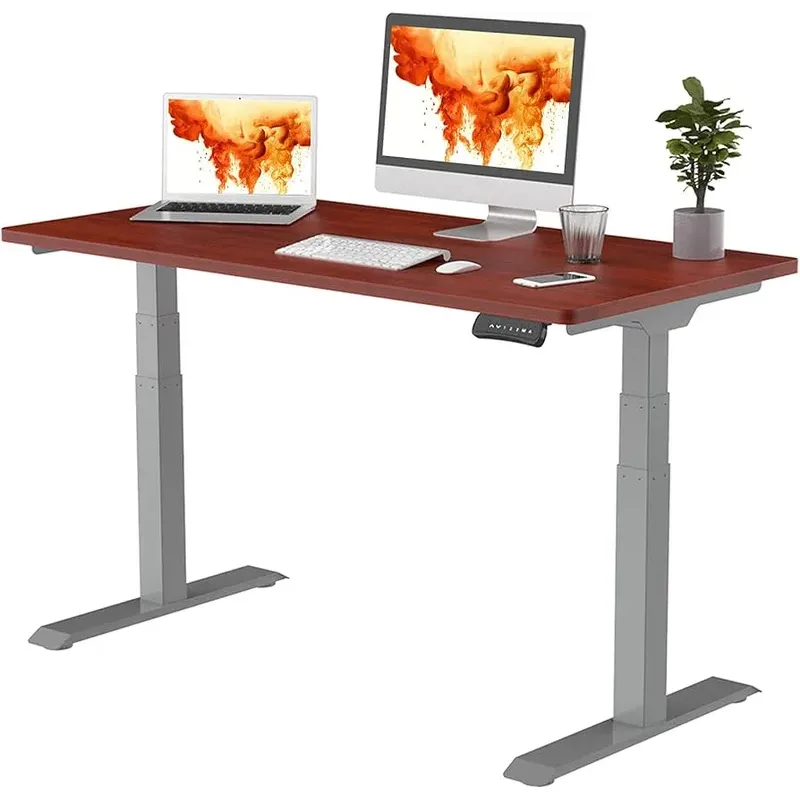
FlexiSpot E7 Pro
Pros
- ✓ Rock solid at standing height
- ✓ Among the quietest motors in its class
- ✓ 15-year warranty (they mean it)
- ✓ Massive height range fits 5'0" to 6'4"
Cons
- ✗ Desktop sold separately on frame-only option
- ✗ Assembly is a two-person job
- ✗ Control panel feels cheap
PostureRanked is reader-supported. When you buy through links on our site, we may earn an affiliate commission at no additional cost to you. Learn more
Three Months Later, I Still Like It
I’ve had the E7 Pro since November. Used it every day. Spilled coffee on it once. Dropped a monitor on the frame. It’s held up fine, and I haven’t thought about replacing it — which is the highest compliment I can give office furniture.
The pitch is simple: dual motors, 440 lb capacity, height range from 22.8” to 48.4”, and a 15-year warranty. Matches the $699 Uplift V2 on specs and costs $100-150 less depending on the configuration you pick.
The catch? If you buy the frame-only option, the desktop is separate. But that’s actually fine — FlexiSpot’s bundled tops are overpriced anyway. Grab a butcher block countertop from IKEA or Home Depot for $80-150. Looks better than any pre-made option.
Quick take: If you want a stable, quiet standing desk and don’t want to spend $700+, the E7 Pro is the one to get. I’d buy it again without hesitation.
The Height Range is Stupid Good
22.8” to 48.4”. That’s a 25.6” range — wider than nearly any competitor in this price bracket.
The height range handles a 5’2” user sitting and a 6’1” user standing without reprogramming presets — 26” for sitting, 44” for standing, no crouching or tiptoeing required. The four memory presets make switching between heights instant.
Most desks in this price range cap out at 47” or start at 25”. If you’re very short or very tall, the E7 Pro is one of the few options that actually fits without paying a premium for “extended range” models.
One thing worth noting — the 3-stage leg design is what makes this range possible. Two-stage legs physically can’t cover this much ground. Every dual-motor desk I’d recommend in 2026 uses 3-stage legs, and the E7 Pro was one of the first at this price point to include them.
Stability at Standing Height
Here’s where cheap standing desks fail: wobble. You extend the legs to 44 inches and suddenly you’re typing on a trampoline.
The E7 Pro? Minimal wobble. Lateral movement at standing height measures around 1/4” when pushing on the desk edge — standard for this class. During normal typing, you can’t feel it. During aggressive typing, there’s a slight shimmy, but nothing that affects work or makes your monitor shake.
The 440 lb weight capacity isn’t just a spec-sheet flex. That heavy-duty frame is what keeps things rigid. Dual 27” monitors, a laptop, and a full-size mechanical keyboard loaded on the desktop. Zero sag, zero sway.
For reference, the IKEA BEKANT wobbles nearly an inch at standing height. The difference is night and day.
The Motors Are Silent
This desk adjusts quietly enough to use during video calls with a live mic — no one on the call would notice.
FlexiSpot rates it at 45 dB, which aligns with independent user measurements. That’s quieter than a normal conversation. The Uplift V2 is similar; the IKEA BEKANT sounds like a garbage disposal by comparison.
Speed is 1.5” per second. Sitting to standing takes about 10 seconds. Not blazing fast, but fast enough that you won’t skip adjustments out of laziness. Some desks at this price hit 1.0”/sec — those feel noticeably sluggish. The E7 Pro hits the sweet spot.
What’s Actually Annoying
The control panel feels cheap. The buttons are mushy, and the display is dim. It works fine, but it feels like they saved $3 on components. At this price point, I’d expect something closer to Uplift’s keypad. The USB-A charging port built into the controller is a nice touch, though.
Assembly takes 45 minutes with two people. The instructions are adequate, not great. You’ll need a socket wrench (not included). The frame weighs about 70 lbs, so flipping it after assembly is a workout. I’d have paid $50 for someone else to do it.
The cable management tray is basic. It’s a metal trough with a magnetic fabric cover. The cover looks decent when it’s closed, but inside it’s just cables crammed into a channel. If you want truly clean cable management, plan to add a raceway or cable sleeve. It’s functional, not elegant.
No anti-collision sensor on the base model. If you have stuff under your desk (a PC tower, a subwoofer), the desk will happily crush it. You learn to check underneath before lowering. The E7 Pro Plus adds this feature, but it’s another $50-100.
Frame Only vs. With Desktop
FlexiSpot sells the E7 Pro in a few configurations. The frame-only starts around $479 on sale. The full desk with their 55x28” desktop runs about $599.
Better move if you want to save: Buy the frame, then grab an IKEA KARLBY countertop ($189) or a butcher block slab from Home Depot ($80-150). Drill four holes, drop it on the frame, done. Looks better, costs less, and you can refinish real wood when it gets scratched up.
If you insist on a ready-made solution, the bundled configurations are fine. The laminate tops are durable and easy to clean — they’re just not as nice as solid wood, and they cost more than they should.
vs. the Uplift V2
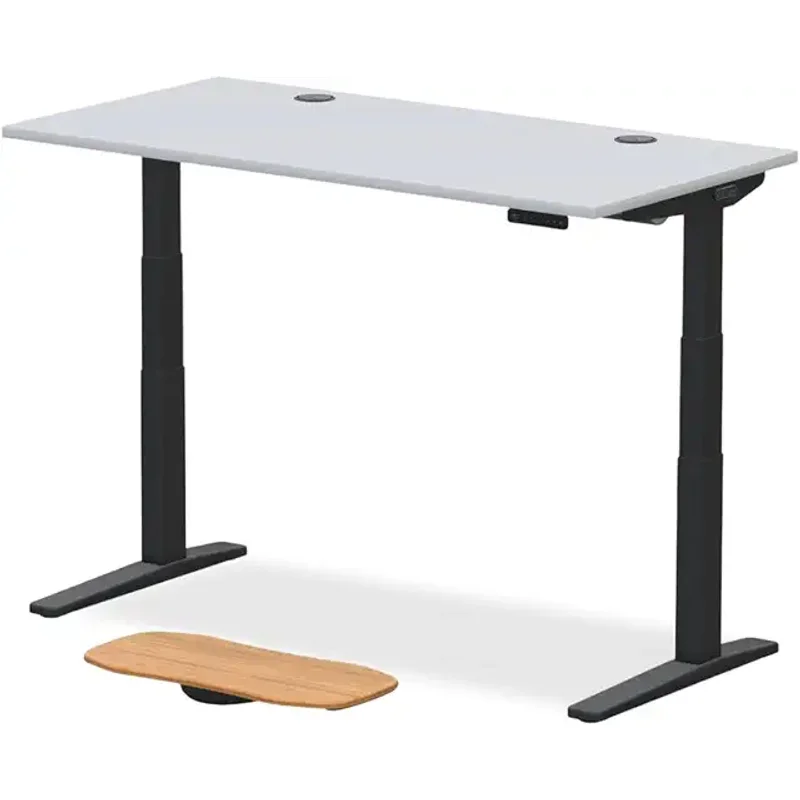
Everyone asks. Here’s the honest comparison:
| FlexiSpot E7 Pro | Uplift V2 | |
|---|---|---|
| Price (frame) | $479-549 | $599-699 |
| Price (w/ desktop) | $599-680 | $699-849 |
| Stability | Excellent | Slightly better |
| Motors | Silent, 1.5”/sec | Silent, 1.5”/sec |
| Weight Capacity | 440 lbs | 355 lbs |
| Keypad | Basic (USB-A port) | Much better |
| Warranty | 15 years | 15 years |
| Customer service | Good | Legendary |
The Uplift is ~15% better on fit and finish for ~30% more money. If you’re spending your own money, get the FlexiSpot. If your employer is paying, get the Uplift. If stability is your top concern and budget doesn’t matter, the Uplift V2 Commercial (C-frame) is the gold standard — but it starts at $900+.
Want a deeper breakdown? I wrote a full FlexiSpot vs. Uplift comparison that covers every detail.
Who Should Buy This
Home office workers on a budget. You get 90% of the Uplift V2 experience for significantly less money. The savings add up fast if you’re furnishing your own office.
Couples or families sharing a desk. That 22.8” to 48.4” range handles a massive spread of body types. Four memory presets mean no fumbling with heights.
Heavy setup users. Dual monitors, a docking station, books, plants — the 440 lb capacity handles it all without flexing. Most competitors in this bracket cap at 300-355 lbs.
Who Should Skip This
If you’re over 6’4”. The 48.4” max height might be too short for comfortable standing. See our best standing desks for tall people guide for options with 50”+ max heights.
If you hate assembly. Get the Vari Electric. Comes pre-assembled. You’ll pay more, but your Saturday afternoon stays free.
If the keypad matters to you. The E7 Pro’s controller is its weakest link. If you adjust heights constantly and want a premium feel, the Uplift V2’s keypad is genuinely better.
If you need the best customer support. FlexiSpot’s support is fine — responsive, handles warranty claims. But Uplift’s support team is on another level. They’ll walk you through assembly on a video call.
Buying Guide: What to Look For in a Standing Desk
Shopping for your first standing desk? Here’s what actually matters:
Motor type. Dual motors are non-negotiable in 2026. Single-motor desks are slower, louder, and more prone to failure. Every desk worth recommending uses dual motors.
Weight capacity. 300 lbs is the bare minimum. If you run dual monitors or a heavy setup, aim for 350+ lbs. The E7 Pro’s 440 lb capacity gives you room to grow.
Height range. If you’re between 5’4” and 6’0”, most desks work. Outside that range, pay close attention. A desk that’s too short or too tall defeats the entire purpose.
Stability at max height. This is the hardest spec to judge from a listing. Read reviews that specifically mention wobble testing. A desk that’s stable at sitting height but wobbles when standing is useless for its primary purpose.
Warranty. Standing desk motors are mechanical components — they wear out. Anything less than 5 years is a red flag. 10-15 years is ideal. The E7 Pro’s 15-year warranty is best-in-class.
Desktop included or not? Frame-only saves money if you’re handy. Bundled desktops save time. Neither option is wrong — it depends on whether you value savings or convenience more.
For more options, check out our best standing desks for 2026 roundup or the budget standing desk setup guide. An anti-fatigue mat is the single most overlooked accessory — it makes a real difference in how long you stand comfortably.
Is the FlexiSpot E7 Pro good for gaming?
Yes. The 440 lb capacity handles heavy multi-monitor setups with no wobble, and the 55x28” desktop fits a full gaming rig comfortably. The silent motors won’t pick up on your mic during streams. Only downside — no built-in cable management for headset hooks or controller mounts. You’ll need to add those separately. For desks purpose-built for gaming setups, see our best gaming desks in 2026 roundup; gamers preferring a corner layout should also check our best L-shaped gaming desks for multi-monitor setups guide.
How long does assembly take?
Plan for 45 minutes to an hour with two people. Solo assembly is possible but frustrating — the frame is about 70 lbs and you need to flip it. A socket wrench is required but not included. The instructions are clear enough, just not great.
Can I use my own desktop with the E7 Pro frame?
Absolutely — this is one of the best reasons to buy it. The frame accepts any desktop between 48” and 80” wide. Popular choices are the IKEA KARLBY countertop ($189), butcher block slabs from Home Depot ($80-150), or custom-cut plywood with edge banding. Pre-drill four mounting holes and you’re set.
FlexiSpot E7 vs E7 Pro — what’s the difference?
The E7 Pro adds a 3-stage leg design (vs. the E7’s 2-stage), which gives you a wider height range. The Pro also has a higher weight capacity (440 lbs vs. 355 lbs) and slightly better stability at max extension. If you’re under 5’8” and over 6’0”, the Pro’s extra range is worth the $50-80 premium. Between those heights, the standard E7 works fine.
Does the E7 Pro have anti-collision detection?
The base E7 Pro does not include an anti-collision sensor. The E7 Pro Plus model adds this feature for an extra $50-100. If you keep a PC tower or other items under your desk, the anti-collision sensor is worth the upgrade — otherwise, just get in the habit of checking before you lower the desk.
How does it compare to the IKEA BEKANT?
Night and day. The BEKANT is cheaper (~$400-500) but wobbles significantly at standing height (nearly an inch of lateral movement vs. the E7 Pro’s 1/4 inch). The BEKANT’s motor is louder and slower, the height range is smaller, and the weight capacity is lower. The only advantage is IKEA’s in-store pickup convenience. If you’re serious about standing while you work, spend the extra $100-150 on the E7 Pro.
The Verdict
The E7 Pro is the standing desk I’d recommend to a friend. Not because it’s flashy — it isn’t. Because it does everything right at a fair price, and the 15-year warranty means FlexiSpot will fix it if anything breaks.
At $479 for the frame during sales (or ~$599 bundled with a desktop), it’s the best value in the dual-motor standing desk market. The control panel is cheap, assembly is annoying, and the cable tray is basic. None of that matters three months in. What matters is that it’s stable, silent, and built to last.
If you want a deeper dive into standing desk options, check out our best standing desks for 2026 roundup or the complete standing desk setup guide.