Forward head posture is the habit of your head sitting out in front of your shoulders instead of stacked over them. At a desk it usually starts the same way: the screen is a little too low, the chair gives no cue to sit back, and by 3 p.m. your chin is poking toward the monitor. In 2026, with more people splitting time between a laptop on the couch and a proper desk, it is hard to find a setup that does not nudge your head forward somewhere.
This guide fixes the setup, not the person. Your body usually follows the desk, so if the screen, keyboard and chair are in the right places, good posture gets much easier to hold.
Quick picks: if you use a monitor, the Ergotron LX arm is the most useful single purchase. If you use a laptop, start with the Rain Design mStand and an external keyboard.
Not medical advice. This is general ergonomic information. If you have persistent neck pain, numbness, tingling or headaches, see a doctor or physical therapist. For a pain-focused read, see our neck pain guide for desk workers.
What Causes Forward Head Posture at a Desk
Ergonomic guidance generally says the top of your screen should sit at or just below eye level, roughly an arm’s length away. Most desks miss that target. A few common culprits:
- Screen too low. Laptops on the desk and monitors on their stock stands sit below eye level, so your chin drops and juts.
- Screen too far or too small. If the text is hard to read, you lean in. Fix the font size and distance before you blame your neck.
- Chair that lets you slump. Without lower-back support, your pelvis rolls back, your upper back rounds, and your head drifts forward to compensate.
- Reaching for the keyboard and mouse. Reaching pulls the shoulders forward and the head follows.
- Staying still. Even a good position gets tiring when you hold it for hours.
Step 1: Raise the Screen to Eye Level
Do this first. Sit the way you normally would, look straight ahead, and check where your eyes land on the screen. They should hit the top third. If you are looking at the middle or bottom, the screen needs to go up.
Monitor users: Ergotron LX Single Monitor Arm
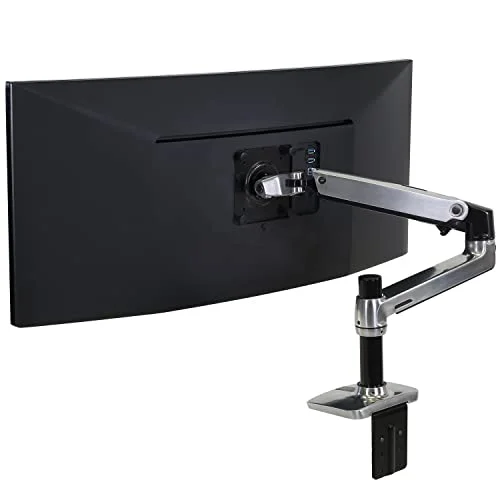
A monitor arm beats a stack of books because it lets you set the height exactly and change it later. The Ergotron LX is the one I would buy. It moves with one hand, holds up to 34-inch screens, and carries a 10-year warranty. Because it is easy to move, it also works if you alternate between sitting and standing. Our monitor arm buying guide covers cheaper and ultrawide options, and the dual monitor setup guide helps if you run two screens.
Quick setup check: arm’s length away, top of the screen at or just under eye level, and a slight backward tilt so you are not looking up at it.
Laptop users: raise the screen, then add a keyboard
A laptop cannot be ergonomic on its own, because the screen and keyboard are attached. Raise the screen, then add a separate keyboard and mouse. That is the whole fix.
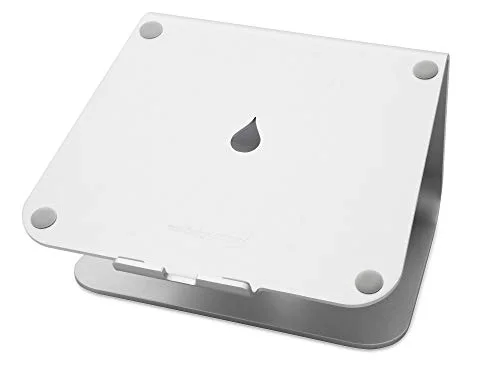
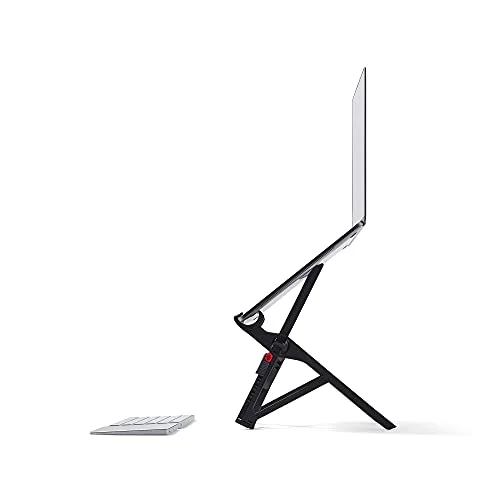
The Rain Design mStand is the simple answer. It is one piece of aluminum, it does not wobble, and it lifts the screen about six inches, which suits most seated desks. The catch is that the height is fixed. If you are tall, use a standing desk, or want to dial in the height, the Roost V3 adjusts across a much wider range and folds down to 6 oz for hybrid days. It costs noticeably more, though. More options are in our laptop stands roundup.
Step 2: Let the Chair Do Some of the Work
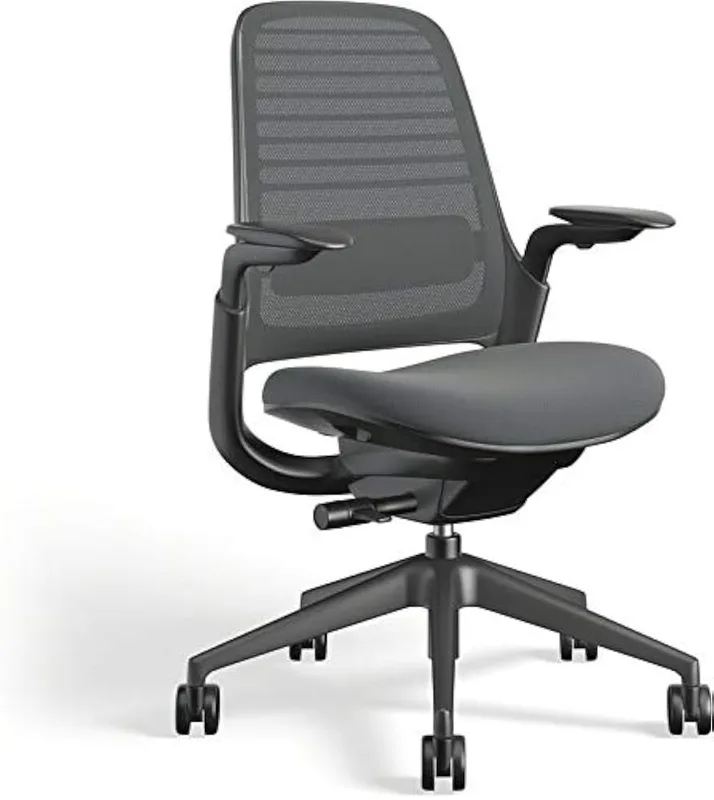
You cannot hold your head up well if your pelvis is sliding out from under you. Sit all the way back so your hips meet the backrest, and set the lumbar support so it fills the curve of your lower back. A chair with adjustable lumbar support makes this much easier than a flat one.
If your chair has a poor curve, a lumbar cushion can help. We compare the options in our lumbar support cushion roundup, and the lumbar cushion vs ergonomic chair guide helps you decide whether the cushion is enough. Some people also like a headrest attachment for reclined work; see the headrest pillow roundup before you buy, as availability on a few models has been spotty.
Set the seat depth so you have a couple of fingers of room behind your knees, and keep your feet flat on the floor. If your feet dangle, your whole posture shifts.
Step 3: Bring the Keyboard and Mouse In
If you reach, your shoulders roll forward and your head follows. Put the keyboard directly in front of you with elbows near your sides at about 90 degrees, and keep the mouse next to the keyboard. A split or low-profile keyboard can help if your shoulders are wide. Our ergonomic keyboards guide and ergonomic mouse pad roundup cover good options.
Step 4: Check Your Screen Settings and Eyes
If you squint, you lean. Increase the text size so you can read comfortably without moving closer, and reduce glare from windows. If you often move your head toward the screen to see it, get an eye exam. Our eye strain prevention guide has more detail.
Step 5: Build Movement Into the Day
A perfect setup still fails if you never move. Set a timer to stand or shift every 30 to 45 minutes, and take a short walk now and then. If you have a standing desk, alternate positions rather than standing all day. Our guide on how long to stand has practical timing, and the standing desk back pain guide covers what standing can and cannot do.
Gentle chin tucks and shoulder rolls between tasks are common suggestions, but if you want an exercise plan for an existing problem, ask a physical therapist.
Phone and Tablet Habits
Many people fix the desk and then stare down at a phone for an hour. Raise the phone toward eye level when you can, and rest your elbows on the desk or your lap rather than letting your arms hang.
Quick Setup Checklist
- Top of the screen at or just under eye level, about an arm’s length away
- Laptop raised, with a separate keyboard and mouse
- Hips back in the chair, lower back supported
- Feet flat on the floor, elbows near 90 degrees
- Keyboard and mouse close enough that you do not reach
- Text large enough to read without leaning in
- A reminder to move every 30 to 45 minutes
FAQ
Can a desk setup fix forward head posture?
A better setup removes the things that push your head forward, but it will not necessarily reverse a long-standing habit on its own. If you are concerned, ask a physical therapist or doctor.
How high should my monitor be?
The top of the screen should sit at or slightly below eye level, with your gaze landing in the top third of the screen. Keep it about an arm’s length away.
Is a laptop stand enough?
Only if you also use an external keyboard and mouse. A stand raises the screen, which makes your hands too high if you type on the laptop itself.
Do standing desks help?
They can, because you change position and often move the screen higher. But a standing desk with a low monitor still pulls your head forward, so set the screen height in both positions.
Do posture correctors work?
Some people use them as a reminder, but they do not fix a setup that pulls you forward. Fix the screen and chair first. See our posture corrector roundup if you want to try one.
How often should I take a break?
A common suggestion is to move every 30 to 45 minutes. Even a minute of standing, stretching or walking counts.
Final Recommendation
Raise the screen first, support your lower back second, and bring your keyboard and mouse closer third. For monitors, the Ergotron LX is the pick. For laptops, the Rain Design mStand is the budget answer and the Roost V3 is the flexible one. Pair any of them with regular breaks, and talk to a professional if discomfort sticks around.