A stipend feels like free money, so it goes fast. In 2026, with smart all-in-one workstations getting plenty of attention at CES, it is easy to fixate on a flashy desk. Don’t. A home office stipend works best when you spend it in a fixed order, because some ergonomic purchases change how you sit all day and others barely register.
This is a priority guide for a $500 or $1,000 home office stipend. The short version: buy the chair first, raise your screen second, fix your feet third, and only then think about a desk. If you are spending $500, the Nouhaus Ergo3D plus a few small fixes is the sensible plan. At $1,000, the Steelcase Series 1 and a sit-stand desk fit with money left over.
Prices below were checked against live Amazon listings on the date in each product card. They move, so confirm before you submit an expense.
Step 1: Know Your Stipend Rules First
Before you buy anything, read the policy. Some employers reimburse after purchase and want receipts. Some only cover furniture. Some count monitors and keyboards, others don’t. Ask whether tax and shipping come out of the allowance.
If you need help making the request itself, a short note that ties each item to a work need goes a long way. Keep the receipts and screenshots of the listings.
The Priority Order
Spend in this order. Stop when the money runs out.
- Chair. You sit in it for hours. A bad one hurts everywhere else.
- Screen height. A laptop on a stand or a monitor on an arm stops the neck craning.
- Keyboard and mouse. Separate from the screen, so your arms stay relaxed.
- Footrest, lumbar support, mat. Small, cheap fixes for specific problems.
- Desk. Valuable, but your existing table is usually fine until the first four are sorted.
Why the chair comes first
Sitting posture comes down to the chair, the screen position and the keyboard height. The chair is the only one you cannot improvise. You can prop a laptop on books. You cannot fake lumbar support.
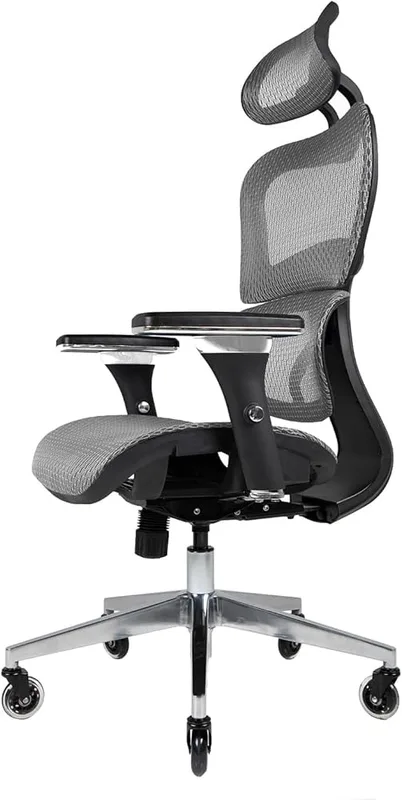
For a $500 stipend, the Nouhaus Ergo3D at $299.99 is the practical choice. It has four-way arms, adjustable lumbar support and a mesh back, and it leaves around $200 for everything else. Our roundup of ergonomic chairs under $500 covers more options. If money is tighter, see chairs under $200.
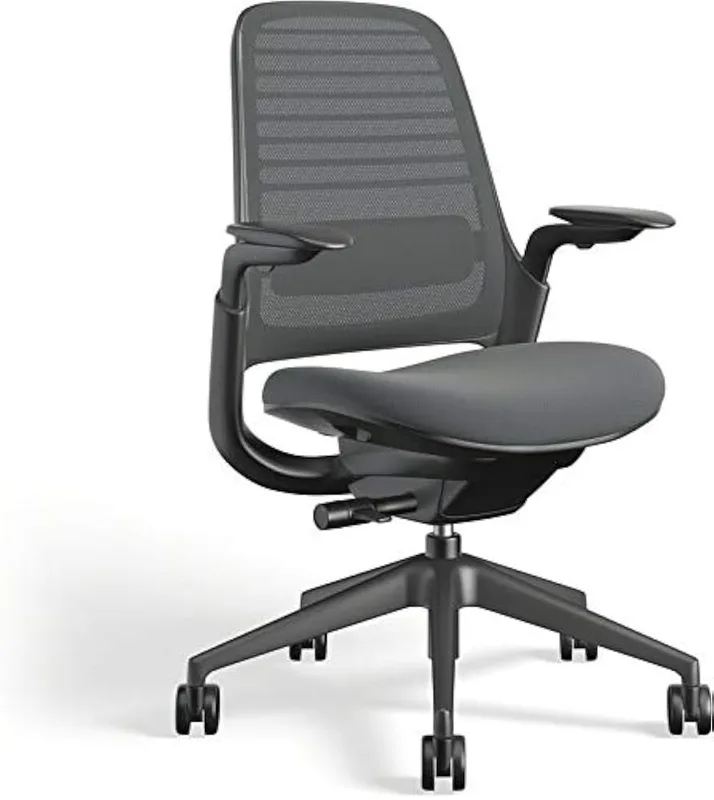
For a $1,000 stipend, the Steelcase Series 1 at $499.00 is the one I’d buy. It carries a real office-furniture brand name, the adjustments cover most bodies, and half the stipend still remains. Whether going further is worth it is a fair question; see are expensive office chairs worth it.
Raise the screen
Looking down at a laptop is the most common home-office posture mistake. The Nulaxy aluminum laptop stand costs $17.99 and gets the screen up. Pair it with a separate keyboard and mouse, or it makes your wrists worse. More ideas in ergonomic laptop accessories.
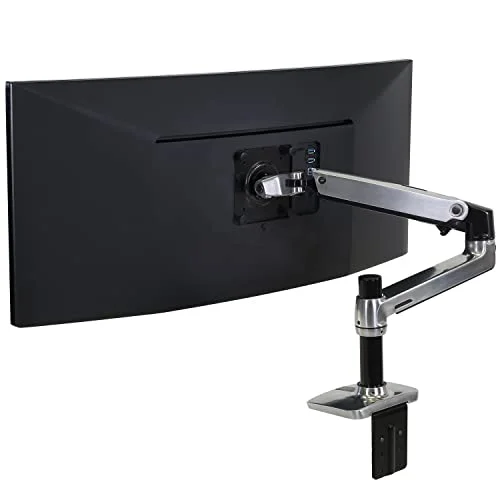
If you use external monitors, the Mount-It! dual arm at $53.54 does the job for far less than a premium arm. It holds up to 17.6 lbs per arm, so check your monitor’s weight. Amazon showed limited stock when we looked. Compare it against our dual monitor arm picks and the dual monitor setup guide.
Fix your feet
If your feet dangle or you slouch forward, a footrest is a cheap fix. The ErgoFoam adjustable footrest is $45.95. Not everyone needs one. If your feet sit flat, skip it. See footrests for office workers.
Add the desk last
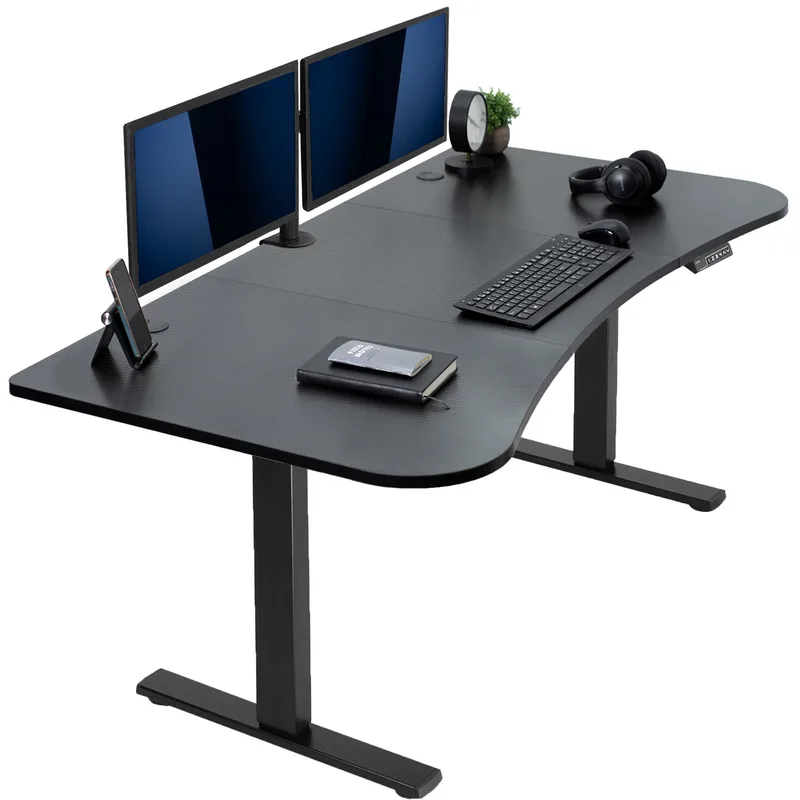
A sit-stand desk is a good use of a $1,000 stipend, not a $500 one. The VIVO electric standing desk at $169.99 is a budget way in. The top is only 24 inches deep, so it suits a laptop or a single monitor better than a two-screen setup. For more room, see standing desks under $300.
If you do stand, add the ComfiLife anti-fatigue mat at $49.99. More options in standing desk mats.
Two Sample Shopping Lists
The $500 stipend
- Nouhaus Ergo3D chair: $299.99
- Mount-It! dual monitor arm: $53.54
- Nulaxy laptop stand: $17.99
- ErgoFoam footrest: $45.95
- ComfiLife anti-fatigue mat: $49.99
Total: $467.46 before tax and shipping. Drop the mat and arm if you have no standing desk or external monitors, and put the money toward a keyboard and mouse instead.
The $1,000 stipend
- Steelcase Series 1 chair: $499.00
- VIVO electric standing desk: $169.99
- Mount-It! dual monitor arm: $53.54
- Nulaxy laptop stand: $17.99
- ErgoFoam footrest: $45.95
- ComfiLife anti-fatigue mat: $49.99
Total: $836.46 before tax and shipping. That leaves about $160 for a good keyboard and mouse, or a buffer for taxes and delivery.
What to Skip
- Gadgets that promise to fix posture on their own. A posture reminder does not replace a chair that fits.
- Gaming chairs bought for the look. Plenty of them lack proper lumbar adjustment. Check the specs.
- A desk before a chair. If you can only buy one thing, buy the chair.
- Cheap everything. Five $20 items are worse than one $100 item that fixes your actual problem.
Frequently Asked Questions
What should I buy first with a home office stipend?
A good ergonomic chair. It affects your back, hips and neck for the longest part of the day. Everything else can be improvised temporarily.
Is $500 enough for an ergonomic home office?
Yes, for the essentials. A mid-priced chair plus a laptop stand or monitor arm and a footrest or mat fits inside $500. A full sit-stand desk generally does not.
Is a standing desk worth buying with a stipend?
It can be, if you have the budget left after the chair and screen setup. A budget electric desk is often enough. Don’t buy one instead of a chair.
Can I use a stipend for a monitor, keyboard, or mouse?
That depends on your employer. Many cover them, some only cover furniture. Ask before ordering.
Should I buy the most expensive chair my stipend allows?
Not automatically. A chair that fits your body and has adjustable lumbar support and arms matters more than the price tag. Past a point you are paying for brand and finish.
Final Recommendation
On $500, buy the Nouhaus Ergo3D, raise your screen, and add a footrest or mat if you need one. On $1,000, buy the Steelcase Series 1 and a budget sit-stand desk, then fill in the small fixes.
Chair, screen, feet, desk. In that order.