Split keyboards used to live in enthusiast forums. In 2026 they are mainstream: Razer launched its first split model, the Pro Type Ergo, this spring, and boards from ZSA, Keychron and Dygma now turn up in ordinary desk-setup discussions. We left the Razer out because we could not confirm a live, in-stock Amazon listing for it when we wrote this. The best split ergonomic keyboards share one idea: let your hands sit at shoulder width instead of pinching them together in front of you.
Quick pick: the Logitech Ergo K860 is the one most people should buy. If you want truly separate halves, take the Kinesis Freestyle Edge RGB Plus. If you want to spend as little as possible, the Perixx is the trial run.
This is a comfort-and-support guide, not medical advice. Nothing here is a treatment for pain. If typing hurts, see a clinician.
How We Picked
We researched manufacturer specs and owner feedback, then checked each board against live Amazon listings for stock and pricing. Ratings reflect how well a design matches what split layouts are meant to do, how hard it is to adapt, and what owners report about durability.
Logitech Ergo K860: the one I’d actually buy
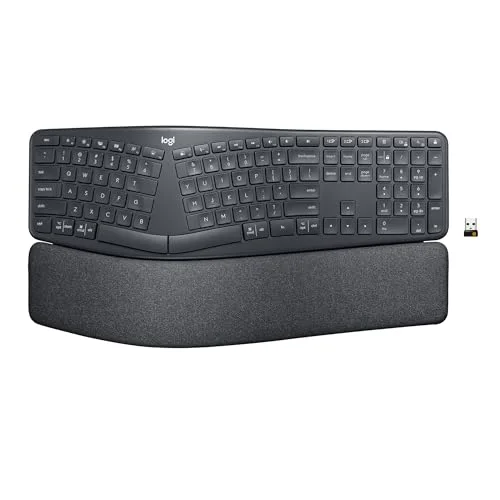
Logitech Ergo K860 Wireless Split Keyboard
Pros
- ✓ Easiest split keyboard to adapt to, since the layout stays close to a normal board
- ✓ Built-in padded palm rest means no separate purchase
- ✓ Wireless with multi-device pairing for a laptop and a desktop
- ✓ Rechargeable, so no battery swaps
Cons
- ✗ Not a true two-piece design, so shoulder width is only partly addressed
- ✗ Palm rest fabric will wear and stain over time
- ✗ Not programmable beyond basic key assignments
The K860 is the pragmatic answer. It looks like a normal full-size keyboard that has been gently bent in the middle, and it comes with a cushioned palm rest attached. You get most of the wrist-angle benefit of a split design without relearning where your keys are.
Typing feels like a laptop-style board: short travel, quiet. Wireless pairing handles a work laptop and a home desktop. The trade-off is that the halves are joined, so your elbows only open up partially. For an office worker who types all day and just wants a better default, it is the right fit. Pair it with a proper wrist rest only if you prefer a firmer surface than the built-in cushion.
Best for: anyone switching from a standard keyboard who wants minimal fuss.
Kinesis Freestyle Edge RGB Plus: the best fully split board
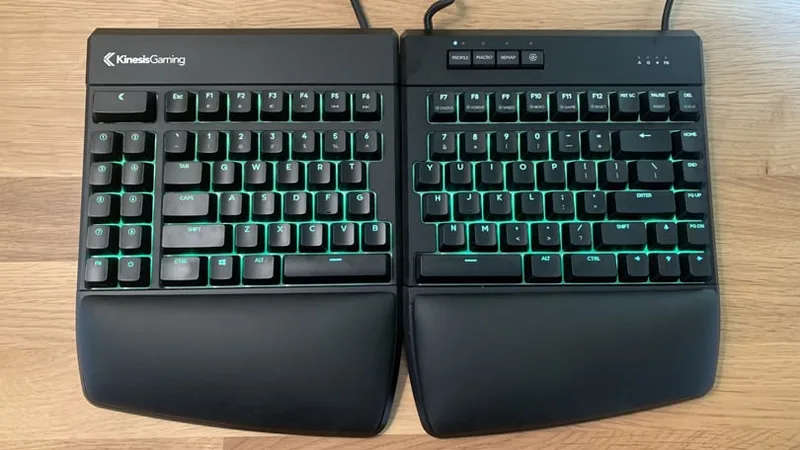
Kinesis Freestyle Edge RGB Plus
Pros
- ✓ Two physically separate halves let you set the gap to match your shoulders
- ✓ Hot-swappable switches let you change the feel later
- ✓ Keeps a standard key stagger, so retraining is gentle
- ✓ Remapping is stored on the board
Cons
- ✗ Wired only
- ✗ Tenting and palm lift usually need extra accessories
- ✗ Pricey next to the all-in-one Logitech
Two separate halves, familiar layout. That is the pitch, and it works. You can place each half directly in front of its shoulder, which opens your chest and relaxes your forearms in a way a joined frame cannot. Because the keys keep a normal stagger, you do not have to relearn typing.
Hot-swappable switches are a bonus if you want a different feel later. The downside is cost and the lack of built-in tenting: if you want hands tilted outward, plan on buying the optional lift accessories. It is wired too, which is fine on a fixed desk and a pain if you move around.
Best for: desk workers who want shoulder-width hand placement without switching to a columnar layout.
Kinesis Advantage360 Professional: the premium board
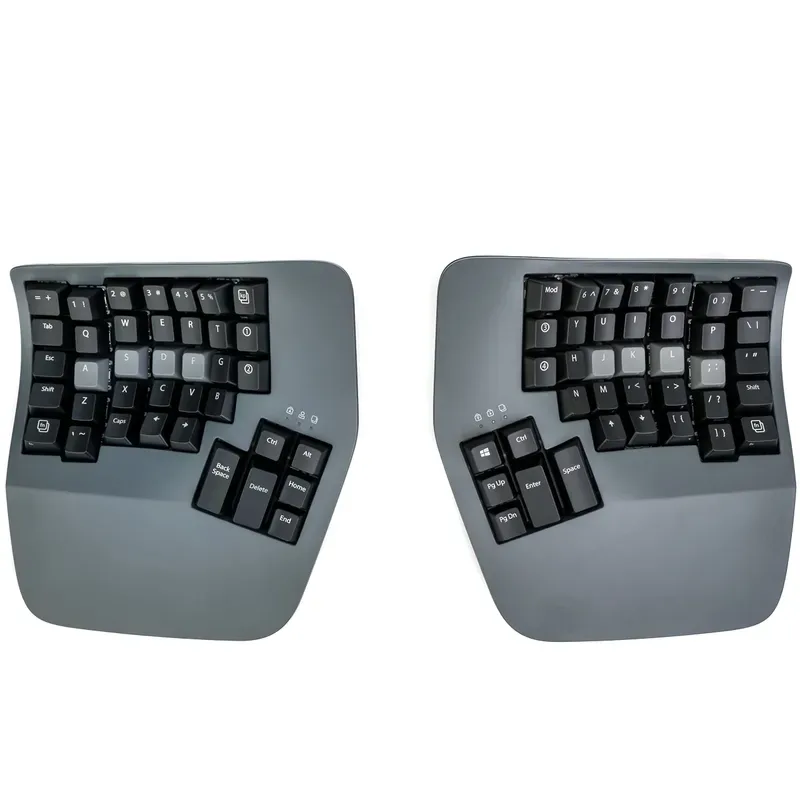
Kinesis Advantage360 Professional
Pros
- ✓ Sculpted key wells keep fingers reaching to a shallow bowl instead of a flat plane
- ✓ Thumb clusters move heavy keys such as Enter and Backspace off the pinkies
- ✓ Wireless between halves and to your computer
- ✓ Deeply configurable for people who like to tinker
Cons
- ✗ Steepest learning curve in this list, expect days of slow typing
- ✗ Most expensive pick, and Amazon stock was listed as limited
- ✗ Large footprint on a shallow desk
This is the deep end. The keys sit in two sculpted bowls and your thumbs handle Enter, Space, Backspace and Delete. Fingers travel shorter distances and stay in line with your forearms.
Expect a rough first week. Speed drops sharply and then recovers. The Advantage360 is also a serious purchase, and it is the one board here where Amazon showed limited stock. If you have already confirmed that you like split layouts, it is the most comfortable long-session board on this page. If you have not, buy something cheaper first. For more on keyboards aimed at heavy typists, see our ergonomic keyboards for programmers roundup.
Best for: developers and writers who type for hours and want maximum adjustability.
ZSA Moonlander: the tinkerer’s pick
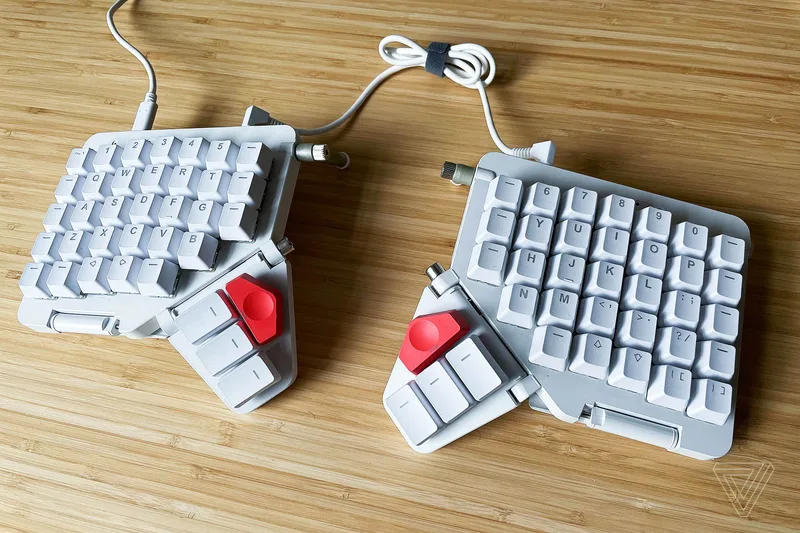
ZSA Moonlander
Pros
- ✓ Columnar layout and tenting suit a neutral wrist posture
- ✓ Browser configurator makes remapping approachable
- ✓ Hot-swappable switches
- ✓ Sturdy build with a big enthusiast community
Cons
- ✗ Sold direct from ZSA only, so shipping can take weeks
- ✗ Wired only
- ✗ Columnar layout takes real retraining
The Moonlander is a fully split, columnar board with thumb clusters and wings that fold out as tenting legs. Its browser-based configurator is friendlier than most firmware tools, and the switches are hot-swappable. It is sold only through ZSA, so shipping takes patience.
Columnar means each finger moves straight up and down its own column instead of along a diagonal stagger. Many owners say that feels natural after a few weeks. Others never fully warm to it. See our luxury ergonomic keyboards page for how it stacks up against its premium rivals.
Best for: people who enjoy customizing their setup and are ready for a learning curve.
Perixx PERIBOARD-512B: the cheap experiment
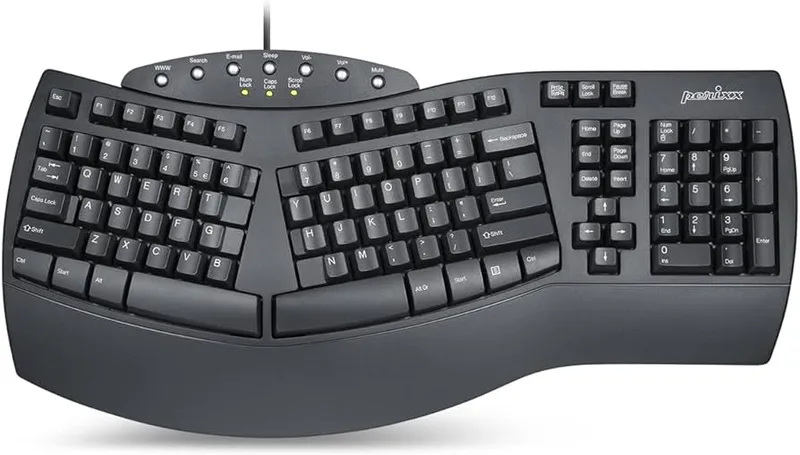
Perixx PERIBOARD-512B Ergonomic Split Keyboard
Pros
- ✓ Cheapest way to try a split layout before committing
- ✓ Palm rest included
- ✓ Plug in and type, no software needed
- ✓ Full layout with number pad
Cons
- ✗ Plasticky build with soft key feel
- ✗ No wireless and no programming
- ✗ Fixed angle with no tenting adjustment
The Perixx has an angled split and a raised center, which pushes your hands into a more neutral position, plus a built-in palm rest. It is wired, membrane, and plain. Typing feels softer and less precise than the Logitech.
But the price makes it low-risk. If you are unsure whether a split layout agrees with you, a few weeks on this tells you. It is also a sensible office spare.
Best for: first-time split users on a tight budget.
Buying Guide: What Matters in a Split Keyboard
Fully split vs. joined frame. A joined frame (Logitech, Perixx) is easier to adopt. Separate halves (Kinesis, ZSA) give shoulder-width placement. Pick based on how much retraining you will tolerate.
Tenting. Tilting the halves so your thumbs sit higher turns your forearms toward a handshake position. It is useful but not essential. Check whether the board has built-in tenting or needs accessories.
Stagger vs. columnar. Standard stagger is familiar. Columnar layouts reduce finger travel but take longer to learn.
Wireless or wired. Wireless suits laptop users and tidy desks. Wired avoids charging and pairing issues.
Wrist support. Some boards include a palm rest. It should support the heel of your palm during pauses, not be something you rest on while typing.
Pair it with the rest of the desk. A keyboard cannot fix a desk that is the wrong height. See our ergonomic mouse pad and trackball guides, and consider a keyboard tray if your surface is too high. A vertical mouse or trackball completes the setup.
FAQ
Are split keyboards worth it?
Many people find them more comfortable, mainly because the split lets hands and elbows sit at shoulder width. Evidence for specific health outcomes is mixed, so treat it as a comfort choice.
How long does it take to adapt to a split keyboard?
A joined-frame board like the Logitech usually feels normal within a few days. Fully split and columnar boards can take a few weeks to get back to your old speed.
Do I need a split keyboard with a number pad?
Only if you enter numbers all day. A full-size board keeps the mouse farther away, which works against shoulder comfort, so many people choose a compact split instead.
What is the best split keyboard for beginners?
The Logitech Ergo K860. It has a gentle split, a built-in palm rest and a familiar layout.
Are split keyboards good for gaming?
Some are. Wired, low-latency boards are the safer choice. Our ergonomic gaming keyboards page covers options built for play.
The Bottom Line
For most people, buy the Logitech Ergo K860. For separate halves, the Kinesis Freestyle Edge RGB Plus. For the most contoured board, the Kinesis Advantage360 Professional. For customization, the ZSA Moonlander. To try the idea for as little as possible, the Perixx PERIBOARD-512B.