Disclosure: PostureRanked is reader-supported. When you buy through links on our site, we may earn an affiliate commission at no additional cost to you. Our recommendations are based on independent research.
| Product | Price | Rating |
|---|---|---|
| UPLIFT V3 Standing Desk | $699 | 9.2 |
| Secretlab MAGNUS Pro | $949 | 9.0 |
| FlexiSpot E7 Pro | $399 | 8.8 |
| Vari Classic Electric Standing Desk 60x30 | $695 | 8.5 |
| Autonomous SmartDesk 5 Pro | $599 | 8.0 |
Disclosure: PostureRanked is reader-supported. When you buy through links on our site, we may earn an affiliate commission at no extra cost to you. Learn more
The Biggest Standing Desk Problem Nobody Talks About
You spend $600 on a height-adjustable desk. The first day, everything looks perfect. Then you press the button to stand up and watch your perfectly arranged monitor cable, keyboard USB, and power strip cord pull taut and flop around behind the frame. Welcome to cable chaos — the most common complaint from standing desk owners in 2026, and the one problem that even premium desks often ignore.
The good news: more manufacturers are finally taking cable management seriously. Some desks now route cables through the legs themselves. Others use magnetic systems so you can rearrange your cable setup without touching a zip tie. A few include full cable trays that ride up and down with the desk.
If you’re about to buy a standing desk — or you’re upgrading an old one — cable management should be near the top of your checklist. Here’s what actually works.
In a hurry? The UPLIFT V3 is the best overall pick for most people: excellent cable tray, wide accessory ecosystem, and a 355-lb frame that handles any workstation. If cable integration is your top priority and budget isn’t, the Secretlab MAGNUS Pro has the cleanest wire management available at any price.
1. UPLIFT V3 Standing Desk — Best Overall
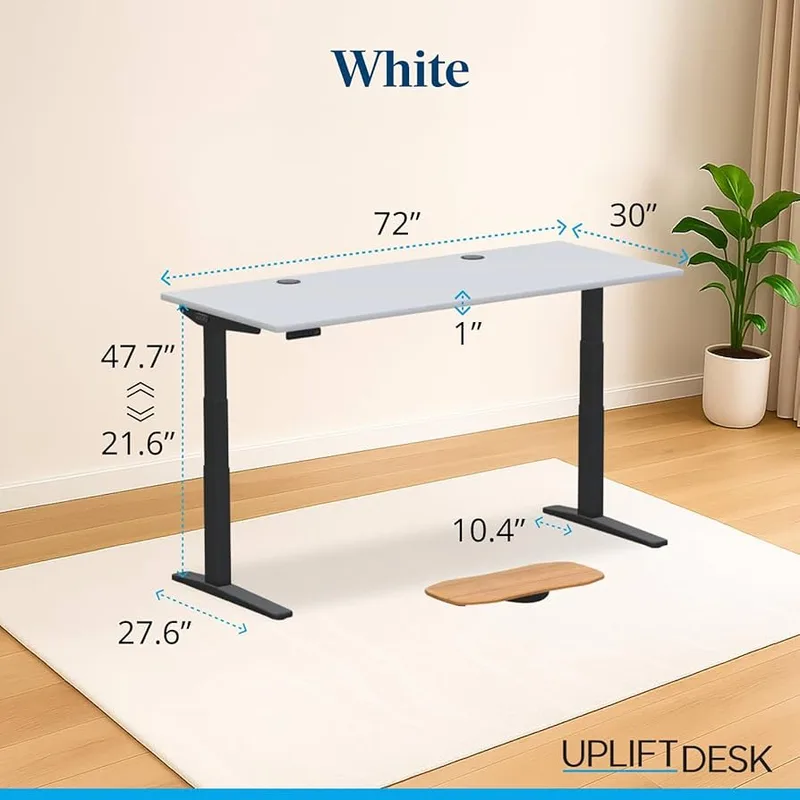
UPLIFT V3 Standing Desk
Pros
- ✓ Under-desk cable tray and wire grommets included standard
- ✓ 48 mounting points for a fully customized cable ecosystem
- ✓ 355-lb capacity handles any multi-monitor workstation
- ✓ Widest height range available (25.3" to 50.9")
Cons
- ✗ Premium cable management add-ons (spine cover, cable channel) cost extra
- ✗ Power cord is only 6 feet — you may need an extension
- ✗ More expensive than comparably built alternatives
The UPLIFT V3 is the standing desk most ergonomic professionals would actually buy, and cable management is part of why. The desk ships with an under-desk cable management tray and wire grommets built into the tabletop — before you spend a dollar on extras.
But what really sets the V3 apart is the ecosystem. UPLIFT sells cable spines, modular cable channels, power strip mounts, and monitor arm cable clips that all attach to 48 standardized mounting points around the desk. Most competing desks leave you duct-taping a cable tray underneath and calling it done.
The 3-stage dual-motor lift system runs from 25.3 inches to 50.9 inches — one of the widest available ranges, useful if multiple people share the desk or if you’re on the tall side. The 355-lb weight capacity handles triple monitors plus accessories without strain. The 10-year frame warranty is strong.
The honest tradeoff: the included cable management is decent, not spectacular. The premium cable accessories cost extra ($30-$80 depending on what you add), and the 6-foot power cord will require an extension cable in most rooms. At $699 configured, you’re paying for versatility and ecosystem more than a turnkey cable solution.
Best for: Home office users who want a fully buildable workstation with long-term accessory support.
2. Secretlab MAGNUS Pro — Best Cable Integration
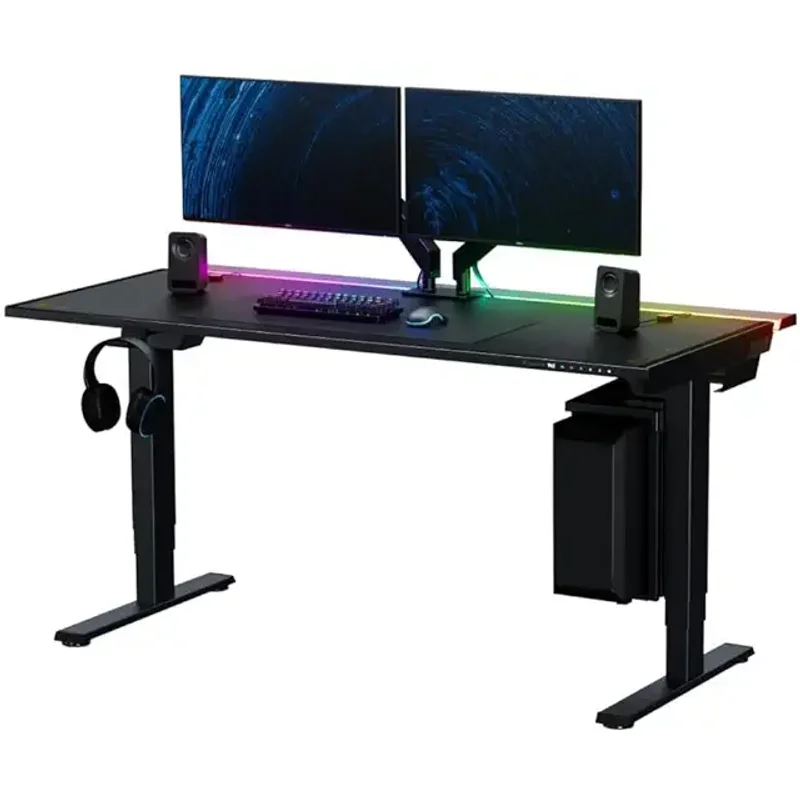
Secretlab MAGNUS Pro
Pros
- ✓ Full-length magnetic cable management tray spans the entire desk
- ✓ Integrated power supply routed through the legs — zero visible cords
- ✓ Magnetic accessories attach anywhere along the desk frame
- ✓ All-steel construction is uniquely solid at this price point
Cons
- ✗ Most expensive option in this roundup at $949
- ✗ 45" x 31.5" desktop is narrower than traditional office desks
- ✗ Heavy at ~110 lbs — difficult to move after placement
If you’ve ever wanted a standing desk where absolutely no cables are visible, the MAGNUS Pro is it. Secretlab designed this desk from the ground up around integrated cable management, and it shows.
The full-length magnetic cable tray spans the entire desk width. The power supply routes internally through the legs — one cable from the wall goes into a port in the leg, and everything flows from there without visible drops. Magnetic accessories snap onto the desk frame anywhere you want them, letting you reorganize your cable layout without tools or zip ties.
The all-steel construction is unusual for this category — most gaming-positioned desks use aluminum frames. The MAGNUS Pro is noticeably heavier and more solid as a result. Height range is 25.6 to 49.2 inches, adequate for most users.
Secretlab received a Spring 2026 sale pricing cut on the MAGNUS Pro, making it slightly more attainable than it was at launch. At $949 it’s still the most expensive desk in this roundup. The desktop is 45 x 31.5 inches — fine for a single ultrawide or dual 27-inch setup, but smaller than a traditional 60x30 office desk.
Best for: Gamers, streamers, and anyone who refuses to see a single cable.
3. FlexiSpot E7 Pro — Best Value
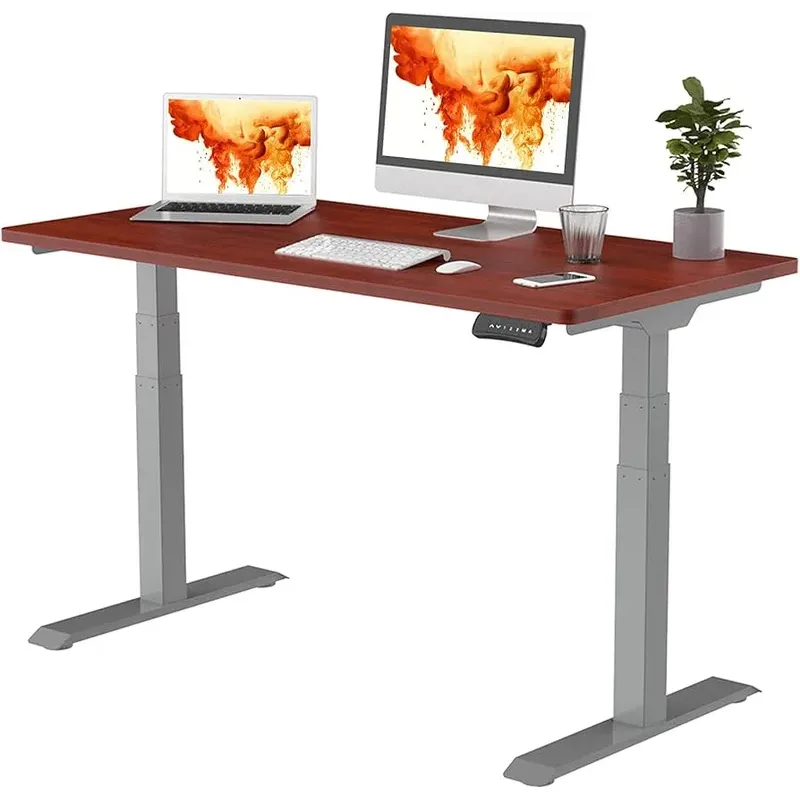
FlexiSpot E7 Pro
Pros
- ✓ 440-lb capacity — highest weight rating in this roundup
- ✓ Spine channel in legs routes cables cleanly inside the frame
- ✓ 15-year frame warranty is best-in-class across all competitors
- ✓ Semi-C-leg design creates generous under-desk storage space
Cons
- ✗ Separate cable management tray adds ~$30-50 to the total
- ✗ Desktop is sold separately, so budget accordingly
- ✗ Assembly can take 45+ minutes, especially solo
The FlexiSpot E7 Pro is the desk I’d recommend to anyone with a tight budget who still wants real cable management built into the frame. Currently available at $399 (down from $499), the E7 Pro punches well above its price.
The spine channel system routes cables through the inside of the frame legs. This isn’t as polished as Secretlab’s magnetic system, but it keeps wires off the desk surface and prevents the dangling problem that plagues basic desks. A cable management tray is available as an optional add-on ($30-50) that clips to the underside.
The specs are legitimately impressive: 440 lbs weight capacity (highest in this roundup), 15-year frame warranty (best in class), and motors quieter than 45 dB. The 3-stage leg system allows the desk to go from 26 to 51.6 inches — a wide range that accommodates sitting, perching on a stool, or full standing height. Semi-C-legs leave generous storage space under the desk for a CPU tower or drawers.
The desktop is sold separately, so factor that into your budget. Assembly takes around 45 minutes, which is average for this category.
Best for: Value-focused buyers who want solid cable management without spending over $400.
4. Vari Classic Electric Standing Desk 60x30 — Best for Minimalists
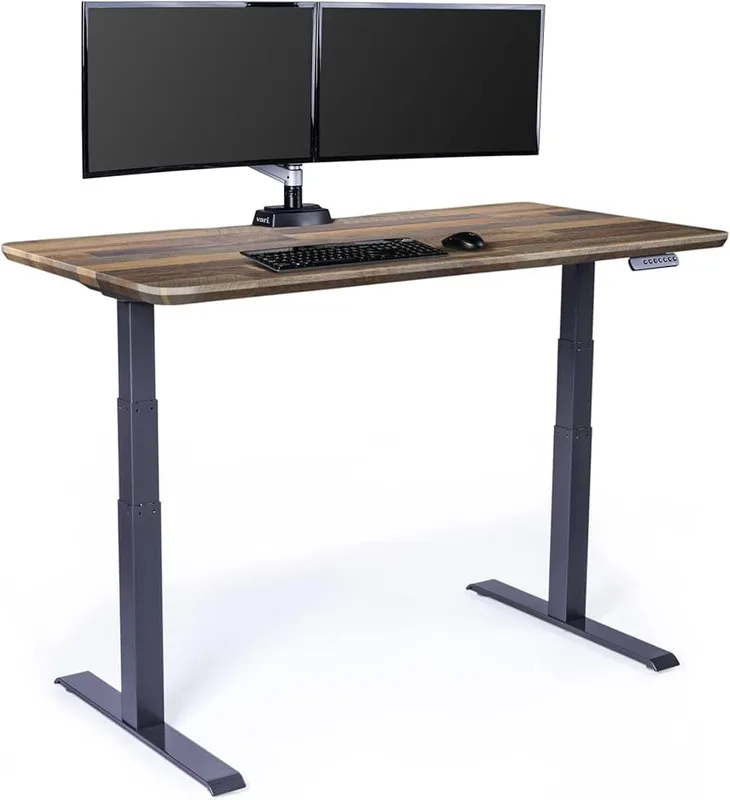
Vari Classic Electric Standing Desk 60x30
Pros
- ✓ T-frame crossbar organizes cables at desk height on both sit and stand positions
- ✓ No-tool assembly under 10 minutes — easiest setup here
- ✓ Dual motors are genuinely quiet — nearly silent operation
- ✓ Clean, minimal aesthetic works in office or home studio
Cons
- ✗ Cable management tray sold separately (~$39)
- ✗ 200-lb capacity is the lowest in this roundup
- ✗ Fewer memory presets and keypad options vs. UPLIFT or FlexiSpot
Vari’s approach to cable management is simpler than UPLIFT’s ecosystem or Secretlab’s magnetic system, but it works cleanly. The T-frame crossbar underneath the desktop gives you a horizontal surface to route cables across, and the desk’s straightforward design means fewer places for wires to tangle as it raises and lowers.
The Classic Electric sits between 25 and 50.5 inches, driven by whisper-quiet dual motors that make the Vari genuinely pleasant to use. At 60 x 30 inches, the desktop is the largest in this roundup — plenty of room for a dual-monitor setup or a large workspace. Assembly is legitimately fast: no tools required, under 10 minutes from unboxing to standing.
The cable management tray is sold separately for $39 — a minor annoyance at $695, where you’d expect it included. The 200-lb weight capacity is lower than UPLIFT or FlexiSpot, which matters if you’re mounting heavy monitors or a dual-monitor arm setup. And the keypad options are more basic than competitors.
That said, if clean lines and quiet operation matter more to you than maximum specs, the Vari is a standout.
Best for: Design-conscious buyers who want a fast setup and minimal visual clutter.
5. Autonomous SmartDesk 5 Pro — Best Budget
Autonomous SmartDesk 5 Pro
Pros
- ✓ Built-in cable management compartment routes power from wall to desk
- ✓ Dual motor at a budget-friendly $599
- ✓ AI-powered height recommendation via the Autonomous app
- ✓ Quick assembly with clear, well-labeled hardware
Cons
- ✗ Minimum height of 29.5" is high — not great for users under 5'4"
- ✗ 53"x29" desktop is the smallest in this roundup
- ✗ Basic cable management compared to MAGNUS Pro or UPLIFT's ecosystem
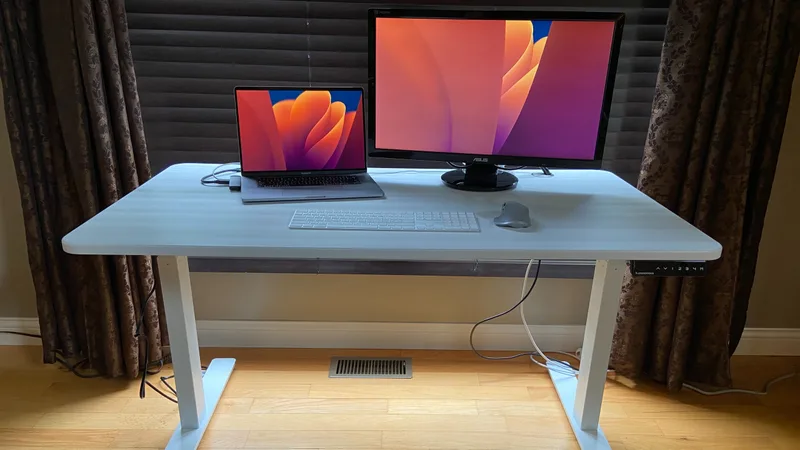
The Autonomous SmartDesk 5 Pro is the most affordable dual-motor standing desk in this roundup with meaningful cable management built in. At $599, it includes a built-in cable management compartment that routes power directly from wall to desk without a visible cord drop.
The 53 x 29-inch HDF wood desktop is the smallest here, but it’s solid and handles a single large monitor or laptop setup easily. The 265-lb weight capacity is respectable for the price. Dual motors provide smooth, quiet height adjustment from 29.5 to 48.5 inches.
The Autonomous app includes an AI height recommendation feature that suggests the right desk height based on your height and sitting posture — a useful touch for new standing desk users who aren’t sure how to dial in their ergonomics. For a complete setup guide, see our standing desk setup guide.
The honest limitations: 29.5 inches minimum height is high — shorter users may find the desk can’t go low enough for comfortable sitting. The cable management is useful but basic compared to what UPLIFT and MAGNUS Pro offer.
Best for: Budget buyers who want dual motors and basic cable management without breaking $600.
Quick Comparison: Standing Desks With Cable Management
| Desk | Price | Height Range | Capacity | Cable Management | Warranty |
|---|---|---|---|---|---|
| UPLIFT V3 | $699 | 25.3” – 50.9” | 355 lbs | Tray + grommets included | 10 yrs |
| Secretlab MAGNUS Pro | $949 | 25.6” – 49.2” | N/A | Full magnetic system | 5 yrs |
| FlexiSpot E7 Pro | $399 | 26” – 51.6” | 440 lbs | Spine channel (tray extra) | 15 yrs |
| Vari Classic Electric | $695 | 25” – 50.5” | 200 lbs | Crossbar (tray extra) | 5 yrs |
| Autonomous SmartDesk 5 Pro | $599 | 29.5” – 48.5” | 265 lbs | Built-in compartment | 5 yrs |
What to Look For: Standing Desk Cable Management Buying Guide
Cable tray vs. spine channel vs. grommets — what’s the difference?
Cable trays mount underneath the desktop and hold power strips, adapters, and loose cables off the floor. They’re common and cheap. The main issue: most trays are fixed to the desktop. When you raise the desk, the tray stays at your custom height — but cables running from the floor to the desk still need to flex.
Spine channels route cables through the vertical legs or along a channel attached to the frame. When the desk moves, the channel moves with it. This is cleaner than a tray alone and keeps cables controlled through the full height range.
Grommets are holes in the desktop that let you route cables through the surface rather than over it. Simple but effective for keeping monitor cables organized at the desktop level.
The best systems — like the Secretlab MAGNUS Pro — combine all three.
How many cables do you actually have?
Count before you buy. A typical desk worker runs: power strip (1 cable), monitor (1-2 cables), laptop charger (1), USB hub (1), headset (1), plus any desk accessories. That’s 5-7 cables minimum. If you have a desktop PC, add 3-4 more.
Desks with spine channels or full magnetic trays handle dense cable setups much better than desks with only grommets.
Does the cable management move with the desk?
This is the key question. A static cable tray helps with desktop organization but doesn’t solve the problem of cables dangling when the desk is at standing height. Look for desks where the cable management is attached to the frame, not just the desktop.
Power strip placement
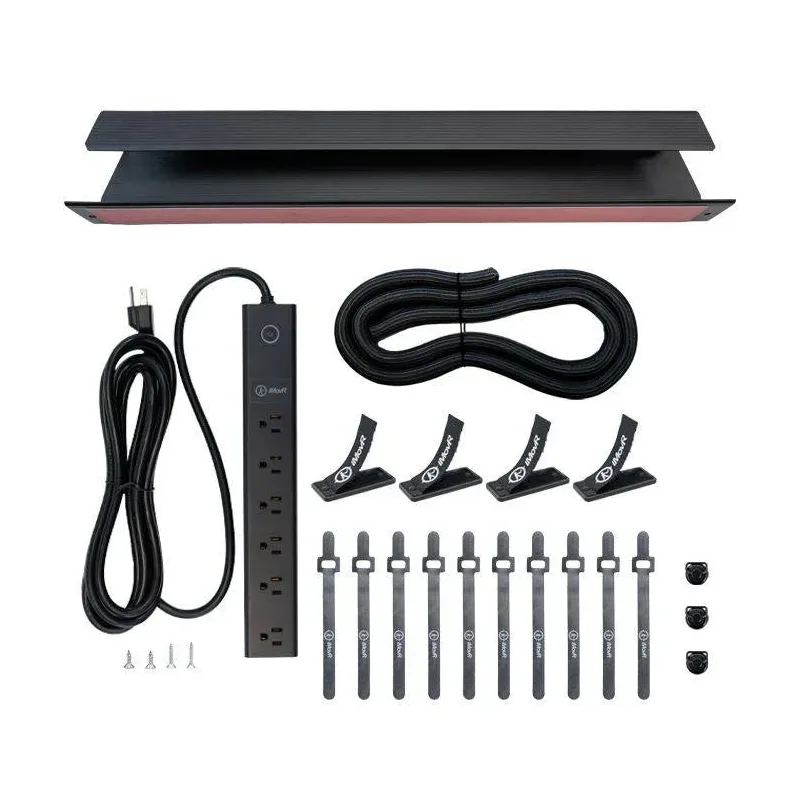
The best standing desks allow you to mount a power strip under the desktop or inside the cable spine. This keeps all your adapters and power bricks hidden, with only one cable dropping to the floor. If the desk doesn’t have a clear spot for a power strip, factor in the cost of a magnetic under-desk power strip mount (around $25-40).
Budget expectations
Decent cable management starts around $400 (FlexiSpot E7 Pro). At $600-700, you’re getting included trays or crossbars (UPLIFT V3, Vari Electric). Above $900, you’re getting premium magnetic or integrated systems (MAGNUS Pro). Under $400, most desks offer only basic grommets.
For aftermarket solutions that work with any desk, see our best cable management solutions roundup.
Frequently Asked Questions
Do all standing desks come with cable management?
No. Many budget standing desks include only a pair of grommets in the desktop — two holes that let you route cables through the surface. A proper cable tray, spine channel, or integrated system is a feature you need to specifically look for when comparing models.
What’s the difference between a cable tray and a spine channel?
A cable tray is a basket or shelf that mounts underneath the desktop. It holds power strips and loose cables off the floor, but doesn’t control how cables flex as the desk moves.
A spine channel is a track that runs along the desk frame and routes cables through the vertical structure itself. When the desk raises or lowers, the spine channel moves with it, keeping cables organized through the full height range. Spine channels are more effective for standing desks specifically.
How do I keep cables from dangling when my desk is at standing height?
Use a cable spine or routing system that travels with the desk rather than a static cable tray. For desks without a built-in spine, velcro cable ties tied together in a loose bundle and clipped to the frame give cables enough slack to flex without dangling. See our complete standing desk setup guide for a step-by-step cable routing walkthrough.
Are magnetic cable management systems worth it?
If you frequently reconfigure your setup, yes. Magnetic systems like the Secretlab MAGNUS Pro’s let you reposition cables and accessories without tools, which matters if you swap between laptop and desktop setups or add new peripherals often. For a static setup, a conventional tray or spine channel works just as well for considerably less money.
Can I add cable management to my existing standing desk?
Yes. Under-desk cable trays from brands like FlexiSpot, Vari, and CableBox cost $20-$50 and attach to the underside of any desk. Cable spines that zip-tie to the leg can also help. The result won’t be as clean as a purpose-built system, but it’s a major improvement over loose cables. Our best cable management solutions guide covers the best aftermarket options.
Is the Secretlab MAGNUS Pro worth the premium price for cable management alone?
For most home office users, probably not. The UPLIFT V3 at $699 handles cable management well with its included tray, grommets, and accessory ecosystem. You’d buy the MAGNUS Pro primarily because you want the all-steel construction, the magnetic accessory system, and the absolute cleanest possible desk aesthetic — not solely because of cables.
The Bottom Line
Most standing desks treat cable management as an afterthought. The desks above actually thought it through.
- Best overall: UPLIFT V3 — strong cable foundation with room to expand
- Best cable integration: Secretlab MAGNUS Pro — no visible wires, full magnetic system
- Best value: FlexiSpot E7 Pro — spine channel + best specs at $399
- Best aesthetic: Vari Classic Electric — clean, minimal, fast to set up
- Best budget: Autonomous SmartDesk 5 Pro — dual motor, built-in cable compartment under $600
For your complete workspace, pair your desk with a good monitor arm to eliminate even more cable clutter, and add an anti-fatigue mat if you plan to stand for long periods. And for everything else about dialing in your desk for maximum ergonomics, our standing desk setup guide covers it all.