If you’re choosing between the Secretlab Magnus Pro and the UPLIFT V2 family, you’re really choosing between a gaming desk and an office desk. They solve different problems. One hides your wires. The other carries more weight, comes with a much longer warranty, and costs a lot less.
A note on the UPLIFT. The V2 has been succeeded by the V3, and the V2 listings we’ve linked in earlier reviews are no longer available on Amazon. So this comparison uses the current UPLIFT V3 as the live stand-in for the V2 line. If you want the older model’s details, our UPLIFT V2 review still covers them.
Quick pick: Buy the Magnus Pro if a spotless desk surface matters to you and you have a dense gaming or streaming setup. Buy the UPLIFT if you want the better value, the stronger warranty and more load capacity. For most people, I’d buy the UPLIFT.
Secretlab Magnus Pro: the desk built around cables
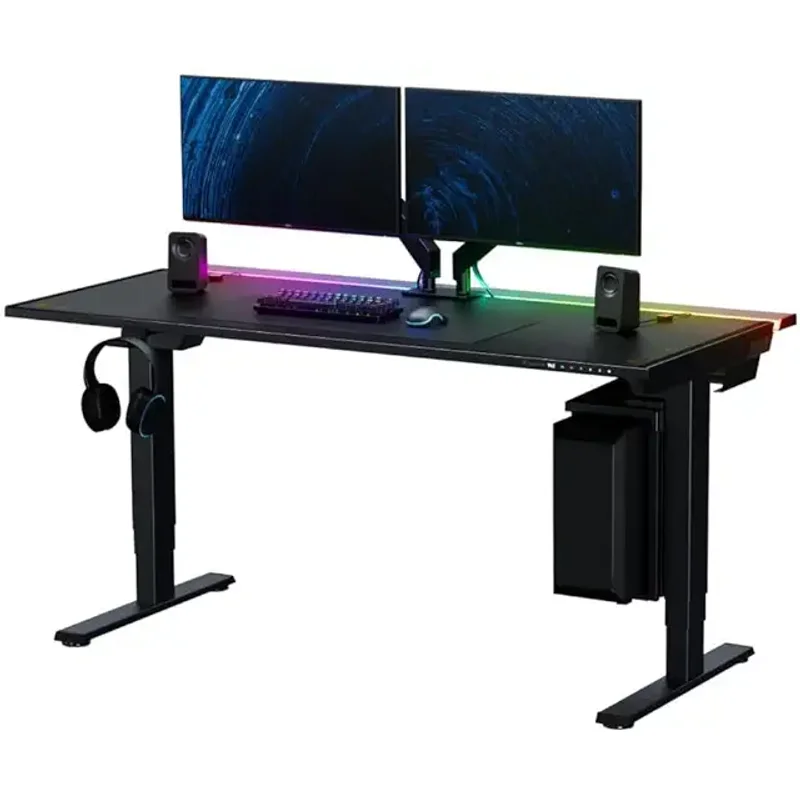
Secretlab Magnus Pro Electric Standing Desk
Pros
- ✓ Cleanest cable management of any desk in this class: one cable to the wall, the rest hidden
- ✓ Magnetic accessory system means no drilling for cable clips, arms or drawers
- ✓ Quiet dual-motor lift with three programmable presets
- ✓ Full steel build and a stable two-leg frame, even near full height
Cons
- ✗ Highest price of the two, and the full clean-desk look needs add-ons
- ✗ 265 lb capacity is well below the UPLIFT's 355 lbs
- ✗ 5-year warranty is far shorter than UPLIFT's 15 years
Secretlab’s pitch is simple. A power supply column sits inside the left leg, so a single cable runs to the wall outlet. A rear trough holds power bricks and extra cable. Magnetic mounts let you attach clips, arms and accessories without a drill.
Owner feedback and our full Magnus Pro review both land on the same point: this is what you’re paying for. If your desk currently has a monitor, a PC, a hub, a capture card, an audio interface and a charging dock, the difference is obvious on day one.
It’s also a solid desk otherwise. The dual-motor lift is quiet, there are three presets, and the two-leg frame holds up well near full height for its class. No two-leg desk is wobble-free at 49 inches, so don’t expect a four-leg frame’s rigidity.
The weak spots are practical ones. Capacity tops out at 265 lbs. The warranty is 5 years. It’s heavy. And the price is at the top of the range before you add anything.
UPLIFT V3: the office desk that wins on specs
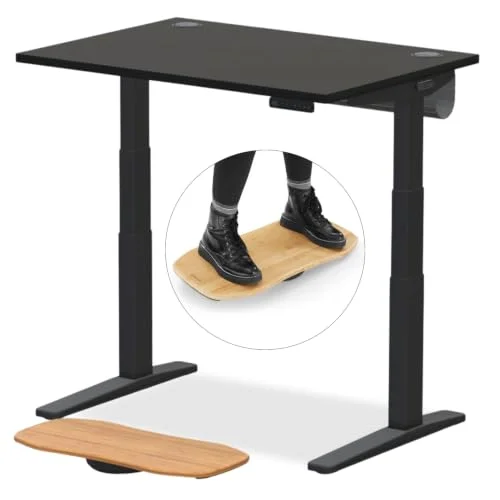
UPLIFT V3 2-Leg Standing Desk
Pros
- ✓ 355 lb capacity handles heavy multi-monitor and PC-on-desk setups
- ✓ 15-year warranty covers frame, motors and electronics
- ✓ Lower minimum height suits shorter users better than the Magnus Pro
- ✓ Large range of desktop sizes and materials, plus a deep accessory ecosystem
Cons
- ✗ Cable management is an add-on system, not built in, so it looks busier
- ✗ Entry desktop is 42" x 30"; bigger tops and premium materials cost more
- ✗ Not as gaming-styled as the Magnus Pro
UPLIFT’s desk is the benchmark many reviewers measure other standing desks against. The V3 carries 355 lbs, covers the frame, motors and electronics for 15 years, and lowers down to 22.6 inches, which works better for shorter users than the Magnus Pro’s 25.6 inches.
It also gives you far more choice. Desktop size, material and finish are all configurable, and there’s a big catalog of accessories. FlexMount points let you attach cable trays and organizers, but that’s a cable-hiding add-on, not a built-in system. A well-managed UPLIFT looks tidy. It will not look like a Magnus Pro.
For the longer story on what changed from the V2, see our UPLIFT V3 vs Jarvis comparison.
Metal top vs laminate top
The Magnus Pro is built around a full steel construction, which is part of its premium feel and magnetic accessory system. The UPLIFT is usually bought with laminate, though bamboo and hardwood are available. Laminate is cheaper, warmer to the touch and easier to replace. Steel is sturdier for magnets and mounts but feels colder and can be harder on wrists without a desk mat. Either way, a gaming desk pad helps.
Load capacity and stability
This one is not close on paper. 355 lbs against 265 lbs. Most people never reach either number. But if you run a PC tower, three monitors on arms, speakers and a stack of gear on the desktop, the extra headroom of the UPLIFT is worth having. Under normal loads both are stable enough for typing and mouse work.
Cost and warranty
The Magnus Pro costs roughly $450 more than the UPLIFT V3 at today’s Amazon prices, and you get a 5-year warranty instead of 15. You’re paying for design and cable management. That’s a legitimate thing to pay for, but it’s a premium, not a performance upgrade. Add an UPLIFT cable tray, a monitor arm and some clips and the gap narrows, though it doesn’t disappear.
Who should buy which
Magnus Pro: gamers, streamers and anyone who hates seeing cables. Also good if you want an all-in-one look and plan to keep the desk for years.
UPLIFT V3: people who want the strongest warranty, the most capacity, a lower minimum height or a custom size. It’s also the better pick if your budget matters.
Building out the rest of the setup? See our best standing gaming desks and best gaming desks roundups, and pair your desk with a good chair from our gaming chairs roundup.
Buying guide: what actually matters
- Capacity. Add up your monitors, arms, PC and gear. Stay comfortably under the limit.
- Height range. Check your sitting and standing elbow heights. Shorter users need a low minimum.
- Desktop depth. Gaming setups with big monitors often want 27 inches or more.
- Warranty. Motors and electronics are what fail first, so look at what’s covered.
- Cable plan. Decide whether you want hidden wires built in or a cheaper, add-on approach.
FAQ
Is the Secretlab Magnus Pro worth the extra money over the UPLIFT?
Only if cable management and its look matter to you. The UPLIFT beats it on capacity, warranty and price. The Magnus Pro wins on integrated cable management and magnetic accessories.
Is the UPLIFT V2 still available?
The V2 listings we previously linked are unavailable, and the V3 is the current model. We link the V3 here.
Which desk is better for a multi-monitor gaming setup?
Either works. The Magnus Pro is neater and has a deeper standard desktop. The UPLIFT has more weight capacity and can be configured with a larger top.
Which is better for shorter users?
The UPLIFT V3, which goes down to 22.6 inches versus 25.6 inches for the Magnus Pro.
Can I use the Magnus Pro for office work?
Yes. Nothing about it is gaming-only. It’s simply priced and styled with gamers and creators in mind.
Conclusion
The Magnus Pro is the nicer-looking, tidier desk, and gamers with cable-heavy setups will love it. The UPLIFT V3 is the better buy on warranty, capacity and cost. If I were spending my own money, I’d take the UPLIFT and put the savings into a good monitor arm and chair. If a clean desk is the whole point, get the Magnus Pro and don’t look back.