Between a $300 flat-pack desk and a $1,500 statement piece sits the zone where most people should shop. The best standing desks under $1,000 in 2026 fix the things budget desks get wrong: wobble at full height, thin warranties, tops that sag under two monitors. They also skip the luxury premium.
I researched current Amazon listings, spec sheets and owner feedback across the mid-premium range and narrowed it to six desks that earn their price. Everything here was in stock when I checked. Prices change often, so use the buttons on each card for today’s number.
Short on time? The UPLIFT V3 is the desk I’d buy for most people: big capacity, a long warranty, endless configurations. Want a lot of wood for the money? The FlexiSpot E6 Max Acacia is the value pick.
UPLIFT V3: Best Overall
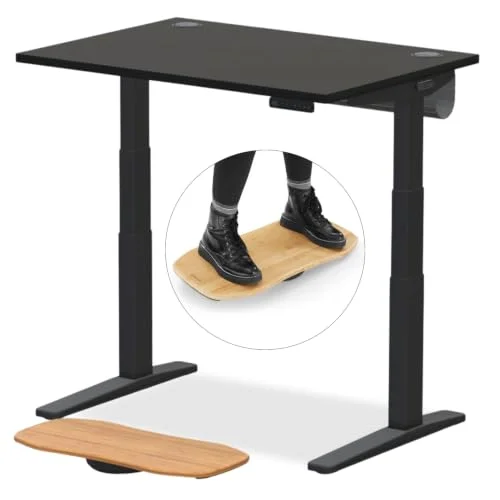
UPLIFT V3 Laminate Electric Standing Desk
Pros
- ✓ 355 lb capacity leaves real headroom for monitor arms and a heavy PC
- ✓ 15-year warranty is the longest in this price bracket
- ✓ Huge choice of desktop sizes, materials and accessories
- ✓ Low minimum height suits shorter users
Cons
- ✗ The base 42 inch top is small, and bigger tops push the price up
- ✗ Assembly takes longer than on pre-assembled desks
- ✗ Add-ons such as grommets and cable trays are extra
This is the benchmark in the bracket. Dual motors, a 355 lb rating and a 15-year warranty put it ahead of everything else here on paper. In practice, the draw is customization. You choose the top size, material and extras, so you pay for what you’ll use.
The catch is the base config. The standard 42 x 30 inch top is modest, and stepping up to a bigger top raises the price. Assembly also takes a while. Our UPLIFT V3 review covers the build in detail, and the V3 vs Jarvis Bamboo comparison shows how it stacks up against a close rival.
Best for: anyone running heavy monitor arms, a tower PC or a long-term setup they won’t want to replace.
FlexiSpot E6 Max Acacia: Best Value
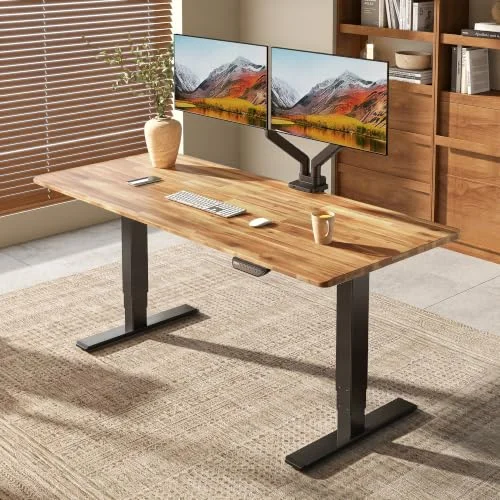
FlexiSpot E6 Max Acacia Solid Wood Standing Desk (72 x 30)
Pros
- ✓ A real acacia top and a 330 lb frame for the money
- ✓ 50 inch maximum height suits tall users
- ✓ Rounded, mitered edges are easier on the forearms
- ✓ 72 inch width fits two monitors with room left over
Cons
- ✗ The listing doesn't spell out a desktop warranty, so check seller terms
- ✗ Amazon price shifts between configurations and sellers
- ✗ Cable management is less refined than UPLIFT's
A solid acacia top, 72 inches wide, on a 330 lb dual-motor frame. That is a lot of desk for this bracket. The maximum height of 50 inches is a real plus if you’re tall, and the rounded edges are kinder on your forearms than a hard laminate lip.
The weak spot is paperwork. The listing doesn’t clearly state a desktop warranty, and the Amazon price moves with configuration. Read the seller terms before checking out. If you love the wood look, see our solid wood standing desk roundup.
Best for: a wide, wood-topped desk for two monitors without paying UPLIFT money.
Vari Classic: Best for Easy Setup
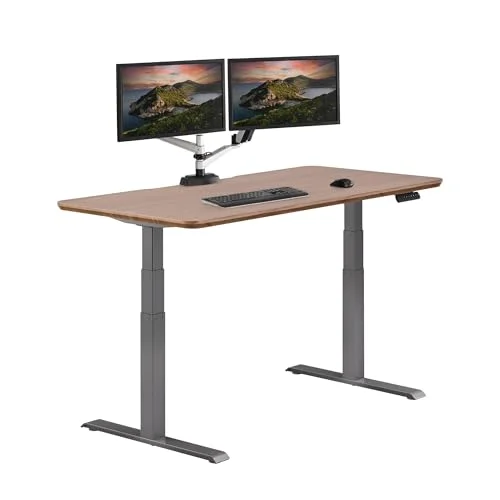
Vari Classic Electric Standing Desk (60x30)
Pros
- ✓ Quick assembly, with the desk working in well under an hour
- ✓ Attractive finishes that look at home in a living space
- ✓ Lifetime frame warranty
- ✓ Four memory presets for shared desks
Cons
- ✗ 200 lb capacity is well below UPLIFT's
- ✗ Cable tray is sold separately
- ✗ Costs more than the FlexiSpot for less capacity
Vari’s pitch is simplicity. The desk arrives with little to build, the finishes look like furniture, and the frame carries a lifetime warranty. Four memory presets make it a good fit for a shared desk.
The trade-off is capacity. At 200 lbs it won’t suit a heavy dual-arm setup, and the cable tray costs extra. Read our full Vari standing desk review for the details.
Best for: people who want a good-looking desk working fast, with a light to moderate load.
Secretlab MAGNUS Evo: Best for Cable Management
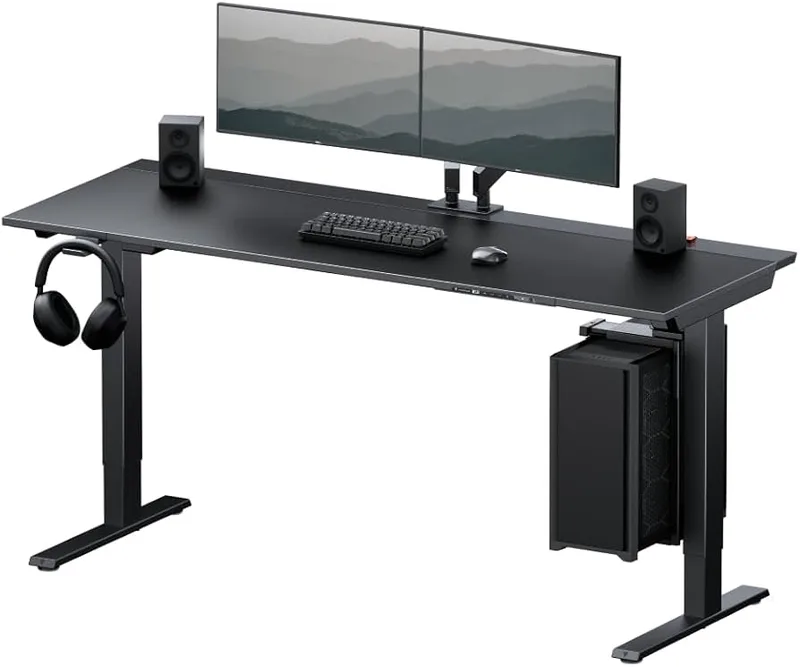
Secretlab MAGNUS Evo Electric Standing Desk
Pros
- ✓ Magnetic cable management keeps the desktop clean
- ✓ Integrated power column removes the bulky power strip
- ✓ Dual motors lift 265 lbs quietly
- ✓ Clean look that suits a gaming or creative setup
Cons
- ✗ At 25.2 inches deep, the top is shallower than most rivals
- ✗ Magnetic accessories add to the total cost
- ✗ No grommet holes; the cable tray does that job
The Evo is a gaming-adjacent desk that works for any clean-desk fan. The magnetic accessory system and integrated power column mean cables disappear instead of dangling. Dual motors move 265 lbs quietly.
Watch the depth. At 25.2 inches it’s shallower than most competitors, which matters with a large monitor or a deep keyboard tray. Accessories add up too. If you like the brand, our Magnus Pro review covers the bigger sibling.
Best for: a tidy, cable-free setup where looks matter as much as lift.
Vari ComfortEdge: Best for Typing Comfort
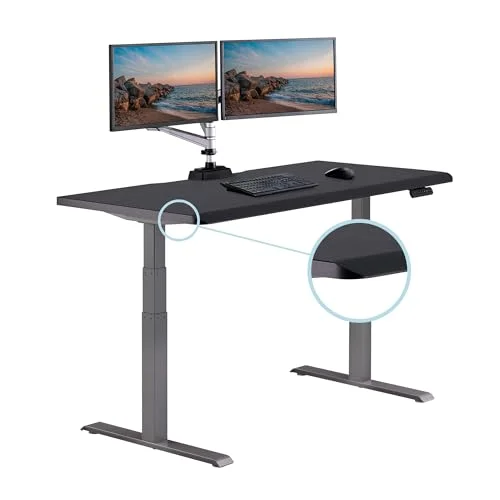
Vari ComfortEdge Electric Standing Desk (60x30)
Pros
- ✓ Sloped front edge takes pressure off the forearms
- ✓ Mostly pre-assembled, so setup is quick
- ✓ Lifetime frame warranty
- ✓ 60 x 30 inch top fits dual monitors
Cons
- ✗ 200 lb capacity is limiting for heavy setups
- ✗ Priciest desk here, with the least capacity per dollar
- ✗ No crossbar, so some wobble shows at full standing height
Same family as the Classic, with a sloped front edge. That slope spreads forearm pressure instead of pressing a flat edge into your wrists. If you type all day, it’s a thoughtful touch.
You pay for it. This is the most expensive desk here, with the same 200 lb capacity as the cheaper Vari. No crossbar means some wobble at full standing height. A fair pick, but only if the edge shape matters to you.
Best for: heavy typists with a lightweight setup.
Branch Duo: Best for Small Spaces
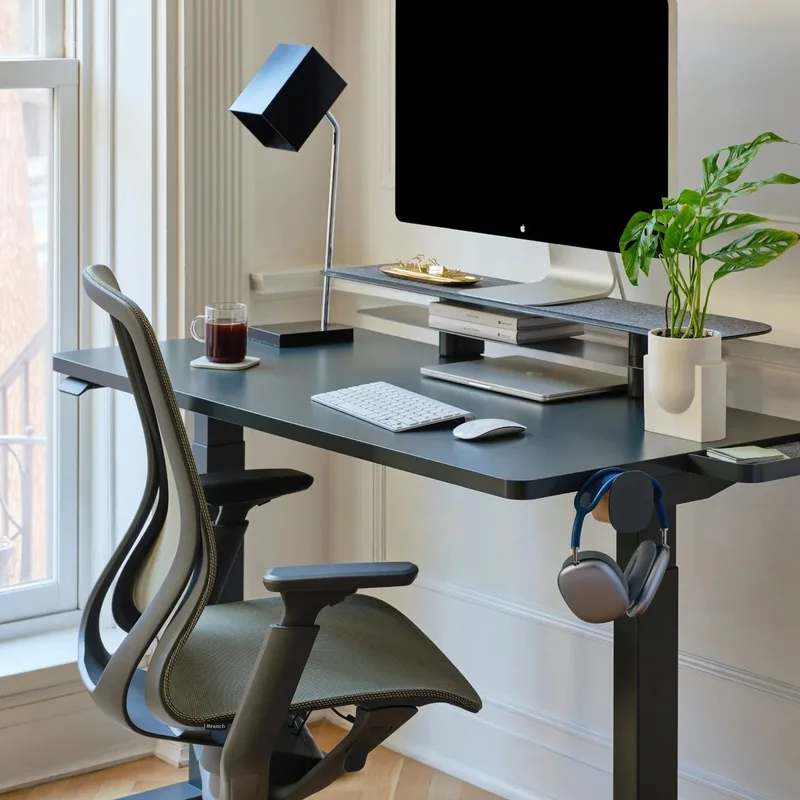
Branch Duo Standing Desk
Pros
- ✓ Minimal, frameless look that suits a living-room office
- ✓ OLED control paddle with collision detection
- ✓ 10-year coverage on the top and frame
- ✓ Compact sizes fit tight rooms
Cons
- ✗ Motor and electronics are covered for only 3 years
- ✗ Owners report minor wobble at full standing height
- ✗ Two memory presets, fewer than most rivals
The Duo’s frameless two-leg design opens up legroom and looks clean in a living room. Synchronized dual motors keep the top level, and the OLED paddle adds collision detection. The 10-year frame coverage is generous.
The weak point is the motor warranty, only 3 years. That’s the part most likely to fail, and it’s covered least. Some owners also report slight wobble when standing at full height. Read our Branch Duo review before buying.
Best for: compact rooms and anyone who values a minimal look.
What You Actually Get Above the Budget Tier
Cheaper desks aren’t bad. But the jump to this bracket buys specific things, and it helps to know which ones you’ll notice.
A steadier top at full height. Wobble is the most common complaint on budget frames. Better leg columns, thicker steel and well-matched motors reduce it. They don’t remove it, and a few desks here still show some movement at maximum height, as noted above.
Real materials. Laminate over particleboard is standard at the low end. Here you can step up to solid acacia, butcher-block options and finishes that hold up to years of coffee rings and keyboard wear.
Warranty you can use. Long frame coverage matters less than clear terms on the motors and electronics. Ask which parts are covered and for how long, and whether the seller on Amazon is the brand itself.
Room to grow. A desk with a high weight rating handles a bigger monitor next year without a replacement. That is often the cheapest upgrade path.
Setup Tips Before You Buy
Measure the room first, including door width if the desktop ships assembled. Check your seated and standing elbow heights against the desk’s height range, since taller and shorter users sit at opposite ends of it. Plan your cables before assembly, because routing is easier with the top flipped over. Add an anti-fatigue mat if you plan to stand for longer stretches, and set your monitor so the top of the screen sits near eye level in both positions.
How to Choose a Standing Desk at This Price
Weight capacity. Add up your monitors, arms, PC and anything else on the top. A 200 lb desk is fine for a laptop and one screen. Two arms and a tower want 300 lbs or more.
Motors. Dual motors lift more smoothly and stay level. Our single vs dual motor comparison explains the difference, and the motorized vs crank guide covers the older option.
Warranty. Read what’s covered. A long frame warranty with a short motor warranty isn’t the same as full coverage.
Desktop size and depth. For two monitors, 60 inches wide is the practical minimum. Depth matters for viewing distance, so 30 inches beats 25.
Cable management. Budget for a tray or grommets. Our cable management desk guide shows what to look for.
Budget bracket. If your load is light, a cheaper desk may do the job. See the best standing desks under $500. If you want more, the over $1,000 roundup goes further. For the full field, start at best standing desks.
Which Desk Fits Which Person
- Heavy setup or long-term buy: UPLIFT V3
- Wide wood top on a budget: FlexiSpot E6 Max Acacia
- Fast, easy setup: Vari Classic
- Clean cables: Secretlab MAGNUS Evo
- Typing comfort: Vari ComfortEdge
- Small room: Branch Duo
FAQ
Is a $1,000 standing desk worth it over a cheaper one?
Often, yes, if you use it daily. The extra money mostly buys higher weight capacity, a more stable frame, better warranties and nicer tops. If your setup is light, a cheaper desk can be enough.
How much weight capacity do I need?
Add the weight of your monitors, arms, computer and accessories, then leave a margin. Most single-monitor setups sit well under 100 lbs. Heavy dual-arm setups with a tower PC are safer on a 300 lb or higher rating.
Are dual-motor desks better?
Generally. Two motors share the load, keep the top level and tend to run quieter. Every desk on this list uses dual motors.
What is the best desk for two monitors?
The FlexiSpot E6 Max Acacia gives you 72 inches of width, and the UPLIFT V3 gives you the highest capacity if you add a larger top. Both handle two monitors comfortably.
How long should a standing desk warranty be?
Look for at least 5 years on the frame and a clear term for the motors and electronics. UPLIFT’s 15 years is the longest here. Check what each warranty actually covers.
How often should I stand?
There’s no single rule. Many people alternate positions through the day and change posture when they feel stiff. If you have a health condition, ask your clinician. This guide is about comfort and support, not treatment.
Final Recommendation
For most buyers, the UPLIFT V3 is the best standing desk under $1,000. If you want a wide wood top, the FlexiSpot E6 Max Acacia delivers the most desk for the money. Choose the Vari Classic for easy setup, the Secretlab MAGNUS Evo for clean cables and the Branch Duo for small rooms. Skip the ComfortEdge unless the sloped edge matters to you.