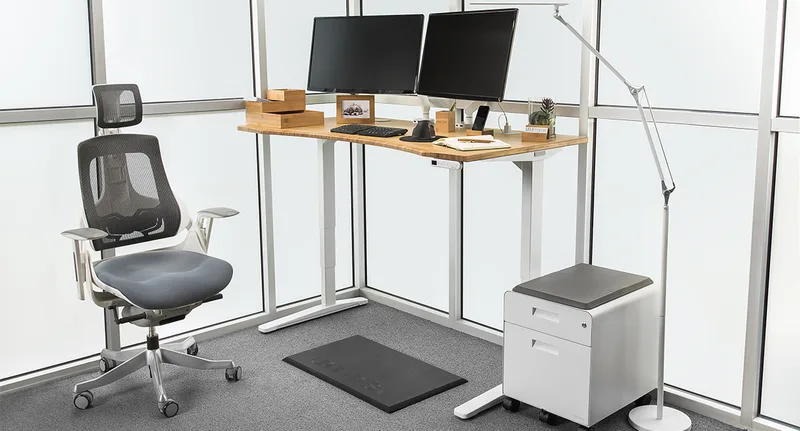
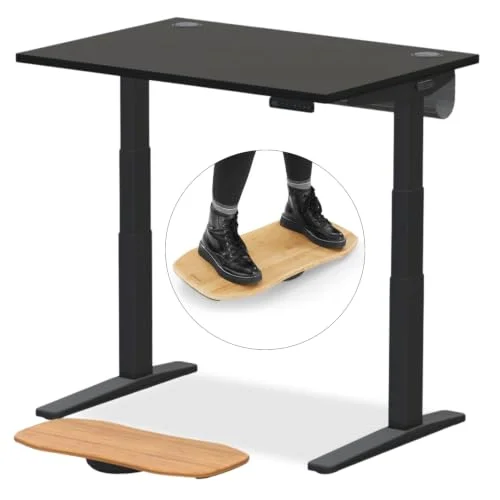
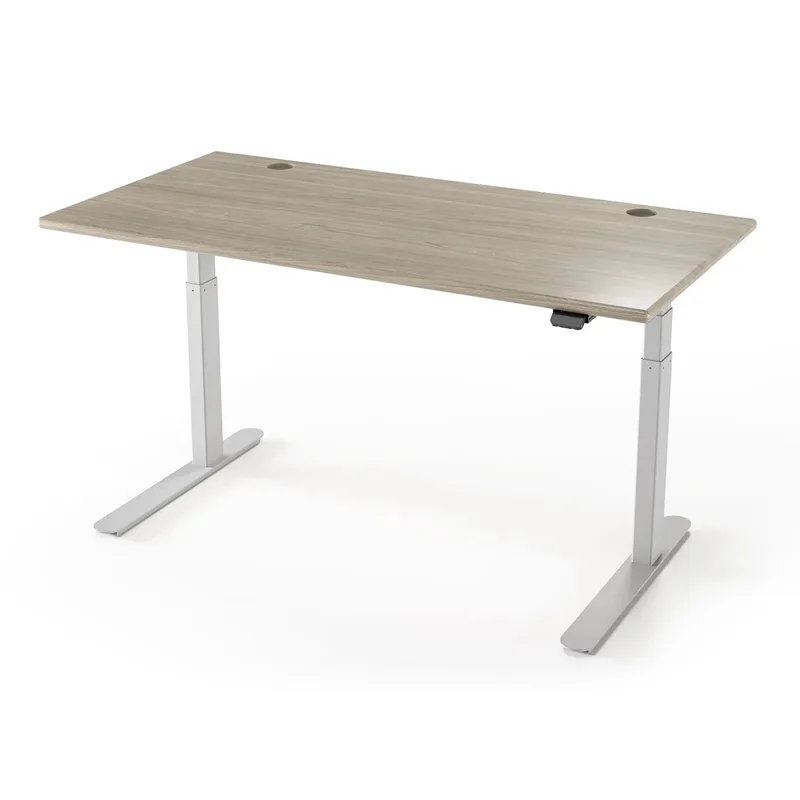
Every developer I know has two phases: the phase where they ignore ergonomics entirely, and the phase after the back pain starts. A standing desk is one of the most effective interventions between you and long-term injury — but the wrong one makes a multi-monitor setup wobble, frustrates you with slow motors during calls, and dies outside of warranty just when you need it most.
In 2026, the standing desk market is more competitive than ever. Autonomous released the SmartDesk 5 with integrated power outlets built right into the surface — a feature that makes a real difference for developer setups with multiple devices charging at once.
This roundup covers the best options for programmers specifically: people who need stability for heavy dual-monitor or triple-monitor rigs, quiet operation for constant video calls, and enough surface area to accommodate a full-size mechanical keyboard, mouse, and everything else that accumulates on a developer’s desk.
Quick picks: For most programmers, the FlexiSpot E6 is the desk to buy — a dual-motor, 3-stage frame with the 48” x 30” desktop included and four memory presets. If you want a wide bamboo surface and a trusted brand, the Fully Jarvis 60” is the best value in this roundup. On a tight budget, the FlexiSpot EN1 at $180 is hard to argue with.
1. FlexiSpot E6 — Best Overall Standing Desk for Developers
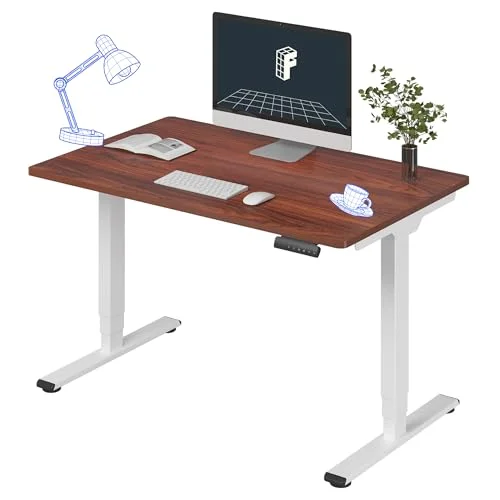
FlexiSpot E6 Electric Standing Desk
Pros
- ✓ Dual-motor, 3-stage frame with the 48" x 30" desktop included
- ✓ 23.6" minimum height works for short users who want proper wrist alignment at a keyboard
- ✓ 4 memory presets on the keypad
Cons
- ✗ 220 lb listed capacity — check the total weight of a multi-monitor rig on an arm
- ✗ 48" width is tighter than the 55"+ desks here for triple-monitor setups
The E6 is a dual-motor, 3-stage frame with a 48” x 30” desktop included and four memory presets on the keypad. The listed height range is 23.6” to 48.8”, and the 23.6” minimum covers shorter users (5’0”–5’3”) who need the desk to sit low enough for seated typing with a standard chair.
The listed weight capacity is 220 lbs. For a dual-monitor rig on an arm plus a laptop dock and peripherals, add up the total; the Autonomous SmartDesk 5 Pro (330 lbs) and the Fully Jarvis (350 lbs) carry higher ratings if you run a heavy triple-monitor setup.
At 48” x 30”, it fits a standard home-office wall; developers who want more surface width should look at the 60” Jarvis.
Best for: Developers with a single or dual-monitor setup who want a dual-motor, 3-stage frame with the top included.
2. Fully Jarvis 60” x 30” Bamboo — Best for Wide Coding Setups
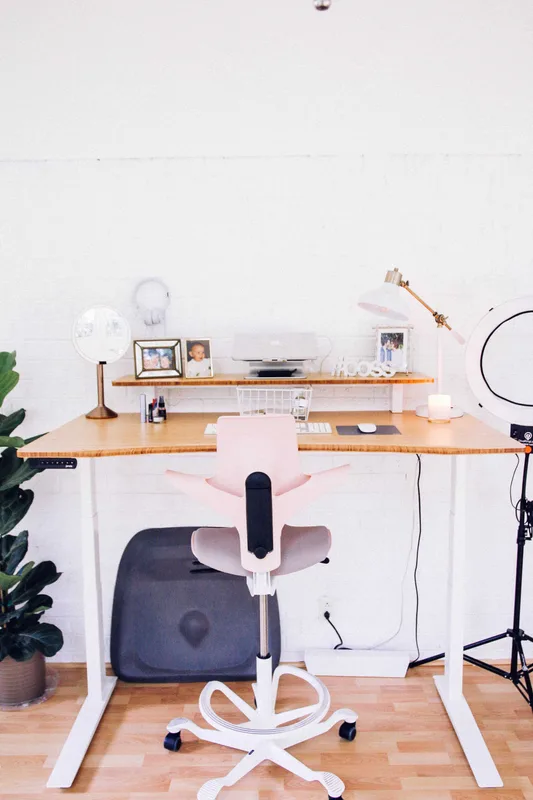
Fully Jarvis 60" x 30" Bamboo Standing Desk
Pros
- ✓ 60" x 30" bamboo surface is genuinely wide — fits dual 27" monitors plus keyboard and mouse easily
- ✓ Bamboo is naturally harder and more scratch-resistant than most laminate options
- ✓ Backed by Herman Miller since their acquisition of Fully — strong brand warranty support
- ✓ Very quiet motor for a single-motor desk; suitable for video call environments
Cons
- ✗ 30" minimum height is high — users under 5'3" may find it too tall at seated position
- ✗ Single motor means slower movement speed compared to dual-motor competitors
- ✗ No built-in cable management; requires separate accessories
The Jarvis is the developer community’s most reliably recommended standing desk, and that reputation holds up. At 60” x 30”, this is one of the widest surfaces available for under $600 — enough room for two 27” monitors side by side, a mechanical keyboard, a mouse pad, a webcam stand, and a coffee cup that isn’t at immediate elbow-knock risk.
Bamboo is a legitimately good desktop material for developers. It’s harder and less prone to surface indentation than most laminates, warmer to the touch than steel-reinforced boards, and easier on wrists during long typing sessions than a cold laminate surface.
Since Herman Miller acquired Fully, the warranty support has improved. This is a non-trivial consideration for a desk you’ll use for 8-10 hours a day over years. The 5-year frame warranty is backed by an actual US company with a support history.
The 30”–49.3” height range covers the majority of users, though if you’re under 5’3” and want to sit low with proper ergonomics, you may want to check this against your chair height before ordering.
Best for: Developers who want maximum surface area, prefer natural materials, or work in a standing desk height range of 30”–49.3”.
3. Autonomous SmartDesk 5 Pro — Best for Tech-Heavy Developer Setups
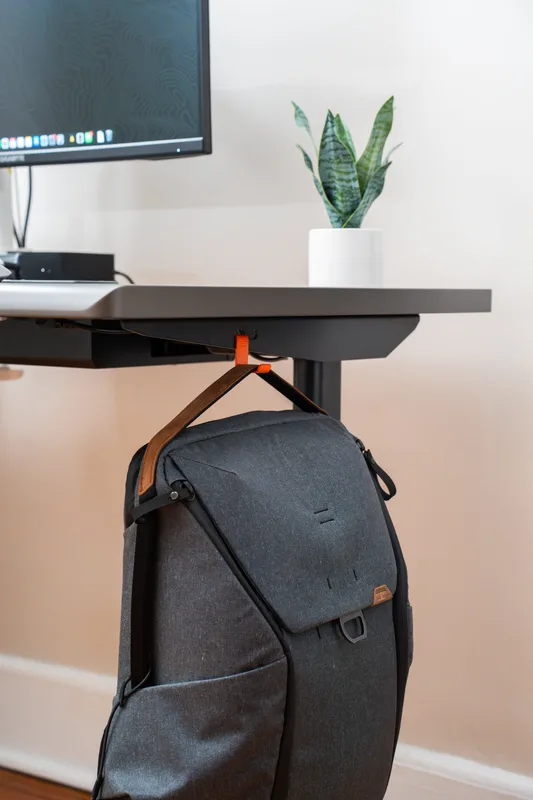
Autonomous SmartDesk 5 Pro Electric Standing Desk
Pros
- ✓ Built-in AC power outlets and USB ports eliminate under-desk cable sprawl entirely
- ✓ AI sit-stand reminders nudge you to change positions — useful when deep in a coding flow state
- ✓ Dual motor provides smooth, even height adjustment with solid anti-collision protection
- ✓ HDF wood top is dense and resistant to denting from heavy equipment
Cons
- ✗ 48.5" maximum height may not be enough for very tall developers (6'4"+)
- ✗ 53" width is narrower than the 60" Jarvis for the same price
- ✗ Delivery can vary — not always fulfilled directly from Amazon warehouse, which can affect shipping speed
The SmartDesk 5 Pro’s standout feature for developers is built-in power: AC outlets and USB ports are integrated into the desk surface, eliminating the under-desk power strip arrangement that most programmer workstations eventually become. If you’re running a laptop, a desktop, a monitor, a charging stand, and a USB hub, this matters.
The AI sit-stand reminders are easy to dismiss if you’re the type who ignores notifications, but developers who use them report they actually help break the 3-hour deep-focus sitting streaks that cause the most ergonomic damage. The dual motor performs well and the HDF wood top is dense enough to absorb heavy mechanical keyboard impact without flexing.
The main trade-off versus the Jarvis is width. At 53” x 29”, the SmartDesk 5 Pro is narrower than both competitors at a similar or higher price point. For a single-monitor laptop dock setup, this is fine. For a triple-monitor developer rig, it starts to feel cramped.
Best for: Developers with device-heavy setups (multiple things to charge), laptop-centric workflows, or those who want sit-stand reminders built into their desk.
4. FlexiSpot EN1 48” x 30” — Best Budget Standing Desk for Developers
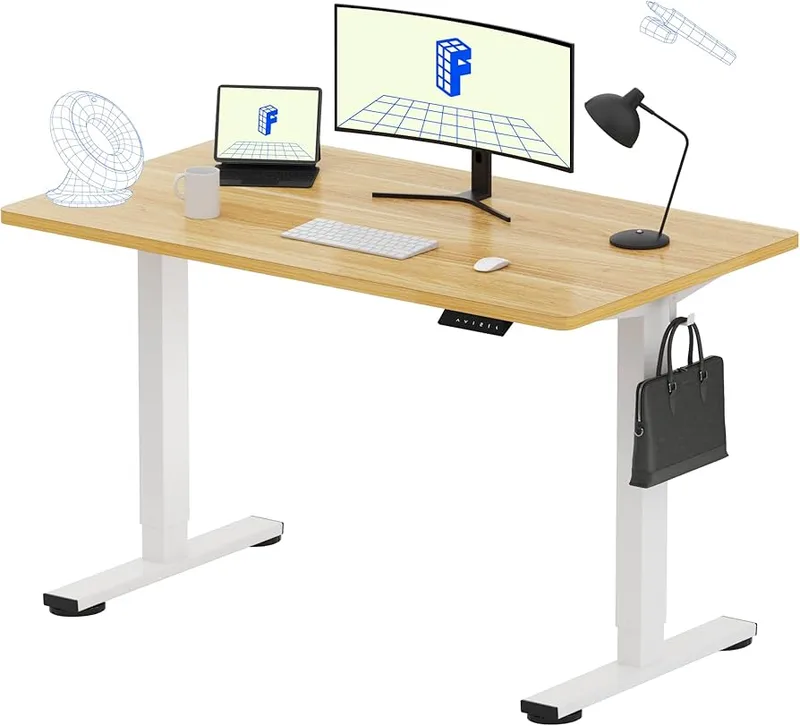
FlexiSpot EN1 One-Piece Standing Desk 48" x 30"
Pros
- ✓ One-piece seamless desktop construction removes the center gap that causes wobble on split desktops
- ✓ 176 lb capacity is sufficient for a dual-monitor setup with peripherals
- ✓ 4 memory height presets for quick sit/stand switching during work sessions
- ✓ Quiet motor runs well under 50 dB — not disruptive on video calls
Cons
- ✗ 176 lb weight limit rules out triple-monitor setups with heavy arms and equipment
- ✗ 47.6" maximum height won't suit developers taller than about 6'1"
- ✗ No USB ports or built-in cable management at this price point
At $180, the FlexiSpot EN1 is the best-value standing desk for a developer on a budget. It’s not a compromise pick — the seamless one-piece desktop construction means it’s actually more stable than some desks that cost twice as much with split-panel tops.
The 176 lb weight limit is the key constraint. A dual-monitor setup with a reasonable monitor arm sits comfortably within that. A triple-monitor rig with a heavy articulating arm starts to push the limit. The 47.6” maximum height rules out standing use for taller developers (6’2”+).
For someone setting up their first ergonomic home office, or a developer who works primarily on a laptop with one external monitor, the EN1 delivers the core sit-stand benefit without a significant upfront investment. The 4 memory presets and quiet motor are present at this price, which is more than many budget competitors can say.
Best for: Developers with a single or dual monitor setup, budget-conscious first-time standing desk buyers, or compact home offices.
5. FEZIBO 48” x 24” Electric Desk with Drawer — Best Budget Option with Storage
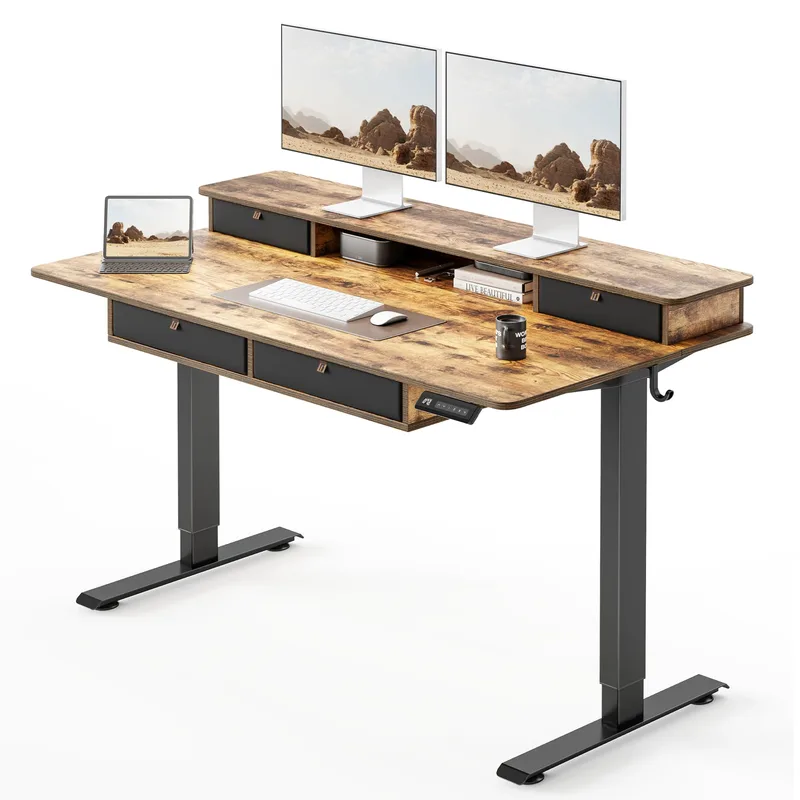
FEZIBO 48" x 24" Electric Standing Desk with Drawer
Pros
- ✓ Built-in drawer is genuinely useful for keeping a desk clear — stash charging cables, notepads, or headphones
- ✓ Strong value for a complete desk with storage at this price point
- ✓ Stable enough for a single-monitor or laptop coding setup
- ✓ Available in multiple finishes to match existing office furniture
Cons
- ✗ 24" depth is shallow — laptop users and those with a full-size keyboard may feel cramped
- ✗ 45.5" maximum height limits use for developers above 6'0"
- ✗ Manufacturing quality and warranty support have drawn criticism in long-term owner reviews
The FEZIBO stands apart in this price range for one reason: it has a built-in drawer. For a developer whose desk tends to fill up with charging cables, sticky notes, earbuds, and small tools, having a dedicated place to stash things changes the usability of the workspace.
That said, be clear-eyed about the trade-offs. The 24” depth is shallow — if you have a full-size keyboard and want to push it back from the edge, you’ll feel the constraint. The 45.5” maximum height is the lowest in this roundup. Long-term owner reports mention some inconsistency in component quality and slow warranty response times, which is a meaningful concern for a desk you’ll use daily.
If your priority is a tidy desk on a budget and your setup is a laptop or single monitor, the FEZIBO works well. If you’re building a serious developer workstation, invest more in the EN1 or E6.
Best for: Developers with a laptop or single-monitor setup who want built-in storage on a tight budget.
Standing Desk Comparison Table
| Desk | Price | Desktop Size | Height Range | Weight Capacity | Motor | Rating |
|---|---|---|---|---|---|---|
| FlexiSpot E6 | $339.99 as of Oct 18, 2026 | 48” x 30” | 23.6”–48.8” | 220 lbs | Dual 3-stage | 8.6 |
| Fully Jarvis 60” Bamboo | Unavailable | 60” x 30” | 30”–49.3” | 350 lbs | Single | 8.8 |
| Autonomous SmartDesk 5 Pro | Unavailable | 53” x 29” | 29.5”–48.5” | 330 lbs | Dual | 8.5 |
| FlexiSpot EN1 48” x 30” | $167.98 as of Oct 18, 2026 | 48” x 30” | 28.9”–47.6” | 176 lbs | Single | 8.3 |
| FEZIBO 48” x 24” | Unavailable | 48” x 24” | 28.7”–45.5” | 176 lbs | Single | 7.8 |
What Developers Should Look for in a Standing Desk
Stability Above Everything
Stability is more critical for developers than for most desk users. You’re probably running multiple monitors — possibly a heavy 34” ultrawide, or two 27” displays on a dual arm. That mass amplifies any wobble at the desk’s maximum standing height. A wobbly desk at full extension doesn’t just look bad; it causes the monitors to vibrate with each keystroke, which is fatiguing after a few hours.
Look for a weight capacity well above your actual load. If your setup weighs 80 lbs, a 176 lb capacity desk is fine. If you’re stacking three monitors, a heavy arm, speakers, and a large mechanical keyboard — get a 350+ lb desk.
Height Range Matters at Both Ends
Most standing desk buyers focus on maximum height and forget about minimum height. If you’re under 5’6” and use a standard office chair at its lower settings, a desk with a 30” minimum height may force you to sit with your arms reaching up to the keyboard — the opposite of good ergonomics.
Use this rough guide for minimum desk height at seated position:
- Under 5’4”: look for desks with 24”–27” minimum height
- 5’4”–5’8”: 27”–29” minimum height is fine
- Above 5’8”: most desks work fine
Motor Count and Speed
Dual-motor desks raise and lower faster and more evenly than single-motor models. They’re also quieter under load, which matters if you’re on video calls frequently. Single-motor desks are adequate for casual use but audibly strain at the upper end of their height range with heavy loads.
For a daily driver developer desk with a serious monitor setup, dual motor is worth the premium.
Desktop Width and Depth
Programmers tend to underestimate how much surface area they actually need:
- Single monitor + laptop: 48” x 24” is fine
- Dual 24”–27” monitors: 55”–60” width is comfortable
- Ultrawide 34”+ or triple monitors: 60”+ width, 27”–30” depth
Depth is often overlooked. A 24” deep desk forces your keyboard to sit right at the edge with no room to rest your forearms. A 28”–30” depth allows a more relaxed arm position.
Cable Management
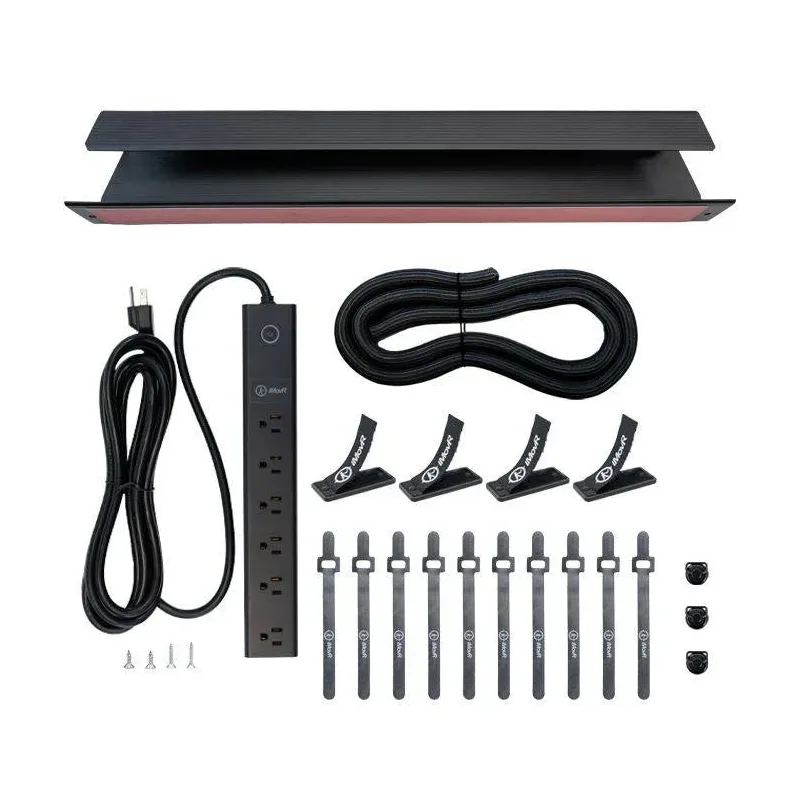
A developer’s desk usually has more cables than most: monitor cables (HDMI, DisplayPort), USB hubs, charging cables, audio cables, and power. Look for desks with a built-in cable management tray or routing holes. Retrofitting a good cable tray is always an option, but it’s easier when it comes included.
Budget Expectations
- Under $200: Single-motor, limited height range, lower weight capacity. Fine for a laptop setup or first standing desk.
- $350–$600: The sweet spot. Dual motors, better stability, wider surfaces, longer warranties.
- $600+: Best-in-class stability, maximum customization options, commercial-grade frames. Worth it if you use the desk 8+ hours daily.
How to Set Up Your Programmer Standing Desk
Getting the standing desk is only part of the equation. A proper setup makes the difference between ergonomic benefit and just standing in the wrong position.
Monitor position: Eye level should be at the top third of the screen — not the very top edge, not the center. Most developers position monitors too low, which causes neck extension over time.
Keyboard position: Elbows at roughly 90 degrees, wrists neutral (not bent up or down). If you need a keyboard tray to get this right, add one.
Monitor arm: A monitor arm lets you dial in screen height and depth precisely and frees up significant desk surface.
Anti-fatigue mat: Standing on a hard floor for hours creates its own problems. A good standing desk mat reduces leg and foot fatigue substantially.
Sit-stand ratio: Research suggests 2:1 (sitting:standing) is a reasonable starting ratio. Stand for 20–30 minutes, sit for 40–60. Gradually increase standing time as your body adjusts over the first few weeks.
For a full setup walkthrough, see our complete standing desk setup guide.
FAQ
What’s the best standing desk for dual monitors in 2026?
The FlexiSpot E6 handles a dual-monitor setup within its 220 lb listed capacity and 48” width. If you want more surface area, the Fully Jarvis 60” gives you a wider bamboo surface. We have a full roundup of best standing desks for dual monitors if you need more options.
Do programmers actually benefit from standing desks?
Yes, with realistic expectations. Standing while coding doesn’t meaningfully speed up your work, but it reduces the sustained lower back compression that comes from sitting for 8+ consecutive hours. Research cited in developer community discussions in 2026 consistently shows reduced back discomfort among sit-stand desk users compared to fixed-height desk users. The benefit compounds over years of use.
How long should I stand at my standing desk?
Start with 15–20 minutes of standing per hour and build from there. Most experienced standing desk users settle at 20–30 minutes standing per hour. Extended standing (2+ hours continuously) can cause foot and leg fatigue. An anti-fatigue mat makes longer standing intervals comfortable.
Can a standing desk hold three monitors?
Yes, with the right desk. On this list the Fully Jarvis (350 lbs) and the Autonomous SmartDesk 5 Pro (330 lbs) carry the ratings for a triple-monitor setup; the FlexiSpot E6’s listed 220 lbs is better matched to one or two monitors. Budget desks with 176 lb limits are not recommended for triple-monitor rigs, especially with heavy monitor arms. Measure your actual setup weight and pick a desk with at least double that as capacity.
What height should my standing desk be for coding?
At standing position, your elbows should be at roughly 90 degrees with your keyboard. For most people, this is roughly elbow height minus 1–2 inches to account for keyboard thickness. Use a standing desk calculator or start at your elbow height and adjust. Wrists should be neutral — not bent up or pressed down on a wrist rest.
Is a bamboo top better than laminate for a programming desk?
Bamboo is harder and more durable than most laminate surfaces and is warmer to the touch in cold offices. It’s a solid choice for developers who type heavily. The trade-off is that bamboo can be slightly more prone to water damage than laminate if you regularly have drinks on the desk. Both materials work well for the application.
Final Recommendations
The FlexiSpot E6 is the desk most programmers should buy in 2026: a 3-stage dual-motor frame, the 48” x 30” desktop included, four presets, and a 23.6” to 48.8” range. It’s the desk I’d choose for a home office with one or two monitors.
If surface area is the priority — wide dual monitors, room for a drawing tablet, or just more breathing room — the Fully Jarvis 60” at $569 is the best-value wide standing desk available.
For a tech-forward setup with integrated power, the Autonomous SmartDesk 5 Pro eliminates under-desk cable management issues that frustrate most developer workstations.
On a budget, the FlexiSpot EN1 at $180 is the honest recommendation — it’s a real standing desk, not a compromise, and it works well for a single or dual monitor setup.
Whichever desk you choose, pair it with a proper ergonomic chair — see our best ergonomic chairs for programmers guide — and give yourself a few weeks to adjust to alternating sitting and standing. The adjustment period is real, but the long-term benefit for sustained coding sessions is significant.
Also worth reading: Best Standing Desks of 2026 for a broader category view, and Do Standing Desks Help Back Pain? for the research behind the ergonomic claims.