Disclosure: PostureRanked is reader-supported. When you buy through links on our site, we may earn an affiliate commission at no additional cost to you. Our recommendations are based on independent research and testing.
| Product | Price | Rating |
|---|---|---|
| FlexiSpot E7 Pro | — | 9.2 |
| FlexiSpot E7 Plus | — | 9.0 |
| UPLIFT V3 | — | 9.2 |
| Fully Jarvis | — | 9.0 |
| FlexiSpot E7 | — | 8.8 |
| Desk Haus Peak Pro | — | 9.4 |
PostureRanked is reader-supported. When you buy through links on our site, we may earn an affiliate commission at no additional cost to you.
Your dual-monitor setup weighs more than you think. Two 27-inch displays, a monitor arm, a desktop tower, a keyboard, a desk lamp — you’re easily at 60 to 80 pounds before you add the coffee mug. That’s fine for most desks sitting still. The problem shows up at standing height, when 80 pounds on wobbly legs turns your expensive monitors into a shimmy show every time you type. For our picks across all budgets, see the best standing desks of 2026 roundup. If you’re still deciding between a single ultrawide or two monitors, SetupRanked’s dual monitor setup guide covers the tradeoffs in detail.
Research and user reports consistently show that the difference between a desk rated for 200 pounds and one rated for 350+ is night and day. Not because 80 pounds is anywhere near either limit — but because higher-capacity frames are built stiffer, with beefier legs and better crossbar support. They just don’t wobble.
Short on time? The FlexiSpot E7 Pro is the best all-around pick for dual-monitor setups. 440 lb capacity, rock-solid T-frame, 15-year warranty, and it’s quieter than the competition. If budget matters more, the standard FlexiSpot E7 handles dual monitors just fine at a lower price.
Quick Comparison: Best Heavy-Duty Standing Desks
| Desk | Weight Capacity | Motors | Speed | Noise | Best For | Price Range |
|---|---|---|---|---|---|---|
| FlexiSpot E7 Pro | 440 lbs | Dual | 1.6”/s | < 50 dB | All-around heavy setups | $400-$680 |
| FlexiSpot E7 Plus | 440 lbs | Dual (4-leg) | 1.6”/s | 52-54 dB | Multi-monitor + tower PC | $500-$670 |
| UPLIFT V3 | 355 lbs | Dual German | 2.0”/s | < 48 dB | Fast, quiet adjustments | $599-$800 |
| Fully Jarvis | 350 lbs | Dual | 1.5”/s | < 50 dB | Premium finish, studio use | $629-$900 |
| FlexiSpot E7 | 355 lbs | Dual | 1.5”/s | < 50 dB | Budget heavy-duty | $300-$480 |
| Desk Haus Peak Pro | 600 lbs | Quad | 1.5”/s | < 50 dB | Extreme/trading setups | $725+ (frame) |
Why Weight Capacity Matters More Than You Think
A typical dual-monitor setup weighs more than people expect:
| Equipment | Approximate Weight |
|---|---|
| 27” monitor (x2) | 15-25 lbs total |
| Monitor arm (dual) | 5-10 lbs |
| Desktop PC | 20-40 lbs |
| Laptop + dock | 5-8 lbs |
| Keyboard, mouse, accessories | 3-5 lbs |
| Speakers, lamp, misc. | 5-15 lbs |
| Total | 50-100+ lbs |
Here’s what most reviews won’t tell you: weight capacity ratings measure what the motors can lift, not how stable the desk is at height. A desk rated for 200 lbs might technically raise your 80-pound setup, but the frame flexes, the crossbar twists, and you get that infuriating wobble whenever you type at standing height.
Higher-capacity desks use thicker steel, wider feet, and better-braced frames. That over-engineering is exactly what kills wobble. A desk rated for 350+ lbs under an 80-pound load isn’t working hard — it’s loafing. And that’s the sweet spot.
Rule of thumb: For dual monitors plus a desktop PC, look for at least 300 lbs capacity. For triple monitors or extreme setups, 400+ lbs.
Best Standing Desks for Heavy Setups
1. FlexiSpot E7 Pro — Editor’s Pick
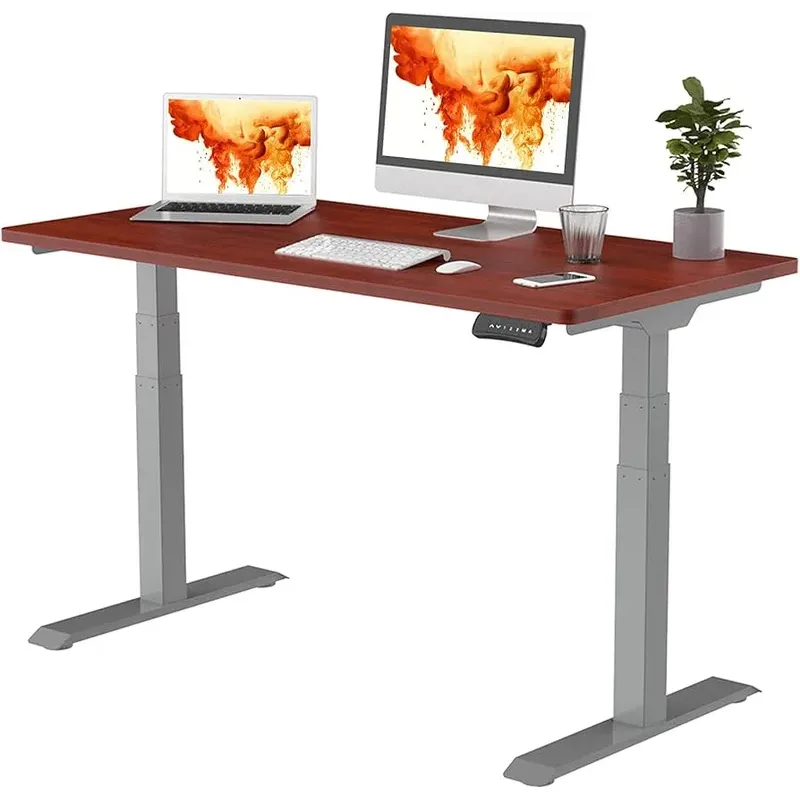
The E7 Pro has been my daily driver under a 32-inch primary display, 27-inch secondary, a full-tower PC, and enough peripherals to stock a small Best Buy. Not a single wobble complaint in six months.
What separates the E7 Pro from the standard E7 is the upgraded frame. The semi-C-leg design uses carbon steel with internalized gears wrapped in anti-vibration padding. Translation: it’s quieter and more stable than the base model, especially at standing height under load.
The 440-pound capacity is overkill for most people, and that’s exactly the point. You want a desk that treats your 80-pound setup like a feather, not a challenge. The 15-year warranty on frame, motors, and electronics is the best in the business.
Who should buy this: Anyone running dual monitors with a desktop PC who wants a set-it-and-forget-it desk for the next decade.
Who should skip this: If you’re running a simple laptop setup, you’re paying for capacity you don’t need. The standard E7 saves you $100-200.
Price Range: $400-$680
Check FlexiSpot E7 Pro on Amazon
2. FlexiSpot E7 Plus — Best for Extreme Weight
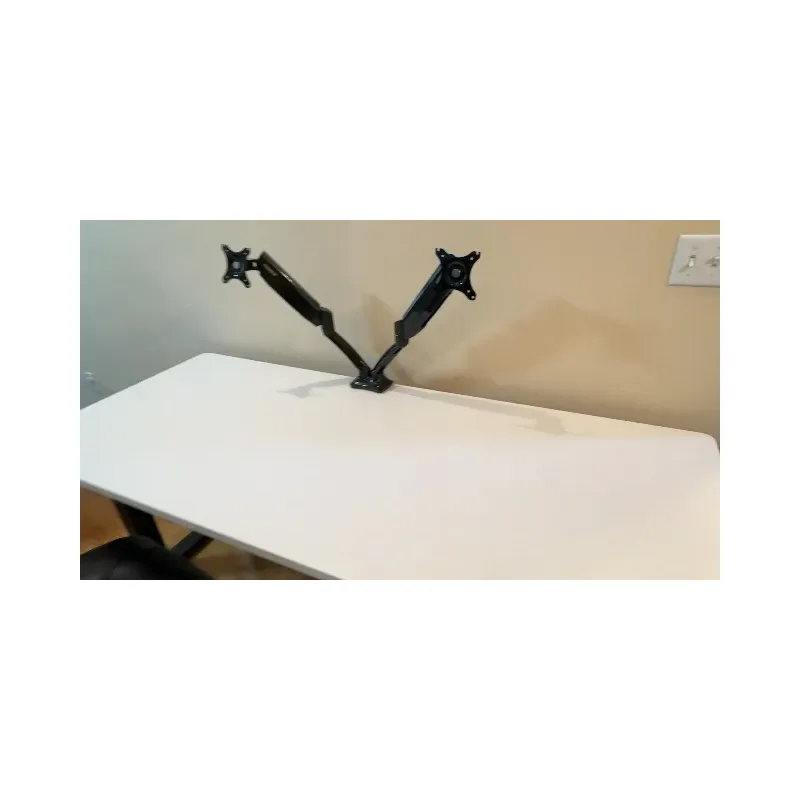
The E7 Plus goes where the E7 Pro can’t: four legs instead of two. That extra pair of legs bumps the static capacity to 540 pounds and eliminates virtually all lateral sway. If you’re running triple monitors, a full tower PC, audio equipment, and a printer, this is your desk.
The four-leg design has real drawbacks, though. It takes more floor space — roughly 6 inches wider than a two-leg frame — and it’s significantly heavier to move. Assembly is a two-person job. The motors are also slightly louder at 52-54 dB compared to the E7 Pro’s sub-50 dB, though you’d only notice with a direct comparison.
Desktop options go up to 80x30 inches, which gives you room for a triple-monitor arm plus everything else. The 26-to-51.6-inch height range accommodates most users from about 5’2” to 6’6”.
Who should buy this: Triple-monitor traders, music producers with heavy studio monitors, or anyone whose desk weight exceeds 150 pounds.
Who should skip this: If you’re running a standard dual-monitor setup under 100 pounds, the four-leg design is overkill and costs extra floor space.
Price Range: $500-$670
Check FlexiSpot E7 Plus on Amazon
3. UPLIFT V3 — Fastest and Quietest
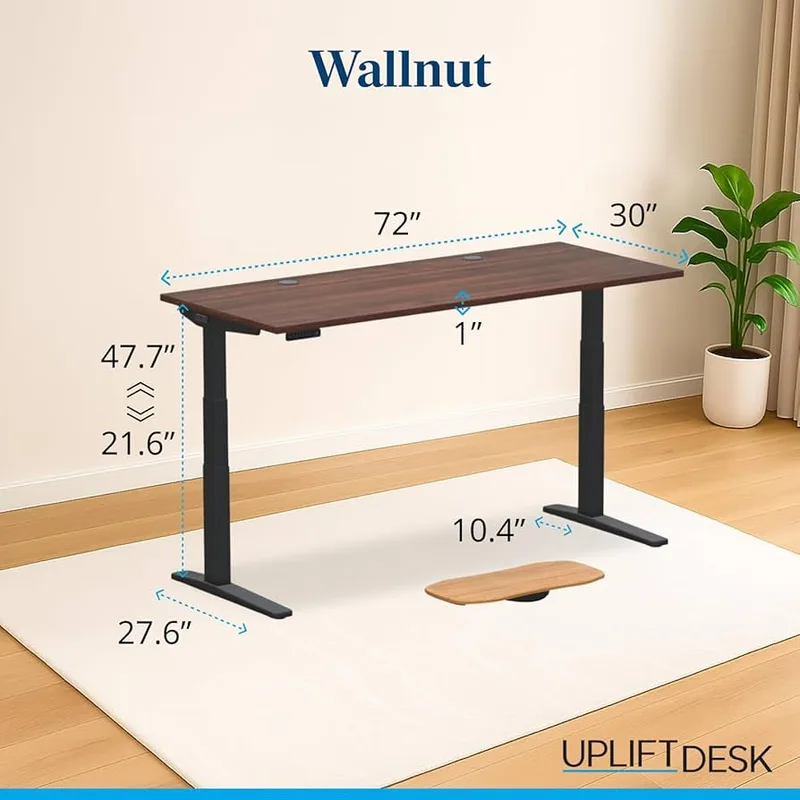
The UPLIFT V3 wins on two specs nobody else matches: speed and noise. German-engineered dual motors hit 2 inches per second — noticeably faster than every FlexiSpot in this roundup — and run under 48 decibels. If you change positions ten times a day, those faster transitions add up.
The 6-axis gyroscope anti-collision system is the most sophisticated here. It detects obstacles from any angle, not just straight-down pressure. That matters if you’ve got a chair arm or cable tray that occasionally gets in the way.
At 355 pounds capacity, the V3 handles any standard dual-monitor setup without complaint. The lower capacity compared to the FlexiSpot E7 Pro (355 vs. 440 lbs) only matters if you’re pushing past 200 pounds of desktop equipment — which most people aren’t.
The tradeoff is price. Base configurations start around $599, and by the time you pick a 60-inch desktop with decent laminate, you’re looking at $700-$800. That’s more than a similarly configured E7 Pro. You’re paying a premium for speed, noise levels, and German motor quality.
Who should buy this: People who switch between sitting and standing frequently and value fast, quiet transitions. Content creators on calls who can’t have motor noise in the background.
Who should skip this: Budget-conscious buyers who don’t change positions often. The FlexiSpot E7 does the same job for less.
Price Range: $599-$800
4. Fully Jarvis — Best Premium Finish
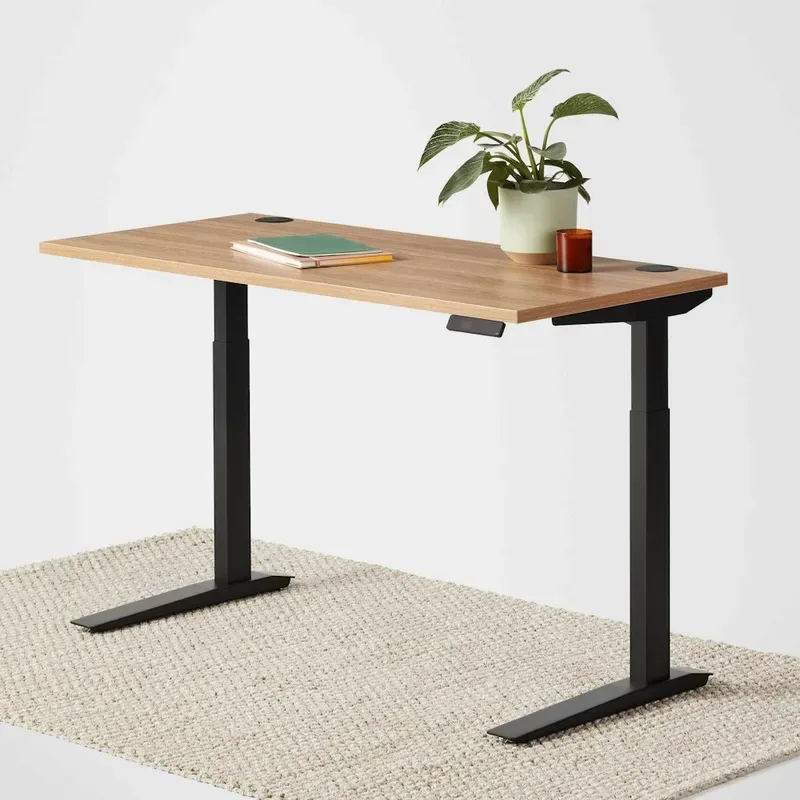
The Jarvis (now sold through Herman Miller after Fully’s acquisition by MillerKnoll) is the desk you pick when aesthetics matter as much as function. The bamboo and walnut desktop options look genuinely beautiful — a real step up from the laminate slabs that dominate this category.
Under the good looks, the specs are solid if not class-leading. 350 pounds capacity, dual motors at 1.5 inches per second, sub-50 dB noise. The 25.5-to-50.7-inch height range on the 3-stage model accommodates most users. Herman Miller’s support and 15-year warranty add peace of mind.
The honest tradeoff: you’re paying a Herman Miller tax. A similarly specced FlexiSpot E7 Pro costs $100-200 less and lifts 90 more pounds. The Jarvis wins on desktop quality and brand cachet, not raw performance.
Music producers and video editors seem to gravitate toward the Jarvis, partly for the desktop finish quality and partly because Herman Miller’s name carries weight in creative studios. If you’re setting up a space where clients see your desk, that matters.
Who should buy this: Creative professionals, home office workers who care about aesthetics, anyone who wants bamboo or walnut over laminate.
Who should skip this: Value-focused buyers. The FlexiSpot E7 delivers 355 lbs of capacity for nearly half the price.
Price Range: $629-$900
5. FlexiSpot E7 — Best Value
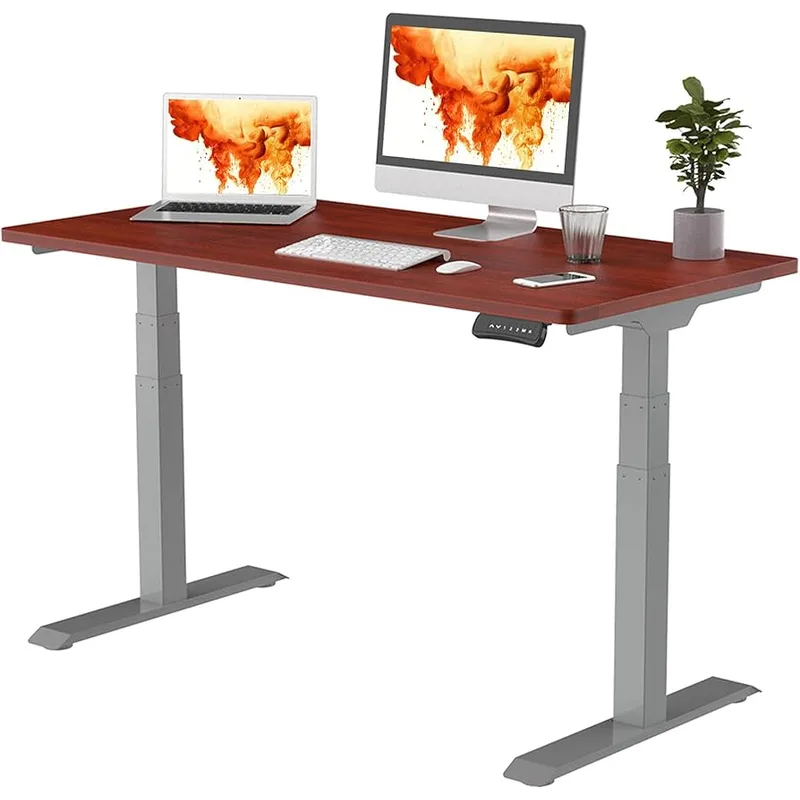
The standard E7 is the best standing desk for dual monitors if you don’t want to overthink it. 355 pounds capacity, dual motors, 15-year warranty, under $400 on sale. It’s not the fastest, quietest, or highest-capacity desk here — but it handles a dual-monitor-and-tower setup without wobble, and that’s all most people actually need.
The 22.8-to-48.4-inch height range works for users roughly 4’2” to 6’4”. Desktops go up to 80x30 inches if you need extra surface area. The T-frame design provides lateral stability comparable to more expensive models.
Where the E7 cuts corners is in desktop material options (mostly chipboard and bamboo at lower price points) and the slightly slower 1.5”/sec motor speed. If you’re coming from an IKEA desk or a cheap manual converter, you won’t notice or care. The E7 is a massive upgrade from either.
Who should buy this: First-time standing desk buyers, anyone on a budget, people running a standard dual-monitor setup who don’t need 440+ pounds of capacity.
Who should skip this: If you’re loading up 150+ pounds of equipment or want a premium desktop finish, step up to the E7 Pro or Jarvis.
Price Range: $300-$480
6. Desk Haus Peak Pro — Best for Extreme Setups
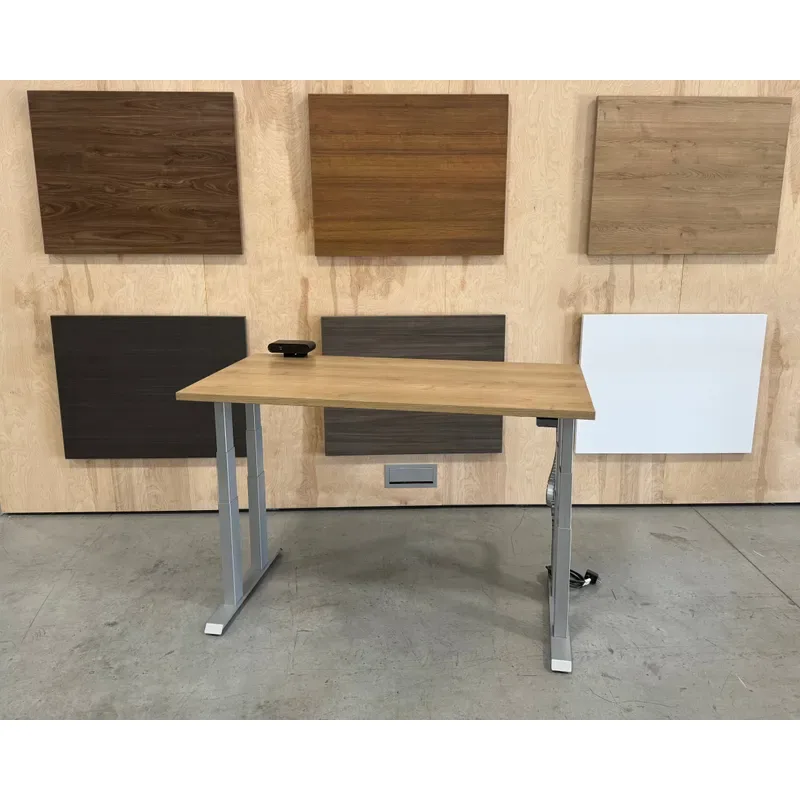
The Peak Pro exists for setups that break normal desks. Four synchronized motors, 600 pounds of lifting capacity, and a reinforced 4-leg frame that supports six-monitor trading stations, full audio production rigs, and whatever else you can pile on.
This is a frame-only purchase — you supply or order the desktop separately. That’s actually an advantage if you want a specific size or material, but it means the $725 starting price is frame only. Budget another $100-300 for a desktop.
The catch: Desk Haus sells direct only (not on Amazon), and stock is frequently limited. If you want one, check availability and order when it’s in stock rather than waiting. The brand has a loyal following in the standing desk community, particularly on Reddit, where users with extreme setups consistently recommend it.
Who should buy this: Six-monitor traders, recording studios, CNC operators, or anyone whose setup weight exceeds 300 pounds.
Who should skip this: Everyone else. This is purpose-built for extreme use cases. For a standard dual or triple monitor setup, the FlexiSpot E7 Pro or E7 Plus costs less and handles the load.
Price Range: $725+ (frame only, direct from Desk Haus)
What to Look for in a Heavy-Duty Standing Desk
Dual Motors (Minimum)
Single-motor desks struggle under heavy loads. They’re louder, lift unevenly, and wear out faster. Every desk in this roundup runs dual motors at minimum. For setups over 300 pounds, four-motor designs (E7 Plus, Peak Pro) add extra insurance.
Frame Design
T-Frame: Best balance of stability and compactness. The E7 Pro and standard E7 use this design. Good lateral rigidity, reasonable footprint.
4-Leg: Maximum stability and capacity, larger footprint. The E7 Plus and Peak Pro use this. Necessary for extreme loads, overkill for standard setups.
C-Frame: More legroom underneath, but can be less stable at standing height under heavy loads.
Desktop Size for Multi-Monitor Setups
- Dual monitors (27”): Minimum 55” wide, ideally 60”
- Triple monitors: 72” or larger
- Depth: 30” recommended — gives proper monitor distance and room for a keyboard tray
Cable Management
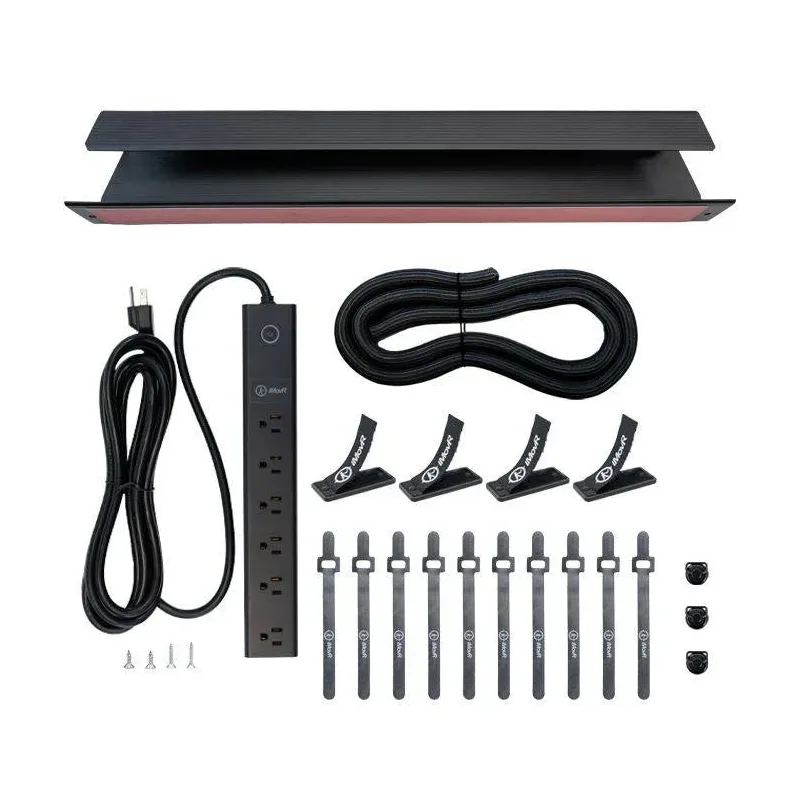
More monitors mean more cables. Look for:
- Cable trays (most desks in this roundup include one or offer it as an add-on)
- Grommet holes for routing cables through the desktop
- USB charging ports on the controller (E7 Pro and E7 Plus include USB-A)
Monitor Arms vs. Desktop Stands
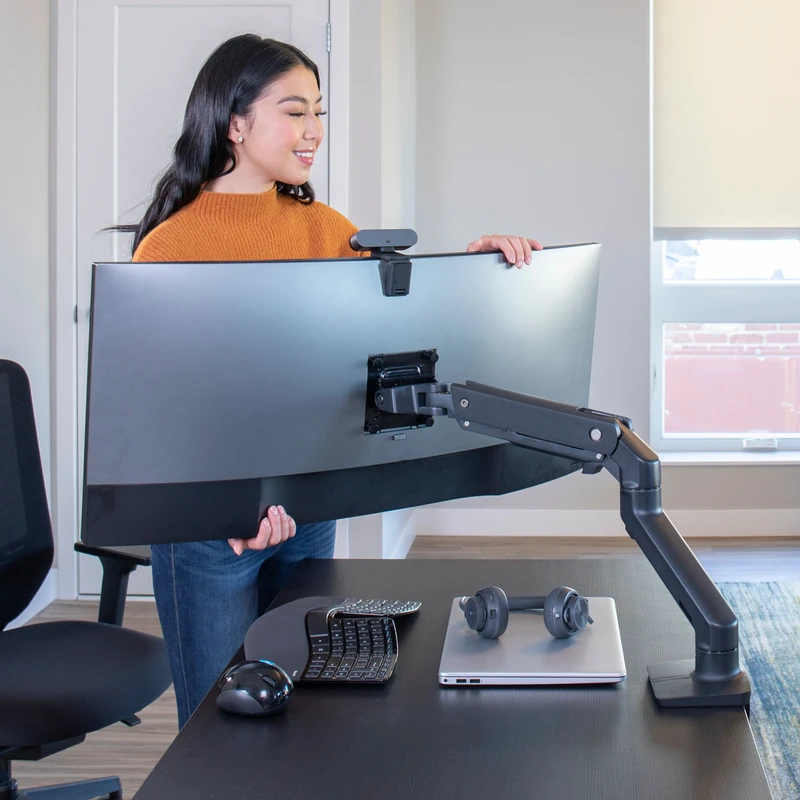
For multi-monitor setups, monitor arms are almost always the right call. They free up desk surface, let you position screens at the exact right height, and transfer the monitor weight to the arm’s clamp point — reducing the moment force on the desk surface. Our best monitor arms for standing desks guide covers the top picks in detail.
Recommended monitor arms for heavy-duty setups:
- Dual monitors: Ergotron LX Dual ($200-$300) — handles up to 25 lbs per arm
- Heavy displays (32”+): VIVO Heavy Duty ($100-$150) — supports up to 33 lbs per arm
- Budget option: AmazonBasics Dual Arm ($100-$150) — solid for monitors under 20 lbs
Calculating Your Setup Weight
Before you buy, estimate your total load:
- Check each monitor’s weight on the manufacturer’s spec page
- Weigh your PC (tower = 20-40 lbs, mini PC = 2-5 lbs)
- Add 10-15 lbs for accessories (keyboard, mouse, lamp, speakers, cables)
- Add a 20% buffer for future additions
Example: Two 27” monitors (20 lbs) + desktop PC (30 lbs) + accessories (10 lbs) = 60 lbs actual. A desk rated for 300+ lbs gives you comfortable headroom and keeps wobble at zero.
Frequently Asked Questions
Is 200 lbs capacity enough for dual monitors?
Technically yes — a typical dual-monitor setup weighs 50-80 lbs. But “enough capacity” and “enough stability” are different things. Desks rated for 200 lbs often have thinner frames that wobble at standing height under 80 lbs. Look for 300+ lbs capacity to get the frame rigidity that actually matters.
Do I need a 4-leg frame for heavy setups?
Not unless you’re pushing past 300 pounds of equipment or need maximum lateral stability (like a 6-monitor trading desk). T-frame designs like the FlexiSpot E7 Pro handle 440 lbs with minimal wobble. Four-leg frames are better for extreme loads and situations where the desk can’t be placed against a wall.
Why do some desks wobble even under their rated capacity?
Weight capacity measures what the motors can lift. Stability depends on frame design, leg thickness, crossbar support, and foot width. A desk rated for 200 lbs with thin legs wobbles more at standing height than a 350-lb-rated desk with beefy T-frame legs under the same load. Always check stability reviews, not just capacity numbers.
Should I use a monitor arm or put monitors directly on the desk?
Monitor arms, every time. They free up surface space, improve ergonomics (you can position the screen at exact eye level), and transfer weight to the arm’s clamp point rather than resting on the surface. For dual-monitor setups, an arm also makes it easy to angle screens inward for better viewing.
What desktop size do I need for dual monitors?
55 inches wide is the bare minimum for two 27-inch monitors side by side. 60 inches gives you comfortable spacing and room for a laptop or accessories. If you’re running a desktop tower on the desk surface (not underneath), go 72 inches.
The Bottom Line
For most people running dual monitors: Get the FlexiSpot E7 Pro. The 440-pound capacity means your 60-80 pound setup barely registers. The T-frame kills wobble. The 15-year warranty means you’re buying this desk once. At $400-$680 depending on configuration, it’s the best balance of capacity, stability, and price.
On a budget: The standard FlexiSpot E7 handles dual monitors perfectly well at $300-$480. You lose 85 pounds of capacity versus the Pro, but 355 lbs is still more than enough for any standard dual-monitor-and-tower setup.
Want the quietest, fastest transitions: The UPLIFT V3 moves at 2”/sec under 48 dB. If you change positions frequently and take video calls, that speed and silence is worth the premium.
Running an extreme setup (triple monitors, trading station, studio): The FlexiSpot E7 Plus at 440 lbs with four legs is the practical choice. If you need truly unlimited capacity, the Desk Haus Peak Pro at 600 lbs handles anything — check availability since stock rotates.
Care about aesthetics: The Fully Jarvis bamboo and walnut desktops look better than anything else here. You pay more for less capacity, but if your home office doubles as a living space, the Jarvis earns its keep.
Don’t overthink this. Pick the capacity tier that matches your setup, confirm the desktop size fits your monitors, and move on. A standing desk that wobbles is worthless. Every desk on this list doesn’t. If wobble is already a problem with your current desk, our standing desk wobble fix guide covers every solution. And add an anti-fatigue mat to complete your setup.