Disclosure: PostureRanked is reader-supported. When you buy through links on our site, we may earn an affiliate commission at no additional cost to you. Our recommendations are based on independent research and testing.
| Product | Price | Rating |
|---|---|---|
| Herman Miller Embody | — | 9.6 |
| Steelcase Leap V2 | — | 9.6 |
| Herman Miller Aeron | — | 9.6 |
| Branch Ergonomic Chair Pro | — | 9.0 |
| HON Ignition 2.0 | — | 8.8 |
| Secretlab Titan Evo | — | 9.2 |
PostureRanked is reader-supported. When you buy through links on our site, we may earn an affiliate commission at no additional cost to you.
You’re twelve hours into debugging a race condition. Your lower back started aching around hour four, but you didn’t notice until you stood up and your spine cracked like bubble wrap. Sound familiar?
Programmers sit more than almost any other profession. Eight-hour days are the minimum — crunch weeks push that to twelve. Your chair isn’t furniture. It’s a tool, the same way your keyboard and monitor are tools. A bad one costs you in back pain, lost focus, and medical bills. A good one disappears — you forget you’re sitting because nothing hurts. If you’re on a tighter budget, our best ergonomic chairs under $500 covers the best sub-$500 options.
Short on time? The Herman Miller Embody is the best chair for programmers if budget isn’t a constraint. It was literally designed for people who sit at computers all day. For a fraction of the cost, the Branch Ergonomic Chair Pro delivers 14 adjustment points at around $500.
Quick Comparison: Best Chairs for Programmers
| Chair | Best For | Key Feature | Weight Limit | Price Range |
|---|---|---|---|---|
| Herman Miller Embody | Best Overall | Pixelated support for computer work | 300 lbs | $1,600–$2,000 |
| Steelcase Leap V2 | Most Adjustable | LiveBack spine technology | 400 lbs | $1,000–$1,400 |
| Herman Miller Aeron | Best Mesh | 8Z Pellicle mesh, PostureFit SL | 350 lbs | $1,400–$1,875 |
| Branch Ergonomic Chair Pro | Best Value | 14 adjustment points, 5D armrests | 275 lbs | $499 |
| HON Ignition 2.0 | Budget Pick | Synchro-tilt, contract-grade build | 300 lbs | $300–$400 |
| Secretlab Titan Evo | Best for Gamers | 4-way lumbar, 165° recline | 395 lbs (XL) | $520–$700 |
Herman Miller Embody — Best Overall
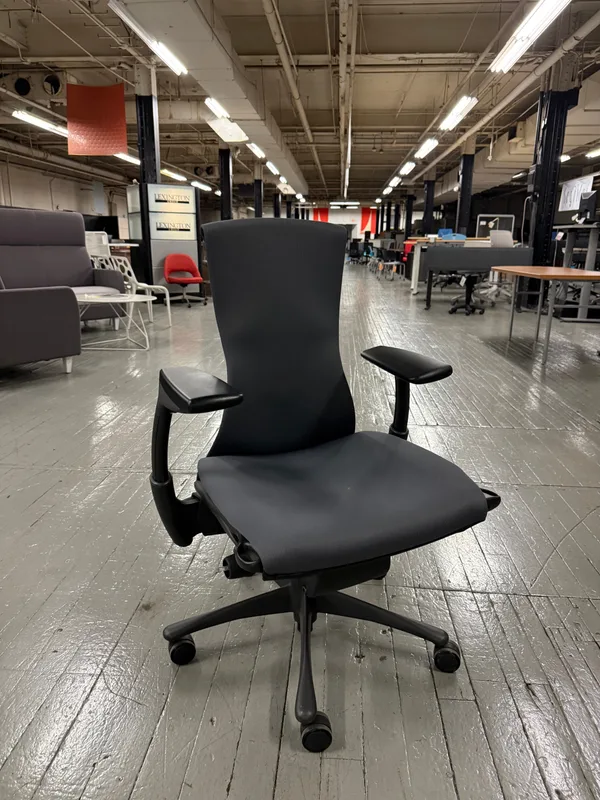
Herman Miller Embody
Pros
- ✓ Designed specifically for computer work — not repurposed from office seating
- ✓ Pixelated support conforms to micro-movements while typing
- ✓ 12-year warranty covering all parts, 24/7 use
- ✓ No foam to compress — maintains support for years
Cons
- ✗ Starts at ~$1,600 new — significant investment
- ✗ No headrest option available
- ✗ Limited color and fabric choices
The Embody wasn’t designed as a generic office chair that happens to work for computer use. Bill Stumpf and Jeff Weber designed it specifically for people who stare at screens all day. That distinction matters.
The pixelated support system — a matrix of small pads across the backrest — conforms to your micro-movements as you shift between typing, reading, and thinking. Most chairs fight your movement or ignore it. The Embody tracks it. The narrow back allows your shoulders to move freely, which you’ll appreciate during long coding sessions where you’re constantly reaching for your mouse or turning to a second monitor.
No foam anywhere in the seat or back. That means no compression over time. An Embody that’s five years old supports you the same way it did on day one.
Specs: 21.25” seat width, 15–18” adjustable seat depth, 300 lb capacity, 12-year full warranty.
Who should buy this: Full-time programmers who spend 8+ hours daily at a computer and want a chair they won’t replace for a decade. The per-year cost ($133 over the warranty period) makes it surprisingly reasonable.
Who should skip this: Anyone under 5’4” or over 6’2” may find the fit awkward. There’s no headrest option, so if you recline frequently for reading or calls, look at the Leap V2 instead.
Steelcase Leap V2 — Most Adjustable
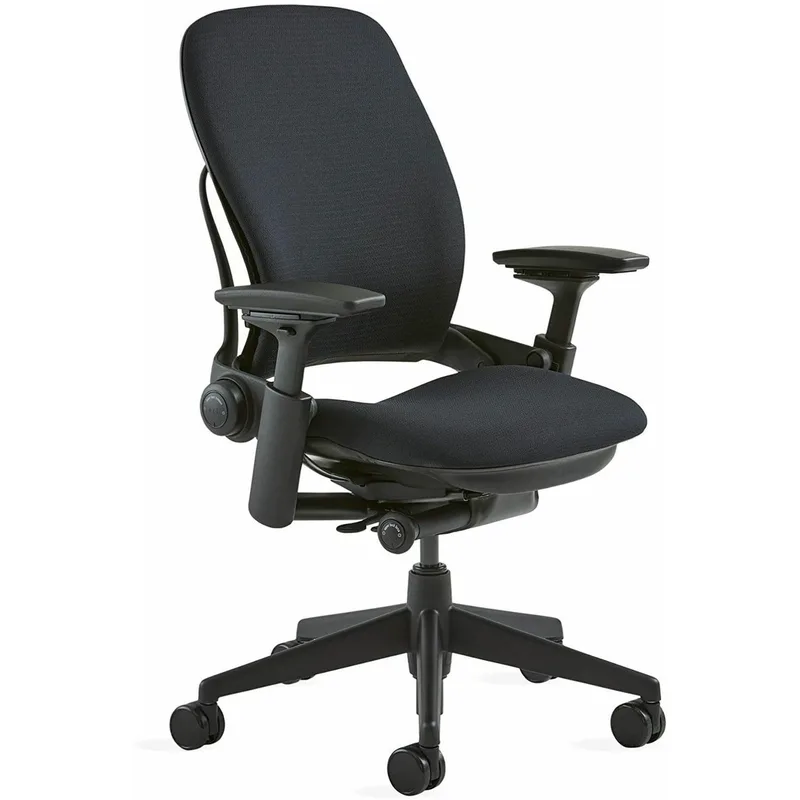
Steelcase Leap V2
Pros
- ✓ LiveBack technology flexes with your spine in any position
- ✓ 400 lb capacity — highest in this roundup
- ✓ Adjustable seat depth prevents leg circulation issues
- ✓ Refurbished options with 12-year warranty available around $500–$800
Cons
- ✗ Starts at ~$1,400 new for fully featured
- ✗ Headrest is a costly add-on
- ✗ Heavy at 45+ lbs — not easy to move
Programmers don’t sit still. You lean forward to squint at a stack trace, recline while waiting for a build, then hunch over the keyboard again. The Leap V2’s LiveBack technology changes shape as you move, bending independently to follow your spine’s natural S-curve in every position.
Seven adjustment points let you dial in the exact setup you need. Seat depth slides to accommodate your leg length. The lower back firmness control goes from soft to firm independently of the lumbar height. The Natural Glide System lets you recline without your feet leaving the floor — so you stay at keyboard height even when leaned back.
At 400 lbs capacity and rated for 24/7 use, this is built for the long haul. Refurbished units from Crandall come with a 12-year warranty and run $500–$800, making this premium chair surprisingly accessible.
Specs: 19.25” seat width, 15.75–18.75” adjustable seat depth, 400 lb capacity, 12-year warranty.
Who should buy this: Programmers who shift positions constantly — forward for typing, back for reading, sideways for whiteboard discussions. Also the best option for larger developers, with the highest weight capacity on this list.
Who should skip this: Very lean individuals may find the firm seat uncomfortable after 8+ hours. If you run hot and want mesh, the Aeron is a better fit.
Check Steelcase Leap V2 on Amazon
Check Refurbished (12-Year Warranty) on Amazon
Herman Miller Aeron — Best Mesh
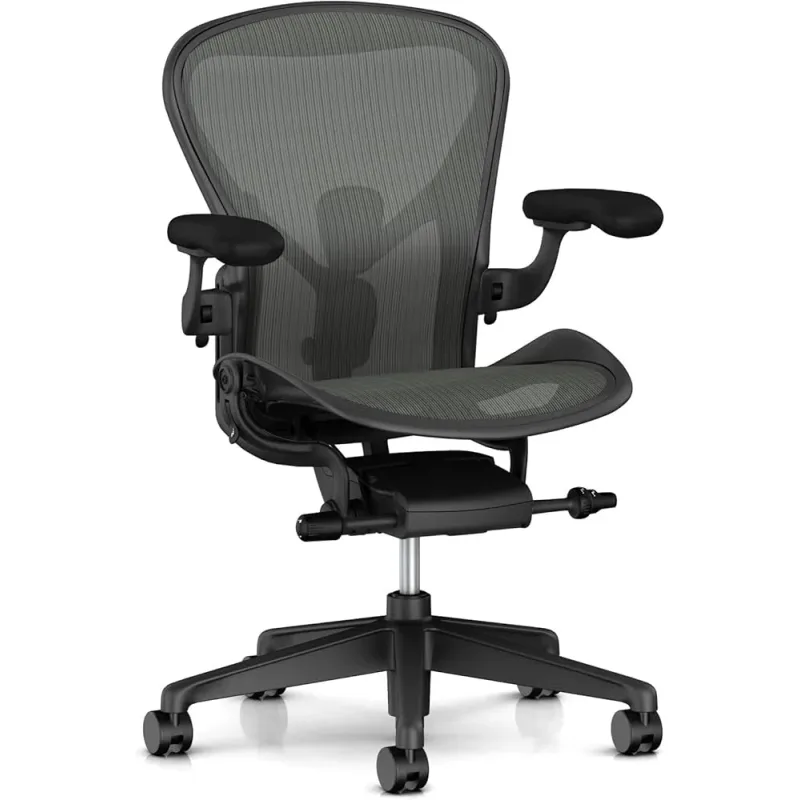
Herman Miller Aeron
Pros
- ✓ 8Z Pellicle mesh eliminates heat buildup during long sessions
- ✓ PostureFit SL supports both sacrum and lumbar
- ✓ No foam — nothing to compress or wear out over decades
- ✓ Three sizes (A/B/C) for a genuine custom fit
Cons
- ✗ Mesh seat isn't for everyone — some prefer cushioning
- ✗ Must pick the right size or comfort suffers
- ✗ No seat depth adjustment
The Aeron solved a real problem: foam traps heat. If you’ve ever peeled yourself off a leather or fabric chair during a summer coding session, you know exactly why mesh matters.
The 8Z Pellicle mesh uses eight tension zones — tighter where you need support, looser where you need give. It eliminates heat and humidity buildup entirely. The PostureFit SL system supports both your sacrum (the base of your spine) and your lumbar region independently. Most chairs only address one or the other.
Sizing matters here more than with any other chair. Size A fits smaller frames (under 5’2”, up to 150 lbs). Size B covers 5’2”–6’0”, up to 185 lbs. Size C handles 5’6”–6’6”, up to 350 lbs. Get the wrong size and you’ll hate it. Get the right one and you’ll understand why these chairs are still in service 20+ years later.
The 2025 update adds ocean-bound recycled plastic to the frame — 91% recycled content total — without changing the ergonomics.
Specs: 8Z Pellicle mesh, PostureFit SL, Harmonic 2 Tilt, three sizes, 12-year full warranty.
Who should buy this: Developers in warm offices or anyone who runs hot. Also ideal for programmers who want a chair that genuinely lasts decades. Many Aerons from the early 2000s are still being used daily.
Who should skip this: People who prefer cushioned seats. The mesh is supportive but firm — there’s no plush give. Also lacks seat depth adjustment, which taller users may miss.
Branch Ergonomic Chair Pro — Best Value
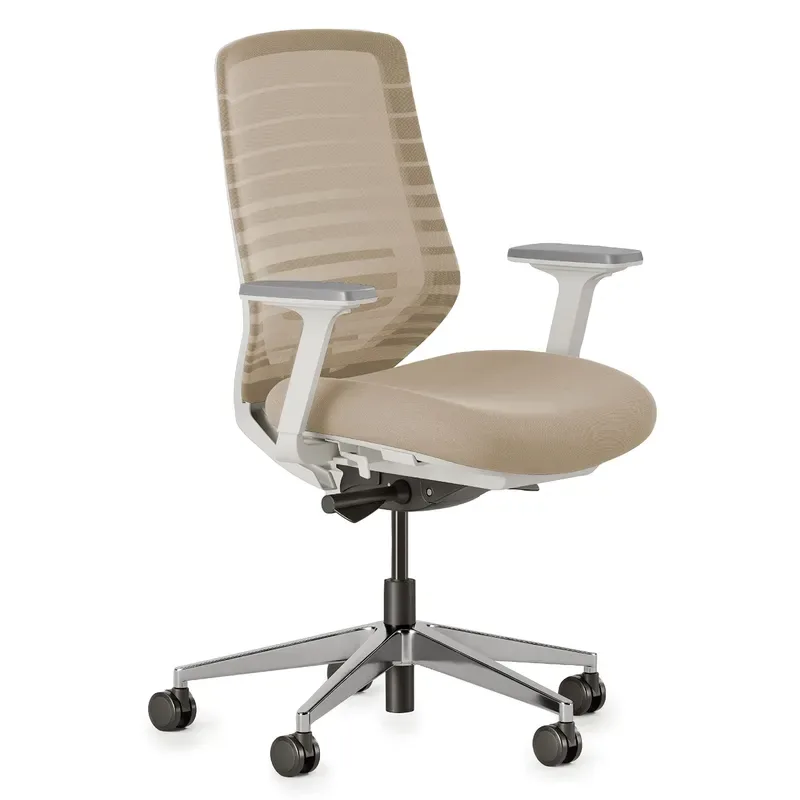
Branch Ergonomic Chair Pro
Pros
- ✓ 14 adjustment points rival chairs costing twice as much
- ✓ 5D armrests — the most adjustable in this roundup
- ✓ Forward tilt supports the lean-in coding posture
- ✓ Clean design fits any office aesthetic
Cons
- ✗ 275 lb weight limit is lower than premium competitors
- ✗ Armrests feel slightly flimsy compared to Herman Miller
- ✗ Newer brand with less long-term durability data
Here’s the thing about the premium tier: the Embody and Leap V2 are genuinely excellent chairs. They’re also $1,400+. The Branch Pro delivers 14 adjustment points — more than either Herman Miller — at around $499.
The 5D armrests (height, width, depth, pivot, and pad angle) are the most adjustable on this list. That matters for programmers because your arm position changes between typing, mousing, and resting. The forward tilt locks your pelvis in position during focused coding sessions when you tend to lean toward the screen.
The two-way adjustable lumbar cushion lets you set both height and depth. The high-density molded foam seat stays firm without bottoming out. It’s not as refined as the Embody’s pixelated system, but it’s remarkably close for a third of the price.
Branch is a newer brand without the decades of track record that Herman Miller has. The 7-year warranty reflects that. Still, Wired named it their top pick in 2024, and multiple reviewers call it the best mid-range ergonomic chair available.
Specs: 14 adjustment points, 5D armrests, 275 lb capacity, 16–20” seat height, 7-year warranty.
Who should buy this: Programmers who want premium-level adjustability without paying premium prices. If you’d feel sick spending $1,500+ on a chair but still want real ergonomics, this is your pick.
Who should skip this: Heavier users (the 275 lb limit is lower than competitors) or anyone who wants guaranteed 10+ year durability from a proven brand.
Check Branch Ergonomic Chair Pro on Amazon
Check Standard Branch Ergonomic Chair on Amazon
HON Ignition 2.0 — Budget Pick
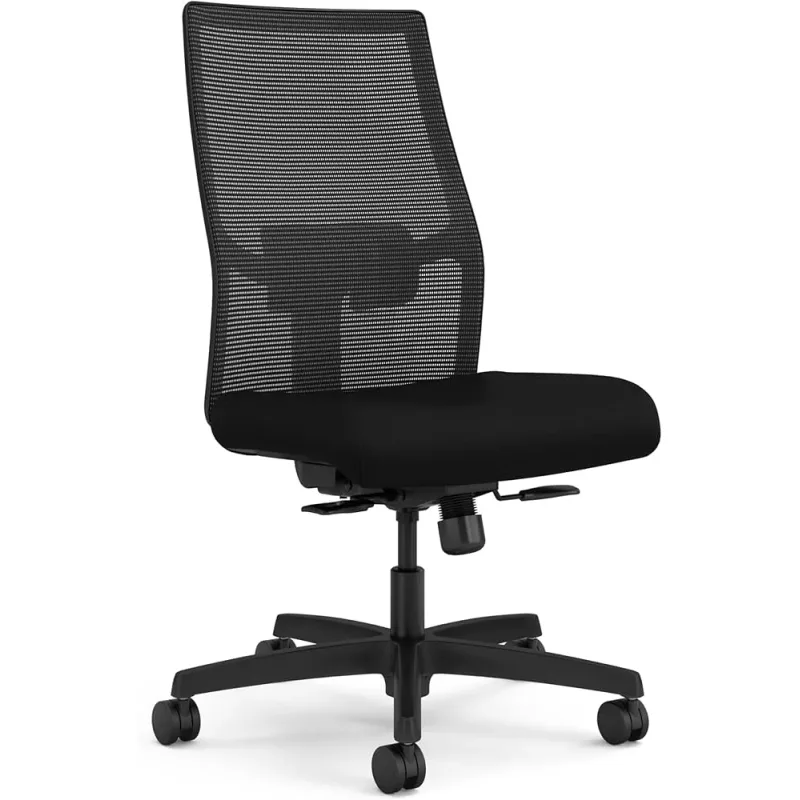
HON Ignition 2.0
Pros
- ✓ Genuine ergonomic features under $400
- ✓ Contract-grade durability proven in commercial settings
- ✓ Adjustable lumbar support and synchro-tilt control
- ✓ Mesh back with recycled content breathes well
Cons
- ✗ Fewer adjustment points than mid-range options
- ✗ Armrests feel basic compared to 4D/5D competitors
- ✗ Assembly can be frustrating
Not everyone can drop $500+ on a chair. The Ignition 2.0 proves you don’t need to. Synchro-tilt control, adjustable lumbar support, height-adjustable arms, and a breathable mesh back — features found on chairs costing twice as much — for under $400.
The Advanced Synchro-Tilt mechanism tilts the seat and back together in a coordinated ratio, keeping you supported as you recline. The mesh back uses 20% post-consumer recycled polyester and breathes well enough for long sessions. Contract-grade durability means this chair was designed for corporate environments where it gets used hard by rotating shifts.
It’s not going to match the Embody’s precision or the Leap’s adaptability. The armrests are functional but not refined. The seat cushion is decent but not exceptional. What it does deliver is genuine ergonomic support — not the fake “ergonomic” label slapped on every $150 Amazon chair.
Specs: 300 lb capacity, 17–19” seat depth, Synchro-Tilt with 20° range, 7-year warranty.
Who should buy this: Junior developers, students, or anyone building their first real home office on a budget. Also a strong choice for a secondary chair in a standing desk setup.
Who should skip this: Programmers doing 10+ hour days who need more adjustability. The limited armrest options and basic tilt will feel restrictive after extended sessions.
Check HON Ignition 2.0 on Amazon
Check HON Ignition 2.0 with Headrest on Amazon
Secretlab Titan Evo — Best for Gamers
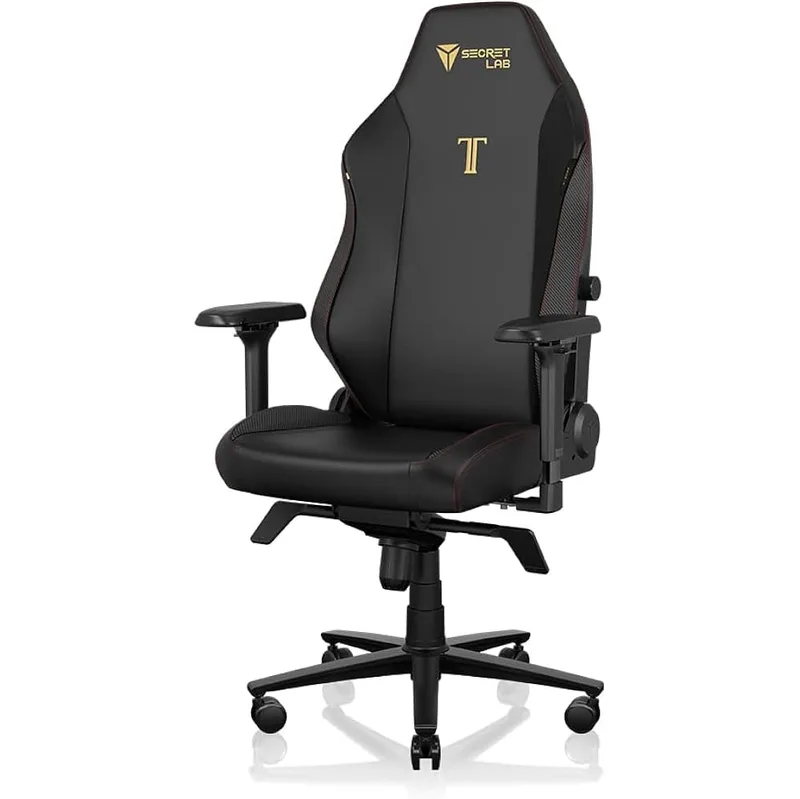
Secretlab Titan Evo
Pros
- ✓ 4-way L-ADAPT lumbar built in — no pillow needed
- ✓ Three sizes (S/R/XL) for an actual body-type fit
- ✓ Magnetic memory foam headrest with cooling gel
- ✓ Reclines to 165° for break-time naps
Cons
- ✗ Cold-cure foam is firm — needs a break-in period
- ✗ Gaming aesthetics don't suit every office
- ✗ Side bolsters feel snug on wider builds
If your day starts with pull requests and ends with ranked matches, the Titan Evo handles both. The 4-way L-ADAPT lumbar support (adjustable for height and firmness via two dials) rivals office chairs costing more. The magnetic memory foam headrest with cooling gel stays put without straps.
Three actual sizes — Small (up to 5’6”), Regular (5’7”–6’2”), and XL (5’11”–6’9”) — mean you’re picking a chair built for your body, not hoping one-size-fits-all works out. The cold-cure foam is firm out of the box. Give it two weeks to break in before judging it.
The 165° recline is overkill for coding but perfect for gaming, watching tutorials, or taking a flat-back power nap between deploys. Available in NEO Hybrid Leatherette or SoftWeave Plus fabric — the fabric breathes better, the leatherette cleans easier.
Specs: 285 lb capacity (Regular) / 395 lb (XL), 18.5” seat width, 165° recline, 5-year warranty.
Who should buy this: Developer-gamers who want one chair for both activities. The built-in lumbar and size options make it a legitimate ergonomic choice, not just a gaming throne.
Who should skip this: Programmers working in a corporate office. The gaming aesthetics draw attention. Also, the 5-year warranty is the shortest on this list — if longevity is your priority, go Herman Miller or Steelcase.
Check Secretlab Titan Evo on Amazon
Feature Comparison
| Feature | Embody | Leap V2 | Aeron | Branch Pro | HON 2.0 | Titan Evo |
|---|---|---|---|---|---|---|
| Lumbar Support | Auto | Adjustable | PostureFit SL | 2-way | Adjustable | 4-way |
| Armrests | 4D | 4D | 4D | 5D | Height/Width | 4D |
| Mesh Back | No | Optional | Yes | Yes | Yes | No |
| Seat Depth Adjust | Yes | Yes | No | Yes | Yes | No |
| Forward Tilt | Yes | Yes | Yes | Yes | No | No |
| Headrest | No | Optional | No | Optional | Optional | Yes |
| Warranty | 12 yr | 12 yr | 12 yr | 7 yr | 7 yr | 5 yr |
| Weight Capacity | 300 lb | 400 lb | 350 lb | 275 lb | 300 lb | 395 lb (XL) |
Cost Per Year Analysis
| Chair | Price (New) | Warranty | Cost/Year | Cost/Day |
|---|---|---|---|---|
| Herman Miller Embody | $1,600 | 12 years | $133 | $0.36 |
| Steelcase Leap V2 | $1,400 | 12 years | $117 | $0.32 |
| Herman Miller Aeron | $1,545 | 12 years | $129 | $0.35 |
| Branch Pro | $499 | 7 years | $71 | $0.19 |
| HON Ignition 2.0 | $350 | 7 years | $50 | $0.14 |
| Secretlab Titan Evo | $520 | 5 years | $104 | $0.28 |
Premium chairs routinely outlast their warranties. Aerons from the early 2000s are still in daily use. The actual cost per year is likely even lower.
Buying Guide: What to Look for in a Programming Chair
Lumbar Support
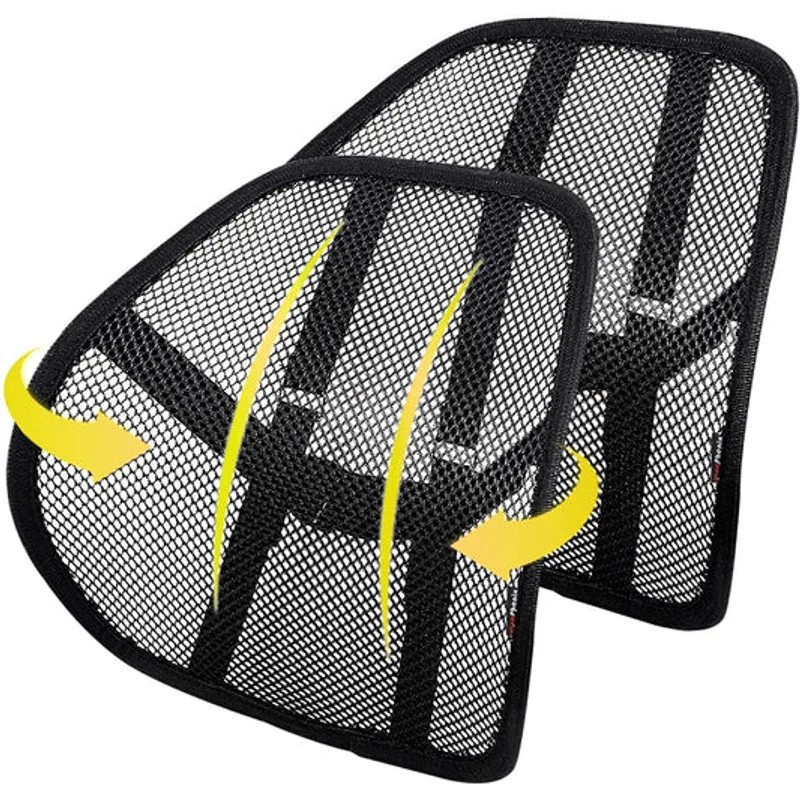
Coding posture drifts forward — toward the screen, toward the keyboard. Adjustable lumbar support maintains your spine’s natural curve and prevents the lower back pain that forces too many developers into early career changes. Height-adjustable lumbar is good. Height plus firmness adjustment is better.
Armrest Adjustability
Your arms need support while typing, but rigid armrests interfere with keyboard positioning. 4D armrests (height, width, depth, angle) let you match your exact desk height and typing posture. 5D adds pad angle. At minimum, get height and width adjustment — anything less and you’ll end up removing the armrests entirely.
Seat Depth Adjustment
This is the feature most people ignore and most tall programmers regret. Proper seat depth means 2–3 fingers of space between the seat edge and the back of your knees. Too short, and your thighs lack support. Too long, and the seat cuts off circulation. If you’re under 5’6” or over 6’0”, prioritize this.
Breathability
Long sessions generate heat. Mesh backs eliminate it. Fabric and foam trap it. If your office runs warm or you tend to sweat, mesh isn’t optional — it’s essential. The Aeron goes full mesh. The Branch Pro and HON offer mesh backs with foam seats as a middle ground.
Recline and Tilt
The ability to recline 10–15° reduces spinal compression during reading or thinking phases. Forward tilt angles your pelvis to maintain lumbar curve when you lean in. Synchro-tilt coordinates seat and back angles together. You want at least one of these — locked upright chairs cause fatigue faster.
Warranty as Quality Signal
A 12-year warranty means the manufacturer expects the chair to last 12+ years. A 1-year warranty means they expect returns. Use warranty length as a proxy for build quality when you can’t test in person.
Frequently Asked Questions
Is a $1,500 chair worth it for programming?
If you program 8+ hours daily, run the math. A $1,500 chair over 12 years costs $0.34/day. A cheap chair replaced every 2–3 years costs more in the long run, and that’s before accounting for back pain, chiropractor visits, and the productivity loss from constant discomfort.
Should programmers use gaming chairs?
Premium gaming chairs like the Titan Evo work fine — the ergonomics are legitimate. But most gaming chairs under $300 prioritize racing-seat aesthetics over spinal support. If you go gaming, spend enough to get real lumbar adjustment, not a pillow strapped to the back.
What’s more important: lumbar support or armrests?
Lumbar support. Poor lumbar positioning causes the chronic back pain that derails careers. Armrests help with shoulder and wrist fatigue but are secondary. If you can only afford one upgrade, choose the chair with better lumbar.
Which chair is best for tall programmers?
The Steelcase Leap V2 (400 lb capacity, adjustable seat depth) or Herman Miller Aeron Size C (fits 5’6”–6’6”) are the strongest options. The Secretlab Titan Evo XL also works well for frames up to 6’9”. Avoid chairs without seat depth adjustment if you’re over 6’0”.
Can I use these chairs with a standing desk?
All of them work at standard desk heights. For a sit-stand setup, any chair on this list pairs well. The HON Ignition 2.0 makes a smart budget pick for a secondary sitting station if your standing desk is your primary workspace.
Are refurbished ergonomic chairs worth it?
For Herman Miller and Steelcase, absolutely. Certified refurbished Leap V2 chairs from Crandall come with a 12-year warranty — the same as new. Refurbished Aerons and Embodys are widely available in the $600–$1,000 range. The mechanisms are designed to last decades; cosmetic refresh is all most need.
The Bottom Line
For maximum comfort during 8+ hour coding days: The Herman Miller Embody was designed for exactly this use case. Nothing else on the market matches its computer-specific ergonomics.
For adjustability and position variety: The Steelcase Leap V2 adapts to however you sit — forward, reclined, sideways. LiveBack technology makes it the most versatile option, especially for larger developers.
For heat management: The Herman Miller Aeron is unmatched. Full mesh, no heat buildup, built to last literal decades.
For premium features on a real budget: The Branch Ergonomic Chair Pro delivers 14 adjustment points — including 5D armrests and forward tilt — at around $499. Best value on this list by a wide margin.
For the tightest budget: The HON Ignition 2.0 gives you genuine ergonomic features under $400. It won’t match the premium tier, but it’s worlds better than whatever came with your desk.
For developer-gamers: The Secretlab Titan Evo handles both work and play with legitimate lumbar support and three size options. Read our full Secretlab Titan Evo review for the complete breakdown.
Your chair is a career investment. Eight hours daily for ten years is 20,000+ hours of sitting. A $1,500 chair over that span costs $0.075 per hour. Your back, your focus, and your career depend on getting this right. If back pain is your primary concern, our complete guide to ergonomic chairs for lower back pain maps specific chair features to specific pain types.