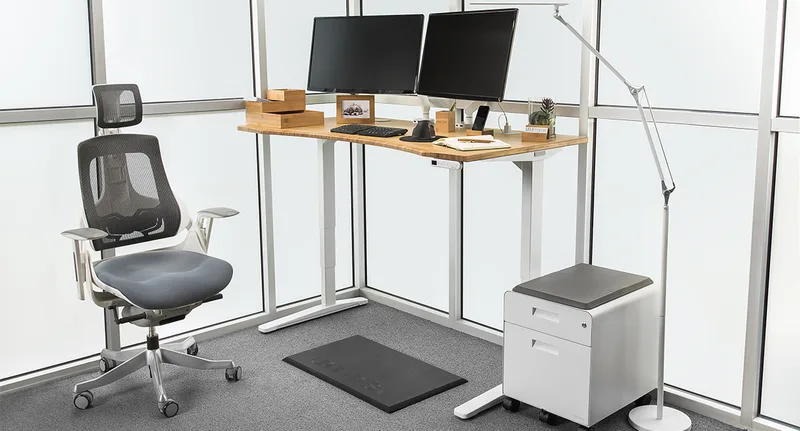
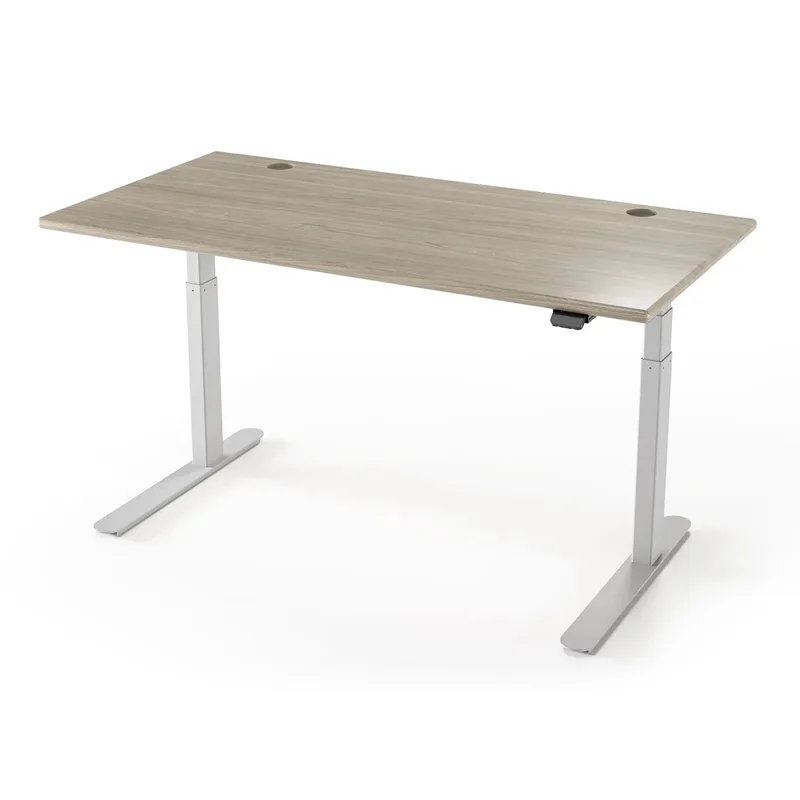
Apartment gaming got a lot more complicated in 2026. Gaming desk manufacturers have finally caught up to the reality that not everyone has a dedicated 12×12 game room — the market now has more compact 40–47” desks with built-in power strips, LED lighting, and cable management than ever before. The hard part is sorting out which ones are worth it.
Most “small gaming desks” fall into two categories: bare-bones tables with a carbon fiber wrap, or feature-packed shelving units that collapse inward on your workspace. Neither is perfect. What you actually want is enough surface to game comfortably, a desk that stays stable, and ideally a power strip you don’t have to bolt to the back yourself.
Quick pick: If your room can fit 45 inches, the Arozzi Arena Small at $189.99 is the cleanest, most functional compact gaming desk available. For tight budgets under $100, the Bestier 44” at $99.99 packs in four AC outlets and four shelves.
Arozzi Arena Small Gaming Desk
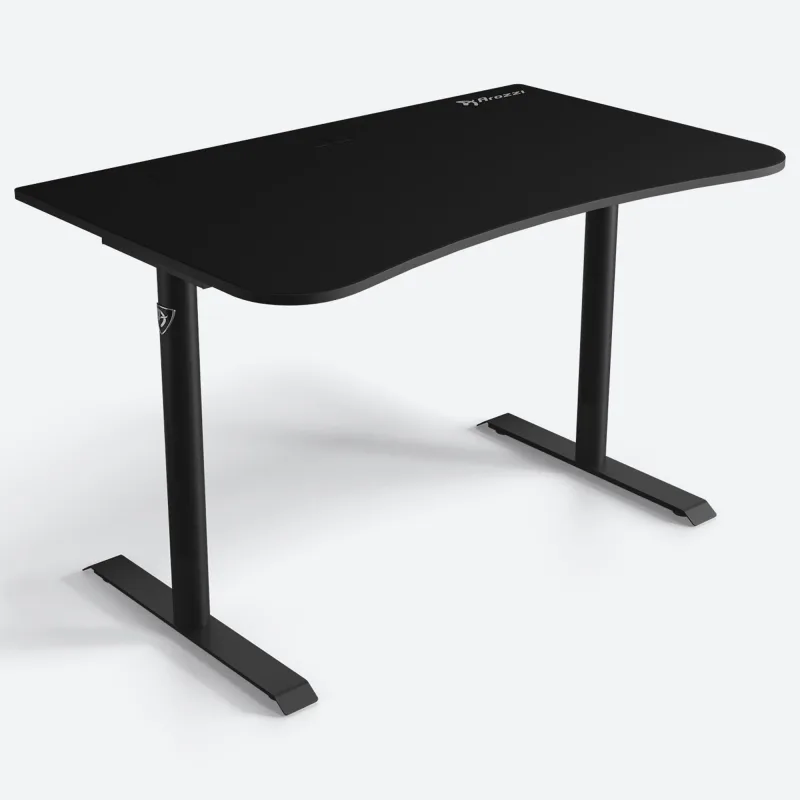
Arozzi Arena Small Gaming Desk
Pros
- ✓ Washable full-desk mousepad is genuinely useful, not a gimmick
- ✓ Cable management actually hides wires instead of just routing them
- ✓ 28" depth is enough for a keyboard, mouse, and large monitor
- ✓ Compact at 45" wide but doesn't feel cramped in use
Cons
- ✗ Fixed height means no adjustability for different body types
- ✗ No built-in power strip or USB charging
- ✗ Pricier than most compact gaming desks
The Arena Small is what happens when you take one of the better full-size gaming desks on the market and scale it down for smaller rooms. At 45” wide and 28” deep, it fits where larger Arena desks can’t — but it keeps the same full-surface washable mousepad that makes the original worth owning.
That mousepad isn’t just aesthetic. It covers the entire desk surface, meaning your mouse moves consistently anywhere on the desk. Pull it off when it gets dirty and toss it in the washing machine. Competitors in this price range offer small mousepads or nothing at all.
The cable management is genuine rather than cosmetic. Three cutouts route cables down through the desk surface to a mesh basket underneath. Nothing dangling, nothing visible from the front.
The one real limitation is height: it’s fixed at 28 inches. That’s shorter than standard desk height (usually 29–30”), which some people find better for gaming, but taller users may want to pair it with a monitor arm to get screen height right. No power strip is built in — plan for a surge protector or the MOTPK/Bestier options below if outlets are a priority.
Assembly is straightforward: the legs bolt into a crossbar, the top drops on, and the cable basket clips underneath. Most people finish it in under 30 minutes. The steel frame has no noticeable flex after assembly.
Best for: Gamers who want a clean, minimal setup with the best cable management in this category.
Skip if: You need built-in power outlets or have limited budget — the Bestier at $99.99 gives you more features for less money.
Eureka Ergonomic Z1-S Pro Gaming Desk
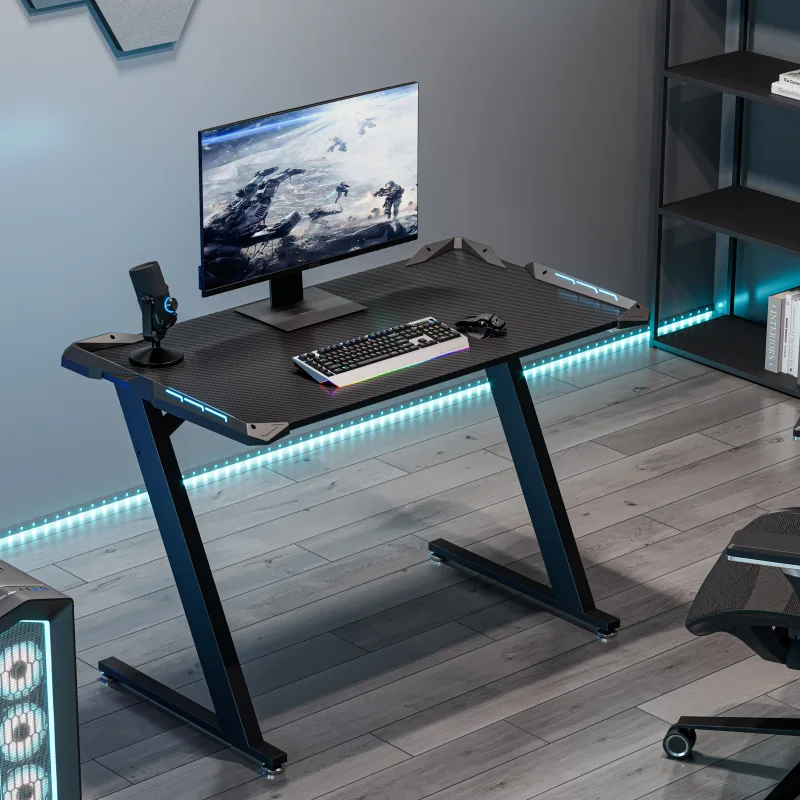
Eureka Ergonomic Z1-S Pro Gaming Desk
Pros
- ✓ Comes loaded with accessories: cup holder, headset hook, controller rack
- ✓ Included large mousepad adds real value
- ✓ Z-leg design feels solid and doesn't rock
- ✓ RGB lighting is easy to control and looks good
Cons
- ✗ No built-in power outlets
- ✗ Fixed height only — no ergonomic adjustment
- ✗ At $199, it's competing with desks that have power strips
The Z1-S Pro is the desk that ships with everything you’d otherwise need to buy separately. The included accessories — cup holder, headphone hook, controller stand, and a large mousepad — eliminate most post-setup purchases that typically add $30–50 to a compact gaming desk’s total cost.
The 44.5” surface with a 24” depth gives you just enough room for a 27–32” monitor, full-size keyboard, and mouse. The carbon fiber texture feels solid underfoot, and the Z-leg frame doesn’t flex noticeably during use.
No built-in power strip, which at $199 puts it at a slight disadvantage against the Bestier 44” at $99.99. The Eureka wins on build quality and desk accessories, but if outlet count matters more to you, there are cheaper options.
The RGB lighting is actually usable — eight modes and six colors with simple button control. No app, no Bluetooth, no setup headaches. The Z-shaped leg base is more stable than the four-post designs common at this price point. Tighten all connections during assembly and you’ll have virtually no wobble during extended gaming sessions.
One note on the depth: 24.21 inches is narrower than the spec implies because the monitor stand sits at the back and the accessories hang at the sides. Your actual usable surface is effectively 21–22 inches. Still workable for a single large monitor and mechanical keyboard, but it’s tight with anything extra.
Best for: Gamers who want accessories included and a cleaner aesthetic without managing separate purchases.
Skip if: You need built-in AC outlets or have a shallow wall space that won’t accommodate the full 24-inch depth.
MOTPK Gaming Desk 40 Inch
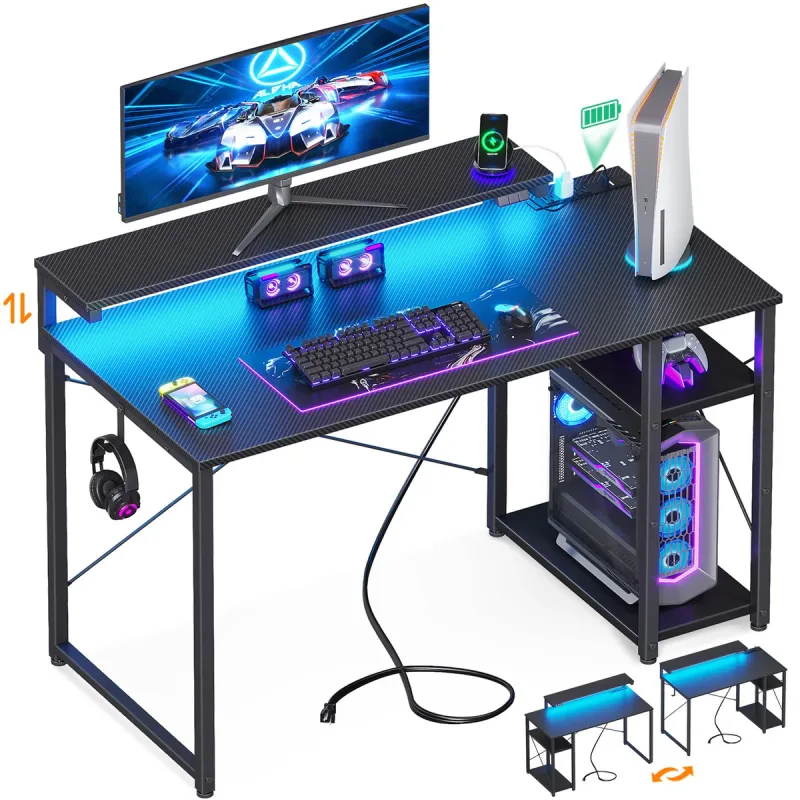
MOTPK Gaming Desk 40 Inch
Pros
- ✓ 40" width fits in studio apartments and small bedrooms
- ✓ Built-in power strip means one less surge protector on the floor
- ✓ PC tower shelf keeps the desk surface clear
- ✓ Monitor stand raises screen to a better ergonomic height
Cons
- ✗ Shallowest workspace of any desk on this list
- ✗ No storage shelves or drawers
- ✗ Carbon fiber texture surface shows fingerprints
Forty inches is the smallest you’d want for a single-monitor gaming setup, and the MOTPK pulls it off. The desk targets the living-room-corner or tiny-bedroom gamer who needs something functional in under three and a half feet of wall space.
What sets it apart from similar 40” desks: the built-in power strip (3 AC outlets + 2 USB) and the PC tower shelf. That shelf sits at 19.2” of clearance underneath, which fits most full-tower and mid-tower cases. Getting the PC off the floor clears floor space and keeps the tower away from carpet dust — something you’d typically pay extra for with an add-on shelf.
The monitor stand raises your screen roughly 5–6” above desk level. That’s useful ergonomically, but it does reduce surface real estate for the keyboard and mouse. The surface isn’t deep to begin with at a standard 19–20 inches — a tenkeyless or compact 65% keyboard makes the 40” footprint significantly more comfortable.
The Z-leg steel frame keeps things stable. The carbon fiber texture surface is more resistant to scratching than painted finishes, and the matte finish doesn’t show fingerprints badly. LED lighting has 20 modes and is controlled by an onboard button — no pairing required.
Best for: Gaming in studio apartments or bedrooms where every inch of floor space counts.
Skip if: You want more than one monitor, or you use a full-size 104-key keyboard — the surface is too shallow for comfortable dual-monitor use.
Bestier 44 Inch Gaming Desk
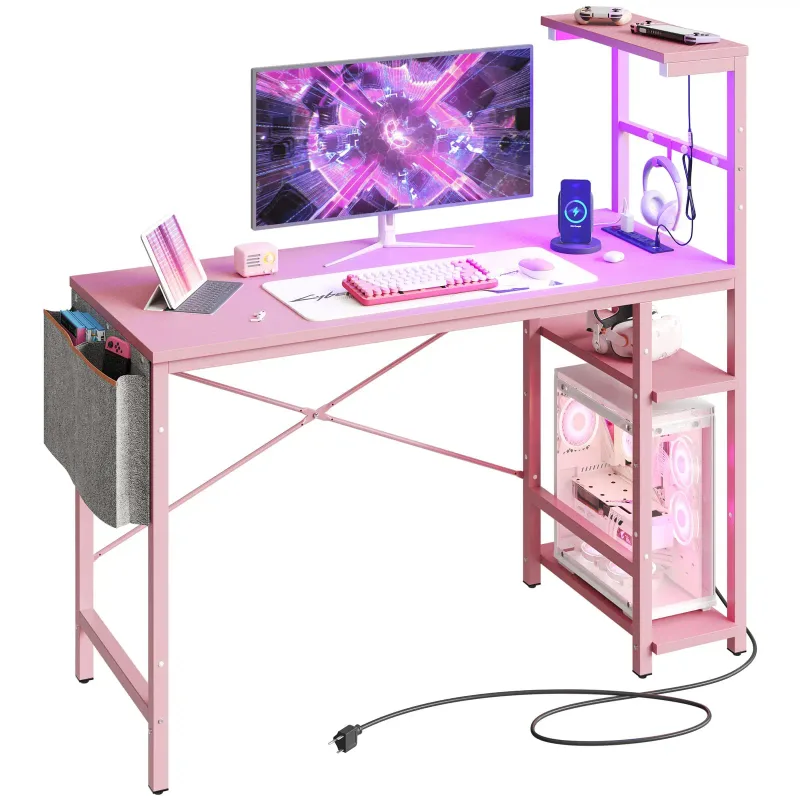
Bestier 44 Inch Gaming Desk
Pros
- ✓ 4 AC outlets + 2 USB at $99.99 is exceptional value
- ✓ Four shelves provide serious storage in a compact footprint
- ✓ Reversible design lets you configure shelves left or right
- ✓ Side storage bag keeps peripherals off the desk surface
Cons
- ✗ 19.7" depth is very shallow — tight with large keyboard and mouse
- ✗ Shelves make the overall height quite tall (not just desk height)
- ✗ Build quality reflects the price point — particleboard wobbles slightly
At $99.99, this is the value pick. Four AC outlets and two USB charging ports at a hundred dollars is hard to argue with — comparable power strip setups cost $25–40 separate, and you’d still need a desk.
The four-tier reversible shelves are the feature that makes or breaks this desk depending on your setup. If you want to store headphones, controllers, a small speaker, and gaming accessories within arm’s reach, this is the desk that makes that possible in a 44” footprint. If you want an open, clutter-free surface, those shelves become visual noise.
Depth is the real constraint at 19.7 inches. That’s fine for a single monitor and a compact keyboard, but awkward with a standard 104-key keyboard and a large gaming mouse. Consider a tenkeyless keyboard if you go this route.
The LED lighting (7 colors, 22 modes) works well and is controlled with physical buttons — no app pairing required. The included side storage bag hangs off the shelf and holds cables, controllers, and chargers.
Build quality is typical of particleboard at this price: adequate but not rigid. The desk doesn’t wobble when gaming, but you’ll feel the flex if you press down hard on the surface. Tighten all bolts fully during assembly — most wobble at this price point is from undertightened connections, not structural failure.
The LED strip runs along the back edge and underbelly of the shelves. Seven colors and 22 dynamic modes (breathing, strobing, cycling) via physical button. No smartphone app required.
Best for: Budget-conscious gamers who need power outlets and storage in a small footprint.
Skip if: You sit close to the desk — the 19.7-inch depth gets cramped with a standard 104-key keyboard and gaming mouse. Plan on a compact keyboard.
Grandder Gaming Desk 40 Inch
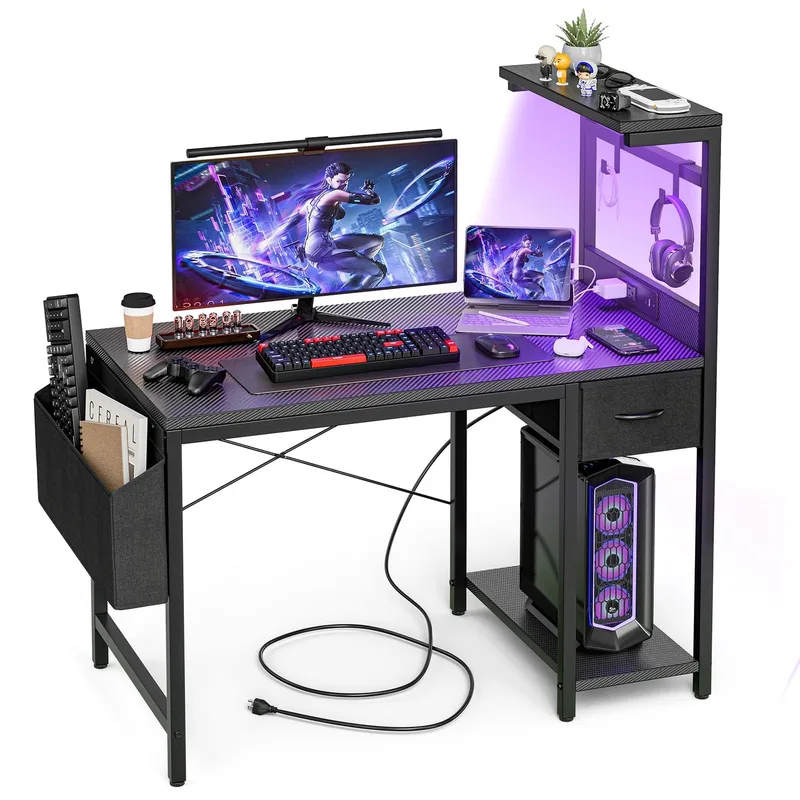
Grandder Gaming Desk 40 Inch
Pros
- ✓ Best price on this list at $79.99
- ✓ Type-C fast charging is a thoughtful addition at this price
- ✓ Drawer for hidden storage is uncommon at this price range
- ✓ Reversible shelf configuration adapts to your room layout
Cons
- ✗ 40" width limits monitor count to one for most setups
- ✗ Lighter construction than mid-range options
- ✗ Newer brand with limited long-term user reviews
At $79.99, the Grandder is the entry-level option for anyone who needs a compact gaming surface without spending more than a video game. For that price, you get USB and Type-C fast charging alongside two AC outlets, LED lighting, reversible shelves, a storage drawer, and a side bag.
The drawer is the most distinctive feature at this price point. Most desks under $100 give you shelves or nothing — a pull-out drawer for hiding cables, small accessories, or paper clutter is genuinely useful.
Grandder is a newer brand with fewer long-term reviews than Bestier or MOTPK. Based on available user feedback, construction quality is adequate for light-to-moderate gaming use. The surface coating scratches more readily than carbon fiber texture alternatives, so avoid dragging anything rough across it.
Type-C fast charging is a thoughtful touch in 2026 — most gaming peripherals, controllers, and phones now charge via USB-C, and having it built into the desk power strip saves a dongle or adapter.
Grandder is a newer brand with a shorter track record than Bestier or MOTPK. Available Amazon reviews are positive but fewer in number, so there’s more uncertainty on long-term durability. That’s the risk you accept at $79.99. For someone who needs a functional gaming desk right now and will likely upgrade in two to three years anyway, it’s a reasonable bet.
Best for: Very tight budgets where getting any dedicated gaming desk matters more than premium materials.
Skip if: You need durability beyond 2–3 years of daily use, or if brand track record matters to your purchase decision.
Comparison Table
| Desk | Price | Width | Power Outlets | Shelves | Rating |
|---|---|---|---|---|---|
| Arozzi Arena Small | Unavailable | 45” | None | None | 9.0 |
| Eureka Z1-S Pro | Unavailable | 44.5” | None | None | 8.5 |
| MOTPK 40 Inch | Unavailable | 40” | 3 AC + 2 USB | PC Tower Shelf | 8.2 |
| Bestier 44 Inch | $89.99 as of Oct 18, 2026 | 44” | 4 AC + 2 USB | 4-tier reversible | 8.5 |
| Grandder 40 Inch | $69.99-$99.99 as of Oct 18, 2026 | 40” | 2 AC + USB + Type-C | Reversible + Drawer | 7.8 |
What to Look for in a Compact Gaming Desk
Width: How Small Is Too Small?
Forty inches is the practical minimum for a single-monitor gaming setup. That gives you room for a 27–32” monitor, a standard keyboard, and a mouse pad — barely. Anything smaller pushes the monitor too close or forces your mouse off the edge.
At 44–45 inches, you gain enough extra surface for comfortable dual-monitor use with smaller screens (24” each) or a single ultrawide.
Depth: The Hidden Spec
Most compact gaming desks advertise width but downplay depth. Standard desk depth is 24–30 inches. Many compact gaming desks cut corners here — 19–20 inches is common, and it shows. A 19” deep desk with a standard 104-key keyboard and gaming mouse leaves almost no room between your keyboard and the desk edge.
If depth matters (it does), look for at least 24 inches. The Arozzi Arena Small and Eureka Z1-S Pro both hit or exceed that threshold.
Built-in Power Strips
Most apartments and small rooms don’t have enough outlets near a desk. A built-in power strip isn’t just convenience — it reduces cable clutter significantly. Look for at least 2 AC outlets and 1 USB port. USB-C is increasingly common and worth prioritizing in 2026 setups.
Surface Material
Carbon fiber texture is the most common surface on gaming desks in this category. It’s scratch-resistant, easy to clean, and gives a consistent feel under the mouse. Smooth painted wood-look finishes scratch more easily and tend to look dated.
A desk with a built-in or included full-surface mousepad (like the Arozzi Arena Small) is the best surface option — the mousepad is easier to replace than the desk.
Stability
The wobble test: put your gaming keyboard on the desk and type hard. If the desk shakes noticeably, you’ll feel it during intense gaming. Z-leg and T-leg designs are generally more stable than simple four-post designs. Steel frames outperform hollow aluminum at this price range.
Which Desk Is Right for Your Situation?
If you’re in a dorm room: The Bestier 44” at $99.99 or MOTPK 40” at $149.99. Both have power strips (critical when dorm outlets are limited), both assemble quickly without specialized tools, and both fit in a standard dorm bedroom layout.
If you’re in a studio apartment: The MOTPK 40” wins. The PC tower shelf keeps a mid-tower off the floor, which matters when floor space doubles as living space. Power strip is built in and the 40” footprint fits against most studio walls without blocking traffic flow.
If you have a dedicated gaming corner: The Arozzi Arena Small at $189.99 is worth the premium. The washable mousepad and real cable management create a cleaner setup than anything else in this category, and at 45” × 28” it gives you enough surface to feel comfortable without dominating the room.
If you already have a power strip: Look harder at the Eureka Z1-S Pro. At $199, you’re paying for included accessories and better build quality — not an outlet block you don’t need. The cup holder, headset hook, and controller stand genuinely reduce desk clutter.
If you’re buying your first gaming desk: The Bestier 44” is the most forgiving choice. Four shelves give you somewhere to put everything while you figure out your ideal setup. The low price means you can upgrade in a year without feeling like you wasted money.
FAQ
What is the best gaming desk size for a small room?
For most small rooms and apartments, a 40–47 inch gaming desk is the right range. A 40-inch desk fits in tight spaces with room to spare. A 44–47 inch desk handles dual-monitor setups more comfortably while still fitting in rooms where a 60” desk wouldn’t work. If you can accommodate 45 inches and want the best build quality in this category, the Arozzi Arena Small is the benchmark.
Can a small gaming desk fit two monitors?
Yes, though it depends on the monitors. Two 24” monitors fit on a 44–47” desk without issue. Two 27” monitors are tight on a 40” desk — possible but not ideal. If dual monitors are a priority, prioritize desks over 44” wide with at least 24” of depth, and use a monitor arm to reclaim surface space.
Do I need a gaming desk or can I use a regular desk?
Regular office desks work fine for gaming — the difference is mostly aesthetic and feature-based. Gaming desks in this category tend to include power strips, headphone hooks, and cable management cutouts that a basic office desk won’t have. If you want those features without buying add-ons separately, a gaming desk priced around $100–150 makes sense. If you prefer a cleaner aesthetic, a regular desk with a monitor arm and cable management accessories gets you the same result.
How much should I spend on a compact gaming desk?
At $79–100, you can get a functional desk with storage shelves, LED lighting, and a power strip. At $149–200, you get better build quality, a more stable frame, and cleaner cable management. The Arozzi Arena Small at $189.99 is the highest quality compact desk available, but the Bestier 44” at $99.99 wins on pure features-per-dollar. Most gamers are well-served in the $100–150 range.
What’s the best compact gaming desk for a dorm room?
The Bestier 44” at $99.99 or the MOTPK 40” at $149.99 are the top picks for dorm setups. Both include built-in power strips (critical when outlets are scarce), both fold down to a reasonable footprint, and both are easy to assemble without tools beyond a screwdriver. The Bestier wins on storage. The MOTPK wins on surface quality and the PC tower shelf.
Are compact gaming desks stable enough for intensive gaming?
Most are, with some caveats. Desks with Z-leg or T-leg steel frames — like the Eureka Z1-S Pro and MOTPK — hold up well during active gameplay. Desks with four-post particleboard frames tend to wobble more. If you notice wobble when assembling, check that all bolts are fully tightened; most flex issues at this price point are assembly-related, not structural.
Conclusion
Small room gaming in 2026 doesn’t require sacrificing a usable workspace. The market has matured enough that you can get power strips, storage, LED lighting, and 40–45” of surface for under $200 — and often well under.
For the cleanest, most functional compact gaming desk, the Arozzi Arena Small at $189.99 is the best overall option. The washable full-desk mousepad and built-in cable management are genuinely useful features, not marketing checkboxes.
On a budget, the Bestier 44” at $99.99 offers more features per dollar than anything else on this list. Four AC outlets, four shelves, and LED lighting for under a hundred dollars is hard to beat.
If the desk has to fit in 40 inches, the MOTPK at $149.99 is worth the extra over the Grandder for the PC tower shelf and better build quality.
For more on setting up your gaming station ergonomically, read our Gaming Posture Guide — particularly the monitor height and keyboard placement sections, which matter even more when your desk depth is limited. And if you’re still debating the chair, see our gaming chairs roundup for the best options at every budget.