Multi-monitor gaming is the norm now, not the exception. Dual 27-inch panels for competitive gaming and Discord, or triple monitors wrapped around your field of view for sim racing and flight sims — the stand your monitors sit on matters more than most gamers realize. A good monitor arm frees up desk real estate, gets your screens to the right height, and makes bezel-to-bezel alignment actually achievable without shimming things with books.
The problem is the market for multi-monitor arms is flooded. Prices range from $40 to $289 for dual setups alone, and the quality gap between them is enormous. MSI entered the gaming arm market with the MAG MT201D specifically targeting gamers running heavy curved monitors — and it found an audience quickly. Meanwhile, the HUANUO FlowLift dual arm was recently spotted at $55 on Amazon, making gas-spring dual mounting more accessible than ever.
If you just want the short answer: the Ergotron LX Dual is the arm to buy if budget isn’t the issue. For the best value, the HUANUO FlowLift Dual at $55 is hard to argue against.
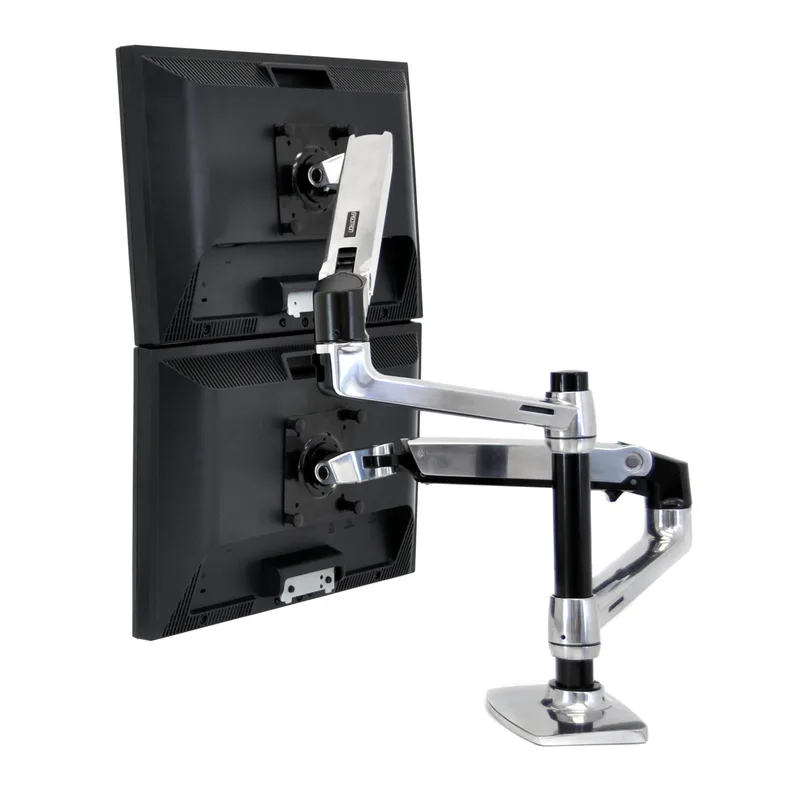
Ergotron LX Dual Monitor Arm
Ergotron LX Dual Monitor Arm
Pros
- ✓ 10-year warranty — the gold standard in this category by a wide margin
- ✓ Gas spring mechanism is exceptionally smooth and holds position without drift
- ✓ Clean cable management channels keep the desk looking uncluttered
- ✓ Dead-on monitor alignment for side-by-side dual setups
Cons
- ✗ 27-inch maximum per arm rules out ultrawide monitors and larger screens
- ✗ Premium price — roughly 5x the cost of budget alternatives
- ✗ No built-in USB ports or cable passthrough hub
The Ergotron LX is the standard other monitor arms get compared to. The dual version takes everything that makes the single LX good — fluid gas spring movement, stable desk clamping, excellent cable management — and scales it up to two monitors side by side.
At $289, it’s the most expensive arm in this roundup, but the 10-year warranty does real work here. You’re not buying an arm; you’re buying infrastructure. Owner reports consistently note that these arms last half a decade without any adjustment, friction loss, or drift. For a competitive gaming setup where monitor alignment matters every session, that consistency is worth paying for.
The 27-inch per-arm maximum is the main limitation to know upfront. If you’re running 32-inch panels or ultrawide screens, the Ergotron LX isn’t the arm to buy — look at the MSI MAG MT201D instead. For most dual-monitor setups with standard 24–27 inch screens, the LX handles everything cleanly.
The arm ships in matte black and polished aluminum. Both finishes look sharp. Setup involves clamping to the desk edge, threading cable management channels through the arms, and mounting your monitors — straightforward compared to some competitors that require torque wrenches for tension adjustment.
Best For: Gamers who want a set-and-forget arm they’ll never think about again.
MSI MAG MT201D Dual Monitor Arm
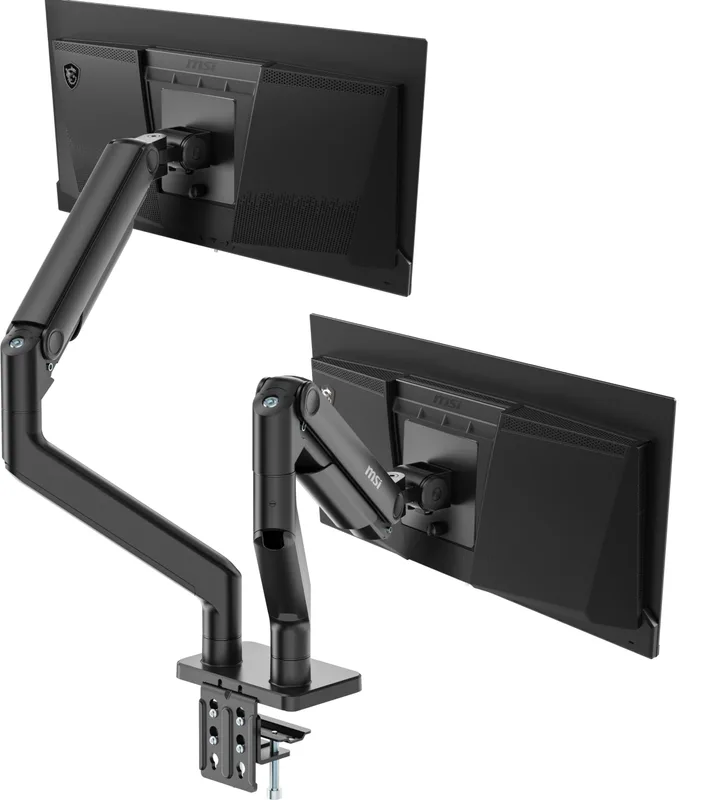
MSI MAG MT201D Dual Monitor Arm
Pros
- ✓ 44 lbs per arm handles the heaviest curved gaming monitors without flinching
- ✓ 45-inch screen support is the widest of any dual arm at this price point
- ✓ Quick-release VESA plate makes swapping monitors fast
- ✓ Gaming-brand aesthetics match MSI desks, keyboards, and peripherals
Cons
- ✗ Spring-assisted rather than true gas spring — requires more force to reposition
- ✗ Heavier base footprint than Ergotron or HUANUO
- ✗ Arms feel slightly stiffer than gas-spring alternatives during adjustment
MSI built this arm for gamers running heavy curved monitors, and the specs show it. At 44 lbs per arm and support for screens up to 45 inches, the MAG MT201D handles hardware that most dual arms can’t — 34-inch ultrawides, heavy IPS panels, large curved VA displays. That’s a real differentiator at under $100.
The spring-assisted mechanism (not gas spring) means repositioning requires more deliberate force than the Ergotron LX or HUANUO FlowLift. In practice, this matters most if you’re frequently adjusting monitor angles mid-session. If you set your monitors once and leave them, the spring mechanism does its job without issue.
At $99.99, the value proposition is strong for gamers with big monitors. The quick-release VESA plate is a genuine convenience when you’re swapping monitors between setups. The 3-year warranty from MSI covers most ownership periods. And the MAG MT201D aesthetically fits into gaming battlestations better than the clinical look of Ergotron’s aluminum designs.
Owners reviewing this arm through 2026 note that the spring tension is set well from the factory — not too stiff, not too loose. Initial setup takes roughly 20–30 minutes. Once installed, most users report no further adjustment needed.
Best For: Gamers running 32-inch or larger curved monitors, or anyone with monitors heavier than 20 lbs per screen.
HUANUO FlowLift Dual Monitor Stand
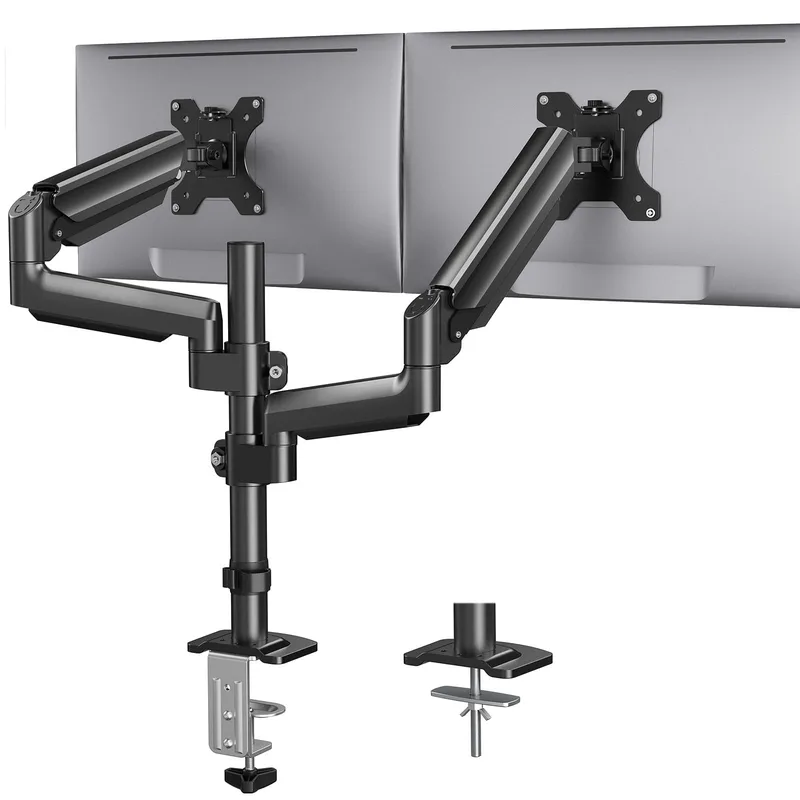
HUANUO FlowLift Dual Monitor Stand
Pros
- ✓ Gas spring mechanism at $55 is genuinely remarkable — most arms at this price use inferior friction joints
- ✓ Dual C-clamp base adds stability that single-pole designs can't match, especially on standing desks
- ✓ 32-inch support per arm covers the most common gaming monitor sizes
- ✓ Over 31,000 Amazon ratings — real-world reliability data is as strong as it gets for a budget pick
Cons
- ✗ Build materials feel noticeably cheaper than Ergotron despite similar functionality
- ✗ No stated warranty period — Ergotron's 10-year guarantee is in a different league
- ✗ Cable management channels are present but narrower than premium alternatives
The HUANUO FlowLift dual arm is what happens when the budget segment finally figures out gas springs. For $55, you get two fully articulating arms with genuine gas spring movement — the same fundamental mechanism that makes premium arms feel smooth — and a dual C-clamp base that’s more stable than the single-pole designs most budget arms use.
With over 31,000 Amazon ratings and a 4.6-star average, the reliability picture here is clear. These arms work. They work for standing desks (the dual clamp handles desk movement without the arms walking around). They work for gamers who need to swing one monitor out of the way occasionally. They work for 32-inch screens.
The honest trade-off versus the Ergotron LX is build feel. The FlowLift uses more plastic, has narrower cable management channels, and doesn’t ship with Ergotron’s 10-year guarantee. You’re getting 85% of the function for 19% of the price. For most gamers — especially those building their first dual setup — that math is straightforward.
This arm also works particularly well alongside a standing desk for dual monitors, where the dual-clamp base handles the vertical movement cleanly.
Best For: First-time dual-monitor builders who want gas spring quality without Ergotron pricing.
HUANUO Triple Monitor Mount
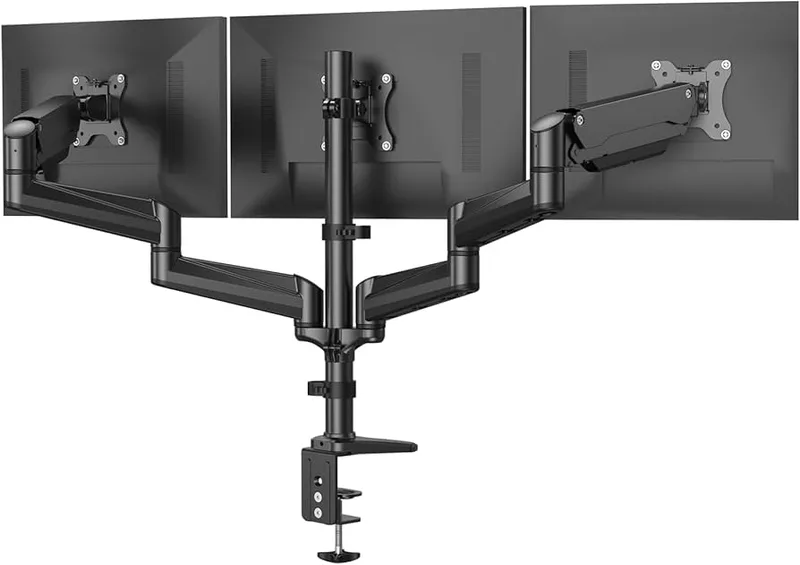
HUANUO Triple Monitor Mount
Pros
- ✓ All three arms adjust independently — you can angle side monitors inward for immersive gaming
- ✓ Under $125 for three fully articulating arms is strong value in the triple mount segment
- ✓ Compatible with flat and curved screens up to 32 inches
- ✓ Center arm rigid pole keeps your main monitor perfectly level
Cons
- ✗ 17.6 lbs per arm is lower than dual-arm alternatives — rules out some heavier monitors
- ✗ Single pole base can flex slightly when all three arms are extended fully
- ✗ Setup takes longer than dual configurations due to three separate arm adjustments
Triple-monitor gaming is genuinely different from dual. You’re dealing with three screens, side-screen angle, immersion geometry, and a base that needs to hold all of it without rotating or tipping. The HUANUO triple mount handles this at $149.99 — which, for three fully articulating arms, is a competitive price.
Each of the three arms adjusts independently. The center arm uses a rigid pole to keep your primary monitor perfectly level and centered, while the two side arms swivel inward for the wraparound angle that makes triple setups work for racing sims, flight sims, and flight deck-style productivity setups. Tilt, swivel, and 360° rotation are available on all three.
The weight limit is the key spec to check: 17.6 lbs per arm. That’s lighter than the dual-arm options in this roundup. Most 27-inch gaming monitors weigh 8–13 lbs, so you have room to spare — but check your specific monitor’s weight before buying. Heavier 32-inch curved panels can push toward the limit.
For the full triple gaming setup, pair this arm with the ergonomic gaming setup guide for positioning advice that goes beyond just where to put the monitors.
Best For: Sim racing, flight sim, and ultrawide gaming setups running three monitors up to 32 inches.
VIVO STAND-V002O Dual Monitor Arm
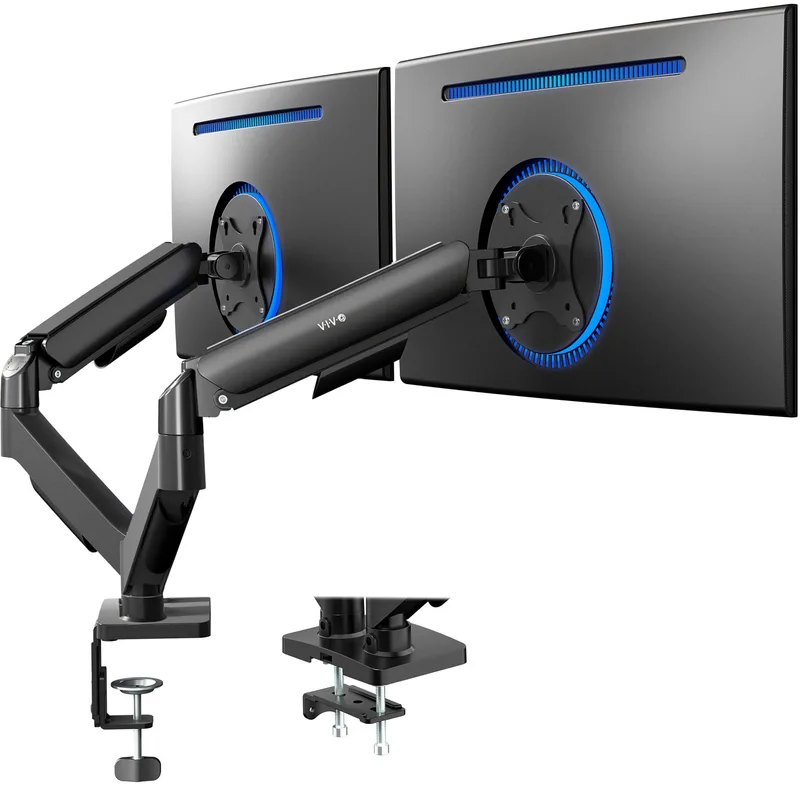
VIVO STAND-V002O Dual Monitor Arm
Pros
- ✓ Under $50 for dual arms with full articulation — hardest to beat on price
- ✓ Mechanical counterbalance covers the full 17–32 inch monitor range most gamers use
- ✓ Cable management routing cuts down on wire chaos at the desk
- ✓ Available in black and white to match different battlestation color schemes
Cons
- ✗ Mechanical spring requires more manual repositioning effort than gas spring designs
- ✗ Joints can loosen over time and need occasional tightening
- ✗ Plastic construction doesn't feel durable enough for heavy daily adjustments
At $40, the VIVO STAND-V002O is the budget floor for functional dual monitor arms. Mechanical spring counterbalance instead of gas spring means repositioning requires more deliberate force — but the full range of motion is there. 90° tilt, 180° swivel, 360° rotation per arm. VESA 75 and 100mm. C-clamp and grommet options.
The tradeoffs are real. Joints loosen over time and need occasional tightening. Plastic construction doesn’t feel built to last five-plus years. The spring can feel stiff initially before breaking in.
But for a gamer on a tight budget building their first dual setup, the VIVO delivers what matters: two articulating arms, freed-up desk space, and adjustable monitor height. Owner reports suggest these arms hold up well for 2–3 years with light-to-moderate use. If you’re not sure dual monitors are the right move yet and want to try without a large investment, the VIVO at $40 is a reasonable starting point.
Best For: Budget-conscious buyers trying dual monitors for the first time.
Comparison: Best Multi-Monitor Arms for Gaming
| Monitor Arm | Price | Monitor Size | Weight Limit | Mechanism | Warranty | Config |
|---|---|---|---|---|---|---|
| Ergotron LX Dual | $324.99 as of Oct 18, 2026 | Up to 27” | 20 lbs/arm | Gas spring | 10 years | Dual |
| MSI MAG MT201D | $81.89-$125.99 as of Oct 18, 2026 | Up to 45” | 44 lbs/arm | Spring-assisted | 3 years | Dual |
| HUANUO FlowLift Dual | $57.99 as of Oct 18, 2026 | Up to 32” | 19.8 lbs/arm | Gas spring | — | Dual |
| HUANUO Triple Mount | $119.67 as of Oct 18, 2026 | Up to 32” | 17.6 lbs/arm | Friction | — | Triple |
| VIVO STAND-V002O | $46.05-$49.99 as of Oct 18, 2026 | Up to 32” | 19.8 lbs/arm | Mechanical spring | — | Dual |
What to Look for in a Multi-Monitor Gaming Arm
Mechanism type matters more than most specs
Gas spring arms (Ergotron LX, HUANUO FlowLift) let you reposition monitors with two fingers. Mechanical spring and friction designs require more deliberate force. For gaming setups where you’re adjusting angles frequently — especially on standing desks — gas spring is worth the small premium.
Weight capacity: check your specific monitors
Most roundups list generic weight ranges. What matters is your actual monitor’s weight. A 27-inch IPS typically runs 8–12 lbs. A 32-inch curved VA can reach 17–22 lbs. The MSI MAG MT201D’s 44-lb limit is overkill for most setups, but if you’re running heavy curved panels, that headroom is reassuring.
Single pole vs. dual clamp base
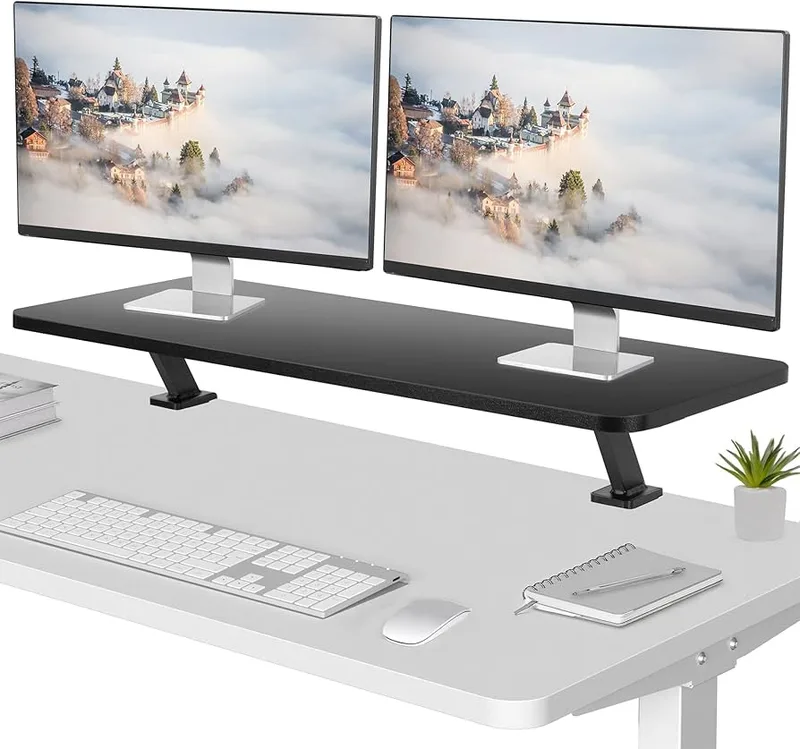
Single-pole bases are simpler and cheaper. Dual-clamp bases (like the HUANUO FlowLift) grip the desk at two points and flex less under weight or standing desk movement. If you’re on a motorized standing desk, dual-clamp is worth paying for.
Screen size limits: read the spec sheet
Most arms cap at 27” or 32” per arm. If you’re running 34-inch ultrawide panels, your options narrow quickly — the MSI MAG MT201D (45” support) is one of the few dual arms that handles this without issue at a reasonable price.
Cable management
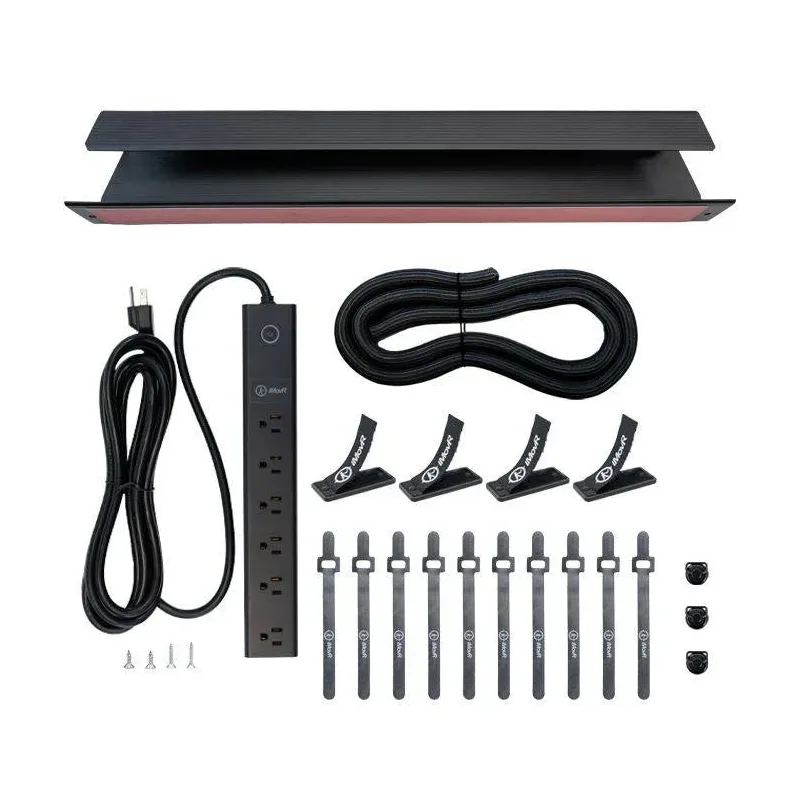
Most arms include cable routing channels. Quality ranges from barely functional to genuinely useful. Ergotron’s channels are the best in this roundup. HUANUO is workable. VIVO is minimal. For a clean cable-free desk look, plan your cable routing before committing to a purchase.
For more on setting up a multi-monitor ergonomic workspace, see the ergonomic dual monitor setup guide.
Frequently Asked Questions
What’s the best dual monitor arm for a gaming setup?
The Ergotron LX Dual is the best overall at $289, with 10-year warranty and gas spring precision. For most gamers, the HUANUO FlowLift Dual at $55 hits the sweet spot — gas spring mechanism, 32-inch support, and over 31,000 real-world reviews backing it up.
Can monitor arms hold curved gaming monitors?
Yes, as long as your monitor has VESA mounting holes (75x75mm or 100x100mm) on the back. Most modern curved gaming monitors include VESA mounts. Check your monitor’s spec sheet — a few curved displays, particularly from Samsung, omit VESA holes on certain models.
Do I need a different arm for standing desks?
Standard monitor arms work on standing desks. The HUANUO FlowLift’s dual C-clamp base is particularly stable for this — the two-point clamp doesn’t shift when the desk raises and lowers. Single-pole clamp arms can occasionally walk or tilt under repeated standing desk movement.
How much does a dual monitor arm improve gaming ergonomics?
Significantly. Arms let you position monitors at exact eye level, reduce neck strain from looking down at desk-mounted stands, and eliminate the bezel-gap alignment problems that come from stacking monitors on their factory stands. The full adjustability also helps with gaming posture over long sessions.
Is a triple monitor arm worth it for gaming?
For sim racing, flight sims, and certain strategy games, triple monitors genuinely improve immersion. For competitive FPS or MOBA gaming, a single high-quality display or dual-monitor setup is usually more effective. Triple setups require more desk space and a heavier investment in arm hardware.
What’s the weight limit I actually need?
Most 24–27 inch monitors weigh 7–13 lbs. A 20-lb-per-arm limit covers almost every monitor in this range. If you’re running 32-inch curved panels, aim for 22 lbs or higher. For 34-inch or larger ultrawides, the MSI MAG MT201D’s 44-lb limit is the safest choice in this roundup.
The Verdict
For a gaming setup with two standard 24–27 inch monitors, the Ergotron LX Dual is the right buy if you want a permanent, no-compromise solution. The 10-year warranty and gas spring precision justify the $289 price for a desk setup you’re not rebuilding anytime soon.
Running large or heavy monitors? The MSI MAG MT201D at $99.99 handles 45-inch screens and 44-lb monitors that no other dual arm in this price range supports.
On a budget? The HUANUO FlowLift Dual at $55 delivers real gas spring quality — a rarity under $100. For triple monitor builds, the HUANUO Triple Mount at $149.99 gives you three fully independent arms without spending $300+.
For the full multi-monitor ergonomics picture, check the gaming hand and wrist injury prevention guide — monitor positioning is one part of keeping your body in good shape during long sessions.