Hybrid and fully remote work didn’t go away in 2026 — it just moved into smaller apartments. A lot of the “home office” advice floating around still assumes a spare bedroom, a dedicated desk nook, or at least a wall you’re allowed to drill into. None of that applies if your entire workspace is a corner of a studio, a fold-out table in a one-bedroom, or a desk that has to double as a dinner table by 6 p.m. Furniture brands have caught on this year, leaning harder into sub-40-inch desks, clamp-on accessories, and gear that doesn’t ask you to commit floor space you don’t have.
The three-piece starting kit: a standing desk converter that sits on furniture you already own, a chair with flip-up arms that tucks fully under the desk, and a monitor arm that clamps on without drilling. None of it requires a lease amendment.
Start With What You Can’t Change: Your Floor Plan
Before buying anything, measure the actual space you’re working with — not the space you wish you had. A studio or one-bedroom desk setup usually has to share a wall with a bed, a kitchen table, or a closet, which rules out the 48-55 inch desks built for a spare-bedroom home office. Note two numbers: the width of wall or table space you can dedicate permanently, and, if you’re renting, whether your lease restricts drilling, mounting, or furniture swaps. Those two constraints will eliminate more products than price will.
A Desk That Doesn’t Need Its Own Room
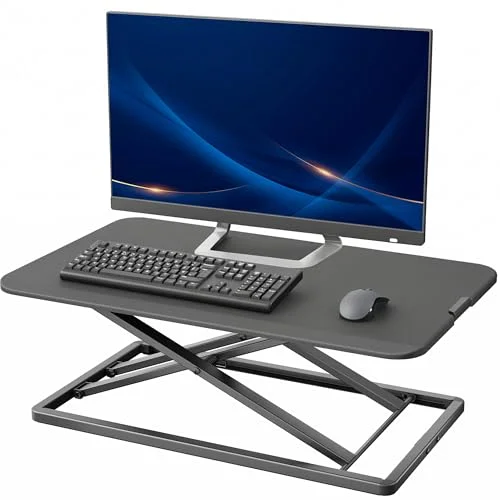
VIVO Black 29-inch Single Top Standing Desk Converter
Pros
- ✓ Adds a standing option without adding a second piece of furniture — it sits on whatever desk, table, or dresser-turned-desk you already own
- ✓ Ships pre-assembled with zero tools, which matters when you don't have a garage or workshop to build furniture in
- ✓ Nothing gets bolted down or drilled into a wall, so renters and lease-restricted apartments are never a problem
- ✓ Packs flat enough to slide behind a couch or into a closet if you need the surface back for something else
Cons
- ✗ 22 lb weight capacity covers a laptop and a small monitor, not a full dual-monitor battlestation
- ✗ It only adds height — if the desk underneath is already the wrong depth or height, the converter doesn't fix that
- ✗ 29.3-inch platform gets snug once a keyboard and mouse sit next to a laptop
If you already have a desk, table, or even a dresser you use as a workspace, a standing desk converter solves the “I want to stand sometimes” problem without adding a second piece of furniture to a room that doesn’t have space for one. The VIVO 29-inch converter sits directly on top of what you’ve got, needs no assembly, and lifts off with a one-touch gas-spring lock instead of a crank. It packs flat enough to store behind a couch or in a closet if the surface needs to go back to being a dinner table.
The tradeoff is that it only adds height — it doesn’t fix a desk that’s already the wrong depth, and its 22 lb capacity is built for a laptop and a small monitor rather than a full multi-monitor rig. If you have the wall space for a dedicated compact desk instead, our best standing desks for small spaces roundup covers full electric options starting around 32 inches wide.
A Chair You Can Tuck Away
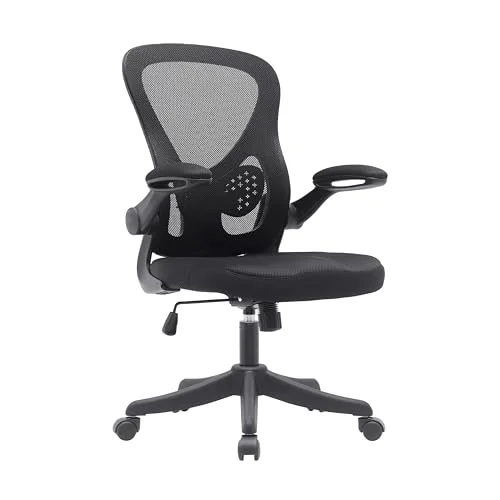
Techni Mobili Mesh Office Chair with Flip-Up Arms
Pros
- ✓ Flip-up arms let the chair slide fully under a desk instead of getting stuck on fixed armrests — a real space-saver in a one-room layout
- ✓ Adjustable lumbar support and a mid-back mesh design cover the basics most all-day sitting needs without a $500+ price tag
- ✓ Swivel base with casters makes it easy to roll the chair out of the way for a yoga mat, a guest, or a video call with more background room
- ✓ Lightweight enough to move between a desk setup and a dining table without needing a second person
Cons
- ✗ Mid-back height means less support than a high-back chair if you spend most of the day reclined
- ✗ Mesh seat cushion is thinner than premium ergonomic chairs, so long 8+ hour days may call for an added seat cushion
- ✗ Armrests are basic flip-up pads, not the adjustable 3D or 4D type found on pricier ergonomic chairs
Most ergonomic chairs are designed like they’ll live permanently under one desk in one room. In a small apartment, a chair often needs to roll out of frame for a video call, get pushed aside for a workout, or slide fully under the desk when the room needs to look like a living room again by evening. The Techni Mobili mesh chair is built for exactly that — its arms flip straight up, which lets the whole chair slide under a desk instead of catching on fixed armrests the way most budget chairs do.
It won’t match a $700 high-back chair on all-day support, and the mesh seat cushion is thinner than what you’d get from a premium option. But for a one-room setup where the chair has to disappear as easily as it appears, the tradeoff is worth it. If back support becomes an issue after long days, a compact lumbar cushion adds support without adding bulk.
Reclaim Desk Depth With a Monitor Arm
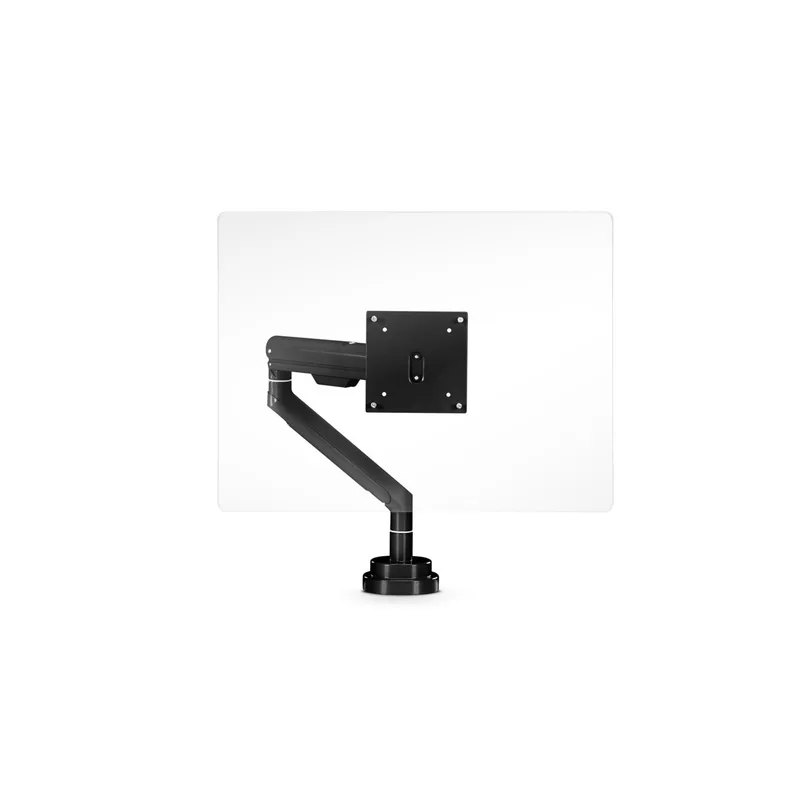
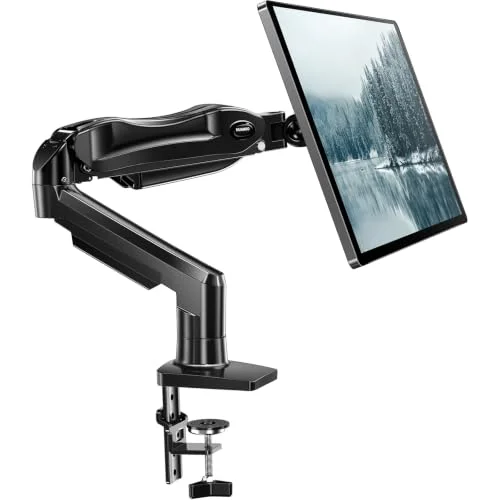
HUANUO FlowLift Single Monitor Mount
Pros
- ✓ Lifting the monitor off its stock stand reclaims several inches of desk depth — the single biggest space gain on this list for the price
- ✓ Gas-spring arm holds position at any height or angle without drooping, so the monitor can be pushed back or up when the desk doubles as a dinner table
- ✓ C-clamp mount needs no drilling and works on almost any desk edge up to standard thickness
- ✓ Full swivel and tilt range makes it easy to angle the screen away from a window or toward a video call
Cons
- ✗ 19.8 lb capacity rules out large ultrawide or heavier 4K monitors — check your monitor's weight before buying
- ✗ Grommet base option requires a pre-drilled hole or a willingness to drill one, which some renters will want to avoid
- ✗ Only supports one monitor — a second arm or a dual-arm mount is a separate purchase if you add a second screen later
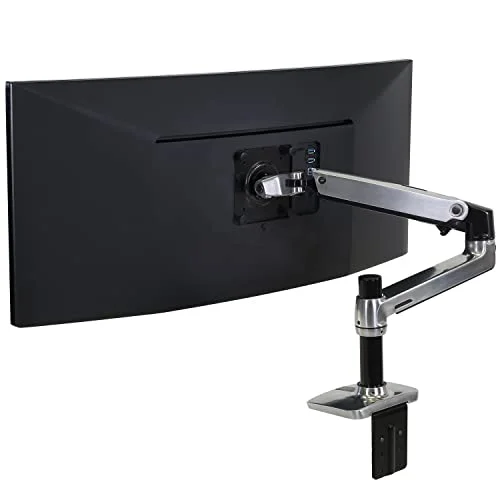
A monitor sitting on its stock stand eats several inches of desk depth that a small desk doesn’t have to spare. Moving it onto a clamp-mounted arm pushes the screen up and back, freeing that depth for a keyboard, notebook, or the dinner plate that’s about to replace your laptop. The C-clamp mount needs no drilling, which matters if you’re renting, and the gas-spring arm holds its position instead of drooping under a heavier monitor.
The 19.8 lb weight limit means it’s not built for a large ultrawide, and if you eventually run two monitors, a second arm is a separate purchase. For heavier or dual-monitor setups, our best premium monitor arms guide covers the sturdier options built to hold more weight.
Light Without Adding Clutter
A small apartment usually has one or two overhead fixtures and not much else, which means video calls and long screen sessions both suffer from the same problem: mismatched lighting between your face, your screen, and the room behind you. A single clamp-on or slim desk lamp fixes both without taking up any of the desk’s footprint. Our desk lamps for eye strain guide covers flicker-free, adjustable-color options that clip onto a desk edge instead of needing their own base.
Cable Management for One-Room Living

Cable clutter is more noticeable in a studio than a home office, since the same room that holds your desk setup is also your living room and sometimes your bedroom. A cable management tray or sleeve mounted under the desk keeps power strips and charging cables out of sight instead of trailing across the floor where they’re a tripping hazard in a smaller room. If you’re using a standing desk converter or an adjustable-height desk, an under-desk cable tray that moves with the desk keeps cords from yanking tight every time you raise or lower it.
Vertical Storage and Multi-Use Furniture
Floor space is the scarcest resource in a small apartment, so anything that can move off the desk and onto a wall or a vertical organizer is worth considering. A compact desktop organizer keeps pens, chargers, and papers contained in a small footprint instead of spreading across the whole desk surface. If your setup needs to fully disappear once the workday’s over, look for organizers and accessories that are easy to lift into a drawer or closet rather than ones built to stay permanently in place.
Protecting Your Floor and Joints If You Stand
If you’re using the converter or a compact standing desk regularly, standing on a hardwood or tile apartment floor for long stretches is rough on the knees and lower back. A supportive anti-fatigue mat solves this without needing a dedicated flooring change, and most compact mats roll or fold up small enough to store in a closet when you’re not standing.
Buying Guide: What to Prioritize First
Start with the desk problem, not the accessories. If you don’t have a comfortable, appropriately sized surface to work on, nothing else on this list matters as much. A converter is the lowest-commitment fix if you already own a usable desk or table; a compact standing desk is worth the extra cost if you have the wall space and want a dedicated setup.
Prioritize gear that doesn’t require permanent installation. Clamp mounts, no-drill converters, and rolling chairs all let you reconfigure or fully clear the space when you need the room back for something else — a real consideration when one room serves multiple purposes.
Budget expectations: a genuinely functional small-space setup — converter, chair, and monitor arm — lands around $200-$230 total. That’s a fraction of what a dedicated home-office buildout costs, and it’s a realistic starting point before deciding whether any single piece is worth upgrading.
Don’t skip the boring stuff. Cable management and lighting don’t feel as urgent as a new chair, but in a one-room setup they’re the difference between a workspace that disappears cleanly at 6 p.m. and one that makes the whole apartment look like an office all the time.
Frequently Asked Questions
Can I really work ergonomically in a studio apartment?
Yes, though it takes more deliberate choices than a dedicated home office does. The gear that works best in a studio prioritizes flexibility and reversibility — a converter instead of a full desk, a chair with flip-up arms, clamp mounts instead of drilled ones — so the setup can adapt to a room that serves more than one purpose.
Is a standing desk converter worth it compared to a full standing desk?
It depends on whether you already have a usable desk or table and how much you’re willing to spend. A converter is the better choice if you want to avoid buying a second piece of furniture or if your lease restricts what you can bring in. A dedicated compact standing desk is worth the extra cost if you have permanent wall space and want a sturdier, larger work surface.
What’s the single best upgrade for a small WFH setup?
For most people, it’s the desk situation — either a converter or a properly sized compact desk. Chairs and monitor arms matter, but if the work surface itself is the wrong size or height, no accessory fully fixes that.
How do I manage cables in a studio without drilling into walls or furniture?
Clip-on or adhesive cable trays that mount to the underside of a desk don’t require drilling, and a basic cable sleeve keeps cords bundled without any hardware at all. Both options move with you if you relocate.
Do I need a monitor arm if I only use a laptop?
No — a monitor arm only matters once you add an external display. A laptop stand paired with a separate keyboard and mouse solves the ergonomic height problem for laptop-only setups without needing a full monitor arm.
What should I look for if I’m renting and can’t drill or mount anything?
Prioritize C-clamp mounts over grommet-hole mounts, freestanding or converter-style desks over wall-mounted ones, and furniture with casters or a light enough frame to move without help. Nearly everything recommended in this guide fits that description.
Bottom Line
A small apartment doesn’t rule out a real ergonomic setup — it just changes which products make sense. The VIVO standing desk converter at $99.99 adds a standing option without eating floor space, the Techni Mobili chair at $90.00 tucks fully out of the way when the desk needs to disappear, and the HUANUO monitor arm at $39.99 reclaims the desk depth a stock monitor stand wastes. Start with whichever piece is causing the most friction in your current setup, and build outward from there.