Disclosure: PostureRanked is reader-supported. When you buy through links on our site, we may earn an affiliate commission at no additional cost to you. Our recommendations are based on independent research and testing.
| Product | Price | Rating |
|---|---|---|
| Ergotron HX Desk Monitor Arm | $349 | 9.2 |
| Ergotron HX HD Monitor Arm (1000R Curved) | $449 | 9.0 |
| Herman Miller Ollin Monitor Arm | $399 | 8.8 |
| Humanscale M8.1 Monitor Arm | $544 | 8.9 |
| CBS Flo Monitor Arm | $295 | 8.6 |
Disclosure: PostureRanked is reader-supported. When you buy through links on our site, we may earn an affiliate commission at no extra cost to you. Learn more
Your $800 ultrawide is drooping. Or your dual-monitor setup is running on a $40 arm that creaks every time you brush against the desk. These are solvable problems — but only if you match the arm to the monitor’s actual weight.
In 2026, monitors have gotten bigger and heavier. The latest 49-inch super-ultrawides weigh close to 30 lbs. Curved gaming displays like the Samsung Odyssey G9 have deep 1000R curves that standard pivot mounts can’t handle without wobble. Meanwhile, Humanscale launched their new M/Class line in January 2026, signaling that the premium monitor arm category is evolving fast.
Budget arms fail here. A $50 arm rated to 17 lbs might technically hold your 27-inch display, but it’ll drift, bounce, and gradually let the monitor sink over months. Premium arms use heavier gas springs, all-metal construction, and engineered pivot points that stay where you put them.
If you just want the recommendation: The Ergotron HX at $349 handles any monitor up to 42 lbs and holds position without fuss. It’s what I’d buy for an ultrawide setup. See the full breakdown below.
Ergotron HX Desk Monitor Arm — Editor’s Pick
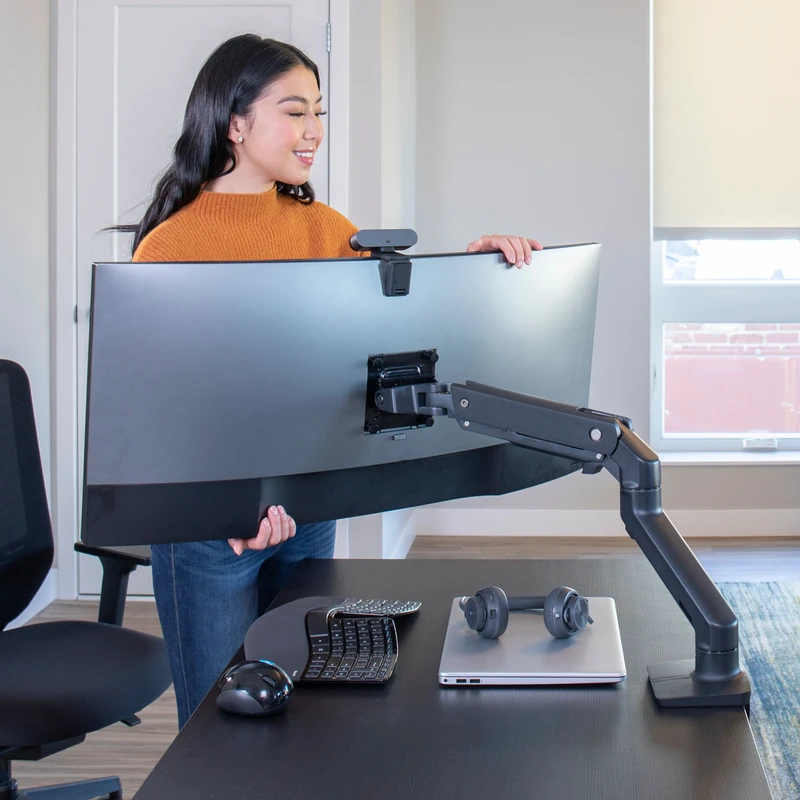
Ergotron HX Desk Monitor Arm
Pros
- ✓ All-metal construction with no plastic parts
- ✓ Handles the heaviest ultrawides on the market (up to 42 lbs)
- ✓ Gas spring holds position perfectly without drift
- ✓ Available in polished aluminum, matte black, and white
Cons
- ✗ Overkill and harder to adjust for monitors under 20 lbs
- ✗ Large clamp footprint on desk edge
- ✗ No cable management channel built in
The HX is the benchmark that every other premium arm gets compared to. At $349, it’s not cheap — but it’s the only arm in this roundup that handles the full range of large monitors without compromise.
The 20–42 lb range is what sets it apart. Most premium arms top out at 20–28 lbs. The HX goes to 42 lbs, which means it can hold a 49-inch flat ultrawide, a heavy 34-inch curved display, or a large 32-inch 4K panel with room to spare. The construction is all metal — no plastic joints or cheap pivot caps. After years of use, the gas spring on these holds tension with no noticeable drift.
Setup is straightforward once you get the tension calibrated. You’ll need to adjust the internal spring tension to match your monitor’s weight, which requires an Allen key and a few minutes of trial and error. Once set, it’s rock solid.
The desk clamp is the main downside. It’s bulky — expect about 2.5 inches of clamp depth eating into the back of your desk. For thin desks or desks with drawers near the edge, this can be awkward.
Best for: Anyone running a 34-inch or larger ultrawide, or a monitor heavier than 20 lbs.
Ergotron HX HD Monitor Arm (1000R) — Best for Curved Gaming Displays
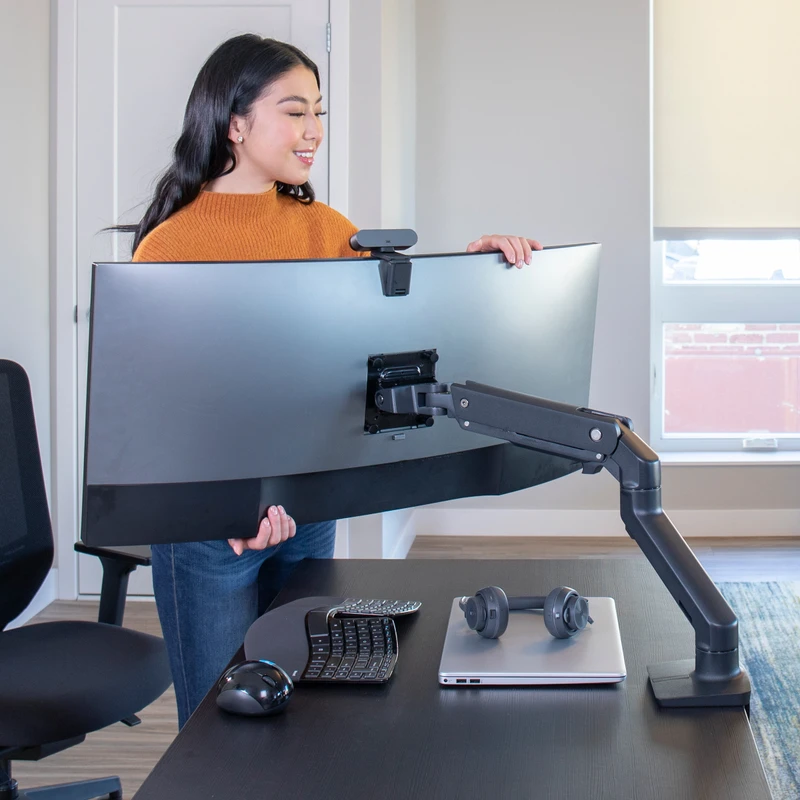
Ergotron HX HD Monitor Arm (1000R Curved)
Pros
- ✓ Engineered specifically for deep-curve 1000R gaming displays
- ✓ HD pivot eliminates the wobble common on standard arms with curved screens
- ✓ Handles Samsung Odyssey G9 and similarly heavy ultrawides
- ✓ Same all-metal build as the standard HX
Cons
- ✗ Narrower weight range (28–42 lbs means lighter monitors won't sit right)
- ✗ More expensive than the standard HX without significantly more reach
- ✗ Matte black only
Deep-curve 1000R gaming monitors like the Samsung Odyssey G9 present a specific problem for standard monitor arms: the flat-screen pivot creates a rocking motion when you grab the monitor to reposition it. Ergotron built the HX HD specifically to solve this.
The HD pivot is redesigned to sit flush with the curved back panel of a 1000R display. The result is a much more stable mount — no wobble when you nudge the screen, and the monitor stays exactly where you tilted it. If you’re running one of these displays, the $100 premium over the standard HX is worth it.
At $449, it’s the most expensive single arm in this roundup. The weight range starts at 28 lbs — so if your curved monitor is lighter than that, the spring tension won’t calibrate correctly and the arm will pop upward. Check your monitor’s weight before ordering.
The standard HX and the HX HD share the same clamp and arm construction. The only practical difference is the pivot design. If your monitor is flat or a gentle curve (1500R and above), stick with the standard HX and save $100.
Best for: Samsung Odyssey G9, LG 45GR95QE, and other 1000R curved gaming ultrawides over 28 lbs.
Herman Miller Ollin Monitor Arm — Best Design
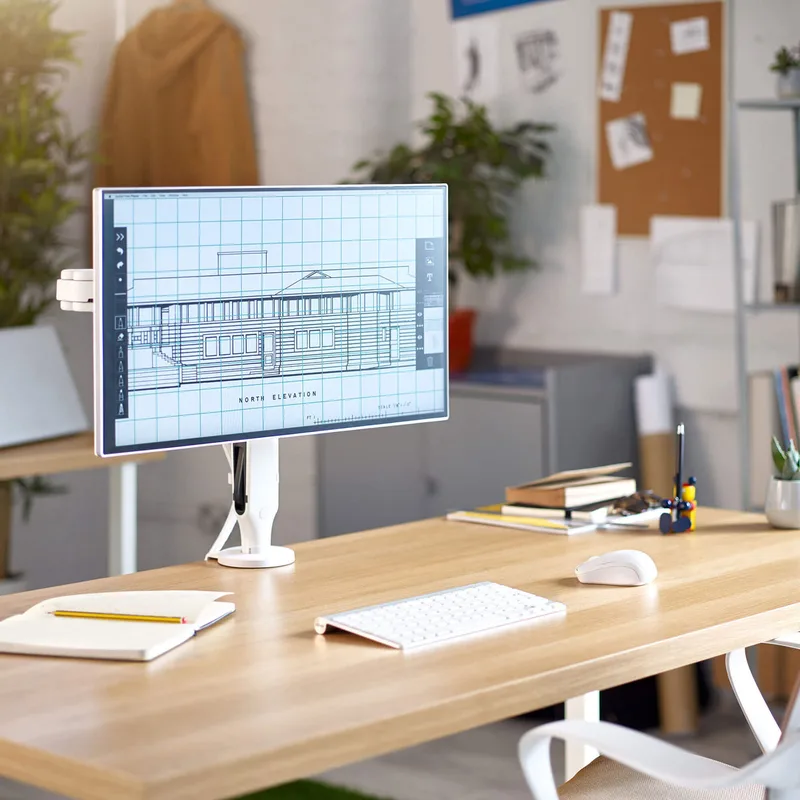
Herman Miller Ollin Monitor Arm
Pros
- ✓ Most refined aesthetics of any arm in this category
- ✓ Gas spring delivers smooth, one-finger repositioning
- ✓ Made by CBS (same maker as the Flo) with Herman Miller branding and support
- ✓ Extensive horizontal reach at 26.5 inches
Cons
- ✗ 20 lb weight limit rules out heavy ultrawides
- ✗ Direct purchase only — no Amazon listing
- ✗ Pricier than CBS Flo despite identical internal mechanism
The Ollin is what you buy when the arm needs to look good. Herman Miller commissioned CBS (Colebrook Bosson Saunders) to design it, and it shows — the profile is thin, the pivot housing is minimal, and the cable routing is hidden inside the arm body.
At 26.5 inches of horizontal reach, the Ollin extends farther than most competitors. This matters for corner desk setups or situations where the monitor needs to swing out of the way. The gas spring is light and precise, making single-finger repositioning easy. Tilts 80 degrees rearward and 10 degrees forward, which covers any siting angle.
The limitation is weight. The Ollin handles up to 20 lbs, which covers most 27-inch and 32-inch monitors but rules out heavy ultrawides. A 34-inch LG curved display weighs around 21 lbs — just over the limit. Check your monitor’s spec sheet before ordering.
At $399 direct from Herman Miller, it’s priced similarly to an Ergotron HX but with half the weight capacity. You’re paying for aesthetics, the Herman Miller brand, and that particular gas spring feel. For a luxury home office where equipment matching matters, that’s a legitimate trade-off. For raw performance, the Ergotron HX is a better deal.
Best for: 27–32 inch monitors in a luxury or design-focused workspace where visual consistency with Herman Miller furniture matters.
Humanscale M8.1 Monitor Arm — Best for Corporate Use
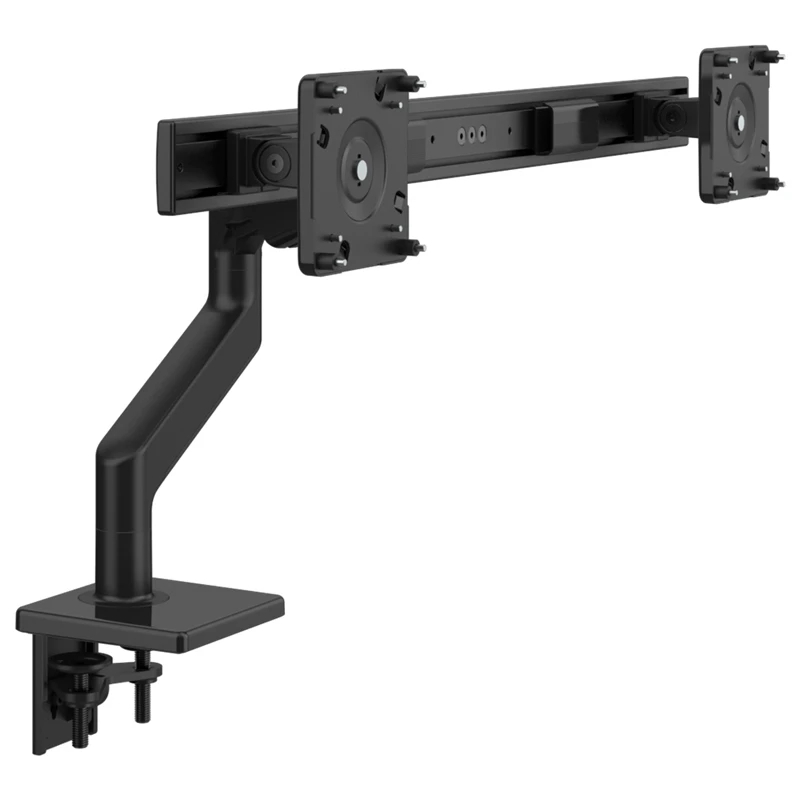
Humanscale M8.1 Monitor Arm
Pros
- ✓ Gravity counterbalance adjusts automatically to monitor weight
- ✓ M/Connect2 dock integration turns the arm into a full USB-C hub
- ✓ 15-year warranty is the longest in this category
- ✓ Enterprise-grade build — standard spec in corporate office fitouts
Cons
- ✗ Most expensive single arm in this roundup at $544
- ✗ 28 lb limit won't hold the heaviest ultrawides
- ✗ Direct purchase only — requires ordering from humanscale.com or an authorized dealer
The M8.1 uses a gravity-based counterbalance mechanism instead of a traditional gas spring. The spring tension automatically adjusts based on the monitor’s weight when you set it up — you don’t manually calibrate anything. Pull the display down, and it floats back up when you release it. It’s a different feel from an Ergotron, more like the monitor is hovering than being held.
The corporate positioning is real. The M8.1 is standard specification in high-end office fitouts — you’ll see it in corporate headquarters and architectural firms. The 15-year warranty is the longest in this category. The M/Connect2 docking station (sold separately) snaps onto the arm column and adds USB-C passthrough, making the arm double as a cable management and hub solution.
At $544, it’s the priciest arm here. The 6–28 lb range is reasonable but not exceptional — Ergotron HX handles 42 lbs for $200 less. What you’re buying is the counterbalance mechanism, the corporate pedigree, and the M/Connect integration if that matters for your setup.
Note: Humanscale launched the successor M/Class lineup in January 2026. The M8 Pro replaces the M8.1 with up to 79% more weight capacity. Current M8.1 stock will still be sold through for a while, but if you’re buying new, check whether the M8 Pro is available at your retailer.
Best for: Professional office environments, setups where the M/Connect2 dock integration matters, or anyone who wants the longest warranty available.
CBS Flo Monitor Arm — Best Value
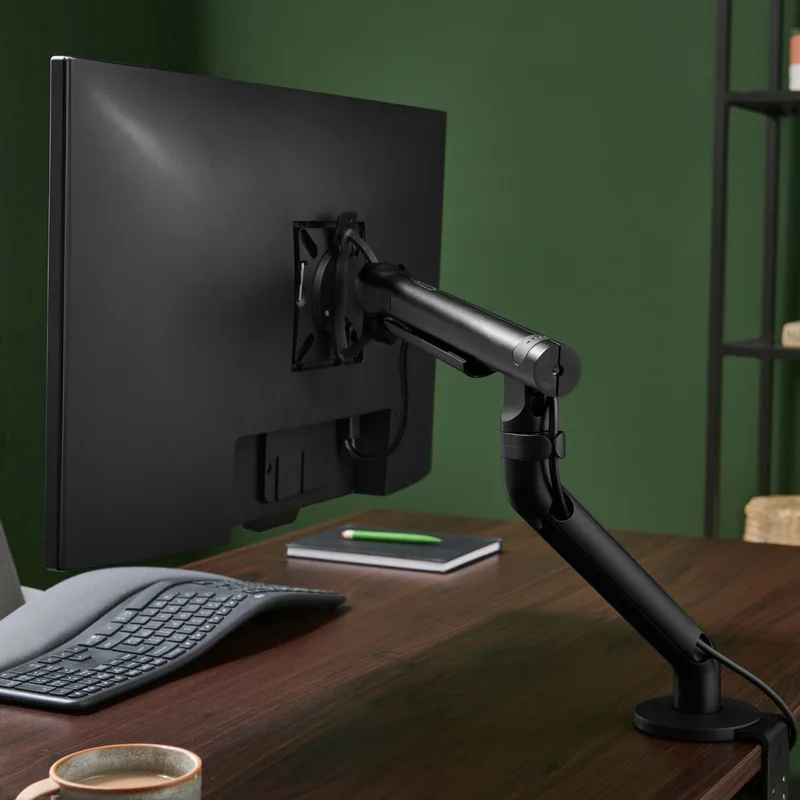
CBS Flo Monitor Arm
Pros
- ✓ Cleanest, most minimal design in the lineup
- ✓ 12-year warranty at a sub-$300 price point
- ✓ Dual-rate spring handles lighter monitors with better precision than gas spring
- ✓ Made by CBS — same manufacturer as the Herman Miller Ollin
Cons
- ✗ 15.4 lb weight limit is a hard ceiling — can't handle large ultrawides
- ✗ Not ideal for monitors over 27 inches
- ✗ CBS is not a household name — less resale value than Herman Miller or Ergotron
CBS makes the Ollin for Herman Miller. The Flo is their own direct-to-market product — same engineering heritage, lower price point because you’re not paying for Herman Miller branding.
The dual-rate spring is the standout feature. Unlike a single-rate gas spring (which has one fixed tension), the Flo uses two spring rates that work together depending on where the arm is in its range of motion. The result is smoother adjustment at any position — the monitor doesn’t snap up at the top of the travel or feel heavy to lift at the bottom.
At $295 on Amazon with a 12-year warranty, it’s genuinely impressive value for a premium arm. The minimalist aesthetic is the cleanest in this roundup — it disappears into the background more than any other arm here.
The hard constraint is weight: 4.4–15.4 lbs only. That’s about a 27-inch monitor maximum. Anything bigger or heavier won’t fit in the spring’s operating range. Don’t try to use the Flo with a 34-inch ultrawide — you’ll damage the mechanism over time.
Best for: 24–27 inch monitors where aesthetics and build quality matter but budget ultrawides aren’t in play.
Side-by-Side Comparison
| Monitor Arm | Price | Weight Capacity | Max Screen | Best For | Amazon/Direct |
|---|---|---|---|---|---|
| Ergotron HX | $349 | 20–42 lbs | 49 inches | All ultrawides | Amazon |
| Ergotron HX HD | $449 | 28–42 lbs | 49 inches | 1000R curved gaming | Amazon |
| Herman Miller Ollin | $399 | Up to 20 lbs | ~32 inches | Luxury office aesthetic | Direct |
| Humanscale M8.1 | $544 | 6–28 lbs | ~30 inches | Corporate, M/Connect dock | Direct |
| CBS Flo | $295 | 4.4–15.4 lbs | ~27 inches | Minimalist design, value | Amazon |
Buying Guide: What to Look For
Weight capacity first. This is the most important spec and the one most buyers skip. Weigh your monitor, or look up the exact weight in the manufacturer specs (not the estimated range — the actual listed weight). Then buy an arm with a maximum capacity comfortably above that number. An arm straining at its maximum will drift over months.
Gas spring vs. counterbalance. Gas springs (Ergotron HX, Ollin, Flo) require manual tension adjustment via Allen key at setup. Once set, they hold position reliably. Counterbalance systems (Humanscale M8.1) self-calibrate and feel different — more floating. Neither is objectively better, but gas springs handle wider weight ranges.
Reach matters for corner setups. Standard arms have around 20 inches of reach from the desk edge. If you’re mounting on a corner or need to swing the display out of the way, look at the Ollin’s 26.5 inches. More reach also means more flexibility for seated vs. standing desk positions.
Clamp vs. grommet mount. Most desks use clamp mounts (attaches to the desk edge). If your desk has a pre-drilled grommet hole, that mount is more stable and saves clamp depth. All arms here support both — confirm which version you’re ordering.
Budget context. For standard 27-inch monitors under 15 lbs, a quality mid-range arm like the Ergotron LX handles the job well at a lower price. The premium arms above are genuinely worth the upgrade for heavy monitors (over 20 lbs), ultrawides, or setups where aesthetics and long-term quality matter. See our complete monitor arm buying guide for the full range.
FAQ
What’s the best monitor arm for a 34-inch ultrawide?
The Ergotron HX at $349. Most 34-inch ultrawides weigh 18–24 lbs — right at or above the limit of cheaper arms, and squarely in the HX’s optimal range. The all-metal build and 42 lb maximum mean it won’t drift even with heavier curved 34-inch displays.
Can I use these arms with a sit-stand standing desk?
Yes, all arms in this roundup are desk-mount arms that work with standing desks. When using a sit-stand desk, look for arms with at least 15 inches of vertical range — most here meet that. Extended arms can also swing out of the way when the desk is at standing height without adjusting the arm itself.
Is the Herman Miller Ollin really made by CBS?
Yes. Colebrook Bosson Saunders (CBS) manufactures the Ollin under license for Herman Miller. The internal mechanism and construction are essentially the CBS Flo’s architecture, premium-finished and sold under Herman Miller branding. This is why the CBS Flo at $295 is such strong value — it’s the same engineering from the same manufacturer.
How do I know if my monitor is too heavy for an arm?
Look up the “net weight” or “weight without stand” in your monitor’s spec sheet. Manufacturers list this in the technical specs section. If it’s not listed, subtract about 20–25% from the total weight (which includes the stand). For ultrawides, it’s almost always listed — these monitors are heavy enough that it matters.
Is the Humanscale M8.1 being discontinued?
Not immediately, but Humanscale launched the M/Class lineup (including the M8 Pro) in January 2026 as the successor line. The M8.1 will continue to be sold while stock lasts, and warranty/support coverage continues. If you want the most current product, check whether the M8 Pro is available at your retailer.
Do I need a separate VESA adapter for these arms?
Not usually. All monitors sold since 2010 use standard VESA 75x75mm or 100x100mm mounting holes. The arms here support both. Exceptions: some ultrawide and curved monitors use non-standard patterns, and some all-in-one monitors have no VESA mount at all. Check your monitor’s spec sheet for “VESA compatibility” before ordering.
Conclusion
For most people with an ultrawide or heavy monitor: Ergotron HX at $349. It handles the widest weight range in this category, the construction is all-metal, and it won’t give you problems 5 years from now. If you specifically have a 1000R curved gaming monitor, spend the extra $100 for the HX HD.
For a luxury or design-focused office where the arm needs to match Herman Miller furniture: Herman Miller Ollin at $399, understanding the 20 lb weight limit.
For a corporate desk with docking integration needs: Humanscale M8.1 at $544, especially if M/Connect2 USB-C pass-through solves a cable management problem.
For standard monitors in the 27-inch range and a preference for minimal aesthetics: CBS Flo at $295 is genuinely excellent value with a 12-year warranty and the same engineering heritage as the Ollin.
For the full picture on how a monitor arm fits into a premium desk setup, see our luxury home office setup guide.