Medical disclaimer: This guide provides ergonomic and lifestyle information, not medical advice. If you have persistent, severe, or worsening neck pain, consult a doctor or licensed physical therapist before attempting any self-treatment.
Neck pain from sitting at a desk is now one of the most common musculoskeletal complaints in the workforce. In 2026, chiropractors and physical therapists report a surge in “tech neck” cases — the forward head posture caused by hours spent staring at screens positioned too low, phones held below eye level, and chairs that provide no head support whatsoever.
The good news: most desk-related neck pain is entirely preventable with the right ergonomic setup. You don’t need a $5,000 standing desk or an expensive physical therapy program. A few targeted changes — correct monitor height, a proper document holder, a chair headrest — eliminate the root cause for most people.
This guide covers everything: the ergonomic fixes that actually work, the tools worth buying, and the movement habits that prevent pain from coming back.
Quick picks: For monitor users, the Ergotron LX Arm is the single highest-impact purchase. For laptop users, the Rain Design mStand at $48 solves the biggest problem for a fraction of the cost.
Why Desk Work Destroys Your Neck
The human head weighs about 10–12 lbs when held in neutral alignment. For every inch it tilts forward, the effective load on your cervical spine increases by roughly 10 lbs. At a 45-degree forward tilt — typical for someone reading a laptop on a desk — your neck muscles are managing the equivalent of a 50-lb weight. Do that for 6–8 hours a day and chronic pain isn’t surprising; it’s mathematically inevitable.
Three setup failures cause most desk-related neck pain:
- Monitor too low — forces a persistent chin-down position
- No head support in the chair — neck muscles stay constantly engaged just to hold your head upright
- Documents and references on the desk — constant looking down while typing
Fix these three things and most people see significant relief within days, not weeks.
Fix 1: Get Your Monitor at Eye Level
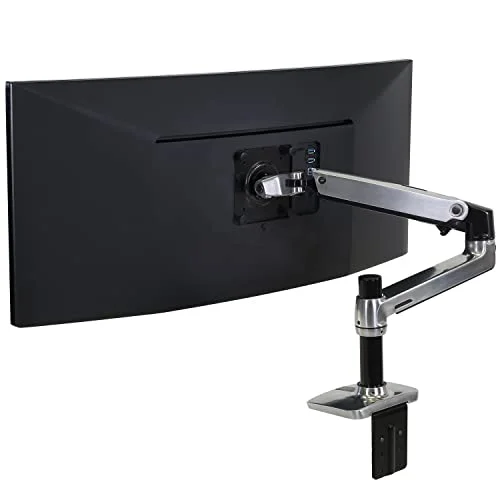
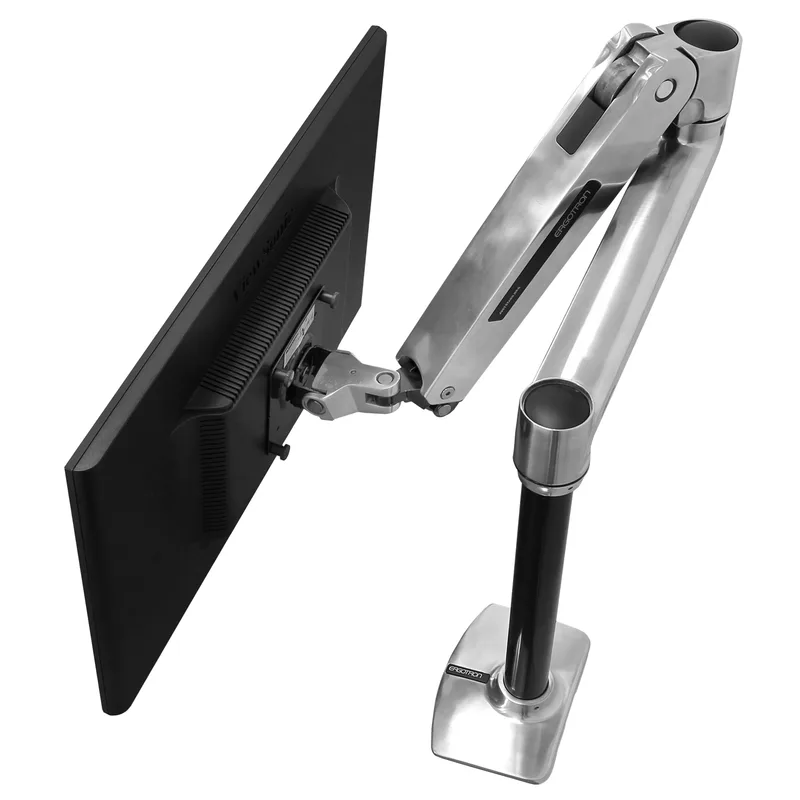
Ergotron LX Single Monitor Arm — Best Overall
If you take one action from this entire guide, make it this: raise your monitor so the top third of the screen sits at eye level. For most people using a desk stand, the monitor is far too low.
The Ergotron LX is the monitor arm that regularly appears on recommended lists — and for good reason. It’s not the cheapest option (the AmazonBasics rebrand of the same mechanism runs slightly less), but the 10-year warranty, smooth gas spring mechanism, and full range of motion justify the $214 price.
It clamps to the back of your desk in under 10 minutes and holds screens up to 34 inches. Once mounted, you can adjust height and angle with one hand in seconds — critical when you switch between sitting and standing, or when you want to tilt the screen for a video call.
The ergonomic target: top of the screen at eye level when sitting with your head upright and relaxed. Most people need to raise their monitor 3–6 inches from where it currently sits. The LX arm makes that adjustment trivial.
For more monitor arm options at different price points, see our best monitor arms for standing desks guide.
Fix 2: Laptop Users — Get Your Screen Off the Desk
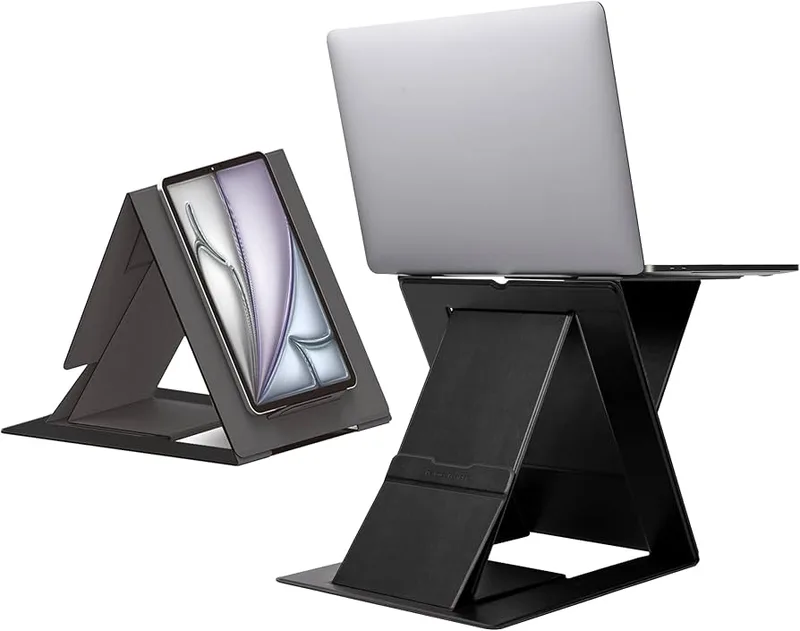
Rain Design mStand — Best Value for Laptop Users
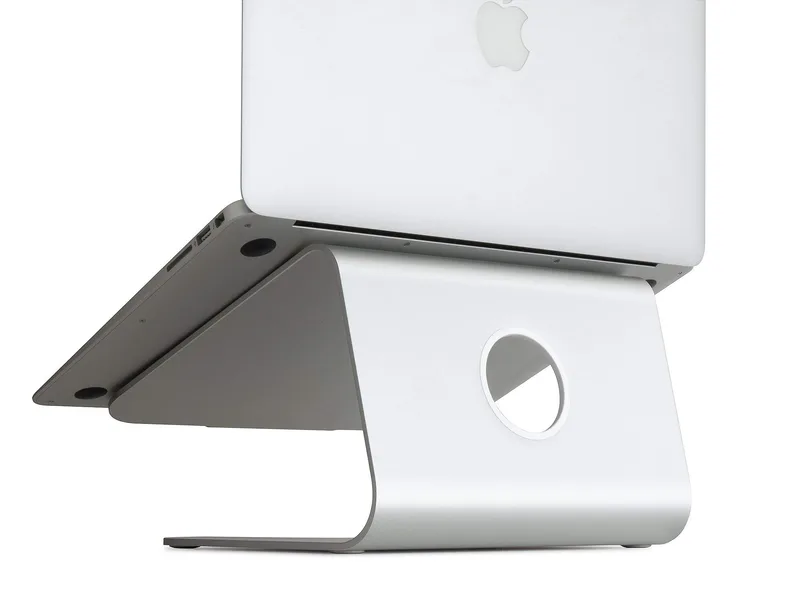
Laptops are ergonomically terrible by design. The screen and keyboard are physically connected, which means you can’t have both in the correct position at the same time. Either the screen is at eye level (keyboard is too high), or the keyboard is at the right height (screen is too low). Most people default to the latter, spending their entire workday with their neck tilted forward at 30–45 degrees.
The solution is simple: get a laptop stand and an external keyboard.
The Rain Design mStand is a single piece of machined aluminum that raises your screen 5.9 inches. For most desk setups, this gets the display close to eye level. At $48, it’s one of the most cost-effective ergonomic upgrades available.
There’s no adjustment — it’s a fixed height — but 5.9 inches is the right amount for the majority of seated workstation setups. The build quality is exceptional for the price. It doesn’t wobble, doesn’t flex, and the built-in cable management slot keeps USB cables tidy.
Pair it with any Bluetooth keyboard and you’ve converted your laptop into a proper ergonomic workstation for under $80 total.
Fix 3: Add Neck Support to Your Chair
Yooken Office Chair Headrest Attachment — Best Add-On Upgrade
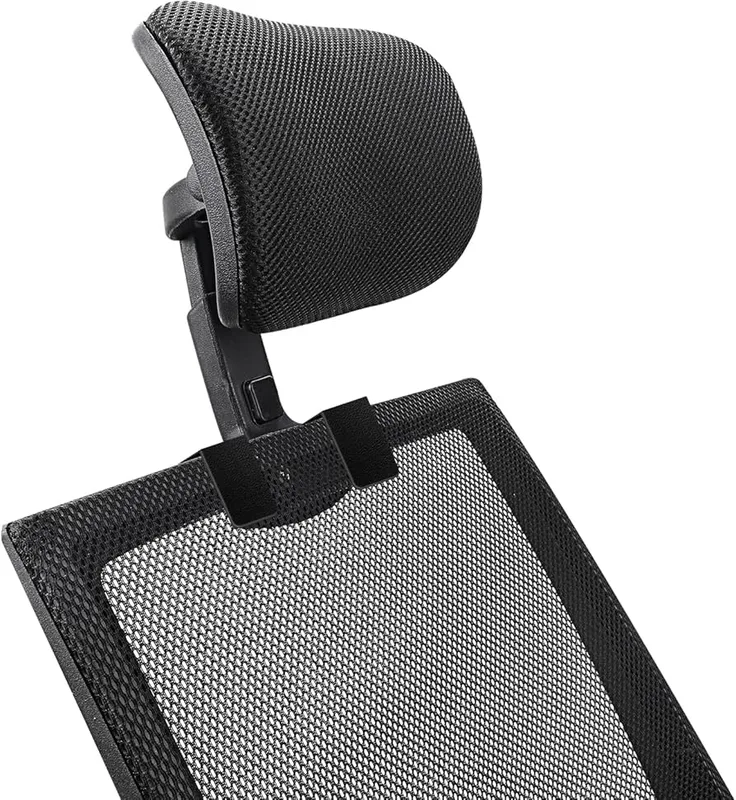
A chair with no headrest forces your neck muscles to hold your head up for your entire workday. Even if your monitor height is perfect, sustained muscle engagement without support leads to fatigue and pain.
If you have a good chair that just lacks a headrest, the Yooken headrest attachment is an inexpensive fix. It clamps to the top of most chair backrests — no drilling, no tools beyond what’s included — and provides both height and angle adjustment to position the support exactly where your head naturally rests.
The breathable mesh padding is noticeably better than solid foam for all-day wear. It won’t completely replace the feel of a high-quality built-in headrest, but it makes a measurable difference for necks that are currently getting zero support.
That said: if your current chair is genuinely uncomfortable, a headrest attachment is a band-aid, not a solution. Our best ergonomic chairs for neck pain guide covers chairs with built-in headrests at multiple price points.
Fix 4: Stop Craning Over Documents
Fellowes 21103 Desktop Copyholder — Most Overlooked Fix
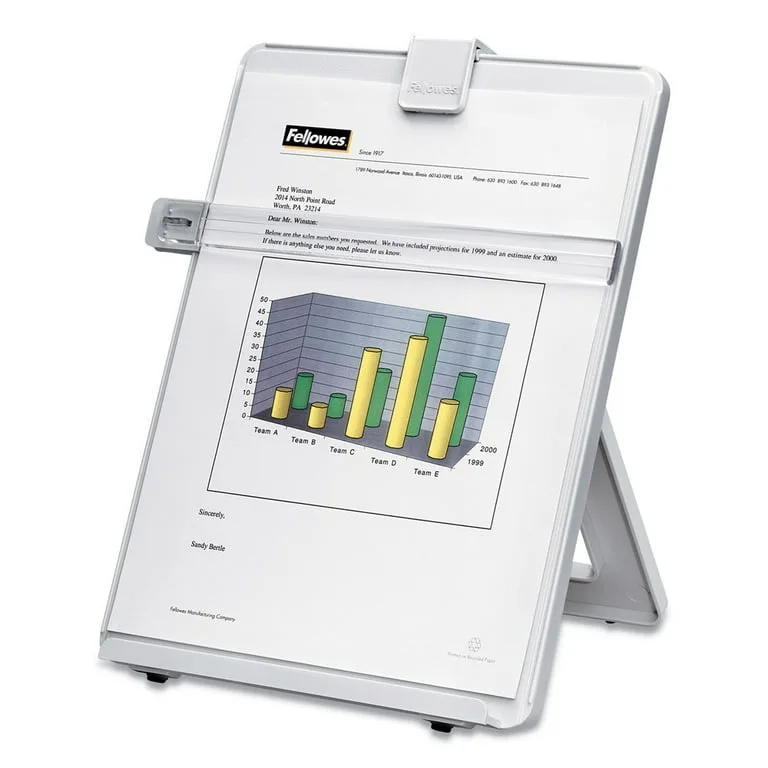
Here’s one people consistently overlook: if you’re frequently referencing printed documents, books, or notes while working, and those references are lying flat on your desk, you’re repeatedly looking down throughout the day. Over an 8-hour session, that adds up to significant neck load.
A document holder positions your reference material upright and at eye level, right beside or below your monitor. The Fellowes 21103 is a simple, functional option at under $20. It holds up to 125 sheets in portrait or wide-page orientation and includes a repositionable line guide that marks your place while you type.
Not glamorous. Not expensive. But if you work from printed materials regularly, it eliminates a consistent source of neck strain.
Fix 5: Retrain Your Posture with a Corrector

ComfyBrace Posture Corrector
Pros
- ✓ Gently pulls shoulders back, which automatically reduces forward head position and neck strain
- ✓ Lightweight enough to actually wear at your desk without distraction
- ✓ Works under a shirt — no one knows you're wearing it
- ✓ Lifetime warranty on a $25 product is a genuine differentiator
Cons
- ✗ This is a tool for building awareness, not a permanent fix — you still need to address root causes
- ✗ Can feel uncomfortable if worn longer than the recommended break-in period
- ✗ Sweats more than the mesh alternatives during warm months
ComfyBrace Posture Corrector — Best for Retraining Awareness
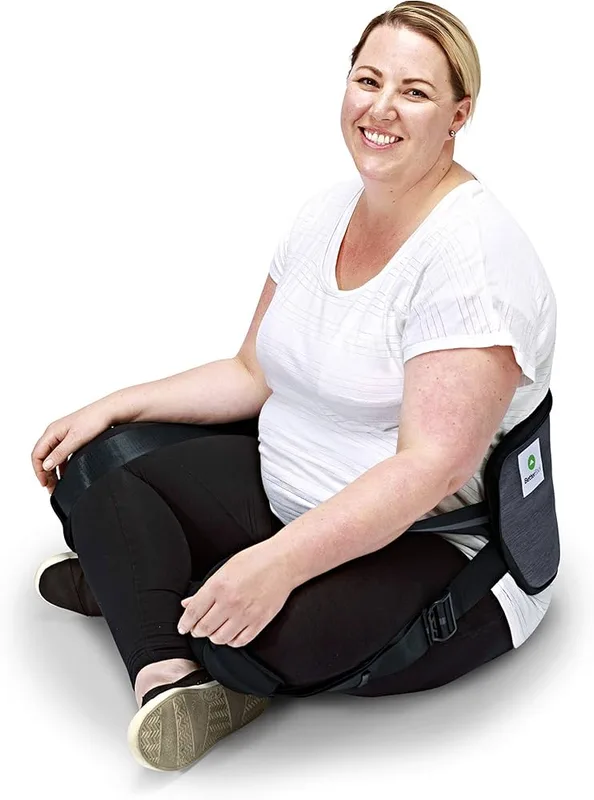
Forward head posture (the technical term for “tech neck”) is partly a setup problem and partly a habit problem. Even after you fix your monitor height, years of sitting with your head jutted forward means your body defaults back to that position without you noticing.
A posture corrector works as a tactile reminder. When your shoulders round forward and your head follows, you feel the resistance from the brace and unconsciously sit taller. Over time, this muscle memory builds up without the brace.
The ComfyBrace is a figure-8 clavicle brace that gently pulls your shoulders back. At $25 with a lifetime warranty, it’s worth trying. The key is using it correctly: start with 15–30 minutes at a time while seated, focus on the feedback it provides, and gradually build up wearing time. Wearing it all day from day one usually just creates shoulder discomfort.
This is a tool for developing awareness and building better habits — not a substitute for fixing the ergonomic root causes. Combine it with the monitor and chair fixes above for the best results.
For a broader comparison of posture corrector options, see our best posture correctors roundup.
Comparison: Neck Pain Fixes at a Glance
| Tool | Price | Who Needs It | Impact Level |
|---|---|---|---|
| Ergotron LX Monitor Arm | $165.99-$199.99 as of Oct 18, 2026 | Desktop monitor users | Very High |
| Rain Design mStand | $34.00-$39.90 as of Oct 18, 2026 | Laptop users | Very High |
| Yooken Headrest Attachment | Unavailable | Anyone without a chair headrest | Medium–High |
| Fellowes Copyholder | $18.58-$19.98 as of Oct 18, 2026 | Anyone who reads from paper | Medium |
| ComfyBrace Posture Corrector | $26.97 as of Oct 18, 2026 | People with forward head posture habit | Medium |
Ergonomic Setup: The Right Measurements
Getting the geometry right matters as much as the equipment. Here are the targets:
Monitor position:
- Top of screen at or just below eye level (so your gaze falls naturally to the center)
- 20–28 inches from your face (arm’s length is a useful quick check)
- Slight backward tilt of 10–20 degrees to reduce glare and match your natural viewing angle
Chair settings:
- Seat height so your feet rest flat on the floor (or on a footrest) and your knees are at ~90 degrees
- Lumbar support contacting the natural inward curve of your lower back
- Armrests at elbow height to take weight off your shoulders and upper traps
Keyboard and mouse:
- Positioned so your elbows are at approximately 90 degrees with wrists neutral
- Mouse close to the keyboard — reaching far right is a common shoulder and neck irritant
For a complete walkthrough of workstation geometry, see our ergonomic workstation setup guide.
Tech Neck from Phones and Tablets
Smartphones are a major contributor to neck pain that most people don’t address. The average person spends 3–5 hours daily looking at their phone, and nearly all of that time involves a dropped chin and forward head position.
A few practical changes:
- Raise your phone to eye level when reading — rest your elbow on a surface if needed
- Use voice-to-text for longer message composition instead of typing hunched over
- Set a phone-down distance — if you’re scrolling in bed, use a phone mount rather than holding it over your face
- Take your phone breaks standing up and hold the device at chest height minimum
This isn’t about quitting phones — it’s about changing the geometry of how you use them. Small angle changes add up over hours.
Movement Breaks: The Hourly Reset
No ergonomic setup eliminates the need for movement. Sustained static posture — even a perfect one — eventually causes fatigue and discomfort. The solution is regular microbreaks.
The 20-20-20 rule is well-known for eyes: every 20 minutes, look at something 20 feet away for 20 seconds. Apply similar logic to your neck.
Hourly neck reset (takes 90 seconds):
- Chin tucks: Gently pull your chin straight back (like you’re making a double chin). Hold 5 seconds, repeat 10 times. This reverses forward head position.
- Neck rolls: Slowly lower one ear toward one shoulder, hold 20 seconds, switch sides.
- Shoulder rolls: 10 full backward circles to release upper trap tension.
This isn’t physical therapy — it’s maintenance. Do it every hour and you interrupt the accumulation of tension before it becomes pain.
Frequently Asked Questions
How long does it take for ergonomic changes to relieve neck pain?
Most people notice improvement within 1–2 weeks of making proper monitor height and chair adjustments. Chronic tightness from years of poor posture takes longer — often 4–8 weeks of consistent better habits before the discomfort fully resolves. If pain is severe or getting worse, see a physiotherapist before assuming ergonomics alone will fix it.
Is a standing desk helpful for neck pain?
It depends on how you use it. Standing eliminates prolonged sitting but doesn’t automatically fix neck posture — many people stand with just as poor neck position as they sit. The monitor height rules apply equally when standing. The real benefit of a sit-stand desk is the alternation between positions throughout the day.
What’s the correct monitor height for neck pain relief?
The top of your monitor should be at or slightly below eye level when you’re sitting upright with your head in neutral position. The center of the screen should be roughly 15–20 degrees below horizontal gaze. Most desk-mounted monitors are too low; raising them 3–6 inches is the most common fix.
Can a cheap monitor riser replace a monitor arm?
A fixed riser works if it gets your monitor to the right height. The limitation is that you can’t fine-tune position, and you can’t adjust when your seating position changes. A monitor arm lets you set exact height and angle and readjust on the fly — worth the investment if you alternate between sitting and standing or share the workstation.
Should I use a neck support pillow at my desk?
A headrest on your chair is better than a neck pillow on the chair cushion. Headrests support the weight of your head directly; neck cushions placed at seat level are designed for travel, not active work. If your chair lacks a headrest, a clip-on attachment like the Yooken is a practical upgrade.
How do I know if my neck pain is from my desk setup vs. something else?
Desk-related neck pain typically: worsens throughout the workday, improves on weekends, is concentrated in the upper traps and cervical area, and correlates with screen time. Pain that radiates down the arm, causes tingling or numbness, or woke you from sleep warrants a medical evaluation — these symptoms can indicate nerve compression, not just muscle fatigue.
Bottom Line
Neck pain from desk work is overwhelmingly a geometry problem, not a medical one. Your head weighs 10+ lbs, and if your screen is too low, your chair has no head support, and you spend hours looking down at documents, your neck muscles are doing extra work every single day.
The fix is straightforward:
- Monitor at eye level — Ergotron LX arm for desktops, Rain Design mStand for laptops
- Head support — a headrest attachment if your chair lacks one
- Documents at eye level — a $19 copyholder if you work from paper
- Posture habit retraining — ComfyBrace for awareness building
- Movement every hour — the chin tuck and shoulder roll sequence above
Most people can address their desk-related neck pain for under $250 total — and that’s buying everything at once. The monitor arm alone, paired with 5 minutes of hourly movement, eliminates pain for a significant number of desk workers.
See also: Best Ergonomic Chairs for Neck Pain | Best Posture Correctors | Complete Ergonomic Workstation Setup Guide