Disclosure: PostureRanked is reader-supported. When you buy through links on our site, we may earn an affiliate commission at no additional cost to you. Our recommendations are based on independent research and testing.
| Product | Price | Rating |
|---|---|---|
| VIVO Monitor Riser | — | 8.6 |
| HUANUO Single Monitor Arm | — | 8.8 |
| SIHOO M18 Ergonomic Office Chair | — | 8.4 |
| VIVO Clamp-On Keyboard Tray | — | 8.2 |
| Everlasting Comfort Foot Rest | — | 8.4 |
| Quntis Monitor Light Bar | — | 8.8 |
PostureRanked is reader-supported. When you buy through links on our site, we may earn an affiliate commission at no additional cost to you. Learn more
Most Ergonomic Advice is Overcomplicated
You don’t need a $2,000 chair, a standing desk, and a special keyboard to stop hurting after work. You need your stuff positioned correctly. That’s it.
I spent years trying expensive gear before realizing the $15 fix (raising my monitor) did more for my neck than the $1,400 chair I bought first. Most ergonomic problems are positioning problems. Gear comes second.
Here’s everything that actually matters, in order of importance — plus specific product picks when spending money makes sense.
In a hurry? The single best investment for most people is a monitor arm or monitor riser to get your screen at eye level. Fix that one thing and half your aches disappear.
1. Monitor Height (The One Everyone Gets Wrong)
The top of your screen should be at or slightly below eye level. Not the middle of the screen. The TOP.
Most people put their monitors too low because the stock stand only goes so high. Then they tilt their head down 10-15 degrees for 8 hours and wonder why their neck hurts. That forward head tilt adds roughly 10 pounds of effective load on your cervical spine per inch of forward lean. Over an 8-hour day, that’s brutal.
If you use a laptop: You need an external monitor or a laptop stand. Period. Built-in laptop screens force your neck into 30-45 degrees of flexion. Your neck will hate you within weeks.
Quick test: Sit normally, close your eyes, look straight ahead, open your eyes. If you’re staring at the top third of your screen, you’re good. If you’re looking at the middle or bottom, raise the monitor.
The cheap fix
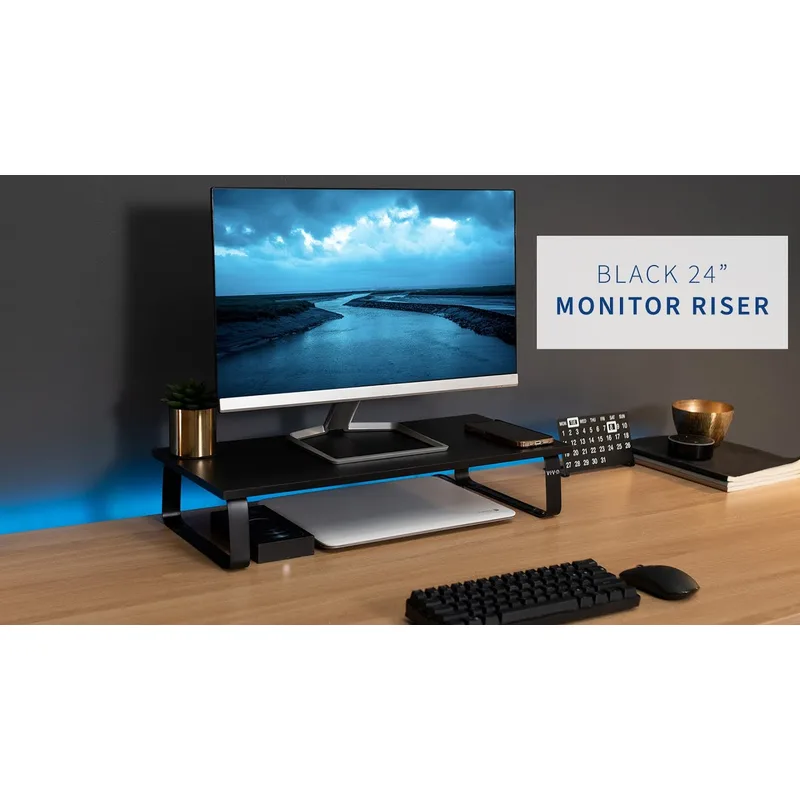
VIVO Monitor Riser
Pros
- ✓ Under $35 and holds heavy monitors
- ✓ Creates storage space underneath for keyboard/mouse
- ✓ Sturdy steel-and-wood construction
Cons
- ✗ Fixed height — not adjustable
- ✗ 24 inches wide may be narrow for ultrawide setups
Stack some books under your monitor. Seriously. It costs nothing and gets you 80% of the way there. If that works, upgrade to the VIVO Monitor Riser (~$35) for something that looks less like a college dorm hack. It holds up to 44 lbs and gives you storage space underneath.
The better fix
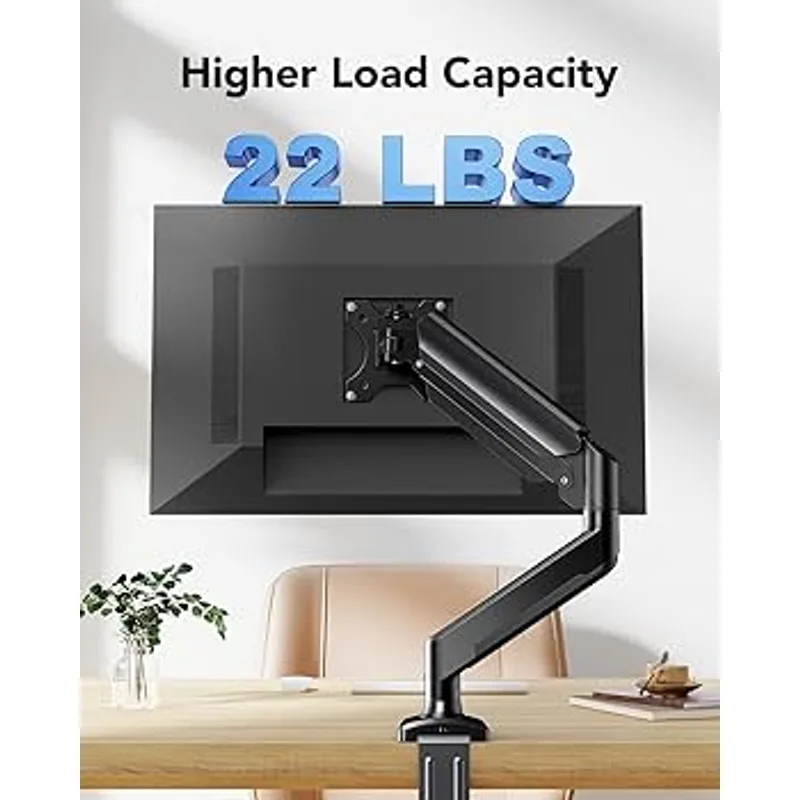
HUANUO Single Monitor Arm
Pros
- ✓ Gas spring mechanism for smooth, tool-free height changes
- ✓ Both C-clamp and grommet hardware included
- ✓ Full tilt, swivel, and 360-degree rotation
Cons
- ✗ 19.8 lb limit may struggle with heavier 32-inch panels
- ✗ Gas spring tension may loosen over time
A monitor arm like the HUANUO Single Monitor Arm (~$35-45) lets you adjust height, depth, and angle on the fly. Gas spring mechanism means no tools needed — just push it where you want it. It also frees up the desk space under your monitor, which matters if your desk is small.
Who should get which: If your monitor never moves, the riser is fine. If you switch between sitting and standing, share a desk, or want to push your monitor back for more desk space, get the arm.
2. Monitor Distance
Arm’s length. About 20-26 inches from your eyes.
If you lean forward to read, increase font sizes instead of moving the monitor closer. Leaning forward rounds your shoulders, compresses your chest, and strains your neck. On macOS, bump up the display scaling. On Windows, set it to 125% or 150%. Your eyes will thank you more than any monitor upgrade.
The real test: Can you sit back in your chair with your shoulders against the backrest and still read comfortably? If not, something’s wrong — either the monitor is too far, the text is too small, or you need glasses.
Dual monitors? Angle them in a slight V shape, centered on whichever screen you use most. If you use both equally, center the seam. The key is minimizing how far you turn your head. Constant neck rotation is just as bad as constant neck flexion.
3. Chair Height and Posture
Feet flat on the floor. Thighs parallel to the ground. That’s the baseline.
If your desk is too high for this, get a footrest. Don’t raise your chair until your feet dangle — that cuts off circulation and puts pressure on the backs of your thighs, which leads to numbness and restlessness.
If you’re under 5’6” and your desk is fixed at the standard 29-30 inches, a footrest isn’t optional. The Everlasting Comfort Foot Rest (~$35) works well here. It’s memory foam, so it conforms to your feet rather than forcing a fixed angle. Flip it over for a gentle rocking motion that keeps your legs from going static.
Do you actually need a new chair?
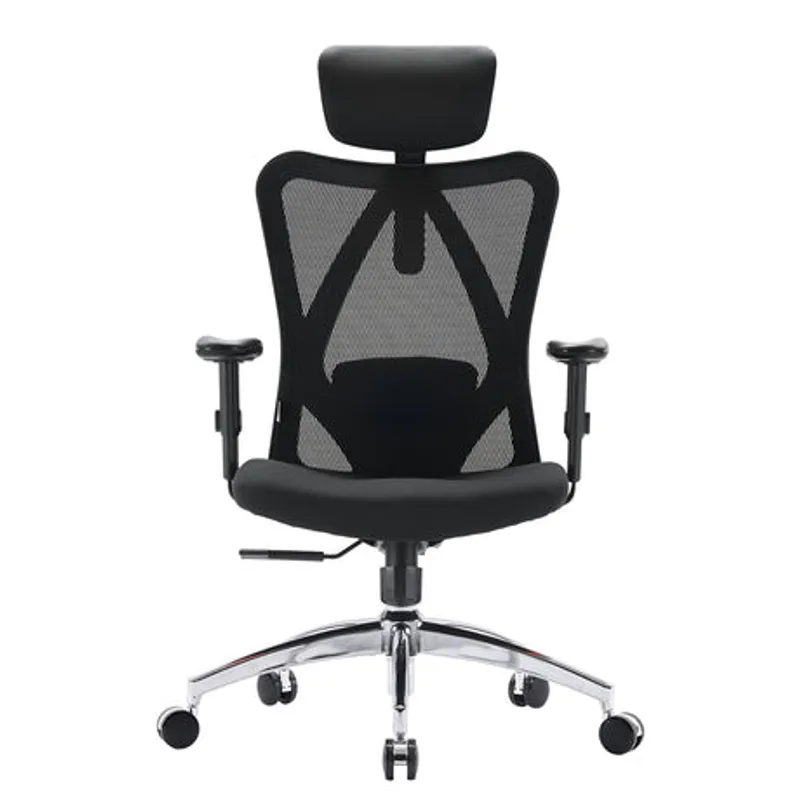
SIHOO M18 Ergonomic Office Chair
Pros
- ✓ Adjustable headrest, lumbar, armrests, and tilt lock under $200
- ✓ Mesh back keeps you cool during long sessions
- ✓ BIFMA certified with 330 lb capacity
Cons
- ✗ Foam seat (not mesh) can get warm
- ✗ 2D armrests lack forward/back slide of pricier chairs
- ✗ Assembly takes 20-30 minutes
Maybe not. A $300 chair adjusted correctly beats a $1,400 Aeron adjusted incorrectly. Start with positioning.
But if your current chair has no lumbar support, no height adjustment, or the cushion is flat as a pancake — yeah, it’s time. The SIHOO M18 (~$180) hits the sweet spot for people who want adjustable everything without spending $400+. You get adjustable headrest, lumbar, 2D armrests, and a tilt lock. The mesh back breathes well. It’s not a Herman Miller, but for under $200 it’s hard to beat.
Who should skip it: If you’re over 6’2” or over 250 lbs, look at something with a taller back and wider seat. The M18’s sweet spot is 5’6” to 6’2”.
4. Keyboard and Mouse Height
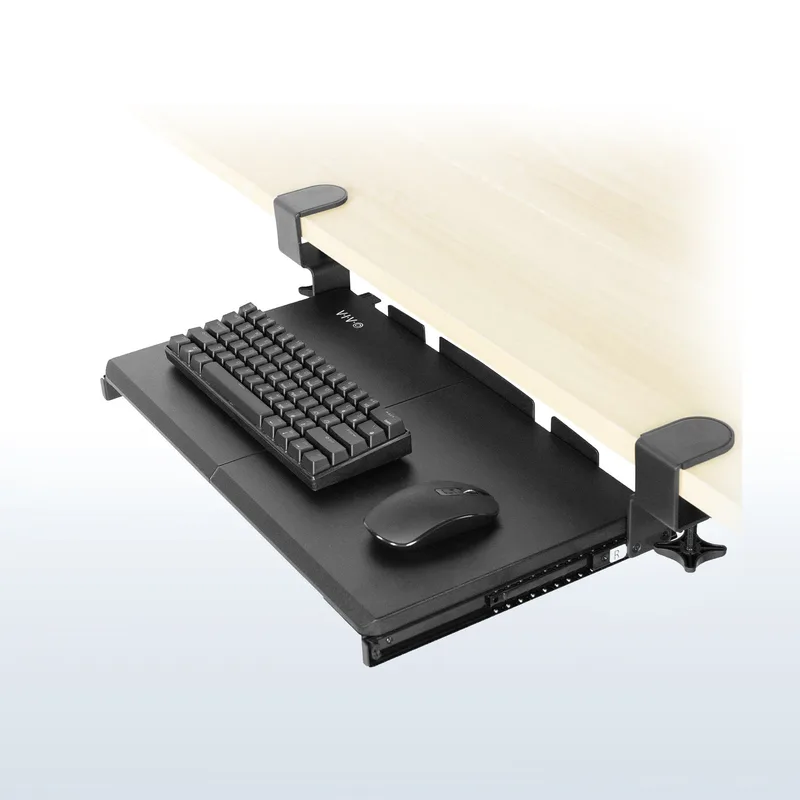
VIVO Clamp-On Keyboard Tray
Pros
- ✓ No drilling — clamp installs in minutes
- ✓ 27-inch tray fits full-size keyboard and mouse
- ✓ Smooth-gliding steel track
Cons
- ✗ Fixed height, no tilt adjustment
- ✗ 1.75-inch max desk thickness excludes some desks
Your elbows should bend at about 90 degrees with your shoulders relaxed. Not shrugged up. Relaxed. If you notice your shoulders creeping toward your ears while you type, your keyboard is too high.
Most desks are 29-30 inches high. Most people’s ideal typing height is 25-27 inches. The math doesn’t work. Here are your options, ranked by effectiveness:
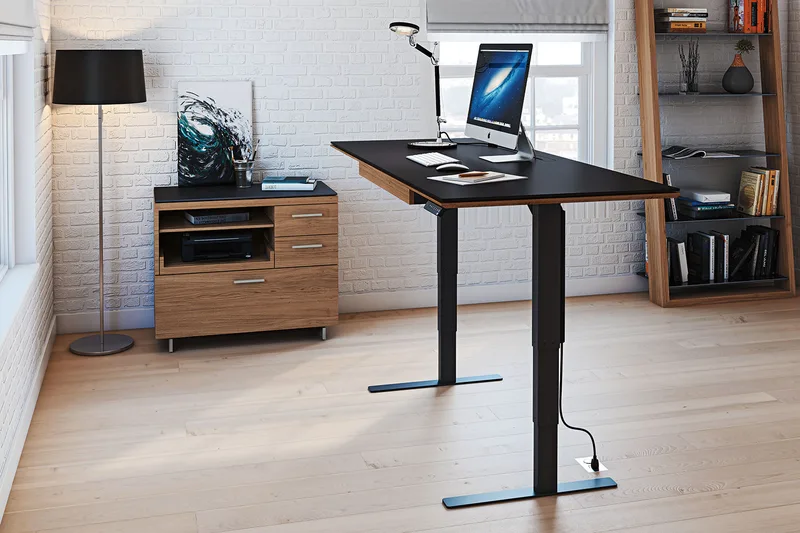
Adjustable standing desk: Drop the desk surface to your actual typing height. This is the cleanest solution if you already have one. Check our best standing desks roundup for options.
Keyboard tray: The VIVO Clamp-On Keyboard Tray (~$50) pulls out below the desk surface. No drilling required — the C-clamp installs in minutes. The 27-inch surface fits a full-size keyboard and mouse side by side. If you’re stuck with a fixed-height desk, this is the move.
Raise your chair + footrest: Works but creates a cascade. Higher chair means dangling feet, which means you need a footrest, which means more stuff under your desk. Functional but awkward.
5. Don’t Rest Your Wrists While Typing
Those wrist pads? They’re for resting BETWEEN typing sessions, not during. Pressing your wrists down while typing bends them upward (extension) and compresses the carpal tunnel. That’s literally how you get carpal tunnel syndrome.
Float your wrists while typing. Rest them on the pad when you pause. The distinction matters.
Your mouse matters too. If you death-grip your mouse or plant your wrist on the desk while mousing, you’re loading the same tendons. Keep your wrist neutral — not bent up, not bent down, not twisted sideways. A vertical mouse helps some people, but proper positioning helps everyone.
6. The 20-20-20 Rule (Actually Do This)
Every 20 minutes, look at something 20 feet away for 20 seconds.
This isn’t pseudoscience. Your ciliary muscles lock up when focused on a close object for too long. Looking at something distant allows them to relax. 20 seconds is the minimum time needed for the muscles to actually release tension. Ophthalmologists recommend this as the single best prevention for digital eye strain.
Set a timer. Most operating systems have focus/break reminder apps built in. Or use a free app like Stretchly. The first week feels annoying. After that, it becomes automatic.
Things That Matter Less Than You Think
Fancy ergonomic chairs: Positioning first, gear second. Always. A properly adjusted $200 chair does more than a misadjusted $1,400 one. Not sure whether a posture corrector or an ergonomic chair is the better first step? Our Posture Corrector vs Ergonomic Chair comparison covers which approach actually works.
Standing desks: Standing isn’t better than sitting. Alternating is better than either. If you stand all day, you’ll get plantar fasciitis, varicose veins, and low back fatigue. Standing desks are tools for movement, not standing. See our standing desk vs. converter comparison for more. The research on how long to stand each day is covered in how long to stand at a standing desk, and the proven health benefits are detailed in our standing desk benefits research guide.
Ergonomic keyboards: Unless you already have wrist pain, a regular keyboard is fine. Position matters more than shape. Split keyboards help some people, but they’re not magic.
Monitor arms: Nice to have. Not essential. A $15 monitor riser or a stack of books works if height is your only issue. Arms are worth it when you need flexible positioning — sitting/standing combos, dual monitors, or limited desk space.
Things That Matter More Than You Think
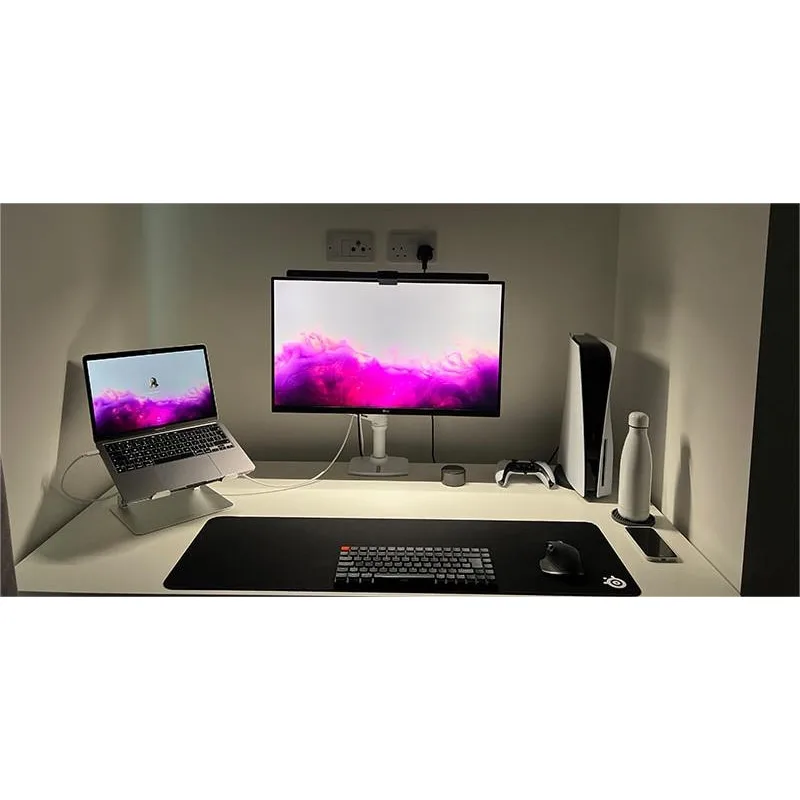
Quntis Monitor Light Bar
Pros
- ✓ CRI >98 — near-perfect color rendering
- ✓ Asymmetric optics light the desk without screen glare
- ✓ Auto-dimming sensor adjusts to ambient light
Cons
- ✗ Touch controls only, no remote
- ✗ Needs a powered USB port or adapter
Lighting: Bad lighting causes eye strain, headaches, and fatigue faster than any other environmental factor. Position your desk perpendicular to windows — not facing them (glare), not with your back to them (screen reflections).
The Quntis Monitor Light Bar (~$40) is the best $40 lighting upgrade you can make. It clips to the top of your monitor and lights your desk without any glare on the screen. The asymmetric optics are specifically designed for this. CRI over 98 means colors look accurate, and the auto-dimming sensor adjusts brightness to your room. No desk lamp can match that combination at this price.
Movement: No position is good for 8 hours. Not sitting. Not standing. Stand up every 30-60 minutes even if you don’t have a standing desk. Walk to the kitchen. Do a lap around the room. Micro-movements throughout the day matter more than any single “correct” posture.
Sleep: Showing up to your workstation exhausted guarantees bad posture. No amount of ergonomic equipment fixes fatigue-induced slouching. Your body defaults to the lowest-energy position when tired, and that position is always bad for your spine.
Recommended Gear Comparison
| Product | Price | Best For | Key Feature | Rating |
|---|---|---|---|---|
| VIVO Monitor Riser | ~$35 | Budget monitor height fix | 44 lb capacity, storage underneath | 4.3/5 |
| HUANUO Monitor Arm | ~$40 | Flexible monitor positioning | Gas spring, full articulation | 4.4/5 |
| SIHOO M18 Chair | ~$180 | Budget ergonomic seating | Adjustable headrest, lumbar, armrests | 4.2/5 |
| VIVO Keyboard Tray | ~$50 | Fixed-height desk solution | No-drill clamp, 27-inch surface | 4.1/5 |
| Everlasting Comfort Foot Rest | ~$35 | Short users / high desks | Memory foam, dual-mode (flat/rocker) | 4.2/5 |
| Quntis Light Bar | ~$40 | Desk lighting without glare | CRI >98, auto-dimming sensor | 4.4/5 |
Buying Guide: What to Look For
Monitor risers and arms
- Weight capacity must exceed your monitor’s weight (check the spec sheet — a 27-inch panel is typically 10-15 lbs)
- VESA compatibility if you’re getting an arm — nearly all monitors use 75x75mm or 100x100mm patterns
- Desk clamp thickness — measure your desk edge before buying. Most arms max out at 3-3.5 inches
Chairs
- Adjustable lumbar support is non-negotiable. Fixed lumbar is better than nothing, but adjustable lets you dial it in
- Seat depth matters if you’re short. Your back should touch the lumbar support without the seat edge pressing behind your knees
- Mesh vs. foam — mesh breathes better but some people find it less cushioned. Personal preference
Keyboard trays
- Width — at least 27 inches if you want keyboard and mouse on the same surface
- Desk thickness compatibility — measure first, buy second. Many trays max out at 1.5-1.75 inches
Footrests
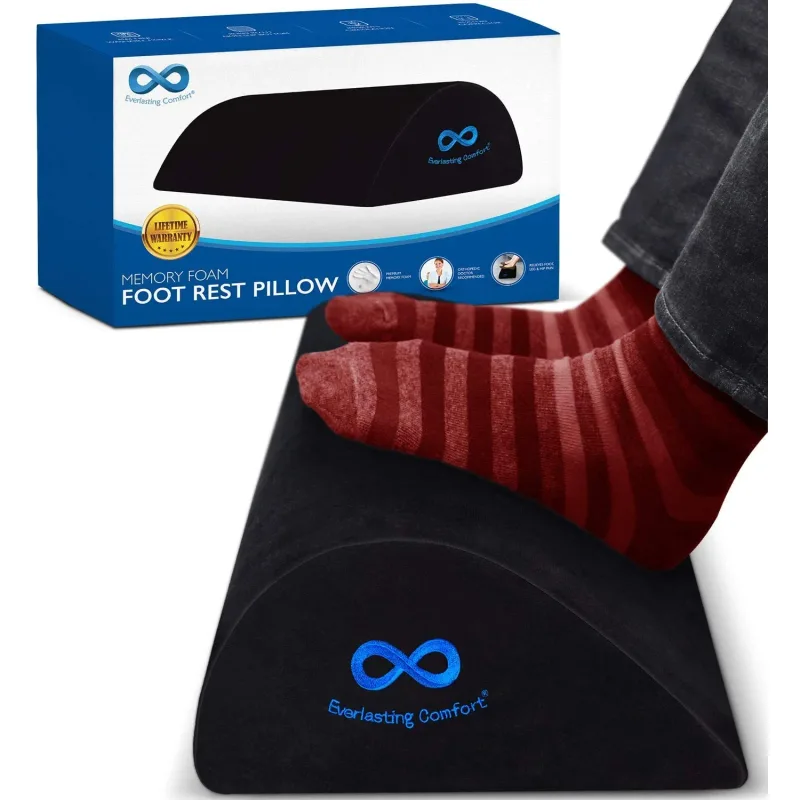
Everlasting Comfort Foot Rest
Pros
- ✓ Flip it for flat support or gentle rocking
- ✓ Memory foam conforms to your feet
- ✓ Machine-washable cover
Cons
- ✗ Foam compresses after 1-2 years of daily use
- ✗ Slides on hard floors — better on carpet
- Adjustable angle is ideal but not critical. Even a flat platform helps
- Anti-slip base if you have hard floors. Foam rests slide on wood and tile
FAQ
How much should I spend on an ergonomic setup?
Start at $0. Reposition what you already have — raise your monitor with books, adjust your chair height, sit with your back against the backrest. If problems persist after a week of correct positioning, spend on the specific thing that’s still wrong. Most people can solve 80% of their issues for under $100 total. A monitor riser ($35) and a footrest ($35) handle the two most common problems.
Is a standing desk necessary for good ergonomics?
No. A standing desk is a tool for alternating positions, not a replacement for sitting. Plenty of people work pain-free at regular desks with proper positioning. If you want one, great — but don’t buy a $500 desk thinking it’ll fix problems caused by a monitor that’s 6 inches too low. See our standing desk setup guide for more detail. If back pain is driving your interest in standing, our guide on whether standing desks help back pain covers the research honestly.
How often should I take breaks from my desk?
Every 30-60 minutes, stand up and move for at least 2-3 minutes. Every 20 minutes, do the 20-20-20 rule for your eyes. These aren’t aspirational goals — they’re the minimum for avoiding cumulative strain. If you can’t remember, use a timer app. The built-in screen time features on macOS and Windows both support break reminders.
What’s the single most impactful ergonomic change?
Monitor height. It’s not close. Getting the top of your screen at eye level eliminates the most common source of neck and upper back pain in office workers. It’s also the cheapest fix — books cost nothing, a riser costs $35, and a monitor arm costs $40. Everything else is secondary.
Can ergonomic equipment actually prevent injury?
Equipment alone doesn’t prevent anything. Correct positioning prevents injury. Equipment makes correct positioning easier to achieve and maintain. A $200 chair with proper adjustments will protect you better than a $1,400 chair that you never adjust. The gear is a means to an end, not the end itself.
Should I get an ergonomic assessment?
If you’ve optimized your positioning and still have persistent pain, yes. Many employers cover ergonomic assessments. A physical therapist or certified ergonomist can spot issues you might miss — like a leg length discrepancy or a habit of crossing your legs that no amount of gear will fix.
The Bottom Line
Ergonomic setup is simpler than the internet makes it sound. Five things matter: monitor at eye level, monitor at arm’s length, feet flat on the floor, keyboard at elbow height, and regular breaks. For a comprehensive guide covering every element of your office — desk, chair, monitor, lighting, and accessories — see the Complete Ergonomic Workspace Setup Guide.
If you’re starting from scratch on a budget: Get the VIVO Monitor Riser and the Everlasting Comfort Foot Rest. That’s $70 total and fixes the two most common problems — monitor too low and feet dangling.
If you want the best single upgrade: The HUANUO Monitor Arm at ~$40 gives you infinitely adjustable monitor positioning and reclaims desk space. It’s the one product I recommend to everyone.
If you’re ready for a full overhaul: All six products in our comparison table total around $380. That gets you a properly positioned monitor, an ergonomic chair, correct keyboard height, a footrest, and lighting that won’t fry your eyes. That’s less than a single premium office chair — and it covers every major ergonomic base.
Don’t buy a $600 chair to fix problems that a $35 monitor riser would solve. Start with positioning. Upgrade selectively. Your body will tell you what’s actually working.
Related Guides
Cluster 4: Standing Desk Guides
These guides go deeper on the standing desk topics touched on above:
- Standing Desk Benefits Research — the science behind sit-stand work
- Do Standing Desks Help Back Pain? — honest look at the evidence
- How Long Should You Stand at a Standing Desk? — optimal sit-stand ratios by research
- Standing Desk Wobble Fix — diagnose and solve desk instability
- Best Budget Standing Desk Setup — complete ergonomic setup under $500
Shop by Category
Ready to buy? These roundups cover every category mentioned in this guide:
- Best Standing Desks — our top picks across every budget
- Best Ergonomic Desk Chairs Under $500 — chairs that actually fit
- Best Desk Accessories for Remote Work — the complete accessories guide
- Complete Remote Work Setup Guide at SetupRanked — monitors, webcams, and home office tech