
You sit at one desk on Tuesday and a completely different one on Wednesday. The chair is set for someone else, the monitor is a few inches too low, and by Thursday your neck has opinions. That is hybrid work ergonomics in practice: two imperfect setups instead of one good one.
It is a common arrangement now. An April 2026 report from the ergonomics firm Colebrook Bosson Saunders, “Beyond the Screen: The Hidden Challenges of Laptop-Based Hybrid Work,” focuses on exactly this laptop-between-locations pattern, and it’s the reason a lot of people end up with a worse setup than they’d accept at a single desk.
Quick pick: buy one adjustable laptop stand that travels with you, a lumbar cushion that follows your chair, and leave everything else duplicated in place. The Lamicall Foldable Laptop Stand is the one carry item I’d start with.
The Core Rule: Duplicate What’s Big, Carry What’s Small
Two workspaces means two sets of gear, but not two of everything. Sort every item by weight and by how much it changes your posture.
Duplicate (leave at each location): the keyboard, the mouse, the external monitor, and the laptop stand if it’s cheap. These are the things that set your arm and neck position, and hauling them daily is how they end up left on the train.
Carry (small, high-impact): a folding stand, a lumbar cushion, and your own charger and hub. They weigh little and fix the biggest differences between chairs and tables.
Don’t bother with: a full chair, a desk, or anything that needs a car.
If your office offers hot desks, ask what’s there before you buy. Many have a monitor and a height-adjustable surface already, which cuts what you need to carry.
Match the Numbers, Not the Furniture
You can’t make an office chair identical to your home one. You can make the settings identical. Write down your home measurements once, on your phone:
- Seat height, so your feet are flat and knees sit around 90 degrees
- Desk or keyboard height, so your elbows stay near 90 degrees
- Screen height, so the top of the display sits at or slightly below eye level
- Distance from your eyes to the screen, roughly an arm’s length
At the other location, adjust to those numbers. Don’t accept the default. Five minutes on a Monday morning beats a sore back by Friday. Our remote work ergonomics checklist walks through each of these in more detail.
The Carry Kit
A Folding Laptop Stand
A laptop on a flat table puts the screen low and drags your head forward. This is the single biggest fix for a laptop-only workspace, and it only works if you also have a separate keyboard and mouse, because raising the screen puts the keyboard out of reach otherwise.
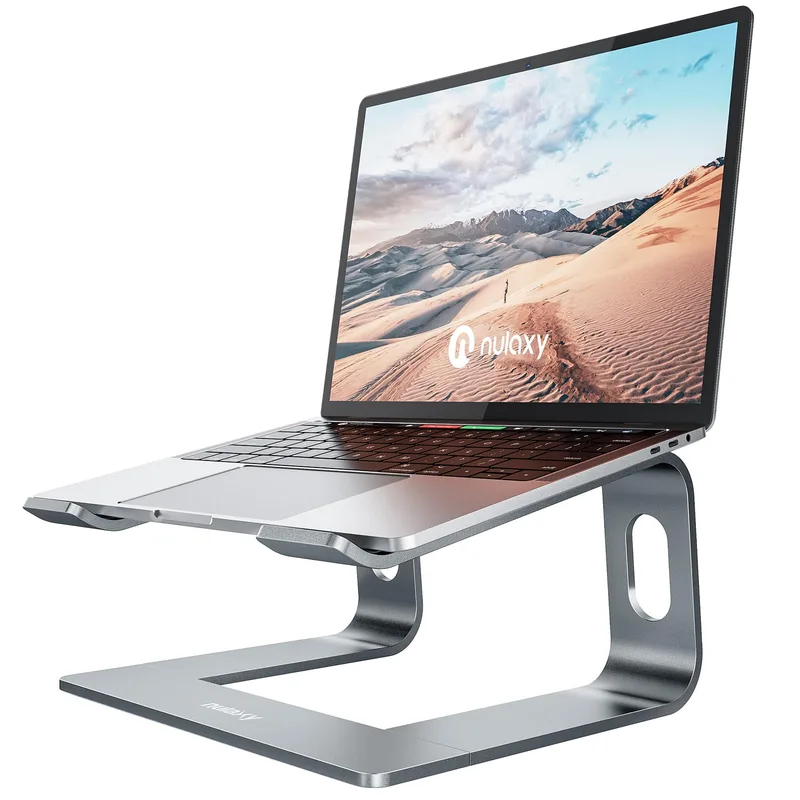
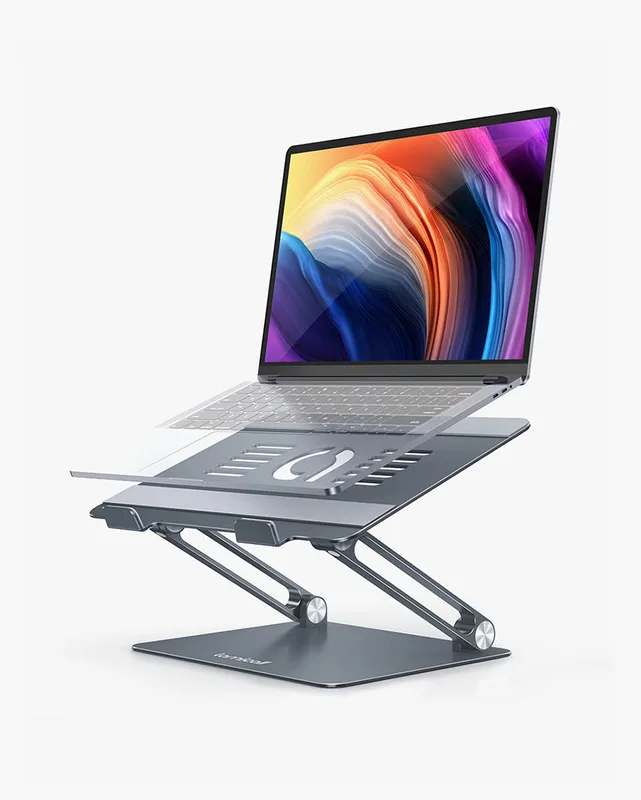
The Lamicall Foldable Laptop Stand is the adjustable option: multiple height positions mean it adapts to whichever table and chair you’ve landed at. The Nulaxy C3 is cheaper and fixed at seven inches. At that price, it makes more sense to buy one and leave it at the second location than to carry it. For more options, see our laptop stands roundup and the wider laptop accessories guide.
A Lumbar Cushion That Moves With You
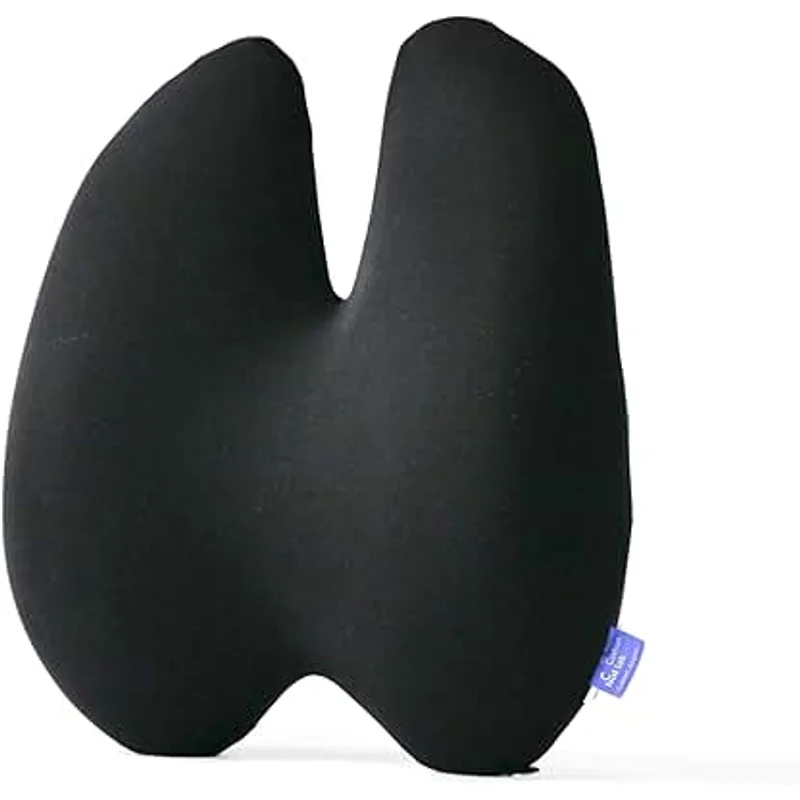
Office chairs at shared workspaces vary wildly. A strap-on cushion is the cheapest way to make an unfamiliar chair fit your lower back. The Everlasting Comfort pillow suits a permanent home chair; the Samsonite is the more practical one to carry, since it also works in a car seat. See best lumbar support cushions for the full field.
A Way to Stand

If one location has a fixed-height desk, a folding riser gives you a standing option. The DesignNest Levit8 is a budget version that folds flat. It’s laptop-only and fixed height, so think of it as a way to change position for an hour, not a full standing setup. If you want something sturdier, our portable standing desks roundup covers heavier, taller options.
The Mouse and Keyboard
A separate keyboard and mouse matter more than any stand. For smaller hands, start with our ergonomic mice for small hands picks. A compact wireless keyboard and mouse that fit in a bag are worth carrying if the other workspace doesn’t provide good ones.
Pairing It With the Home Setup
Your fixed home workspace is where you can spend properly. A dual monitor arm fixes screen height permanently, and a footrest helps if your chair is too tall for your desk. Short on room? Our small apartment WFH guide covers fitting it all in.
Buying Guide: What to Prioritize
- Adjustability over price. At a workspace you don’t control, a stand that changes height beats a fixed one.
- Weight and pack size. If it doesn’t fit in your usual bag, you’ll leave it at home. Prefer items that fold flat.
- Duplicate the cheap, carry the light. Anything under about 20 dollars that you use daily is a candidate to buy twice.
- Fix the screen first. Screen height has the largest effect on neck strain. Chair and lumbar come second.
Frequently Asked Questions
Do I need two full ergonomic setups for hybrid work?
No. Duplicate the large, cheap items (keyboard, mouse, stand) and carry the small ones (lumbar cushion, charger). Match your seat, desk and screen heights from a saved list of numbers instead of buying matching furniture.
What should I carry between home and the office?
A folding laptop stand, a lumbar cushion, and your own charger or hub. Anything heavier is usually better duplicated.
Is a laptop stand enough on its own?
Not by itself. Raising the screen means the keyboard moves out of reach, so you need a separate keyboard and mouse as well.
How do I deal with a hot desk chair I can’t change?
Adjust every lever it has to match your saved numbers, then add a strap-on lumbar cushion for the lower back. If it has no seat height adjustment, a footrest or a different chair is worth requesting.
Should I buy a portable standing desk?
Only if you have a fixed-height desk at one location and want to change position. A small fold-flat riser is a cheap way to test whether you use it before spending more.
Bottom Line
Hybrid work doesn’t need two perfect offices. It needs the same measurements in both places. Start with the Lamicall Foldable Laptop Stand, add a lumbar cushion to match your chair, and duplicate the cheap items instead of hauling them. Spend your real money on the home setup you use most.