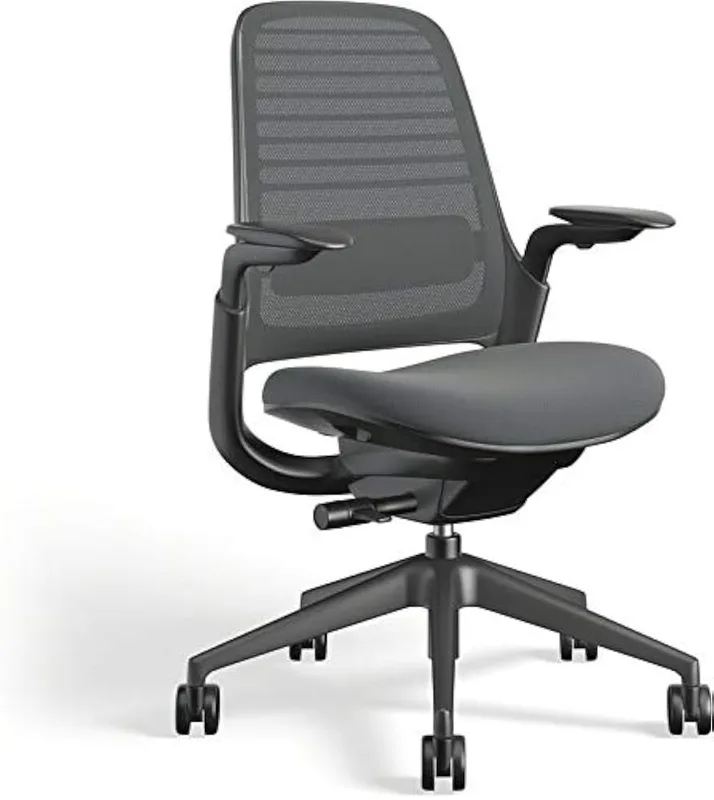
Walk into any office furniture showroom in 2026 and you’ll find chairs with posture sensors, AI-powered adjustment guides, and app connectivity. Smart seating has arrived. But here’s the problem: most buyers are still getting tripped up by the basics — wrong lumbar type, wrong seat depth, arms that don’t adjust where they need to. No app fixes a chair that doesn’t fit your body.
This guide cuts through the spec sheet noise. At $250 or $1,500, the same core questions apply. Get them right, and any decent chair becomes genuinely comfortable. Get them wrong, and even a $1,500 Herman Miller will leave you with a sore back by 3 PM.
In a hurry? The Herman Miller Aeron is the best chair most people can buy if budget isn’t a constraint. The Branch Ergonomic Chair is our pick for value — serious ergonomics at a fraction of the price.
Lumbar Support: The Feature Everyone Gets Wrong
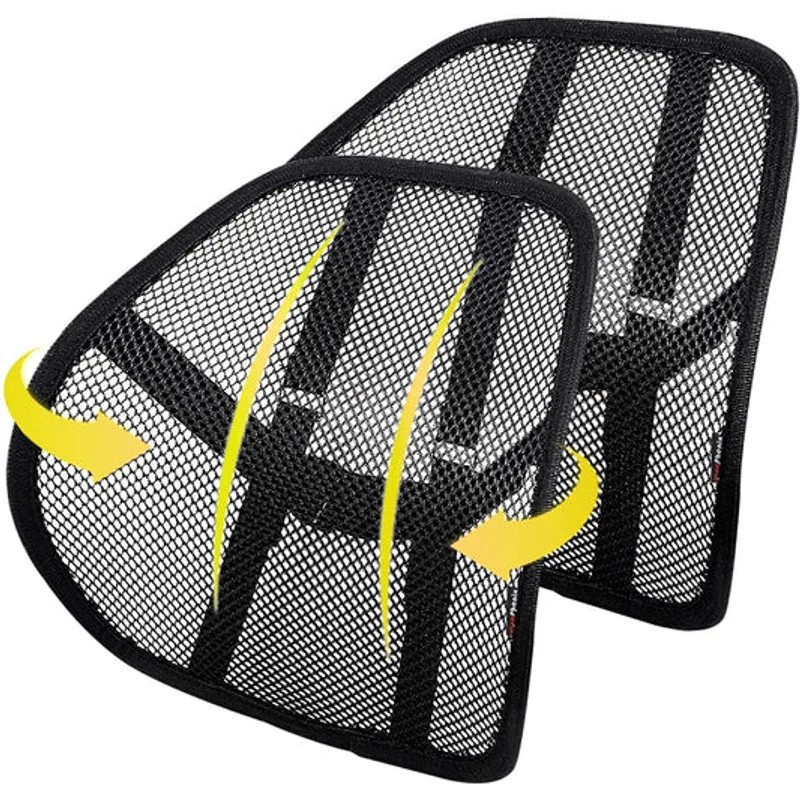
Lumbar support is the most marketed feature in ergonomic chairs — and the most misunderstood. Here’s what actually matters.
Adjustable lumbar means you can move it up or down, in or out, or both. This is what you want. Your lumbar curve is unique to your spine, and a fixed pad positioned 2 inches too low does nothing except push into your lower back uncomfortably.
Fixed lumbar is built into the chair’s backrest at a set height. Fine for some bodies; wrong for many others. Budget chairs often fall here, which is why they feel uncomfortable to half the people who try them.
Air lumbar (inflatable bladder) is common in gaming chairs and some task chairs. The inflation mechanism lets you increase or decrease pressure. Better than fixed, but air lumbar tends to position support further down the back (sacral area) rather than true lumbar, which sits higher.
Two-zone lumbar — what the Herman Miller Aeron’s PostureFit SL delivers — supports both the lumbar curve and the sacrum separately. The sacrum is the triangular bone at the base of the spine. Most chairs ignore it. Maintaining the natural S-curve of the whole lower back, not just the lumbar alone, is what makes all-day sitting tolerable.
What to look for: Height-adjustable lumbar with at least some depth adjustment. If you’re 5’4” and the lumbar hits you in the mid-back, it’s wrong for you no matter how good the rest of the chair is.
See also: The Complete Guide to Ergonomic Chairs for Lower Back Pain Relief
Seat Depth and Seat Pan Tilt
These two features get almost zero attention in marketing copy but have an outsized effect on comfort.
Seat depth (also called seat slider or seat depth adjustment) lets you move the seat forward or back relative to the backrest. The goal: your knees should hang at roughly 90 degrees, with 2–4 fingers of clearance between the edge of the seat and the back of your knees. For tall users (6’+), most chairs will cut off circulation at the knee without a seat slider. Short users (5’4” and under) often sit with their feet dangling unless the seat slides forward to bring the front edge closer.
Seat pan tilt (or forward tilt) allows the front of the seat to angle downward slightly, opening your hip angle past 90 degrees. This reduces pressure on the lower back and keeps the pelvis in a more neutral position. It’s particularly useful if you lean forward to type or draw. Not every chair offers this, but it’s worth having on chairs you’ll use for 6+ hours daily.
Related guides: Best Ergonomic Chairs for Short People | Best Ergonomic Chairs for Tall People
Armrest Types: 2D, 3D, and 4D Explained
Armrests directly affect neck and shoulder tension, so this isn’t a minor detail.
- 2D armrests: Adjust height and width only. Fine for general use; not ideal for varied desk setups.
- 3D armrests: Add pivot (rotating the pad inward or outward). Better for angled typing positions or if you use a keyboard tray.
- 4D armrests: Add depth (sliding the pad forward or back). This is the sweet spot for most serious desk users. Moving the arm forward positions it correctly under your elbows for close typing or a reclined position.
On the Herman Miller Aeron and Steelcase Leap V2, 4D arms come standard. On the Branch Ergonomic Chair, you get 3D. On budget chairs like the HON Ignition 2.0, 3D arms are common — a reasonable trade-off at that price.
The one test that matters: Sit in your normal typing position, drop your shoulders, and let your elbows rest. If the armrests put your shoulders at neutral — not hunched up or dropped — the arms are set correctly. Most neck pain from chairs comes from arms that are too high.
Recline Mechanisms: Synchro-Tilt vs Independent Back Angle
How a chair reclines affects posture more than people realize.
Synchro-tilt is the standard on mid-range chairs. As you recline the backrest, the seat also tips back, but at a slower ratio (typically 2:1 or 2.5:1 — the seat moves half as much as the back). This keeps you from sliding forward in the seat as you lean back. The HON Ignition 2.0 uses advanced synchro-tilt, as do most mid-range chairs in this category.
Free float lets the chair move with you dynamically. You don’t lock a position — the chair follows your body weight. This is what makes chairs like the Humanscale Freedom feel effortless, though some users dislike not having a fixed recline angle.
Independent back angle is the most sophisticated option and appears on the Steelcase Leap V2. You can change the angle of the backrest without changing the seat angle at all. Recline the back while keeping the seat flat, or combine both adjustments. If you spend hours switching between typing and reading, this is meaningful.
Tilt tension (or tilt limiter) controls how much resistance you feel when you lean back. Set too light, the chair reclines at a touch. Set too heavy, you can’t recline at all. The right setting: you can lean back with moderate body weight, not just finger pressure.
Weight Limits and Sizing
Weight capacity is the structural limit of the chair’s frame and cylinder, not a comfort threshold. A 280 lb person in a 300 lb chair is fine from a safety standpoint, but a 350 lb person in that same chair risks premature cylinder failure.
Chairs with 400 lb capacity — like the Steelcase Leap V2 and Steelcase Series 1 — are not just for heavier users. They’re typically built to a higher structural standard across the board.
Chair sizing matters most on a few premium chairs that come in multiple sizes:
- Herman Miller Aeron comes in Size A (small), B (medium, fits most adults 5’3”–6’0”), and C (large, 6’0”+). The right size affects armrest positioning and seat pan fit as much as height.
- Most other chairs adjust via cylinder height and are sized for 5’0”–6’2” adults without multiple size variants.
If you’re outside the typical size range, see our guides on chairs for tall people and chairs for short people.
Material Differences: Mesh vs Foam vs Fabric
Suspension mesh (like the Aeron’s 8Z Pellicle or Steelcase’s mesh options) conforms to your body shape, distributes pressure across a larger surface area, and runs cooler than foam. High-quality mesh doesn’t sag the way cheap versions do — the Aeron’s mesh has a 12-year warranty for a reason.
Open-cell foam is common in mid-range chairs. It feels plush initially but compresses over years. After 3–5 years, many foam seats lose their ergonomic benefit even if the chair frame is fine. This is a known limitation of chairs in the $200–$500 category with foam-padded seats.
Fabric over foam is the Steelcase Leap V2’s approach. The fabric holds up better than foam alone and the Leap’s seat is notably durable — owners report good condition after 10+ years. The trade-off is that fabric seats retain heat more than mesh.
For back support, mesh wins for all-day comfort in warm environments. For seat cushion, foam feels better initially; mesh and fabric hold up longer.
Budget Tiers: What You Actually Get
Under $300 — The Branch Ergonomic Chair
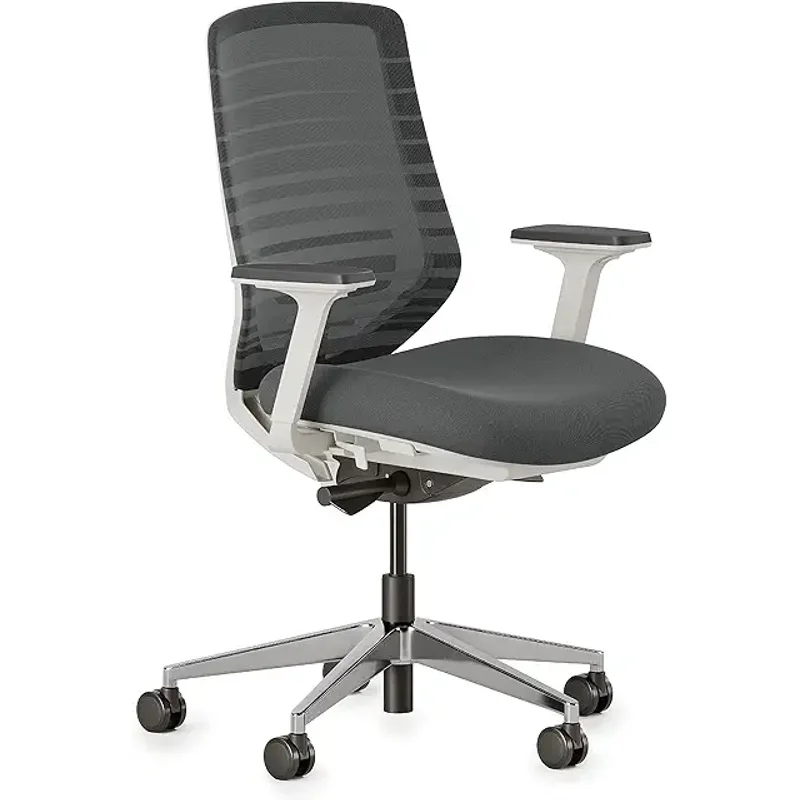
The Branch Ergonomic Chair ($299) is what we’d actually recommend to most people who don’t want to spend over $300. It has a 7-year warranty, a genuinely good adjustable lumbar, breathable mesh back, and 3D arms. It lacks seat depth adjustment and the armrests don’t have depth control — both limitations are real at this price. But the build quality is impressive for the money.
$350–$500 — The HON Ignition 2.0
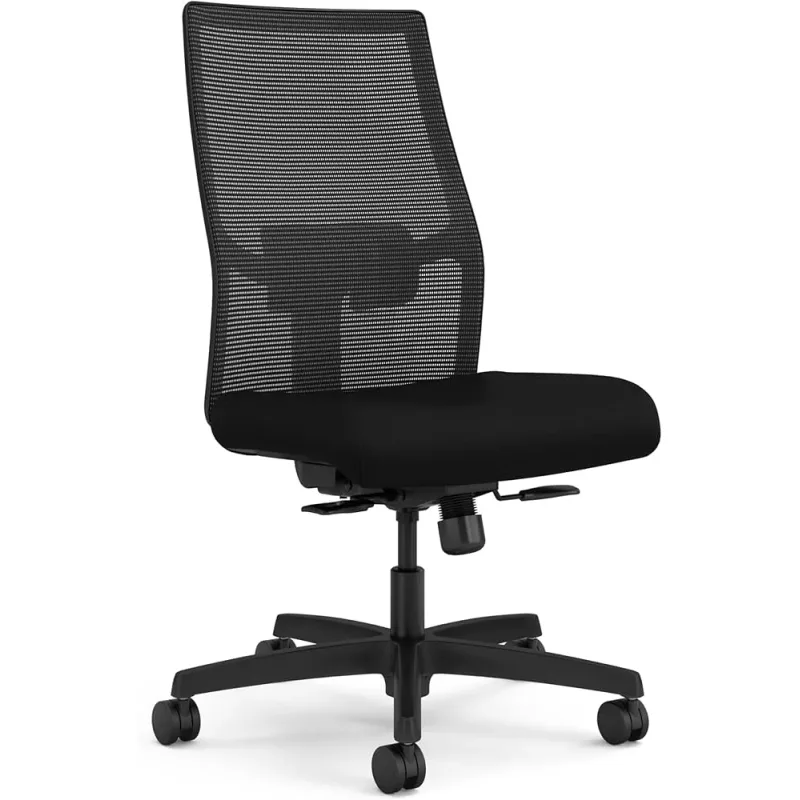
The HON Ignition 2.0 ($399) punches above its price with synchro-tilt recline and a lifetime warranty. HON is a commercial office furniture brand — this chair was designed for corporate environments where durability matters. The ANSI/BIFMA certification means it’s been certified to commercial standards. The seat cushion is thinner than you’d like for marathon sessions, but as a budget workhorse, nothing at this price matches its long-term reliability. Compare it to what the under-$300 category offers to decide which tier is right for you.
For a broader look at this price range: Best Ergonomic Desk Chairs Under $500 in 2026
$800–$1,100 — The Steelcase Leap V2
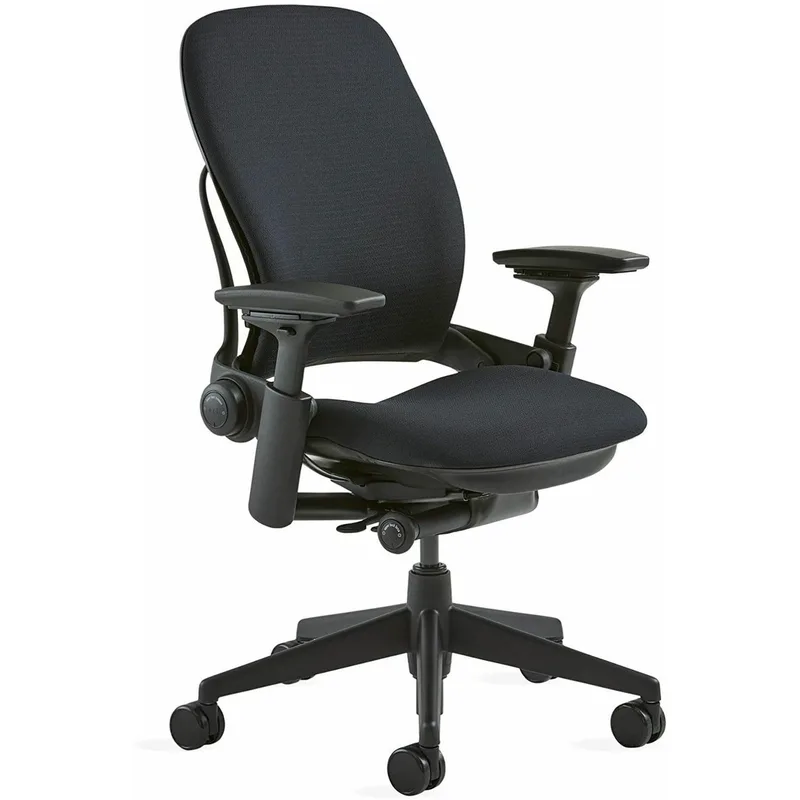
The Steelcase Leap V2 ($999) is the chair most ergonomics professionals recommend to clients who ask what they personally use. The Live Back technology genuinely tracks spinal movement, the independent back angle is the most functional recline system at any price, and the 400 lb capacity makes it one of the most inclusive options in this tier. The jump from $299 to $999 is steep — but if you’re working 8+ hours daily, the case for this chair is strong.
Full comparison: Herman Miller Aeron vs Steelcase Leap V2
$1,400+ — The Herman Miller Aeron
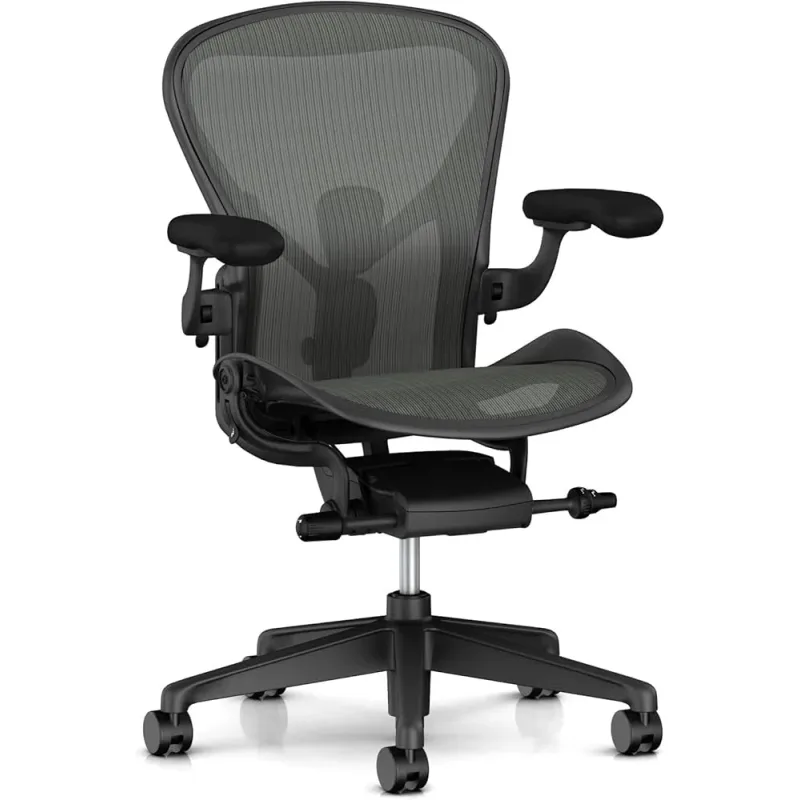
The Herman Miller Aeron ($1,495) is the benchmark every other chair is measured against. The 8Z Pellicle mesh, PostureFit SL dual-zone lumbar, and 12-year warranty make it the most complete ergonomic chair available for home office use. It’s also available refurbished for $600–$900 from reputable sellers — worth considering if the new price is out of reach. Read our full Herman Miller Aeron review for the complete breakdown.
Quick Comparison: Top Picks by Tier
| Chair | Price | Lumbar | Arms | Weight Cap | Warranty |
|---|---|---|---|---|---|
| Herman Miller Aeron (B) | $1649.99 as of Oct 18, 2026 | PostureFit SL (2-zone) | 4D | 350 lbs | 12 years |
| Steelcase Leap V2 | $615.00-$1499.00 as of Oct 18, 2026 | Adjustable height + firmness | 4D | 400 lbs | 12 years |
| Branch Ergonomic Chair | Unavailable | Height-adjustable, removable | 3D | 300 lbs | 7 years |
| HON Ignition 2.0 | $416.83-$481.00 as of Oct 18, 2026 | Adjustable height | 3D | 300 lbs | Lifetime |
Frequently Asked Questions
What’s the most important thing to adjust on an ergonomic chair?
Seat height first. Your feet should sit flat on the floor with your knees at approximately 90 degrees. Everything else — lumbar position, armrest height, tilt tension — is secondary to getting the seat height right. A chair with the wrong seat height will cause problems regardless of how many adjustment points it has.
Is it worth spending over $1,000 on an office chair?
It depends entirely on how many hours you sit. At 6–8 hours daily, the math usually works out: a $1,000 chair lasting 10 years costs $100/year. If back pain causes even one missed workday, the productivity cost likely exceeds the chair cost. For people who work fewer hours or are primarily at a standing desk, a $300–$500 chair is usually sufficient.
How do I know if a chair is the right size for me?
The basic check: sit with your back against the backrest and your thighs fully on the seat. There should be 2–4 fingers of clearance between the front edge of the seat and the back of your knee. Your feet should be flat on the floor or a footrest. For chairs with size variants (like the Aeron), check the manufacturer’s height and weight guidelines for each size.
Mesh back vs foam back — which is better for long hours?
Mesh wins for long-hour comfort in most cases. Suspension mesh distributes pressure more evenly, runs cooler, and doesn’t bottom out the way foam does after a few years. The trade-off is that cheap mesh sags and loses support quickly. On premium chairs (Aeron, Steelcase) with engineered mesh, this isn’t a concern. On budget chairs with thin mesh panels, foam may actually hold up better.
Can I use an ergonomic chair without a standing desk?
Yes — and for most people, a good ergonomic chair has more daily impact than a standing desk. Standing desks reduce total sitting time, but they don’t improve the quality of your sitting posture. A properly adjusted ergonomic chair does. Both together is ideal; if choosing one, the chair usually delivers more comfort per dollar.
What’s the difference between 3D and 4D armrests?
3D armrests adjust in three dimensions: height, width, and pivot (rotation). 4D adds a fourth: depth, meaning the pad can slide forward or backward. Depth adjustment matters if you frequently move the keyboard closer or farther from your body, or if you work with your elbows in different positions throughout the day. For most users, 3D arms are fine. For heavy keyboard users, 4D is worth prioritizing.
Conclusion
The right ergonomic chair is the one that fits your body, not the one with the most marketing behind it. Before spending anything, measure your desk height, your own height, and think honestly about how many hours a day you’re sitting.
For most home office workers, the Branch Ergonomic Chair hits the sweet spot: real adjustability, a 7-year warranty, and a price that won’t keep you up at night. If you want to step up significantly, the Steelcase Leap V2 is the most adjustable chair in the under-$1,000 tier. And if you want the best regardless of price, the Herman Miller Aeron remains the standard.
Budget constrained? Our best ergonomic chairs under $300 and best ergonomic chairs under $500 roundups narrow down the best at each price point. For pain-specific guidance, see our chair guide for programmers and back pain relief guide.