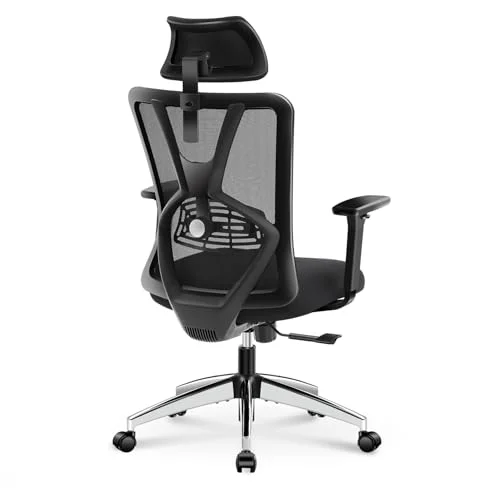
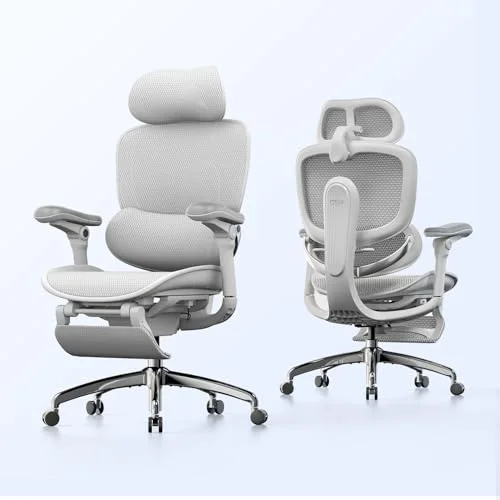
You already know your chair is the problem. Your lower back locks up after two hours, you’re leaning forward by lunch, and by 5 PM you’re wondering if the floor would actually be more comfortable. The American Chiropractic Association says 80% of adults deal with back pain at some point — and for desk workers doing 6–8 hour stretches, a bad chair makes it worse every single day. For budget-focused buyers, our best ergonomic chairs under $500 covers strong mid-range options with real lumbar systems.
I’ve spent weeks comparing four chairs that specifically target lower back pain, from a $270 budget mesh option to a $1,990 premium workhorse. Here’s what actually works and why.
Short on time? The Herman Miller Aeron is the best overall for back pain relief — the PostureFit SL system keeps your lumbar curve locked in without any fiddling. If $1,400+ is too steep, the Sihoo Doro C300 delivers auto-adjusting lumbar support for under $300.
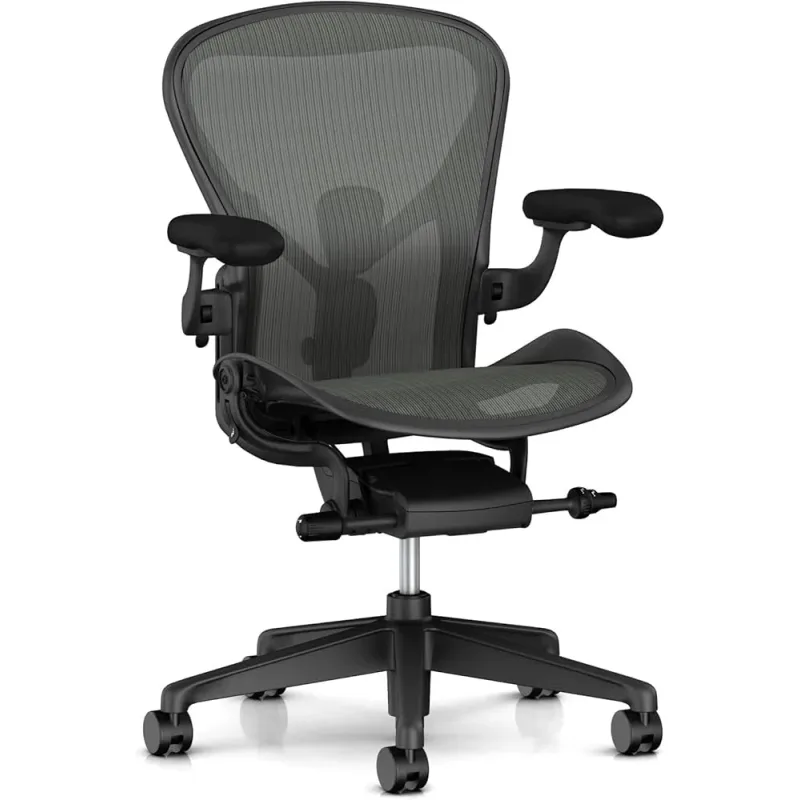
Herman Miller Aeron — Best Overall for Back Pain
Herman Miller Aeron
Pros
- ✓ PostureFit SL lumbar keeps your spine honest all day
- ✓ Three sizes (A, B, C) — actually fits different bodies
- ✓ Mesh stays cool even after 8-hour sessions
- ✓ 12-year warranty with full coverage
Cons
- ✗ Starts at $1,395 new — not cheap
- ✗ Fixed seat pan — no seat depth slider
- ✗ Mesh edges can dig into thighs if you sit cross-legged
The Aeron has been the default recommendation from physical therapists and ergonomic consultants for over two decades, and the Remastered version earned that reputation all over again. The PostureFit SL uses two independent pads that press into your sacrum and lumbar region separately, which means your lower back stays supported in every position — bolt upright drafting emails, reclined during a long call, or anywhere in between.
The 8Z Pellicle mesh is the real differentiator here. Eight zones of varying tension cradle different parts of your body — tighter at the edges for support, softer in the center for comfort. Unlike foam seats that flatten and redistribute pressure unevenly over time, the mesh maintains consistent support for years.
Three sizes (A, B, C) cover users from the 1st to 99th percentile. This matters for back pain because a chair that’s too big or too small forces your spine into compensating positions. Size B fits most people between 5’2” and 6’0”. If you’re outside that range, you actually have a properly sized option instead of hoping the adjustments compensate.
The 12-year warranty covers everything. At $1,395–$1,990 new, the per-year cost lands between $116 and $166. Refurbished units from certified dealers run $550–$850 with warranties intact.
Who should buy this: Full-time remote workers with chronic lower back pain who need a chair that works right out of the box without constant fidgeting.
Who should skip this: Anyone who prefers a cushioned seat — the mesh-only design is polarizing. Also overkill if you sit less than 4 hours daily.
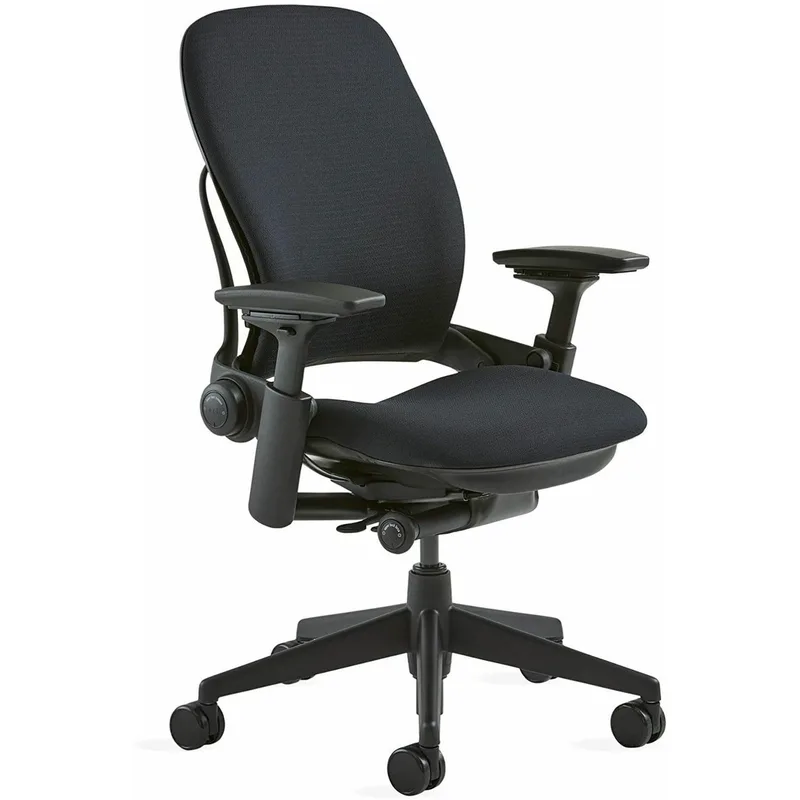
Steelcase Leap V2 — Best for Customizable Support
Steelcase Leap V2
Pros
- ✓ LiveBack flexes with your spine in real time
- ✓ Natural Glide keeps you close to the desk during recline
- ✓ 400-lb capacity — highest in the premium tier
- ✓ Sliding seat depth adjustment (rare at any price)
Cons
- ✗ Foam seat traps heat — no mesh option
- ✗ Looks boxy compared to the Aeron
- ✗ Heavy at 45 lbs — not easy to move between rooms
Where the Aeron takes a “the chair knows best” approach, the Leap V2 hands you the controls. LiveBack technology means the backrest literally changes shape to mirror your spine’s movement as you shift positions. Combined with adjustable lumbar firmness and a sliding seat depth, you can dial in support for your specific pain pattern.
The Natural Glide System is why therapists recommend this for herniated disc sufferers. When you recline, the seat pan slides forward automatically so you stay close to your desk and keyboard — no reaching, no straining, no rounding your shoulders forward to type.
At 400 lbs capacity, this is also the strongest chair in this comparison. The steel frame construction means it won’t develop creaks or wobbles after a few years of daily use. The trade-off is weight — at 45 lbs, it’s not the chair you want to carry upstairs.
The foam seat runs warm. There’s no mesh option. If your home office gets hot in summer, you’ll notice the difference versus the Aeron. But for raw adjustability and spinal tracking, nothing else at this price matches it.
Refurbished Leap V2s from Crandall Office run $500–$800 with a fresh 12-year warranty. Honestly, that’s the sweet spot for this chair.
Who should buy this: People with specific back conditions (herniated discs, sciatica) who need precise lumbar control. Also great for shared home office setups since it adjusts to fit a wide range of bodies.
Who should skip this: Heat-sensitive sitters. The foam-and-fabric combo traps warmth compared to mesh alternatives.
Sihoo Doro C300 — Best Value for the Money
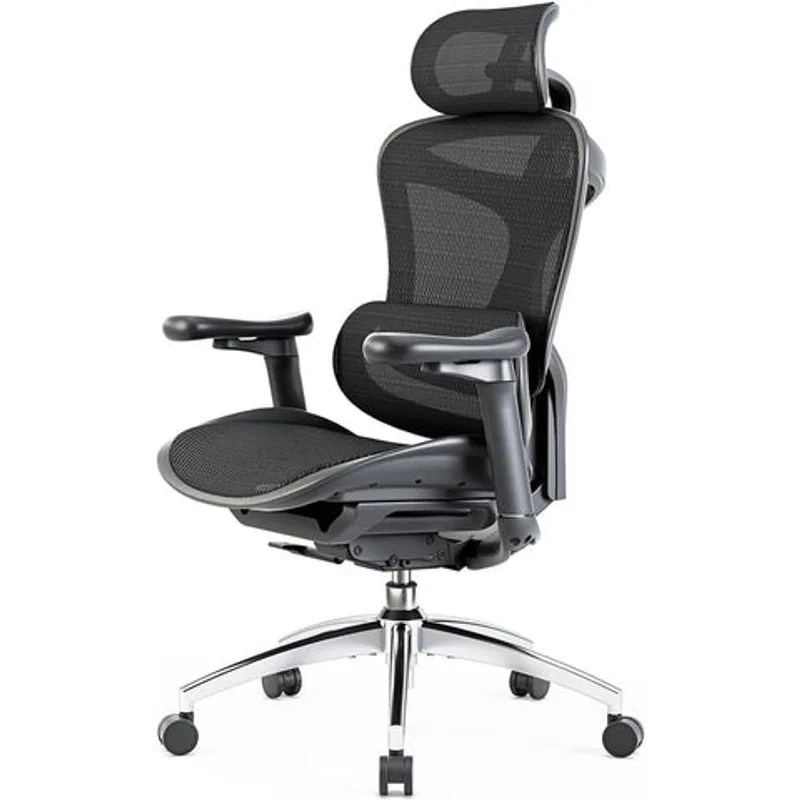
Sihoo Doro C300
Pros
- ✓ Dynamic lumbar auto-adjusts as you shift positions
- ✓ Full mesh construction breathes well in warm offices
- ✓ Under $300 — costs less than a refurbished Aeron
- ✓ Armrests move with backrest during recline
Cons
- ✗ 3-year warranty vs. 12 years on premium chairs
- ✗ 275-lb effective comfort limit despite 300-lb rating
- ✗ Seat height starts at 18.1 in — short users may need a footrest
The C300 punches well above its $270–$300 price tag. The headline feature is Sihoo’s Dynamic Tracking System — a self-adjusting lumbar mechanism that automatically follows your spine’s curve as you lean back, sit upright, or shift to one side. You don’t set it and forget it; it moves with you in real time.
Full mesh construction (headrest, backrest, and seat) means airflow everywhere. For warm offices or anyone who runs hot, this handles temperature regulation as well as the Aeron at one-fifth the price.
The armrests sync with the backrest angle during recline, which keeps your shoulders relaxed instead of hiked up. It’s a small detail that most budget chairs skip entirely. The 3D headrest auto-adjusts as well, though it’s more useful for reclining breaks than active typing posture.
Where you feel the budget: the 3-year warranty is short, the 300-lb capacity has less headroom than premium options, and the minimum seat height of 18.1 inches means shorter users (under 5’4”) might need a footrest. The build quality is solid for the price, but the adjustment mechanisms don’t have the same precision or durability feel as a Steelcase or Herman Miller.
Who should buy this: Budget-conscious buyers who want auto-adjusting lumbar support without manual tweaking. Great first ergonomic chair for people leaving standard office seating.
Who should skip this: Users over 250 lbs who want long-term durability. The 3-year warranty doesn’t inspire the same confidence as a 12-year one.
Branch Ergonomic Chair — Best Budget Option
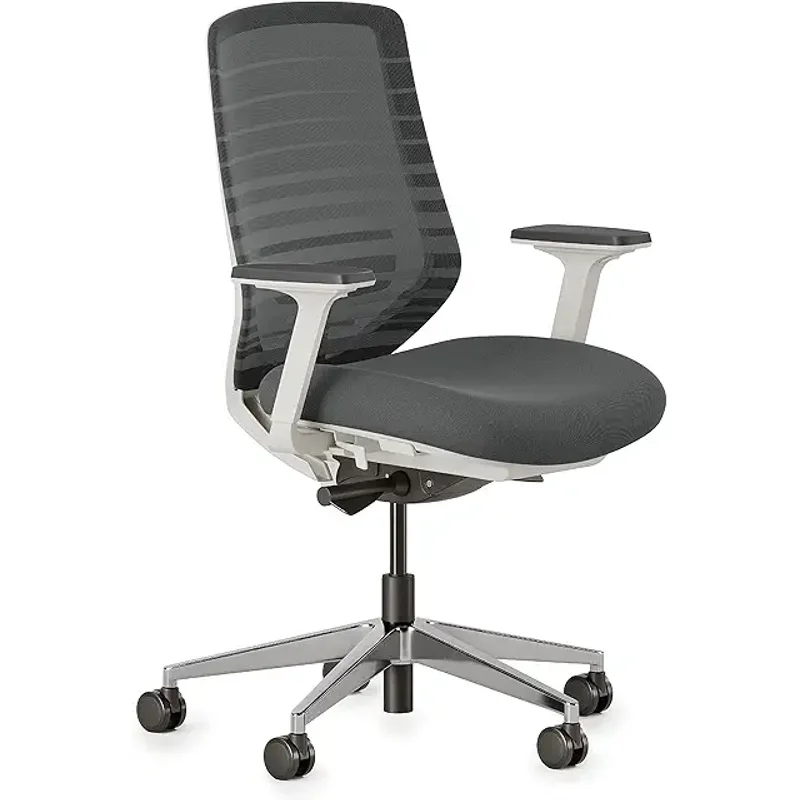
Branch Ergonomic Chair
Pros
- ✓ 8 adjustment points — matches chairs costing 3x more
- ✓ 7-year warranty backs up the build quality
- ✓ Firm lumbar support actually holds shape over time
- ✓ Greenguard Gold certified for low emissions
Cons
- ✗ 275-lb capacity is the lowest here
- ✗ Foam seat cushion compresses after 12–18 months of heavy use
- ✗ No headrest option on the base model
Branch carved out its niche by cramming premium-tier adjustability into a sub-$360 chair. Eight points of adjustment — seat height, seat depth, tilt tension, tilt lock, lumbar height, lumbar depth, armrest height, and armrest width — match or beat chairs that cost three times as much. WIRED, The Strategist, and Tom’s Guide have all flagged it as a top pick.
The firm lumbar support holds its shape better than most budget options. Where cheap chairs use a generic curve that flattens within months, Branch uses a removable and height-adjustable lumbar pad that you position exactly where your lower back needs it. The double-layered mesh backrest provides structure without the plastic-against-your-back feel.
The synchronous tilt mechanism links the backrest and seat pan to move together, which maintains your hip-to-torso angle throughout recline. Four lockable tilt positions let you find the angle that takes pressure off your lower discs without having to re-adjust every time you lean back.
Greenguard Gold certification means low VOC emissions — relevant if your home office is a small room with limited ventilation.
The foam seat is the weak link. After 12–18 months of 8-hour daily use, it compresses noticeably. A good seat cushion adds $40–$60 to the total cost. The 275-lb capacity is also the lowest in this comparison.
Who should buy this: People who want maximum adjustability without premium pricing. Especially strong for sciatica sufferers who need precise seat depth control.
Who should skip this: Heavy daily users over 250 lbs, or anyone who wants a headrest included.
Comparison Table
| Feature | Herman Miller Aeron | Steelcase Leap V2 | Sihoo Doro C300 | Branch Ergonomic |
|---|---|---|---|---|
| Price (new) | $1,395–$1,990 | $1,100–$1,500 | $270–$300 | $299–$359 |
| Price (refurb) | $550–$850 | $500–$800 | N/A | N/A |
| Weight Capacity | 350 lbs | 400 lbs | 300 lbs | 275 lbs |
| Lumbar Type | PostureFit SL (dual pad) | Adjustable firmness | Auto-tracking dynamic | Height-adjustable pad |
| Material | Full mesh | Foam + fabric | Full mesh | Mesh back, foam seat |
| Warranty | 12 years | 12 years | 3 years | 7 years |
| Adjustment Points | 8 | 7+ | 6 | 8 |
| Best For | All-day comfort | Herniated discs | Budget auto-lumbar | Max adjustability |
What to Look for in a Chair for Back Pain
Adjustable lumbar support is non-negotiable. Your lumbar vertebrae (L3–L5) need direct support to maintain the natural inward curve. Fixed lumbar bumps work for some people by accident — adjustable systems work for most people on purpose. Look for both height and depth adjustment at minimum.
Seat depth adjustment matters more than most buyers realize. If the seat pan is too deep, it pushes your knees forward and tilts your pelvis backward, flattening your lumbar curve. You want 2–4 inches of space between the seat edge and the back of your knees.
Dynamic recline is better than locked upright. Your intervertebral discs rely on movement for nutrient exchange — prolonged static postures reduce disc hydration by 20–30%. A chair that lets you shift between 95° and 115° throughout the day keeps discs healthier than sitting perfectly still at 90°.
Weight capacity headroom affects long-term comfort. If you weigh 200 lbs, a chair rated for 275 lbs will compress and lose support faster than one rated for 400 lbs. Aim for at least 25% headroom above your body weight.
Frequently Asked Questions
Can an ergonomic chair actually fix lower back pain?
It can reduce it significantly, but “fix” is the wrong framing. Research published in the Journal of Occupational Rehabilitation found ergonomic chairs reduce reported back pain by 35–45% compared to standard seating. But a chair alone won’t overcome weak core muscles, a monitor at the wrong height, or sitting 10 hours straight without breaks. Think of the chair as one piece of a three-part system: seating, workstation setup, and movement habits.
How much should I spend on an ergonomic chair for back pain?
The $270–$350 range gets you genuinely good lumbar support (Sihoo C300, Branch Ergonomic). The $500–$800 refurbished range gets you premium engineering from Herman Miller or Steelcase with full warranties. Spending $1,400+ on a new Aeron or Leap makes sense if you’re sitting 8+ hours daily and plan to keep the chair for a decade. Below $200, it’s hard to find chairs with real adjustable lumbar support.
Is mesh or foam better for lower back pain?
Neither is inherently better — it depends on your priorities. Mesh maintains consistent support pressure over years and stays cool, but it can’t be as deeply cushioned. Foam offers a softer initial feel but compresses over time, changing your support profile. For back pain specifically, the lumbar mechanism matters more than the seat material. The Steelcase Leap (foam) and Herman Miller Aeron (mesh) both score equally well in ergonomic assessments.
How often should I get up from an ergonomic chair?
Every 30 minutes. Even the best chair can’t replace movement. Orthopedic specialists recommend standing, stretching, and walking for at least 1–2 minutes every half hour. Your intervertebral discs need movement for nutrient exchange — no amount of lumbar support changes that biology. If you struggle to remember, set a timer or use a standing desk to build position changes into your workflow. A lumbar support pillow can also help if you’re not ready to replace your chair yet.
Should I buy refurbished or new?
For Herman Miller and Steelcase, refurbished is the smart play. Certified remanufacturers like Crandall Office strip the chair down, replace worn components, and sell it with a fresh 12-year warranty for 40–60% off retail. The frames on these chairs are built to last 20+ years. For Sihoo and Branch, buy new — they’re already budget-priced and the resale refurb market isn’t established.
What chair is best for herniated discs specifically?
The Steelcase Leap V2. Its LiveBack technology and adjustable lumbar firmness let you dial in exactly how much pressure your lower back gets, which matters when certain positions cause nerve compression. The Natural Glide recline system keeps you close to your desk without requiring you to reach forward, avoiding the rounded-shoulder posture that aggravates disc issues. A refurbished Leap V2 at $500–$800 is the best value for disc-related pain.
The Bottom Line
For most people with lower back pain, the Herman Miller Aeron is the safest bet. The PostureFit SL does the hard work for you, the mesh holds up for a decade-plus, and three sizes mean it actually fits your body instead of making you adapt to it. A refurbished unit at $550–$850 is the sweet spot.
If you have a specific condition like a herniated disc or sciatica, get the Steelcase Leap V2. The adjustable lumbar firmness and LiveBack technology let you customize support around your exact pain pattern. Worth buying refurbished at $500–$800.
On a budget, the Sihoo Doro C300 delivers the most impressive lumbar system under $300. The auto-tracking support genuinely works — it’s not marketing fluff. And the Branch Ergonomic Chair wins if you prefer manual control with its 8-point adjustment system and solid 7-year warranty.
Whatever you pick, remember: the chair is one-third of the equation. Pair it with a properly set up workstation and regular movement breaks, and your back will thank you. For mesh-specific options with excellent lumbar systems, see our best mesh office chairs in 2026 guide. Programmers specifically may want our best ergonomic chairs for programmers roundup, which focuses on chairs built for extended computing sessions.