Disclosure: PostureRanked is reader-supported. When you buy through links on our site, we may earn an affiliate commission at no extra cost to you. Learn more
If you’ve spent more than five minutes researching standing desks in 2026, you’ve already seen the UPLIFT V2 recommended. It’s held the top spot at Wirecutter for years, and for good reason — the combination of a 15-year warranty, deep customization, and genuine build quality is hard to match. But “best” covers a lot of ground. Should you get the standard V2 or step up to the V2 Commercial? Is the $300 price difference over a FlexiSpot E7 Pro actually justified? This review breaks it all down so you know exactly what you’re paying for.
Quick picks: For most people, the UPLIFT V2 is the right call. If you’re shorter than 5’3” or want BIFMA-certified stability with heavy gear, go with the V2 Commercial. If you want to save $300 and don’t need the UPLIFT ecosystem, the FlexiSpot E7 Pro is the smartest buy.
Comparison: UPLIFT V2 vs V2 Commercial vs FlexiSpot E7 Pro
FlexiSpot E7 Pro
Pros
- ✓ 440 lb capacity outperforms both UPLIFT models at one-third less cost
- ✓ Worm drive motor is enclosed in a steel sleeve — less exposure to dust over time
- ✓ 30,000 fatigue cycles exceed industry standard verification requirements
- ✓ Significantly cheaper than UPLIFT: saves $300-$400 over a comparable V2 configuration
Cons
- ✗ Shorter warranty on electronics (2 years) vs UPLIFT's 15-year full coverage
- ✗ Limited desktop options compared to UPLIFT's 200+ configurations
- ✗ No official anti-collision protection on base model
| Desk | Price | Height Range | Capacity | Warranty | Stability |
|---|---|---|---|---|---|
| UPLIFT V2 | $799 | 25.3”–50.9” | 355 lbs | 15 years (full) | Good |
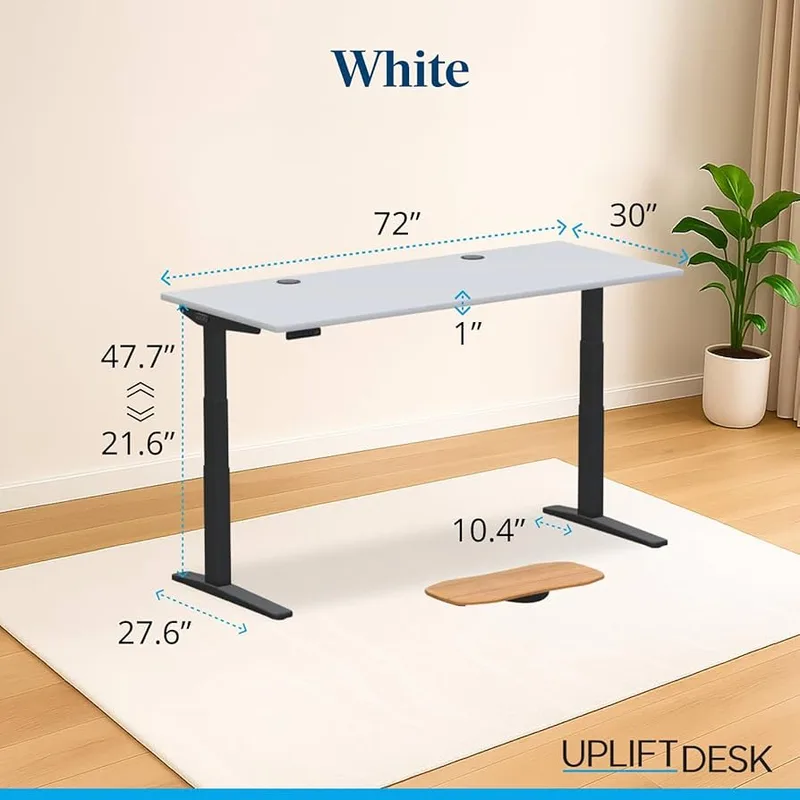
| UPLIFT V2 Commercial | $849 | 21.6”–47.7” | 355 lbs | 15 years (full) | Excellent (BIFMA) |
| FlexiSpot E7 Pro | $479 | 25”–50.6” | 440 lbs | 15 yrs frame / 2 yrs electronics | Very Good |
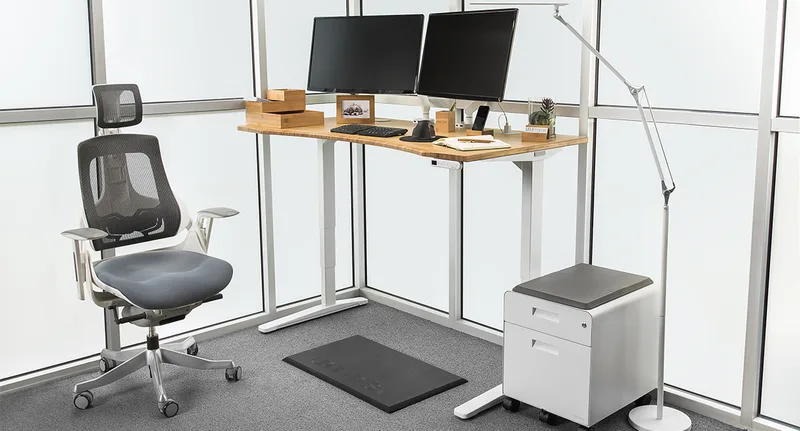
UPLIFT V2 Standing Desk — The One Most People Should Buy
UPLIFT V2 Standing Desk
Pros
- ✓ 50.9" max height is among the tallest available — ideal for users 6'2" and taller
- ✓ 15-year warranty covers the frame, motors, and all electronics — best in class
- ✓ Over 200 desktop configurations: solid wood, bamboo, laminate, glass, and more
- ✓ Accessory ecosystem with 45+ add-ons including cable trays, keyboard trays, monitor arms
Cons
- ✗ 25.3" minimum height may be too tall for users under 5'3" without a footrest
- ✗ Starts at $659 for base laminate — bamboo and hardwood tops push cost past $900
- ✗ Assembly is involved — plan 60–75 minutes for first-timers
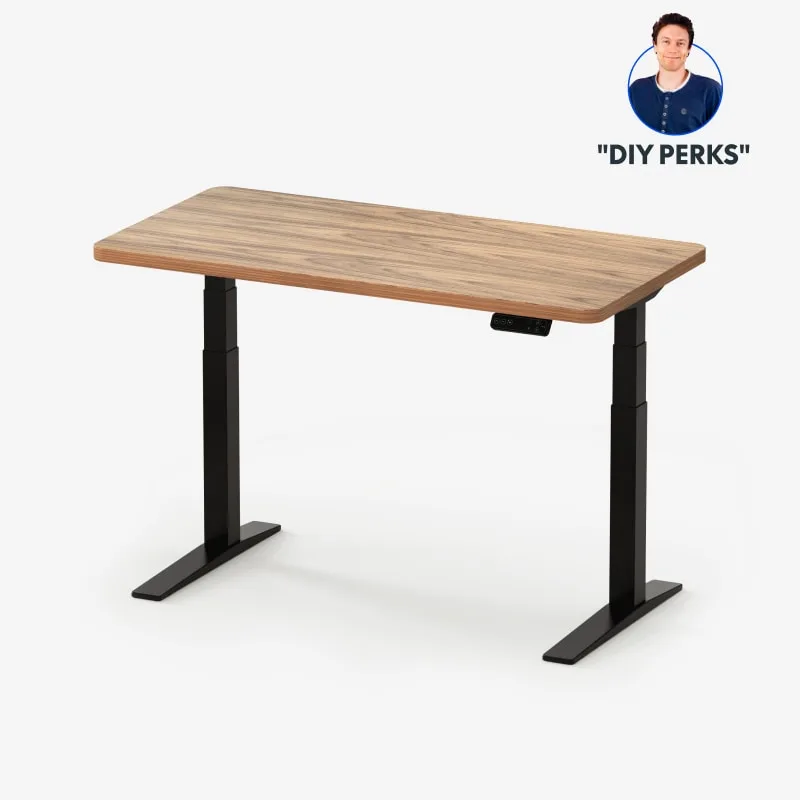
The V2 uses UPLIFT’s inverted T-frame design — two three-stage legs with dual motors, one per leg. At 25.3” minimum, it’s a reasonable sit height for most desks combined with a standard chair. At 50.9” maximum, it accommodates standing users up to about 6’5” comfortably.
What actually sets the V2 apart in 2026 is the warranty and ecosystem, not just the specs. Fifteen years of full coverage — frame, motors, circuit boards, keypad — is genuinely exceptional. FlexiSpot’s E7 Pro gives you 15 years on the frame but only 2 years on electronics. That’s a meaningful difference if your motor controller fails in year 8.
The customization depth is also hard to overstate. UPLIFT offers over 200 desktop surfaces: bamboo, solid walnut, solid maple, laminate in a dozen colors, glass, and more. Desk size can be configured from 42” to 80” wide. The same frame fits a solo developer’s minimalist setup or a sprawling dual-monitor production station.
Where the V2 falls short: The 25.3” minimum sitting height. If you’re 5’2” or shorter, you may need a footrest or a different desk altogether. The V2 Commercial solves this with a 21.6” minimum — important detail if shorter users will use the desk.
Check price on Amazon | Starts at $659 for base laminate on UPLIFT’s site; Amazon bamboo configurations run $799+.
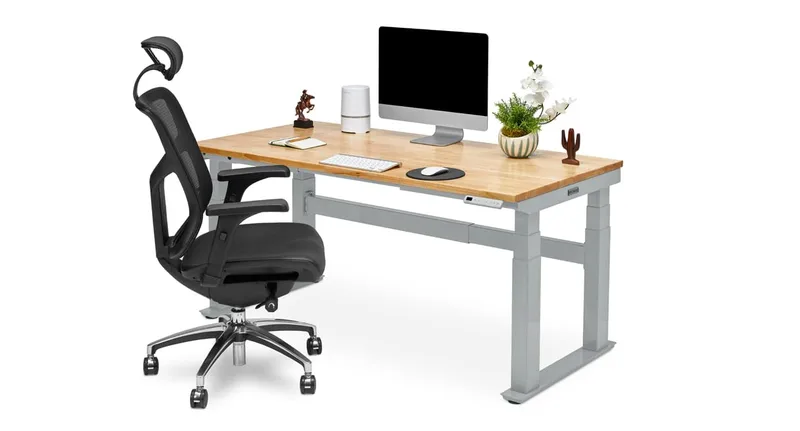
UPLIFT V2 Commercial — For Shorter Users and Heavy Setups
UPLIFT V2 Commercial Standing Desk
Pros
- ✓ BIFMA-certified stability — independently verified with measurably less wobble at full extension
- ✓ 21.6" minimum height works for users as short as 5'0" without a footrest
- ✓ 33% larger leg cross-sections mean less lateral flex under heavy monitor setups
- ✓ Overload protection prevents motor damage when weight limit is exceeded
Cons
- ✗ 47.7" max height is 3 inches shorter than the standard V2 — may fall short for users 6'4"+
- ✗ C-frame design costs $100-$200 more than the standard T-frame V2
- ✗ Same 355 lb capacity as the standard V2 — no practical advantage for most users
The V2 Commercial swaps the T-frame for a C-frame with legs that are 33% larger in cross-section. The result: measurably less lateral wobble at full extension, certified to ANSI/BIFMA X5.5-2021 standards. If you run two 32” monitors plus a desktop tower plus audio equipment, the Commercial’s extra rigidity pays off.
The other real win is the 21.6” minimum height. That’s low enough for a standing-desk user at 5’0” to sit comfortably at a standard chair, no footrest needed. The standard V2’s 25.3” minimum rules it out for shorter users unless they adjust their chair height.
The trade-off: the C-frame’s top height is 47.7” — about 3 inches shorter than the V2’s 50.9”. That’s fine for users up to roughly 6’2” standing. Above that, the standard V2 gives you more clearance.
Check price on Amazon | Budget around $849+ for a complete desk with desktop included.
FlexiSpot E7 Pro — If the UPLIFT Premium Isn’t Worth It to You
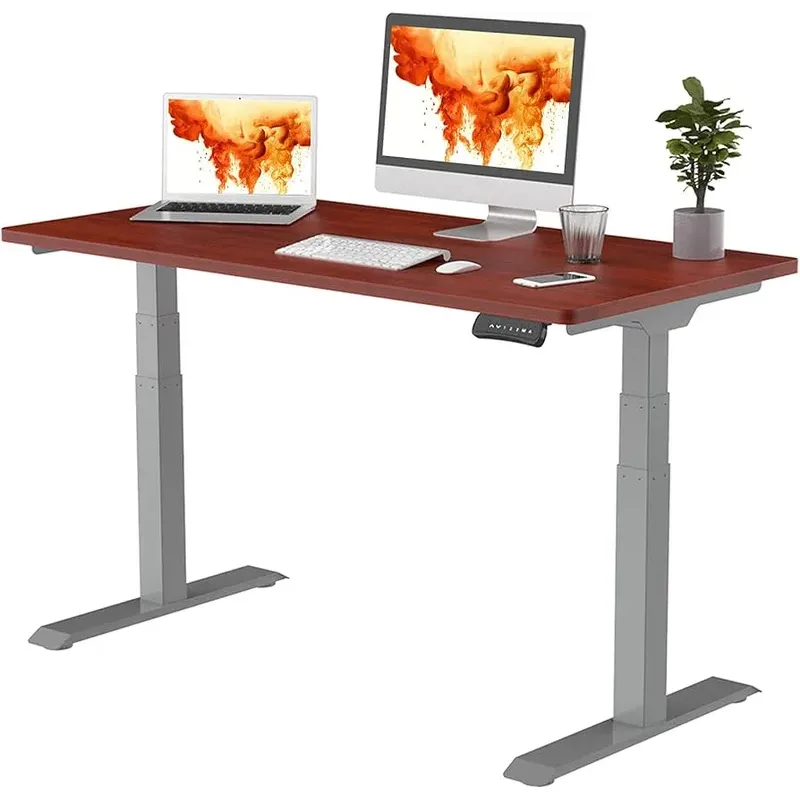
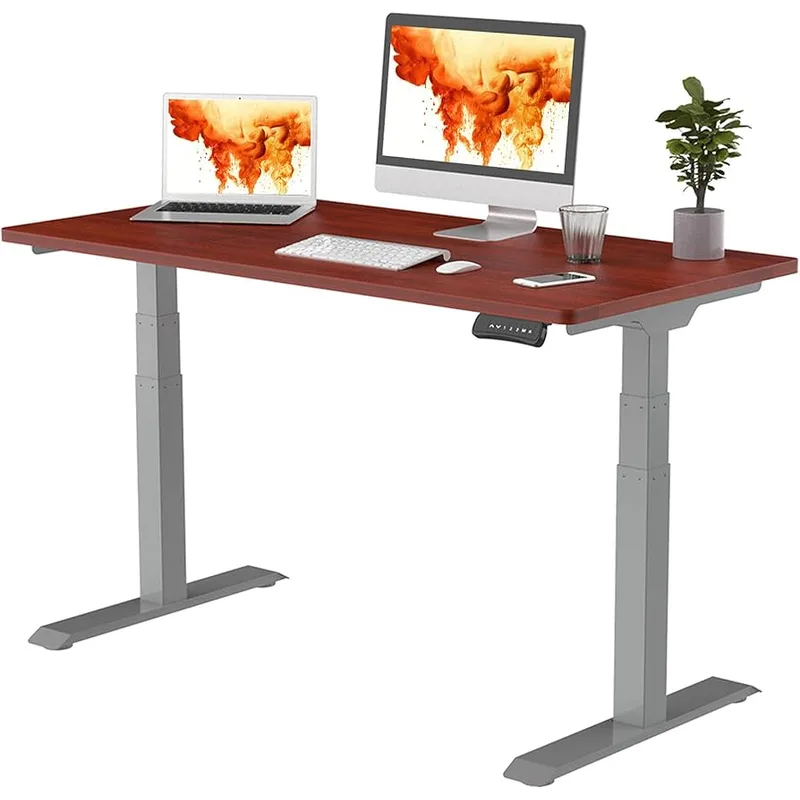
The E7 Pro competes directly with the UPLIFT V2 on specs while costing $300–$400 less. The 440 lb capacity is higher than either UPLIFT model. The enclosed worm drive motor is actually an engineering advantage — less dust ingestion over years of use. At 25”–50.6”, the height range is nearly identical to the standard V2.
What you give up: UPLIFT’s depth of customization and the 15-year full electronics warranty. The E7 Pro’s 2-year electronics coverage means a motor controller failure after year 3 is out of pocket. In practice, standing desk motors are reliable — but UPLIFT’s warranty is a meaningful risk hedge.
Based on user reports and owner reviews, the E7 Pro is an excellent desk. If $479 is where your budget lands, this is the right call. If you can stretch to $799, the UPLIFT V2’s warranty and ecosystem justify the gap.
Check price on Amazon | Currently $479 for white frame with 48”x30” desktop included.
UPLIFT V2 vs V2 Commercial: Which Should You Get?
This is the question most buyers get stuck on.
Get the V2 standard if:
- Your sit height needs are typical (5’3”–6’3” user range)
- You want maximum height extension (up to 50.9”)
- You’re budget-conscious between the two UPLIFT models
Get the V2 Commercial if:
- Any user of the desk is under 5’3” (the 21.6” min makes a real difference)
- You’re running 40+ lbs of gear on the desk surface
- Wobble at full extension is a concern — BIFMA certification matters here
- You want overload protection to protect the motors
The price gap between the two is typically $100–$200 for comparable configurations. For most users, the standard V2 is the right call. But if stability or low minimum height is a priority, the Commercial upgrade is worth it.
Buying Guide: What to Look for in a Premium Standing Desk
Height range: Your standing desk needs to reach your elbow height while standing, typically 2”–4” below your shoulder. For sitting, it should match your existing chair height. Most people in the 5’3”–6’2” range are well served by both V2 models.
Motor warranty vs frame warranty: The frame is the easy part — steel doesn’t wear out. The electronics (motor, keypad, controller) are where failures happen. UPLIFT’s 15-year electronics coverage is the real differentiator here.
Stability: Wobble matters most at maximum extension. The V2 Commercial’s BIFMA certification means it’s been independently tested to a defined standard. The standard V2 and FlexiSpot E7 Pro are both solid but not certified.
Customization: If you care about a specific desktop material, size, or color — UPLIFT’s 200+ configurations are unmatched. FlexiSpot offers far fewer options.
Anti-fatigue mat pairing: Any standing desk works significantly better with an anti-fatigue mat. The Topo by Ergodriven ($69) is the most popular choice — its contoured surface keeps you moving while standing. Our roundup of the best anti-fatigue mats for standing desks covers all the top options.
Cable management: A motorized desk that moves up and down needs a cable management plan. The J Channel Cable Raceway by Delamu ($18) works well for routing cables down the legs. The UPLIFT V2 ships with an under-desk wire tray included; the FlexiSpot E7 Pro does not.
Chair pairing: Your standing desk is only as ergonomic as your chair. For recommendations at every price point, see our best ergonomic chairs roundup or the best chairs for programmers guide if you work long coding sessions.
Frequently Asked Questions
Is the UPLIFT V2 worth it in 2026?
Yes — for buyers who want a long-term standing desk with full warranty coverage and customization options. The 15-year warranty on all components is genuinely exceptional. The $300+ premium over a FlexiSpot is justified if you plan to use the desk for a decade.
What’s the difference between the UPLIFT V2 and V2 Commercial?
The Commercial uses a C-frame with 33% larger legs, BIFMA-certified stability, and a lower minimum height of 21.6” (vs 25.3” on the standard V2). The standard V2 reaches a slightly taller maximum height (50.9” vs 47.7”). Both carry a 15-year full warranty.
Can the UPLIFT V2 fit under a standard desk height?
The UPLIFT V2 sits height starts at 25.3”. Combined with a typical desktop thickness, your desk surface will sit around 27”–28” at its lowest, which works for most standard office chairs. If you’re shorter than 5’3”, consider the V2 Commercial’s 21.6” minimum instead.
How does UPLIFT’s warranty compare to FlexiSpot?
UPLIFT covers frame, motors, and electronics for 15 years. FlexiSpot’s E7 Pro covers the frame for 15 years but only the electronics and motors for 2–5 years depending on the model. For long-term peace of mind, UPLIFT’s warranty is significantly better.
What monitor arm should I use with the UPLIFT V2?
UPLIFT sells their own monitor arm add-ons through their accessory ecosystem, but third-party arms like the Ergotron LX mount to the same standard desk surface. See our best desk accessories roundup for specific recommendations.
Is the UPLIFT V2 worth it for short users?
Not always. The 25.3” minimum height may require a footrest for users shorter than 5’3”. The V2 Commercial with its 21.6” minimum is the better choice for shorter users or shared desks.
Conclusion
The UPLIFT V2 earns its reputation. The 15-year full warranty, 200+ desktop options, and genuine build quality make it the standing desk most people should buy if their budget stretches to $659+.
The V2 Commercial is worth the upgrade if you’re under 5’3”, running heavy monitor setups, or want BIFMA-certified stability. The extra $100–$200 is easy to justify for those specific use cases.
The FlexiSpot E7 Pro is the right call if $479 is your ceiling. It delivers nearly identical specs on height and capacity — even exceeds the UPLIFT on weight rating — with the main trade-off being a shorter electronics warranty.
Pair any of these desks with the best standing desk setup guide to get the ergonomics dialed in from day one. And if you’re comparing more options in the premium tier, our best height-adjustable standing desks roundup covers the full field of competitors.