L-shaped standing desks are having a moment in 2026. Work-from-home setups have matured past the “just need a flat surface” phase — people are now upgrading to corner configurations that fit triple monitors, recording gear, and full creative workstations. The problem? Most L-shaped standing desks are either underpowered (single-motor wobble monsters) or overpriced ($1,500+ before you choose a top).
The sweet spot is real, though. After comparing manufacturer specs, verified user feedback, and years of community discussion across r/StandingDesk and ergonomic forums, five options stand out across the price spectrum.
In a hurry? The UPLIFT V2 L-Shaped is the best all-around pick if budget isn’t a constraint. For maximum value, the FlexiSpot E7L at $549 delivers 440 lb capacity and a 15-year warranty — specs that rival desks costing twice as much.
Quick Comparison
| Desk | Price | Height Range | Weight Cap | Motors | Warranty |
|---|---|---|---|---|---|
| UPLIFT V2 L-Shaped | $1,149 | 22.6″–48.7″ | 535 lbs | Triple | 15 years |
| FlexiSpot E7L | $549 | 25.0″–50.8″ | 440 lbs | Triple | 15 years |
| FEZIBO Triple Motor | $284.00 as of Oct 18, 2026 | 27″–48″ | 330 lbs | Triple | 5 years |
| ErGear 63×55 | $349 | 28.4″–46.5″ | 220 lbs | Dual | 3 years |
| VIVO 63×55 | $299 | 28.5″–46.8″ | 225 lbs | Single | 3 years |
1. UPLIFT V2 L-Shaped Standing Desk — Best Overall
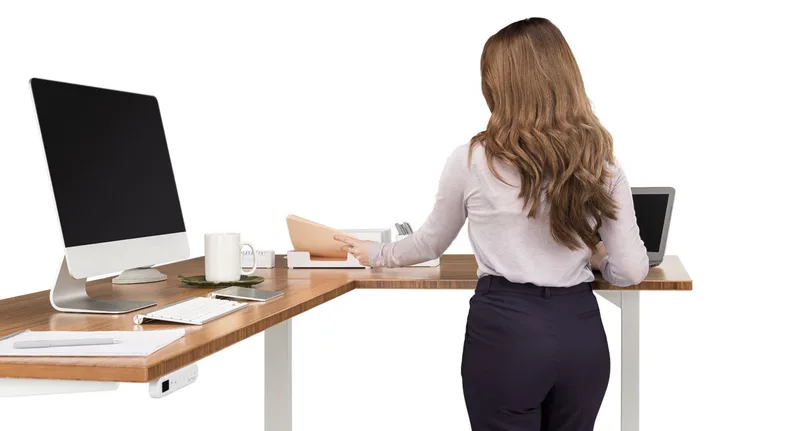
UPLIFT V2 L-Shaped Standing Desk
Pros
- ✓ 535 lb capacity handles the heaviest dual-monitor setups
- ✓ Widest height range on this list — works for anyone 4'11" to 6'7"
- ✓ 15-year warranty covers frame, motors, and electronics
- ✓ TremorGuard stabilizer feet eliminate corner wobble
Cons
- ✗ Starts at $1,149 — one of the priciest options here
- ✗ Ships direct only, no Amazon Prime option
- ✗ Desktop sold separately unless choosing bundle pricing
The UPLIFT V2 L-Shaped is the desk I’d put in a home office if budget wasn’t the primary filter. It starts at $1,149 but delivers specs that nothing below $1,000 can touch: a 535 lb weight capacity, a height range that drops to 22.6” (genuinely accommodating for shorter users), and a 15-year warranty that covers frame, motors, and electronics — not just the frame.
The three-leg design with TremorGuard stabilizer feet eliminates the corner wobble that plagues cheaper L-shaped desks. At full standing height, the surface stays solid under three monitors, a podcast setup, or a mechanical keyboard with a 10-key.
UPLIFT offers over 55 desktop size and finish combinations at checkout, which matters if you’re fitting a specific corner. The configurator is straightforward: pick your main desk width (60”–80”), return depth (27.5”), finish, and frame color.
Best for: Users who want long-term reliability, maximum customization, and the widest height range available. Also the right call for anyone over 6’3” or under 5’2” who needs a true ergonomic fit.
One thing to know: UPLIFT ships direct only — no Amazon Prime. Lead times are typically 1–2 weeks.
2. FlexiSpot E7L — Best Value
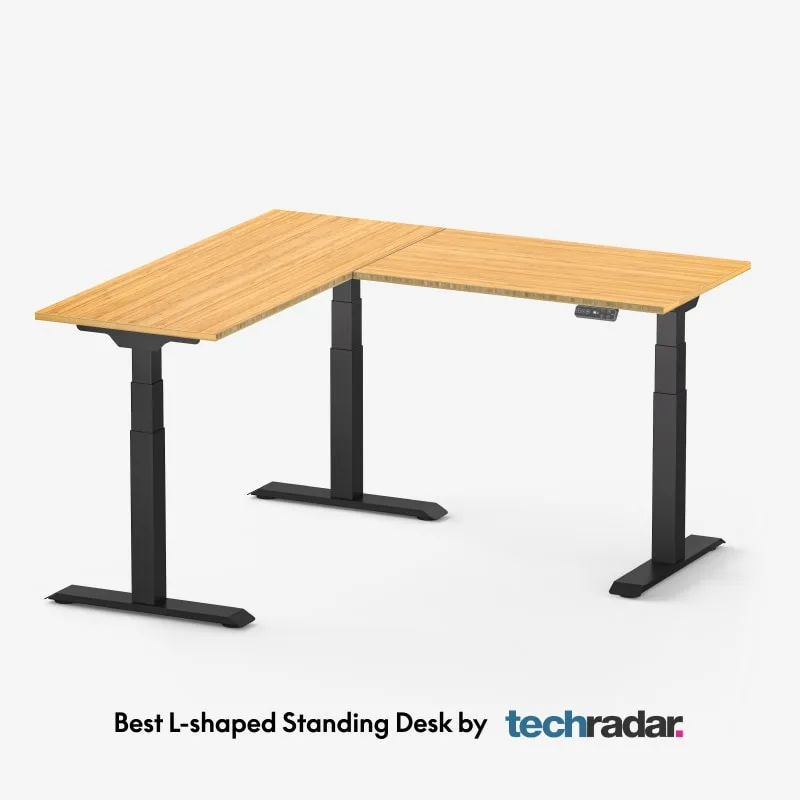
FlexiSpot E7L Pro L-Shaped Standing Desk
Pros
- ✓ 440 lb capacity nearly matches premium desks at half the price
- ✓ 50.8" max height accommodates users up to 6'7"
- ✓ 15-year warranty on frame and motors — matches UPLIFT
- ✓ Reversible splice board works for left or right corner setups
Cons
- ✗ Ships direct from FlexiSpot, not Amazon
- ✗ Assembly instructions could be clearer — allow 60-90 minutes
- ✗ No built-in cable management included at base price
At $549, the FlexiSpot E7L delivers triple-motor performance and a 440 lb weight capacity. That’s the same warranty length (15 years) as the UPLIFT at less than half the price. The 50.8” maximum height is actually taller than the UPLIFT’s 48.7” — a real advantage for users over 6’3”.
The three-leg frame keeps corner stability solid under load. Based on user reports in standing desk forums, the E7L holds up without visible wobble when loaded with two 27” monitors and a desktop PC.
The splice board is reversible, so you can configure it as a left or right return depending on how your corner is oriented. Height range starts at 25.0”, which works for most users in the 5’2”–5’6” range.
Assembly takes 60–90 minutes — better with two people for the top sections. The instructions aren’t as polished as UPLIFT’s, but the hardware quality is solid.
Best for: Buyers who want premium specs (triple motor, high capacity, long warranty) without paying premium prices. If you’re primarily comparing this to the UPLIFT, the FlexiSpot E7L gives up some height-range minimum and brand polish — that’s the trade-off.
3. FEZIBO Triple Motor 63” — Best for Gaming and Creative Setups
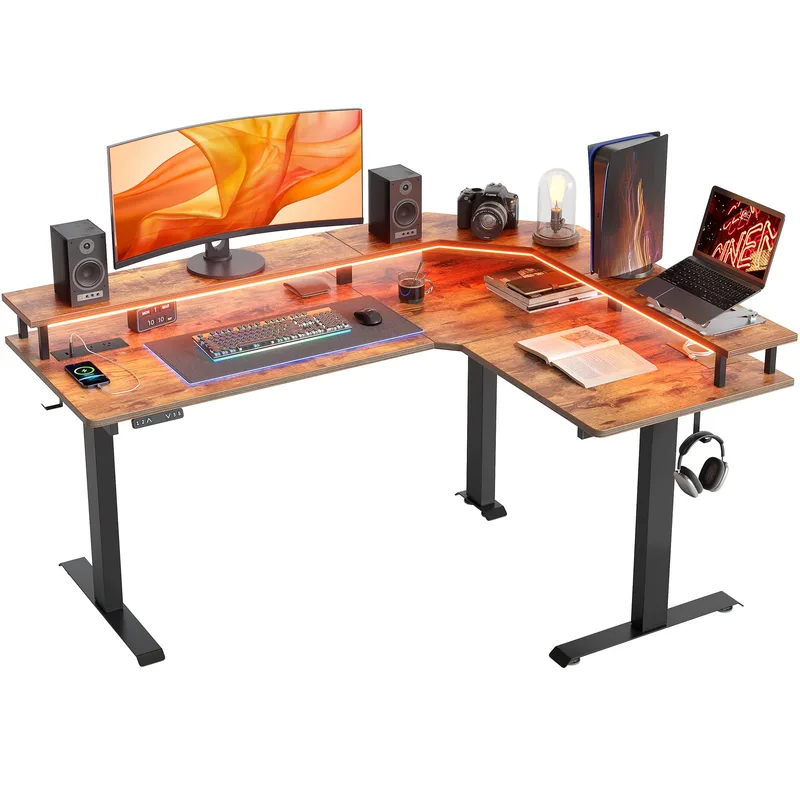
FEZIBO Triple Motor L-Shaped Standing Desk
Pros
- ✓ Triple motor at this price is rare — reduces wobble significantly over dual-motor models
- ✓ 63" combined surface fits dual-monitor + console or full gaming peripherals
- ✓ Reversible panel works as left or right return
- ✓ RGB LED strip included — looks sharp in a gaming setup
Cons
- ✗ Assembly is involved — plan 60-90 minutes and preferably a second person
- ✗ 27" minimum height is higher than competitors — not ideal for shorter users
- ✗ 5-year motor warranty is shorter than UPLIFT and FlexiSpot
The FEZIBO at $449 is the best option in this price range if your setup leans gaming or content creation. Triple motors at $449 is unusual — most desks at this price use dual motors, which increases wobble on an L-shaped configuration.
The 63” combined surface handles dual-monitor + console or a streaming setup with room to spare. The included RGB LED strip is a nice touch — not important for productivity, but it looks clean in a dark room.
The reversible panel configures for left or right corners. The 330 lb capacity is enough for most home setups, though it’s significantly lower than the FlexiSpot E7L.
One honest note: assembly is involved. Multiple users report the motor wiring instructions are unclear, and finding the right screw holes takes time. Budget 90 minutes and strongly consider having a second person on hand. The result is worth it — the finished desk is solid — but the process is more frustrating than it needs to be.
Best for: Gaming setups, content creator workstations, and buyers who want triple motors without spending $500+. The RGB lighting and 63” surface are genuine strengths here.
See also: If you’re building out a full gaming workstation, check our best standing desks for two monitors guide for complementary setup recommendations.
4. ErGear L-Shaped Electric Standing Desk — Best Mid-Range
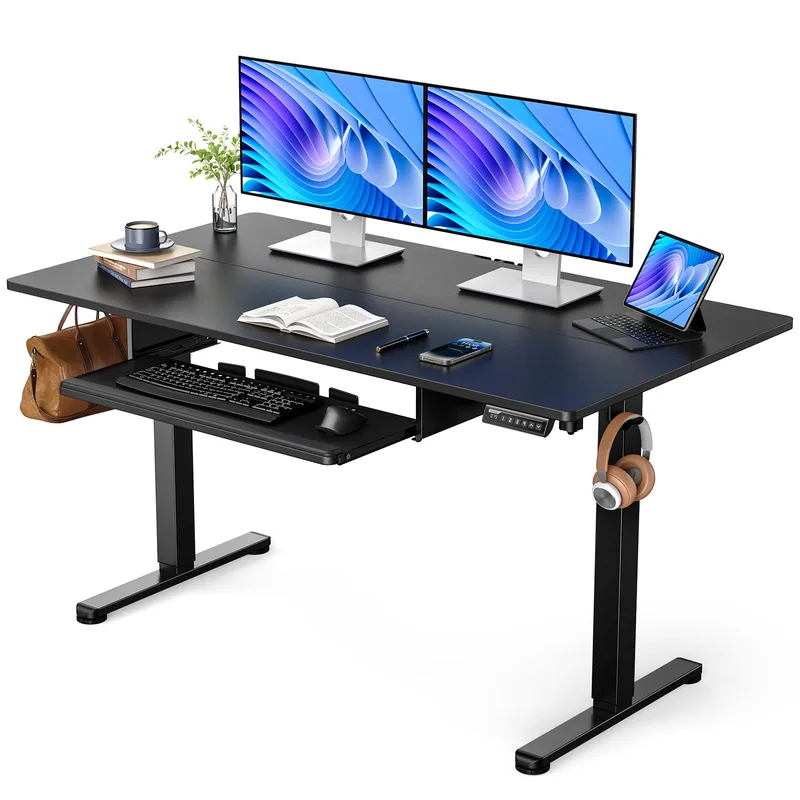
ErGear L-Shaped Electric Standing Desk
Pros
- ✓ 63"x55" surface is large enough for dual monitors and laptop
- ✓ Left and right interchangeable — flexible for corner configurations
- ✓ Competitive price for a dual-motor L-shaped desk
- ✓ Solid steel frame with aerospace-grade lifting column connectors
Cons
- ✗ 220 lb capacity — avoid if running multiple heavy monitors and peripherals
- ✗ 46.46" max height limits tall users (best for users under 6'2")
- ✗ 3-year warranty is shorter than top picks
The ErGear 63×55” sits between budget single-motor desks and the higher-end triple-motor options. At $349, it offers a dual-motor system with left/right interchangeable installation and a 63×55” surface — enough room for a proper home office setup.
Height adjusts from 28.35” to 46.46”. The 46.46” max height is the one spec to watch — users over 6’2” may find standing position slightly low. For everyone else, the range is workable.
Aerospace-grade lifting column connectors are a noteworthy spec for the price tier. The steel frame feels solid in reports from owners, and the 220 lb capacity handles standard dual-monitor builds without issue.
The 3-year warranty is the weak point compared to FlexiSpot and UPLIFT, but it’s standard for this price tier.
Best for: Mid-range buyers who want more surface area and better stability than a budget single-motor desk, without committing to triple-motor pricing. A practical choice for a home office that doesn’t need heavy lifting capacity.
5. VIVO 63×55 Corner Electric Standing Desk — Best Budget
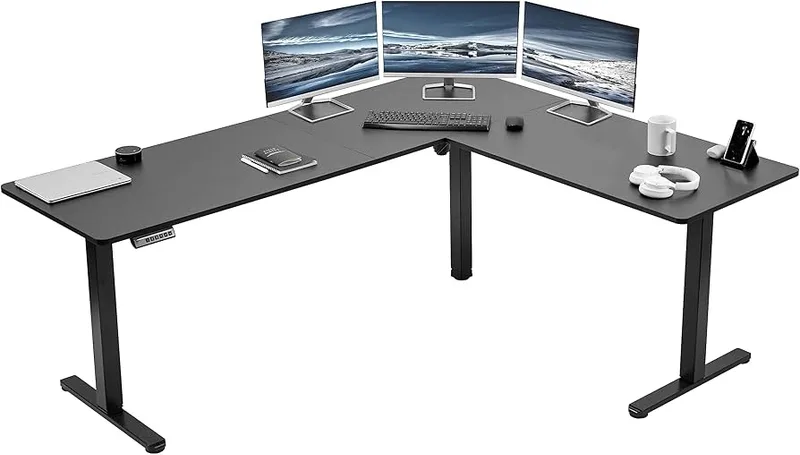
VIVO 63x55 Corner Electric Standing Desk
Pros
- ✓ Under $300 for a 63"x55" electric L-shaped desk is genuinely hard to beat
- ✓ Reversible 3-part top configures as left or right corner
- ✓ Solid 3-year warranty for a budget pick
- ✓ Ships via Amazon Prime — fast, easy returns if needed
Cons
- ✗ Single motor means slower lift and more wobble above 40"
- ✗ 225 lb capacity — not ideal for heavy dual-monitor rigs
- ✗ 28.5" minimum height is on the taller side for shorter users
Under $300 for a 63”×55” electric L-shaped desk with memory presets is a legitimate value. The VIVO DESK-E3CTB isn’t going to win any stability awards against triple-motor competitors, but for a first standing desk or a secondary workstation, it does the job.
The three-part top is reversible for left or right corner configurations. The single motor is adequate for moderate loads — a laptop, single monitor, and a few accessories won’t stress it. Two 27”+ monitors with a tower PC may push the 225 lb capacity toward its limits.
The height range (28.5”–46.8”) is similar to the ErGear above, so tall users face the same max-height limitation. The 3-year warranty is fair.
Ships via Amazon Prime, which is a genuine convenience advantage over direct-only brands.
Best for: First-time standing desk buyers, secondary workstations, or anyone who wants to try a corner standing desk without spending $400+. Don’t expect premium stability — expect a solid entry point.
L-Shaped Standing Desk Buying Guide
Why three legs matter
Most L-shaped standing desks use a three-leg frame to support the corner. This is critical. Two-leg configurations on an L-shape create a fulcrum effect — load on one side will cause the opposite end to flex. If you’re putting two monitors, a soundbar, and a mic arm on the desk, look for a three-leg design. Every desk on this list except the VIVO uses three legs or has multi-point support.
Triple motor vs. dual motor vs. single motor
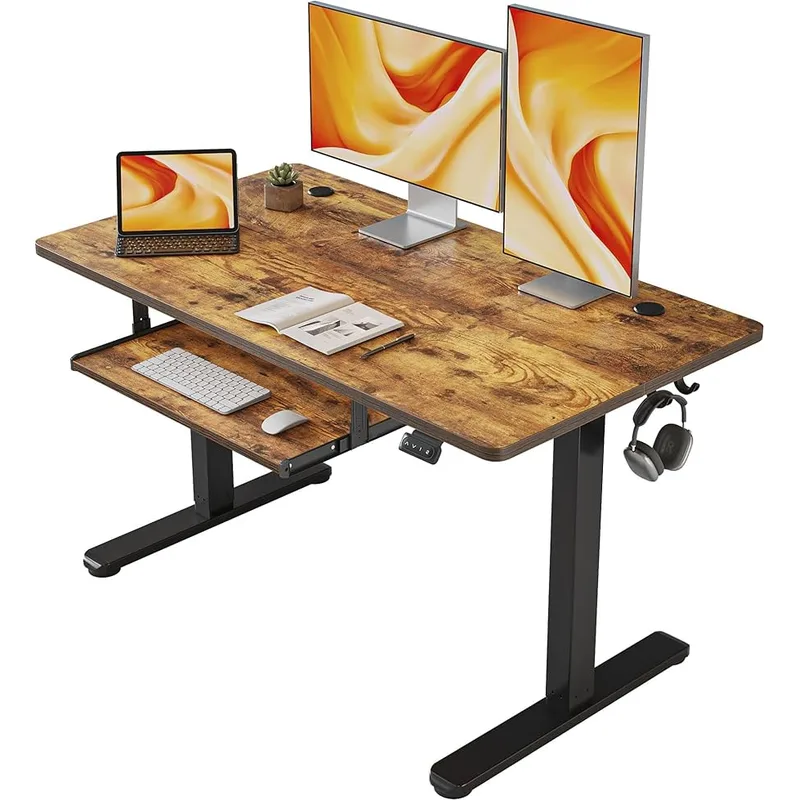
For an L-shaped desk, motor count matters more than on a rectangular desk. More surface area means more rotational load on each motor.
- Single motor (VIVO): Fine for light loads. Wobble increases with load and height.
- Dual motor (ErGear): Significantly more stable. Handles moderate setups well.
- Triple motor (UPLIFT, FlexiSpot E7L, FEZIBO): Each leg gets its own motor. The most stable option, especially under heavy loads.
If you’re running a 35+ lb dual-monitor arm setup, step up to at least dual motor. Triple motor if you want rock-solid feel at standing height.
Height range
Many L-shaped desks start at 28”–29”, which suits users around 5’5”–5’7” in sitting position. If you’re shorter (5’2” or under), look for desks with a 22”–25” minimum — the UPLIFT and FlexiSpot E7L both qualify. If you’re taller (6’3”+), check that the max height exceeds 48” — only the FlexiSpot E7L (50.8”) and UPLIFT (48.7”) hit that range on this list.
For a deeper dive on optimal standing heights, read our how long to stand at a standing desk guide.
Weight capacity
L-shaped desks tend to carry more gear than rectangular desks — that’s the point. Estimate your actual load:
- Dual monitors (27”): ~35–50 lbs combined
- Desktop PC: 20–30 lbs
- Monitor arms, speakers, accessories: 20–30 lbs combined
- Laptop + peripherals: 10–15 lbs
A typical dual-monitor work setup runs 70–90 lbs. A 225 lb capacity sounds like plenty, but give yourself headroom — desks rated at the limit of their capacity tend to wobble and age faster.
Warranty as a quality signal
L-shaped standing desks take more mechanical stress than rectangular models. A 15-year warranty on the UPLIFT and FlexiSpot E7L isn’t just marketing — it signals the manufacturer’s confidence in the motors and frame. 3-year warranties (ErGear, VIVO) are standard for the price tier; expect them to hold up, but don’t expect the same long-term tracking.
What about anti-fatigue mats?
If you’re buying an L-shaped desk for a standing setup, you’ll need a mat. The corner footprint means you’ll want two mats or a custom-shaped option. The Ergodriven Topo is the top pick — its contoured terrain surface promotes micro-movements that reduce fatigue during long standing sessions. For budget setups, the ComfiLife Anti-Fatigue Mat at $49 gets the job done. Check our best standing desk mats guide for the full comparison.
What about monitor arms?
An L-shaped desk without monitor arms wastes half the benefit. Mounting monitors on arms frees up desk surface and lets you position screens at proper eye level for both sitting and standing. The Ergotron LX Dual Arm is the standard recommendation — it handles monitors up to 14 lbs per arm with smooth tilt and swivel adjustment. See our best monitor arms for standing desks guide for more options.
Frequently Asked Questions
Are L-shaped standing desks more stable than rectangular?
Not automatically. Stability depends on the frame design. An L-shaped desk with a single motor and two-leg support can be less stable than a quality rectangular standing desk. The key is three-leg construction with triple motors. Both the UPLIFT V2 and FlexiSpot E7L use this configuration and are rated more stable than most rectangular desks by user testing data.
How much does an L-shaped standing desk weigh?
Most L-shaped standing desks weigh 120–200 lbs including the desktop. The three-leg frame and extended desktop surface add significant weight vs. rectangular models. Plan on two people for delivery and assembly — most manufacturers include a warning about this, and it’s accurate.
Can you add accessories to an L-shaped standing desk?
Yes. Monitor arms, cable management trays, keyboard trays, and desk accessories all attach normally. The main consideration is weight capacity — L-shaped desks with multiple accessories can approach limits faster than rectangular desks. The UPLIFT V2’s 535 lb capacity makes it the safe call for heavily accessorized setups. For monitor arms specifically, see our best monitor arms for standing desks roundup.
Are L-shaped standing desks reversible?
Most modern models are reversible — the shorter return can be positioned on either side. All five desks on this list are reversible. Confirm this in the product listing before buying, especially for entry-level models, as some older designs are fixed.
Is a corner standing desk worth it over two separate desks?
A corner standing desk with synchronized motors is worth it if you want the entire surface to rise and fall together. Two separate desks at different heights is ergonomically awkward for a seated-to-standing workflow. If you’re sitting primarily, two separate desks can work. If you’re standing regularly, one synchronized surface is strongly recommended.
What’s the best L-shaped standing desk under $500?
The FlexiSpot E7L at $549 is the closest thing to a definitive answer — technically slightly over $500, but it’s worth the extra $49 for 440 lbs capacity and a 15-year warranty. If you’re strictly under $500, the FEZIBO Triple Motor at $449 is the right call: triple motors, 330 lb capacity, solid corner stability. The best standing desks under $400 guide has more options if you want to explore further.
Final Verdict
For most buyers, the FlexiSpot E7L at $549 is the practical choice: triple motors, 440 lb capacity, 15-year warranty, and a height range that works for users from 5’0” to 6’7”. It’s significantly overbuilt relative to its price.
For the best L-shaped standing desk without compromise, the UPLIFT V2 is the right call. The 535 lb capacity, 22.6” minimum height, and 15-year all-inclusive warranty are genuinely best-in-class.
For gaming setups, the FEZIBO Triple Motor at $449 brings triple-motor stability and RGB aesthetics to a price tier where most competitors use dual motors.
For mid-range buyers who want dual-motor stability without premium pricing, the ErGear 63×55” at $349 is a practical call.
For budget buyers, the VIVO DESK-E3CTB at $299 delivers the core promise — electric height adjustment, 63”×55” surface, Amazon Prime shipping — without extras.
Before you buy, decide on your primary use case: home office productivity, gaming, or content creation. That narrows the choice quickly. Then check our complete standing desk setup guide to optimize the full workspace once the desk arrives.