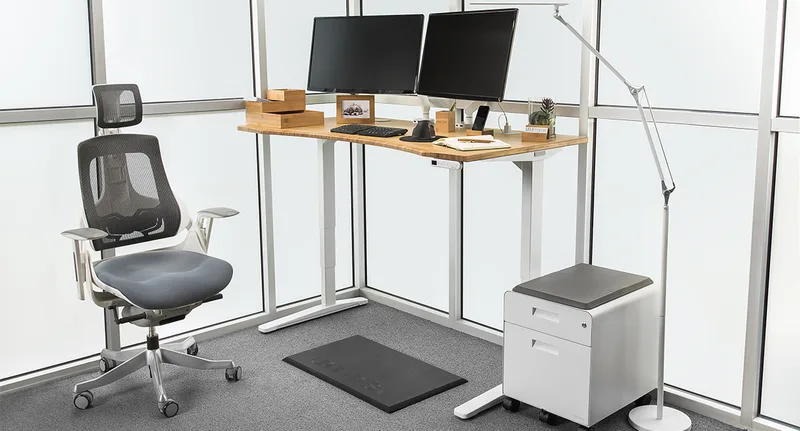
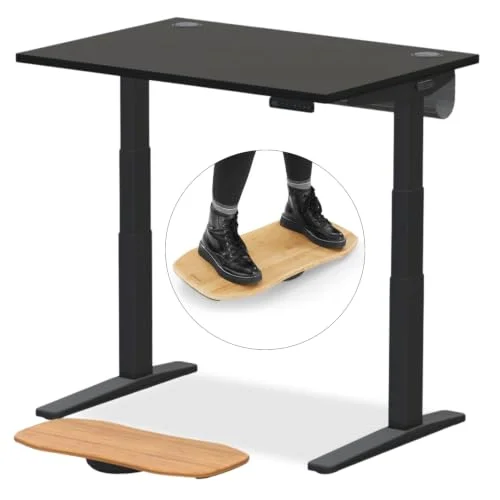
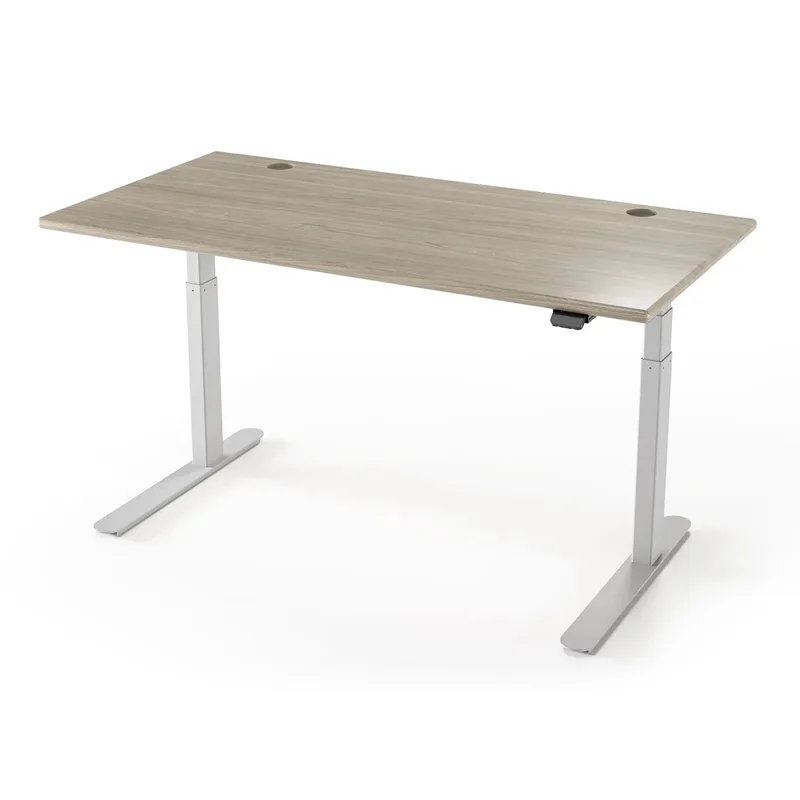
The global standing desk market crossed $9.1 billion in 2026, driven by millions of remote and hybrid workers finally committing to a permanent home office setup. The question isn’t whether to get a sit-stand desk anymore — it’s which shape makes sense for your space.
Short answer: Most people should buy a regular standing desk. They’re cheaper, more stable per dollar, and easier to position in a typical room. But if you’re working in a corner, running two or three monitors, or want dedicated zones for different tasks, an L-shaped desk is worth every extra dollar.
Here’s how they actually compare — with the best picks for both types.
Best L-Shaped Standing Desks in 2026
FlexiSpot E7L Pro L-Shaped Standing Desk
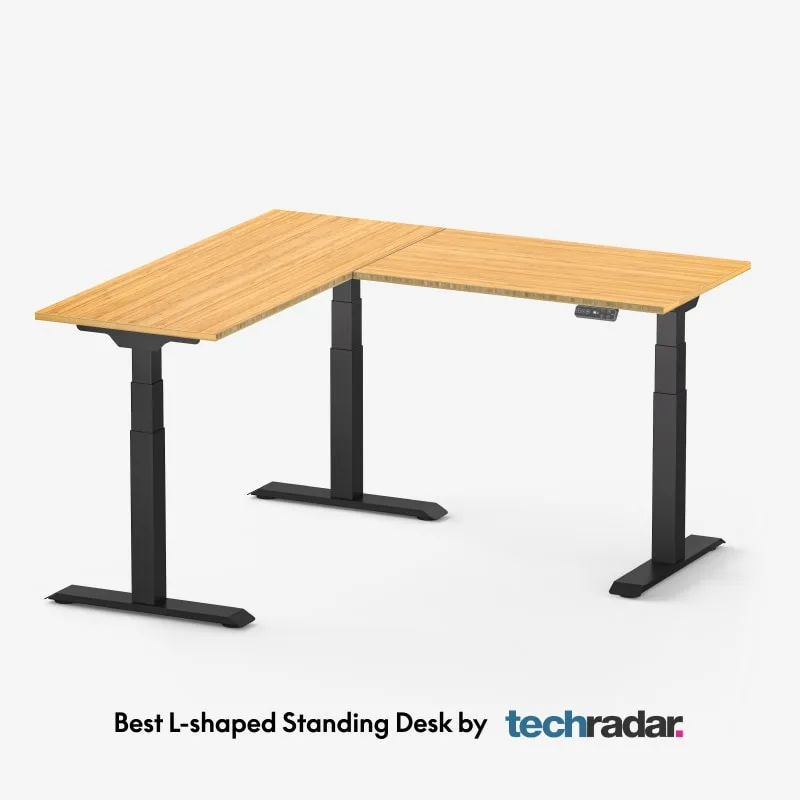
FlexiSpot E7L Pro L-Shaped Standing Desk
Pros
- ✓ Widest height range in class — 25" to 50.8" suits very short and very tall users
- ✓ Triple-motor 3-leg base delivers exceptional stability at full height
- ✓ 330 lb weight capacity handles dual ultrawide monitor setups
- ✓ 15-year frame warranty is best-in-class
Cons
- ✗ Expensive at $640 for the full desk
- ✗ Large footprint — needs significant corner space (63" x 40" minimum)
- ✗ Assembly takes 2–3 hours and benefits from two people
The E7L Pro is what the L-shaped standing desk category looks like when built properly. It runs on three motors — one per leg — across a 3-leg tripod base, which is why it doesn’t suffer the wobble problems that plague single-motor corner desks at full standing height.
The height range of 25” to 50.8” is the widest of any L-shaped desk in this price bracket. That matters for tall users: most L-shaped desks top out at 46–48 inches, which falls short for anyone over 6’2”. The E7L Pro goes higher, and the triple-motor system holds that height without drift.
The standard configuration comes in at 63” x 40” with a splice board top. It’s not the widest surface — the VIVO below actually beats it on total area — but the 330 lb weight capacity and anti-collision detection justify the premium for anyone building a serious workstation.
The 15-year warranty is the deciding factor. It matches what UPLIFT offers on their flagship regular desks, which is unusual for any L-shaped desk in this segment.
Best for: Power users, tall users, multi-monitor setups, anyone who spends 6+ hours daily at their desk.
VIVO Corner Standing Desk (DESK-E3CTB)
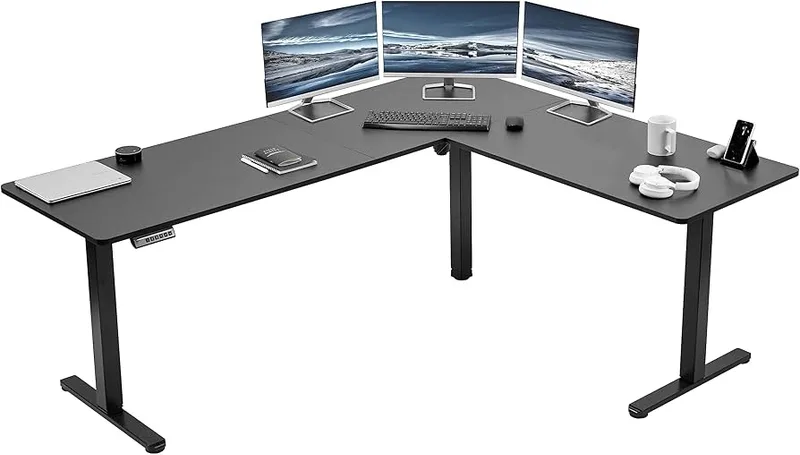
VIVO Corner Standing Desk DESK-E3CTB
Pros
- ✓ Outstanding price — a full electric L-shaped desk for $329
- ✓ Largest surface of the group at 63" x 55" — fits three monitors
- ✓ Reversible for left or right corner setup
- ✓ 4 memory height presets
Cons
- ✗ Single motor shows wobble at full standing height with heavy loads
- ✗ 176 lb weight capacity — lower than dual or triple motor rivals
- ✗ Narrower height range may not suit users above 6'3"
At $329, the VIVO DESK-E3CTB makes a strong argument that L-shaped standing desks don’t have to break the budget. The 63” x 55.2” surface is actually the largest of any pick in this article — plenty of room for three monitors, a full keyboard setup, and a second workspace zone for notebooks or reading.
It’s a single-motor design, which shows up under load at full standing height. With a 176 lb weight capacity, it’s built for typical office setups rather than heavy dual-ultrawide or broadcast rigs. The 3-year warranty is the shortest here.
But the value math works for a lot of buyers. If you’re upgrading from a static corner desk and want the sit-stand function without spending $600+, the VIVO gets you 90% of the way there. The 4 memory presets, reversible orientation, and broad finish selection (including bamboo and walnut) are hard to argue with at this price.
Best for: Budget-conscious buyers, light-to-medium workloads, anyone upgrading from a non-electric corner desk.
Best Regular Standing Desks in 2026
FlexiSpot E7 Pro Electric Standing Desk
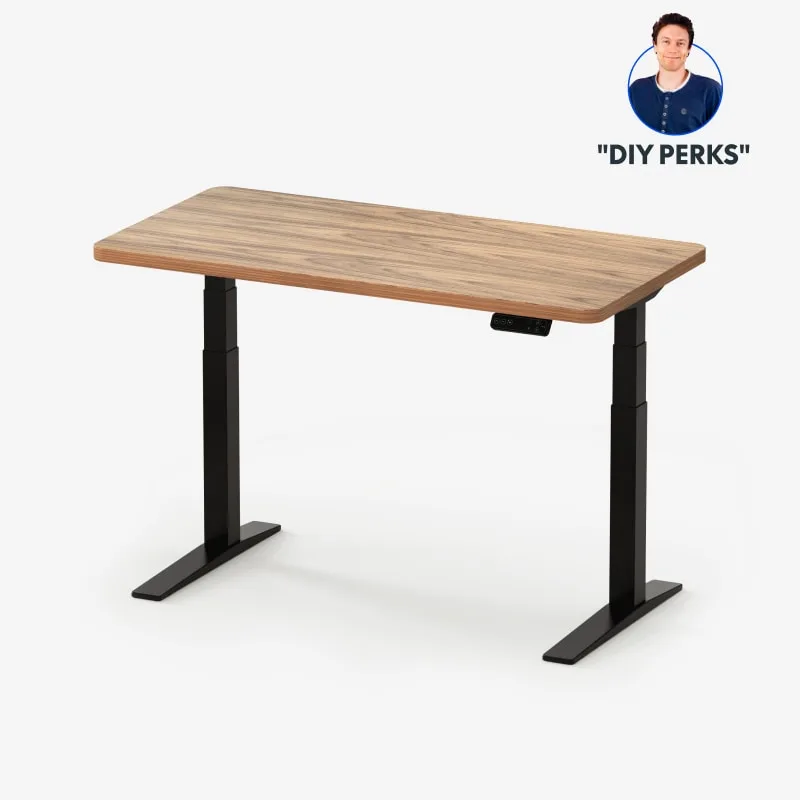
FlexiSpot E7 Pro Electric Standing Desk
Pros
- ✓ 355 lb weight capacity — BIFMA certified
- ✓ 15-year frame and motor warranty
- ✓ 22.8" minimum height works for users under 5'4"
- ✓ Anti-collision detection
Cons
- ✗ Basic cable management — wires stay visible without add-ons
- ✗ Two-person assembly recommended due to frame weight
- ✗ No Bluetooth or smart app connectivity
The FlexiSpot E7 Pro is the standing desk to recommend when someone asks which desk to buy without any other constraints. Currently available for $489, it has a 15-year frame warranty, 355 lb weight capacity, BIFMA certification, and anti-collision detection — specs that competing desks charge $600+ to match.
The 22.8” to 48.4” height range accommodates both shorter users (the low end matters for 5’2” and under) and taller ones. The dual-motor design runs quiet and smooth. Cord routing is basic out of the box, and you’ll want to grab a wire organizer separately, but that’s a $20 fix on a desk that saves you $200+ compared to premium alternatives.
If you’re comparing this to the L-shaped E7L Pro: you get the same 15-year warranty and similar build quality in a rectangular footprint for $151 less. The tradeoff is surface area and corner coverage — which is exactly the question this article is here to answer.
Best for: Most home office setups, anyone who doesn’t have a dedicated corner, buyers who want the best warranty and specs at a mid-range price.
UPLIFT V2-Commercial Standing Desk
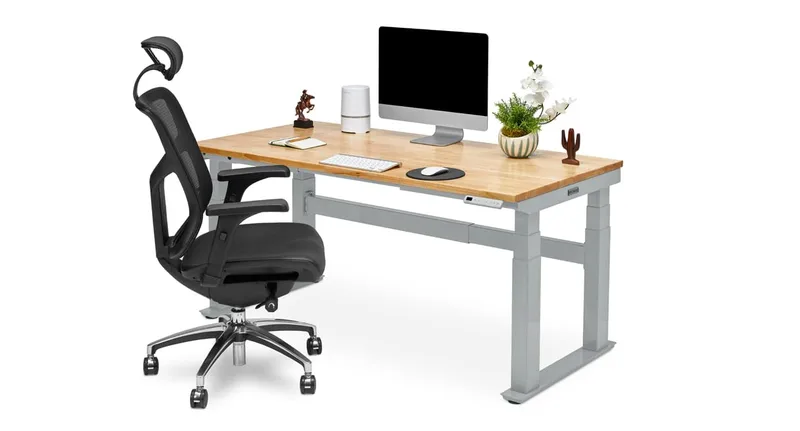
UPLIFT V2-Commercial Standing Desk
Pros
- ✓ Best anti-collision system in class — 6-axis accelerometer
- ✓ Wirecutter's top-rated standing desk, multiple years running
- ✓ 20+ desktop material options (bamboo, butcher block, laminate, solid wood)
- ✓ 355 lb capacity on standard 2-leg frame
Cons
- ✗ Higher starting price than FlexiSpot
- ✗ Slight wobble at maximum height on 2-leg frame
- ✗ Premium tops push total cost well above $1,000
Wirecutter has named the UPLIFT V2 their top standing desk pick for multiple years. The V2-Commercial variant available on Amazon earns that reputation through standout build quality and the best anti-collision system in the category — a 6-axis accelerometer that detects obstructions in multiple directions, not just vertical resistance.
The German-made dual motors run exceptionally quiet. The 20+ desktop material options (bamboo, multiple wood species, laminate in a dozen colors) mean you can match the desk to your room rather than defaulting to generic black or white. The 21.6” minimum height is the lowest of any desk in this group.
Starting at $659, the UPLIFT is the premium choice. It’s the desk to buy if you want a workstation that still looks and functions the same 10 years from now, and if you care about customization options that budget desks simply don’t offer.
Best for: Long-term buyers who want premium build quality, users who need precise anti-collision protection, anyone building a custom-aesthetic home office.
L-Shaped vs Regular: Head-to-Head
Workspace Surface Area
L-shaped desks win here. The VIVO’s 63” x 55.2” and the E7L Pro’s configurable options give you significantly more usable surface than any comparable rectangular desk. If you’re running three monitors, a laptop stand, a drawing tablet, or switching between two distinct work zones during the day, the corner configuration genuinely solves a space problem that a regular desk can’t.
Ergonomics and Monitor Placement
Regular desks have a meaningful advantage for ergonomics: every monitor ends up at the same distance and angle from your eyes. With L-shaped desks, the return section sits at a 90-degree angle, which means secondary monitors require neck rotation. This isn’t a dealbreaker — most L-desk users position their primary monitor directly in front and use the return for reference material — but it’s worth understanding before you buy.
Stability
Regular desks are more stable per dollar. A $489 FlexiSpot E7 Pro with a dual-motor system is more rigid at full standing height than a $329 single-motor L-desk like the VIVO. If stability matters — and it should if you’re typing standing up — you’re paying a premium to get it in the L-shaped category. The FlexiSpot E7L Pro’s triple-motor design solves this, but it costs $640.
Price
Regular desks are substantially cheaper. The FlexiSpot E7 Pro at $489 delivers specs that no L-shaped desk can match at the same price. The entry point for a quality electric L-shaped desk with dual or triple motors is around $500–$640. Budget L-shaped options (the VIVO at $329) exist but involve compromises on motor count, weight capacity, and warranty.
Room Requirements
L-shaped desks need a corner. That sounds obvious, but it means the desk dictates room layout. Regular desks can float anywhere — against a wall, in the middle of a room, repositioned as needs change. If you’re renting or frequently rearrange your space, the flexibility of a rectangular desk is worth more than it seems.
Quick Comparison
| Desk | Type | Price | Height Range | Surface | Capacity | Warranty |
|---|---|---|---|---|---|---|
| FlexiSpot E7L Pro | L-Shaped | Unavailable | 25”–50.8” | 63”x40” | 330 lbs | 15 years |
| VIVO DESK-E3CTB | L-Shaped | $259.99 as of Oct 18, 2026 | 28.5”–46.8” | 63”x55” | 176 lbs | 3 years |
| FlexiSpot E7 Pro | Regular | Unavailable | 22.8”–48.4” | 48”x30” | 355 lbs | 15 years |
| UPLIFT V2-Commercial | Regular | Unavailable | 21.6”–47.7” | 48”x24” | 355 lbs | 15 years |
Who Should Buy an L-Shaped Desk?
Buy L-shaped if:
- You have a corner available and want to use it efficiently
- You run two or more monitors and want them spread across a wide arc
- You need separate zones for different tasks (computer work + writing + reading)
- You’re building a gaming or streaming setup where total surface real estate matters
- You don’t mind spending $500+ to get a properly stable electric model
For ergonomic setup guidance once your desk arrives, see our complete standing desk setup guide.
Who Should Buy a Regular Desk?
Buy regular if:
- You’re working in a non-corner space, or your room layout requires flexibility
- Your budget is under $500 — you get significantly better specs per dollar
- You run one or two monitors in a straight-ahead configuration
- Stability at full height is a priority (dual-motor rectangular desks outperform single-motor L-desks at the same price)
- You want the widest selection of sizes, tops, and customization options
For a full breakdown of the best rectangular options at all price points, see our best standing desks for 2026 roundup.
What to Look For When Buying
Motor count: Single-motor L-desks wobble at full height under load. Aim for dual or triple motors if you’re standing for extended sessions.
Height range: The low end matters as much as the high end. Users under 5’4” need desks that go below 27”. Users over 6’2” need desks that reach 48” or higher. Confirm both numbers before buying.
Weight capacity: Add up the weight of all your monitors, peripherals, and equipment. Budget L-shaped desks (176 lbs) can be maxed out by two monitors plus accessories. Premium desks (330–355 lbs) give comfortable headroom.
Warranty: A 3-year warranty on a $300 desk is fine. A 3-year warranty on a $600 desk is a red flag. At that price point, the standard is 15 years.
Assembly: L-shaped desks are harder to assemble than rectangular ones — more parts, heavier components, and often two separate boxes. Block out 2–3 hours and recruit a second person.
Complete the Setup
None of the four desks above ship with everything you need for a comfortable standing workday. These four add-ons cover the gaps — an anti-fatigue mat, a monitor arm, and somewhere to hide the cables and clutter that come with a bigger desk surface.
Anti-Fatigue Mat
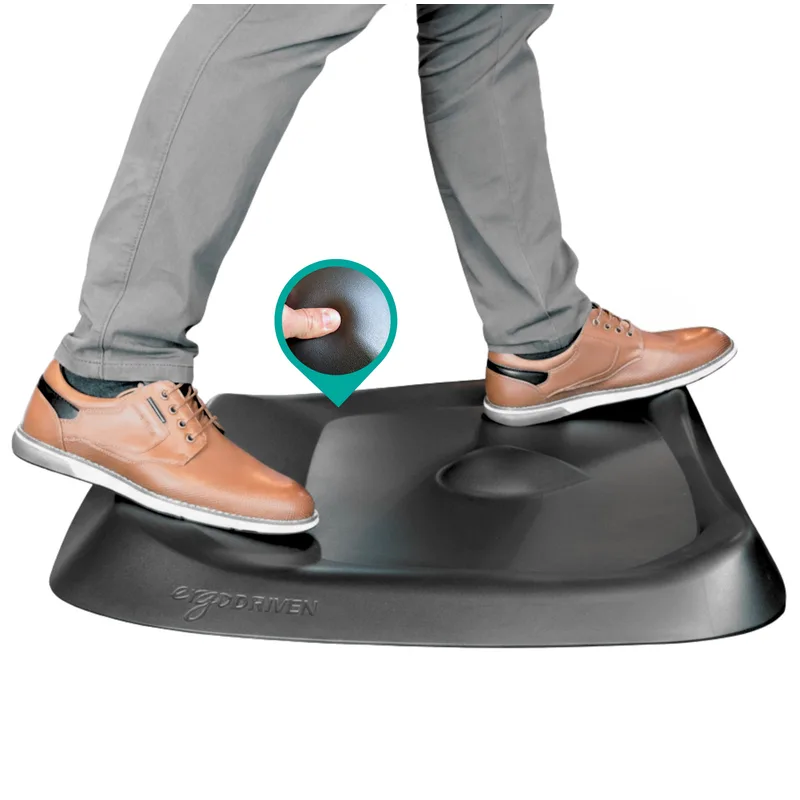
Topo by Ergodriven Anti-Fatigue Mat
Pros
- ✓ Calculated terrain encourages micro-movements
- ✓ Medical-grade polyurethane holds up for years
- ✓ 7 distinct zones for foot positioning
- ✓ NYT Wirecutter's top pick since 2016
Cons
- ✗ Requires a 2-3 week adjustment period
- ✗ Too small for users over 6'5"
- ✗ Not ideal with stiletto heels
Standing on bare floor for hours is hard on your knees and lower back regardless of which desk you buy. The Topo by Ergodriven uses a terrain design instead of a flat pad, which forces small foot movements that keep blood flowing during long standing sessions. It takes a couple weeks to get used to, and it’s not the mat for anyone who works in heels, but the 7-year warranty means you’re not replacing it every winter like a cheap foam mat.
Monitor Arm
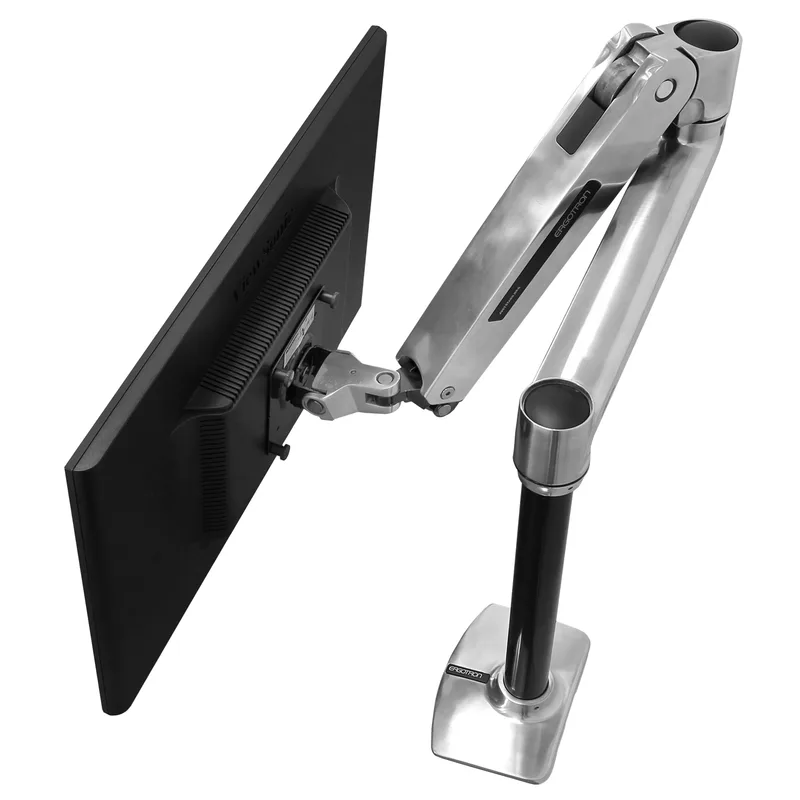
Ergotron LX Monitor Arm
Pros
- ✓ Smooth gas spring handles heavy monitors with ease
- ✓ 10-year warranty — best in class for the price
- ✓ 360-degree rotation for portrait mode
- ✓ Frees up desk space for a cleaner standing setup
Cons
- ✗ $209 is a real investment for a single arm
- ✗ 25 lb capacity won't hold large ultrawide monitors
- ✗ Requires desk clamp or grommet clearance
This matters more on an L-shaped desk than a regular one — with a return section eating into your sightline, getting the primary monitor at the correct height and distance is what keeps the ergonomics working. The Ergotron LX handles up to a 34-inch display on a smooth gas spring and frees up desk space that an L-shaped corner desperately needs for a second work zone.
Cable Management
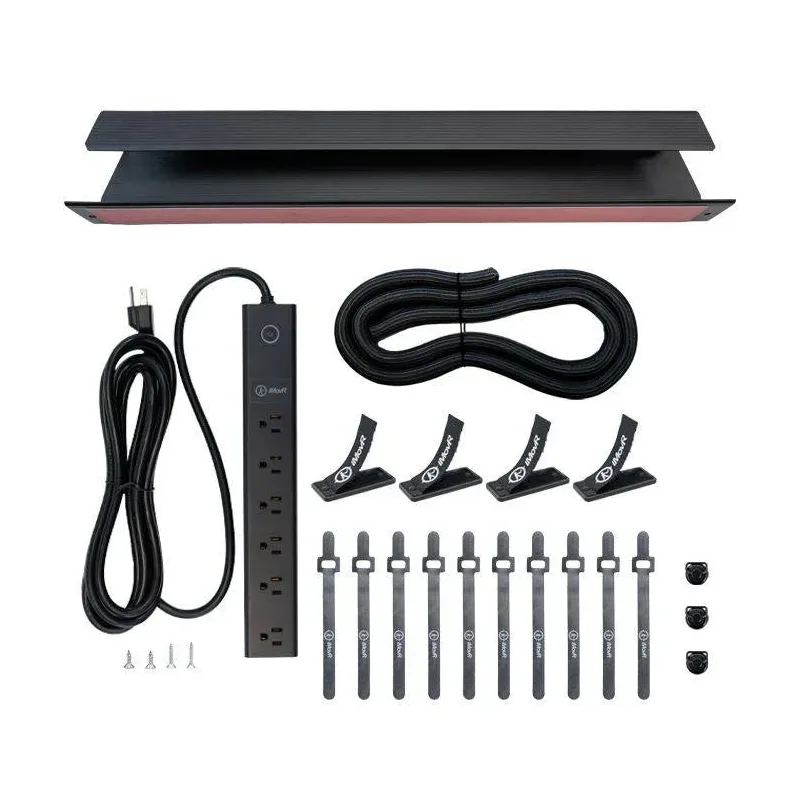
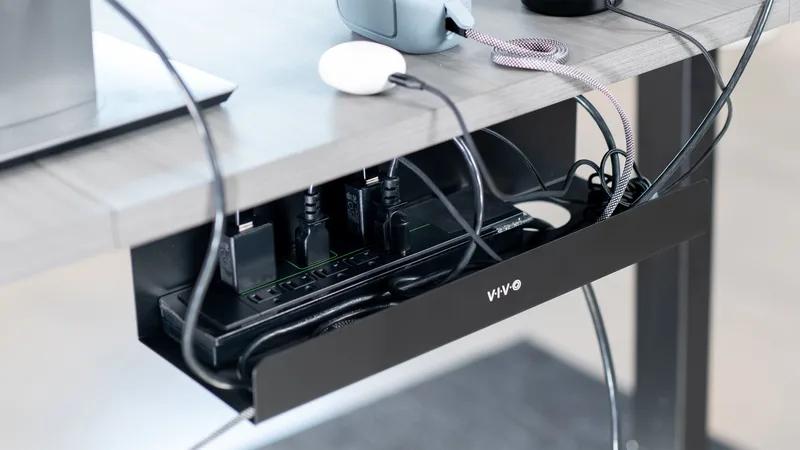
VIVO 17" Under-Desk Cable Management Tray
Pros
- ✓ Proven steel construction holds a full power strip without flex or sag
- ✓ Partially closed sides keep cords contained while front opening makes wiring easy
- ✓ Screws mount flush under any desk — stays put permanently
- ✓ Works with power strips up to 15 inches
Cons
- ✗ Requires drilling — not ideal for renters or IKEA tabletops
- ✗ 17 inches may not cover larger surge protectors
- ✗ No color options beyond black and white
Both the E7L Pro and the E7 Pro ship with basic cable routing at best — you’ll see wires hanging under the desk on day one. A screw-mount tray like the VIVO 17” keeps a power strip and cord bundle out of sight for under $20, and it’s a five-minute install regardless of desk shape.
Under-Desk Storage
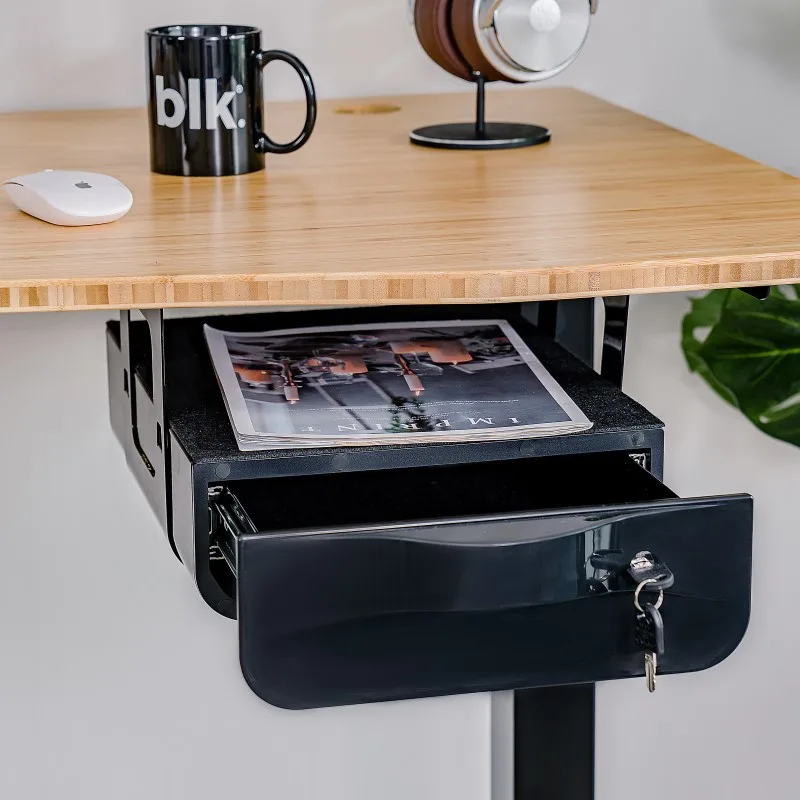
FlexiSpot Under Desk Drawer S01
Pros
- ✓ Full steel construction holds up daily use without any flex or rattle — far sturdier than plastic alternatives at this price
- ✓ Low 2.8" profile means it fits under most desks without cutting into legroom, even at low standing-desk heights
- ✓ Bearing slides make opening and closing genuinely smooth — no dragging or wobble even when the drawer is fully loaded
- ✓ Ships fully assembled, so installation is simply positioning and driving six screws — most buyers complete it in under 10 minutes
Cons
- ✗ Requires drilling six pilot holes, so it is not ideal for renters or those who cannot modify their desk surface
- ✗ Interior is essentially one open compartment — no built-in dividers to separate pens from paperclips
- ✗ White finish shows fingerprints noticeably; black finish is the more practical choice for most setups
L-shaped desks have room to spare, but regular desks often don’t — especially the FlexiSpot E7 Pro’s compact 48” x 30” top. A slide-out drawer like the FlexiSpot S01 adds storage without eating into usable desktop space, and it mounts to any desk with a flat underside in under 10 minutes.
Frequently Asked Questions
Are L-shaped standing desks worth it?
Yes — for the right setup. If you work in a corner, use multiple monitors, or need separate zones for different tasks, the surface area and layout of an L-shaped desk genuinely improves how the workspace functions. For a straightforward single-monitor setup, a regular desk delivers better specs per dollar.
Why do L-shaped standing desks wobble more?
Most budget L-shaped desks use a single motor, which means one drive point across a large, asymmetric surface. When you load the return section with monitors and stand the desk at full height, that single motor can’t hold the frame rigid under eccentric load. Dual- and triple-motor designs (like the FlexiSpot E7L Pro) solve this. Single-motor L-shaped desks are fine at sitting height but noticeably less rigid standing.
Can I use an L-shaped standing desk in a small room?
Only if you have a corner available. The minimum footprint for an L-shaped desk is roughly 55” x 55”, and many models are larger. If your room is under 100 square feet or doesn’t have a clear corner, a regular standing desk is the more practical choice. See our standing desk vs. desk converter guide if space is really tight.
What is the best height range for a standing desk?
The standard ergonomic target is elbow height when standing with your arms at 90 degrees. For most adults (5’4”–6’2”), that falls between 37” and 45”. Make sure the desk’s maximum height exceeds your elbow height by a few inches to give adjustment room, and that the minimum height allows you to type comfortably seated. A range of 24”–48” covers most users.
Is UPLIFT better than FlexiSpot?
Both brands offer 15-year warranties and comparable weight capacities, but they serve different buyers. UPLIFT (Wirecutter’s long-running top pick) wins on anti-collision technology, customization options, and premium materials. FlexiSpot wins on price — the E7 Pro costs $170 less than a comparable UPLIFT entry-level configuration and delivers nearly identical functional specs for everyday use.
The Verdict
For most buyers: get the FlexiSpot E7 Pro. At $489 with a 15-year warranty and 355 lb capacity, it outperforms desks that cost twice as much. Add an anti-fatigue mat and a monitor arm, and you have a complete ergonomic workstation for well under $850.
If you’re committed to an L-shaped layout: the FlexiSpot E7L Pro at $640 is the one to buy if budget allows. The triple-motor 3-leg frame and 15-year warranty set it apart from the crowded single-motor field. If $300 is your ceiling, the VIVO DESK-E3CTB delivers surprising value — just know that the stability and warranty compromises are real.
The UPLIFT V2-Commercial is the pick for buyers who want the best and plan to keep their desk for 10+ years. The anti-collision system alone is worth the premium if you have kids, pets, or simply want peace of mind.
Shape follows function. Figure out where the desk lives first — corner or wall — and the decision usually makes itself.