A vertical mouse turns your hand on its side so your forearm stops twisting to lie flat on the desk. That is the whole idea. Whether it helps your wrist depends on your hand size, which side you use, and how long you give the new shape to feel natural. In 2026 the aisle is crowded, from small-brand Bluetooth and rechargeable models up to the premium Evoluent range, so picking the wrong size is the most common mistake.
Quick pick: the Logitech Lift is the one I’d buy for most people. Large hands should look at the MX Vertical, left-handed users have a real option in the left-handed Lift, and anyone who just wants to try the shape cheaply can start with the Delux or Anker.
This list is based on researching manufacturer specs, live Amazon listings and owner feedback, not personal use. No mouse here is a medical device, and none will fix pain by itself. If you have persistent numbness or pain, see a professional.
1. Logitech Lift: Best Overall
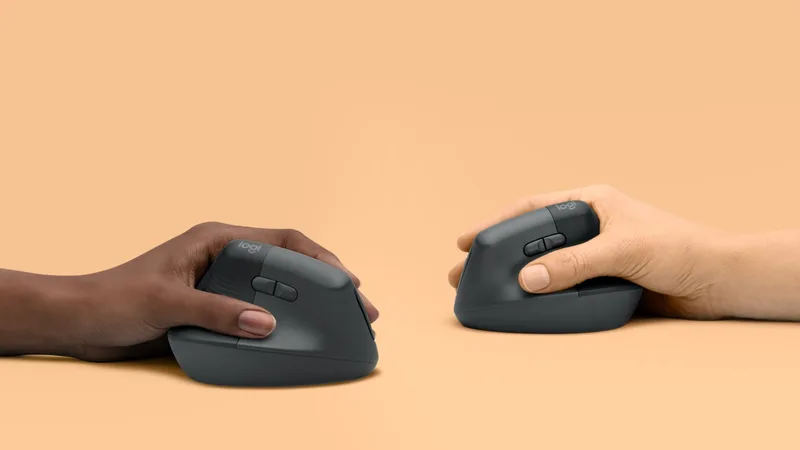
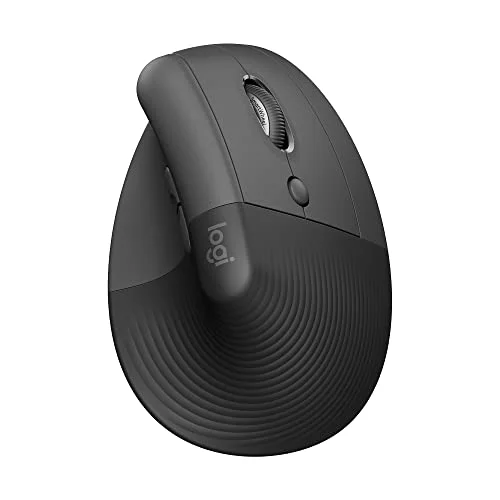
The Lift is the mouse most people should start with. Logitech sized it for small to medium hands, and that matters: most vertical mice are scaled for big hands, which leaves everyone else stretching for the side buttons. The 57° tilt is steep enough that your forearm sits closer to a handshake position, but not so steep that it feels alien on day one.
It also behaves like a normal office mouse. Clicks are quiet, you can pair it over Bluetooth or the receiver, and it runs on a single AA battery that Logitech claims lasts up to two years. The downsides are real: it is too small for large hands, and expect a week or two where your cursor control feels worse before it feels better. If you are comparing it against a flat mouse for a small hand, our mice for small hands guide covers both.
Best for: small to medium right hands, shared offices, first-time vertical mouse buyers.
2. Logitech MX Vertical: Best for Large Hands
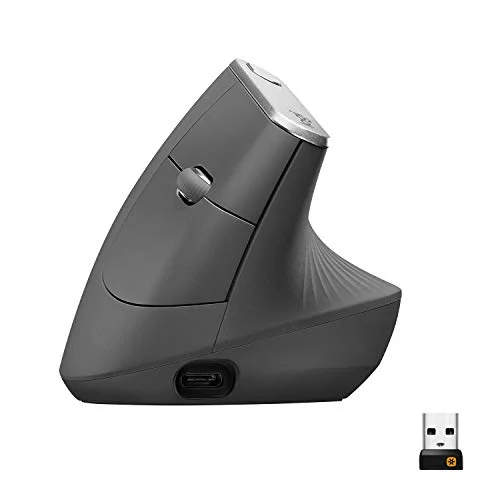
Logitech MX Vertical Wireless Mouse
Pros
- ✓ Bigger body gives large hands room to rest the whole palm
- ✓ Rechargeable with a quick top-up when the battery runs low
- ✓ Adjustable DPI with a dedicated button for fast switching
- ✓ Solid thumb rest and well-placed side buttons
Cons
- ✗ Sized for larger hands; small hands will stretch for the buttons
- ✗ Heavier than the Lift
- ✗ Right-handed only
The MX Vertical is the Lift’s bigger, heavier sibling. The body is larger and the thumb rest is generous, which is what a large hand needs to rest instead of hover. It charges over USB-C, has a DPI button within thumb reach, and pairs over Bluetooth or a receiver.
I’d pick it over the Lift only if your hand is large. On a small hand the buttons are a stretch and the weight becomes tiring. If you are measuring up, our ergonomic mice for large hands roundup has the sizing guidance.
Best for: medium to large right hands, people who want a rechargeable mouse with quick DPI switching.
3. Evoluent VerticalMouse D Medium Wireless: Best Premium
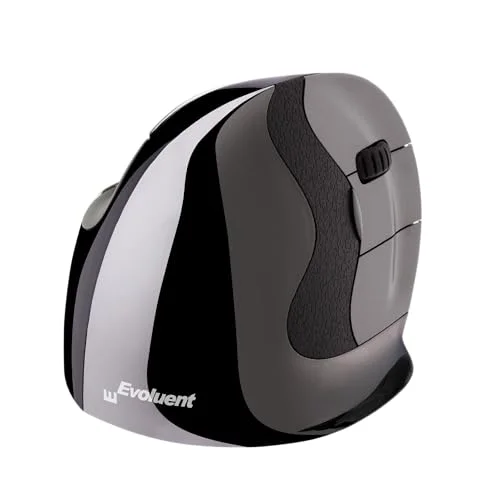
Evoluent VerticalMouse D Medium Wireless (VMDMW)
Pros
- ✓ A steeper, more upright grip than the Logitech mice for people who want the most forearm rotation removed
- ✓ Six customizable buttons through the Windows driver
- ✓ Sizes available for different hands; this is the medium
- ✓ Long track record as a dedicated vertical-mouse brand
Cons
- ✗ Costs roughly twice what the Lift does
- ✗ Steeper learning curve than a tilted design
- ✗ Button customization depends on the Windows driver
Evoluent has made vertical mice for years and this is the most upright design here. The sculpted shape holds your hand closer to true handshake, which removes more forearm rotation than the Logitech tilt. The listing advertises six buttons you can customize in Windows and four pointer speeds.
The catch is price and the adjustment period. It costs about twice as much as a Lift, and a steeper grip means a longer learning curve. The button remapping depends on the Windows driver, so check that before buying if you work on a Mac. For people who live on a mouse all day and have already decided on vertical, it is the one to look at.
Best for: heavy daily mouse users who want the most upright grip and customizable buttons.
4. Logitech Lift Left-Handed: Best for Left-Handed Users
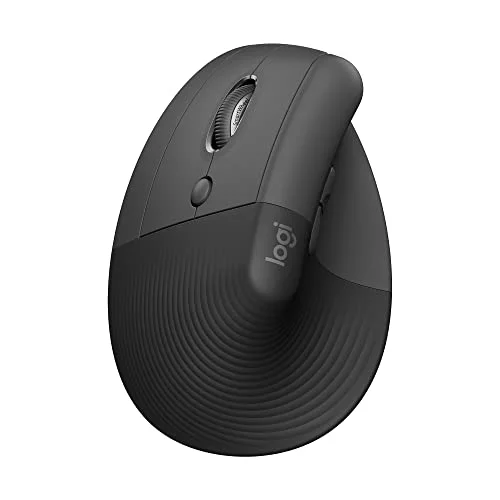
Logitech Lift Left-Handed Vertical Ergonomic Mouse
Pros
- ✓ A true left-handed shape, not a mirrored afterthought
- ✓ Same compact size and quiet clicks as the right-handed Lift
- ✓ Long battery life from a single AA
- ✓ One of few vertical options for left-handed users from a major brand
Cons
- ✗ Same small-to-medium sizing, so large left hands are out of luck
- ✗ Costs a little more than the right-handed version
- ✗ Fewer color options than the right-handed model
Left-handed users are usually told to flip the mouse in software and live with a right-handed shape. This version of the Lift is built for the left hand, with the same 57° angle, quiet clicks and AA battery as the standard model. It is also the only major-brand vertical option on this list for left-handers, which is reason enough to include it.
Sizing is the same small to medium as the right-handed Lift, so large left hands are underserved. It costs a bit more than the standard version, and color choice is narrower.
Best for: left-handed users with small to medium hands.
5. DELUX M618PD: Best Value
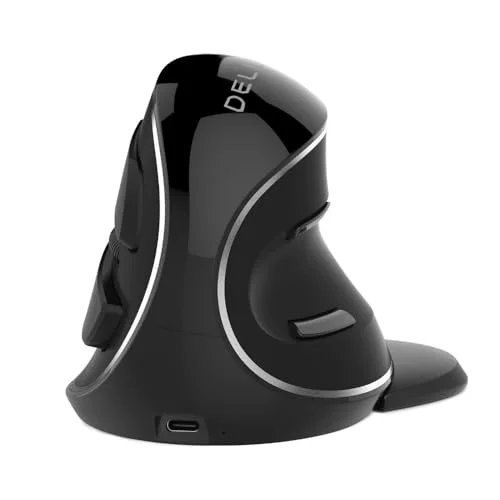
The M618PD is a large-hand wireless vertical mouse at a price well under the MX Vertical. The shape is designed to keep the wrist in a handshake position, and that is mostly what you are paying for. Expect a plainer sensor and build than the Logitech mice, and thinner driver support.
It is a sensible way to find out whether a big vertical shape works for you before paying for the Logitech or Evoluent. If you like it, you may never need to upgrade.
Best for: large right hands on a budget, and anyone testing the concept.
6. Anker 2.4G Wireless Vertical Mouse: Best Budget
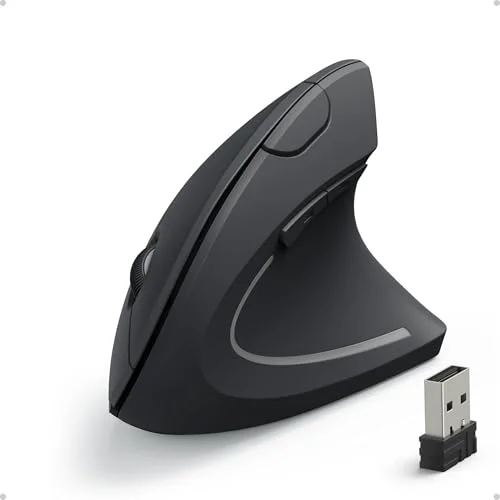
Anker 2.4G Wireless Ergonomic Vertical Mouse
Pros
- ✓ Cheapest brand-name entry into vertical mice on this list
- ✓ Plug-and-play receiver, nothing to install
- ✓ Good for trying the vertical position before spending more
- ✓ Backed by a brand with established customer support
Cons
- ✗ No Bluetooth, and it ties up a USB port
- ✗ Plastic feel and basic sensor compared with the Logitech models
- ✗ Right-handed only, one size
Anker’s vertical mouse is the cheapest brand-name way in. It uses a 2.4GHz USB receiver, installs with nothing to download, and gets the basic vertical posture right. It does not have Bluetooth, the plastics feel basic, and it comes in one size, right-handed only.
Treat it as an experiment. If a vertical shape suits you, you will probably step up to a Lift or MX Vertical. If it does not, you have lost very little.
Best for: trying a vertical mouse for the first time without spending much.
How to Choose a Vertical Mouse
Hand size comes first
Measure from the base of your palm to the tip of your middle finger. Under about 7 inches, look at the Lift. Over 8, look at the MX Vertical or Delux M618PD. In between, the Evoluent medium or either Logitech can work, so read the owner feedback on fit.
Angle: tilted or truly upright
Logitech’s 57° tilt is a compromise that most people adapt to quickly. Evoluent’s near-upright design removes more rotation but takes longer to learn. If you are unsure, start with the tilt.
Handedness
Right-handed users have plenty of choices. Left-handed users should go to the left-handed Lift, since most vertical mice are not symmetrical.
Wireless, battery and ports
Bluetooth saves a USB port, which matters on laptops. Receiver-only mice like the Anker work fine but occupy one. A AA battery lasts a long time but needs replacing; a rechargeable one needs a cable occasionally.
Pair it with the rest of your setup
A vertical mouse only fixes one part of the posture chain. Check your mouse pad and wrist support, and if you are weighing alternatives, see our ergonomic trackball roundup, which keeps the wrist still entirely. Desk height matters too: a standing desk set up for carpal tunnel puts your forearm in a better position for any mouse. For gamers, see the ergonomic gaming mice list, and for habits that reduce strain, read our guide to preventing wrist pain from typing.
FAQ
Do vertical mice help with wrist pain?
They are designed to keep the wrist in a handshake position instead of twisting the forearm flat, and many owners report that feels more comfortable. They are not a medical treatment. If you have persistent pain, numbness or tingling, see a healthcare professional.
How long does it take to get used to a vertical mouse?
Plan on one to two weeks of slower, clumsier cursor control. Using it for everyday work, not only for a few minutes a day, speeds up the adjustment.
Are vertical mice good for gaming?
Not for fast-twitch games. The grip and sensors are tuned for office work. Casual and strategy play is fine, and our ergonomic gaming mice guide covers better options for competitive play.
Is there a left-handed vertical mouse?
Yes. The left-handed Logitech Lift on this list is the main mainstream option. Most other vertical mice are right-handed only.
Vertical mouse or trackball: which is better?
A vertical mouse changes the forearm angle, while a trackball keeps your hand still and moves only the thumb or fingers. Some people prefer one, some the other. Our trackball roundup can help you decide.
The Bottom Line
For most people the Logitech Lift is the right first vertical mouse, and the left-handed Lift covers left-handers. Large hands should choose the MX Vertical or the cheaper Delux M618PD. If you want the most upright design and customizable buttons, the Evoluent is the premium choice. And if you only want to try the idea, the Anker costs very little. Whichever you choose, give it two weeks before judging.