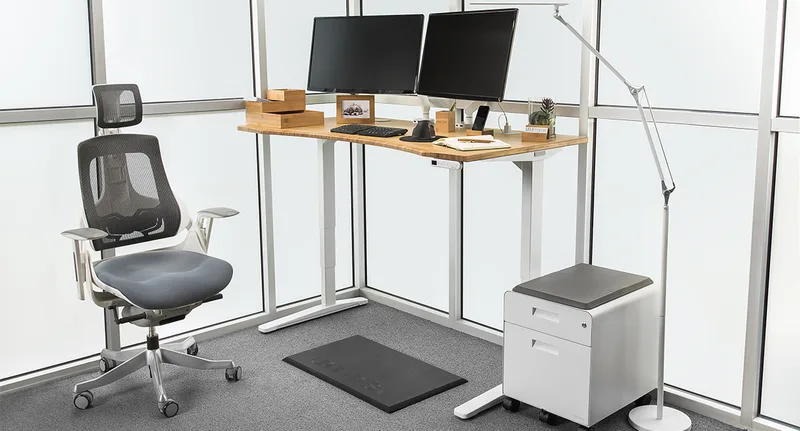
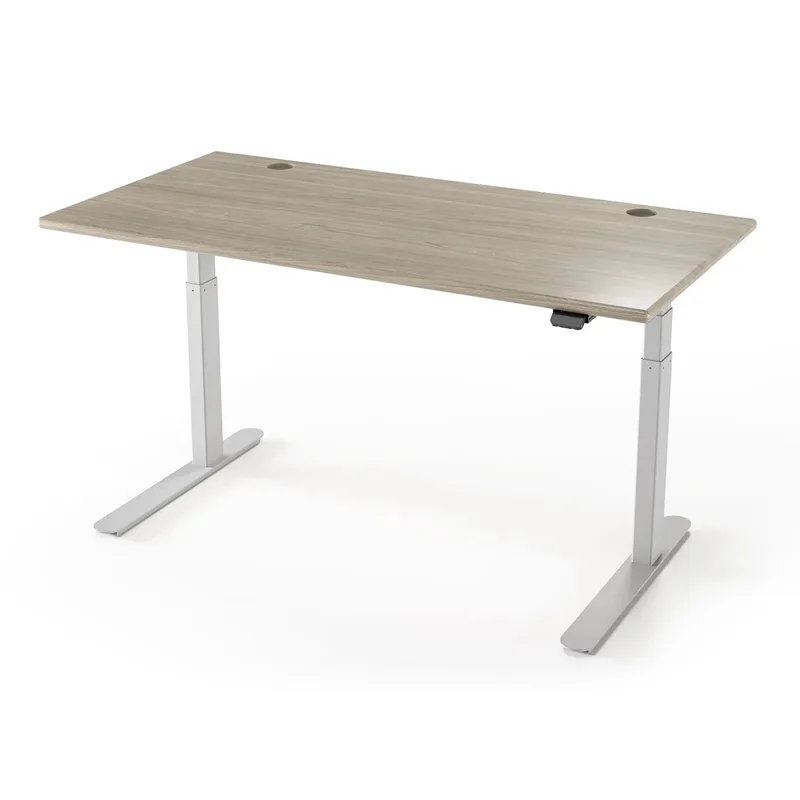
If your wrist starts aching by 2pm and a wrist rest hasn’t fixed it, the problem might not be your mouse pad — it might be that your keyboard has been sitting at the wrong height for years and you’ve never had a way to change it precisely. A fixed-height desk locks your wrists into whatever angle happens to line up with your chair, and if that angle bends your wrists upward or sideways for eight hours a day, no amount of padding solves it. Hybrid work has pushed more people to rethink desk setups in 2026, and a standing desk with real memory presets — not just up/down buttons — is one of the few pieces of furniture that lets you dial in a wrist-neutral typing height and return to it exactly, every single time.
This roundup covers six standing desks chosen for precision height memory, motor stability, and desktop rigidity — the three things that actually matter for wrist and carpal tunnel relief. If you just want the recommendation: the UPLIFT V2-Commercial Bamboo at $1,099 has the most reliable memory presets and the widest height range in this group. If you want dual-motor stability without the premium price, the FlexiSpot E7 Pro at $549 is the best value.
UPLIFT V2-Commercial Bamboo Standing Desk — Editor’s Pick
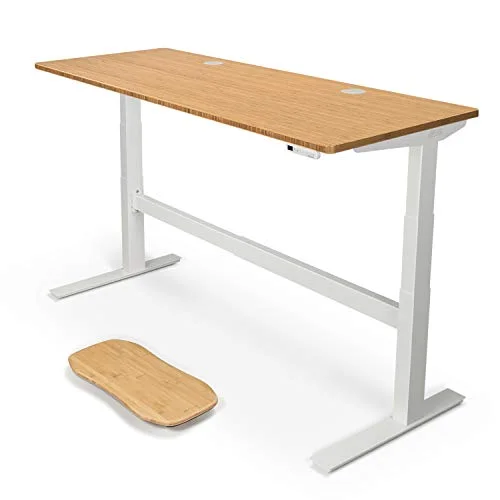
UPLIFT V2-Commercial Bamboo Standing Desk (72x30)
Pros
- ✓ Advanced keypad memory presets return the desk to the exact same height every time, which matters more for wrist positioning than almost any other feature on this list
- ✓ 355 lb dual-motor lift stays stable at full height instead of wobbling, so you're not unconsciously bracing your wrists against desk sway while typing
- ✓ 51-inch max height accommodates taller users who need a higher keyboard position to keep wrists neutral
- ✓ 15-year warranty on the frame is the longest backing in this roundup
Cons
- ✗ At $1,099 for the 72x30 bamboo configuration, it's the most expensive desk here by a wide margin
- ✗ Bamboo desktop is heavier than laminate, which adds to assembly time
- ✗ Keypad has more buttons and settings to learn than the simpler up/down controllers on cheaper desks
UPLIFT V2-Commercial Bamboo Standing Desk (72x30)
Pros
- ✓ Advanced keypad memory presets return the desk to the exact same height every time, which matters more for wrist positioning than almost any other feature on this list
- ✓ 355 lb dual-motor lift stays stable at full height instead of wobbling, so you're not unconsciously bracing your wrists against desk sway while typing
- ✓ 51-inch max height accommodates taller users who need a higher keyboard position to keep wrists neutral
- ✓ 15-year warranty on the frame is the longest backing in this roundup
Cons
- ✗ At $1,099 for the 72x30 bamboo configuration, it's the most expensive desk here by a wide margin
- ✗ Bamboo desktop is heavier than laminate, which adds to assembly time
- ✗ Keypad has more buttons and settings to learn than the simpler up/down controllers on cheaper desks
The reason this desk sits at the top of a carpal tunnel-focused roundup isn’t the bamboo top — it’s the keypad. UPLIFT’s advanced memory controller stores four exact heights and returns to them within a fraction of an inch, which matters because “close enough” isn’t good enough when you’re trying to keep your wrists in a neutral position instead of bent up or down. The 355 lb dual-motor lift also stays rock-solid at full height, so there’s no sway to compensate for while you type — a wobbly desk forces you to brace your wrists against the desk edge, which defeats the point of adjusting the height in the first place.
The trade-off is cost. At $1,099 for the 72x30 bamboo configuration, it’s roughly double the FlexiSpot below, and the bamboo desktop adds weight during assembly. If you’re outfitting a single desk and want the most dependable memory system available, it earns the price. If you’re on a tighter budget, the FlexiSpot E7 Pro gets you most of the same stability for close to half the cost.
Best for: Anyone who wants the most precise, repeatable height memory available and is willing to pay for a 15-year warranty.
FlexiSpot E7 Pro Electric Standing Desk — Best Value
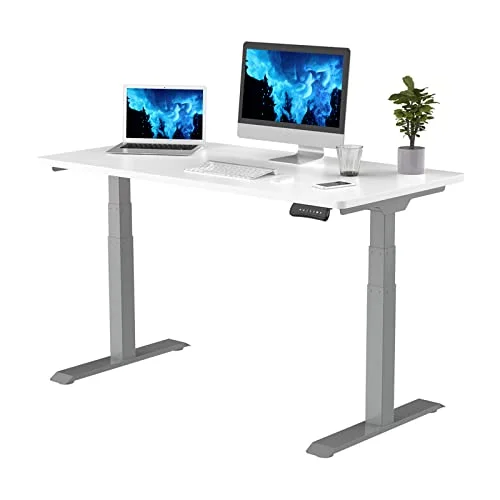
FlexiSpot E7 Pro Electric Standing Desk (48x30)
Pros
- ✓ Dual-motor lift is noticeably quieter and smoother than FlexiSpot's older single-motor desks, which reduces the jarring vibration some wrist-pain sufferers notice during height changes
- ✓ 4-position memory presets let you lock in a wrist-neutral typing height and a separate standing height without re-measuring each time
- ✓ Seamless solid-slab desktop has no center seam, so a keyboard tray or wrist rest clamp mounts flush without gaps
- ✓ Frame accepts most third-party keyboard trays and monitor arms without special mounting hardware
Cons
- ✗ 47.4-inch max height is lower than the UPLIFT, which can be limiting for very tall users
- ✗ 3-stage lift isn't quite as smooth at the top and bottom of its range as the UPLIFT's 4-stage frame
- ✗ Standard laminate desktop shows scratches over time more than bamboo or solid wood
FlexiSpot E7 Pro Electric Standing Desk (48x30)
Pros
- ✓ Dual-motor lift is noticeably quieter and smoother than FlexiSpot's older single-motor desks, which reduces the jarring vibration some wrist-pain sufferers notice during height changes
- ✓ 4-position memory presets let you lock in a wrist-neutral typing height and a separate standing height without re-measuring each time
- ✓ Seamless solid-slab desktop has no center seam, so a keyboard tray or wrist rest clamp mounts flush without gaps
- ✓ Frame accepts most third-party keyboard trays and monitor arms without special mounting hardware
Cons
- ✗ 47.4-inch max height is lower than the UPLIFT, which can be limiting for very tall users
- ✗ 3-stage lift isn't quite as smooth at the top and bottom of its range as the UPLIFT's 4-stage frame
- ✗ Standard laminate desktop shows scratches over time more than bamboo or solid wood
FlexiSpot’s dual-motor E7 Pro closed most of the gap with premium desks in its most recent update — the lift is quieter and smoother than older single-motor FlexiSpot desks, and that matters for wrist pain specifically because a jerky or vibrating lift transmits through anything resting on the desktop, including your hands if you’re adjusting height mid-task. The seamless slab desktop has no center seam, which means a clamp-on keyboard tray or wrist rest mounts flush instead of catching on a panel gap.
Its 47.4-inch max height is a real limit for taller users chasing a specific wrist-neutral standing position, and the 3-stage lift isn’t quite as glassy-smooth at the very top and bottom of its range as the UPLIFT’s 4-stage frame. For most home offices, neither issue is a dealbreaker.
Best for: Buyers who want dual-motor stability and real memory presets without paying premium-desk prices.
Vari Electric Standing Desk — Best for Stability
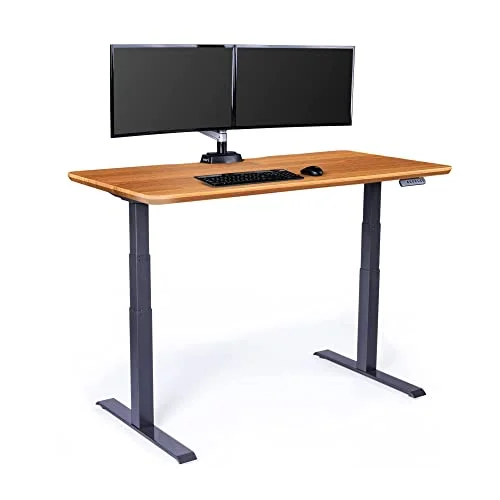
Vari Electric Standing Desk (60x30, Butcher Block)
Pros
- ✓ T-style leg frame is one of the most wobble-resistant designs in this roundup, which keeps the desk still while you're typing at height instead of flexing under keystrokes
- ✓ 4-position memory presets store a dedicated wrist-neutral setting alongside sit and stand heights
- ✓ Butcher block desktop is thick enough to mount a clamp-style negative-tilt keyboard tray securely
- ✓ Vari's own 5-year warranty covers the frame and motors
Cons
- ✗ 220 lb weight capacity is the lowest of the electric desks in this roundup, worth checking against your monitor arm and equipment load
- ✗ Costs more than the FlexiSpot E7 Pro without a meaningfully larger height range
- ✗ T-style legs take up more under-desk floor space than C-frame designs
Vari Electric Standing Desk (60x30, Butcher Block)
Pros
- ✓ T-style leg frame is one of the most wobble-resistant designs in this roundup, which keeps the desk still while you're typing at height instead of flexing under keystrokes
- ✓ 4-position memory presets store a dedicated wrist-neutral setting alongside sit and stand heights
- ✓ Butcher block desktop is thick enough to mount a clamp-style negative-tilt keyboard tray securely
- ✓ Vari's own 5-year warranty covers the frame and motors
Cons
- ✗ 220 lb weight capacity is the lowest of the electric desks in this roundup, worth checking against your monitor arm and equipment load
- ✗ Costs more than the FlexiSpot E7 Pro without a meaningfully larger height range
- ✗ T-style legs take up more under-desk floor space than C-frame designs
Vari’s T-style leg frame is built differently from the C-frame and 4-leg designs elsewhere in this roundup, and it shows in how little the desktop flexes under normal typing pressure. That rigidity is exactly what you want if wrist pain flares up from a desk that gives slightly with every keystroke — the Vari holds its position instead. The butcher block desktop is also thick enough to anchor a clamp-style negative-tilt keyboard tray without the tray loosening over time, which is one of the most effective wrist-neutral fixes you can pair with any of these desks.
The trade-offs are a 220 lb weight capacity — the lowest electric-lift rating here — and a higher price than the FlexiSpot without a meaningfully wider height range. The T-style legs also take up more floor space under the desk than a C-frame.
Best for: Anyone who wants the most rigid, wobble-free desktop for mounting a keyboard tray.
Fully Jarvis Bamboo Standing Desk — Best Height Range
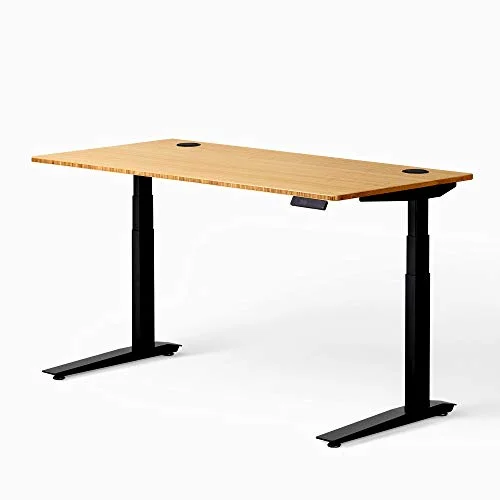
Fully Jarvis Bamboo Standing Desk (60x30, Black Frame)
Pros
- ✓ 25.5 to 51-inch range is one of the widest here, useful for finding the exact height where your wrists sit flat and neutral on the keyboard
- ✓ Bamboo desktop is rigid enough that a heavy mechanical keyboard doesn't flex the surface during typing
- ✓ Fully has sold the Jarvis line for over a decade, so replacement parts and support documentation are easy to find
- ✓ Quiet motor lift doesn't produce the sudden jolt some cheaper single-motor desks have at the top of their range
Cons
- ✗ Jarvis pricing varies more than other brands depending on frame color and desktop finish — confirm the exact configuration before buying
- ✗ No built-in cable management tray, unlike the UPLIFT and Branch
- ✗ Assembly instructions are less detailed than FlexiSpot's, according to owner reviews
Fully Jarvis Bamboo Standing Desk (60x30, Black Frame)
Pros
- ✓ 25.5 to 51-inch range is one of the widest here, useful for finding the exact height where your wrists sit flat and neutral on the keyboard
- ✓ Bamboo desktop is rigid enough that a heavy mechanical keyboard doesn't flex the surface during typing
- ✓ Fully has sold the Jarvis line for over a decade, so replacement parts and support documentation are easy to find
- ✓ Quiet motor lift doesn't produce the sudden jolt some cheaper single-motor desks have at the top of their range
Cons
- ✗ Jarvis pricing varies more than other brands depending on frame color and desktop finish — confirm the exact configuration before buying
- ✗ No built-in cable management tray, unlike the UPLIFT and Branch
- ✗ Assembly instructions are less detailed than FlexiSpot's, according to owner reviews
The Jarvis has been in Fully’s lineup for over a decade, and its 25.5 to 51-inch range is one of the widest of any desk in this roundup — useful if you’re still experimenting to find the exact height where your wrists sit flat rather than angled. The bamboo desktop is rigid enough that a heavy mechanical keyboard doesn’t introduce flex during fast typing, and the lift itself is quiet enough that it doesn’t jolt at the top of its travel the way some cheaper single-motor desks do.
Pricing on the Jarvis varies more than the other brands here depending on frame color and desktop finish, so confirm the exact configuration and price before ordering. It also skips the built-in cable tray that comes standard on the UPLIFT and Branch, and owner reviews consistently note the assembly instructions are thinner than FlexiSpot’s.
Best for: Buyers still dialing in their ideal keyboard height who want the widest adjustment range available.
Branch Standing Desk — Best for Small Offices
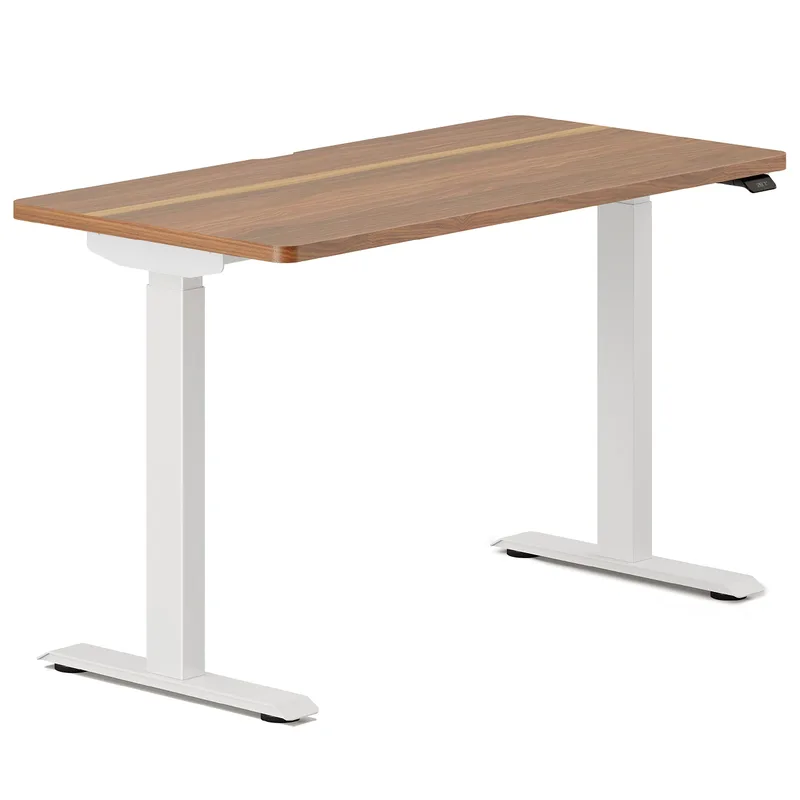
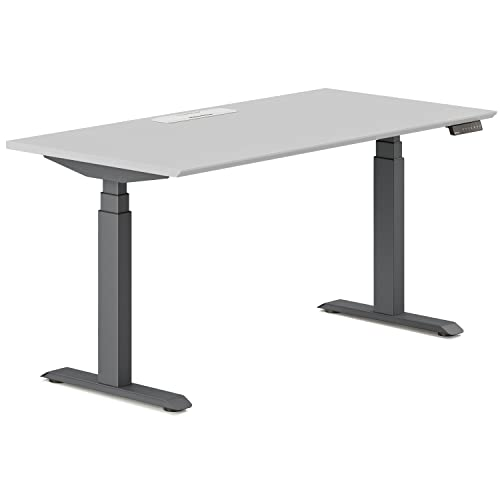
Branch Standing Desk (48-Inch, Charcoal Base)
Pros
- ✓ 48-inch width fits small home offices and bedrooms while still leaving room for a keyboard tray and monitor arm
- ✓ 4 memory presets are enough to store a wrist-neutral typing height, a mouse-only height, and two standing heights
- ✓ Dual motors keep the lift steady even loaded with a monitor arm and keyboard tray, avoiding the desk shake that forces you to grip harder while typing
- ✓ Branch's direct-to-consumer pricing keeps a dual-motor desk with memory presets under $600
Cons
- ✗ 48 inches is tight if you're running dual monitors plus a keyboard tray and document stand
- ✗ Fewer desktop color and material options than UPLIFT or Jarvis
- ✗ Customer support is email-only, with no phone line for warranty issues
At 48 inches wide, the Branch is the compact option in this roundup, built for home offices and bedrooms where a 60-inch desk simply doesn’t fit. It doesn’t cut corners on the features that matter for wrist pain — dual motors keep the lift steady even loaded with a monitor arm and keyboard tray, and four memory presets are enough to store a dedicated wrist-neutral typing height alongside separate mouse-only and standing positions.
The narrower desktop gets tight fast if you’re running dual monitors plus a keyboard tray and a document stand — measure your accessory footprint before assuming 48 inches is enough. Branch also skips phone support in favor of email-only, which is worth knowing before a warranty issue comes up.
Best for: Smaller rooms where a full-size desk won’t fit but memory-preset precision still matters.
SHW 55x28 Electric Standing Desk with Drawer — Best Budget
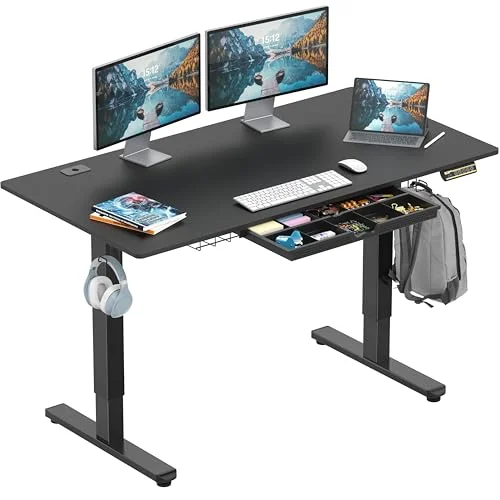
SHW 55x28 Electric Standing Desk with Drawer
Pros
- ✓ Under $300 with dual motors and memory presets, which most budget single-motor desks in this price range don't offer
- ✓ Built-in drawer gives you a place to store a wrist brace, keyboard tray hardware, or a wrist rest when it's not in use
- ✓ 3-position memory preset is enough to lock in one dedicated wrist-neutral typing height
- ✓ 55x28 desktop is large enough for a keyboard tray mount plus a full dual-monitor setup
Cons
- ✗ 45-inch max height is the shortest range here, which may not work for taller users trying to find a neutral standing typing height
- ✗ Single-piece composite desktop flexes slightly more than the bamboo or butcher block options under a heavy mechanical keyboard
- ✗ Weight capacity is lower than the premium desks, so avoid stacking multiple monitor arms on it
SHW 55x28 Electric Standing Desk with Drawer
Pros
- ✓ Under $300 with dual motors and memory presets, which most budget single-motor desks in this price range don't offer
- ✓ Built-in drawer gives you a place to store a wrist brace, keyboard tray hardware, or a wrist rest when it's not in use
- ✓ 3-position memory preset is enough to lock in one dedicated wrist-neutral typing height
- ✓ 55x28 desktop is large enough for a keyboard tray mount plus a full dual-monitor setup
Cons
- ✗ 45-inch max height is the shortest range here, which may not work for taller users trying to find a neutral standing typing height
- ✗ Single-piece composite desktop flexes slightly more than the bamboo or butcher block options under a heavy mechanical keyboard
- ✗ Weight capacity is lower than the premium desks, so avoid stacking multiple monitor arms on it
Under $300, the SHW is the only desk in this roundup that undercuts the others by a wide margin while still including dual motors and memory presets — most desks this cheap ship with a single motor and no height memory at all. The built-in drawer is a small but genuinely useful detail for wrist pain sufferers specifically: it’s a dedicated spot to store a wrist brace, spare keyboard tray hardware, or a wrist rest when you’re not using it.
The honest limitations show up at the extremes. A 45-inch max height is the shortest range here, which may not get tall users to a truly neutral standing typing position, and the composite desktop flexes slightly more than bamboo or butcher block under a heavy mechanical keyboard. Weight capacity is also lower than the premium options, so don’t stack multiple monitor arms on it.
Best for: Budget shoppers who still want dual-motor stability and a dedicated storage spot for wrist-pain gear.
Comparison Table
| Product | Price | Height Range | Memory Presets | Rating |
|---|---|---|---|---|
| UPLIFT V2-Commercial Bamboo | Unavailable | 25.5–51 in | 4-position | 9.2 |
| FlexiSpot E7 Pro | Unavailable | 27.4–47.4 in | 4-position | 8.8 |
| Vari Electric Standing Desk | Check price | 25.5–50.9 in | 4-position | 8.5 |
| Fully Jarvis Bamboo | Unavailable | 25.5–51 in | 4-position | 8.3 |
| Branch Standing Desk | $749.00 as of Oct 11, 2026 | 48 in wide | 4-position | 8.0 |
| SHW 55x28 with Drawer | $189.87 as of Oct 11, 2026 | 28–45 in | 3-position | 7.5 |
Buying Guide: What Actually Matters for Wrist Pain
Memory presets, not just adjustability. Any electric desk moves up and down, but the ones that help with wrist pain are the ones that return to an exact remembered height every time. If you have to eyeball your typing position each morning, you’ll drift out of neutral without noticing. Look for at least 3-4 programmable presets.
Motor stability at typing height. A desk that wobbles while you type forces you to unconsciously brace against the edge, which adds strain instead of removing it. Dual-motor frames, like every desk in this roundup except the budget-tier competitors, generally hold steadier than single-motor lifts.
Desktop rigidity. A desktop that flexes under a mechanical keyboard undermines a stable typing surface. Bamboo, butcher block, and solid slab desktops (UPLIFT, Vari, Jarvis) resist flex better than thinner composite tops.
Pair it with a negative-tilt keyboard tray. A standing desk gets your overall height right, but a keyboard tray with negative tilt is what actually keeps your wrists flat instead of bent upward against a flat desktop. The two work together, not as substitutes for each other.
Budget expectations. Dual-motor desks with real memory presets start around $259-260 (SHW) and run up to $1,099+ for premium bamboo builds (UPLIFT). Mid-range options in the $550-700 range, like the FlexiSpot, Vari, and Jarvis, cover most needs without stretching to the top tier.
FAQ
Can a standing desk actually help with carpal tunnel syndrome?
A standing desk doesn’t treat carpal tunnel syndrome directly, but precise height control lets you position your keyboard so your wrists stay flat and neutral instead of bent, which reduces one of the contributing strain factors. It’s a setup fix, not a medical treatment — persistent numbness or tingling should be evaluated by a doctor.
What height should my keyboard be to avoid wrist strain?
Your elbows should sit at roughly a 90-degree angle with your keyboard at or just below elbow height, wrists flat rather than angled up or down. This varies by person, which is exactly why memory presets on a desk like the UPLIFT or FlexiSpot matter — you can dial in and save your specific number instead of guessing each day.
Do I need a keyboard tray in addition to a standing desk?
If your desk’s minimum height still sits above your ideal seated typing position, yes — a negative-tilt keyboard tray drops the keyboard lower and angles it to keep wrists neutral. Desks with a low minimum height, like the UPLIFT and Vari at 25.5 inches, need one less often than shorter-range desks like the SHW.
Is a single-motor or dual-motor desk better for wrist pain?
Dual-motor desks lift more smoothly and hold position more steadily under load, which matters if a wobbly desk is making you grip or brace while typing. Every desk in this roundup except entry-level competitors uses dual motors for that reason.
How much should I expect to spend on a standing desk with real memory presets?
Budget around $259-300 for an entry-level dual-motor desk with basic presets, like the SHW. Mid-range options with wider height ranges and sturdier frames run $550-700. Premium bamboo or butcher-block desks with the most precise controllers, like the UPLIFT, run close to $1,000.
Conclusion
For most people dealing with wrist strain: the UPLIFT V2-Commercial Bamboo at $1,099 offers the most precise memory presets and the widest height range, which is exactly what matters most for dialing in a neutral wrist position and keeping it.
If you want dual-motor stability without the premium price: the FlexiSpot E7 Pro at $549 delivers a smooth, quiet lift and real memory presets for close to half the cost.
If desktop rigidity for a keyboard tray is your priority: the Vari Electric Standing Desk at $695 has the most wobble-resistant frame here.
If you’re working with a small room: the Branch Standing Desk at $599 fits where a 60-inch desk won’t.
If budget is the deciding factor: the SHW 55x28 at $259 is the only desk here under $300 that still includes dual motors and memory presets.
Whichever desk you choose, pair it with a properly set keyboard tray and read through our guide to preventing wrist pain from typing — the desk gets the height right, but the full setup is what actually protects your wrists.