Your wrist doesn’t know it’s 3am. Your gaming performance does.
Ergonomic gaming mice don’t get enough attention. Most buyers still pick the lightest, flashiest option without considering grip angle, hand fatigue, or long-term joint health. By 2026, that’s changed — manufacturers build mice that are simultaneously competitive-grade and genuinely shaped for human hands. You no longer have to choose between precision and comfort.
Grinding ranked matches for four hours, streaming weeknight sessions, or running a dual-purpose gaming and work setup — there’s an ergonomic option here for how you actually use a mouse. The Logitech G Pro X Superlight 2 DEX is the top pick for competitive ergonomic play. For pure premium wireless performance, the Razer DeathAdder V4 Pro is the current flagship in the DeathAdder line.
1. Logitech G Pro X Superlight 2 DEX — Editor’s Pick
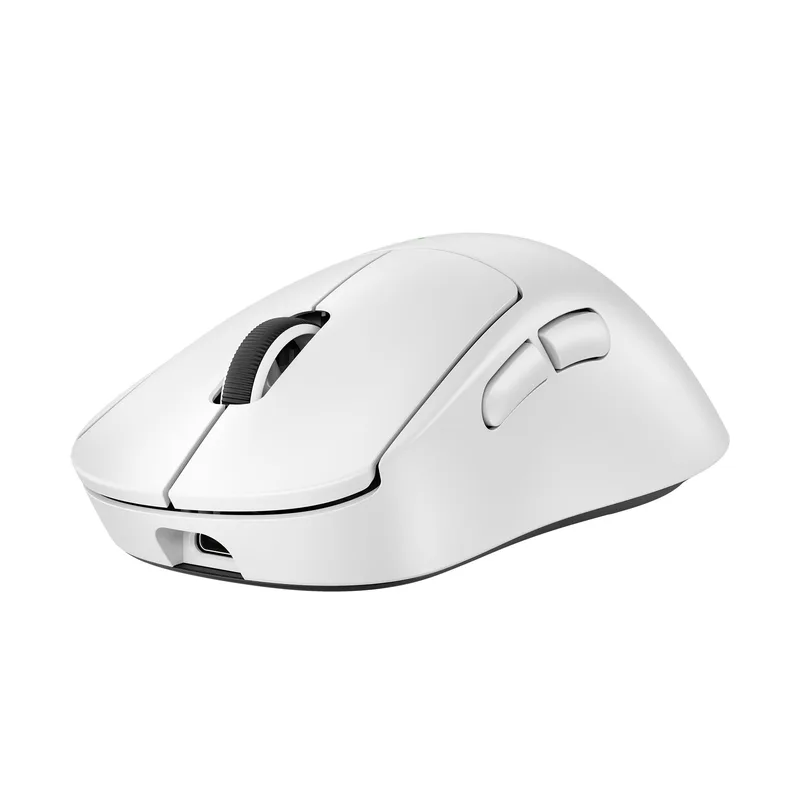
Logitech G Pro X Superlight 2 DEX
Pros
- ✓ Ergonomic asymmetric shape built for right-hand comfort during long sessions
- ✓ HERO 2 sensor with 8kHz polling is competitive with any mouse at any price
- ✓ LIGHTFORCE switches eliminate pre-travel and feel snappy without wrist fatigue
- ✓ 60g keeps your arm from fighting the mouse after hour four
Cons
- ✗ Right-hand only shape — lefties look elsewhere
- ✗ $149.95 is real money for a peripheral
- ✗ No RGB if that matters to your setup aesthetic
The standard Superlight 2 was already excellent. Logitech then asked a simple question: what if the shape were actually ergonomic? The DEX is the answer. It takes the same HERO 2 sensor and LIGHTFORCE switches and wraps them in an asymmetric, right-handed shell with side contouring that guides your thumb naturally — without the generic symmetrical form that most “lightweight” mice still ship with.
At 60g, it’s featherlight without feeling hollow. The HERO 2 sensor tops out at 44,000 DPI and supports up to 8kHz polling via the LIGHTSPEED dongle. LIGHTFORCE hybrid switches combine optical and mechanical design to eliminate pre-travel almost entirely — fewer misfires, faster response, less fatigue in your trigger finger.
Battery life is 95 hours. Charge it Sunday night, forget about it for most of the month.
One thing worth knowing: Logitech released the G Pro X2 Superstrike in February 2026 (around $180), which introduces haptic-based click actuation. The DEX remains the better value for most players — the haptic click is a premium novelty, not a competitive necessity.
Best for: Competitive gamers who want pro-grade hardware in an ergonomic shell. FPS, battle royale, any title where milliseconds and precision matter.
2. Razer DeathAdder V3 HyperSpeed — Best Value
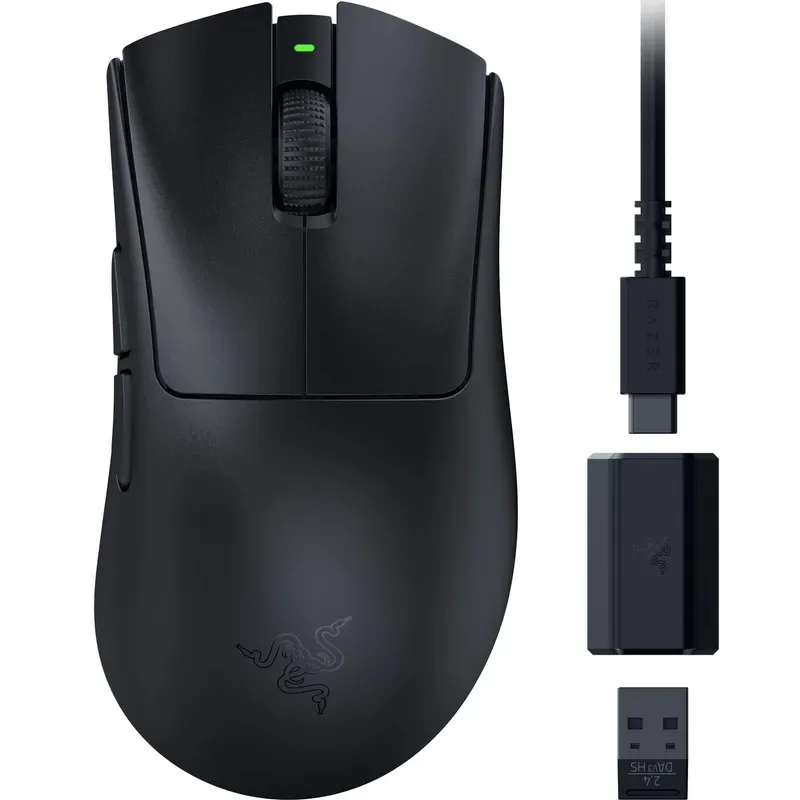
Razer DeathAdder V3 HyperSpeed
Pros
- ✓ 55g ultralight — you stop noticing the mouse and start noticing your game
- ✓ 100-hour battery life is exceptional for the price and weight class
- ✓ Razer's classic ergonomic shape refined over many generations
- ✓ HyperSpeed wireless has no perceptible latency in daily use
Cons
- ✗ Focus X 26K sensor is excellent but not at the absolute ceiling of the Focus Pro 45K
- ✗ Right-hand only ergonomic shape
- ✗ No side-scroll or extra thumb buttons beyond two basic thumb keys
The DeathAdder has been Razer’s ergonomic workhorse for over a decade. The V3 HyperSpeed is the most refined value iteration — and it’s available well below its original $99.99 MSRP, making it hard to beat at the price.
The right-hand shape is immediately familiar to anyone who’s used an ergonomic mouse before. Palm curves position your fingers naturally; the elevated right side reduces grip pressure during long sessions. What changed in this generation: the Focus X 26K sensor and HyperSpeed wireless. The sensor is accurate and consistent at any DPI setting. The wireless matches or beats wired mice in response time.
55g. 100-hour battery. Those are the numbers that define this mouse.
The V3 HyperSpeed doesn’t reach the V4 Pro’s sensor ceiling or the DEX’s purposeful ergonomic contouring. But at $79 with these specs and this weight, it’s the clearest recommendation in the lineup for gamers who don’t want to spend $150+.
Best for: Budget-conscious buyers who want lightweight wireless ergonomics. FPS, MOBA, competitive games.
3. Logitech MX Master 4 — Best for Hybrid Work and Gaming
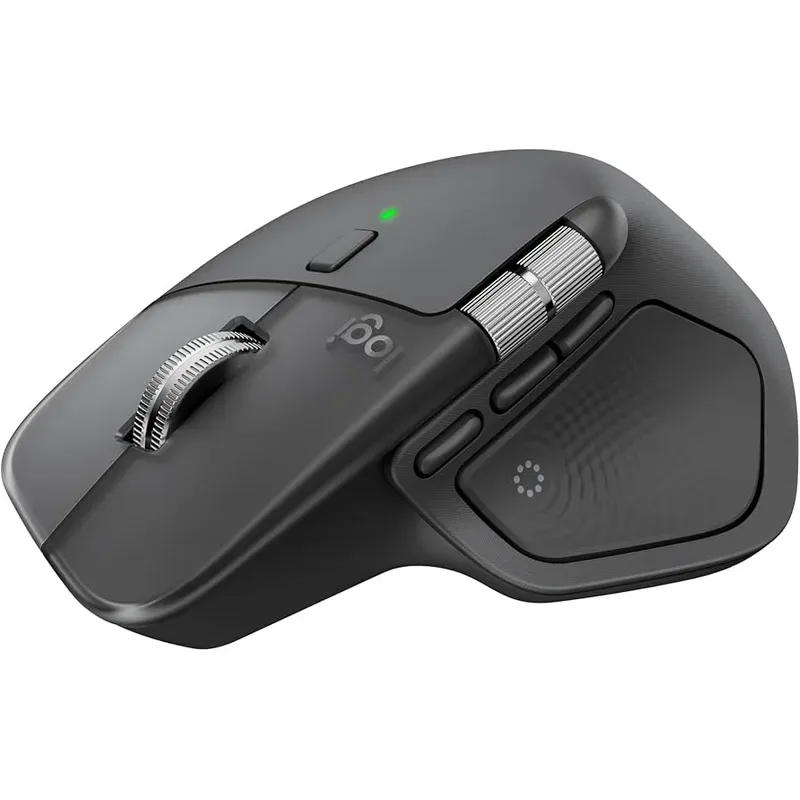
Logitech MX Master 4
Pros
- ✓ MagSpeed scroll with haptic feedback makes long document sessions genuinely pleasant
- ✓ Ergonomic thumb rest and sculpted profile reduce ulnar deviation over hours
- ✓ Multi-device switching between gaming rig and work laptop without a second mouse
- ✓ 70-day battery with USB-C — practically never think about charging
Cons
- ✗ 141g is heavy by gaming standards — not suitable for twitch shooters
- ✗ 8,000 DPI is plenty for most but trails dedicated gaming sensors
- ✗ Overkill if you only want a gaming mouse
The MX Master 4 is not a traditional gaming mouse. It’s heavier (141g), slower to aim, and not built for 400 DPI flick shots. But if your desk serves double duty — working all day, then gaming at night — it’s the most intelligent piece of hardware in this roundup.
The major upgrade from the MX Master 3S is the haptic feedback system on the MagSpeed electromagnetic scroll wheel. You get tactile resistance as you spin through pages, and the scroll switches between free-spinning and ratcheted modes automatically. It’s a minor detail that makes long document sessions feel noticeably better. The ergonomic thumb rest is well-positioned and reduces ulnar deviation even after hours of pointing.
For gaming, it works well in MMOs, strategy titles, and simulations — any genre where precise controlled movement outweighs raw speed. The multi-device switching (Bluetooth + Logi Bolt, up to 3 devices) means you can flip between your gaming rig and work laptop without a second mouse on your desk.
Currently available around $119.99. Released October 2025, still actively supported and regularly stocked.
Best for: Gamers who also work at their desk all day. MMO, strategy, simulation. Anyone who refuses to run two mice.
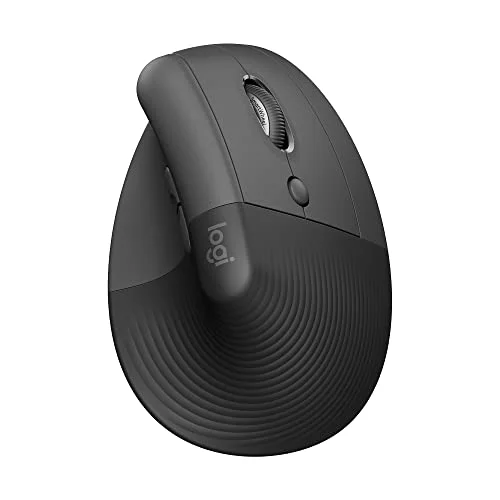
4. Logitech MX Vertical — Best Vertical Ergonomic Mouse
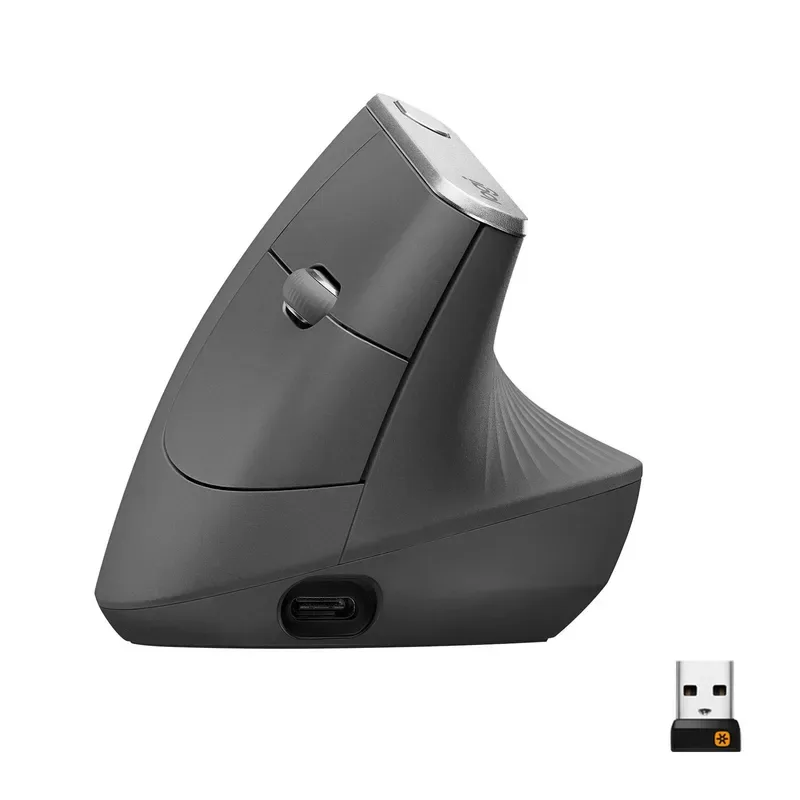
Logitech MX Vertical
Pros
- ✓ 57-degree grip angle measurably reduces forearm muscle strain vs. flat mice
- ✓ Regularly recommended by physiotherapists for wrist and forearm RSI recovery
- ✓ Two-device connectivity works well for mixed gaming/office setups
- ✓ Up to 4 months battery life on a charge
Cons
- ✗ 4,000 DPI hard cap rules out competitive gaming and fast-paced titles
- ✗ Adjustment period is real — expect reduced precision for the first few days
- ✗ No programmable side buttons for macros
The MX Vertical is what a physiotherapist recommends when your wrist starts hurting. Its 57-degree grip angle eliminates most of the forearm pronation that causes RSI in flat-mouse users — your arm stays in a “handshake” position rather than rotating inward against gravity for hours.
It’s commonly available on Amazon for $70–79 — well below its retail list price — and it’s an effective tool for wrist and forearm recovery.
The downsides are real: 4,000 DPI is a hard ceiling, and competitive gaming at that limit simply isn’t viable for most players. The adjustment period is genuine — expect two to three days of reduced accuracy before your aim stabilizes at the new angle. After that, most users say they can’t return to flat mice.
For gaming, it works best in slower-paced titles: strategy, point-and-click RPGs, simulation, or any game where precision at high speed isn’t critical. If you need to keep gaming while recovering from wrist pain, this is the mouse that makes that possible.
Worth noting: Razer released the Pro Click V2 Vertical in April 2025 at $119.99 (now around $95–120). It offers a similar handshake grip with a full gaming sensor (Focus Pro 30K), making it a stronger choice if competitive gaming matters more to you than the MX Vertical’s battery life and price.
Best for: Gamers recovering from wrist or forearm strain. Strategy, simulation, RPG genres. Mixed work/gaming setups.
5. Razer DeathAdder V4 Pro — Best Premium Wireless
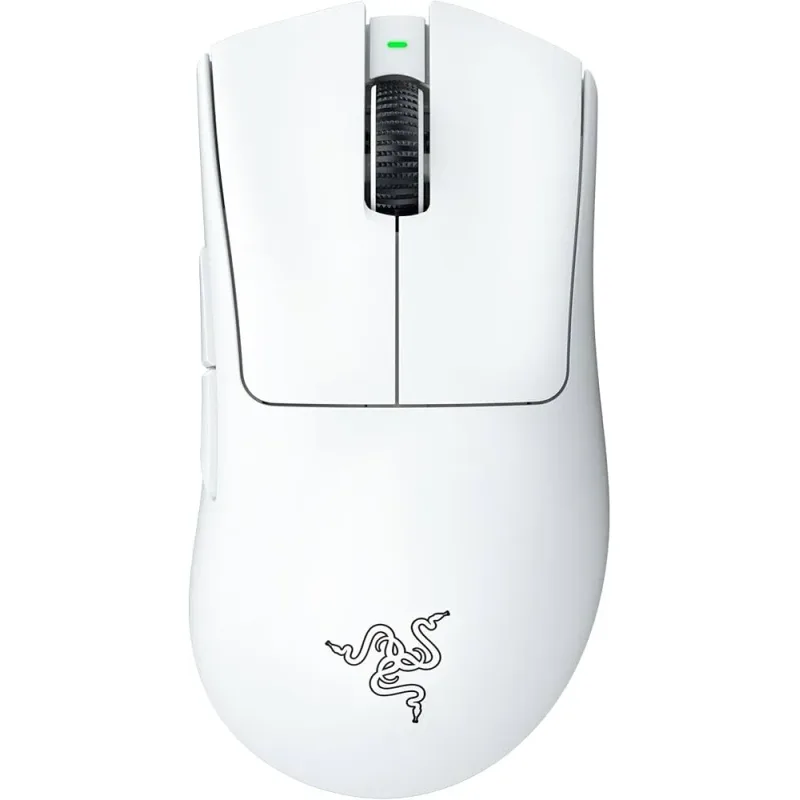
Razer DeathAdder V4 Pro
Pros
- ✓ Focus Pro 45K Gen-2 sensor — top-tier tracking on any surface including glass
- ✓ 56g ultralight with the time-tested DeathAdder right-hand ergonomic profile
- ✓ 150-hour battery is best-in-class — monthly charging at worst
- ✓ HyperSpeed Gen-2 wireless is 37% lower latency than the previous generation
Cons
- ✗ $149.99 MSRP is a meaningful jump over the HyperSpeed
- ✗ Right-hand only — no ambidextrous variant available
- ✗ 8kHz polling requires the optional HyperPolling dongle (sold separately)
Razer launched the V4 Pro in July 2025, and it’s the best DeathAdder yet. The shape is unchanged from the V3 Pro — same palm contours, same thumb positioning, same refined right-hand ergonomic profile that has made the DeathAdder a standard recommendation for ergonomic gaming mice across generations. What changed is everything under the shell.
The Focus Pro 45K Gen-2 sensor is the top of Razer’s lineup. It tracks on any surface including glass, handles rapid direction changes without prediction errors, and delivers accurate performance at both very low and very high DPI settings. Gen-3 optical switches actuate in 0.2ms with no debounce delay and a rated 90 million click lifecycle. HyperSpeed Gen-2 wireless drops latency by 37% compared to the previous generation and is 63% more power efficient — which explains the 150-hour battery life. Charge it once a month.
At 56g, the V4 Pro is lighter than the DEX (60g) while offering a higher-spec sensor. The tradeoff: the DEX’s asymmetric contouring is more purposefully ergonomic; the V4 Pro relies on the classic DeathAdder shape, which is excellent but less tailored. If you already love the DeathAdder feel and want the absolute best internals in that shell, this is your mouse.
The V3 Pro remains available and is regularly discounted to $99–$120 if the V4 Pro’s $169.99 price is out of range.
Best for: Experienced right-hand claw and palm grip gamers who want current flagship wireless performance. FPS, competitive gaming.
Comparison Table
| Mouse | Price | Weight | Sensor | Best For |
|---|---|---|---|---|
| G Pro X Superlight 2 DEX | Unavailable | 60g | HERO 2, 44K DPI | Competitive ergonomic |
| DeathAdder V3 HyperSpeed | $47.61-$69.99 as of Oct 11, 2026 | 55g | Focus X, 26K DPI | Budget lightweight |
| MX Master 4 | $106.35-$118.00 as of Oct 11, 2026 | 141g | 8K DPI | Hybrid work/gaming |
| MX Vertical | $62.29-$74.99 as of Oct 11, 2026 | 135g | 4K DPI | Vertical/RSI recovery |
| DeathAdder V4 Pro | $110.49-$169.99 as of Oct 11, 2026 | 56g | Focus Pro 45K Gen-2 | Premium wireless flagship |
Buying Guide: What Actually Matters in an Ergonomic Gaming Mouse
Shape and Grip Style First
Before sensor specs, battery life, or polling rate — the shape has to fit your hand. Ergonomic gaming mice come in three main profiles:
- Right-handed contoured (DeathAdder, Superlight 2 DEX): Sculpted for right-hand palm or claw grip. Side contouring supports the thumb and pinky naturally, reducing lateral strain over long sessions.
- Vertical (MX Vertical, Razer Pro Click V2 Vertical): A 57–72 degree grip angle eliminates forearm rotation almost entirely. Best for RSI prevention and recovery, or slow-paced gaming mixed with extended desk work.
- Hybrid ergonomic (MX Master 4): Ergonomic side profile with a thumb rest, without the extreme angle of a vertical mouse. Better for mixed work/gaming use with occasional productivity tasks.
The biggest mistake: buying on specs without considering whether the shape actually fits. A 60g mouse with the wrong contour will feel worse than an 80g mouse that matches your grip.
Weight and Session Length
For competitive gaming, lighter reduces fatigue over time. Under 70g is the current benchmark for “lightweight.” Under 60g is ultralight. The V3 HyperSpeed at 55g and the DEX at 60g qualify as ultralight — the difference in arm fatigue after a four-hour session is real.
For slower gaming or mixed work use, weight matters less. The MX Master 4’s 141g is fine for a day of clicking through spreadsheets and strategy maps. It would become tiring in fast-paced FPS.
Wireless vs. Wired in 2026
Wireless has crossed a quality threshold where there is no meaningful latency penalty. LIGHTSPEED (Logitech) and HyperSpeed (Razer) match or beat wired mice in controlled latency tests. Unless you specifically prefer the simplicity of a cable, wireless is the default recommendation now.
Polling Rate: What You Actually Need
- 125–500 Hz: Fine for casual gaming and work
- 1,000 Hz: Standard for competitive play — perceptible improvement over 500Hz
- 8,000 Hz: Measurable advantage at the highest competitive levels; the DEX and V4 Pro support this
For the vast majority of gamers, 1,000Hz is the sweet spot. 8kHz matters at the margins of elite competitive play.
DPI Numbers Are Marketing
DPI above 3,200 is irrelevant for most gamers. What matters: sensor accuracy, consistency at your actual DPI setting, and surface tracking. The Focus Pro 45K Gen-2 and HERO 2 are both excellent. The Focus X 26K trails them only slightly in controlled benchmarks and is imperceptible to all but the most sensitive players.
FAQ
Are ergonomic gaming mice actually better for your wrists?
Yes — but only if the shape fits your grip style and hand size. A right-handed ergonomic mouse like the DeathAdder reduces ulnar deviation and encourages a natural thumb position. A vertical mouse like the MX Vertical eliminates forearm pronation almost entirely. Both reduce long-term strain compared to a symmetrical ambidextrous shape. Fit matters more than the brand.
Can I use a vertical mouse for competitive gaming?
Not really. The MX Vertical’s 4,000 DPI hard cap makes competitive FPS unworkable for most players. Strategy, simulation, point-and-click RPGs, and MMOs work fine. If you want vertical ergonomics with a full gaming sensor, the Razer Pro Click V2 Vertical ($95–120) offers a handshake grip angle with the Focus Pro 30K sensor — a better fit for gaming-focused vertical mouse users.
Is the DeathAdder V4 Pro worth the upgrade from the V3 Pro?
If you’re buying new, yes — the V4 Pro has a clearly better sensor (45K vs 30K), 60% longer battery (150h vs 90h), and the newer HyperSpeed Gen-2 wireless at $169.99. If you already own the V3 Pro, the upgrade is harder to justify unless battery life or sensor ceiling matters to you. The V3 Pro is still available discounted around $99–120, making it a reasonable buy on price.
Is wireless lag still a concern in gaming mice?
No. As of 2026, the best wireless gaming mice from Logitech (LIGHTSPEED) and Razer (HyperSpeed) match or outperform wired alternatives in response time tests. Wireless is now the recommended default for most gaming setups.
What weight is “lightweight” for a gaming mouse?
Under 70g is widely considered lightweight. Under 60g is ultralight. The V3 HyperSpeed (55g) and DEX (60g) are ultralight; the V4 Pro (56g) qualifies as well. This weight range reduces arm and wrist fatigue noticeably after 2+ hours compared to mice above 100g.
Do I need a gaming sensor if I play casually?
If you play fast-paced competitive games (FPS, battle royale, MOBA), a dedicated gaming sensor matters — accurate tracking, low lift-off distance, and consistent response at your DPI setting are real differences. For slower games or mixed work/gaming use, a standard optical sensor like the MX Master 4’s 8K is more than sufficient.
Final Recommendations
The Logitech G Pro X Superlight 2 DEX is the best overall ergonomic gaming mouse in 2026 — purpose-built shape, best-in-class sensor, competitive-grade switches in a 60g package.
For maximum performance in the DeathAdder line: the Razer DeathAdder V4 Pro is the current flagship — 56g, Focus Pro 45K Gen-2, and 150-hour battery in the classic ergonomic shell.
Budget-conscious? The Razer DeathAdder V3 HyperSpeed at $79 is hard to argue with — 55g, 100-hour battery, proven HyperSpeed wireless.
For wrist pain or RSI: the Logitech MX Vertical is the physiotherapist-backed choice. The 57-degree angle works.
And if your desk handles work and gaming: the Logitech MX Master 4 — haptic scroll, multi-device switching, and ergonomic design in one package.
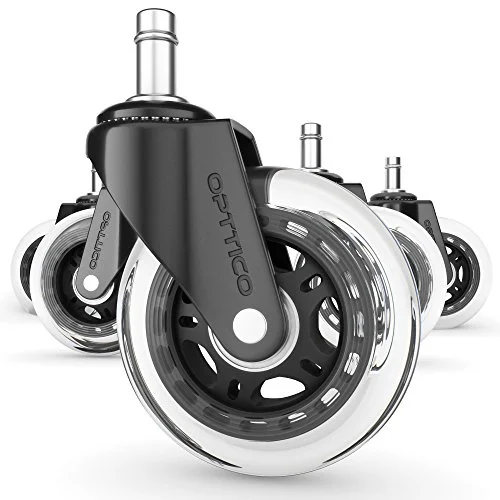
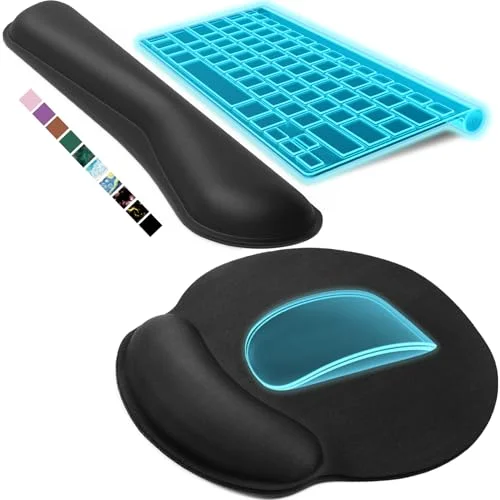
Want to build out the rest of your ergonomic gaming setup? Check out our guides to the best ergonomic gaming keyboards and the 6 best gaming chairs for ergonomic comfort. For the complete picture, see our ergonomic gaming setup guide.