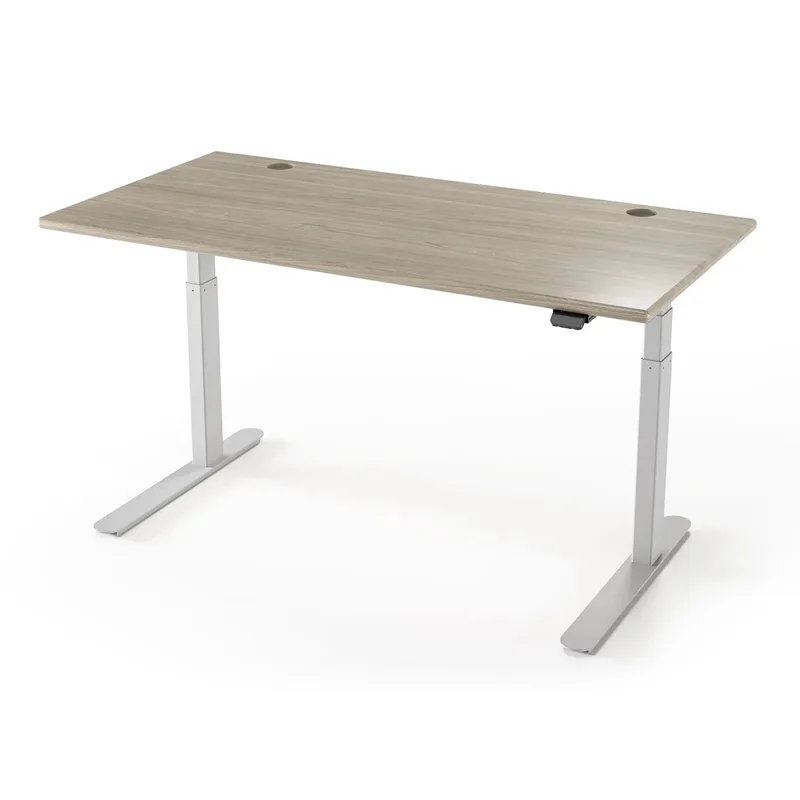
Running dual monitors at your standing desk sounds straightforward—until you actually try it. Two 27-inch displays, a monitor arm or two stands, a full-size keyboard, mouse, and all the usual desk clutter can easily push 80–100 lbs on the top surface alone. Add to that the uneven weight distribution of side-by-side screens, and suddenly the desk that felt fine with a laptop starts rocking every time you adjust your keyboard.
In 2026, dual-monitor setups are the default for developers, video editors, and anyone doing serious knowledge work from home. That’s made width, weight capacity, and frame stability the three specs that actually matter when buying a standing desk for this use case—not motor speed, not the number of USB ports, not how slick the app looks on your phone.
The quick answer: the FlexiSpot E6 is the all-around pick for most dual-monitor users — a dual-motor, 3-stage frame with the 48” x 30” desktop included and four presets, listed at 220 lbs. If you want maximum width and customization, UPLIFT V2 Commercial starts at $659 and goes up to 80 inches wide.
Quick Comparison
| Desk | Price | Width | Capacity | Stage | Warranty |
|---|---|---|---|---|---|
| FlexiSpot E6 | $339.99 as of Oct 18, 2026 | 48” | 220 lbs | 3-stage | Not listed |
| UPLIFT V2 Commercial | $659+ | 42”–80” | 355 lbs | 3-stage | 15 yr |
| Vari Electric 60x30 | $829.00 as of Oct 18, 2026 | 60” | 200 lbs | 2-stage | 5 yr |
| Branch Standing Desk | Unavailable | 48” | 275 lbs | 3-stage | 5 yr |
| ErGear Electric 55x28 | $159.98 as of Oct 18, 2026 | 55” | 265 lbs | 2-stage | 3 yr |
| SHW 55-Inch Electric | $189.87 as of Oct 18, 2026 | 55” | 154 lbs | 1-stage | 2 yr |
1. FlexiSpot E6 Electric Standing Desk
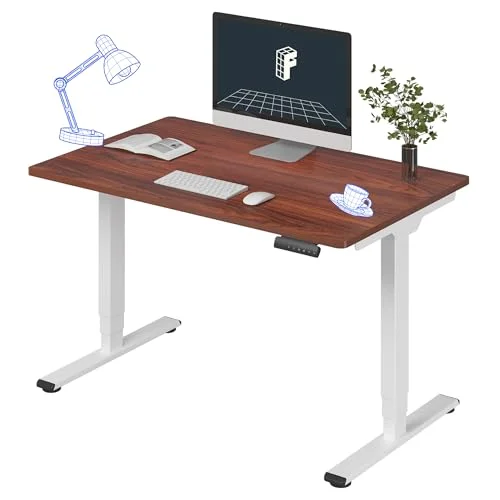
FlexiSpot E6 Electric Standing Desk
Pros
- ✓ Dual-motor, 3-stage frame with the 48 x 30 desktop included
- ✓ 4 memory presets on the keypad
- ✓ 23.6" minimum height works for users under 5'4" in a seated position
- ✓ Lowest price of the dual-motor desks on this list
Cons
- ✗ 48" width: two monitors need an arm or sub-27" panels; the 55" ErGear has more surface
- ✗ 220 lbs listed capacity — add up a heavy dual-arm setup before buying
The E6 is the desk I’d point most dual-monitor buyers to on the listing facts: a dual-motor, 3-stage frame with the 48” x 30” desktop included and four memory presets, listed at 220 lbs of capacity and a 23.6” to 48.8” height range.
The 48” x 30” top fits two 24”–27” monitors on a dual monitor arm, which also keeps the depth free for a keyboard and mouse. If you want two monitors on stands with room to spare, the 55” ErGear or a wider-ordered UPLIFT V2 Commercial below are the picks.
Two monitors typically weigh 30–50 lbs combined, so an arm, a laptop dock and peripherals usually sit well inside the 220 lbs listed — add up your own setup before buying, and see the buying guide for the headroom rule.
The 23.6” minimum height works for shorter users (under 5’4”) in a seated position.
Best for: Most dual-monitor users who want a dual-motor, 3-stage frame with the top included at the lowest price here.
2. UPLIFT V2 Commercial Standing Desk
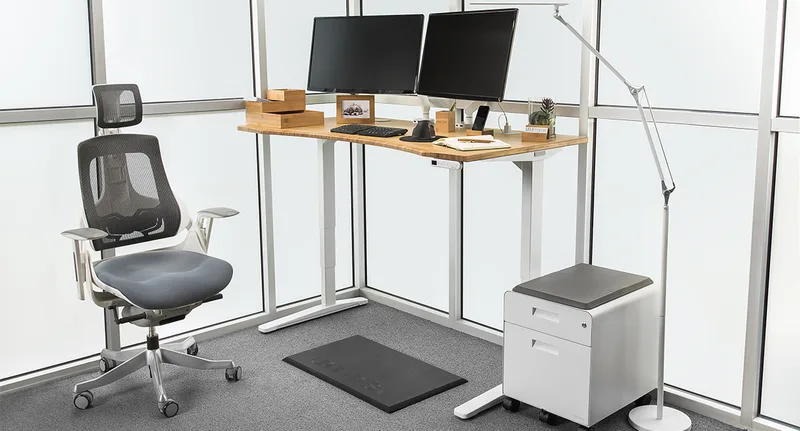
UPLIFT V2 Commercial Standing Desk
Pros
- ✓ Desktop size is configurable up to 80"—one of the widest options available
- ✓ 22.6" minimum height is the lowest on this list, ideal for petite users
- ✓ Hundreds of top material and finish combinations
- ✓ 15-year warranty covers motors, electronics, and frame
Cons
- ✗ Base price rises quickly once you configure a wider top and accessories
- ✗ Only available direct from UPLIFT—no Amazon purchase option
- ✗ 48.7" max height is limiting for users taller than 6'3"
If the E6 is the pragmatic choice, the UPLIFT V2 Commercial is for people who want to configure exactly the desk they need and keep it for a decade. The desktop can be ordered from 42” to 80” wide, across dozens of surface materials—from standard laminate to solid bamboo, butcher block, and reclaimed wood.
The 22.6” minimum height is the lowest on this list. That matters if you’re under 5’2” or use an ergonomic chair with a higher seat position. The 48.7” maximum height is the limitation—users above 6’3” may find it doesn’t bring the keyboard high enough at full standing position.
The V2 Commercial uses a 3-stage frame, which keeps the desk stable at full standing height even with two monitors and a loaded top surface. Anti-collision protection stops the desk automatically if it detects something in the path while lowering—useful if you have objects below the desktop.
One downside: UPLIFT doesn’t sell through Amazon. You’re buying direct, which means no Prime delivery and no returns through Amazon’s system. The 15-year warranty covers motors and electronics, which somewhat offsets that concern.
Best for: Users who want maximum width configurability and long-term warranty coverage.
3. Vari Electric Standing Desk 60x30
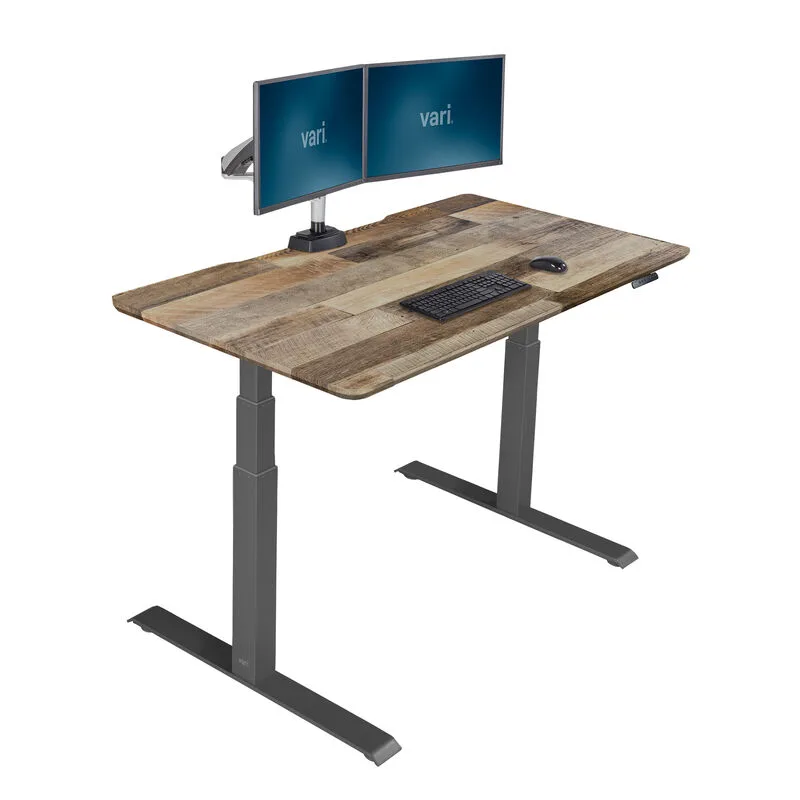
Vari Electric Standing Desk 60x30
Pros
- ✓ 60x30" top is wide enough for two 27" monitors plus peripherals without an arm
- ✓ Arrives nearly fully assembled—setup takes under 15 minutes
- ✓ Polished office-grade look that doesn't clash with home decor
- ✓ Four memory presets for quick height switching
Cons
- ✗ 200 lbs weight capacity is the lowest on this list—fine for two monitors but not triple setups
- ✗ No cable management system included in the box
- ✗ Pricier than similarly equipped competitors
The Vari stands out for two things: the 60-inch top and the setup experience. Vari ships the desk with the top already attached to the frame—assembly is mostly just attaching legs, which takes under 15 minutes. That’s genuinely fast compared to every other desk here.
The 60x30” surface is comfortable for dual 27” monitors without any arm. You can run two displays side by side with a decent amount of desk space remaining for a keyboard, notebook, and coffee. The depth (30”) is also more generous than the 24–28” standard on most other desks.
The weight limit is where the Vari shows its compromise: 200 lbs. That’s enough for a typical dual-monitor setup (two 27” displays plus peripherals runs about 50–70 lbs in practice), but it doesn’t leave much headroom. If you’re running 32” or 34” ultrawide displays with standalone stands rather than arms, check your weight before buying.
The T-leg frame is stable for its price range, though it uses a 2-stage column versus the 3-stage on the FlexiSpot E6 and UPLIFT. Wobble is noticeable but not distracting for standard use.
Best for: Home office users who prioritize width, ease of setup, and clean aesthetics over maximum capacity.
4. Branch Standing Desk 48”
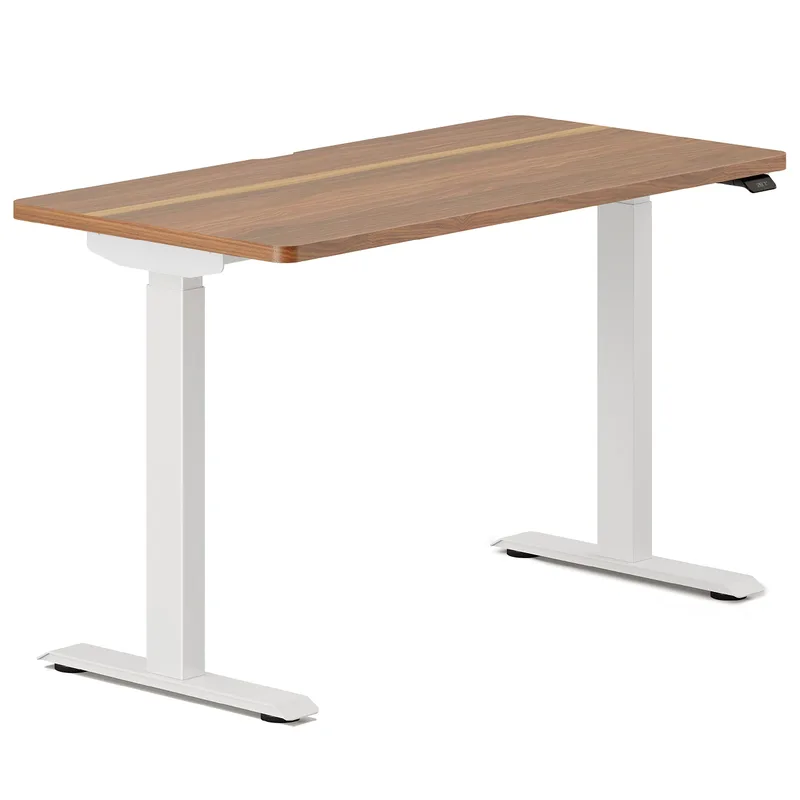
Branch Standing Desk 48"
Pros
- ✓ 52" max height is the best for tall users (6'3" and above) on this list
- ✓ 3-stage columns deliver exceptional stability for the price
- ✓ BIFMA certified—meets commercial-grade durability standards
- ✓ Minimal, furniture-forward design fits home offices better than most
Cons
- ✗ 48x24" top is tight for dual monitors without a monitor arm—an arm is effectively required
- ✗ 26" minimum height is high for users under 5'2"
- ✗ Limited color and desktop material options
The Branch is an interesting case. It’s $519, uses a genuine 3-stage frame, and is BIFMA certified—that’s a commercial durability standard that most desks at this price skip. The 52” max height is higher than any other desk on this list, which makes it genuinely useful for tall users (6’3” and above) who struggle to get keyboards high enough when standing.
The catch is the 48x24” top. That’s on the small side for two monitors without a dual monitor arm. If you’re buying the Branch, budget for a dual arm—the desk works excellently with one, and the arm frees up the surface space you lose from the narrow top. With a good arm, this is a tight, clean, very stable setup.
The minimal design is a genuine differentiator. Most standing desks look like office furniture. The Branch looks like something from a furniture showroom. If your home office doubles as a guest room or creative space, that matters.
Best for: Tall users and anyone who already owns or plans to buy a dual monitor arm.
5. ErGear Electric Standing Desk 55x28
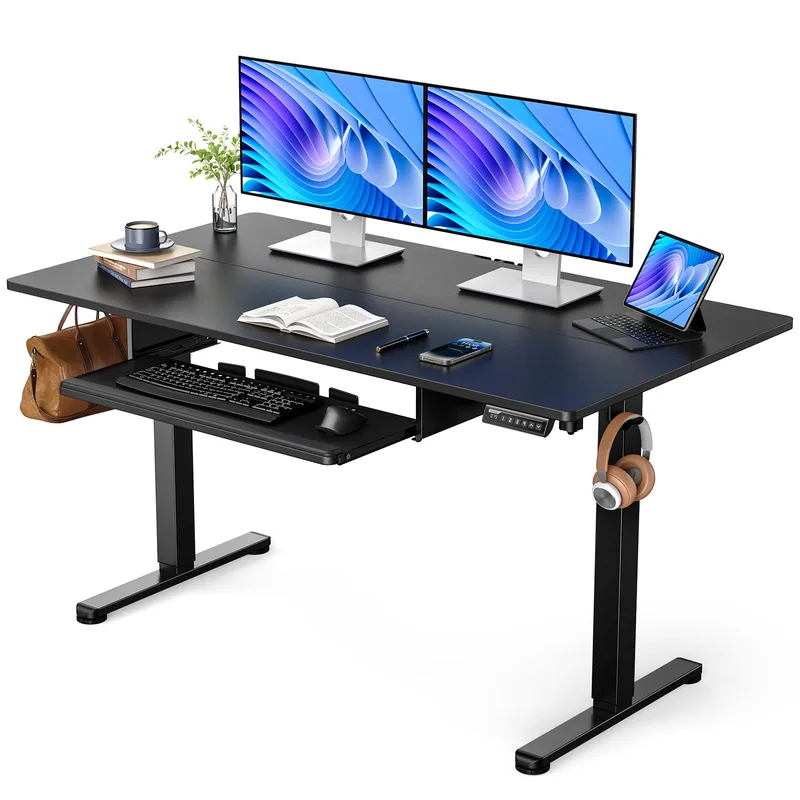
ErGear Electric Standing Desk 55x28
Pros
- ✓ 55x28" surface fits dual monitors at a price under $250—rare at this size
- ✓ Dual motors keep lifting even and quiet despite the budget price
- ✓ 265 lbs capacity is reasonable for a standard dual-monitor setup
- ✓ 4 memory presets and LED display panel included
Cons
- ✗ 46.5" max height is below the ideal standing height for users over 6'0"
- ✗ Wobble is noticeable at full standing height under heavier loads
- ✗ Shorter 3-year warranty versus premium brands
The ErGear is the wide budget alternative to the FlexiSpot E6: 55 inches of width, dual motors, and 4 memory presets. The dual motors keep lifting even under uneven loads—which is the main thing you sacrifice when you go single-motor at this price.
The limitations are real. The 46.5” max height is below average—users over 6’0” may find they can’t raise it to a proper standing position. The frame wobble at full extension is noticeable, especially if you’re sensitive to it. And the 3-year warranty is a reminder that this is a budget desk.
But if you’re building a dual-monitor setup on a strict budget, this gives you the width and the motor reliability you need. Pair it with a quality anti-fatigue mat and a monitor arm and you have a functional workstation under $400.
Best for: Budget shoppers who need 55” of width and don’t want to sacrifice dual motors.
6. SHW 55-Inch Electric Height Adjustable Desk
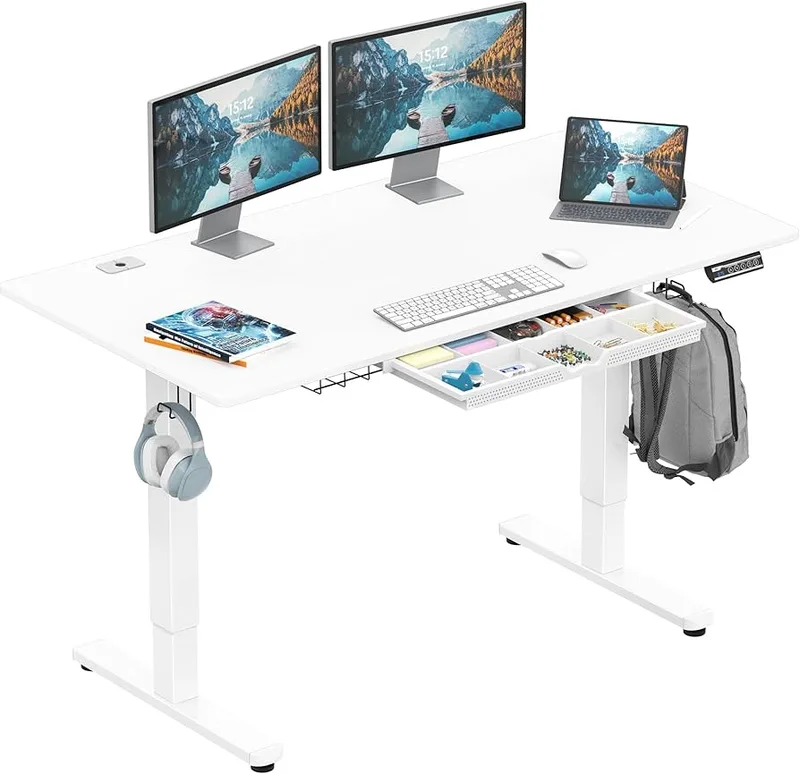
SHW 55-Inch Electric Height Adjustable Desk
Pros
- ✓ 55" width at under $200 is genuinely rare—covers dual monitors with space left
- ✓ Includes built-in storage drawer—useful extra at this price
- ✓ 4 memory presets for quick height switching
- ✓ Simple assembly with clearly written instructions
Cons
- ✗ 154 lbs capacity is the lowest here—use a monitor arm to reduce top load
- ✗ Single motor means slower, slightly less level lifting
- ✗ 45" max height limits standing position for users over 5'10"
The SHW is the floor of this category—and it’s a surprisingly decent floor. At $249, you’re getting 55 inches of width, 4 memory presets, and a built-in storage drawer, which is legitimately useful for cable management and desk accessories.
The single motor is the main tradeoff. It’s slower, and under uneven loads (which dual monitors inherently create), the lifting can be slightly less level. The 154 lbs weight limit is the other concern. Two monitors, two standalone stands, and your keyboard and peripherals can get close to that limit quickly. A monitor arm becomes less optional and more required here.
The 45” max height also cuts out users above 5’10” for a proper ergonomic standing position. It’s a desk for shorter users or people who primarily sit and stand only occasionally.
If you’re stretching a budget under $300 and need dual-monitor width, the SHW works. Just use a monitor arm, keep your setup light, and know what you’re trading away versus a mid-range desk.
Best for: Very budget-constrained buyers under 5’10” who plan to use a monitor arm.
Buying Guide: What to Look For in a Dual-Monitor Standing Desk
Width: The Non-Negotiable
Two 27” monitors on individual stands need about 54–56 inches of desk width. Two 32” displays push that to 66+ inches. A dual monitor arm changes this significantly—arms let two monitors share a single clamp, which can work on a 48” desk.
Minimum width recommendations:
- Using standalone monitor stands: 55” minimum, 60” preferred
- Using a dual monitor arm: 48” can work, 55” is comfortable
Weight Capacity: Build in Headroom
A typical dual-monitor setup weighs 50–80 lbs with monitors, arms or stands, keyboard, and other accessories. But weight capacity on a standing desk isn’t just about static load—it affects stability when you’re moving things around, bumping the desk, or typing at full height.
Buy more capacity than you think you need. A 300+ lbs desk under a 70 lbs load will feel more stable than a 150 lbs desk at the same load. The extra headroom shows up as reduced wobble and longer motor life.
3-Stage vs. 2-Stage Frames
A 3-stage frame has three telescoping sections in each column. This means:
- More stable at the same height versus 2-stage
- Wider height range (higher max, lower min)
- More expensive to manufacture
For dual-monitor setups, 3-stage is worth the premium if budget allows. The extra top weight from two displays amplifies any instability in the frame—and you’ll notice it every time you type while standing.
Monitor Arms: A Near-Requirement for Smaller Desks
A quality dual monitor arm does three things for a standing desk setup:
- Saves desk surface—stands take up space, arms don’t
- Reduces top weight—arms transfer monitor weight to the frame, not the desktop
- Improves ergonomics—height and tilt adjustability you can’t get from standalone stands
For any desk under 55” wide, a dual arm is effectively required. For 55”+ desks, it’s still worth considering.
Cable Management
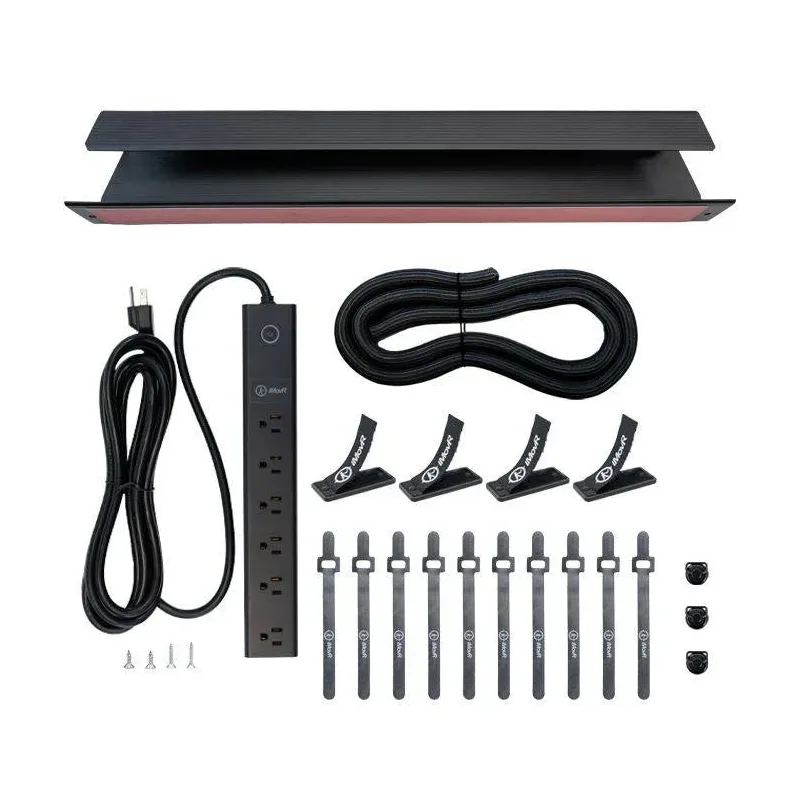
Two monitors mean four to six cables minimum—power, video, and USB for each. Standing desks with built-in cable trays make a real difference for keeping the workspace clean as the desk moves up and down. If your desk doesn’t include one, a simple under-desk cable tray solves the problem.
FAQ
What width do I need for a standing desk with two monitors?
For two 27” monitors on standalone stands, you need at least 55 inches of desk width. For two 32” displays, aim for 63–72 inches. If you’re using a dual monitor arm that mounts to a single point, a 48-inch desk can work, though 55+ is more comfortable.
Does a standing desk need to be heavy-duty for two monitors?
Not necessarily, but more capacity means more stability. Two monitors typically weigh 30–50 lbs combined—well within the range of most desks. The issue is that every pound of weight amplifies any frame wobble at standing height. A 350 lbs rated desk under a 70 lbs load will feel noticeably more planted than a 150 lbs rated desk at the same load.
Is a 3-stage frame necessary for dual monitors?
Recommended but not required. A 3-stage frame improves stability significantly at full standing height, which matters more when your top load is heavier (as it is with dual monitors). Budget desks with 2-stage columns can still work if you’re primarily sitting and standing only occasionally.
Can I use a 48-inch desk with two monitors?
Yes, with a dual monitor arm. A 48” desk is too narrow for two monitors on individual stands, but a dual arm mounts both displays to a single point and frees up the full surface. The Branch Standing Desk at 48” is a good example—it’s BIFMA certified and pairs well with an arm.
What’s the best standing desk for two monitors under $300?
The ErGear Electric 55x28 at $229 is the pick. It gives you the width you need, dual motors (important for even lifting with asymmetric loads), and 265 lbs of capacity. The max height (46.5”) isn’t great for users over 6’0”, and the frame has some wobble at full extension, but the fundamentals are solid for the price.
Should I buy a monitor arm for my standing desk?
Almost certainly yes. A dual monitor arm reduces top load, frees up desk surface, and improves monitor positioning for both sitting and standing positions. It’s one of the highest-ROI accessories for a standing desk setup. See the best monitor arms for standing desks for recommendations.
Final Recommendations
Best overall: FlexiSpot E6 — dual-motor, 3-stage frame, 48” x 30” desktop included, 4 presets, 220 lbs listed. The dual-monitor desk most people should buy with a monitor arm.
Best for tall users: Branch Standing Desk — 52” max height, 3-stage frame, $519. Get a dual monitor arm with it.
Widest surface: Vari Electric 60x30 — 60” top with setup in under 15 minutes, $829.
Maximum configurability: UPLIFT V2 Commercial — up to 80” wide, hundreds of surface options, 15-year warranty, from $659.
Best budget wide: ErGear Electric 55x28 — 55” at $229 with dual motors. Pair with an anti-fatigue mat and a balance board to build out a complete standing workstation.
For a full setup walkthrough, see the best budget standing desk setup guide.