Disclosure: PostureRanked is reader-supported. When you buy through links on our site, we may earn an affiliate commission at no additional cost to you. Our recommendations are based on independent research.
| Product | Price | Rating |
|---|---|---|
| Ergotron HX Heavy Duty Monitor Arm | $399 | 9.3 |
| HUANUO TitanLift Heavy Duty Monitor Arm | $139.99 | 8.8 |
| VIVO STAND-V101G1 Pneumatic Ultrawide Monitor Arm | $99.99 | 8.4 |
| Ergotron LX Pro Premium Monitor Arm | $209 | 8.9 |
| Humanscale M8.1 Adjustable Monitor Arm | $545 | 9.0 |
Disclosure: PostureRanked is reader-supported. When you buy through links on our site, we may earn an affiliate commission at no extra cost to you. Learn more
Ultrawide monitors have taken over both gaming setups and home offices in 2026, and the standard monitor arm you’ve been using for your 27-inch display isn’t going to cut it. A 34-inch ultrawide can weigh 15–20 lbs. A 49-inch superultrawide like the Samsung Odyssey G9 pushes 27 lbs or more. Mount it on the wrong arm and you’ll be re-tensioning it every week — or watching it slowly droop onto your keyboard.
The good news: the market for heavy-duty ultrawide arms has matured considerably. ErgoMounts even launched a new ParaView heavy-duty range specifically for larger ultrawide displays in March 2026, which tells you something about where demand is headed.
If you just want the answer: The Ergotron HX is the best monitor arm for 49-inch heavy ultrawides. The HUANUO TitanLift matches its 44 lb capacity for $140. On a 34-inch monitor, the Ergotron LX Pro is the smarter buy at $209.
Ergotron HX Heavy Duty Monitor Arm — Best Overall
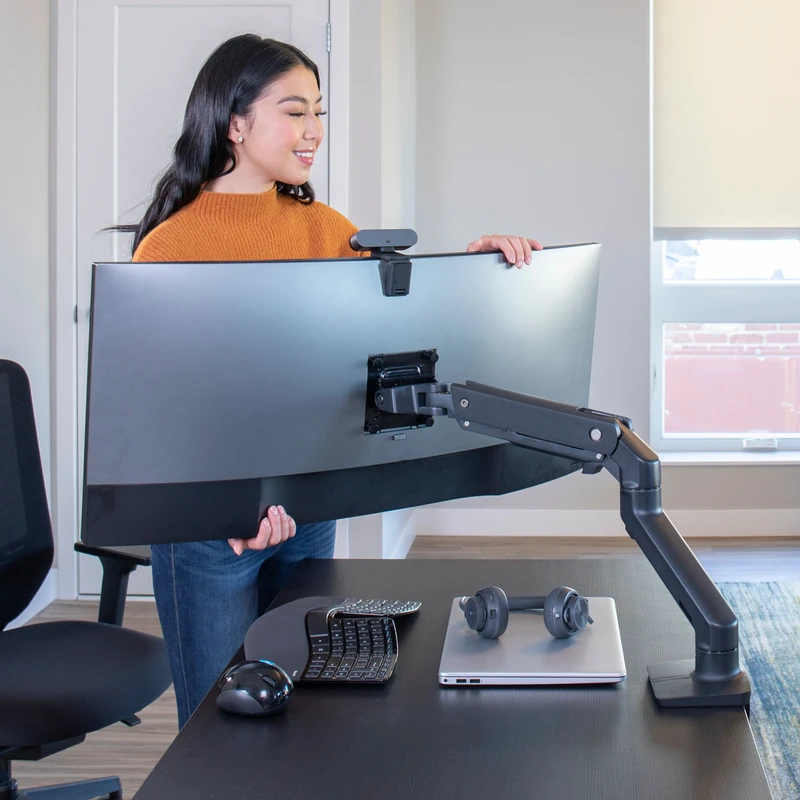
Ergotron HX Heavy Duty Monitor Arm
Pros
- ✓ Handles the heaviest 49-inch ultrawides without sagging or creeping
- ✓ Silky-smooth gas-spring movement — repositions with one hand
- ✓ Exceptionally stable; no vibration during typing or desk bumps
- ✓ Premium Ergotron build quality with a 10-year warranty
Cons
- ✗ Expensive — significantly pricier than mid-range alternatives
- ✗ Minimum 20 lb requirement means it won't work for lightweight monitors
- ✗ Standard pivot not ideal for deeply curved 1000R gaming monitors (HX HD is better for those)
The Ergotron HX exists for one reason: to handle ultrawide monitors that would destroy other arms. With a 20–42 lb weight range and 49-inch size support, it covers every mainstream ultrawide on the market today, from 34-inch office panels to the biggest Samsung and LG curved gaming displays.
What separates the HX from cheaper alternatives is the quality of its gas-spring mechanism. Repositioning a 30-lb curved monitor takes one hand and zero wrestling. The arm holds position the moment you let go. After months of daily use, there’s no creep, no sag, no gradual tilt. That mechanical consistency is what you’re paying for.
The 11.5-inch lift range and 17.8 inches of total height above the desk give you more adjustment room than most people will ever use. Full 360° rotation means it works in both portrait and horizontal orientations. The dual C-clamp/grommet mount options mean it fits most desk edges and through-holes.
Note: The standard HX (B01MXYN33U) has a Standard Pivot that works well for flat and slightly curved monitors. If you’re running a 1000R deeply curved gaming monitor like the Odyssey G9 or Odyssey OLED G9, look at the HX HD variant (ASIN B0959D7HHH) with its specialized HD Pivot instead.
Best for: Anyone running a 38-inch or 49-inch ultrawide who wants a set-it-and-forget-it arm.
HUANUO TitanLift Heavy Duty Monitor Arm — Best Value
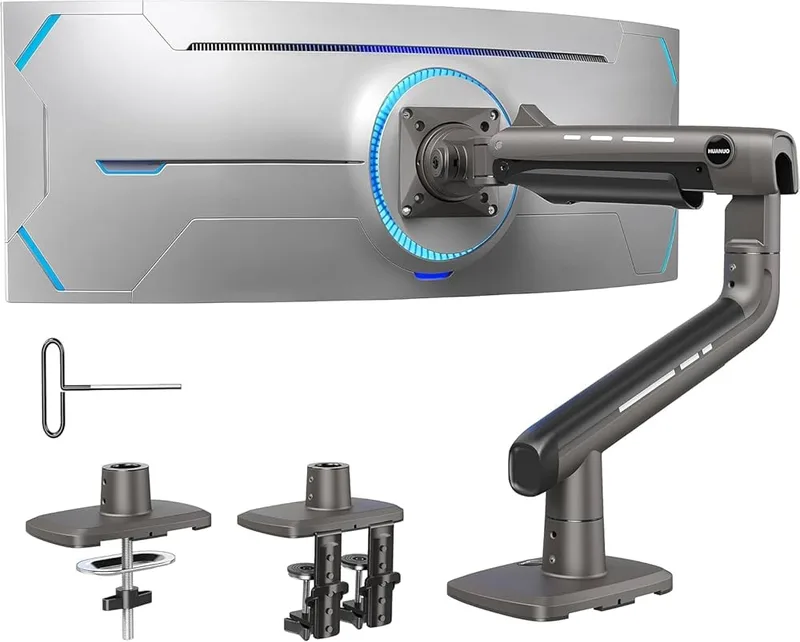
HUANUO TitanLift Heavy Duty Monitor Arm
Pros
- ✓ 44 lb capacity at this price point is genuinely impressive
- ✓ Dual C-clamps grip thick gaming desks securely without slippage
- ✓ One-press VESA head makes installation fast and tool-free
- ✓ High-silicon steel springs rated for 50,000+ adjustment cycles
Cons
- ✗ Arm reach is shorter than Ergotron — limited to 22.5 inches extension
- ✗ Tension adjustment is less refined than premium arms
- ✗ Fewer finish options compared to Ergotron or Humanscale
At $139.99 with a 44 lb weight capacity, the HUANUO TitanLift undercuts the Ergotron HX by over $240 while matching it on the spec that matters most for gaming ultrawides: raw load capacity.
The dual C-clamp base is a practical upgrade over single-clamp designs. It locks onto thick gaming desks — the kind with extra cable management channels and reinforced edges — without slipping. For a dedicated gaming setup, that extra grip matters.
HUANUO claims 50,000 adjustment cycles for the spring mechanism, which works out to 136 years at a dozen adjustments per day. Whether or not you trust that number, the arm doesn’t feel cheap in use. Tensions hold. The pivot points feel solid. The 22.5-inch extension arm gets a monitor out over a keyboard tray or dual-monitor setup without fighting for space.
The trade-off is finish quality and fine-tuning. Repositioning requires slightly more deliberate movement than the HX. The tension adjustment is functional but less dialed-in than Ergotron’s implementation. For a $140 arm supporting 44 lbs, though, that’s a very minor complaint.
Best for: Gamers with heavy 49-inch curved monitors who want high capacity without the Ergotron price tag.
VIVO STAND-V101G1 Pneumatic Ultrawide Monitor Arm — Best Budget
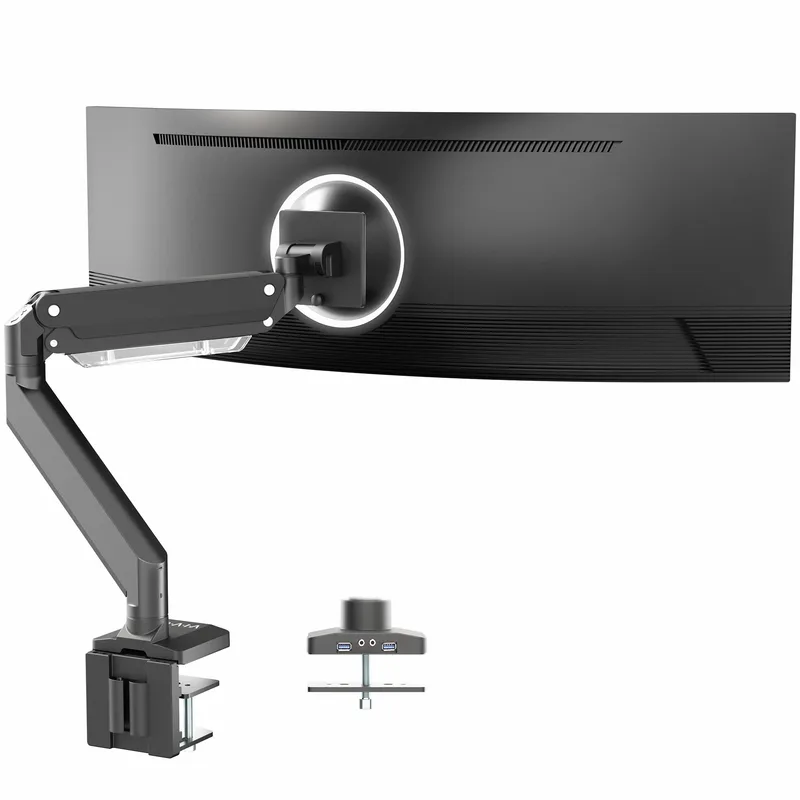
VIVO STAND-V101G1 Pneumatic Ultrawide Monitor Arm
Pros
- ✓ Under $100 for a 49-inch capable arm is exceptional value
- ✓ Pneumatic spring makes height adjustment genuinely smooth
- ✓ Solid aluminum construction — doesn't feel flimsy despite the price
- ✓ 3-year warranty provides peace of mind at this price tier
Cons
- ✗ 33 lb weight cap rules out the heaviest 49-inch curved gaming monitors
- ✗ Cable management is basic compared to premium alternatives
- ✗ Build finish is noticeably less polished than Ergotron or Humanscale
Sub-$100 monitor arms for ultrawide monitors usually disappoint — they sag, they skip positions, or they max out at weights lighter than the monitor you own. The VIVO STAND-V101G1 avoids most of those problems.
The pneumatic spring mechanism is the key differentiator here. Unlike cheaper tension-screw arms, the VIVO’s pneumatic design allows genuine one-touch height adjustment. Lift the monitor, it goes up. Push it down, it stays. Not as smooth as Ergotron’s implementation, but noticeably better than the friction-only budget alternatives.
At 33 lb maximum weight capacity, it covers most 34-inch and many 38-inch ultrawides. Where it falls short is the very heaviest 49-inch panels. If your monitor weighs 30+ lbs, the HUANUO TitanLift’s 44 lb capacity is the safer choice.
The aluminum construction holds up well. VIVO backs it with a 3-year warranty, which is meaningful at this price point.
Best for: 34-inch ultrawide users who want the best sub-$100 arm available.
Ergotron LX Pro Premium Monitor Arm — Best for 34-inch Ultrawide
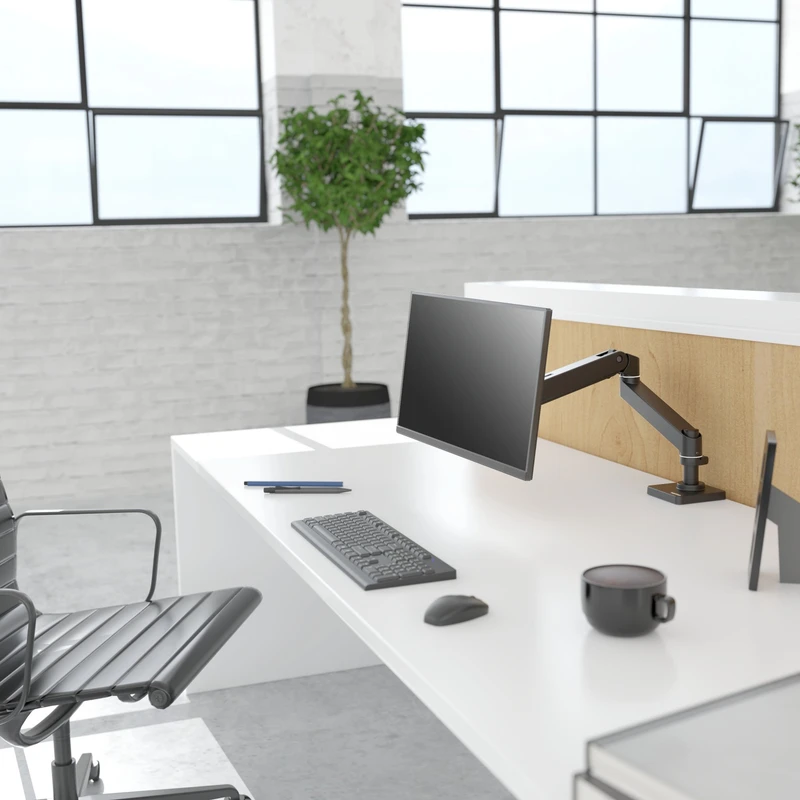
Ergotron LX Pro Premium Monitor Arm
Pros
- ✓ Perfect spec for any 34-inch ultrawide — handles the weight range comfortably
- ✓ Upgraded LX design with smoother adjustment mechanics than the original LX
- ✓ Matte black finish looks genuinely premium at a desk setup
- ✓ More reach and articulation than the HX for lighter monitors
Cons
- ✗ Only supports up to 34 inches — not suitable for 38-inch or 49-inch monitors
- ✗ 22 lb max excludes some heavier 34-inch curved panels
- ✗ Costs more than the HUANUO despite a lower weight capacity
For 34-inch ultrawides specifically, the Ergotron LX Pro is a better choice than the HX. Here’s why: the HX has a 20 lb minimum weight requirement — your 34-inch monitor probably weighs 12–18 lbs, which puts you below that floor. The LX Pro starts at 4 lbs, giving you the full Ergotron experience on lighter panels.
The LX Pro is an updated version of Ergotron’s LX arm, widely considered the benchmark for sub-$300 monitor arms. The upgrade brings refined adjustment mechanics, better internal cable routing, and a matte black finish that looks noticeably more premium than the original LX’s plastic detailing.
At $209, it’s not cheap. But you get Ergotron’s 10-year warranty, the smoothest movement in this price range, and an arm that will outlast multiple monitor generations.
Best for: 34-inch ultrawide owners who want the smoothest arm for their specific screen size.
Humanscale M8.1 Adjustable Monitor Arm — Premium Office Pick
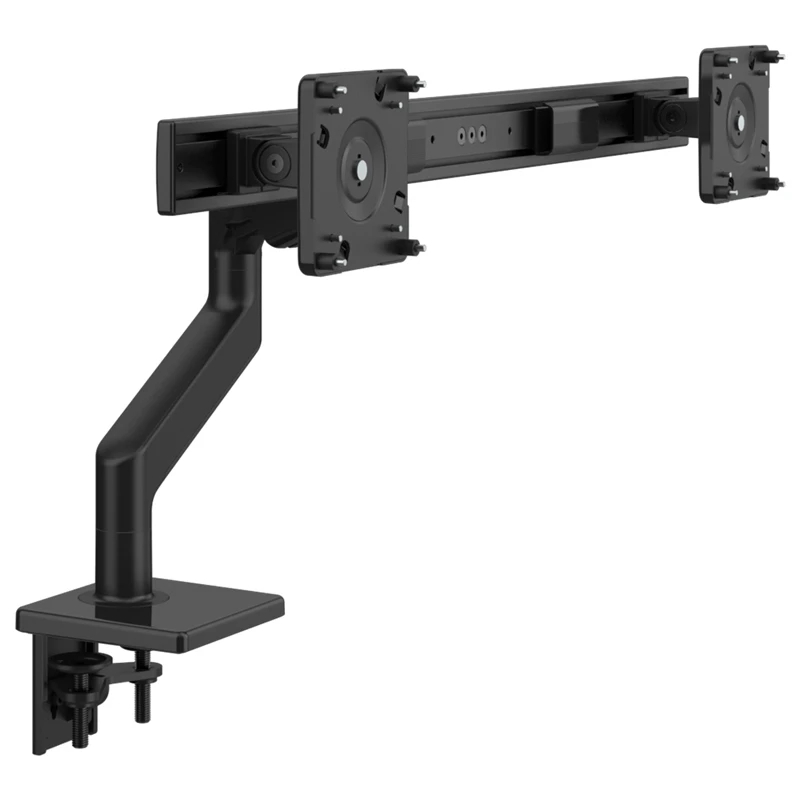
Humanscale M8.1 Adjustable Monitor Arm
Pros
- ✓ Weight-Compensating Spring Technology requires almost no effort to reposition
- ✓ Best cable management of any arm on this list — fully internal routing
- ✓ Smart Stop prevents accidental overextension of arm or monitor
- ✓ Built to last decades; common in high-end corporate offices worldwide
Cons
- ✗ 28 lb max means it won't handle the heaviest 38-inch or 49-inch panels
- ✗ Very expensive for what you get versus the Ergotron HX
- ✗ No grommet mount option in the base model
The Humanscale M8.1 uses a different mechanism than every other arm on this list. Instead of a gas spring, it relies on Humanscale’s patented Weight-Compensating Spring Technology — a balanced mechanical spring that adjusts resistance based on monitor weight rather than a physical tension dial.
In practice, this means repositioning feels almost effortless. You touch the monitor and it moves. No gas-spring squeak, no hunting for the tension screw after swapping monitors. The built-in Counterbalance Indicator tells you exactly when the arm is dialed in correctly.
The cable management is in a different league from everything else here. Cables route internally through the arm and exit cleanly at the back of the VESA plate. On a premium home office setup, this matters.
The downside is price ($545+) and weight capacity (28 lbs maximum). The M8.1 can’t handle the heaviest 38-inch or 49-inch gaming monitors. It’s built for premium office displays — LG UltraWide 34-inch panels, Dell U3423WE, and similar professional-grade ultrawides that weigh under 25 lbs.
Best for: Home office professionals who prioritize effortless repositioning and impeccable cable management over raw weight capacity.
Comparison Table
| Monitor Arm | Price | Weight Capacity | Screen Size | Best For |
|---|---|---|---|---|
| Ergotron HX | $399 | 20–42 lbs | Up to 49” | Heavy 49” gaming ultrawides |
| HUANUO TitanLift | $139.99 | 6.6–44 lbs | Up to 49” | Budget 49” gaming arm |
| VIVO STAND-V101G1 | $99.99 | Up to 33 lbs | Up to 49” | Budget 34–38” ultrawides |
| Ergotron LX Pro | $209 | 4–22 lbs | Up to 34” | 34” ultrawide specifically |
| Humanscale M8.1 | $545 | 6–28 lbs | Up to 34–38” | Premium office ultrawides |
Buying Guide: What to Look for in an Ultrawide Monitor Arm
Weight capacity is everything
This is the single most important spec. Weigh your monitor (not just the screen — the full panel with the VESA plate attached). Then choose an arm rated comfortably above that weight. An arm operating at its maximum rating will sag faster and wear out springs sooner than one with headroom.
For reference:
- 34-inch ultrawide: typically 11–20 lbs
- 38-inch ultrawide: typically 17–25 lbs
- 49-inch superultrawide: typically 20–30 lbs (some curved gaming models heavier)
Gas spring vs. tension screw vs. pneumatic
Gas spring (Ergotron HX, LX Pro): smoothest movement, most consistent feel, highest cost. Best choice if you reposition your monitor frequently.
Pneumatic spring (VIVO STAND-V101G1): one-touch height adjustment without the gas spring price. Good budget option, slightly less smooth.
Tension screw (some budget arms): you tighten a bolt until it stays put. Functional but requires re-adjustment over time. Avoid for ultrawides.
Weight-compensating spring (Humanscale M8.1): different philosophy — balances mechanically rather than using gas pressure. Extraordinarily smooth but limited weight range.
VESA compatibility
Most ultrawide monitors use 100x100mm VESA spacing. Some Samsung and LG models use 75x75mm. Check your monitor before buying — it’s in the spec sheet or the mounting hardware that came in the box. All five arms on this list support both patterns.
Desk clamp vs. grommet mount
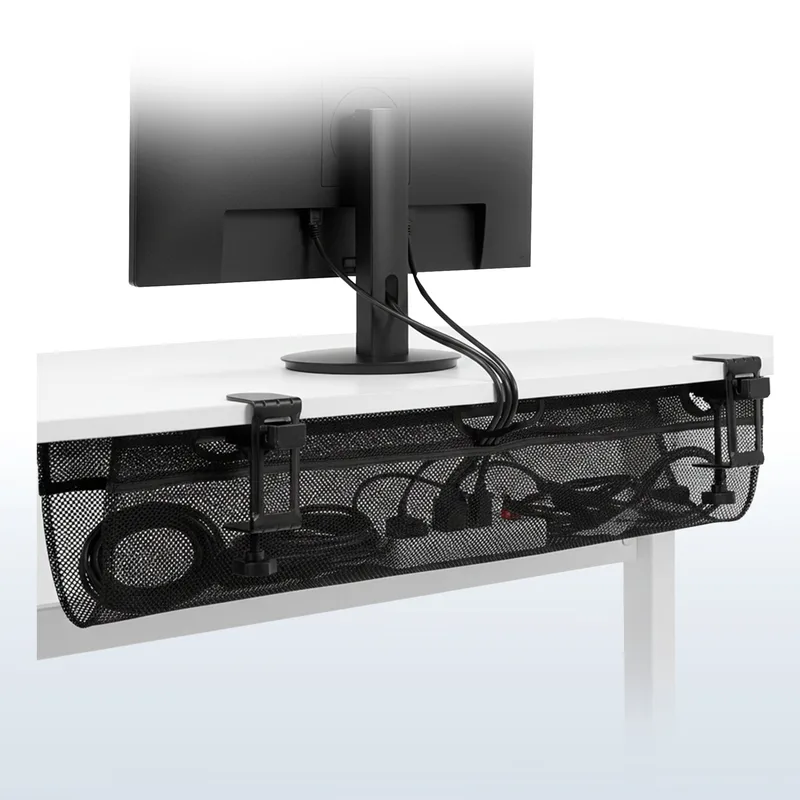
C-clamp mounts attach to desk edges up to 3–3.5 inches thick. Grommet mounts thread through a hole in the desk — more stable for heavy monitors. If you have a grommet hole in your desk, use it. The HUANUO TitanLift’s dual C-clamp design compensates for this on desks without holes.
Standing desk compatibility
If you have a standing desk, make sure the arm’s base doesn’t interfere with desk legs during height transitions. C-clamp mounts generally work fine. Very long arm extensions can put significant torque stress on lighter standing desk frames.
FAQ
What is the best monitor arm for a 49-inch ultrawide?
The Ergotron HX is the top pick for 49-inch ultrawides, specifically because of its 20–42 lb weight range and the quality of its gas-spring mechanism. For deeply curved 1000R gaming monitors like the Samsung Odyssey G9, consider the Ergotron HX HD (ASIN B0959D7HHH) with its HD Pivot designed for curved displays. Budget option: the HUANUO TitanLift handles 44 lbs for $140.
Can a regular monitor arm handle a 34-inch ultrawide?
Many standard arms max out at 22–25 lbs, which covers most 34-inch ultrawides. The problem is screen size, not just weight — a 34-inch ultrawide is physically wider than a standard 27-inch display, which creates more torque on the arm joint. Arms specifically designed for ultrawide panels (like the Ergotron LX Pro) account for this geometry in how they distribute weight.
Do ultrawide monitor arms work with standing desks?
Yes, all five arms on this list work with standing desks. C-clamp mounts attach to any flat desk surface including standing desk tops. If your standing desk frame has a grommet hole, use the grommet mount for better stability — especially important for heavier 49-inch monitors that create significant torque on the mount.
What VESA mount do I need for a ultrawide monitor?
Most ultrawides use 100x100mm VESA spacing, which all five arms on this list support. Some monitors, particularly certain Samsung models, use 75x75mm. A few premium ultrawide monitors use non-standard VESA patterns — check your monitor’s spec sheet before buying any arm. You can also find VESA adapters if needed.
How much should I spend on a monitor arm for my ultrawide?
It depends on monitor weight and how often you reposition. For a 34-inch ultrawide you don’t move much, the VIVO at $99.99 is a sensible choice. For a heavy 49-inch gaming monitor that gets repositioned regularly, the Ergotron HX at $383 is worth it — a failed arm dropping a $1,000+ monitor is an expensive lesson. The HUANUO TitanLift at $139.99 splits the difference well for gaming setups.
Is the Ergotron HX worth it?
For heavy ultrawides, yes. The combination of weight range, movement quality, and 10-year warranty makes it genuinely worth the premium over $140 alternatives. Where it becomes a questionable value is on 34-inch monitors that barely hit its 20 lb minimum — for those, the Ergotron LX Pro or HUANUO TitanLift are better-matched options.
Conclusion
For most people running a 49-inch curved gaming monitor, the Ergotron HX is the clear choice. Its gas-spring mechanics and 42 lb capacity are simply in a different category from budget alternatives, and the 10-year warranty means you buy it once.
If budget matters, the HUANUO TitanLift at $139.99 is genuinely impressive for the money — 44 lb capacity with dual C-clamps at less than half the Ergotron’s price.
Running a 34-inch ultrawide? Skip the HX entirely and go with the Ergotron LX Pro instead. It’s better matched to lighter panels and gives you more reach.
For home office setups where cable management and effortless repositioning matter more than raw capacity, the Humanscale M8.1 stands alone — but that $545 price tag is only justifiable if you’re building a serious workstation.
If you’re pairing your ultrawide with a gaming chair, check out our gaming posture guide for tips on monitor height and distance for long sessions. And if you’re building a full streaming setup, the best ergonomic streaming setup guide covers monitor placement alongside every other element of your station.
Want to know what gaming chairs work best alongside these monitor setups? Read our best gaming chairs for ergonomic comfort roundup.