Disclosure: PostureRanked is reader-supported. When you buy through links on our site, we may earn an affiliate commission at no additional cost to you. Our recommendations are based on independent research and testing.
| Product | Price | Rating |
|---|---|---|
| FlexiSpot E7 | — | 9.2 |
| Fezibo Electric Standing Desk | — | 8.6 |
| FlexiSpot E5 | — | 8.8 |
| HON Ignition 2.0 | — | 9.0 |
| Hbada P5 Ergonomic Chair | — | 8.4 |
| Branch Ergonomic Chair | — | 9.0 |
| VIVO Dual Monitor Arm | — | 8.6 |
| Amazon Basics Monitor Arm | — | 9.0 |
| HUANUO Monitor Arm | — | 8.4 |
| Topo Comfort Mat by Ergodriven | — | 9.0 |
| Sky Solutions Anti-Fatigue Mat | — | 8.2 |
| ComfiLife Anti-Fatigue Mat | — | 8.8 |
| Quntis Monitor Light Bar | — | 8.6 |
| BenQ ScreenBar | — | 9.2 |
| NODOCA Under-Desk Cable Tray | — | 8.6 |
| Velcro ONE-WRAP Cable Ties | — | 8.6 |
| SOULWIT Cable Clips | — | 8.4 |
PostureRanked is reader-supported. When you buy through links on our site, we may earn an affiliate commission at no additional cost to you.
I spent six months building out a home office on a tight budget. Made a few expensive mistakes along the way — a wobbly desk frame I returned after three days, a “ergonomic” chair that was anything but. Learned what actually matters and what you can safely cheap out on.
Here’s what I’d buy if I had to do it over again with exactly $1,000. For a comparison of all standing desks across every price range, see our best standing desks of 2026 roundup. Short on time? Grab the FlexiSpot E7 desk, the HON Ignition 2.0 chair, and a Topo Comfort Mat. Those three cover 80% of what matters.
Budget Allocation Strategy
| Category | Budget Range | Priority |
|---|---|---|
| Standing Desk | $300–$500 | Essential |
| Ergonomic Chair | $200–$350 | Essential |
| Anti-Fatigue Mat | $40–$100 | High |
| Monitor Arm | $30–$100 | High |
| Desk Lighting | $30–$110 | Medium |
| Cable Management | $20–$40 | Medium |
Total Range: $620–$1,200 — you’ll land somewhere in the middle depending on which tier you pick in each category.
The Standing Desk: $150–$550
The desk is your foundation. Wobble kills productivity (and your patience), so don’t go too cheap here. But you don’t need a $1,500 Uplift either.
Best Value: FlexiSpot E7 ($450–$550)
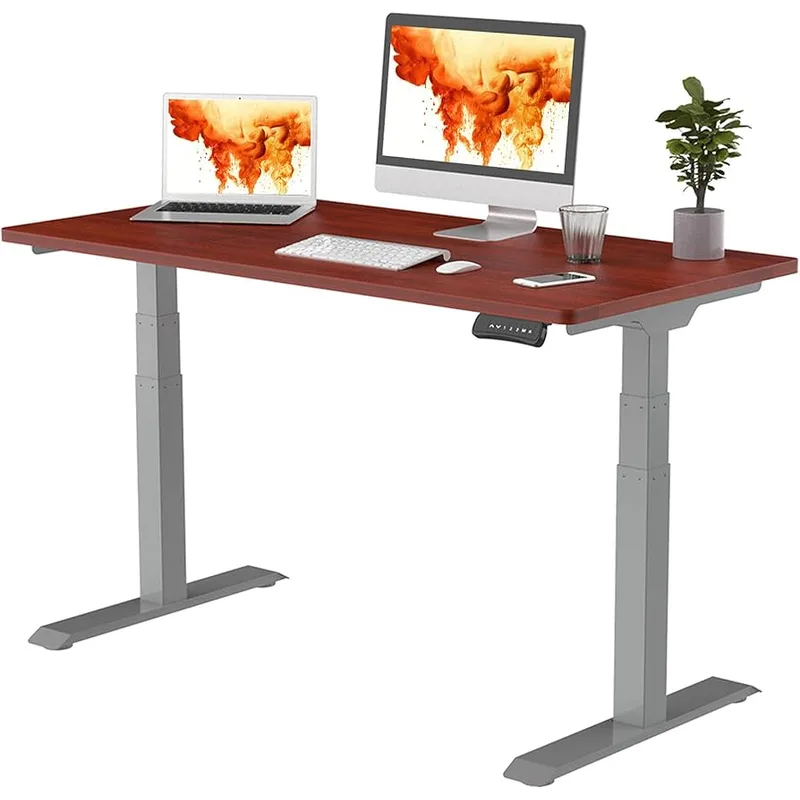
The FlexiSpot E7 is the desk I tell everyone to buy. Dual motors mean it’s quiet and fast — 1.5 inches per second, so you’re not standing there waiting. The 355 lb capacity is overkill for most setups, but it means zero wobble even loaded with dual monitors, a laptop, and a full cable tray underneath.
Four memory presets let you dial in exact heights for sitting, standing, and that weird half-perch some of us do. Anti-collision detection is a nice insurance policy against crushing whatever you left under the desk.
Who should buy this: Anyone who can allocate $450+ to the desk and wants something that lasts 10+ years. The 15-year frame warranty backs that up.
Who should skip: If your total budget is under $700, put the savings toward a better chair and grab the Fezibo instead.
Budget Pick: Fezibo Electric Standing Desk ($150–$250)
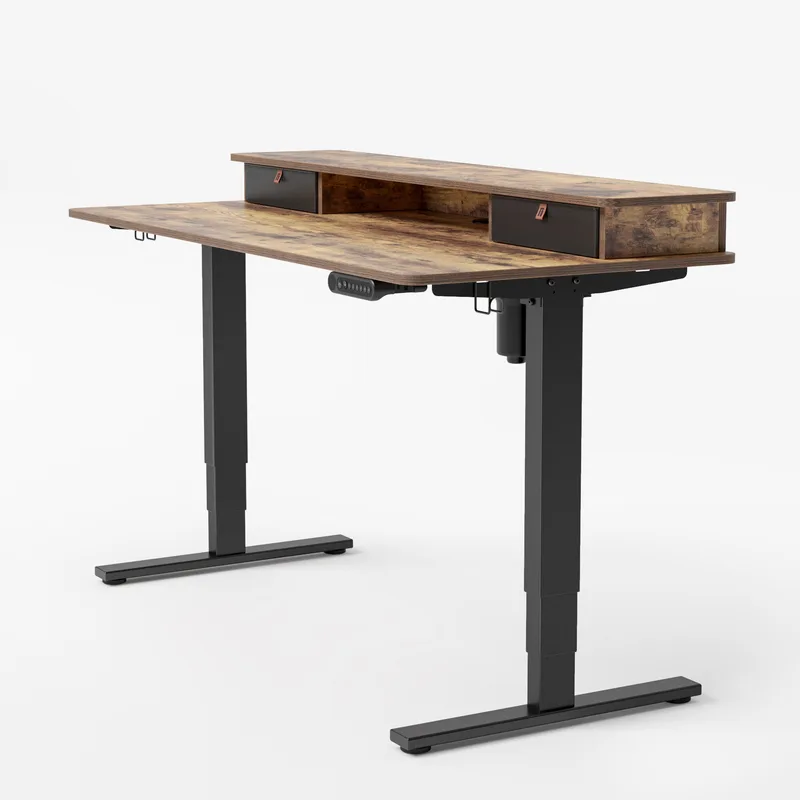
The Fezibo is the best deal in standing desks right now. Under $200 gets you a complete desk with three memory presets, built-in cable management grommets, and a headphone hook. The single motor is slower and louder than the E7’s dual setup, but it works.
Stability is surprisingly decent for the price. Both the 48” and 55” models hold firm at standing height with a single monitor setup, based on user reports across both configurations. Start to add weight and you’ll notice some front-to-back sway, but nothing deal-breaking.
Who should buy this: Budget builders who want to spend more on the chair. Also great as a first standing desk if you’re not sure you’ll stick with it.
Buy Fezibo Standing Desk on Amazon
Mid-Range: FlexiSpot E5 ($350–$400)
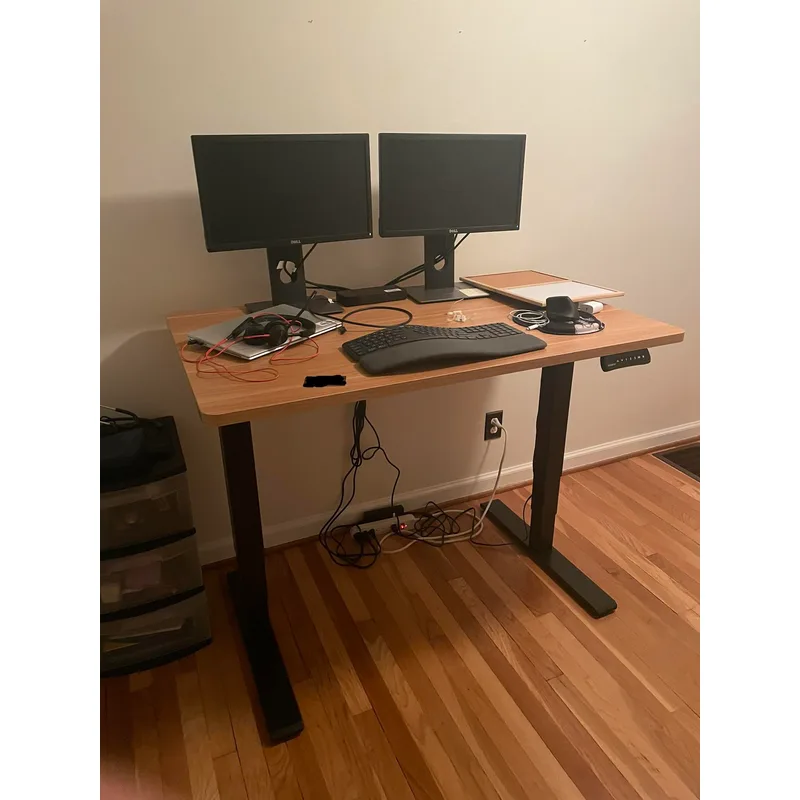
The E5 splits the difference between the Fezibo and the E7. Same FlexiSpot build quality, dual motors, but slightly lower weight capacity (220 lbs) and three presets instead of four. If the E7 feels like a stretch and the Fezibo feels too basic, this is your desk.
The Chair: $150–$400
Never cheap out on seating. Even dedicated standing desk users sit 4–6 hours a day. A bad chair will undo every benefit your standing desk provides — and then some. For a full comparison of ergonomic desk chairs under $500, we have a dedicated roundup covering the best value options.
Best Value: HON Ignition 2.0 ($250–$300)
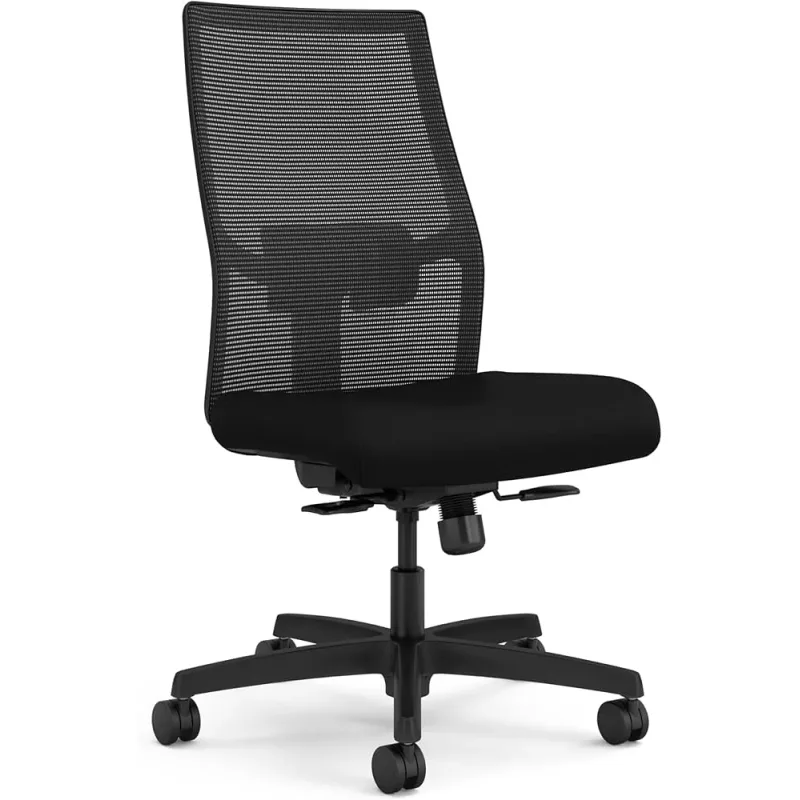
The HON Ignition 2.0 is a contract-grade office chair sold at consumer prices. That “contract-grade” part matters — this is the same chair companies buy in bulk for their offices, built to survive years of daily abuse.
Synchro-tilt keeps your feet flat while reclining. The mesh back breathes well through long sessions. Adjustable lumbar, arms, and seat depth mean you can actually dial in a proper fit instead of just hoping the chair works for your body.
Who should buy this: Anyone who sits more than 3 hours a day. This is the best chair under $300, full stop.
Buy HON Ignition 2.0 on Amazon
Budget Alternative: Hbada P5 Ergonomic Chair ($130–$180)
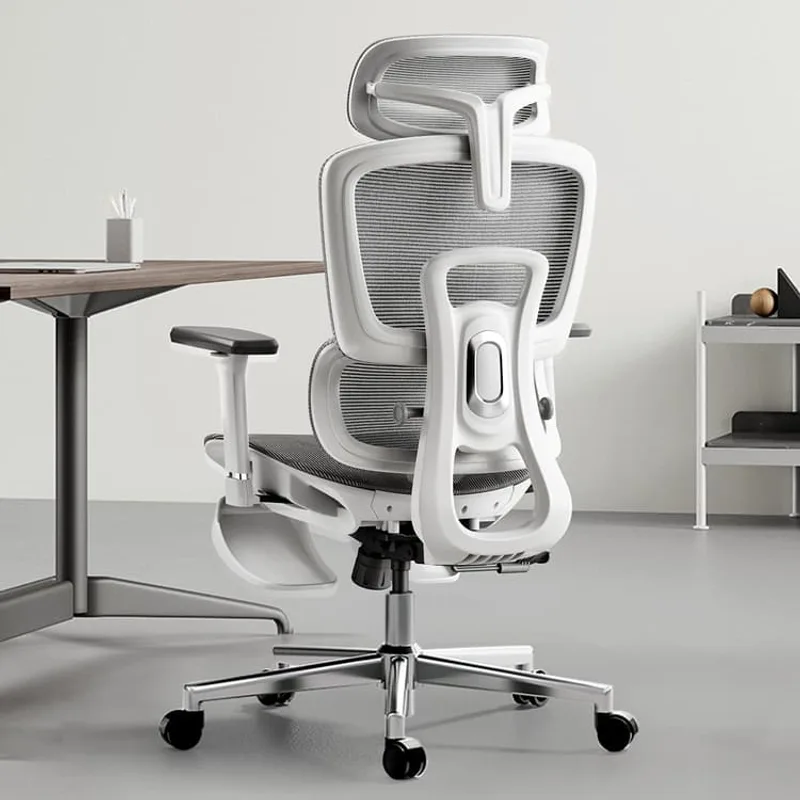
If $250 is too much for the chair, the Hbada gets you into a real ergonomic seat for about $130. Adjustable headrest, lumbar support, and flip-up arms that tuck under most desks. The 135-degree recline is a nice bonus for afternoon breaks.
The trade-off: lumbar support isn’t as precise as the HON, and the seat padding compresses faster. Plan to replace it in 2–3 years rather than the 5–7 you’d get from the Ignition.
Upgrade Option: Branch Ergonomic Chair ($300–$350)
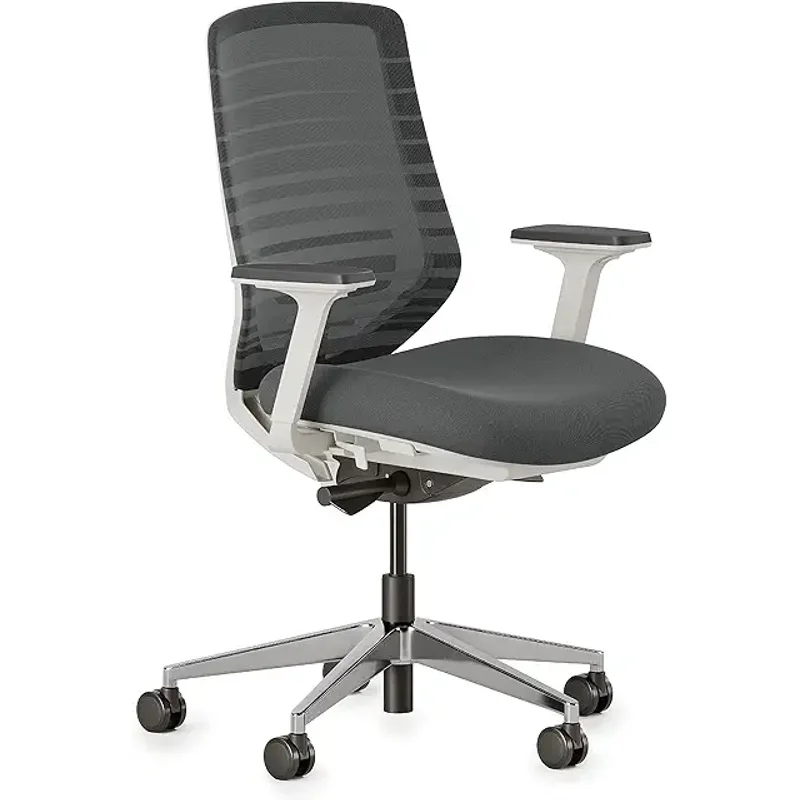
If you can stretch the budget, the Branch chair punches way above its price. Italian mesh, 7 points of adjustment, and a 12-year warranty that’s unheard of at this price. It’s the closest you’ll get to a $1,000 chair experience without the $1,000 price tag.
Buy Branch Ergonomic Chair on Amazon
Monitor Arms: $25–$120
A monitor arm frees up desk space, gets your screen at the right height, and reduces neck strain. Essential for dual monitors. Strongly recommended for single setups too — your neck will thank you.
Best Value: VIVO Dual Monitor Arm ($30–$45)
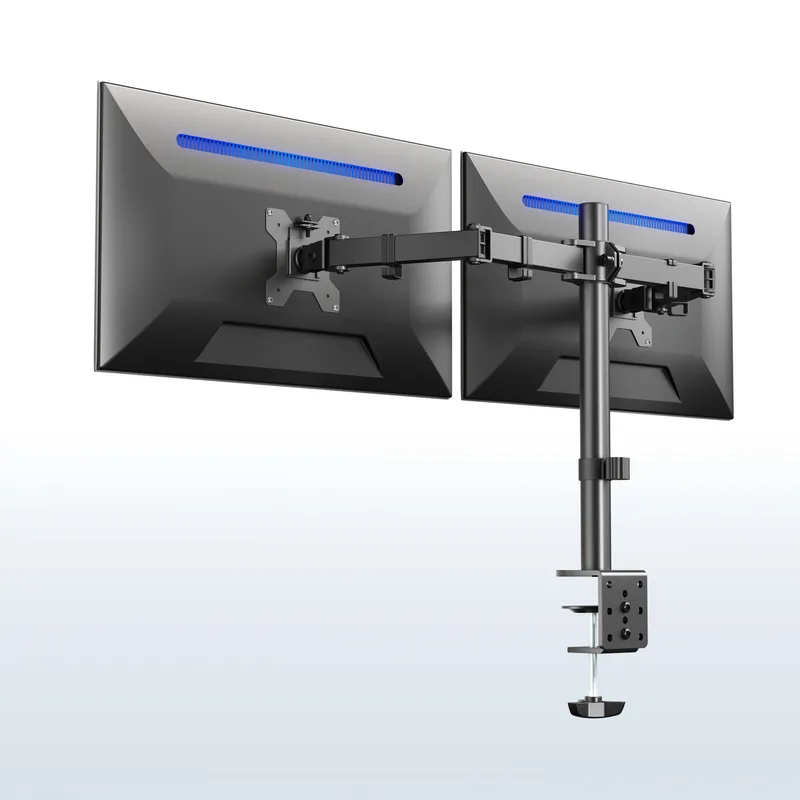
Under $40 for a dual monitor arm sounds too good to be true, but the VIVO STAND-V002 delivers. Handles two screens up to 27 inches with VESA 75x75 or 100x100 mounting. C-clamp or grommet options fit most desks.
The catch: adjustment is stiff. This is a “set it and leave it” arm, not a “reposition throughout the day” arm. For most people, that’s fine — you set your monitor height once and never touch it again.
Buy VIVO Dual Monitor Arm on Amazon
Premium Single: Amazon Basics Monitor Arm ($100–$120)
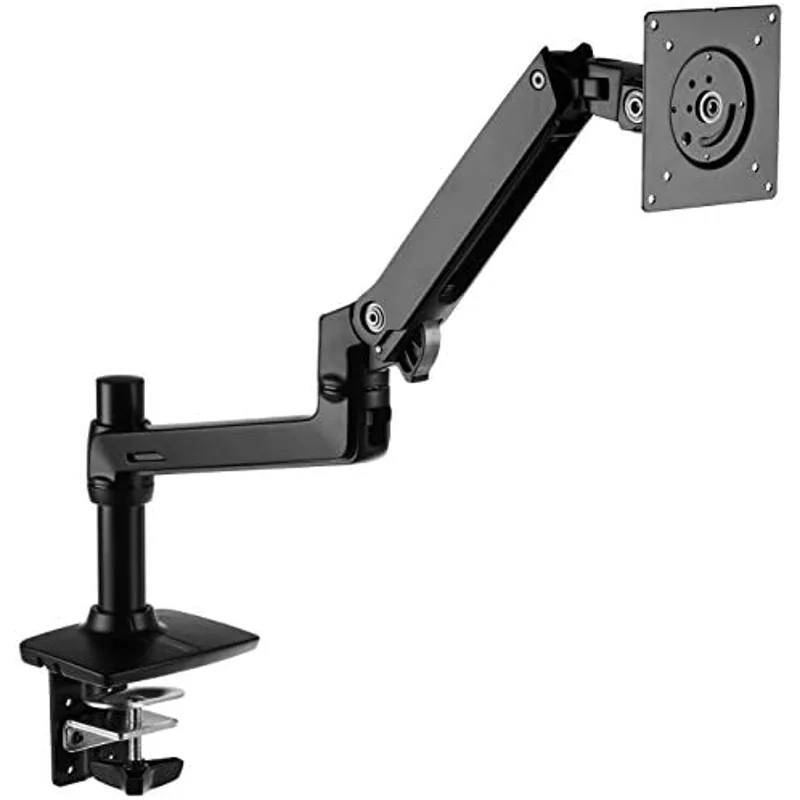
This is a rebranded Ergotron LX — same internal mechanism, same smooth one-handed adjustment. Handles monitors up to 32 inches and 25 lbs. If you want an arm you can reposition constantly (standing, sitting, pulling closer for detail work), this is worth the premium.
Buy Amazon Basics Monitor Arm on Amazon
Budget Single: HUANUO Monitor Arm ($25–$35)
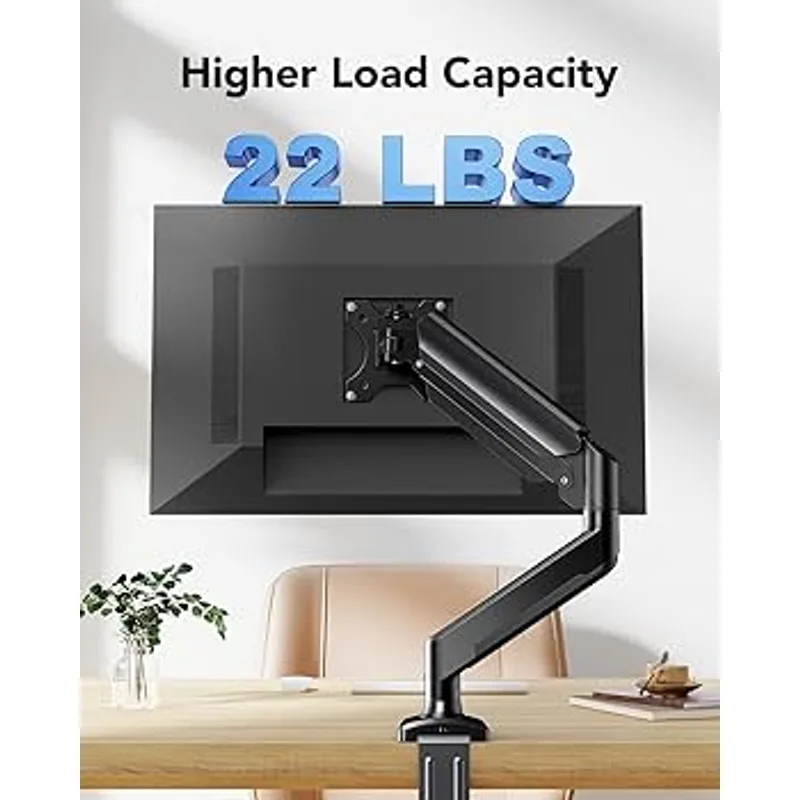
The cheapest gas-spring arm worth buying. Works fine for monitors under 24 inches. Heavier monitors introduce some wobble, but at this price you can’t complain.
Buy HUANUO Monitor Arm on Amazon
Anti-Fatigue Mat: $35–$100
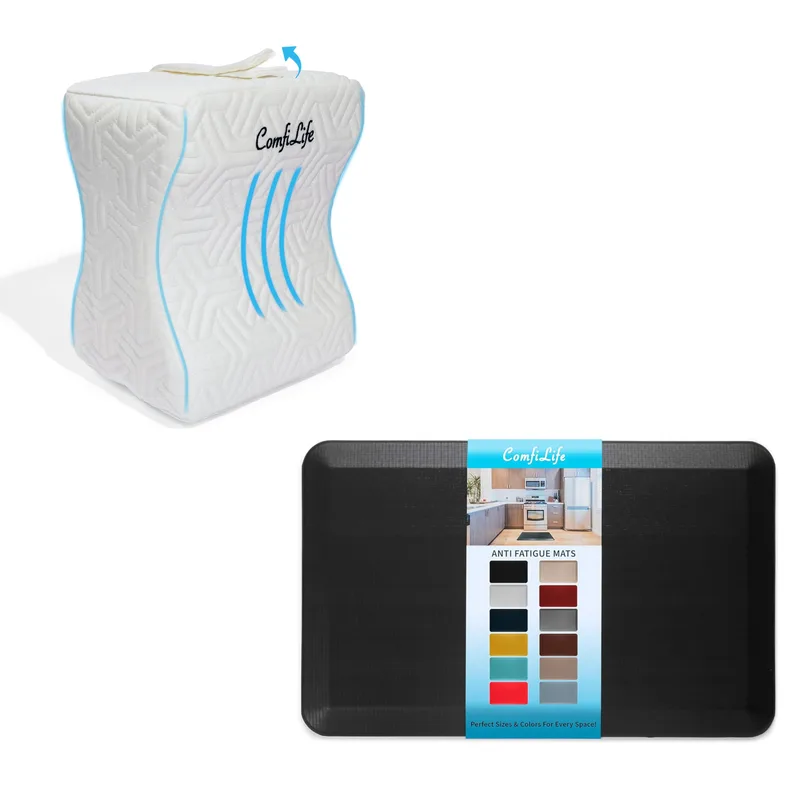
ComfiLife Anti-Fatigue Mat
Pros
- ✓ Best flat mat under $50
- ✓ Waterproof top is easy to clean
Cons
- ✗ Flat design like the Sky Solutions
- ✗ Smaller footprint than the Topo
Standing on a hard floor turns a standing desk from a health tool into a pain generator. An anti-fatigue mat isn’t optional — it’s essential. Your knees and lower back will tell you within the first hour.
Best Value: Topo Comfort Mat by Ergodriven ($80–$100)
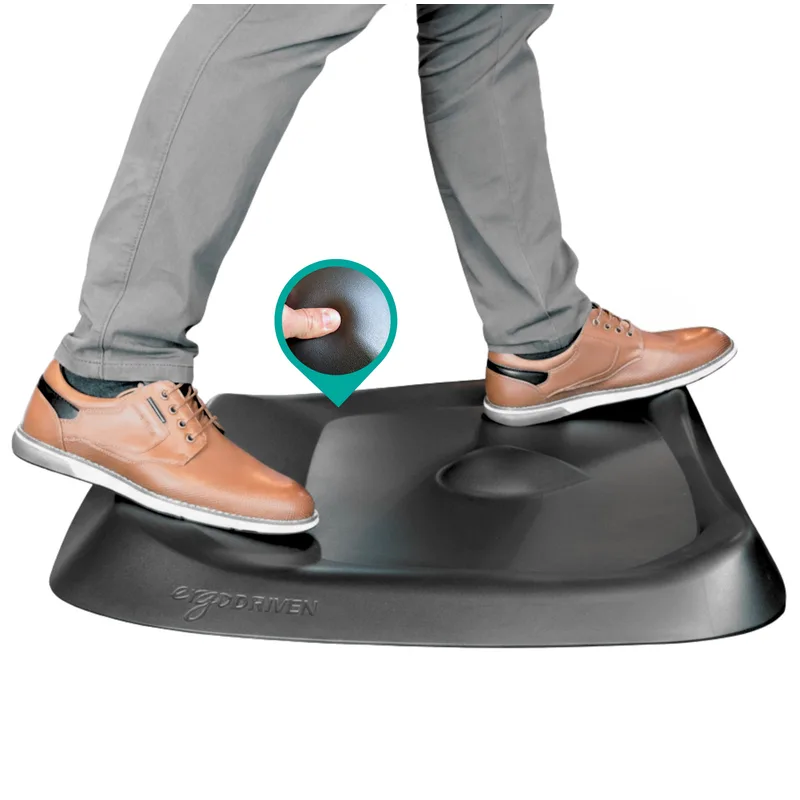
The Topo’s “calculated terrain” — raised edges, a center mound, massage nubs — sounds gimmicky until you stand on it. Those features keep your feet shifting position unconsciously, which is exactly what prevents the stiffness and fatigue flat mats can’t solve.
PVC-free and PFA-free materials, 7-year warranty. Over 650,000 units sold. There’s a reason this mat dominates every standing desk recommendation list.
Who should buy this: Anyone standing 2+ hours per day. The $80 price pays for itself in comfort within the first week.
Buy Topo Comfort Mat on Amazon
Budget Pick: Sky Solutions Anti-Fatigue Mat ($35–$45)
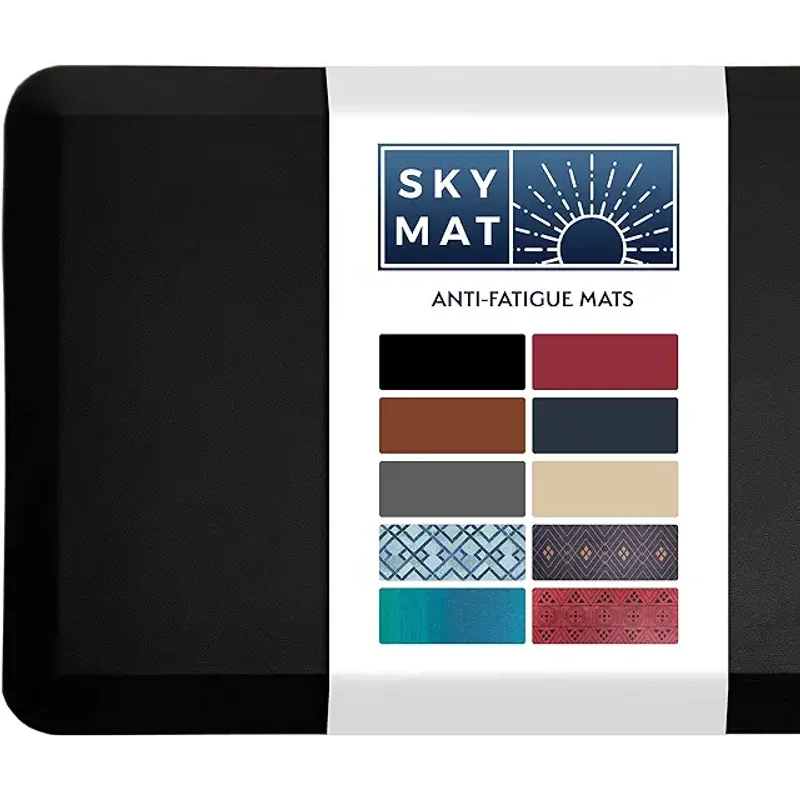
Simple and effective. The 3/4-inch cushion and beveled edges do the basic job at a fraction of the Topo’s price. Won’t encourage micro-movements like the Topo does, but it beats standing on bare floor.
Buy Sky Solutions Mat on Amazon
Alternative: ComfiLife Anti-Fatigue Mat ($40–$50)
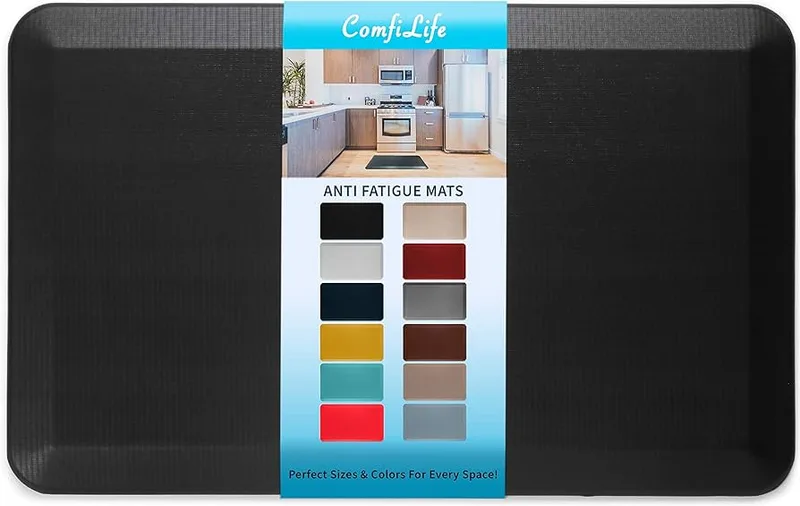
High-density memory foam with a waterproof, antimicrobial top. Easy to wipe clean if you spill your coffee (when, not if). Best flat mat under $50.
Desk Lighting: $30–$110
Good task lighting reduces eye strain more than most people realize. Monitor light bars are the move for computer-focused work — they light your desk without creating screen glare.
Best Value: Quntis Monitor Light Bar ($30–$45)
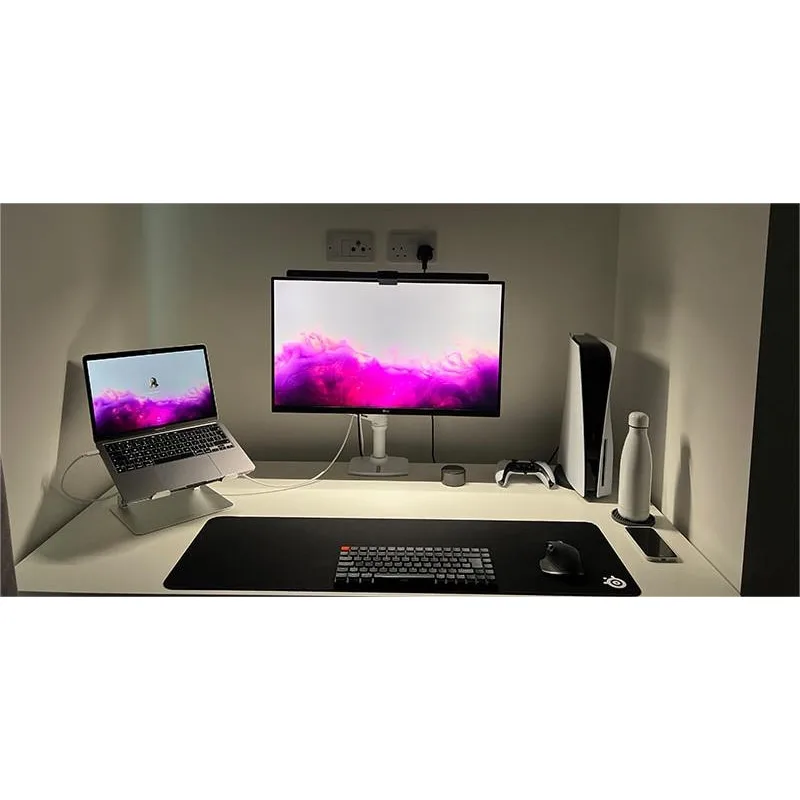
Does 80% of what the BenQ ScreenBar does at a fifth of the price. USB powered (plug it into your monitor), adjustable brightness and color temperature, auto-dimming sensor. The asymmetric design keeps light off your screen and on your desk.
The plastic build doesn’t feel premium, and the auto-dimming can be inconsistent. But at $30–$45, those are easy trade-offs.
Buy Quntis Light Bar on Amazon
Upgrade: BenQ ScreenBar ($100–$110)

The ScreenBar is the gold standard for a reason. Patented asymmetric optics, zero screen glare, aluminum build that will outlast your desk. The auto-dimming sensor is more accurate than the Quntis. Worth it if you spend 6+ hours a day at your screen and lighting matters to you.
For most budget builds, the Quntis gets the job done. Save the BenQ upgrade for later.
Cable Management: $20–$40
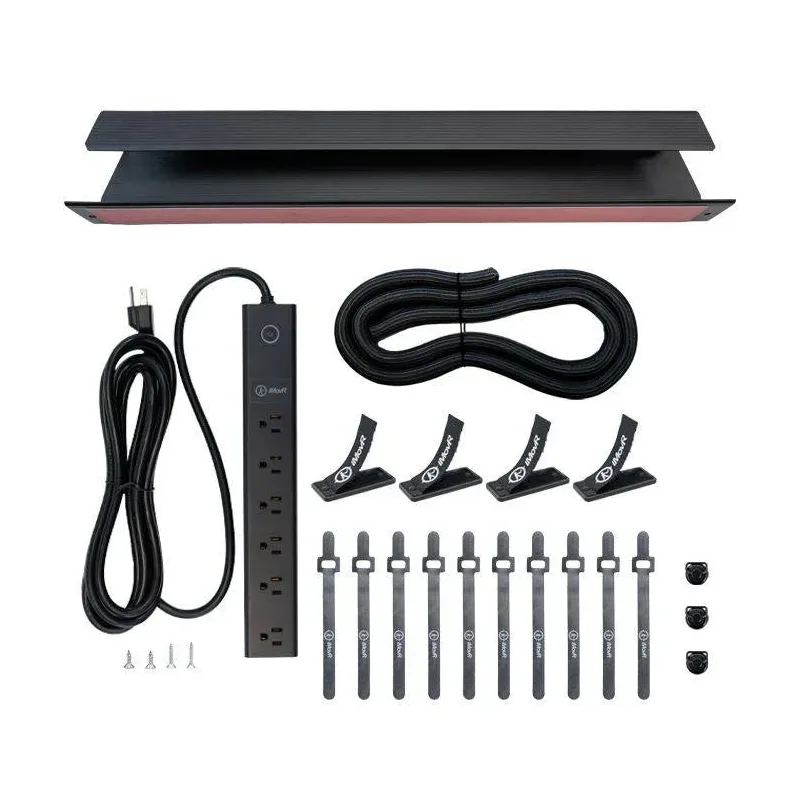
Messy cables look bad and can jam your standing desk’s motor. Fifteen minutes and $30 in cable management products prevent both problems.
Under-Desk Tray: NODOCA Cable Tray ($15–$25)
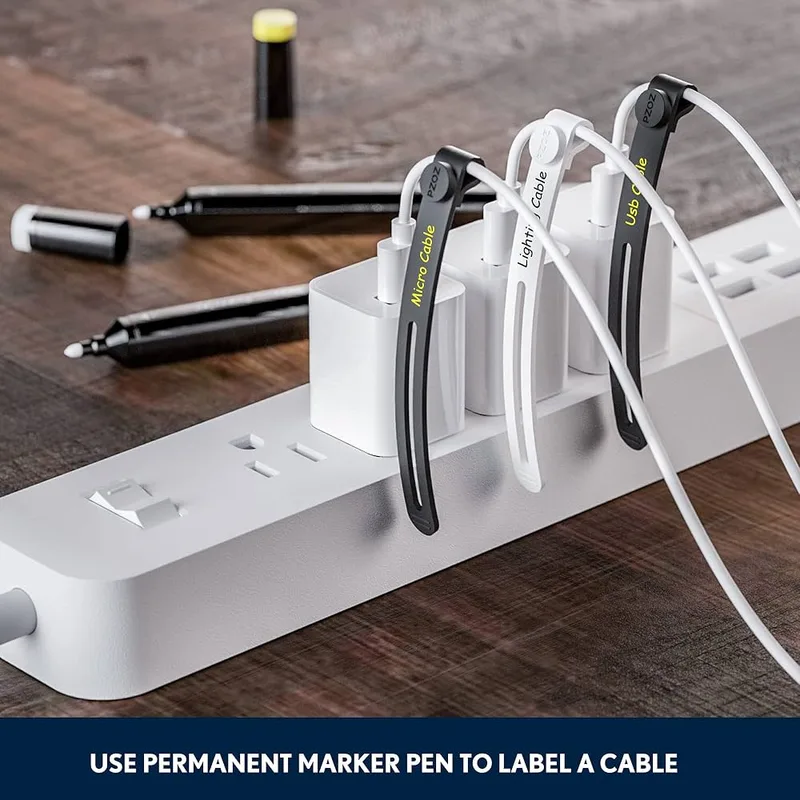
No-drill C-clamp mounts to the back of your desk. Steel mesh holds a full power strip, laptop charger, and monitor cables in one hidden bundle. Keeps everything off the floor and out of the desk motor’s path.
Buy NODOCA Cable Tray on Amazon
Cable Ties: Velcro ONE-WRAP ($10–$15 for 100)
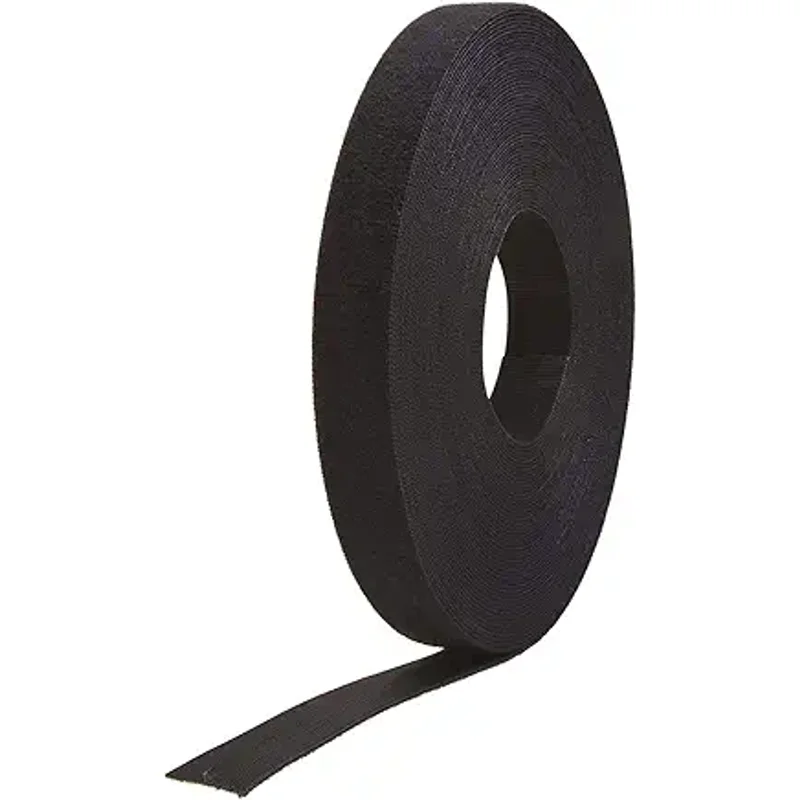
Bundle and route your cable runs. Reusable, won’t damage cable insulation like zip ties can, and 100 ties is enough for your entire home. The single most useful cable management product you’ll buy.
Cable Clips: SOULWIT Cable Clips ($8–$12)
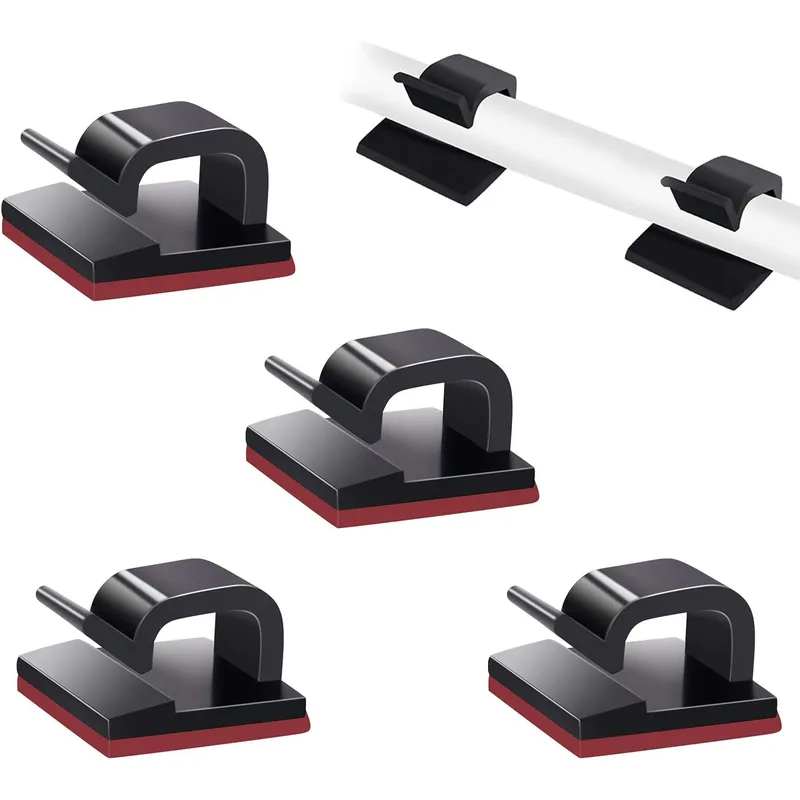
Self-adhesive clips that route charging cables along your desk edge. Stick them in a row and you’ve got a cable dock for your phone, headphones, and peripherals.
Buy SOULWIT Cable Clips on Amazon
Sample Budget Builds
Build 1: Maximum Value ($650)
| Item | Product | Est. Price |
|---|---|---|
| Desk | Fezibo 55” Electric | $200 |
| Chair | Hbada P5 | ~$140 |
| Monitor Arm | HUANUO Single | $30 |
| Anti-Fatigue Mat | Sky Solutions | $40 |
| Light Bar | Quntis | $35 |
| Cable Mgmt | NODOCA + Velcro | $30 |
| Total | $485 |
After tax and shipping: ~$550–$650. Leaves room for a mouse pad or wrist rest.
Build 2: Balanced Quality ($850)
| Item | Product | Est. Price |
|---|---|---|
| Desk | FlexiSpot E5 | $380 |
| Chair | HON Ignition 2.0 | $270 |
| Monitor Arm | VIVO Dual | $40 |
| Anti-Fatigue Mat | ComfiLife | $45 |
| Light Bar | Quntis | $35 |
| Cable Mgmt | NODOCA + Velcro | $30 |
| Total | $800 |
After tax and shipping: ~$850. The sweet spot for most people.
Build 3: Best Under $1,000
| Item | Product | Est. Price |
|---|---|---|
| Desk | FlexiSpot E7 | $500 |
| Chair | HON Ignition 2.0 | $270 |
| Monitor Arm | Amazon Basics | $110 |
| Anti-Fatigue Mat | Topo Comfort | $90 |
| Light Bar | Quntis | $35 |
| Cable Mgmt | NODOCA + Velcro + SOULWIT | $40 |
| Total | $1,045 |
Wait for a Prime Day or Black Friday sale and this drops under $1,000 easily. Or swap the E7 for the E5 to hit $920 right now.
Buying Guide: What to Look For
Standing Desk
- Dual motors for speed and quieter operation (single motors work, just slower)
- Weight capacity over 200 lbs to avoid wobble under load
- Memory presets so you’re not hunting for the right height every time
- Height range that covers both sitting and standing for your body — measure before buying
Ergonomic Chair
- Adjustable lumbar support that moves up/down, not just in/out
- Seat depth adjustment so the edge doesn’t cut into the back of your knees
- Breathable mesh back if you run warm
- Tilt mechanism — synchro-tilt keeps your feet flat while reclining
Anti-Fatigue Mat
- At least 3/4-inch thick — thinner mats compress too quickly
- Beveled edges to prevent tripping
- Terrain features (like the Topo) are worth the premium if you stand 2+ hours daily
Monitor Arms
- Check your monitor’s VESA pattern (75x75 or 100x100) before buying
- Weight rating matters — an arm rated for 15 lbs will sag under a 20 lb monitor
- Gas spring beats manual adjustment for daily repositioning
Frequently Asked Questions
Is $1,000 actually enough for a good setup?
More than enough. Build 2 above delivers genuinely excellent ergonomics for $850, and even the $550 Build 1 beats most pre-built office setups. The key is spending on what touches your body (chair, mat) and saving on everything else.
Where should I splurge vs. save?
Splurge on the chair. You’ll sit in it 4–6 hours a day even with a standing desk. A $250 HON Ignition outperforms most $150 chairs by a wide margin and lasts twice as long. Save on cable management, lighting, and accessories — the budget options work nearly as well as the premium ones.
Should I buy a standing desk converter instead of a full desk?
Only if you already have a desk you love and can’t part with. Converters eat desk space, have limited height adjustment, and cost $200–$400 — almost as much as a Fezibo full standing desk. For a fresh setup, a full standing desk is almost always the better investment. See our standing desk vs. desk converter comparison for the full breakdown.
Do I need a dual monitor setup?
Not required. But if you’re planning to add a second monitor later, buy the VIVO dual arm now — it’s only $10 more than a single arm and saves you from buying again later.
How long will this setup last?
The FlexiSpot E7 comes with a 15-year frame warranty. The HON Ignition 2.0 and Branch chair both last 7–10 years with normal use. Even budget picks like the Fezibo and Hbada typically last 3–5 years before you’d want to upgrade. The accessories (mat, arm, cables) last essentially forever.
When is the best time to buy?
Prime Day (July) and Black Friday deliver the biggest discounts — 20–40% off desks and chairs is common. FlexiSpot runs their own sales throughout the year too. If you can wait, you’ll save $100–$200 on Build 2 or Build 3.
The Bottom Line
You don’t need $2,000 to build an ergonomic workspace that actually works. $650–$1,000 covers a standing desk, quality chair, anti-fatigue mat, and all the accessories — if you know where to spend and where to save.
For most people, I’d go with Build 2 — the FlexiSpot E5, HON Ignition 2.0, VIVO dual arm, ComfiLife mat, and Quntis light bar. It hits the sweet spot between quality and price at ~$850, and every component in that build lasts 5+ years.
If budget is truly tight, Build 1 still gets you a standing desk, ergonomic chair, and anti-fatigue mat for under $550. That’s a massive upgrade over whatever you’re sitting on right now.
Start with the desk, chair, and mat. Add the monitor arm and lighting when you can. Your back, neck, and energy levels will notice the difference within the first week. For the tech side of a complete budget remote work setup — monitors, webcams, and accessories — SetupRanked covers everything under $1,000.
Check out our complete standing desk setup guide for in-depth setup tips, browse the best standing desks of 2026 if you want to explore more desk options, and read the ergonomic workstation setup guide for the full picture of how every piece of your workspace works together. For premium-tier recommendations covering chair, desk, and monitor arm as a complete system, see the Complete Ergonomic Workspace Setup Guide.