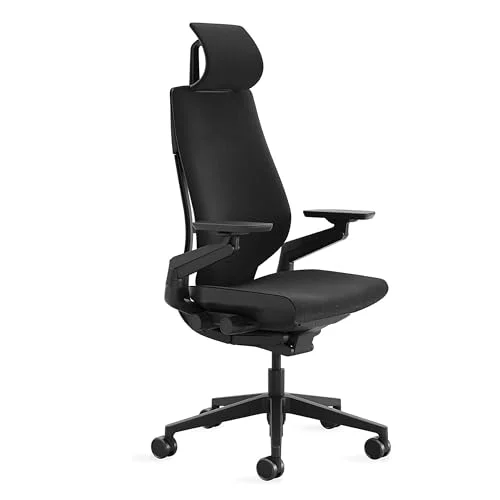
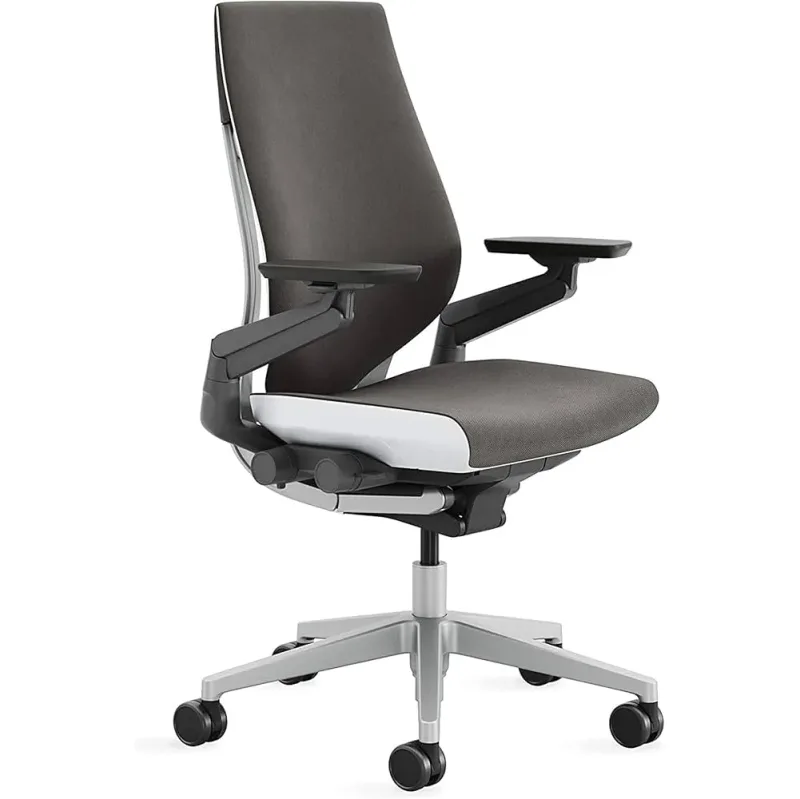
As hybrid work fully normalized in 2026, the single-device desk setup became the exception. Most knowledge workers now juggle a monitor, a laptop to the side, and a phone constantly in hand. The Steelcase Gesture was designed for exactly this reality — its 360-degree arms follow your hands to any device, in any position, without fighting you.
Whether that design justifies a $1,499 price tag depends on how you work. If you switch between devices throughout the day and sit 7+ hours, the answer is yes. If you’re a traditional keyboard-and-mouse worker in one position all day, the Steelcase Leap V2 gives you better lumbar control for $100 less.
Quick verdict: For multi-device power users, the Gesture is the best all-around ergonomic chair at this price. For pure back-pain relief and lumbar fine-tuning, the Leap V2 wins. For breathability in warm climates, the Herman Miller Aeron leads.
Steelcase Gesture
Pros
- ✓ 360-degree arms rotate, pivot, and move in any direction — purpose-built for multi-device workflows
- ✓ 3D LiveBack flexes with your spine through every posture shift, providing consistent support whether upright, reclined, or leaning forward
- ✓ 400 lb weight capacity with broad seat dimensions that accommodate a wide range of body sizes
- ✓ Ships fully assembled and arrives ready to configure — no tools required
Cons
- ✗ Polyester fabric holds heat — not breathable over long sessions in warm environments
- ✗ Headrest is an optional add-on, not included; full price climbs higher with it
- ✗ Lumbar support is an optional upgrade rather than standard — verify your configuration before ordering
Steelcase Gesture
Steelcase Gesture
Pros
- ✓ 360-degree arms rotate, pivot, and move in any direction — purpose-built for multi-device workflows
- ✓ 3D LiveBack flexes with your spine through every posture shift, providing consistent support whether upright, reclined, or leaning forward
- ✓ 400 lb weight capacity with broad seat dimensions that accommodate a wide range of body sizes
- ✓ Ships fully assembled and arrives ready to configure — no tools required
Cons
- ✗ Polyester fabric holds heat — not breathable over long sessions in warm environments
- ✗ Headrest is an optional add-on, not included; full price climbs higher with it
- ✗ Lumbar support is an optional upgrade rather than standard — verify your configuration before ordering
The 360-Degree Arms
The defining feature is mechanical, not marketing. The arms rotate fully — outward, forward, backward — so they can support your hands holding a tablet, typing on a laptop set to the side, or reaching across your body to a second monitor. Standard 4D arms adjust in four dimensions but move within a conventional range. The Gesture’s arms follow you anywhere.
For a traditional office setup with one keyboard and one mouse, you may not notice the difference immediately. But spend a week working from a laptop with external displays, and the freedom becomes obvious. Other chairs force you to hold devices unsupported or rest them awkwardly. The Gesture removes that friction.
3D LiveBack Technology
The backrest adapts to your spine rather than pushing against it. LiveBack flexes independently in upper and lower sections as you move, maintaining contact through posture shifts that would leave a rigid back hovering in mid-air. Lean forward to focus on a screen — the back stays in contact. Recline for a call — the lumbar curve is still there.
This is the same LiveBack system used in the Steelcase Leap V2. Where the two chairs differ is the Leap adds a Natural Glide System that slides the seat forward while reclining, keeping you physically close to your work surface. The Gesture doesn’t include that mechanism.
Seat and Dimensions
Seat height adjusts from 16 to 20.5 inches, covering most users from around 5’2” to 6’4”. Seat depth ranges from 15.75 to 18.75 inches — a 3-inch range dialed in with a knob on the right side of the seat mechanism. You can adjust seat depth while seated, which matters more than it sounds. A seat that’s too deep cuts circulation behind the knees; too shallow and your thighs aren’t supported. The Gesture gets this right for most body types.
Weight capacity is 400 lbs. The seat is 19.25 inches wide.
Lumbar Support
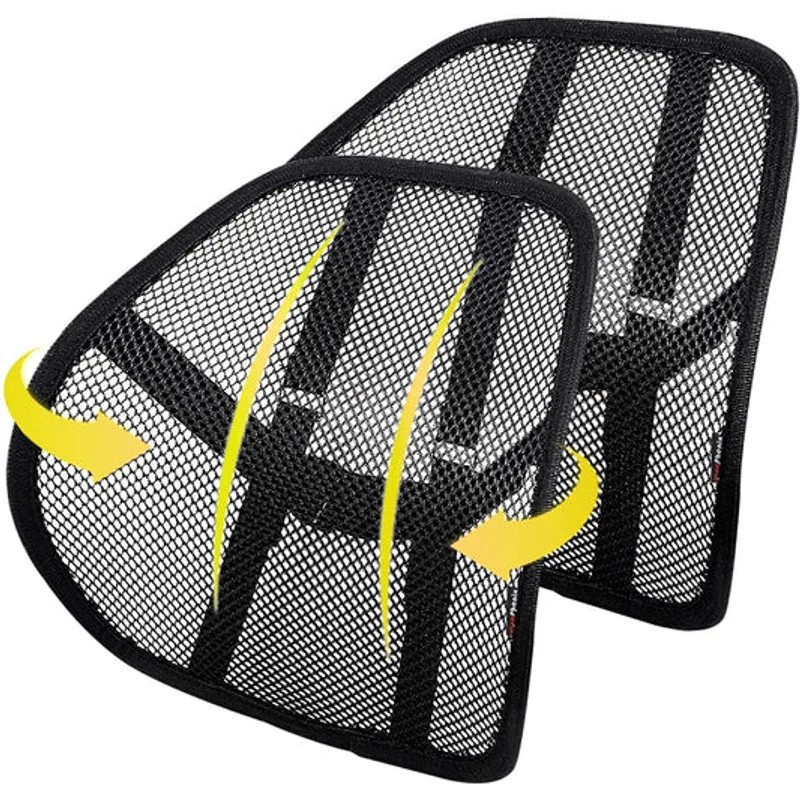
The standard Gesture configuration includes a fixed lumbar support integrated into the back. An optional adjustable lumbar adds 4 inches of height adjustment — worth including if you’re paying this much for the chair. If you need more control than height adjustment — specifically independent lumbar firmness — the Leap V2 gives you that and the Gesture doesn’t.
The Gesture’s lumbar is good. It’s not the most configurable option in this price range, but the adaptive LiveBack system partially compensates for what the manual lumbar lacks.
Build Quality
Aluminum base, industrial polymer mechanism, Steelcase Connect polyester upholstery. The mechanical components are over-engineered relative to any residential chair — this is commercial office furniture built for 8-hour daily use in corporate settings. The 12-year warranty covers all components, and the chair is up to 85% recyclable.
The weak point is the fabric. Polyester doesn’t breathe. On long summer days or in warm offices, the Gesture’s back becomes noticeably warmer than a mesh alternative. If breathability is a priority, the Herman Miller Aeron uses 8Z Pellicle mesh and addresses this completely.
The Headrest Situation
The Gesture’s standard configuration doesn’t include a headrest. It’s an optional add-on configured at order through Steelcase’s website or authorized dealers. Adding it increases the price. If neck support matters — especially for extended video calls or reclined working sessions — build the headrest in at purchase.
How It Compares
Steelcase Leap V2
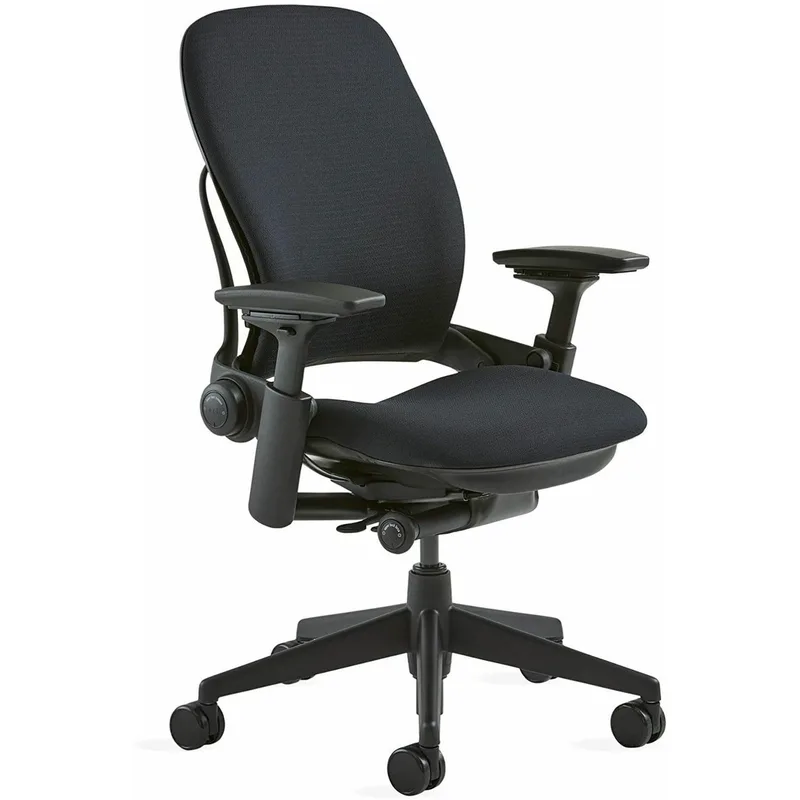
The Leap V2 is the Gesture’s sibling product and its closest direct competitor. Both use 3D LiveBack, both carry 400 lb weight capacity, and both are covered by a 12-year warranty. The Leap V2 costs about $100 less at $1,399 in standard configuration.
Where the Leap V2 wins: Lumbar fine-tuning. The Leap has an independent lumbar firmness dial that lets you set the exact pressure on your lower back, separate from position and height. It also has the Natural Glide System — the seat slides forward as you recline, keeping your torso close to your monitor throughout the recline arc. For anyone with specific lower back issues or who does extended reclined work, these features are genuinely superior.
Where the Gesture wins: Arm flexibility and posture range. The 360-degree arms cover a wider variety of working styles. The Gesture also handles a broader range of sitting positions — forward perch, sideways lean, fully reclined — more naturally.
Steelcase Leap V2
Pros
- ✓ Independent lumbar firmness dial lets you set exact lower back pressure — best lumbar fine-tuning in class
- ✓ Natural Glide System slides the seat forward as you recline, keeping you close to your monitor throughout
- ✓ Five distinct recline positions with tilt limiter — more range than the Gesture's four
- ✓ Costs $100 less than the Gesture at equivalent configuration
Cons
- ✗ Arms don't rotate 360-degrees — less useful for multi-device or tablet-heavy workflows
- ✗ No standard headrest; optional add-on adds to cost
- ✗ Foam-backed construction holds heat during long sessions
For a full side-by-side, see the Aeron vs. Leap comparison.
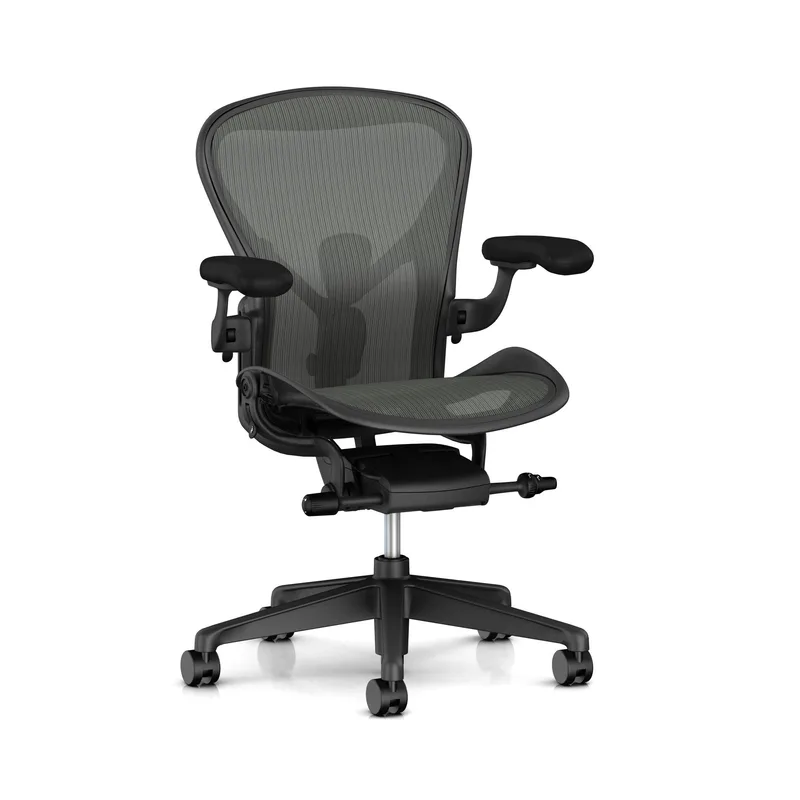
Herman Miller Aeron (Size B)
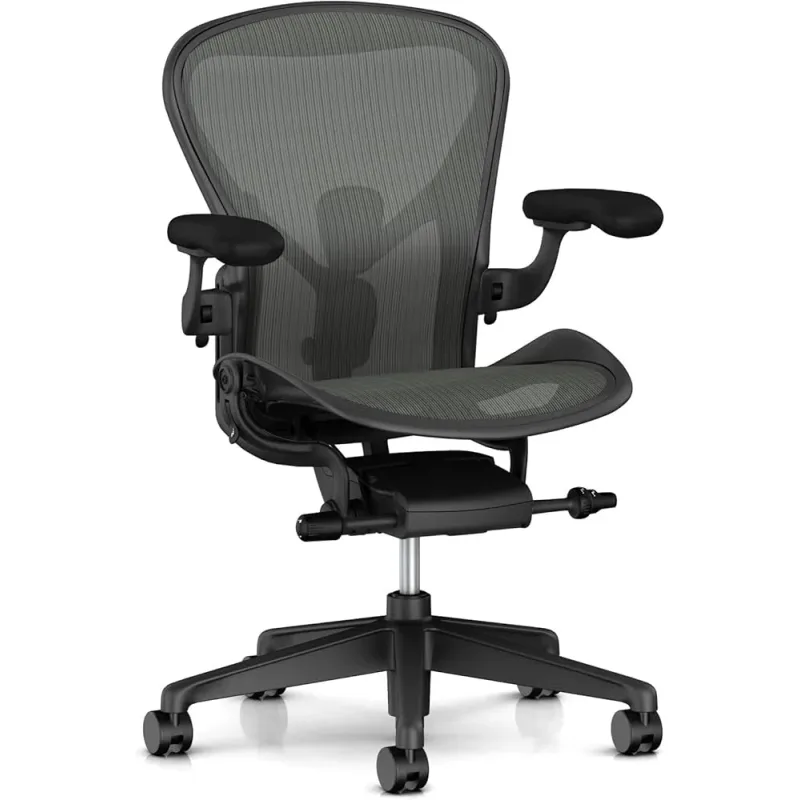
The Aeron enters from a different angle entirely. At $1,479, it’s priced comparably to the Gesture. The core difference: the Aeron uses mesh, the Gesture uses fabric.
Mesh changes the experience during long sessions in warm conditions. The 8Z Pellicle suspension dissipates body heat rather than holding it — the result is a noticeably cooler seating surface after 4+ hours of sitting. In a climate-controlled office this is less relevant. In a home office during summer, it’s significant.
The Aeron’s PostureFit SL lumbar system provides independent support for the sacrum and lumbar spine. This is excellent spinal alignment support, though it works differently from LiveBack’s adaptive mechanism.
Where the Aeron falls short: arm movement. The 4D arms are good but don’t have the rotational range of the Gesture. Multi-device workflows feel more constrained. And getting the size wrong (A, B, or C) undermines the ergonomic design — the Gesture requires no such selection.
Herman Miller Aeron (Size B)
Pros
- ✓ 8Z Pellicle mesh eliminates heat buildup entirely — the best option for warm climates or hot sleepers
- ✓ PostureFit SL dual-zone lumbar supports both the sacrum and lumbar spine independently
- ✓ Available in three sizes (A, B, C) for a genuinely tailored fit by body dimensions
- ✓ Iconic design that holds resale value well over time
Cons
- ✗ Arms don't match the rotational range of the Gesture — multi-device workflows feel constrained
- ✗ Arm pads use thin foam that can wear and peel over years of daily use
- ✗ Size selection is easy to get wrong — buying the wrong size undoes the ergonomic benefit
Complete the Setup
A chair at this price is rarely the only thing worth upgrading. Two things pair naturally with the Gesture: the multi-device workflow it’s built for needs a monitor arm to match, and a 400 lb-capacity chair on casters is hard on unprotected flooring.
Ergotron LX Monitor Arm
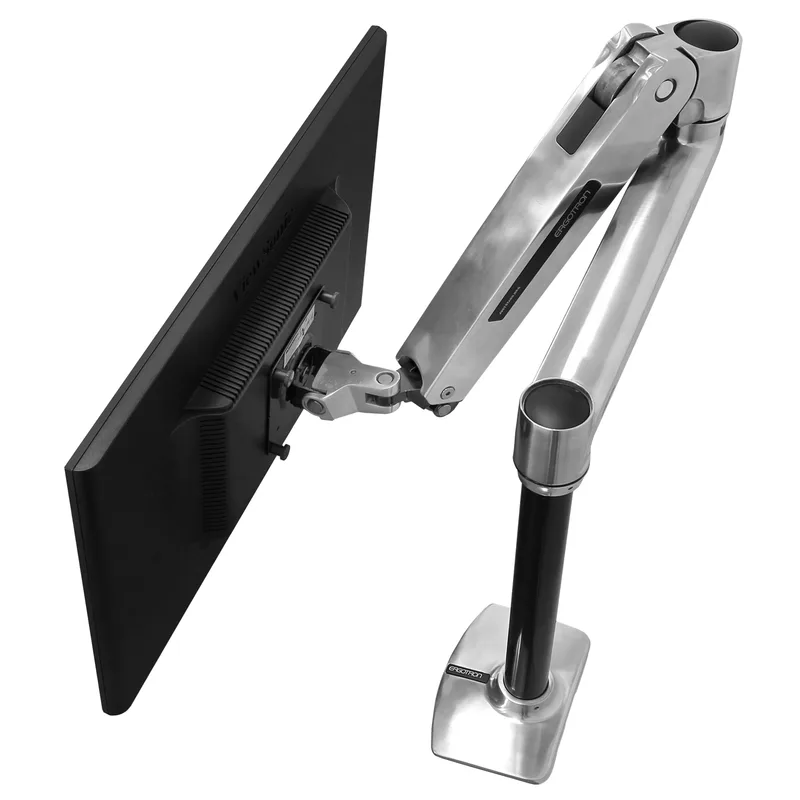
The Gesture’s whole pitch is that its arms follow you between devices — a laptop off to the side, a tablet, a second monitor. A fixed monitor stand fights that flexibility. Mounting your display on an arm instead lets you reposition it to match whatever position the Gesture has you in, and frees up desk space for the laptop or tablet you’re actually reaching for.
Ergotron LX Monitor Arm
Pros
- ✓ Smooth gas spring handles heavy monitors with ease
- ✓ 10-year warranty — best in class for the price
- ✓ 360-degree rotation for portrait mode
- ✓ Frees up desk space for a cleaner standing setup
Cons
- ✗ $199 is a real investment for a single arm
- ✗ 25 lb capacity won't hold large ultrawide monitors
- ✗ Requires desk clamp or grommet clearance
Marvelux Tempered Glass Office Chair Mat
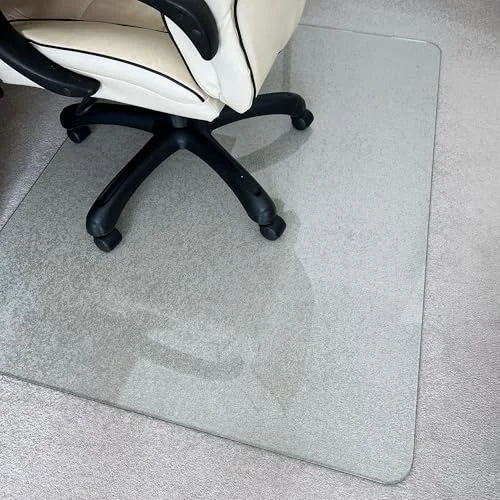
At 400 lbs of weight capacity and an aluminum base on casters, the Gesture puts real, concentrated pressure on whatever it’s rolling across. Carpet piles flatten and hardwood finishes scuff under that kind of daily use. A rated glass mat spreads the load and protects the floor — glass over polycarbonate mainly because it won’t cup or yellow the way plastic mats do after a year or two of daily 8-hour shifts.
Marvelux Tempered Glass Office Chair Mat (36" x 40")
Pros
- ✓ 1,000 lb rating handles the Gesture's aluminum base and casters without flexing
- ✓ Works on both carpet and hardwood — no need to buy a different mat if you move rooms
- ✓ Glass surface never cups, curls, or clouds the way plastic mats do after a year or two
- ✓ Stays crystal clear instead of yellowing like polycarbonate mats eventually do
Cons
- ✗ Heaviest mat in its category — a 36x40 glass panel is awkward to move or ship back
- ✗ Glass can chip at the corners if dropped or dragged into furniture
- ✗ 36x40 is a tight footprint — full recline may roll casters off the edge
Comparison Table
| Chair | Price | Arms | Lumbar | Back Material | Weight Cap. | Headrest | Warranty |
|---|---|---|---|---|---|---|---|
| Steelcase Gesture | $699.00-$1510.48 as of Oct 18, 2026 | 360° 4D | Height-adjustable (optional) | Polyester fabric | 400 lbs | Optional | 12 years |
| Steelcase Leap V2 | $615.00-$1499.00 as of Oct 18, 2026 | 4D standard | Height + firmness | Foam/fabric | 400 lbs | Optional | 12 years |
| Herman Miller Aeron (B) | $1649.99 as of Oct 18, 2026 | 4D standard | PostureFit SL | 8Z Pellicle mesh | 300 lbs | Add-on | 12 years |
What to Look for in a Premium Ergonomic Chair
Arm adjustability. If you use a single keyboard and mouse, standard 4D arms are fine. If you switch between a laptop, tablet, monitor, and phone throughout the day, you need the wider rotational range the Gesture provides.
Lumbar approach. Adaptive lumbar (LiveBack) moves with your spine automatically. Adjustable lumbar (like the Leap V2’s firmness dial) gives you manual control. Neither is universally better — it depends on whether you want the chair to self-adjust or you want to configure it precisely. See are expensive office chairs worth it for a deeper look at what you’re actually paying for.
Breathability. Fabric-backed chairs hold heat over long sessions. Mesh chairs like the Aeron don’t. In a warm climate or if you run hot, this matters more than most reviews acknowledge.
Seat depth adjustment. Underrated spec. Without proper seat depth, even a technically excellent chair causes leg discomfort. The Gesture’s 3-inch adjustment range covers most users well.
Long-term math. At $1,499 with a 12-year warranty and a realistic 15-year lifespan, the Gesture costs roughly $100 per year. A $500 chair replaced every 3–4 years costs more and delivers less. If your setup is otherwise dialed in — monitor arm, standing desk, proper desk height — the chair is often the last expensive upgrade you make. See our luxury home office setup guide for the full picture.
Frequently Asked Questions
Is the Steelcase Gesture worth the price?
For anyone sitting 7+ hours daily, yes — especially with the 12-year warranty factored in. Spread over 15 years of daily use, the cost per year is comparable to a mid-range chair replaced every few years. For lighter users (under 5 hours per day), the price is harder to justify.
What is the difference between the Gesture and the Leap V2?
The Gesture has 360-degree arms for multi-device workflows and handles a wider range of sitting postures. The Leap V2 has a Natural Glide System (seat slides forward while reclining) and independent lumbar firmness control for more precise back support. Both use 3D LiveBack and 12-year warranties. The Leap V2 costs about $100 less.
Does the Steelcase Gesture come with a headrest?
No. A headrest is an optional add-on configured at time of order, typically through Steelcase’s website or an authorized dealer. It’s not available as a separate Amazon purchase, so configure it upfront if neck support is important.
How long does the Steelcase Gesture last?
Steelcase offers a 12-year warranty on all components. In practice, well-maintained Gesture chairs regularly reach 15–20 years of daily use. The aluminum base and commercial-grade polymer mechanism are built for office environments where chairs face continuous 8-hour shifts.
Is the Steelcase Gesture good for tall people?
The Gesture handles users up to roughly 6’4” well, with seat height topping at 20.5 inches. For taller users (6’5”+), check the best ergonomic chairs for tall people — some options offer higher seat height ranges or extended back heights.
How does the Gesture compare to the Herman Miller Aeron?
The Gesture’s main advantage is arm range — 360-degree movement for multi-device workflows. The Aeron’s main advantage is breathability — mesh back versus the Gesture’s polyester fabric. Both are excellent chairs at similar price points. The right choice depends on whether arm flexibility or temperature management matters more to your setup.
The Verdict
The Steelcase Gesture is the best premium ergonomic chair for anyone whose work involves multiple devices, multiple postures, or both. The 360-degree arm system is genuinely different from what competitors offer, and the 3D LiveBack mechanism delivers consistent spinal support across more sitting positions than any fixed-back alternative.
Its weaknesses are real: the polyester fabric holds heat, the headrest costs extra, and $1,499 is a hard number to write a check for. But compared to the full picture — luxury office chairs at this tier, realistic lifespan, and the ergonomic cost of sitting in the wrong chair for years — the Gesture holds up.
If back-pain relief is the primary goal, the Steelcase Leap V2 offers better lumbar fine-tuning at $1,399. If you work in a warm environment, the Herman Miller Aeron wins on breathability. But for the full package — arm range, posture adaptability, build quality, and long-term value — the Gesture is the chair to get.