Your standing desk has one job: be a stable surface you can work on. When every keystroke sends ripples across your screen, wobble is failing that job. Coffee threatens to spill. Video calls become unwatchable as your camera shakes. At standing height, a desk that felt fine at sitting height suddenly becomes a liability.
The fix is usually simple. Most wobble problems cost nothing and take five minutes. This guide covers every cause from the most common (loose bolts) to the most complex (structural frame limits), with specific hardware recommendations when free fixes aren’t enough.
Quick answer: Tighten all bolts first. That single fix handles the majority of cases. For lateral sway that persists, a crossbar like the VIVO Stabilizer Bar ($69.99) is the highest-impact purchase. For screen shake specifically, a monitor arm usually solves it without touching the desk itself.
If you’re shopping for a replacement with better inherent stability, our best standing desks of 2026 roundup rates stability as a primary criterion.
Diagnose Your Wobble Type
Not all wobble is the same. Identifying the type helps you apply the right fix — and skip solutions that won’t help.
| Wobble Type | Feels Like | Common Causes |
|---|---|---|
| Side-to-side (lateral) | Desk sways left/right | Missing crossbar, loose frame |
| Front-to-back | Desk rocks forward/back | Unstable legs, uneven floor |
| Typing bounce | Screen shakes when typing | Desktop flex, vibration transfer |
| General instability | Whole desk moves | Carpet, unlevel floor |
| At max height only | Stable low, wobbly high | Normal physics, overloaded desk |
Lateral sway needs a crossbar. Front-to-back rocking needs floor leveling or wall bracing. Typing bounce often needs a monitor arm, not a stabilizer bar. Match the fix to the problem.
Quick Fixes (Try These First)
Before spending anything, run through these free solutions. They fix 80% of wobble issues.
1. Tighten All Fasteners
This single fix resolves most wobble. Shipping, assembly, and daily use loosen fasteners over time. One completely loose bolt can cause significant wobble — especially at standing height.
What to do:
- Get an Allen key set and screwdriver
- Access the underside of your desk
- Tighten every bolt and screw — frame, legs, motor mounts, desktop attachment
- Re-check after one week (bolts settle under load)
Don’t just hit the obvious ones. The bolts where legs attach to the frame and where the desktop attaches to the frame are the ones that loosen first. People often find one completely loose bolt that was causing the entire problem.
2. Level the Feet
A one-millimeter tilt at the base becomes significant wobble at 45–50 inches of standing height. Physics amplifies small errors over the full height of the frame.
What to do:
- Place a bubble level on your floor (or use a smartphone app — most are accurate enough)
- Identify which spots are low
- Adjust the leveling glides on each foot — they screw in or out
- Re-check with a level placed on the desktop itself
3. Position Against a Wall
Push the desk’s rear edge flush against a wall and the wall becomes a free structural brace. This prevents lateral movement entirely on one axis.
- Push rear edge to the wall
- For corner placement, brace two sides
- Even a small gap reduces effectiveness — get it close
Many standing desks that wobble noticeably in open space become quite stable against a wall. It costs nothing and is worth trying before any hardware purchase.
4. Redistribute Weight
Uneven weight distribution stresses lift columns and creates wobble. A monitor arm mounted to one side with nothing balancing the other creates asymmetric stress the frame amplifies.
- Center heavy items (monitor, PC) over the frame legs, not at desktop edges
- Balance weight left-to-right as evenly as possible
- Avoid clustering everything on one side
Hardware Solutions
If free fixes don’t fully resolve the problem, these products provide permanent stability improvements.
Crossbar Stabilizers
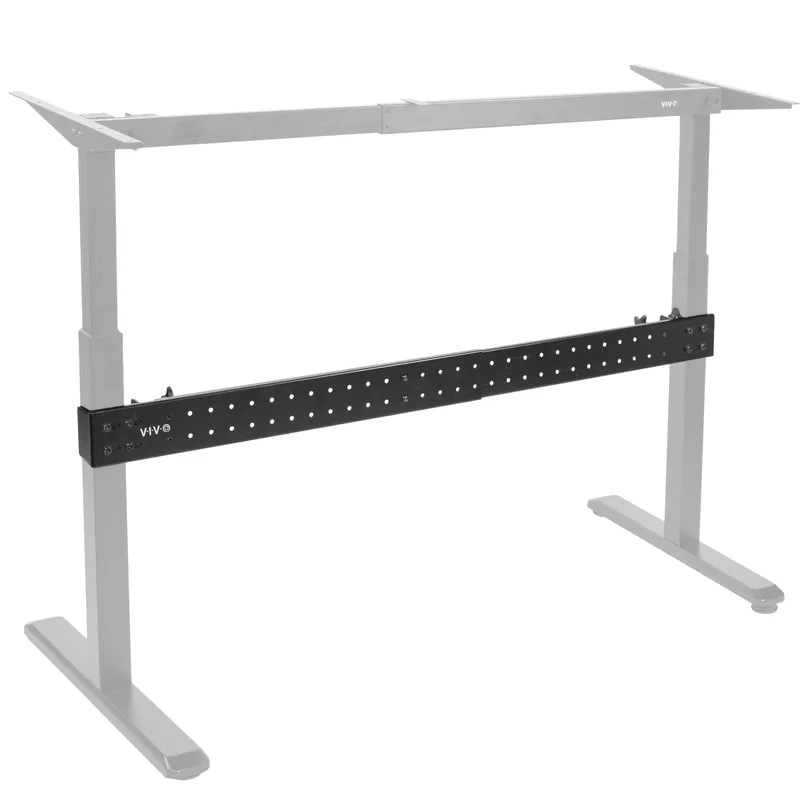
VIVO Universal Desk Stabilizer Bar (Black)
Pros
- ✓ Fits nearly every two-leg standing desk frame
- ✓ No drilling required — clamps directly to frame columns
- ✓ Significantly reduces lateral side-to-side sway
- ✓ All-steel construction, built to last
Cons
- ✗ Fixes lateral wobble only — doesn't address front-to-back rock
- ✗ Higher price point than expected for a stabilizer bar
- ✗ Installation can be tricky on some narrow column profiles
A crossbar connects the two legs of your desk, preventing side-to-side sway. It’s the single most effective hardware upgrade for lateral wobble — and the most overlooked solution.
Many budget standing desks ship without a rear crossbar to cut costs. Adding one aftermarket reduces lateral wobble dramatically. The VIVO Universal Stabilizer Bar fits nearly every two-leg frame with columns up to 3.2” thick, adjusts from 36” to 61.6”, and clamps without drilling. At $69.99 it’s purpose-built for this specific problem — cheaper than replacing the desk.
Worth knowing: Crossbars fix side-to-side wobble only. They don’t address front-to-back rocking, typing bounce, or floor-level instability.
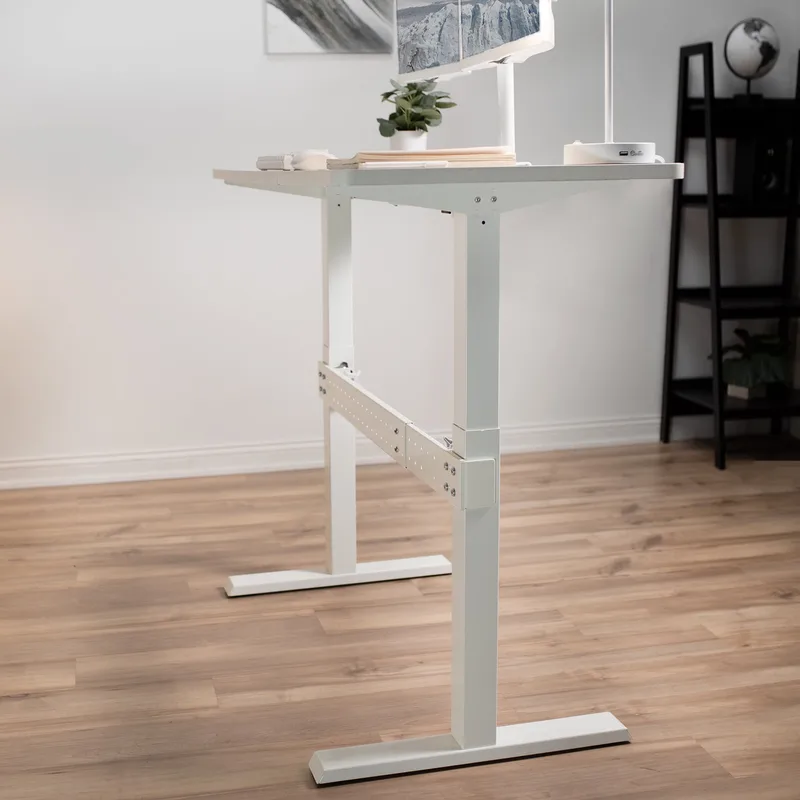
VIVO Universal Desk Stabilizer Bar (White)
Pros
- ✓ Same rock-solid stability as the black version
- ✓ Matches white desk frames cleanly — no color mismatch
- ✓ No drilling required — clamps directly to frame columns
- ✓ Reduces lateral sway noticeably on most two-leg frames
Cons
- ✗ Same price as black — no discount for the less common color
- ✗ Only addresses side-to-side wobble, not front-to-back
- ✗ Availability sometimes lags behind the black version
The white version is identical hardware in a different finish. If your frame is white, it’s worth the matching aesthetic — the black bar on a white frame is visually obvious under the desk.
Furniture Leveling Shims
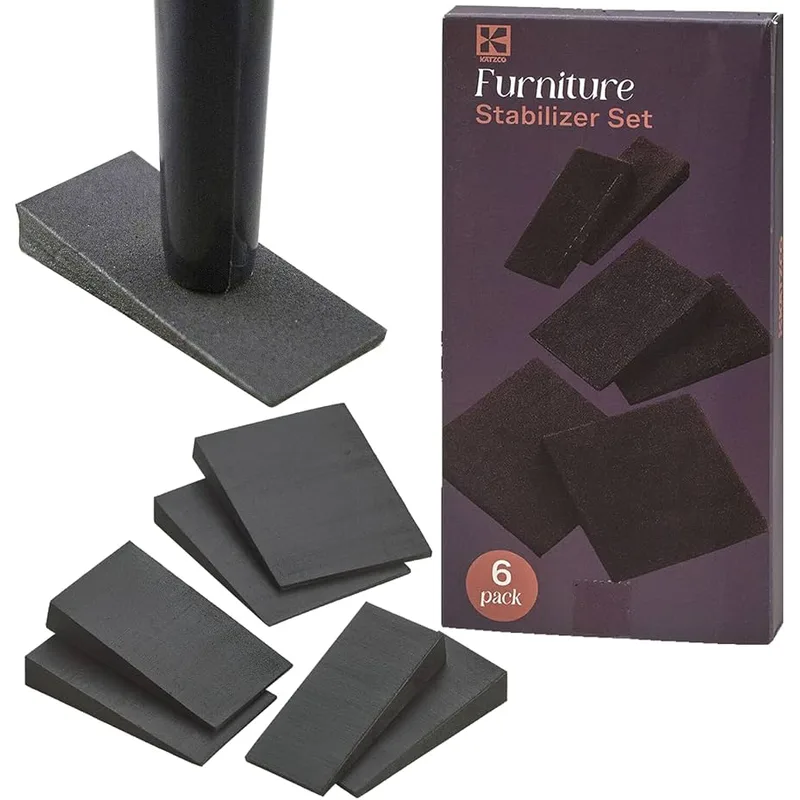
Katzco Rubber Stabilizer Shim Set
Pros
- ✓ Very affordable fix for uneven floor wobble
- ✓ Non-slip rubber grips the floor without adhesive
- ✓ Multiple sizes handle gaps from minor to significant
- ✓ Works under any desk foot or leveling glide
Cons
- ✗ Only solves floor-level unevenness — not frame wobble
- ✗ May slide slightly on very smooth hard floors
- ✗ Visible under the desk on open-frame designs
For uneven floors, rubber shims compensate for surface irregularities that adjustable feet can’t fully address. They stack to any height and grip without sliding.
Under $10 for a full set. If floor unevenness is your wobble cause, this is the lowest-cost hardware fix available. Stack multiple shims for larger gaps.
Anti-Vibration Pads
For desks on hard floors, typing vibration can transfer through the frame and amplify at the desktop. Anti-vibration pads under each foot dampen this at the source. Any hardware store sells adhesive rubber furniture pads for $5–8 — worth trying before more expensive options.
Monitor Arms: Fix Screen Shake Without Fixing the Desk
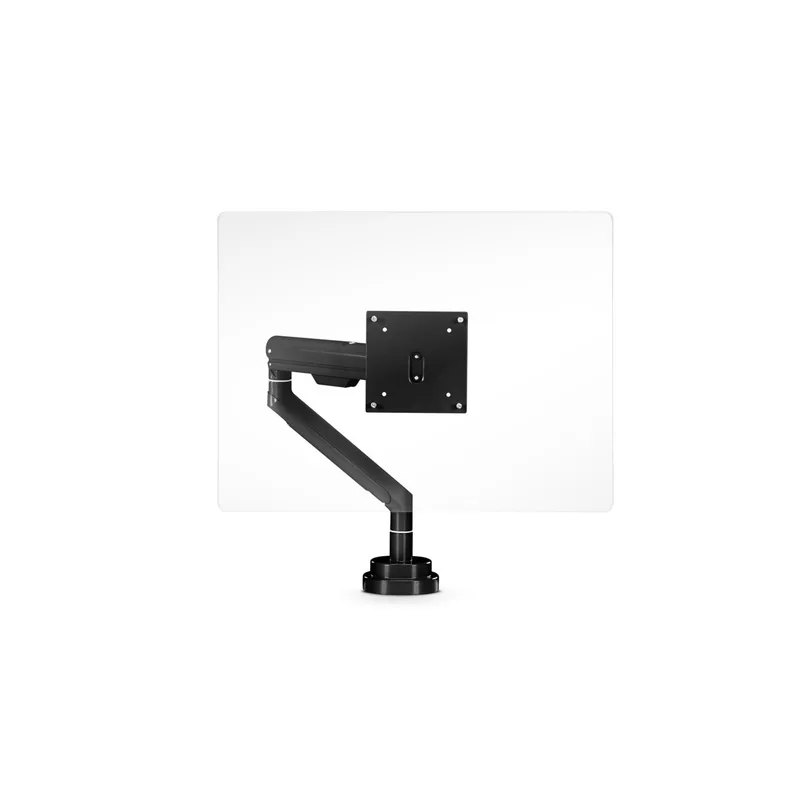
Sometimes what feels like “desk wobble” is actually the monitor shaking on its stock stand. These two problems feel identical but have different solutions.
Why Monitor Arms Help
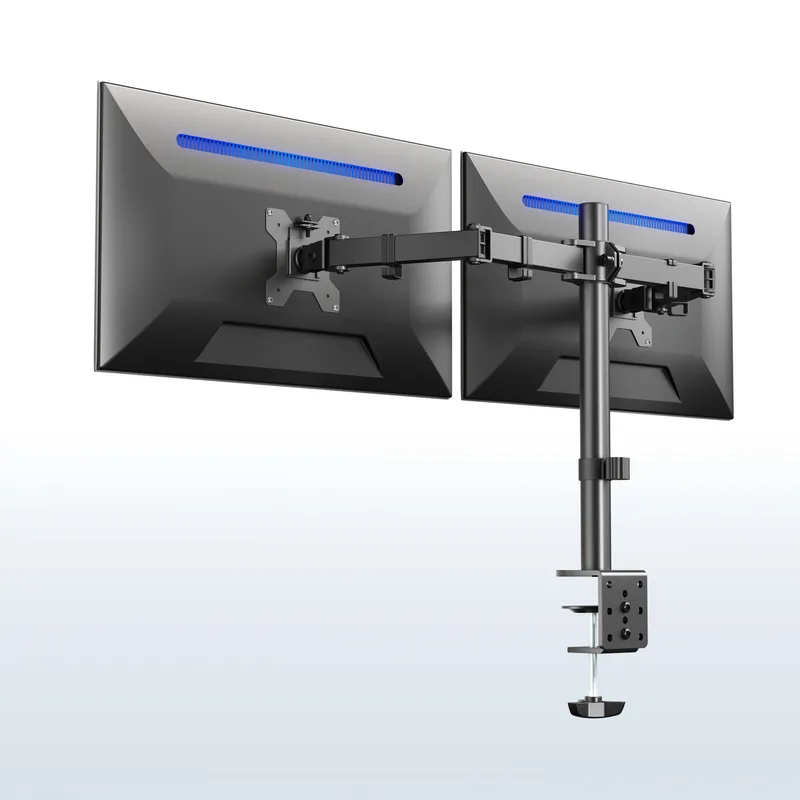
VIVO Dual Monitor Arm
Pros
- ✓ Eliminates screen shake even when desk itself has minor wobble
- ✓ Holds two monitors on a single desk clamp
- ✓ Heavy-duty clamp grips desk edge firmly
- ✓ Full articulation — tilt, swivel, and rotate each arm independently
Cons
- ✗ Older design — newer VIVO models have gas spring for easier repositioning
- ✗ Friction joints require occasional tightening over time
- ✗ Max 30" screen size — not suitable for ultrawide monitors
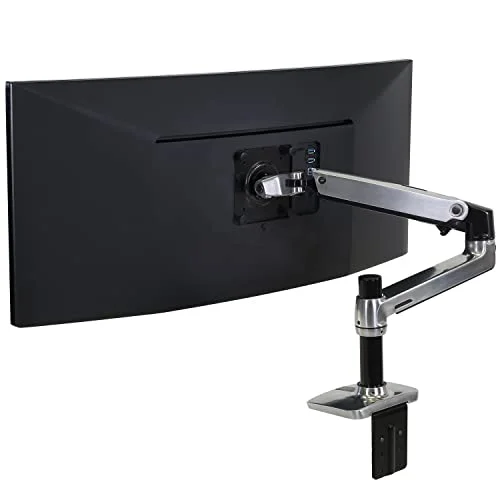
When a monitor sits on its stock stand on the desktop, every desk vibration travels up through a tall, narrow post and gets amplified at the top. A monitor arm clamps directly to the desk edge — shorter lever arm, far less vibration amplification. Often eliminates visible screen shake even when the desk itself still has minor wobble.
What to look for in a monitor arm for stability:
- VESA rating matching your monitor weight (heavier monitors need arms rated 20+ lbs)
- Thick clamp that grips the desk edge firmly
- Gas spring or friction joint that holds position without drift
The VIVO Dual Monitor Arm handles two screens up to 30” and 22 lbs each, with full tilt/swivel/rotation on each arm. At $49.99 it’s one of the most-sold arms on Amazon — the clamp is solid, the adjustments hold, and it meaningfully reduces screen shake even on desks with some residual movement.
Carpet-Specific Solutions
Thick carpet and padding are standing desk enemies. The soft surface allows feet to sink unevenly and shift during use — no amount of bolt-tightening fixes a soft foundation.
Option 1: Plywood Base
Create a rigid foundation on top of the carpet.
- Cut 3/4” plywood slightly larger than your desk footprint
- Place on carpet where the desk will stand
- Set desk feet on the plywood
The rigid plywood distributes load evenly, prevents sinking, and creates a stable plane for leveling feet. Use at least 3/4” thickness — thinner sheets flex under load. Total cost: $15–25 at any hardware store. This is the most effective carpet solution.
Option 2: Rest on the Base Crossbar
Some desks are more stable when resting directly on their foot crossbar rather than adjustable feet or casters.
- Remove wheels or adjustable feet if your frame has a base crossbar
- Let the frame’s base bar rest flat on the carpet
Note: May void warranty on some desks. Check manufacturer guidelines first.
Option 3: Hard Floor Chair Mat
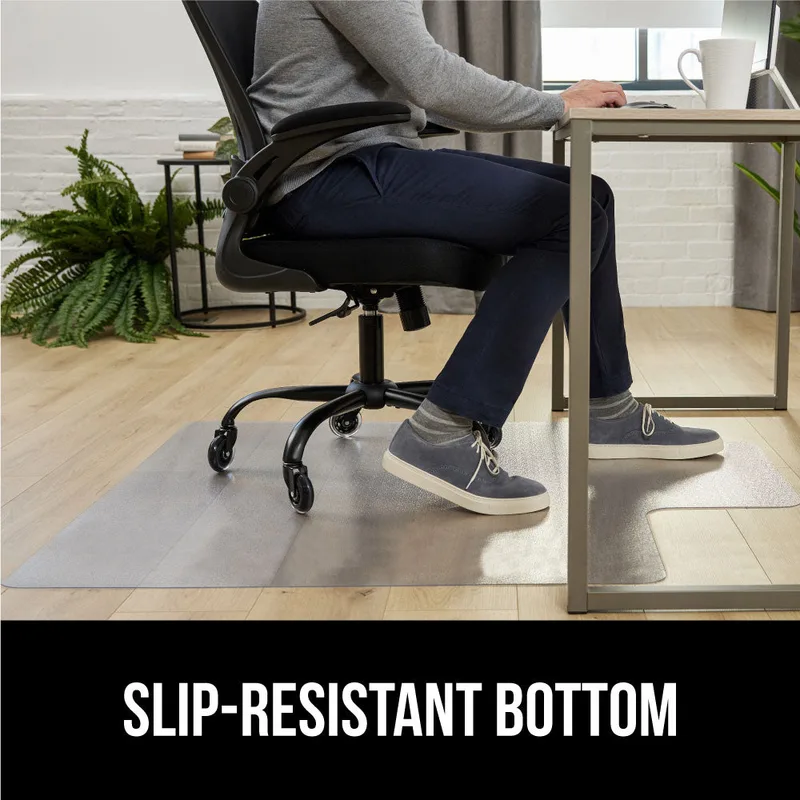
An anti-fatigue mat or firm chair mat under the desk feet provides a harder surface than carpet alone. Not as effective as plywood, but useful if you need the mat for standing fatigue relief anyway. Combined with leveling feet and wall positioning, it’s often sufficient.
The Physics of Height and Wobble
Some wobble at maximum height is physics, not a defect.
At 45–50” standing height, the same force that causes negligible movement at 28–30” sitting height produces noticeable sway because the moment arm is nearly double. Mass at the top — your monitor — amplifies this further. This is unavoidable on any desk; better-built frames minimize it but don’t eliminate it.
Acceptable wobble:
- Minor sway when you push the desk intentionally
- Movement that damps out within 1–2 seconds
- No visible screen shake during normal typing
Unacceptable wobble:
- Screen shakes with every keystroke
- Desk shifts position across the floor over time
- Wobble at sitting height (lowest setting)
- Frame visibly bends or flexes
Wobble at 28” with normal load is a structural problem. Wobble only at 45” standing height is mostly physics — manage it, but don’t expect to fully eliminate it on budget frames.
Desk Design and Structural Wobble
Sometimes wobble isn’t fully fixable — it’s a design limitation you can work around but not overcome with accessories alone.
| Design | Wobble Risk | Why |
|---|---|---|
| Single leg (center) | High | No lateral support |
| Two-leg, no crossbar | Medium-High | Relies on desktop rigidity |
| Two-leg with crossbar | Low | Cross-bracing prevents sway |
| Four-leg | Very Low | Maximum stability |
| T-frame or H-frame base | Low | Wide footprint, inherent rigidity |
Signs your desk has structural limits:
- Wobble persists at the lowest height with a light load
- Frame visibly flexes or twists when pushed
- Bolts that won’t stay tight no matter how often you tighten them
- Single-motor design under a heavy load
A crossbar helps on these frames but may not eliminate wobble entirely. A T-frame or H-frame base is the permanent fix. The FlexiSpot E7 and Uplift V2 are common upgrades from budget frames with structural issues.
Stability Checklist
Work top to bottom. Most people find their fix before reaching the hardware section.
- Tightened all bolts and screws (frame, legs, motor mounts, desktop)
- Checked and adjusted leveling feet
- Verified floor is level (or shimmed gaps)
- Pushed desk against wall or into a corner
- Redistributed weight evenly left-to-right
- Moved heavy items toward center of frame
- Added crossbar stabilizer (if lateral sway persists after above)
- Addressed carpet with plywood or firm mat
- Switched monitor to arm mount (if screen-shake specific)
- Re-checked fasteners after one week
What to Buy: Stability Accessories Comparison
| Solution | Best For | Approx. Cost | Fixes |
|---|---|---|---|
| VIVO Stabilizer Bar | Lateral (side-to-side) sway | $69.99 | Lateral wobble |
| Katzco Rubber Shims | Uneven floor / rocking | $9.99 | Floor-level instability |
| VIVO Dual Monitor Arm | Screen shake from desk vibration | $49.99 | Screen/camera shake |
| 3/4” plywood sheet | Carpet instability | $15–25 | Carpet sink/shift |
| Anti-vibration pads | Typing vibration on hard floors | $5–8 | Minor vibration |
| Wall positioning | Lateral sway | $0 | One-axis lateral sway |
For lateral sway: VIVO Stabilizer Bar first. Fits nearly every two-leg desk. At $69.99 it’s the most expensive option here, but it’s purpose-built and effective.
For uneven floors: Katzco shims under $10. If your floor is significantly uneven, 3/4” plywood is more stable long-term.
For screen shake (desk otherwise stable): Monitor arm is the right answer, not a stabilizer bar. VIVO’s dual arm handles two monitors and resolves camera shake.
For carpet: 3/4” plywood is the cheapest effective fix. Cut it yourself or have a hardware store cut it to size.
For persistent wobble at all heights: That’s a structural frame problem. Accessories help but won’t fully solve it — see best standing desks of 2026.
Frequently Asked Questions
Is some wobble normal for standing desks?
Slight wobble at maximum standing height is normal and physically unavoidable. The taller the desk, the more any small force at the base gets amplified at the top. Wobble that visibly shakes your screen during typing, threatens drinks, or shows up on video calls is not acceptable and should be addressed using the steps in this guide.
Will a crossbar fix all wobble?
No. Crossbars fix side-to-side (lateral) wobble only. Front-to-back wobble requires floor leveling or wall bracing. Typing bounce usually needs a monitor arm or desktop reinforcement. If you have multiple wobble types, you likely need multiple solutions.
My desk wobbles only on carpet. Is it defective?
Probably not. Carpet is inherently unstable — the same desk would likely be fine on hard floor. The plywood base solution handles carpet wobble in nearly every case. If you prefer not to cut plywood, a firm chair mat combined with wall positioning handles most carpet situations.
Can I add weight to stabilize the desk?
Yes — mass low on the frame (such as a CPU holder or weight plate resting on the base crossbar) can reduce wobble by lowering the center of gravity. But this adds load to the motors and can shorten lifespan on budget frames. Don’t add more than 10–15 lbs beyond normal desktop load.
Should I return my wobbly desk?
Try all the free fixes first — they solve most wobble. Wobble that persists at sitting height, visible frame flex, or bolts that won’t stay tight are signs of a structural defect worth pursuing with the manufacturer. Most wobble is fixable.
How much wobble is too much for video calls?
If your camera visibly shakes during typing and it’s distracting to people on calls, that’s too much. A monitor arm typically fixes this even when the desk still has some residual movement, because the arm eliminates the mechanical advantage between the desk surface and the camera.
The Bottom Line
Loose bolts cause most wobble. Tighten everything first, including motor mounts.
An unlevel floor causes the next most. Level the feet or use Katzco rubber shims ($9.99) for gaps you can’t adjust out.
Missing crossbar causes lateral sway on two-leg desks. The VIVO Stabilizer Bar ($69.99) fits almost every frame and handles this permanently.
Carpet causes the rest. 3/4” plywood under the desk footprint solves it for under $25 in materials.
By use case:
- Quick fix, no cost: Tighten all bolts + push against wall
- Lateral sway: VIVO Universal Stabilizer Bar (Black or White)
- Screen/camera shake: VIVO Dual Monitor Arm
- Carpet instability: 3/4” plywood base
- Uneven floor: Katzco rubber leveling shims
- Persistent wobble at all heights: Time to look at a better frame — see best standing desks of 2026
Most people with a wobbly desk are one tightened bolt away from solving it. Start there before spending a dollar.
Once the desk is solid, the complete standing desk setup guide covers chair height, monitor placement, and keyboard position — everything else that matters for a healthy workspace. The ergonomic workstation setup guide ties all of it together.