Remote workers are the hardest people to shop for. They already own a laptop, a mug, and a pile of gadgets. What they usually lack is something that makes the eight hours at the desk hurt less. A good ergonomic gift fixes that.
2026 is a good year to be shopping in this category. Logitech launched its Signature Comfort Plus line of comfort-focused mice and keyboards in June, per press coverage, which tells you ergonomic gear is moving beyond specialist brands and into the mainstream.
Quick pick: if you only buy one thing, buy the Logitech MX Keys Mini. The vertical mouse is the pick for anyone who already complains about their wrist.
Prices move around this time of year. The tiers below follow the price Amazon listed when this guide was published, and each product card shows the latest.
Under $25
Small, practical, and hard to get wrong. These work well as stocking fillers or add-ons to a bigger gift.
KTRIO XL Extended Desk Mat
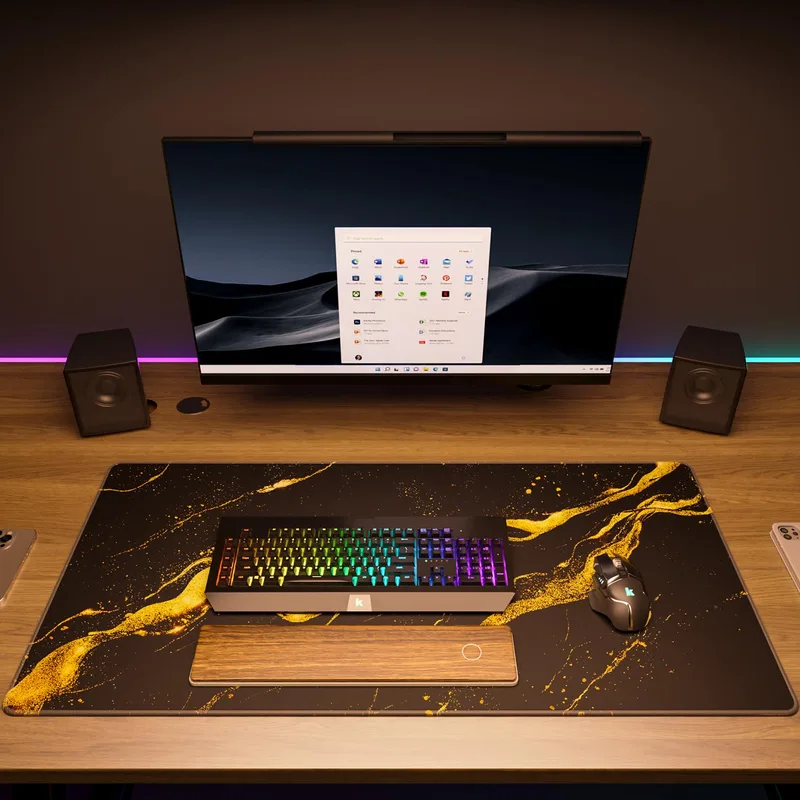
An extended mat is the least glamorous gift on this page and one of the most used. It gives forearms a soft surface and keeps the keyboard and mouse in one zone. Best for: the person whose desk is bare wood or cold glass.
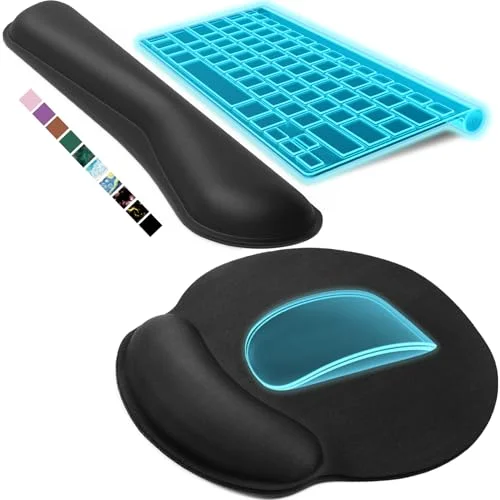
Gorilla Grip Memory Foam Wrist Rest Set
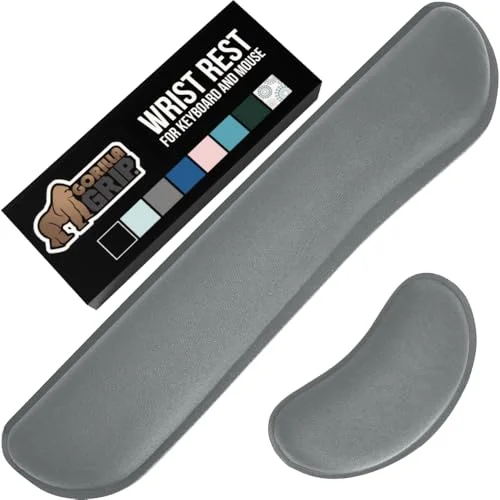
You get a keyboard rest and a mouse rest in one box. They’re worth giving to someone who types a lot and complains about sore wrists. One caveat: a wrist rest should support the heel of the hand during pauses, not trap it. Pair it with our wrist pain from typing guide if you want to include a note. Best for: heavy typists.
Nulaxy Aluminum Laptop Stand
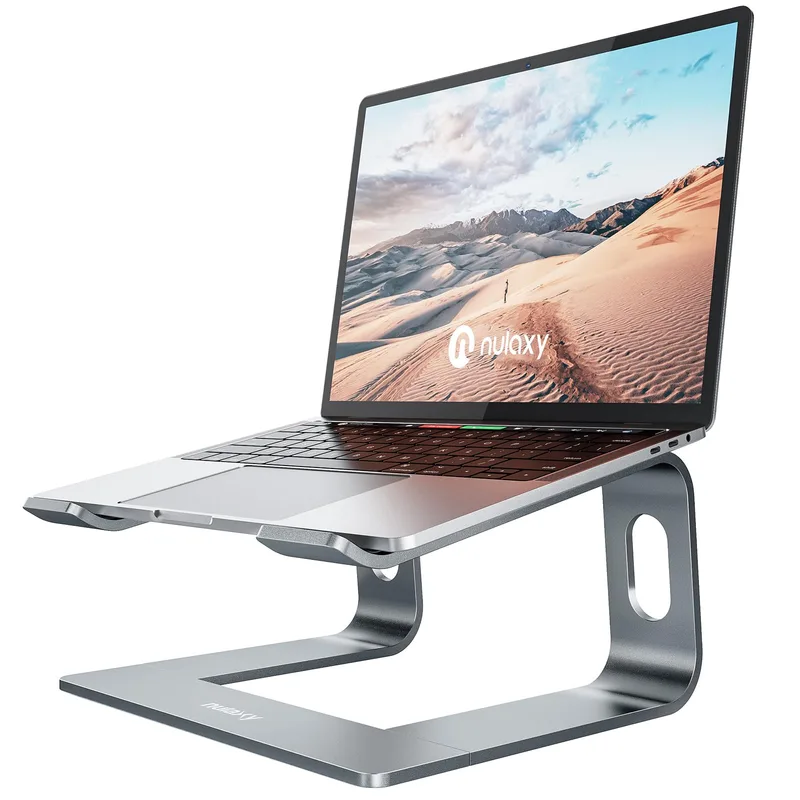
Anyone working from a laptop is looking down all day. A stand raises the screen. It only works when paired with a separate keyboard and mouse, so this is a good partner for the keyboard in the next tiers. See our ergonomic laptop accessories picks for more. Best for: laptop-only workers.
Under $50
This is where gifts start to feel substantial.
ComfiLife Adjustable Memory Foam Foot Rest
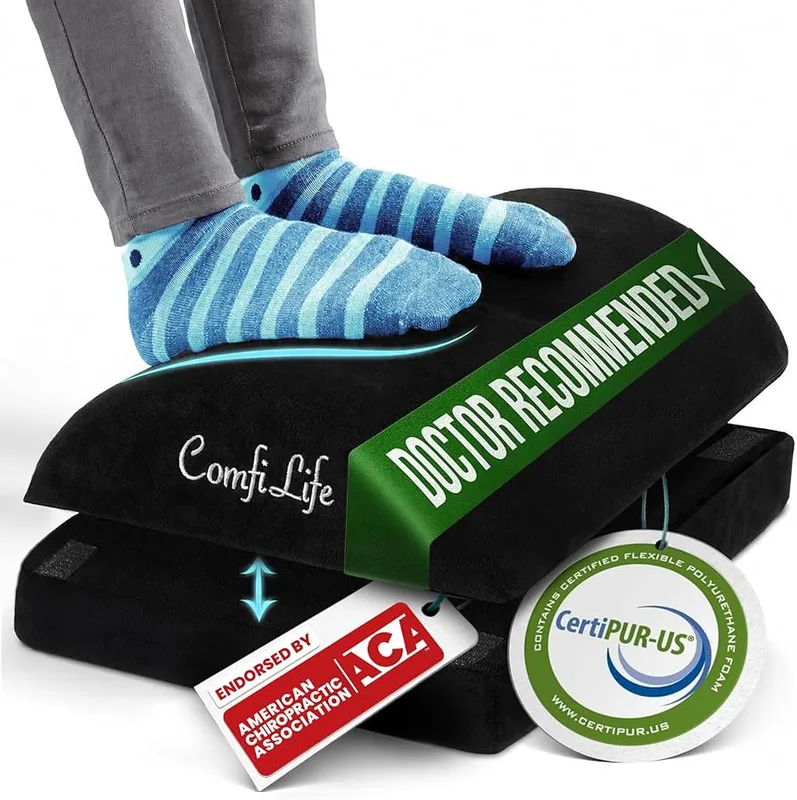
If their feet don’t flatly reach the floor, or they work at a desk that’s too high, a footrest changes how a chair feels. We compared more options in our office footrest roundup. Best for: shorter people and anyone at a fixed-height desk.
Everlasting Comfort Lumbar Support Pillow
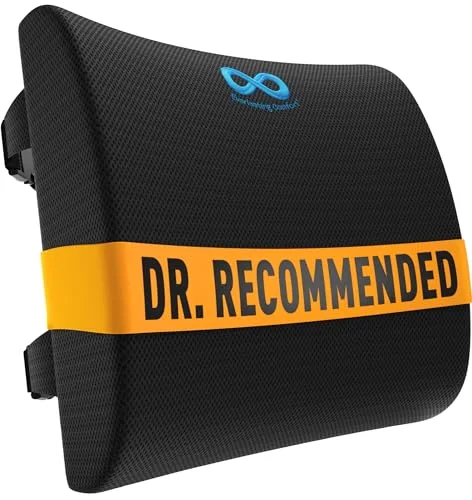
A lumbar pillow is the classic fix for a chair that doesn’t hold the lower back. It won’t replace a good chair, but it’s a real upgrade over nothing. Our lumbar support cushion comparison covers alternatives. Best for: people stuck with a hand-me-down chair.
Under $100
Here you’re buying the tools they touch all day.
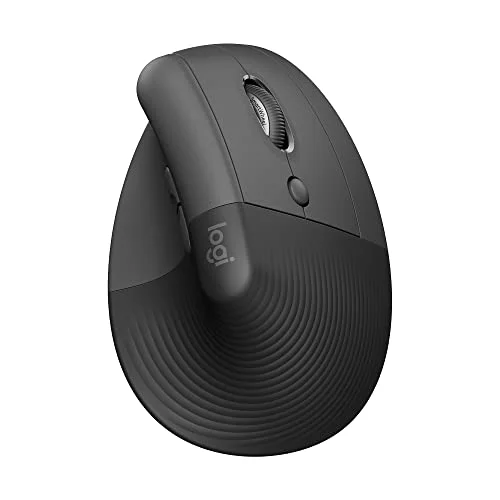
Logitech MX Vertical Wireless Mouse
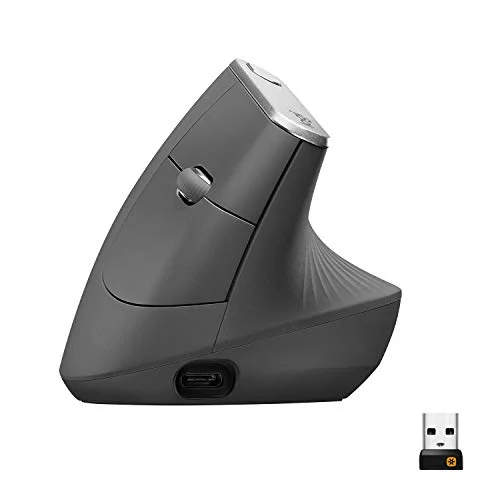
The vertical grip keeps your forearm in a handshake position instead of twisted flat. Owner reports describe an adjustment period of a few days, then relief. It’s right-handed only, so check before buying. Best for: anyone with wrist or forearm complaints.
Logitech MX Keys Mini Wireless Keyboard
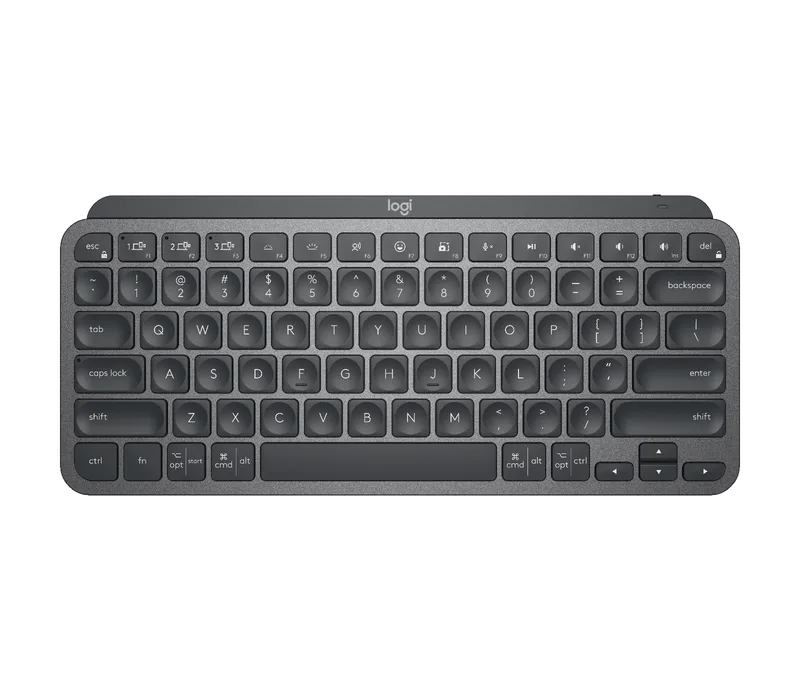
The Editor’s Pick of this guide. It’s compact, quiet, and comfortable for long sessions, and the missing numpad keeps the mouse closer to the body. It’s the keyboard I’d give a friend. Best for: almost everyone, especially people who use multiple devices.
Splurge
For the person who deserves it, or the one who’ll quietly love it for years.
BenQ ScreenBar LED Monitor Light Bar
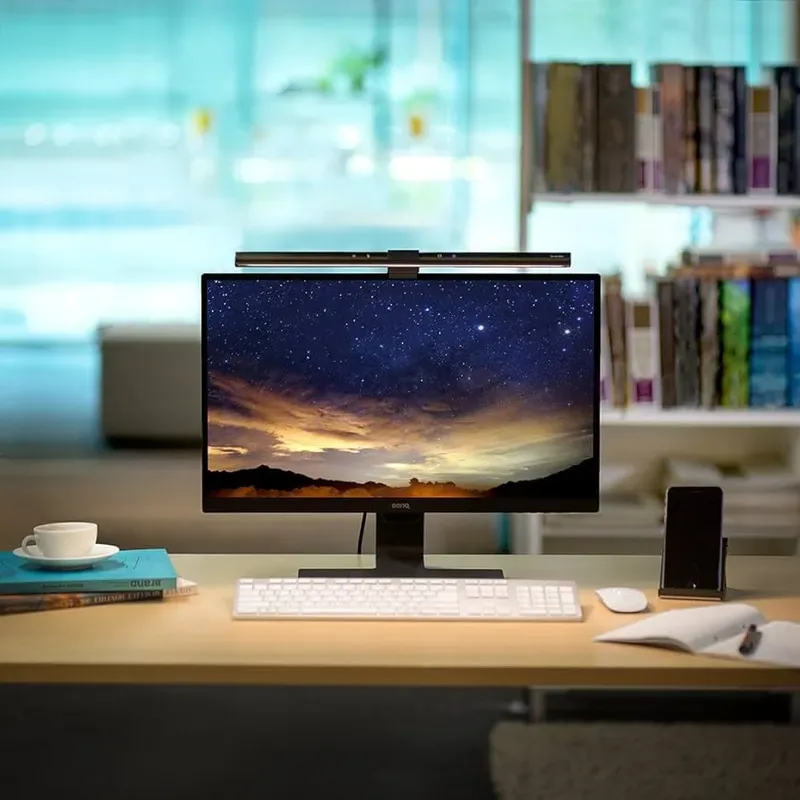
A monitor light bar lights the desk without throwing glare on the screen, which helps with eye strain at night. It’s an upgrade people rarely buy for themselves. Best for: late-evening workers.
Ergotron LX Monitor Arm
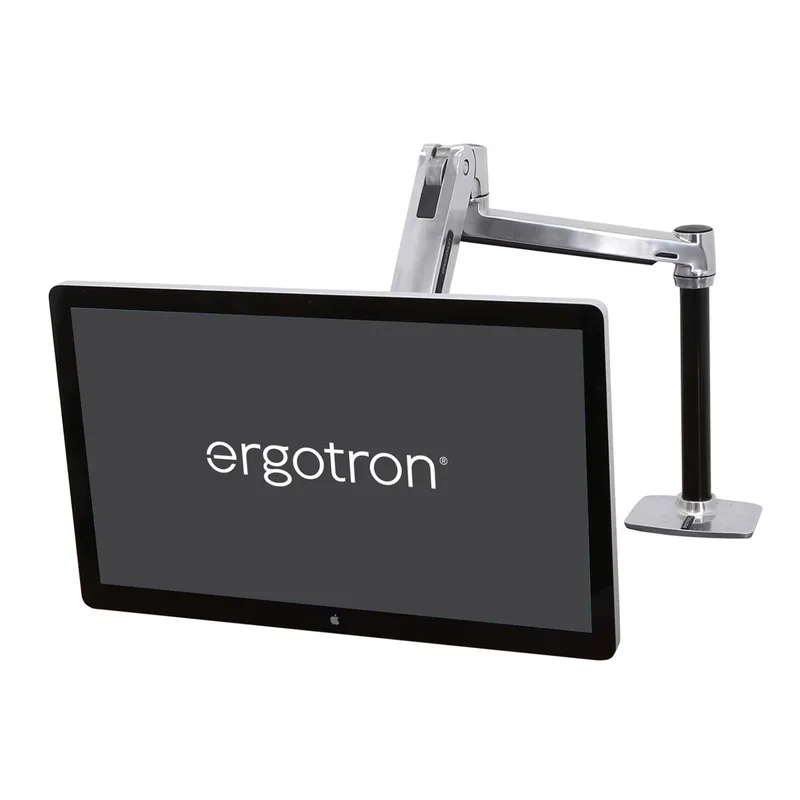
Putting the screen at eye level is the single most effective desk change many people can make, and an arm does it while freeing desk space. Make sure their monitor supports VESA mounting before you buy. For more, see our monitor arm buying guide. Best for: anyone with a monitor propped on a stack of books.
How These Gifts Were Chosen
Nothing here was picked for novelty. Every item was researched against spec sheets, owner reviews, and Amazon listing details, then checked for current stock before it made the list. Items that were out of stock when this guide was written were dropped and replaced, so you won’t click through to a dead listing.
I also leaned toward gifts that solve a physical problem. Remote workers tend to sit in the same chair for years. The things that go wrong are predictable: the screen is too low, the wrists are bent, the feet dangle, and the lower back gets no support. Each pick targets one of those four problems.
Matching the Gift to the Person
A generic gift gets used for a week. A targeted one gets used for years. Here’s a rough way to match them.
- The laptop-on-the-couch worker. Start with the laptop stand, then add a keyboard. Without a separate keyboard, a stand makes typing worse, not better.
- The all-day typist. The compact keyboard or the wrist rest set. If they’ve mentioned tingling or soreness in the hands, go for the vertical mouse and encourage them to see a doctor if symptoms persist. A gift can’t diagnose anything.
- The person with a stiff neck. Screen height is the culprit more often than not. The monitor arm is the strongest fix here, and the laptop stand is the budget version.
- The person with a bad chair. A lumbar pillow and a footrest both make an average chair more forgiving. Neither replaces a proper chair, and if you’re buying for someone who spends the whole day in a dining chair, our budget ergonomic chair picks are worth a look.
- The person who has everything. The light bar. Hardly anyone buys one for themselves.
Gift-Giving Tips
Keep the receipt handy or choose items that are easy to return. Fit matters with ergonomic gear, and a footrest that’s too tall or a mouse that’s too small is a poor gift. Most Amazon items can be returned, but check the return window on the listing before you wrap anything.
Bundle small items. A desk mat, wrist rest set, and laptop stand together make a thoughtful package at a modest total. Skip anything that needs installation unless you know the recipient is comfortable with tools.
Setup Notes to Include With the Gift
A gift lands better with a two-line note on how to use it. These are the settings that matter most.
Screen height. The top of the screen should sit at or slightly below eye level, about an arm’s length away. A laptop stand or monitor arm gets you there. Without one, a stack of books works in a pinch.
Keyboard and mouse. Elbows should stay near the body at roughly a right angle, with wrists straight rather than bent up or down. A compact keyboard helps because the mouse sits closer, so the shoulder isn’t reaching sideways all day.
Feet and knees. Feet should rest flat, on the floor or a footrest, with knees about level with the hips. If the desk is too high for that, the footrest does the work.
Lower back. The pillow should sit in the curve of the lower back, not at the mid-back. Adjust the strap until the chair feels like it fills the gap.
Breaks. No gadget beats moving. Standing up every half hour or so does more than any single accessory. Our standing desk setup guide covers the next step up for anyone who wants one.
How to Choose
- Know the problem first. Wrist pain points to a mouse, rest, or keyboard. Neck pain points to screen height. Lower back pain points to lumbar support.
- Check the setup. Laptop stands need a separate keyboard and mouse. Monitor arms need a VESA-compatible monitor.
- Mind handedness. The vertical mouse here is right-handed only.
- Don’t overbuy. One well-chosen $30 item beats a box of gadgets.
For a bigger-picture checklist, see our ergonomic remote work checklist.
FAQ
What is a good ergonomic gift for someone who works from home?
A keyboard or mouse they use all day is the safest bet, followed by a footrest or lumbar pillow. Pick based on any complaint they’ve mentioned.
What is the best ergonomic gift under $25?
An extended desk mat or a wrist rest set. Both are cheap and used daily.
Are wrist rests actually good for you?
They can help during pauses by reducing pressure on the wrist, but they shouldn’t be used as a rest while actively typing. Good typing posture matters more.
Is a vertical mouse a good gift?
For many people, yes. It reduces forearm twist. It takes a few days to adjust, and it’s not right for left-handed users, so confirm that first.
Do ergonomic gifts really help with back or neck pain?
They can reduce strain, but they aren’t medical treatment. Fixing screen height, chair support, and wrist position removes common triggers. Anyone with persistent pain should talk to a doctor or physical therapist.
What should I avoid giving?
Items that need a setup they don’t have, like a monitor arm for a laptop-only worker, or anything adjustable you can’t verify will fit their chair or desk.
The Bottom Line
For a safe all-around gift, choose the Logitech MX Keys Mini. For wrist trouble, the vertical mouse. On a tight budget, the desk mat and wrist rest set are the best value. For a splurge, the Ergotron LX arm is the one that changes how a workday feels.