If your hands ache after a long gaming session, your controller is probably part of the problem. Stock controllers are engineered to a price, not to ergonomics — generic grip shapes, stiff triggers, no button remapping, no way to reduce how far your thumbs travel per minute.
The 2026 controller market finally offers real solutions. TMR (Tunnel Magnetoresistance) joystick technology — which eliminates stick drift at the hardware level — has moved into mainstream pro hardware like the 8BitDo Ultimate 2. Back paddles, adjustable trigger locks, and swappable stick caps are now available from $79.99 to $199.99. The ergonomic problem is solvable at every budget.
This guide covers six controllers evaluated for grip comfort, trigger ergonomics, button reach, and fatigue reduction over long sessions. Not every “pro” feature is ergonomic — here’s what actually matters.
Quick picks:
- Best overall: Xbox Elite Series 2 — $179.99
- Best for PC: Razer Wolverine V3 Pro — $199.99
- Best for PS5: PlayStation DualSense Edge — $199.99
- Best value: 8BitDo Ultimate 2 — $89.99
- Best budget: PowerA Fusion Pro 3 — $79.99
Xbox Elite Wireless Controller Series 2
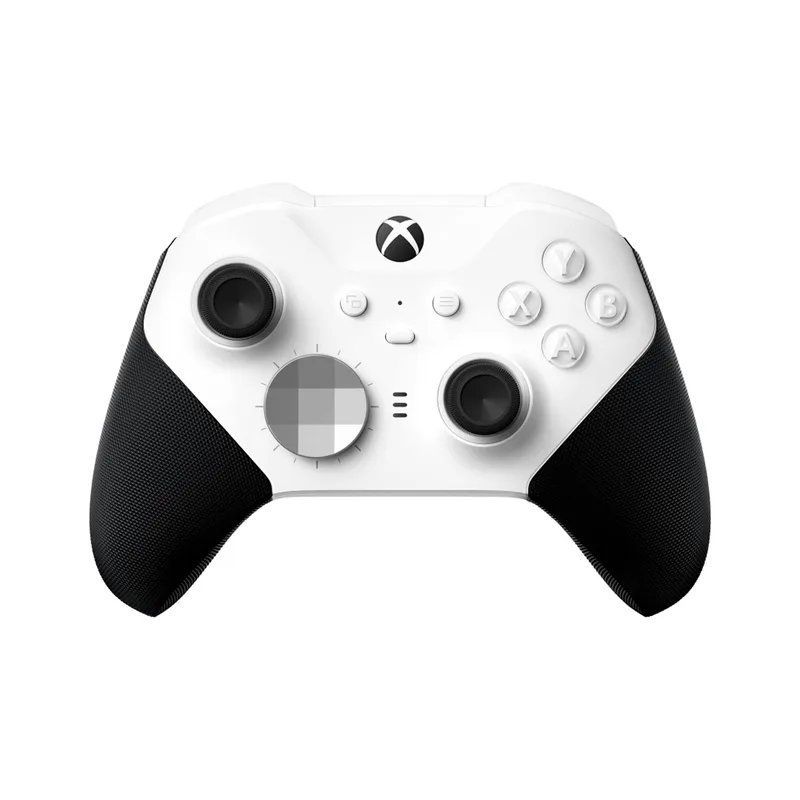
Xbox Elite Wireless Controller Series 2
Pros
- ✓ Adjustable thumbstick tension is the best ergonomic feature in any controller — reduces grip fatigue significantly
- ✓ 40-hour battery means no mid-session interruptions
- ✓ Four removable back paddles eliminate thumb-off-stick movements for face buttons
- ✓ Three-stage trigger locks reduce cumulative index finger travel per session
Cons
- ✗ Expensive at $179.99 for a controller
- ✗ Paddles can loosen over time with heavy use
- ✗ Short 90-day accessory warranty for a $180 peripheral
The Xbox Elite Series 2 is the most complete ergonomic controller upgrade available for Xbox and PC players. At $179.99, the price is significant — but the adjustable-tension thumbsticks alone justify it for anyone who plays more than a couple of hours at a time.
Adjustable stick tension is the Elite’s killer feature that no other controller at this price matches. You dial resistance from light to heavy, so your thumbs work with the sticks rather than fighting them. That micro-tension reduction compounds over sessions. It’s one of those features you don’t realize you needed until you’ve used it.
The four removable back paddles map to any face button, so your thumb never has to leave the right stick for A/B/X/Y inputs. The three-stage trigger locks reduce travel to either half-pull or instant click — in games with high trigger frequency (shooters, racing), that’s a meaningful reduction in repetitive stress per session. The 40-hour battery means you finish a session because you want to, not because a cable is calling you.
The main complaint is the 90-day accessory warranty for a $180 peripheral. And the paddles can loosen with aggressive use. But for Xbox/PC players who want the most comprehensive ergonomic upgrade in a single purchase, nothing comes close.
Best for: Xbox and PC players who want adjustable stick tension and full paddle remapping.
Razer Wolverine V3 Pro Wireless Controller
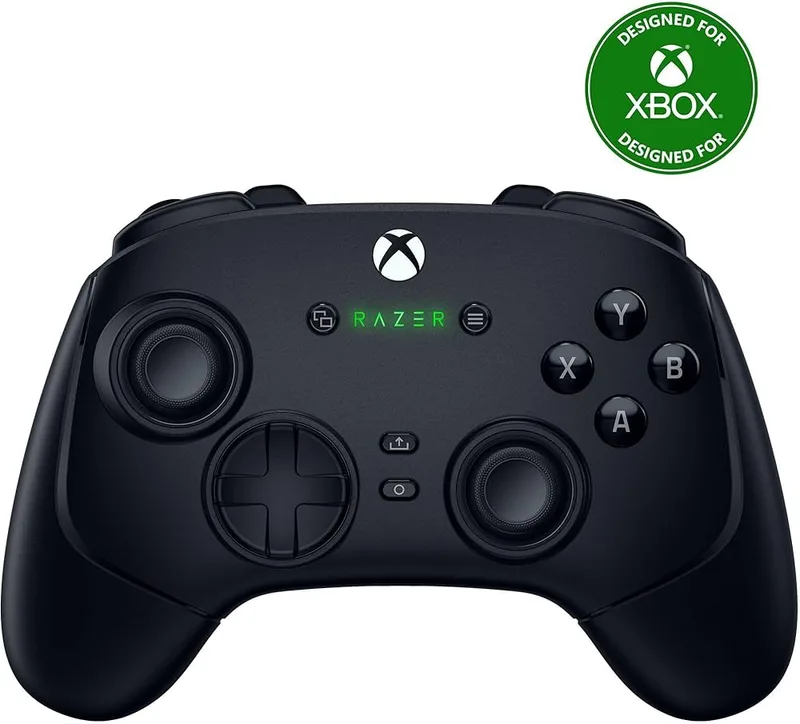
Razer Wolverine V3 Pro Wireless Controller
Pros
- ✓ Lightest full-featured pro controller at 270g — 75g less than the Xbox Elite, which compounds over hours
- ✓ Mechanical fast triggers have a crisp snap that speeds up finger return position
- ✓ Six remappable buttons — more than any competitor on this list
- ✓ Adjustable deadzone customization is more granular than Microsoft's implementation
Cons
- ✗ No PS5 compatibility
- ✗ Razer Synapse required for full customization — PC only, no Xbox app equivalent
- ✗ At $199.99, the price is hard to justify over the Xbox Elite at $179.99
The Razer Wolverine V3 Pro is the controller to choose if you’re primarily a PC gamer and weight matters. At 270 grams, it’s 75 grams lighter than the Xbox Elite Series 2 — a difference that’s meaningless for a 20-minute session but very noticeable over two hours.
Mechanical fast triggers are the Wolverine’s ergonomic standout. Where the Elite uses physical locks to shorten trigger travel, the Wolverine’s mechanical triggers snap with a tactile click that eliminates guesswork about trigger state. Your finger’s return position is faster and more consistent, which reduces micro-tension from uncertain inputs.
Six remappable buttons give you more mapping flexibility than the Elite’s four paddles. Razer’s deadzone customization is also more granular than Microsoft’s implementation — you can tune out the center slack precisely, which reduces the subtle over-correction grip many players develop when fighting a mushy center deadzone.
The tradeoff: Razer Synapse is required for full customization and only runs on PC. Xbox pairing works but limits feature access. If you split time between Xbox and PC, the Elite is more practical. For PC-primary players, the Wolverine is the pick.
Best for: PC-first players who prioritize low weight and mechanical trigger precision.
PlayStation DualSense Edge Wireless Controller
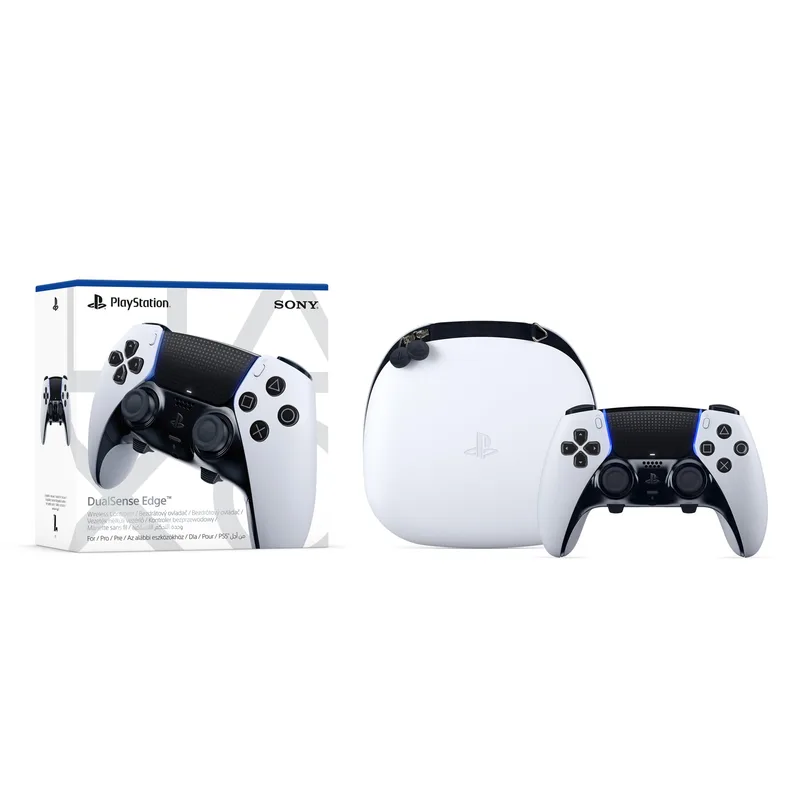
PlayStation DualSense Edge Wireless Controller
Pros
- ✓ Swappable stick modules extend controller lifespan — replace worn-out sticks instead of the whole unit
- ✓ Adjustable trigger stroke reduces finger stress for high-trigger-use games
- ✓ Builds on one of the most ergonomic base designs in recent console history
- ✓ Two back button attachment styles included in the box
Cons
- ✗ PS5 only — no PC support without third-party drivers that lose pro features
- ✗ 4–6 hour battery life is far shorter than any Xbox-side competitor
- ✗ Most expensive option on this list
PS5 players have one first-party pro controller option, and the DualSense Edge is actually well-designed. The base DualSense already has one of the better ergonomic shapes in recent console history, and the Edge builds on it with two key additions: adjustable trigger travel and swappable stick modules.
Swappable stick modules address long-term ergonomics in a way other controllers ignore. The component that causes thumbstick drift — a worn potentiometer — is replaceable for around $20 rather than replacing a $199 controller. For regular players, that’s a meaningful lifecycle and cost advantage.
The adjustable trigger stroke (short vs. long) works similarly to the Elite’s trigger locks: limiting travel to half-stroke reduces repetitive motion in trigger-heavy games. Two back button attachments — half-dome and lever — are both included, and both position naturally under the middle and ring fingers.
The battery is the serious limitation. At 4–6 hours, it’s dramatically shorter than the Xbox Elite (40 hours) or the Wolverine (30 hours). Plan on a USB-C cable nearby for longer sessions. The PS5-exclusive compatibility also limits the investment case — if you switch platforms, the Edge doesn’t come with you.
Best for: PS5 players — the only legitimate pro controller on that platform.
8BitDo Ultimate 2 Wireless Controller
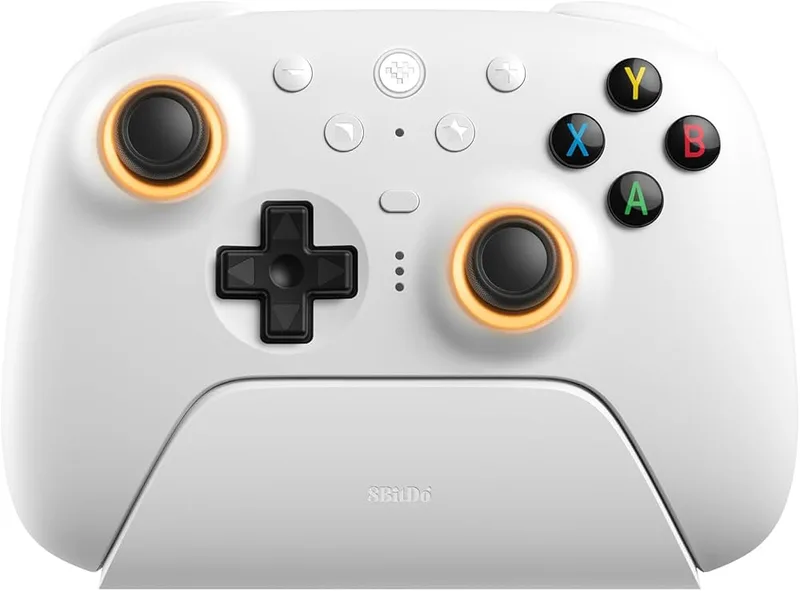
8BitDo Ultimate 2 Wireless Controller
Pros
- ✓ TMR joysticks virtually eliminate drift — the most meaningful anti-fatigue stick technology available in 2026
- ✓ 1000Hz polling rate matches dedicated gaming mice for PC input latency
- ✓ Hall Effect triggers prevent deadzone creep that plagues cheaper controllers over time
- ✓ Includes charging dock — no fumbling for cables between sessions
Cons
- ✗ No native Xbox or PS5 support — PC, Android, and Steam Deck only
- ✗ RGB fire ring is divisive — adds bulk some players find unnecessary
- ✗ Compact form factor is less comfortable for players with large hands
The 8BitDo Ultimate 2 is the most technically interesting option for PC and Steam Deck players in 2026. TMR joysticks — the same sensor technology HyperX featured in their CES 2026 arcade controller debut — use quantum tunneling to detect magnetic fields. The practical result: virtually no drift, ever, and no degradation over time.
Traditional potentiometer sticks wear out over thousands of hours. Hall Effect sticks (the previous premium standard) can drift under magnetic interference. TMR sticks do neither. For players who notice the constant micro-corrections that drifting sticks require — and the grip tension that goes with them — this is a meaningful ergonomic improvement.
The 1000Hz polling rate via 2.4G wireless matches dedicated gaming mice. That’s not marketing — it means stick position updates every millisecond, reducing input ambiguity and the subtle over-correction grip that compensates for it. At $89.99, that’s exceptional hardware value.
The limitation is compatibility. PC, Android, Steam Deck, and Apple only — no native Xbox or PS5 support. For console players, this isn’t an option. For PC and Steam Deck players, it’s the easy recommendation at this price.
Best for: PC and Steam Deck players who want anti-drift stick technology under $100.
SCUF Instinct Pro Wireless Controller
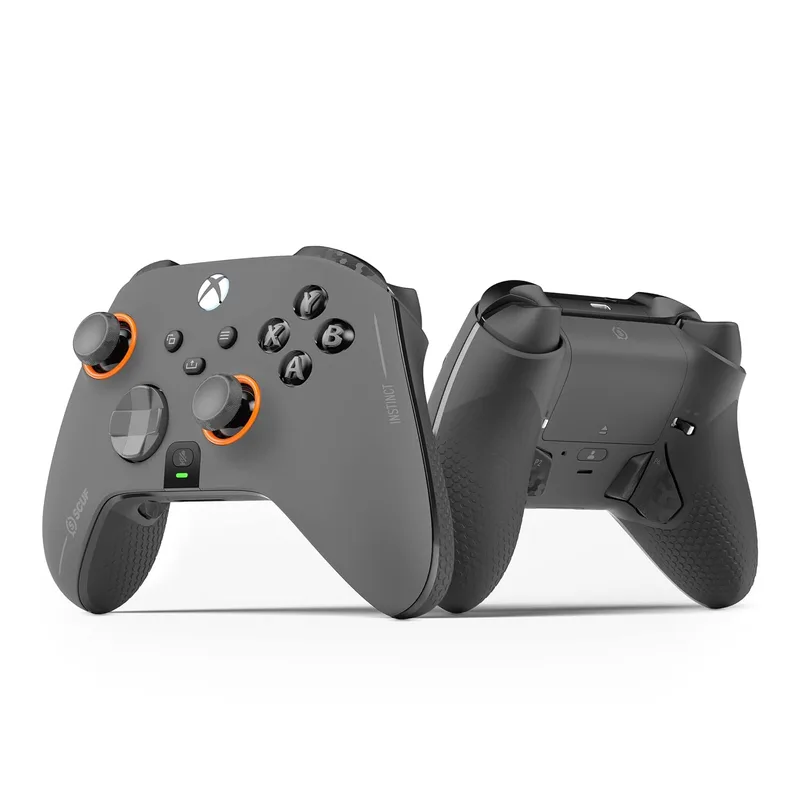
SCUF Instinct Pro Wireless Controller
Pros
- ✓ Four back paddles sit exactly where middle and ring fingers rest — zero unnatural reach
- ✓ Instant trigger mode physically shortens trigger travel for FPS applications
- ✓ 296g is noticeably lighter than the Elite Series 2 — less grip fatigue over long sessions
- ✓ Rubberized grip texture handles sweaty hands during intense competitive play
Cons
- ✗ No adjustable trigger positions — instant triggers are on or off
- ✗ Essentially a modified Xbox controller at a premium price — base plastic quality shows
- ✗ Wired charging while wireless dongle is in use can be awkward mid-session
SCUF has been building back-paddle controllers longer than Microsoft has been shipping the Elite, and the Instinct Pro reflects that experience. The four remappable paddles sit exactly where your middle and ring fingers rest naturally — no reaching, no repositioning.
The instant trigger mode is SCUF’s answer to the Elite’s trigger locks: a physical switch that converts the analog trigger to a hair-trigger click. The travel distance drops from ~6mm to under 1mm. In games where you fire hundreds of times per session, that’s a substantial reduction in cumulative index finger movement.
At 296 grams — versus 345g for the Elite — the SCUF is noticeably lighter for extended play. The rubberized grip texture is better than the Elite’s bare plastic on the rear handles. Priced at $119.99, it sits between the sub-$80 PowerA and the $179.99 Elite, and it delivers the back-paddle system that’s the core ergonomic feature of the more expensive option.
The weakness: it’s fundamentally a modified Xbox controller. The base plastic quality at this price point is visible, and there’s no adjustable stick tension — the Elite’s most useful ergonomic feature. But for FPS players who want to keep thumbs on sticks at all times, the SCUF’s paddle implementation is excellent.
Best for: FPS players on Xbox who want back paddles and instant triggers at a moderate price.
PowerA FUSION Pro 3 Wired Controller for Xbox
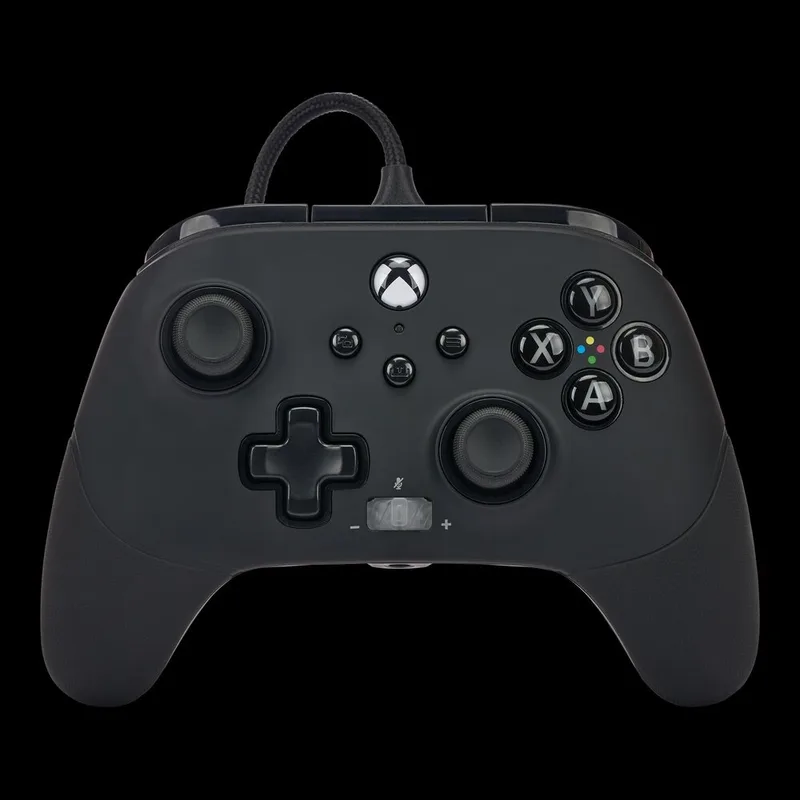
PowerA FUSION Pro 3 Wired Controller for Xbox
Pros
- ✓ Best value for ergonomic Xbox features — mappable buttons, trigger locks, and stick options under $80
- ✓ Four mappable buttons reduce awkward button combinations without full paddle remapping
- ✓ Multi-stage trigger locks reduce repetitive finger travel in high-use games
- ✓ 10ft braided cable gives desk gamers full freedom to lean back
Cons
- ✗ Wired only — no wireless option at any price point
- ✗ No adjustable stick tension — the feature that sets the Elite apart
- ✗ Advanced buttons aren't paddles — positioned on the face, not the grip
The PowerA Fusion Pro 3 exists to answer one question: what can I get under $80? More than you’d expect. Four mappable advanced gaming buttons, multi-stage trigger locks, swappable thumbstick caps, a detachable faceplate, and a 10ft braided USB-C cable.
The four advanced buttons are positioned on the controller face — not back paddles in the SCUF sense, but accessible without major thumb movement. The multi-stage trigger locks reduce repetitive travel in high-use games. The 10ft cable gives desk gamers the freedom to lean back without strain on the cable connection.
What you give up: wireless, adjustable stick tension, and the rubber grip coating that more expensive controllers offer. Wired-only is a real limitation for couch gaming — it’s not an issue for desk gaming, and you never need to think about charging.
For anyone spending mostly at a desk and not willing to spend $120+, the Fusion Pro 3 delivers the core ergonomic features at a honest price.
Best for: Desk gamers on Xbox or PC who want ergonomic features without wireless.
Controller Comparison
| Controller | Price | Battery | Wireless | Paddles/Buttons | Trigger Ergonomics | Weight |
|---|---|---|---|---|---|---|
| Xbox Elite Series 2 | $157.91-$167.99 as of Oct 18, 2026 | 40 hrs | Yes | 4 paddles | 3-stage locks | 345g |
| Razer Wolverine V3 Pro | $110.49-$169.99 as of Oct 18, 2026 | 30 hrs | Yes | 6 remappable | Mechanical fast triggers | 270g |
| PS5 DualSense Edge | $184.99-$199.00 as of Oct 18, 2026 | 4–6 hrs | Yes | 2 back buttons | Adjustable stroke | 325g |
| 8BitDo Ultimate 2 | $59.99 as of Oct 18, 2026 | 22 hrs | Yes (2.4G) | 2 (L4/R4) | Standard | ~280g |
| SCUF Instinct Pro | Unavailable | ~8 hrs | Yes | 4 paddles | Instant triggers | 296g |
| PowerA Fusion Pro 3 | Unavailable | Wired | No | 4 face buttons | Multi-stage locks | ~230g |
Buying Guide: What Makes a Controller Ergonomic?
Most gaming discomfort traces back to three sources: grip fatigue, thumb overextension, and repetitive trigger stress. Standard controllers aren’t designed to address any of them. Here’s what to look for.
Back Paddles and Button Remapping
Back paddles are the single most ergonomic feature a controller can have. Without them, pressing A, B, X, or Y requires moving your right thumb off the analog stick — a motion you repeat thousands of times per session. Back paddles under your middle and ring fingers handle those inputs without thumb repositioning. Both the Xbox Elite Series 2 and SCUF Instinct Pro have four-paddle systems. The DualSense Edge and 8BitDo Ultimate 2 each have two back buttons.
Trigger Design
Standard triggers travel 5–7mm per press. Trigger locks reduce that to 1–2mm. For games with high trigger use — shooters, racing, fighting — this significantly reduces cumulative finger movement per session. Look for: adjustable trigger stops (Elite, DualSense Edge), mechanical trigger switches (Razer Wolverine), or instant trigger mode (SCUF Instinct Pro).
Grip Shape and Weight
Controller weight accumulates. A 75g difference (Wolverine vs. Elite) is unnoticeable for 20 minutes; over two hours, the lighter option creates less forearm fatigue. Controllers with extended grips suit large hands; compact designs (8BitDo Ultimate 2) work better for smaller hands. No controller fits every hand — match grip shape to your hand size.
Joystick Quality and Drift
Traditional potentiometer sticks wear out. Drifting sticks require constant micro-corrections, which creates low-level grip tension you may not consciously notice. Hall Effect sticks (higher durability) and TMR sticks (8BitDo Ultimate 2’s 2026 standard) eliminate drift at the hardware level. For regular long-session players, stick longevity is an ergonomic issue.
Budget Expectations
- Under $80: PowerA Fusion Pro 3 — ergonomic features, wired only
- $80–$120: 8BitDo Ultimate 2 (PC/Android), SCUF Instinct Pro (Xbox/PC)
- $120–$180: Xbox Elite Series 2 — best all-around for Xbox/PC
- $180–$200+: Razer Wolverine V3 Pro (PC), DualSense Edge (PS5)
For a complete picture of gaming ergonomics, read our gaming posture guide — it covers seating, monitor height, and arm positioning that affect whether your controller choices actually help. Pair this guide with our best ergonomic streaming setup if you’re building a full station, and our best gaming chairs roundup for the seating side of the equation.
FAQ
Which controller is best for reducing hand pain during long gaming sessions?
The Xbox Elite Series 2 addresses the most common causes of hand pain: adjustable thumbstick tension reduces grip fatigue, removable back paddles eliminate repetitive thumb-off-stick movements, and three-stage trigger locks cut cumulative trigger travel. If you’re already experiencing pain, breaks every 45–60 minutes matter regardless of controller.
Do back paddles actually help with ergonomics?
Yes, meaningfully. The primary benefit is keeping your thumbs on the analog sticks while accessing face buttons. Without paddles, pressing A, B, X, or Y requires moving your right thumb off the right stick — a motion repeated thousands of times per session. Paddles under your middle and ring fingers handle those inputs without any thumb repositioning. The SCUF Instinct Pro and Xbox Elite Series 2 both have four-paddle systems.
Is the Xbox Elite Series 2 worth $179.99?
For players who game 2+ hours regularly, yes. The adjustable thumbstick tension is a feature no other controller at any price matches on Xbox, and the trigger locks and paddles are genuinely functional rather than marketing features. For casual players under an hour at a time, the PowerA Fusion Pro 3 at $79.99 is a more honest value.
Can I use these controllers on PC?
The Xbox Elite Series 2, Razer Wolverine V3 Pro, SCUF Instinct Pro, and PowerA Fusion Pro 3 all work on Windows PC natively. The 8BitDo Ultimate 2 is PC-native by design. The PS5 DualSense Edge is PS5 exclusive — PC connection requires third-party drivers and loses most pro features in the process.
What controller works best for players with small hands?
The 8BitDo Ultimate 2 has a compact form factor that suits smaller hands well. The PS5 DualSense Edge also has a slightly shorter grip span than the Xbox Elite Series 2. Avoid the Elite for small hands — the extended rear grips create uncomfortable reach for some users.
How does controller ergonomics fit into a broader gaming setup?
Controller choice addresses hand and finger fatigue. Chair posture and height affect back, shoulder, and neck strain — often more acutely for long sessions. Our gaming posture guide covers the full picture, and pairing a good controller with a properly adjusted gaming chair covers the two most common long-session complaint areas. See our gaming chairs guide for the seating side.
Conclusion
For Xbox and PC players, the Xbox Elite Series 2 at $179.99 is the right call for most people. Adjustable thumbstick tension is still a feature no competitor matches at this price, and the paddles plus trigger locks address every major repetitive-strain issue.
PC-first players who care about weight should look at the Razer Wolverine V3 Pro instead. The 270g frame and mechanical triggers justify the slightly higher price if you’re at a desk for hours.
PS5 players have one option: the DualSense Edge. The short battery is a real compromise. But swappable stick modules and adjustable triggers make it a solid long-term investment.
On a budget, the 8BitDo Ultimate 2 at $89.99 is the standout value for PC and Steam Deck owners. TMR joystick technology at this price is genuinely unusual, and the 1000Hz polling rate is a meaningful PC gaming upgrade. For Xbox players on a budget, the PowerA Fusion Pro 3 at $79.99 covers the basics without wireless.
Your controller is one piece of the ergonomic equation. Pair it with a chair that’s properly adjusted for your setup — our best gaming chairs guide covers everything from $200 to $600.