Holding a piece of paper up to your laptop’s webcam during a video call is one of the small indignities of working from home in 2026. It’s blurry, it’s crooked, and everyone on the call can see your ceiling fan in the background while you try to hold the page flat. A dedicated document camera fixes this in one USB plug — you set a paper, a contract, a whiteboard sketch, or a small object under the lens and it shows up sharp and steady for everyone on the call.
This is a smaller category than webcams or monitor arms, and it hasn’t seen a wave of flashy new releases lately — most of the good options here are mature, proven designs rather than 2026 debuts. That’s actually a point in their favor: these are cameras with years of driver support and real user feedback behind them, not first-generation gadgets. If you just need something reliable that shows up as a webcam in Zoom, the IPEVO V4K is the one to buy. If you’re testing the waters before committing, the THUSTAR 8MP gets you a genuinely usable document camera for about the price of a nice pair of headphones.
IPEVO V4K Ultra High Definition 8MP USB Document Camera
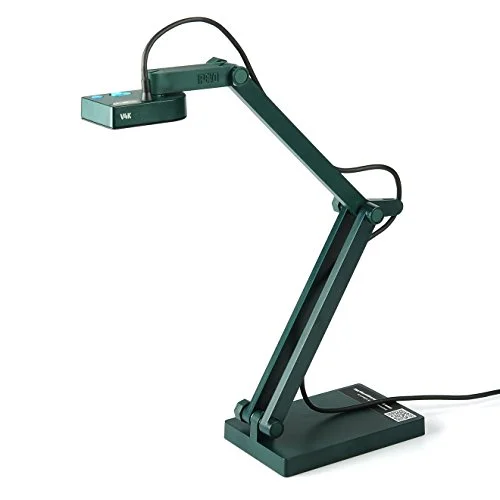
IPEVO V4K Ultra High Definition 8MP USB Document Camera
Pros
- ✓ Sharp enough to read handwriting and small print without leaning in
- ✓ Works instantly in Zoom, Teams, and Meet as a standard webcam — no special software required
- ✓ Folds nearly flat for a laptop bag or desk drawer
- ✓ Sony CMOS sensor holds color and focus better than most rivals in this price range
Cons
- ✗ No built-in microphone, so you're relying on your laptop or headset mic
- ✗ 8MP is plenty for documents but overkill pricing compared to the true budget options below
- ✗ Green plastic body looks more like classroom gear than home office gear
The V4K is the document camera most WFH reviewers point to first, and after comparing it against the rest of this list, it’s easy to see why. It’s an 8MP USB camera on a folding, multi-jointed arm that plugs in and shows up as a standard webcam — no drivers, no companion app required to use it in Zoom, Teams, or Google Meet. The Sony CMOS sensor holds focus and color more consistently than the budget options, which matters when you’re trying to make a printed contract or a whiteboard sketch actually legible to someone on the other end of a call.
It has no built-in microphone, so you’re pairing it with your laptop mic or a headset — a minor inconvenience next to what you get for $122. The arm folds down small enough to toss in a laptop bag, which the bulkier HUE can’t match.
Best for: Anyone who wants one document camera that just works, without fiddling.
THUSTAR 8MP Document Camera & Webcam 4K
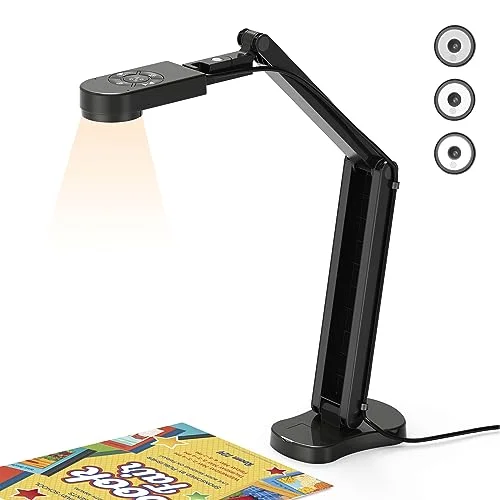
THUSTAR 8MP Document Camera & Webcam 4K
Pros
- ✓ Cheapest way into a real document camera instead of holding paper up to a laptop webcam
- ✓ Dual mic picks up voice clearly enough to skip a separate USB mic
- ✓ Built-in LED ring light fixes the shadow problem most desk lamps create over paper
- ✓ Doubles as a standard 4K webcam when flipped upright
Cons
- ✗ Hinge feels noticeably less sturdy than the IPEVO models after months of daily folding
- ✗ Auto-focus hunts more in low light than the pricier picks
- ✗ No manufacturer app for annotation or capture — you're limited to whatever video software you're using
If $122 feels like too much to spend on something you’re not sure you’ll use daily, the THUSTAR is the sane starting point. It captures A3-size documents at 8MP, flips up into a 4K webcam, and throws in dual microphones and a 3-level LED ring light — features the pricier IPEVO models skip entirely. The ring light alone solves the shadow problem that comes from shooting paper under a normal desk lamp.
The trade-off shows up in build quality. The folding hinge doesn’t feel as solid as the IPEVO arm after repeated daily use, and autofocus hunts a bit more when the room lighting is dim. For occasional use — sharing a signed document once a week, sketching out an idea on a call — it’s hard to beat at $55.
Best for: Buyers who want to try the category without spending real money on it.
HUE HD Pro USB Document Camera
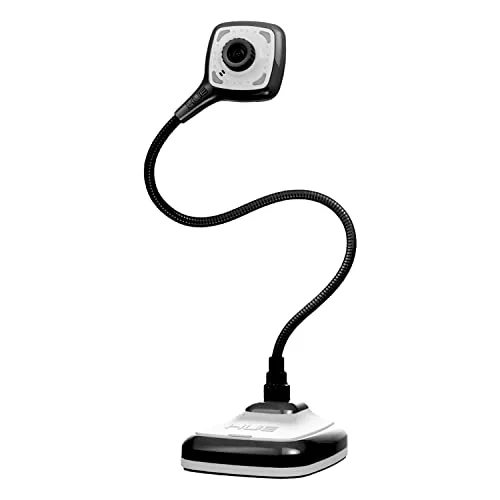
HUE HD Pro USB Document Camera
Pros
- ✓ Gooseneck bends into angles a hinged arm can't reach — useful for 3D objects, product demos, or overhead shots
- ✓ Long track record in classrooms means drivers and support are mature and stable
- ✓ Built-in mic and lights mean one USB cable does everything
- ✓ iPadOS 17+ support is rare in this category
Cons
- ✗ Capped at 1080p while competitors have moved to 4K
- ✗ The gooseneck can loosen and droop after heavy repositioning over time
- ✗ Bulkier footprint than the folding IPEVO or THUSTAR designs
The HUE HD Pro takes a different approach: instead of a hinged folding arm, it uses a flexible gooseneck that bends into angles the other cameras can’t reach. That makes it the pick if you’re demoing a small 3D object, showing a product from an unusual angle, or need an overhead shot of something bulkier than a sheet of paper. It’s been a fixture in classrooms for years, which means the drivers are mature and the support documentation is thorough — and it’s one of the only cameras here confirmed to work with iPadOS 17+.
The compromise is resolution: it tops out at 1080p while the rest of this list has moved to 4K-class sensors. Owner reports also flag that the gooseneck can loosen and start to droop after months of repositioning, so it’s not the pick if you need something rock-solid in one fixed spot.
Best for: 3D objects, art demos, and angles a hinged arm can’t hit.
IPEVO V4K-13MP Ultra USB Document Camera
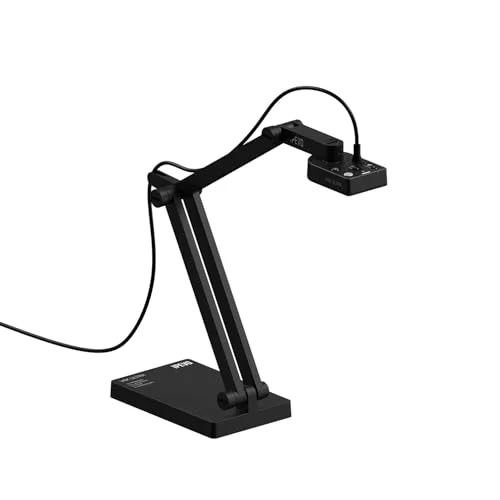
IPEVO V4K-13MP Ultra USB Document Camera
Pros
- ✓ The extra resolution over the standard V4K is genuinely visible on dense spreadsheets or small schematic text
- ✓ Auto-focus locks on fast when you swap documents
- ✓ Same reliable folding arm and build quality as the standard V4K
- ✓ Overkill resolution means you can crop in post without losing legibility
Cons
- ✗ Nearly double the price of the standard V4K for a resolution bump most people won't need
- ✗ Still no built-in microphone
- ✗ Files and video streams are noticeably larger at full resolution, which can tax older laptops
This is the V4K’s bigger sibling, built for people who need to read small print — dense spreadsheets, technical drawings, fine schematic text — without squinting. The bump from 8MP to 13MP is genuinely visible on that kind of content, and the auto-focus locks on fast when you swap between documents mid-call.
At $203, it’s nearly double the standard V4K for a resolution upgrade most people simply don’t need. It also still skips a built-in microphone, and the larger file sizes and video streams it produces can tax an older laptop’s CPU during a video call.
Best for: Reviewing fine print, schematics, or dense documents on calls.
IPEVO VZ-X Wireless 8MP Document Camera
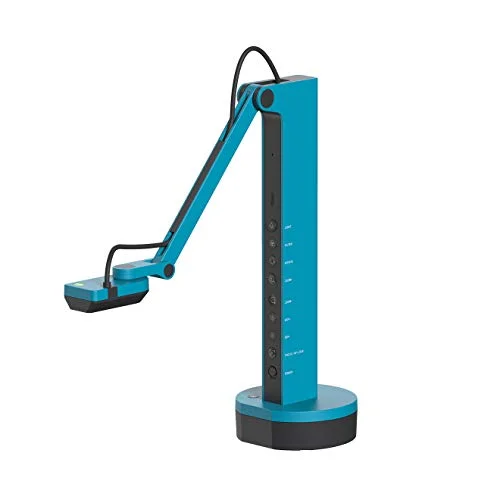
IPEVO VZ-X Wireless 8MP Document Camera
Pros
- ✓ USB mode works like any other document camera in Zoom or Teams — no wireless setup required if you don't need it
- ✓ HDMI output lets you cast straight to a monitor or TV without opening a laptop
- ✓ Wi-Fi mode frees you to walk around a room while presenting, which the wired models can't do
- ✓ Three connection modes cover almost any desk setup you'll run into
Cons
- ✗ Priced closer to a monitor than a webcam accessory — hard to justify unless you actually need wireless
- ✗ Several manufacturers have scaled back Wi-Fi document camera lines over network reliability complaints, so treat the wireless mode as a bonus, not the main reason to buy
- ✗ Setup for Wi-Fi mode takes longer than plugging in a USB camera
The VZ-X is the only camera on this list that isn’t tied to a USB cable. It supports Wi-Fi, HDMI, and USB, which means it can cast straight to a TV or monitor without a laptop in the loop, or connect wirelessly from an iOS, tvOS, or Android device. In USB mode, it behaves exactly like the other cameras here and works fine in standard conferencing software.
At $359, it’s priced like a small monitor rather than a webcam accessory, and it’s worth being honest about the wireless mode: document camera makers broadly have pulled back from Wi-Fi models over the past few years because of network reliability complaints on congested connections. The VZ-X’s USB and HDMI modes sidestep that problem entirely, so if wireless freedom isn’t the actual reason you’re buying, one of the wired IPEVO models will save you money without losing anything you’d use day to day.
Best for: Presenting untethered from a laptop, or casting straight to a TV.
What to Look For in a Document Camera
Resolution. 8MP is the sweet spot for reading standard printed text and handwriting clearly. Only step up to 13MP if you’re regularly sharing dense spreadsheets or fine technical drawings.
Arm style. A folding, multi-jointed arm (like the IPEVO models) is more compact and better for flat documents. A gooseneck (like the HUE) is better for irregular objects and unusual angles, but takes up more desk space and can loosen over time.
Connection type. USB plug-and-play is the simplest path — most cameras in this category show up as a standard webcam with zero configuration. Wireless (Wi-Fi) adds flexibility but costs significantly more and comes with the network reliability trade-offs common to the category.
Built-in extras. A microphone and LED light save you from adding two more accessories and cables to your desk. If your document camera doesn’t have them, budget for a desk lamp that won’t cast a shadow over your paperwork.
What it’s replacing. If you mostly just need to look presentable on video calls rather than share physical documents, a good webcam is the simpler and usually cheaper answer. A document camera is worth the extra spend specifically when you need to share paper, whiteboards, or objects, not just your face.
Setting It Up on Your Desk
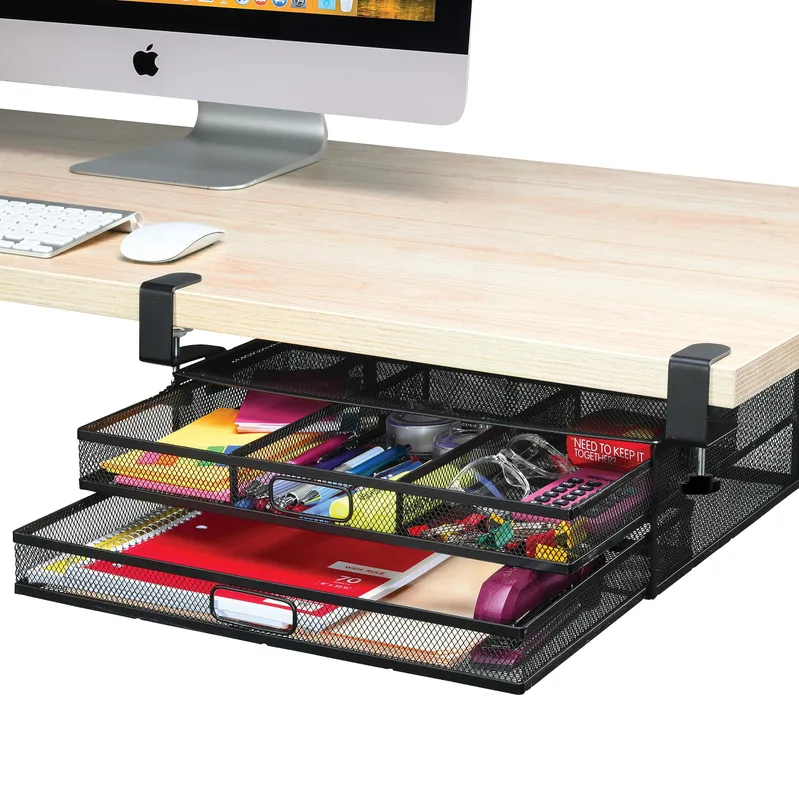
A document camera adds one more cable and one more device to a desk that’s probably already crowded. A monitor arm that lifts your display off the desk surface frees up the flat space these cameras need to actually see a document clearly. Route the USB cable through a cable management sleeve or clip so it doesn’t end up tangled with your keyboard and mouse cords every time you fold the arm down.
FAQ
Do I need a document camera if I already have a good webcam?
Not necessarily. A webcam is built to show your face; a document camera is built to show what’s on your desk — paper, a whiteboard sketch, a small object — in sharp focus from directly overhead or at a steep angle. If you never need to share physical items on calls, skip it and put the money into a better webcam instead.
Can I use a document camera as a regular webcam too?
Yes, on most models. The IPEVO and THUSTAR cameras in this list show up as standard UVC webcams, so you can flip them up or angle them at your face and use them in place of a laptop camera. Image quality for face-to-face video is usually a step below a dedicated webcam, but it’s a reasonable dual-purpose setup if desk space is tight.
Is 8MP enough resolution for reading small text?
For most printed documents and handwriting, yes. 8MP comfortably resolves standard font sizes and handwriting at typical desk distance. Step up to 13MP only if you’re regularly sharing dense spreadsheets, technical schematics, or very small print.
Why are wireless document cameras so much more expensive?
You’re paying for the Wi-Fi radio, the HDMI casting hardware, and the ability to run the camera without a PC at all — essentially three connection modes packed into one device instead of one. If you don’t specifically need to present without a laptop nearby, a USB-only model gets you the same core function for a third of the price.
Do these work with a Mac or Chromebook, or just Windows?
All five cameras in this roundup are cross-platform — Windows, macOS, and Chromebook are supported across the board, and the HUE HD Pro additionally lists iPadOS 17+ support, which is unusual for this category.
Will a document camera work with Zoom, Teams, and Google Meet?
Yes. In USB mode, every camera here registers as a standard UVC webcam, so it shows up as a selectable camera source in Zoom, Microsoft Teams, Google Meet, and most other conferencing software without extra drivers.
Bottom Line
For most home offices, the IPEVO V4K is the easiest recommendation — sharp, simple, and it just works as a webcam the moment you plug it in. If you’re not sure you’ll use one often enough to justify $122, start with the THUSTAR 8MP at $55. Need to demo objects or work at odd angles, go with the HUE HD Pro. Reading fine print all day pushes you toward the V4K-13MP Ultra, and only reach for the VZ-X Wireless if untethered presenting is something you’ll actually use.