Back pain at the desk isn’t news, but the thinking behind it has shifted. Ergonomics research discussed through 2026 has moved away from chasing one “perfect posture” and toward a simpler idea: staying in any single position too long is the real problem, not the position itself. That matters because it changes the fix. Instead of buying one expensive chair and hoping it solves everything, the right approach depends on where your back hurts and why you’re stuck there for hours at a time.
Quick diagnosis: Lower back pain usually traces back to your chair — seat depth, lumbar support, or seat height. Mid-back pain is often a static-posture problem — you’re locked in one position too long. Upper back and neck pain almost always comes down to monitor height. Below is how to tell the difference and what actually fixes each one.
Lower Back Pain: Check Your Chair First
Lower back pain at a desk almost always comes from one of three chair problems: no lumbar support, a seat that’s too deep, or a seat height that puts your knees above or below your hips.
How to check: Sit all the way back in your chair. If there’s a gap between your lower back and the chair back, your lumbar support isn’t reaching you — either the chair doesn’t have any, or it’s not adjusted to your spine’s curve. Next, look down at your knees. If they’re noticeably higher than your hips, raise the seat. If your feet don’t reach the floor once raised, that’s a footrest problem, not a chair problem.
Two fixes depending on your chair situation:
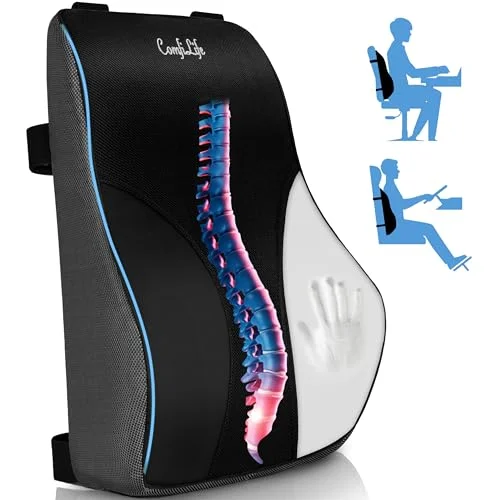
ComfiLife Lumbar Support Pillow for Office Chair
Pros
- ✓ Cheapest fix on this list and works on almost any chair
- ✓ Straps hold it in place instead of sliding down like flat cushions
- ✓ Contoured shape supports the natural curve of the lower back
- ✓ Breathable mesh panel keeps it from getting sweaty
Cons
- ✗ Doesn't fix a chair with no adjustable seat depth
- ✗ Adds bulk that can feel tight on narrow chair backs
- ✗ Memory foam softens over a couple of years of daily use
If your current chair is otherwise fine but just lacks lumbar support, a strap-on lumbar pillow like the ComfiLife is the cheapest real fix. It straps directly to the chair back so it can’t slide down during the day, which is the most common failure of flat lumbar cushions.
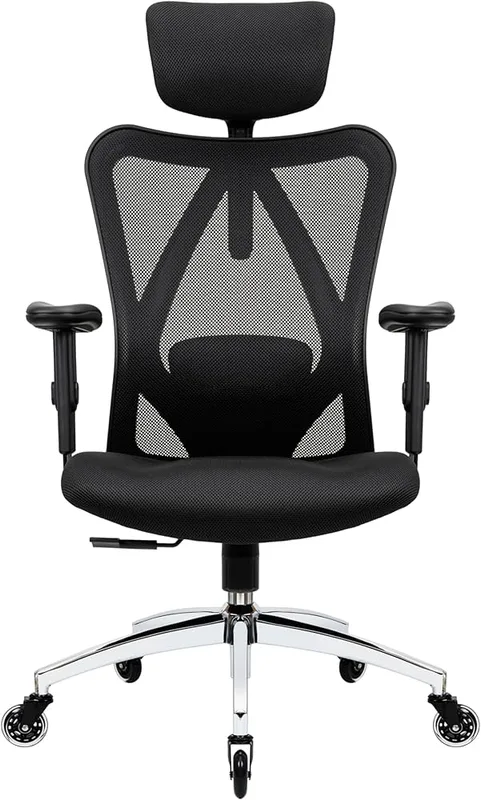
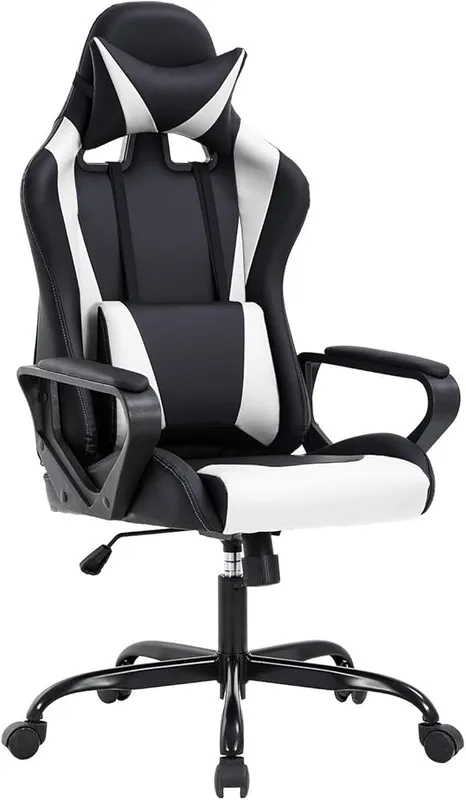
Duramont Ergonomic Office Chair with Lumbar Support
Pros
- ✓ Adjustable lumbar support moves to match your actual spine curve
- ✓ Seat height range fits most people between 5'2" and 6'2"
- ✓ Mesh back stays cool during long sitting stretches
- ✓ 5-year warranty is unusually long for this price range
Cons
- ✗ Armrests are basic and only adjust up and down
- ✗ Headrest is a separate purchase on some listings — check before buying
- ✗ Assembly takes about 30–40 minutes
If the chair itself is the problem — no seat depth adjustment, no lumbar adjustment, worn-out padding — replacing it solves more at once. The Duramont has genuinely adjustable lumbar support (height and depth, not just a fixed bump) at a price well under most ergonomic chairs. For a deeper comparison of chairs built specifically around lower back support, see our guide to the best office chairs for lower back pain and our lumbar support cushion roundup if you’re not ready to replace the chair.
Mid-Back Pain: You’re Probably Not Moving Enough
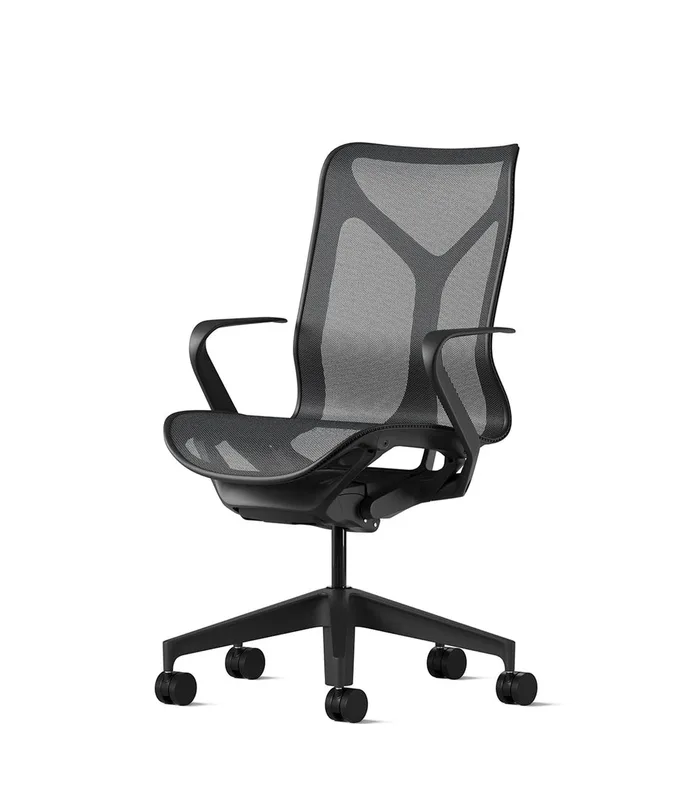
Mid-back pain — the ache between your shoulder blades that shows up mid-afternoon — is less about equipment and more about staying frozen in one position. Even a perfectly adjusted chair causes discomfort if you sit in it without shifting for three hours straight.
How to check: If your pain gets worse the longer you sit, regardless of how you’re sitting, and eases when you get up and walk around, this is a static-posture issue rather than a setup issue.
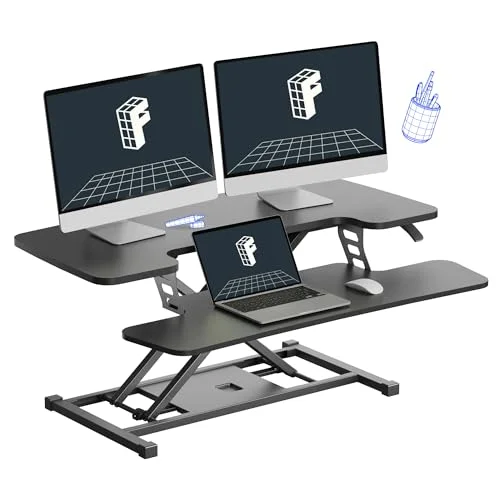
FLEXISPOT 36-Inch Standing Desk Converter
Pros
- ✓ Sits on top of your existing desk — no need to replace the whole desk
- ✓ Lets you break up static sitting without a big purchase
- ✓ Wide keyboard tray keeps wrists at the same level as the monitor
- ✓ Gas-spring lift means no motor to eventually fail
Cons
- ✗ Takes up more desk depth than a fixed monitor arm
- ✗ Less stable than a full electric standing desk at max height
- ✗ Not a real fix if your chair or monitor height is already wrong
The fix here isn’t a better chair — it’s breaking up how long you stay in one position. A standing desk converter like the FLEXISPOT 36-inch sits on top of your existing desk and lets you switch to standing for stretches without buying a whole new desk. You don’t need to stand all day — alternating roughly 30 minutes sitting to 15 minutes standing has shown up repeatedly in recent ergonomics coverage as enough to meaningfully reduce mid-back and lower back discomfort over a few months. If you already have a standing desk and want to compare it against a converter, see our standing desk vs. desk converter breakdown. For the movement side of things, our anti-fatigue mat guide covers surfaces that encourage small foot movements while you stand.
Upper Back and Neck Pain: It’s Almost Always Monitor Height
If the pain sits higher — base of the neck, tops of the shoulders, tension headaches by end of day — the cause is almost always a monitor that’s too low. A head that tips forward even slightly adds significant load to the neck and upper back, and most monitors on their factory stands sit several inches below where they should be.
How to check: Sit normally and look straight ahead. If your eyes land above the top third of the screen, your monitor is too low and you’re tipping your head down to compensate, all day, every day.
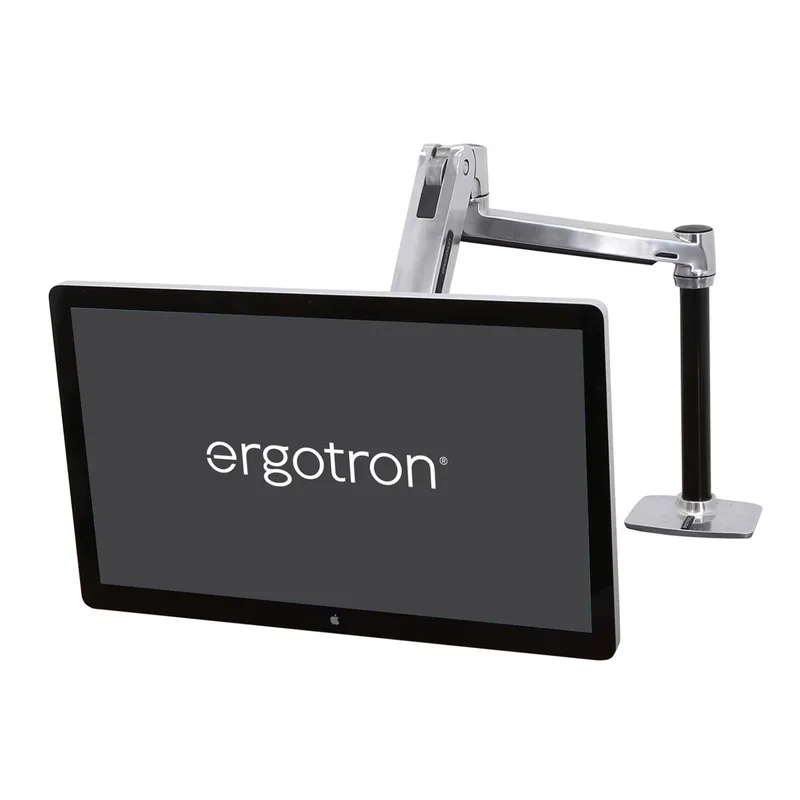
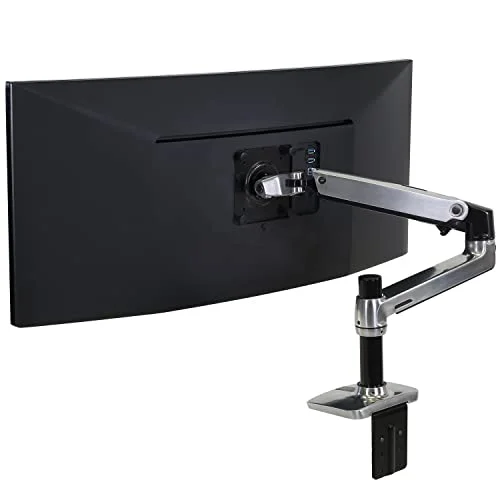
Ergotron LX Desk Mount Monitor Arm
Pros
- ✓ Puts your monitor at true eye level instead of guessing with a stack of books
- ✓ One-handed height adjustment takes seconds to readjust
- ✓ Frees up desk space by lifting the monitor off its base
- ✓ Holds up to 25 lbs, enough for most large monitors
Cons
- ✗ Costs more than most people expect to spend on a monitor mount
- ✗ Grommet mounting kit is sold separately from the clamp version
- ✗ Installation takes 15–20 minutes the first time
A monitor arm is the most direct fix. The Ergotron LX lets you set the top of the screen at eye level and readjust in seconds if you switch between sitting and standing. It’s a bigger spend than a lumbar pillow, but for neck and upper-back pain specifically, it addresses the actual cause instead of masking the symptom. Laptop users have it worse by default — see our guide on monitor arms for standing desks for setups that handle both a laptop and an external display.
Poor Posture Habits: When the Setup Is Right But You Still Slouch
Sometimes the chair, desk, and monitor are all correctly positioned and the pain still shows up — because habits override good equipment. People lean forward to read small text, slouch during long calls, or hunch over a keyboard without noticing.

Upright GO 2 Posture Trainer
Pros
- ✓ Vibration nudge catches slouching before it becomes a habit
- ✓ Strapless design is easy to forget you're wearing
- ✓ App tracks posture trends over weeks, not just single sessions
- ✓ Small enough to wear under most shirts without showing
Cons
- ✗ Adhesive pads need replacing every few weeks
- ✗ Only addresses upper back and shoulder slouch, not seat or desk setup
- ✗ Requires charging roughly every two weeks
This is the one case where a wearable device helps more than furniture. The Upright GO 2 sits on your upper back and gives a gentle vibration when you slouch past a set threshold, which retrains the habit over a few weeks rather than relying on willpower alone. It won’t fix a bad chair or a too-low monitor — it only helps once the setup itself is already correct. For more on how this compares to fixing the chair directly, see our posture corrector vs. ergonomic chair comparison.
Comparison: Which Fix Matches Your Pain
| Pain Location | Likely Cause | Fix | Price |
|---|---|---|---|
| Lower back | No/weak lumbar support, wrong seat height | ComfiLife lumbar pillow or Duramont chair | $27.95 as of Oct 11, 2026 |
| Mid-back (between shoulder blades) | Static posture, not moving enough | FLEXISPOT standing desk converter | Unavailable |
| Upper back / neck | Monitor too low | Ergotron LX monitor arm | $169.99-$199.99 as of Oct 11, 2026 |
| Slouching despite good setup | Habit, not equipment | Upright GO 2 posture trainer | $89.95 as of Oct 11, 2026 |
What to Try First If You’re Not Sure
If you can’t tell exactly where the pain is coming from, work through these in order — they’re ranked by cost and how likely they are to be the actual problem:
- Check seat height and lumbar support first. It’s free and takes two minutes. Most desk chairs have a lever for both.
- Look at your monitor’s eye-level position second. If it’s below eye level, a stack of books is a free temporary fix before buying a monitor arm.
- Add a lumbar pillow if the chair is otherwise fine. Cheapest real upgrade on this list.
- Break up sitting time with a converter or standing desk if the pain is more about duration than position.
- Add a monitor arm once you’ve confirmed monitor height is the actual issue, not just a hunch.
- Consider a posture trainer only after the physical setup is already correct — it reinforces good habits, it doesn’t create them.
Don’t buy all five products at once. Diagnose the pain location first, then buy the one thing that matches it.
FAQ
Why does my lower back hurt after sitting at my desk for a few hours?
Almost always a lumbar support or seat height problem. If there’s a gap between your lower back and the chair when you sit all the way back, the chair isn’t supporting your spine’s natural curve. Check seat height too — knees higher than hips forces your pelvis to tilt back, which flattens the lumbar curve and strains the lower back.
Can a bad monitor setup really cause back pain, not just neck pain?
Yes. A monitor that’s too low pulls your head and shoulders forward, and that forward lean transfers load down through the upper back, not just the neck. People who fix monitor height often notice upper-back tension easing along with neck pain.
Is standing all day better than sitting all day for back pain?
No. Standing all day just moves the strain to your feet, knees, and lower back instead of fixing it. The research consistently points to alternating between sitting and standing, not replacing one static position with another.
How long should I sit before taking a break to avoid back pain?
Most current ergonomics guidance points to breaking up position every 30–45 minutes, not powering through for hours. You don’t need a formal break — standing up, stretching, or switching to a standing desk position for a few minutes is enough to reset.
Will a posture corrector fix my back pain?
Only if your chair and monitor are already set up correctly. A posture trainer like the Upright GO 2 addresses slouching habits, but it can’t compensate for a chair with no lumbar support or a monitor that’s too low. Fix the equipment first, then use a posture trainer to reinforce the habit.
Do I need to replace my whole desk setup to fix back pain?
Rarely. Most desk back pain comes down to one or two specific issues — chair, monitor height, or lack of movement — not the entire setup. Diagnose which one applies to you using the pain-location guide above before spending money on a full replacement.
Conclusion
Desk back pain isn’t random, and it isn’t fixed by throwing money at the most expensive chair you can find. It has a location and a cause, and the fix is specific to both. Lower back pain points to your chair. Mid-back pain points to how long you stay still. Upper back and neck pain points to your monitor height. Slouching despite a correct setup points to habit, not hardware.
Start here based on your pain:
- Lower back, budget fix: ComfiLife Lumbar Support Pillow ($25.97)
- Lower back, chair replacement: Duramont Ergonomic Office Chair ($199.97)
- Mid-back, static posture: FLEXISPOT Standing Desk Converter ($159.99)
- Upper back and neck: Ergotron LX Monitor Arm ($219.99)
- Posture habits: Upright GO 2 ($79.95)
For a broader look at chair selection by body type, see our ergonomic chair buying guide, and for the standing side of the equation, our complete standing desk setup guide.