Quick pick: if you’re already convinced and just want the desk, the UPLIFT V3 is the one we’d buy outright. If you’re still on the fence, a $140 converter is the cheapest way to find out before you commit.
More than 24 million office setups worldwide now include a standing or sit-stand desk, and that number keeps climbing as hybrid work reshapes how people think about their home offices. But “everyone’s doing it” isn’t a reason to spend $300–$700 on a new desk. The better question is whether you actually need one, or whether your discomfort has a cheaper fix. This guide walks through the concrete signs that point to “yes, get a standing desk” versus signs that point somewhere else entirely.
Quick Comparison
| Product | Best For | Price | Rating |
|---|---|---|---|
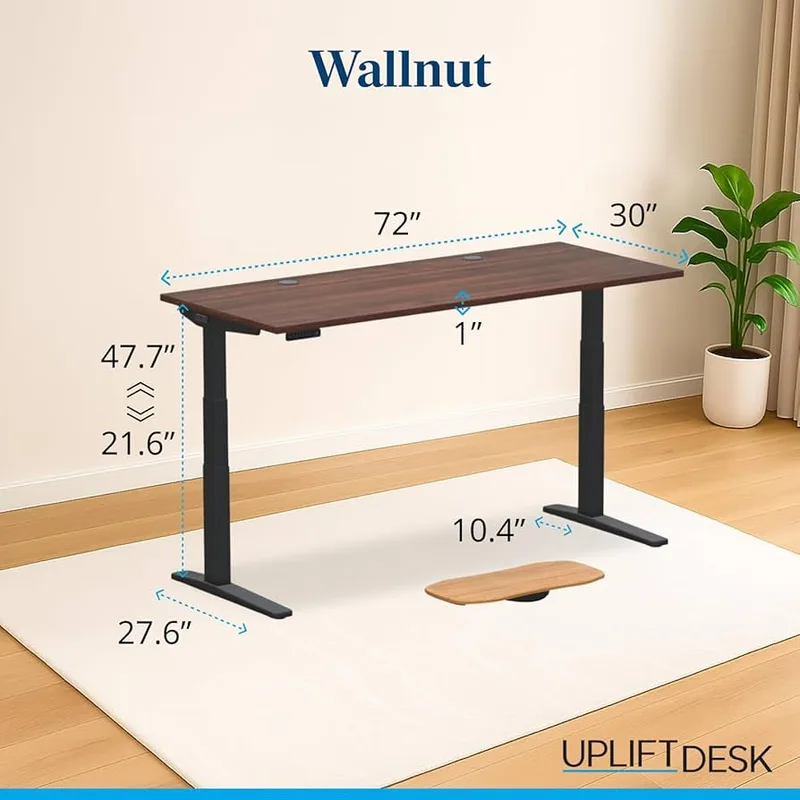
| UPLIFT V3 | Committing to a full standing desk | $648.00 as of Oct 18, 2026 | 9.0/10 |
| VIVO 32-Inch Converter | Testing the waters cheaply | $139.99 as of Oct 18, 2026 | 8.8/10 |
| Rocelco 46-Inch Converter | Dual-monitor setups | $307.99 as of Oct 18, 2026 | 8.4/10 |
| Ergodriven Topo Mat | Standing comfort once you switch | $109.00 as of Oct 18, 2026 | 9.3/10 |
| Upright GO 2 | Fixing slouching without buying a desk | $89.95 as of Oct 18, 2026 | 8.0/10 |
UPLIFT V3
Pros
- ✓ C-frame is incredibly stable even at full height
- ✓ Best keypad controls in the game, with memory presets
- ✓ 48 mounting points for accessories
- ✓ 22+ desktop finish options
Cons
- ✗ $100+ more than most direct competitors
- ✗ Lower max height than some rivals
- ✗ Louder motor than the quietest desks on the market
Sign 1: Your Back or Neck Hurts by Mid-Afternoon — And Standing Up Helps
This is the single clearest sign. If you notice a dull ache in your lower back or the base of your neck by 2 or 3 PM, and it actually eases when you stand up and walk around for a few minutes, that’s your body telling you the problem is duration, not equipment. A perfectly adjusted chair still causes discomfort if you’re frozen in it for six or eight hours straight.
Contrast this with pain that doesn’t change no matter what you do — that’s more likely a chair or monitor height problem, which a standing desk won’t fix on its own. For a location-by-location breakdown of desk-related pain, see our guide on why your back hurts at your desk.
Sign 2: You’re Sitting 6+ Hours a Day, Most Days
If your job keeps you seated for the bulk of an 8-hour day with few natural breaks — no commute, no meetings that require walking to a conference room, no reason to leave your chair — you’re accumulating sedentary time that a lunch walk doesn’t fully offset. Research on sit-stand alternation consistently points to breaking up static sitting every 30–45 minutes as the meaningful variable, not standing for hours at a stretch. See our deeper look at standing desk health benefits versus sitting for what the alternation actually needs to look like to matter.
Sign 3: You Catch Yourself Pacing During Calls
If you already stand up and pace when you’re on a phone call or a meeting where the camera’s off, your body is telling you something your chair isn’t giving it: permission to move. That instinct is worth listening to. A standing desk just makes it possible to keep working while you act on it, instead of choosing between focus and movement.
Sign 4: You Rent, or Your Current Desk Isn’t Yours to Replace

Not everyone can swap in a full electric desk. If you’re in a rental, a shared space, or a desk you don’t own outright, a standing desk converter solves the same problem without replacing the furniture underneath it.
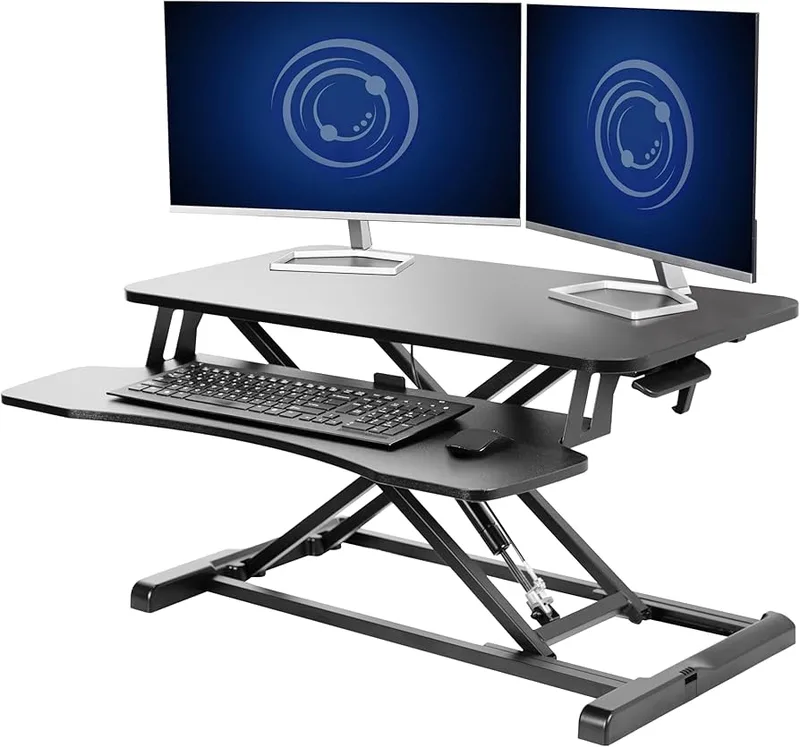
VIVO 32-Inch Standing Desk Converter
Pros
- ✓ Stepless height adjustment with no preset clicks
- ✓ Straight vertical lift with no forward arc
- ✓ Excellent price-to-quality ratio under $150
- ✓ Compact 16-inch base depth fits smaller desks
Cons
- ✗ Requires some assembly
- ✗ Keyboard tray removal requires a hex tool
- ✗ Surface depth is shallower than premium converters
The VIVO 32-Inch Converter sits on top of whatever desk you already have and lifts straight up with no forward arc, so it doesn’t eat into your legroom when raised. At $139.99 it’s also the cheapest way to find out whether standing while you work actually helps before you spend $600+ on a dedicated desk. For more options across budgets, our best sit-stand desk converters roundup covers six picks.
Sign 5: You Run Out of Desk Space With Two Monitors
If your current setup already has a dual-monitor arm or a wide single ultrawide, a compact converter or narrow desk just won’t have the surface area to support it. This is less about back pain and more about workflow — cramped keyboard placement and monitors crowded too close together create their own posture problems over time.
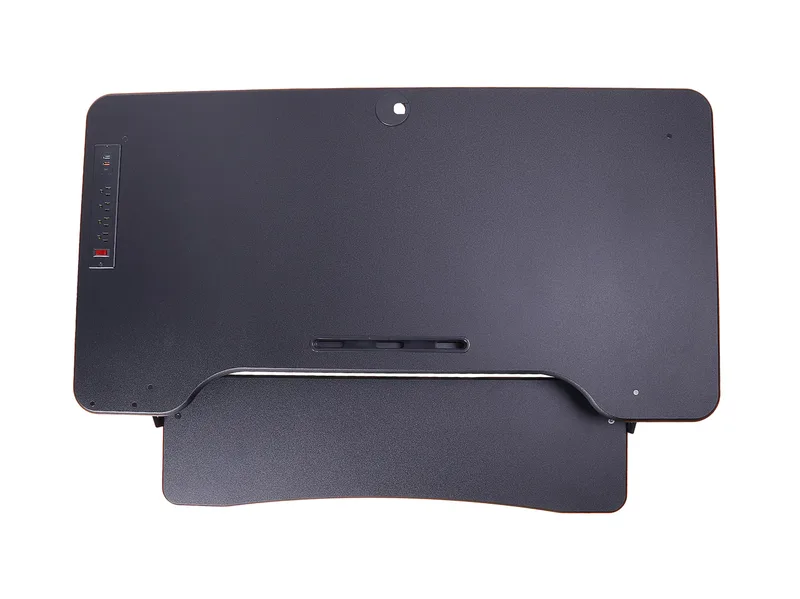
Rocelco 46-Inch Large Height Adjustable Standing Desk Converter
Pros
- ✓ Widest surface in its class, fits three monitors
- ✓ Retractable keyboard tray tucks away cleanly
- ✓ Gas spring makes adjusting smooth and one-handed
- ✓ Grommet hole for clean cable routing
Cons
- ✗ Large footprint needs a desk at least 46 inches wide
- ✗ Heavy unit that's hard to reposition once placed
- ✗ Some wobble at max height with heavier monitor setups
The Rocelco 46-Inch Converter is built for exactly this — nearly 46 inches of surface width fits two full-size monitors with room to spare, plus a retractable keyboard tray so the extra depth doesn’t eat your desk space when you’re not using it. If you’re shopping for a full desk instead of a converter, our best standing desks for two monitors roundup is the better starting point.
Sign 6: A Posture Corrector or New Chair Didn’t Fully Fix It
If you’ve already tried a lumbar cushion, an ergonomic chair upgrade, or a wearable posture trainer and you’re still uncomfortable by the afternoon, that’s a sign the remaining problem is static posture itself — not the chair. A standing desk and a posture corrector solve different problems, and they’re not mutually exclusive. Our posture corrector vs. ergonomic chair comparison breaks down which one addresses which symptom.

Upright GO 2 Posture Trainer
Pros
- ✓ Vibration nudge catches slouching before it becomes a habit
- ✓ Strapless design is easy to forget you're wearing
- ✓ App tracks posture trends over weeks, not single sessions
- ✓ Costs a fraction of any standing desk or converter
Cons
- ✗ Adhesive pads need replacing every few weeks
- ✗ Only addresses slouching, not the sitting itself
- ✗ Requires charging roughly every two weeks
If you’re not ready to spend on a desk or converter yet, the Upright GO 2 is worth trying first — it won’t fix sitting duration, but it catches slouching in real time for under $90, which tells you fairly quickly whether posture habits or sitting duration is the bigger piece of your discomfort.
Sign 7: You’re Ready to Commit for the Long Haul
If you’ve already confirmed standing helps — maybe through a converter, a stack of books under your laptop, or a desk at a previous job — and you’re ready to make it permanent, skip the trial phase and go straight to a proper electric desk.
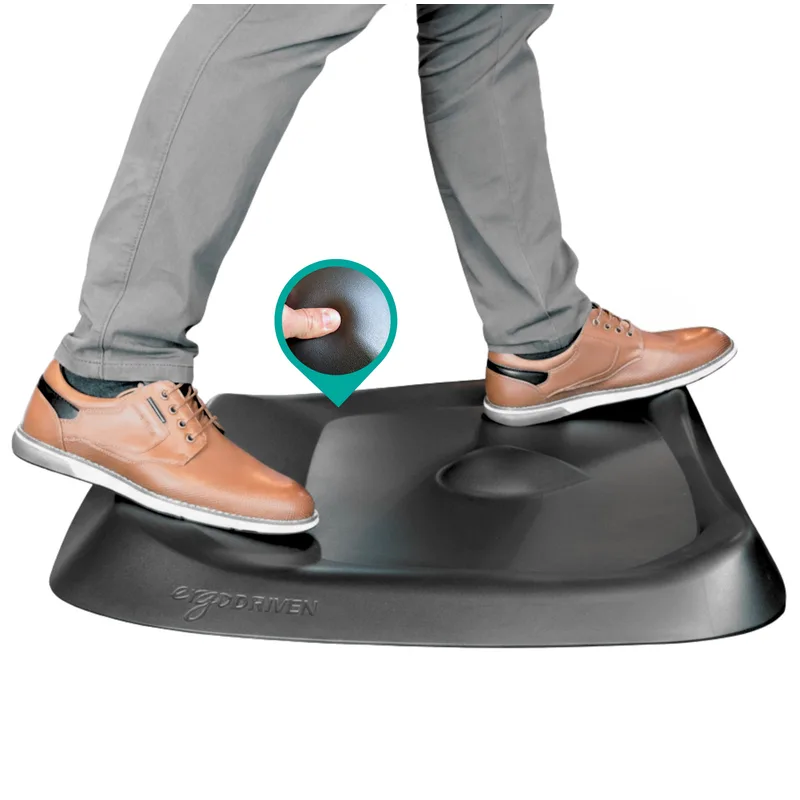
Ergodriven Topo Comfort Mat
Pros
- ✓ Terrain design encourages you to shift and stretch while standing
- ✓ Backed by a 7-year warranty, unusually long for a mat
- ✓ Waterproof and easy to reposition with one foot
- ✓ A recurring pick in annual best-mat roundups for a decade running
Cons
- ✗ Most expensive flat mat on the market
- ✗ Terrain feel takes a few days to get used to
- ✗ Only one size, no compact option for tight footprints
Once you’re standing regularly, an anti-fatigue mat like the Ergodriven Topo matters more than people expect — its terrain surface encourages small foot movements that keep legs from stiffening up during long standing stretches, and it’s the accessory most first-time standing desk owners underestimate before buying one. For the desk itself, the UPLIFT V3 is the one to look at if you want a stable, well-built frame with strong accessory support. For a wider comparison across budgets, see best standing desks in 2026, or best standing desks under $500 if budget is the deciding factor.
What to Look for Once You’ve Decided
The standing desk market has matured enough that the floor is genuinely high in 2026 — dual motors are common well under $500, frames are stiffer than they were a few years ago, and even budget desks now ship with memory height presets that used to be a premium feature. A few things still separate a good desk from a frustrating one:
- Weight capacity. Add up your monitors, arm, laptop, and any desktop accessories. Budget at least 20 lbs of headroom beyond your actual load.
- Height range. Check the minimum height, not just the max — a desk that only goes down to 28 inches won’t sit correctly for shorter users.
- Motor count. Dual motors lift more evenly and handle uneven loads (like an off-center monitor arm) better than single-motor frames.
- Memory presets. Worth having if more than one person uses the desk, or if you want a one-touch sit/stand transition instead of holding a button.
Our complete guide to choosing a standing desk goes deeper on stability, desktop materials, and warranty terms if you’re comparing specific models.
FAQ
How do I know if it’s my chair or my desk causing the discomfort?
Pay attention to whether the ache changes when you stand up and move. If it eases within a few minutes of standing, duration is the bigger factor and a standing desk helps. If it persists regardless of position, check your chair’s lumbar support and seat height first — see our back pain diagnosis guide.
Is a converter as good as a full standing desk?
For testing whether standing helps you at all, yes — a converter gets you there for a fraction of the price. Long-term, most people who stick with it upgrade to a full desk because converters have less surface area and lower weight capacity. Our converter vs. full desk comparison covers the tradeoffs in detail.
Do I need to stand all day for a standing desk to help?
No. Alternating between sitting and standing roughly every 30–45 minutes shows up consistently in ergonomics guidance as the effective pattern — standing all day just shifts strain to your feet and knees instead of solving it.
What if I can’t afford a standing desk right now?
Start with the cheapest intervention that addresses your specific sign. If it’s slouching, a posture trainer under $100 is a reasonable first step. If it’s sitting duration, even a stack of sturdy boxes under your laptop for short standing stretches can tell you whether the approach helps before you spend real money.
Will a standing desk fix my back pain on its own?
Only if sitting duration is actually the cause. If your pain traces back to a chair with no lumbar support or a monitor that’s too low, a standing desk won’t fix either of those — you’d just be standing with the same underlying setup problems. Diagnose the cause first using our back pain guide.
How much should I expect to spend?
Converters start around $140 and go up to $800+ for premium models with large worksurfaces. Full electric desks range from around $300 for basic single-motor frames to $650+ for stable dual-motor desks with strong accessory support, like the UPLIFT V3 featured above.
Conclusion
Not every desk-related ache means you need a $600 purchase. The signs that point most reliably to a standing desk are pain that eases with movement, long unbroken sitting stretches, and an instinct to pace that your current setup doesn’t accommodate. If you’ve confirmed one or more of those apply and you’re still renting or unsure, a converter like the VIVO 32-Inch is the lowest-risk way to test it. If you’re already sure, go straight to a full desk — the UPLIFT V3 is the one we’d recommend without hesitation.
For a broader shopping starting point, browse the best standing desks of 2026, and if space or budget is the real constraint, our best standing desks under $500 roundup narrows things down fast.