Disclosure: PostureRanked is reader-supported. When you buy through links on our site, we may earn an affiliate commission at no additional cost to you. Our recommendations are based on independent research and testing.
Disclosure: PostureRanked is reader-supported. When you buy through links on our site, we may earn an affiliate commission at no extra cost to you. Learn more
Most ergonomic chairs give you a panel of levers, knobs, and dials and tell you to figure it out. The Humanscale Freedom takes the opposite approach: remove almost everything and let physics do the adjusting. Designed by ergonomics pioneer Niels Diffrient — who first released it in 1999 and has refined it since — the Freedom is still one of the most discussed chairs at the $1,500 price point in 2026, nearly 26 years after launch. That kind of longevity is a data point in itself.
The core idea is a weight-sensitive recline mechanism that calibrates to your body mass, combined with a headrest that pivots and follows your neck as you lean back — no manual setup required. If you sit down and lean back, the chair responds. If you sit up, it comes with you.
Quick pick: If you want the simplest premium ergonomic experience possible, the Freedom with headrest is the chair. If you want granular control over every adjustment point, look at the Steelcase Leap or Herman Miller Aeron instead.
Humanscale Freedom Chair with Headrest
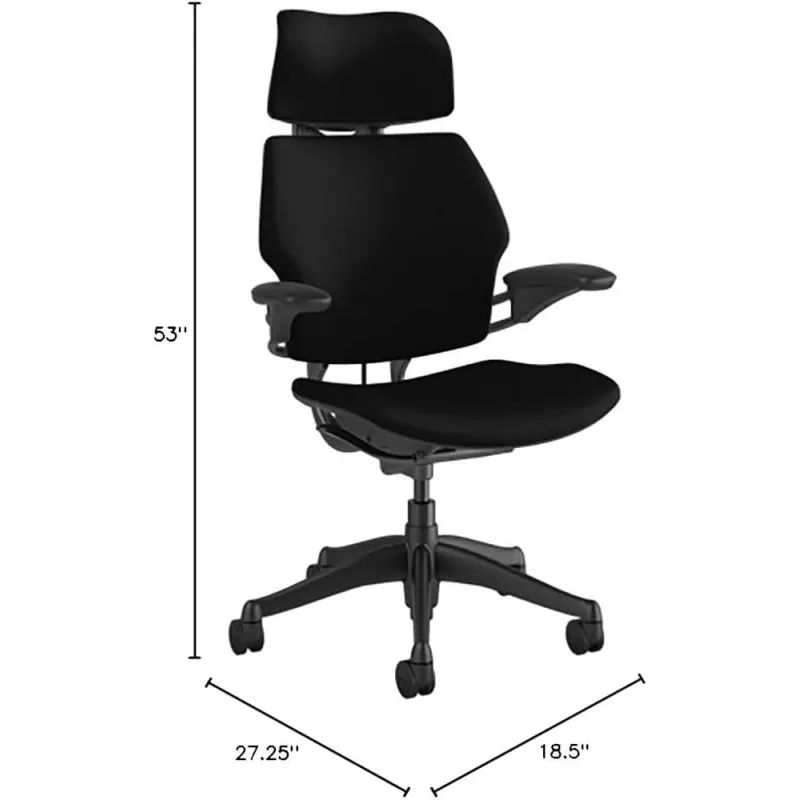
Humanscale Freedom Chair with Headrest
Pros
- ✓ Weight-sensitive recline feels completely natural — no lever to pull before you lean back
- ✓ Self-adjusting headrest actually follows your neck through recline
- ✓ 15-year warranty is among the best in the industry
- ✓ Minimal design ages well — looks just as modern as chairs released this year
Cons
- ✗ No lumbar depth or tension adjustment — wrong if your body doesn't match the built-in curve
- ✗ Backrest height is not adjustable (headrest version only)
- ✗ Limited seat depth adjustment compared to Steelcase Leap or Gesture
Design and First Impressions
The Freedom is a clean, professional chair. The graphite frame and fabric upholstery (multiple options available) look equally at home in a corporate office or a home study. There’s nothing visually loud about it — no lumbar pillows strapped on with elastic, no visible tension knobs poking out from the seat. The design has held up across 25+ years without looking dated, which says something.
Build quality is solid. The five-star base is sturdy, the arm pads are dense and don’t wobble, and the fabric on the standard Fourtis configuration wears well over time. This is not a gaming chair dressed up in neutral colors — it’s built to office-furniture standards, which means it’s expected to last a decade without degrading.
The chair ships mostly assembled. Attaching the base and headrest takes under ten minutes.
The Weight-Sensitive Recline: How It Actually Works
This is the chair’s signature feature and the reason people either love it or find it frustrating.
Conventional chairs use a manual tension dial to set how hard it is to lean back. You dial it in once, and then it’s fixed at that resistance level. The Freedom uses a counterbalance mechanism that reads your body weight and automatically calibrates recline resistance to match. The result: the chair resists your lean with proportional force based on your mass. Lighter users get less resistance; heavier users get more — all without touching anything.
In practice, this feels natural. You lean back to stretch and the chair moves with you. You sit upright to type and it supports you. There’s no “unlocking” the recline before you can lean — it’s always live.
The friction point comes when you want more or less resistance than your body weight dictates. You can’t fine-tune it. If the auto-calibrated tension feels too light (common for users on the lighter end), you have no dial to tighten it. If it feels too stiff on a particular day, same problem. The mechanism works well when it matches your preferences — and the consensus across user reviews is that it does for most people most of the time — but it’s genuinely limiting for those who want control.
Lumbar Support
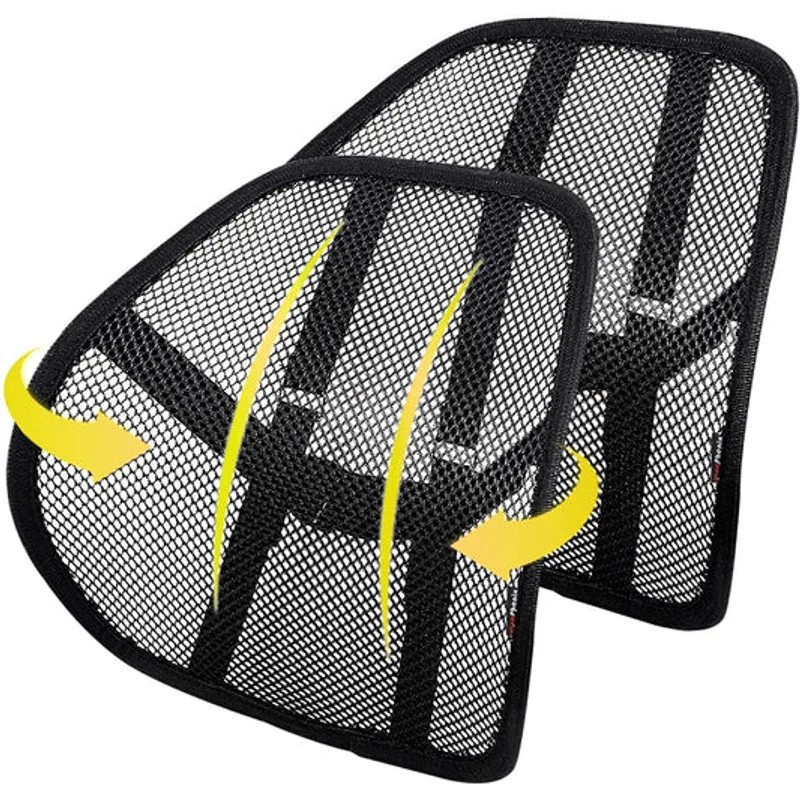
The Freedom doesn’t have an adjustable lumbar pad. The support comes from the contoured shape of the backrest itself, which curves inward at the lumbar zone. When you sit fully back against the chair and the recline mechanism holds you, the backrest maintains contact with your lower back throughout the range of motion.
For many users this works well. The backrest curve is reasonably positioned and the material has enough give to conform without being spongy. The issue is that it’s fixed. The Steelcase Leap’s LiveBack flex independently at different sections of the spine, and the Aeron’s PostureFit SL pads are height and depth adjustable. The Freedom offers neither. If you have a history of lower back issues that require tailored lumbar positioning, this is a meaningful limitation.
That said: plenty of users report that the Freedom’s lumbar support is more comfortable than adjustable systems they’ve tried. The passive approach works when your body geometry aligns with the chair’s design intent.
The Headrest
The Freedom’s headrest is legitimately different from most chairs in its price range. It’s not a static pillow you set once — it’s a weight-sensitive pivoting arm that follows your head and neck as you recline. Lean back and the headrest tilts to meet your neck at the correct angle. Sit upright and it stays clear. No buttons, no levers.
This headrest design was influential when it launched and remains one of the better executions of the idea. The pivot point is smooth, and the auto-positioning is accurate enough that most users don’t need to think about it after the first day.
Height adjustment exists via the arm mechanism — you set it at initial setup to align with your cervical spine. Beyond that, the pivot handles the rest.
Adjustability: What You Get (and What You Don’t)
| Feature | Humanscale Freedom | Steelcase Leap | Herman Miller Aeron |
|---|---|---|---|
| Seat height | ✅ Yes | ✅ Yes | ✅ Yes |
| Seat depth | Limited | ✅ Extensive | ✅ Yes |
| Lumbar depth | ❌ No | ✅ Yes | ✅ PostureFit SL |
| Lumbar height | ❌ No | ✅ Yes | ✅ Yes |
| Recline tension | Auto (weight-sensitive) | ✅ Manual | ✅ Manual |
| Arm height | ✅ Yes | ✅ Yes | ✅ Yes |
| Arm width | ❌ Limited | ✅ Yes | ✅ Yes |
| Headrest | ✅ Auto-adjusting | Optional | ❌ No |
| Warranty | 15 years | 12 years | 12 years |
| Price (headrest) | ~$1,518 | ~$1,399 | ~$1,795 |
The Freedom trades adjustment range for simplicity. You lose lumbar customization and recline control. You gain a chair that configures itself and a headrest that actually moves with you. Whether that’s a good trade depends on whether the auto-configured settings land in a comfortable zone for your body.
Build Quality and Warranty
The Freedom carries a 15-year warranty — three more years than the Steelcase Leap and Herman Miller Aeron, both at 12. Humanscale’s warranty covers the mechanism, frame, and components against defects. The 15-year floor matters: you’re not buying a chair that’s expected to wear out in five years.
The chair’s weight (38 lbs) is reassuring without being excessive. Components feel solid and the recline mechanism is smooth without any perceptible notchiness. The Duron arms don’t feel premium on close inspection — the material is functional more than luxurious — but they hold up well over time.
Who Should Buy the Freedom
The Freedom is the right chair if you want to sit down and have the chair handle itself. No setup ritual, no adjustment learning curve, no dial-tweaking over the first week. The weight-sensitive recline works, the headrest is a genuine differentiator, and the 15-year warranty backs it up.
It’s also a good fit if you sit in a neutral upright posture most of the time and your lower back doesn’t require specific lumbar intervention. The chair’s built-in contour is designed for neutral positioning — if that’s your natural working posture, the fixed lumbar is rarely an issue.
Buy the Freedom if:
- You want the simplest ergonomic experience at this price point
- You already know you prefer passive adjustment over knobs and dials
- You sit mostly upright and want a chair that follows you when you occasionally recline
- The headrest matters to you (it’s among the best at any price)
Skip the Freedom if:
- You have an existing lower back condition that needs adjustable lumbar depth
- You’re lighter than ~130 lbs or heavier than ~250 lbs (the weight-sensitive mechanism works best in the middle range)
- You want to dial in recline tension manually
- You’re comparing purely on adjustment features per dollar
For the control and adjustability crowd, the Steelcase Leap is the better purchase. For those debating whether a $1,500 chair is worth it at all, read our breakdown in Are Expensive Office Chairs Worth It?. And if you want to compare the full luxury field, our Best Luxury Office Chairs roundup has the complete picture.
Frequently Asked Questions
Is the Humanscale Freedom worth $1,518?
For the right buyer, yes. The 15-year warranty, auto-adjusting headrest, and weight-sensitive recline are genuinely differentiated features. For buyers who need adjustable lumbar support or manual recline tension control, the Steelcase Leap or Herman Miller Aeron deliver more adjustment at similar or lower prices.
Does the Freedom work for taller or shorter users?
The Freedom’s seat height adjusts between 16 and 21 inches, which covers most users from about 5’3” to 6’3”. Taller users sometimes find the backrest height limiting without the headrest model. Shorter users (under 5’3”) may find the seat depth more difficult to optimize, since Freedom’s seat depth adjustment is minimal compared to competitors.
How does the weight-sensitive recline work in practice?
The counterbalance mechanism measures your body mass and calibrates recline resistance accordingly. Sit down, lean back — the chair resists proportionally to your weight. For most users in the 130–280 lb range, this feels natural. The limitation is you can’t manually adjust the resistance beyond what your weight dictates.
Can you use the Freedom without the headrest?
Yes. The Freedom is available as a task chair without a headrest at a lower price point. If you don’t want a headrest or prefer not to have one in the way, the task version is the same chair mechanically. The headrest is the version most reviewers prefer for long sitting sessions.
How does the Humanscale Freedom compare to the Herman Miller Aeron?
The Aeron offers more adjustability — PostureFit SL lumbar, tilt limiter, forward tilt, and more arm options. The Freedom is simpler and self-adjusting with a better headrest. The Aeron costs more ($1,795+). Head-to-head, the Aeron suits users who need granular lumbar control; the Freedom suits users who want to sit down and not think about settings. See the full Aeron vs Leap comparison for more context.
Does the Freedom chair require assembly?
Minimal. The base, seat, and arms arrive mostly pre-assembled. Attaching the gas cylinder to the base, inserting the mechanism, and attaching the headrest takes under 15 minutes with no tools required.
Conclusion
The Humanscale Freedom is a genuinely different kind of ergonomic chair — one that bets on simplicity over configurability. The weight-sensitive recline works. The headrest is among the best in the category. The 15-year warranty is industry-leading. And the minimalist design has held up for over two decades without feeling dated.
The honest caveat: at $1,518, you’re paying luxury prices for fewer adjustment points than the Steelcase Leap at $1,399 or the Herman Miller Aeron at $1,795. If your body geometry aligns with the Freedom’s built-in ergonomic assumptions, the passive-adjustment approach is a revelation. If it doesn’t, no amount of money changes the fact that you can’t adjust the lumbar depth.
For professionals who want to sit down and have the chair handle itself — and who place real value on a headrest that actually moves with them — the Freedom earns its price. For those who need control, explore the full luxury lineup before committing.