Gaming setups are getting heavier. A standard battlestation with dual ultrawide monitors, a full-tower PC, a capture card, and a streaming light can push 120–150 lbs of gear onto your desk surface. The industry has taken notice — standing desks designed for gaming rigs have improved dramatically, and the difference between a wobble-prone frame and a rock-solid one is now the main buying decision.
Standing gaming desks let you shift positions during long sessions and eliminate the hip and lower back fatigue that builds up after three or four hours of seated play. The catch: not all standing desks are stable enough for gaming. A frame that wobbles at standing height shakes your monitor mid-match, and that’s unacceptable when precision matters.
Quick picks: The Secretlab Magnus Pro XL ($949) is the best purpose-built standing gaming desk with its integrated power supply and magnetic accessory ecosystem. For maximum stability per dollar, the FlexiSpot E7 Pro (~$440) has the highest weight capacity in this guide — 440 lbs — and 3-stage legs that stay solid at any height.
Already have a gaming chair? Check out our best gaming chairs roundup to complete your setup.
1. Secretlab Magnus Pro XL — Editor’s Pick
Secretlab Magnus Pro XL
Pros
- ✓ Purpose-built for gaming with full magnetic accessory ecosystem
- ✓ Integrated power supply column — no loose brick on the floor
- ✓ 70" × 31.5" full metal desktop handles dual ultrawides comfortably
- ✓ Magnetic cable management keeps your battlestation clean
Cons
- ✗ 260 lb weight capacity is lower than competitors at this price
- ✗ $949 is expensive compared to general-purpose standing desks
- ✗ 49.2" max height limits use for gamers over 6'3"
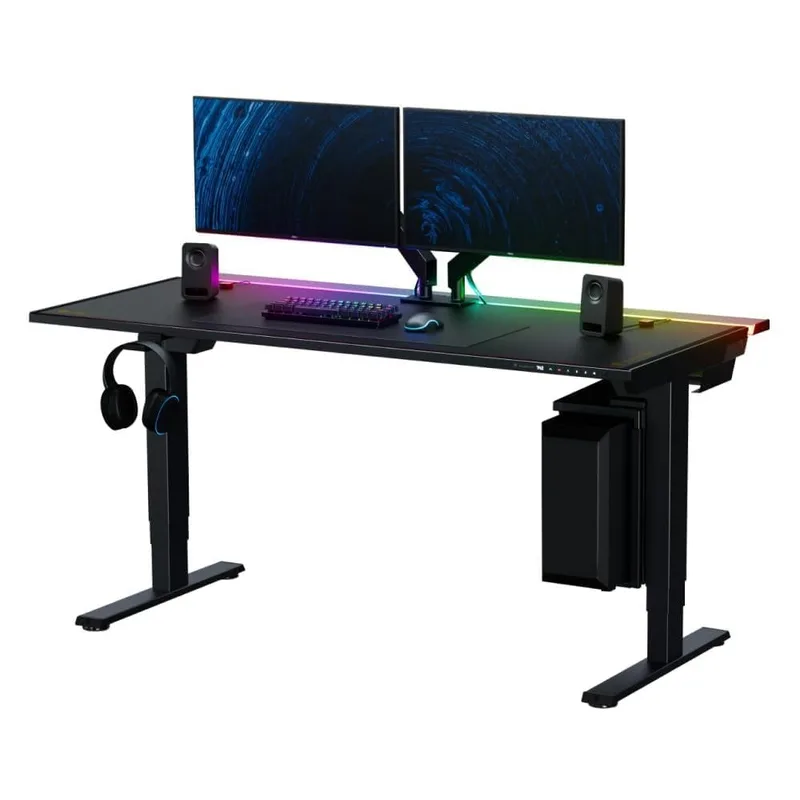
The Magnus Pro XL is what happens when a gaming peripherals company designs a standing desk from scratch. Secretlab built the Magnus line specifically for battlestations, and the XL version at 70” × 31.5” gives you real room for everything — dual monitors, speakers, a full-tower, and a mic arm without cramping.
The standout feature is the integrated power supply column. Standard standing desks have a loose power brick dangling near the floor. The Magnus Pro XL buries the entire power supply inside the frame column, so your cable runs are genuinely clean. Pair that with the magnetic MAGPAD desk mat and the magnetic cable clips, and you have a battlestation that looks intentional rather than assembled.
Stability holds up well for gaming. The dual-motor frame handles smooth transitions and the 260 lb capacity covers most setups. The honest limitation: 260 lbs is lower than competitors at this price. The FlexiSpot E7 Pro handles 440 lbs. If you’re running three 34” monitors plus a heavy tower and streaming gear, check your load before buying.
Height range is 25.6” to 49.2”. Most gamers standing will use 40”–46”, which puts this well within range. Gamers over 6’3” may find 49.2” limiting for comfortable standing alignment.
Who should buy this: Gamers who want a purpose-built battlestation with clean cable management and don’t want to piece everything together from generic parts.
Who should skip this: Anyone running a triple-monitor rig with heavy peripherals — the 260 lb limit is real, and the FlexiSpot E7 Pro handles far more at less than half the price.
2. FlexiSpot E7 Pro — Best Value
FlexiSpot E7 Pro
Pros
- ✓ 440 lb weight capacity — highest in this roundup by a wide margin
- ✓ 3-stage legs provide exceptional stability at standing height
- ✓ Built-in USB-A port on controller for device charging
- ✓ 25" minimum fits under short-desk configurations and petite users
Cons
- ✗ 55" × 28" desktop is tight for triple-monitor rigs
- ✗ No gaming-specific cable management or magnetic accessories
- ✗ Controller display is basic compared to premium options
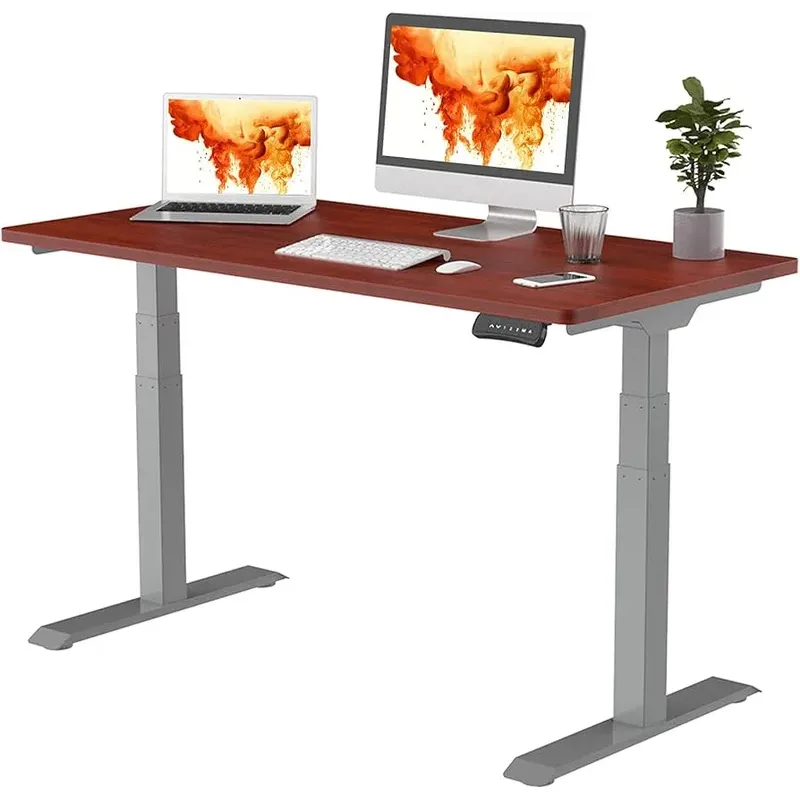
The E7 Pro is the desk you buy when you want the best stability-per-dollar ratio and don’t care about gaming branding. At around $440, it competes with desks twice its price on the specs that actually matter for gaming.
The key differentiator is 3-stage legs. Most standing desks at this price use 2-stage legs, which extend in two phases. 3-stage legs use three overlapping sections, producing greater vertical range and better rigidity at full extension. At standing height, the E7 Pro stays noticeably more solid than comparably priced 2-stage frames. For gaming — where a monitor shake mid-match is a real problem — that rigidity matters.
The 440 lb weight capacity is the real story. This is the frame you want for a triple-monitor rig with a full-size tower on a dedicated stand. FlexiSpot uses commercial-grade steel throughout; the E7 Pro handles serious loads without complaint or flex.
Where it falls short: the included 55” × 28” desktop is on the smaller side for aggressive battlestations. Most gamers running dual 27” monitors want 60”+ of width. The E7 Pro frame can be paired with a larger custom top separately, but budget for that addition.
No gaming-specific features — no integrated power supply, no magnetic cable management. You’ll run your own cable solution. For most gamers, that tradeoff is easy to accept at this price.
Who should buy this: Gamers building a heavy multi-monitor rig on a budget. The 440 lb capacity and 3-stage stability make this the practical choice.
Who should skip this: Gamers who want everything integrated and are willing to pay significantly more for the Magnus Pro XL experience.
3. UPLIFT V2 Commercial — Most Stable
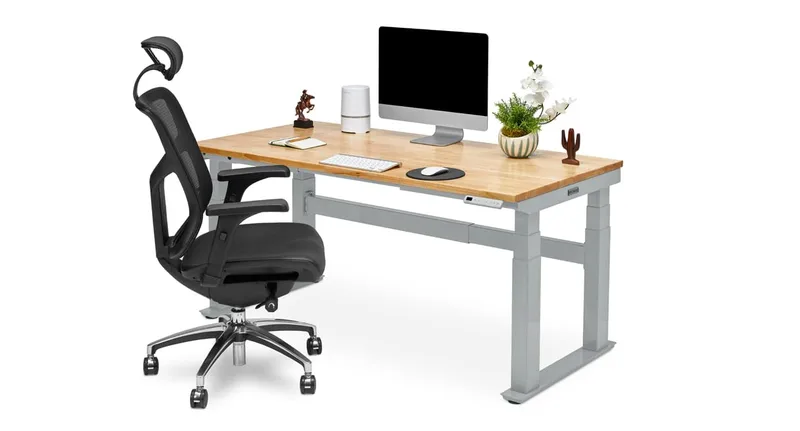
UPLIFT V2 Commercial Standing Desk
Pros
- ✓ Industry-leading 15-year warranty — no other standing desk comes close
- ✓ BIFMA stability certified for professional-grade build quality
- ✓ 21.6" minimum height is lowest in this roundup
- ✓ 45+ accessories let you build an entire customized battlestation
Cons
- ✗ Sold direct only — no complete desk on Amazon
- ✗ Base price rises quickly once you add desktop and accessories
- ✗ 47.7" standard max height requires extension legs for very tall users
The Uplift V2 Commercial earns its stability label through independent certification, not marketing copy. BIFMA certification validates structural integrity under load — it’s a standard used by commercial office furniture buyers. No gaming-branded desk in this roundup carries BIFMA certification. The V2 Commercial does.
The 15-year warranty is genuinely unmatched. Standing desk warranties typically run 5–7 years. Uplift’s 15-year coverage means they’re confident this frame will still perform well over a decade from now. For a desk used 8+ hours per day under a heavy gaming rig, that matters.
The V2 Commercial uses 3-stage legs with dual motors in each leg. At 355 lbs capacity and a 21.6” minimum height — lowest in this roundup — it handles everything from ultra-low sitting configurations to aggressive standing positions. The 45+ accessory ecosystem means you can add monitor arms, keyboard trays, cable management systems, and under-desk drawers without buying from a different brand.
The downside is price creep. The $659 starting price looks attractive, but add a desktop top, cable management tray, and a monitor arm and you’re past $1,000. The Magnus Pro XL at $949 looks expensive but arrives more complete.
Uplift sells primarily direct — no complete desk on Amazon. Delivery takes longer than Prime shipping.
Who should buy this: Gamers making a long-term workspace investment. The 15-year warranty makes this likely the last standing desk you’ll buy.
Who should skip this: Anyone who needs fast delivery or wants a plug-and-play setup without customizing components.
4. ERGO COLLECT Gaming Electric Standing Desk — Best Budget Gaming
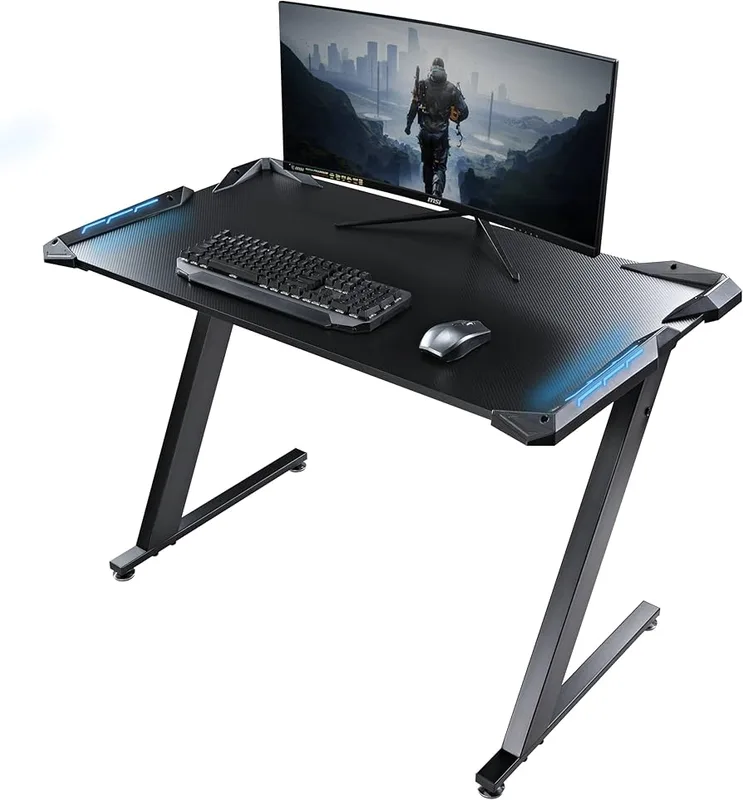
ERGO COLLECT Gaming Electric Standing Desk
Pros
- ✓ Carbon fiber top is scratch-resistant, water-repellent, and looks sharp
- ✓ Reinforced triangular steel frame significantly reduces wobble
- ✓ Sit-stand reminder and anti-collision built in at this price
- ✓ Assembles in under 10 minutes with quick-install system
Cons
- ✗ 45.3" max height is too low for gamers over 6' tall
- ✗ 264 lb capacity lower than competitors at similar price
- ✗ Newer brand with shorter track record than FlexiSpot or Uplift
The ERGO COLLECT is designed specifically for gaming and streaming, and the carbon fiber desktop makes that clear. It’s scratch-resistant and water-repellent — two properties that matter when you’re setting drinks next to your keyboard and dragging peripherals around constantly. The finish holds up to daily abuse better than standard laminate.
The reinforced triangular steel frame is the real engineering story. Standard standing desk frames use two parallel leg sections; the ERGO COLLECT adds triangular bracing that reduces lateral wobble at standing height. For a desk at $599, the stability is notably better than expected.
The built-in sit-stand reminder is a feature most desks in this category skip. It prompts you every 30–60 minutes to switch positions, which is useful when you’re deep in a session and haven’t moved for hours. Anti-collision protection is included too.
The honest limitation is max height. At 45.3”, this desk suits gamers up to about 6’ tall. Anyone taller will find 45.3” too low for proper elbow-height alignment while standing. Check your personal standing height before buying — your optimal standing desk height is roughly elbow height minus 1”.
Who should buy this: Budget-conscious gamers who want gaming aesthetic and carbon fiber durability without spending $800+.
Who should skip this: Gamers over 6’ tall — the max height cap is a hard constraint.
5. Autonomous SmartDesk Pro — Best for Tall Gamers
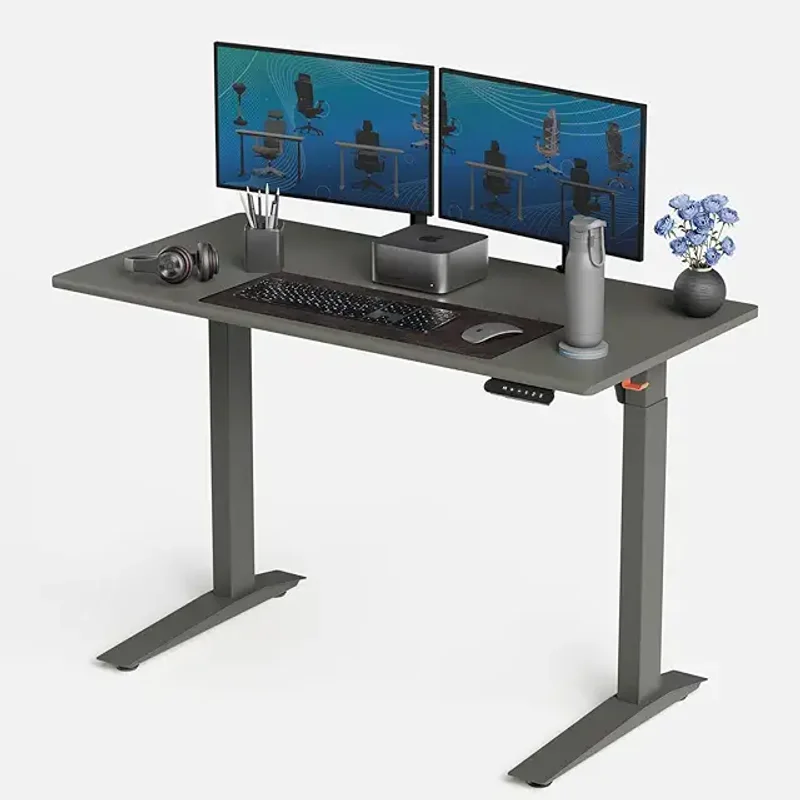
Autonomous SmartDesk Pro
Pros
- ✓ 52" max height works for gamers up to 6'5" without extension legs
- ✓ 300 lb capacity handles heavy multi-monitor and full-tower setups
- ✓ 7-year frame warranty at a mid-range price
- ✓ 70×30" desktop option available for large battlestations
Cons
- ✗ Noticeable wobble at maximum extension — avoid gaming at full height
- ✗ 26.2" minimum is too tall for users under 5'4"
- ✗ No anti-collision protection
Most standing desks in this category top out at 47”–51”. The Autonomous SmartDesk Pro reaches 52”, covering gamers up to 6’5” without extension legs. For tall users who’ve always been underserved by the standing desk market, this is a genuine differentiator.
The 300 lb capacity handles heavy setups, and the 7-year frame warranty is solid for a mid-priced desk. Desktop sizes go up to 70” × 30” — large enough for dual monitors with room for speakers and a capture card on either side.
The honest caveat: wobble increases at maximum extension. This is consistently noted in user reviews. At 44”–48” — the range most gamers will actually stand at — the frame is stable enough. Push it to 52” and you’ll feel more flex. Game at your comfortable standing height, not the absolute maximum.
No anti-collision protection is a notable omission at this price. The ERGO COLLECT and FlexiSpot E7 Pro both include it; the Autonomous doesn’t. Assembly takes 45–60 minutes and the instructions are complex — budget the time.
Who should buy this: Tall gamers (6’+) who need a 52” max height and understand the stability tradeoff at full extension.
Who should skip this: Users under 5’4” (26.2” minimum is too high for comfortable sitting) or anyone prioritizing stability at max height.
How They Compare
| Desk | Price | Height Range | Capacity | Desktop | Warranty |
|---|---|---|---|---|---|
| Secretlab Magnus Pro XL | $1269.00 as of Oct 18, 2026 | 25.6”–49.2” | 260 lbs | 70”×31.5” | 5 years |
| FlexiSpot E7 Pro | Unavailable | 25”–50.6” | 440 lbs | 55”×28” | 5 years |
| UPLIFT V2 Commercial | $659+ | 21.6”–47.7” | 355 lbs | Customizable | 15 years |
| ERGO COLLECT Gaming | Unavailable | 28”–45.3” | 264 lbs | 55”×27.5” | Not stated |
| Autonomous SmartDesk Pro | Unavailable | 26”–52” | 300 lbs | Up to 70”×30” | 7 years |
What to Look For in a Standing Gaming Desk
Stability Is the Filter for Everything Else
A standing desk wobbles when the frame is weak, when the legs aren’t rigid at full extension, or when the load exceeds the frame’s design limits. For gaming, you need a desk that stays still during play — not one that vibrates your monitor when you adjust height.
3-stage legs are significantly more stable than 2-stage at the same price point. If you’re choosing between two similarly priced desks and one has 3-stage legs, choose the 3-stage. The FlexiSpot E7 Pro and Uplift V2 Commercial both use 3-stage legs. The stability difference at full extension is real and noticeable.
Weight capacity functions as a proxy for frame quality. A 440 lb capacity desk uses thicker steel and better motors than a 150 lb capacity desk — even if you never load it anywhere near that limit.
How Much Desktop Space Do You Actually Need?
- Single monitor + keyboard + mouse: 48”+ width is comfortable
- Dual 27” monitors: 60”+ width, 28”+ depth minimum
- Dual 32” monitors or ultrawides: 70”+ width
- Dual 34”+ ultrawides: 70”+ and a strong frame is non-negotiable
The Magnus Pro XL (70” × 31.5”) and Autonomous SmartDesk Pro (up to 70” × 30”) handle dual large-monitor setups without compromise. The FlexiSpot E7 Pro (55” included top) and ERGO COLLECT (55”) are tight for anything beyond dual 27” monitors.
Height Range and Your Body
Your optimal standing height is elbow height with shoulders relaxed. For most adults, that falls between 38” and 46”. A desk with a 25”–50” range covers virtually everyone sitting and standing.
Under 5’4”: pay close attention to minimum heights. The Autonomous SmartDesk Pro’s 26.2” minimum can be uncomfortably high. The Uplift V2 Commercial’s 21.6” minimum is best for shorter users.
Over 6’2”: the Autonomous SmartDesk Pro’s 52” maximum is the most headroom in this roundup. Others max out at 49”–51”.
Gaming-Specific Features vs. General-Purpose Frames
The Secretlab Magnus Pro XL is the only desk here with purpose-built gaming features: integrated power supply, magnetic cable management, and a magnetic MAGPAD ecosystem. These aren’t gimmicks — the cable management alone eliminates hours of setup hassle.
General-purpose standing desks like the FlexiSpot E7 Pro and Uplift V2 Commercial are just as stable — often more so — but you source your own cable management. If you have a cable management plan or don’t care about a fully integrated look, this is an easy tradeoff.
Budget Expectations
- Under $500: FlexiSpot E7 Pro (~$440) is the only legitimate option. Others in this range compromise on stability.
- $500–$700: ERGO COLLECT ($599), Autonomous SmartDesk Pro ($649), and UPLIFT V2 ($659+) compete here. Uplift wins on warranty; Autonomous wins on height range; ERGO COLLECT wins on gaming aesthetic.
- $900+: Secretlab Magnus Pro XL ($949) is the only purpose-built gaming option in this tier.
FAQ
Do standing desks wobble when gaming?
Cheaper 2-stage frames wobble at standing height, especially under heavy loads. The fix is 3-stage legs (FlexiSpot E7 Pro, UPLIFT V2 Commercial) or premium frame construction (Magnus Pro XL). A desk rated for 300+ lbs with 3-stage legs will stay stable during gaming at normal standing heights. Avoid 2-stage frames if wobble is a concern.
What weight capacity do I need for a gaming setup?
A typical setup — monitor, keyboard, mouse, and small speakers — runs 30–50 lbs. A heavier rig with dual 34” monitors, a streaming PC, capture card, lights, and accessories might reach 80–120 lbs. Every desk in this roundup handles that with capacity to spare. The 440 lb FlexiSpot E7 Pro is overkill for real-world gaming loads — but overkill means a stiffer, better-built frame overall.
How wide does a gaming desk need to be for dual monitors?
For two 27” monitors, you need at least 60” of desk width — 55” is technically possible but cramped. For two 32” monitors or ultrawides, budget 70”+. The Magnus Pro XL (70”) and Autonomous SmartDesk Pro (up to 70” × 30”) handle dual large-monitor setups. The FlexiSpot E7 Pro (55” included top) and ERGO COLLECT (55”) are tight for dual large screens.
Is the Secretlab Magnus Pro XL worth $949?
For gaming-specific features — integrated power supply, magnetic cable management, full steel construction — yes, if those things matter to you. It’s not the most stable or highest-capacity desk here, but it’s the only one designed as a complete battlestation rather than adapted to one. If you care about clean cable management and want everything integrated, $949 is reasonable.
If you just want a rock-solid frame, the FlexiSpot E7 Pro at $440 outperforms the Magnus Pro XL on raw stability specs at less than half the price.
Can I use a general-purpose standing desk for gaming?
Yes. The Uplift V2 Commercial outperforms the Magnus Pro XL on pure stability metrics, and it’s not marketed as a gaming desk at all. What matters for gaming is stability, desktop size, and weight capacity — not whether the product page uses gaming fonts. Gaming-branded desks add integrated features; general-purpose desks make you source those separately.
What’s the difference between 2-stage and 3-stage legs?
2-stage legs extend in two sections; 3-stage extend in three overlapping sections. 3-stage provides a wider height range and, critically, more rigidity at full extension because shorter segments overlap more. For gaming, where you want a stable surface at standing height, 3-stage legs are meaningfully better. The FlexiSpot E7 Pro and Uplift V2 Commercial both use 3-stage legs at their respective price points.
Conclusion
For most gamers, the FlexiSpot E7 Pro at around $440 is the right call. The 440 lb capacity, 3-stage legs, and 25”–50.6” height range check every stability box without paying a gaming tax. Not glamorous — but it holds your gear steady and won’t wobble mid-match.
Want the purpose-built gaming experience? The Secretlab Magnus Pro XL at $949 delivers — cable management handled, power supply integrated, magnetic accessories ready. The MAGPAD ecosystem makes setup genuinely satisfying for streamers and dedicated battlestation builders.
Making a long-term investment? The UPLIFT V2 Commercial with its 15-year warranty and BIFMA certification is the desk you buy once and don’t replace. The 45+ accessory ecosystem means it grows with your setup over time.
For your chair, check out the best gaming chairs guide — a stable desk paired with a proper gaming chair makes a real difference in long sessions. If you’re building out a full streaming rig, the ergonomic streaming setup guide covers desk position, camera placement, and lighting in detail.
Comparing standing options against fixed-height gaming desks? See best gaming desks 2026. And the gaming posture guide covers how to actually use your standing desk without developing new aches.