Lower back pain is the most common reason people search for a new office chair. It makes sense — most chairs are designed to look good in a showroom, not to support lumbar curvature through an eight-hour workday. In 2026, Herman Miller updated the Aeron to incorporate ocean-bound recycled plastics without touching the core ergonomics, and HBADA launched a redesigned 2026 edition of their popular E3 Pro based on feedback from over 100,000 users. The market has never been more competitive.
This roundup focuses specifically on chairs with lumbar support that works — not just a fixed foam bump, but systems that actually move with you, adjust to your spine, and hold that support at hour six the same as hour one. Whether you have a chronic issue or just chronic sitting, these six picks cover every budget from $189 to $1,521.
Quick picks: For most people, the Steelcase Leap V2 is the one to buy — best lumbar system at a non-luxury price. If you want the absolute gold standard, step up to the Herman Miller Aeron Size B. Under $500, the Branch Ergonomic Chair Pro is hard to beat.
Steelcase Leap V2 — Editor’s Pick
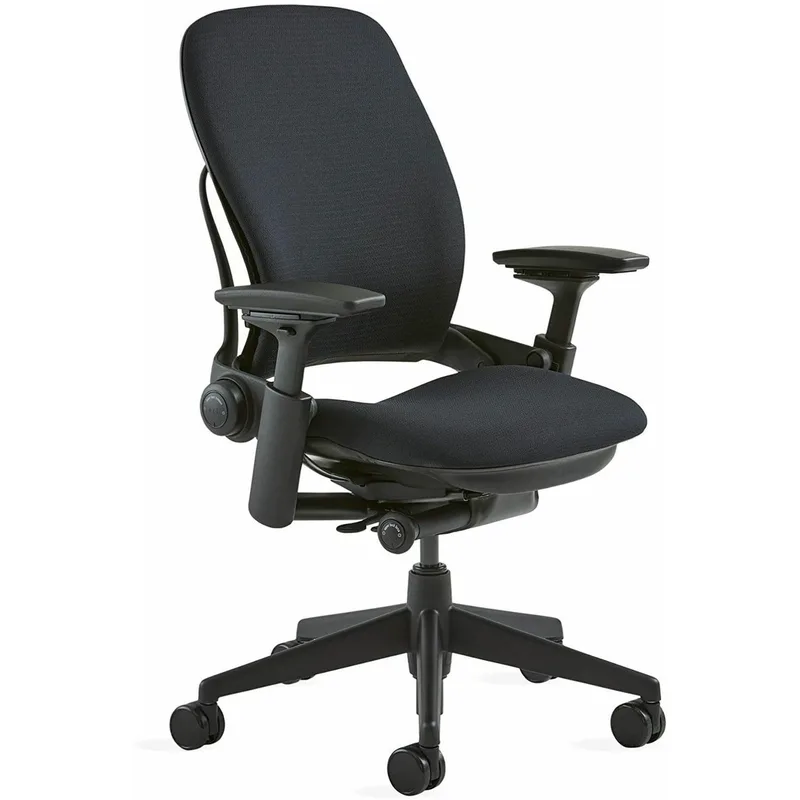
Steelcase Leap V2
Pros
- ✓ LiveBack technology flexes with your spine in real time
- ✓ Separate lower back firm zone specifically targets lumbar
- ✓ 400 lb weight capacity — rare at this price
- ✓ 4-way adjustable arms adapt to any desk height or posture
Cons
- ✗ No built-in headrest on the base model
- ✗ Fabric wears and shows staining after a few years
- ✗ Takes 20-30 minutes to dial in all the adjustments correctly
The Leap V2 has been the go-to recommendation for lower back pain among ergonomics professionals for over a decade, and it still holds that title in 2026. The reason is the LiveBack system — the backrest doesn’t just recline as a rigid panel. It flexes at multiple points to match the shape of your spine as you move. Sit upright, lean back, lean sideways — the chair follows.
What makes it specifically good for lower back pain is the separate firm support zone at the base of the backrest. You can feel it working. Adjust the lumbar firmness to your preference, set the seat depth so your hips are pushed back into the chair, and the lower spine naturally assumes its proper curve. Owner reports consistently describe a reduction in end-of-day back soreness within the first two weeks.
At $679 on Amazon, it is not cheap — but it is also not in the $1,500+ luxury tier. The 12-year warranty and 400 lb weight capacity make it worth the investment for anyone spending six or more hours a day in a chair.
Best for: Anyone with chronic lower back pain who sits at a desk all day and wants professional-grade ergonomics without a four-figure price tag.
Herman Miller Aeron Size B — Best for Sacral + Lumbar
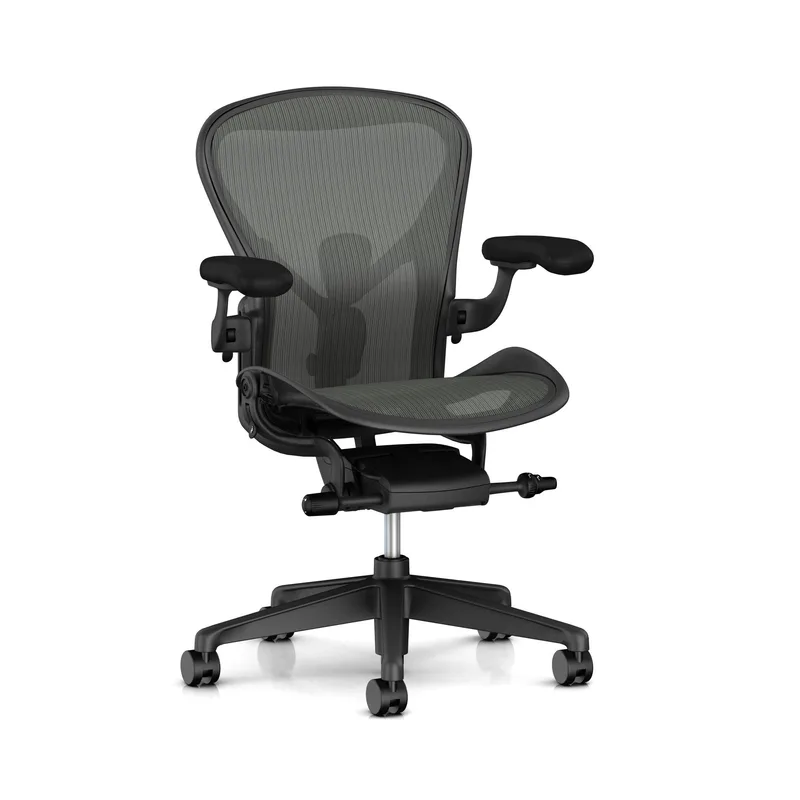
Herman Miller Aeron Size B
Pros
- ✓ PostureFit SL supports both the sacrum and lumbar independently — nothing else does this
- ✓ 8Z Pellicle mesh has zoned tension so the lumbar zone is firmer
- ✓ Breathable mesh never gets hot under extended use
- ✓ Forward tilt keeps hips above knees for natural lumbar curve
Cons
- ✗ Fixed seat depth — no seat slider like on the Steelcase
- ✗ Expensive — starts at $1,521 new
- ✗ Headrest costs extra and it is not great
The Aeron is the chair most physical therapists point to when asked what they recommend. The PostureFit SL system — introduced in the current-generation Aeron — is what separates it from everything else on this list. Most lumbar supports push on one spot. PostureFit SL has two independent adjustment pads: one for the sacrum (the bone at the base of your spine) and one for the lumbar curve above it. You can tune them separately.
The 8Z Pellicle mesh is zoned — the lumbar zone is deliberately firmer than the thoracic zone, which means the chair is providing structural support, not just soft cushioning that collapses under sustained pressure. In 2026, Herman Miller updated production to incorporate ocean-bound recycled plastics, a change that has no impact on ergonomic performance.
Size B fits most adults between 5’7” and 6’2”. If you are outside that range, check the complete guide to ergonomic chairs for lower back pain for sizing guidance. At $1,521, it is expensive — but for someone with a diagnosed lumbar condition or who logs 8+ hours daily, the difference in lumbar quality is real. See are expensive office chairs worth it if you are weighing the investment.
Best for: Professionals who sit 8+ hours daily, have a diagnosed lumbar issue, or want the most precise sacral-and-lumbar support available.
Hbada E3 Pro 2026 Edition — Best New for 2026
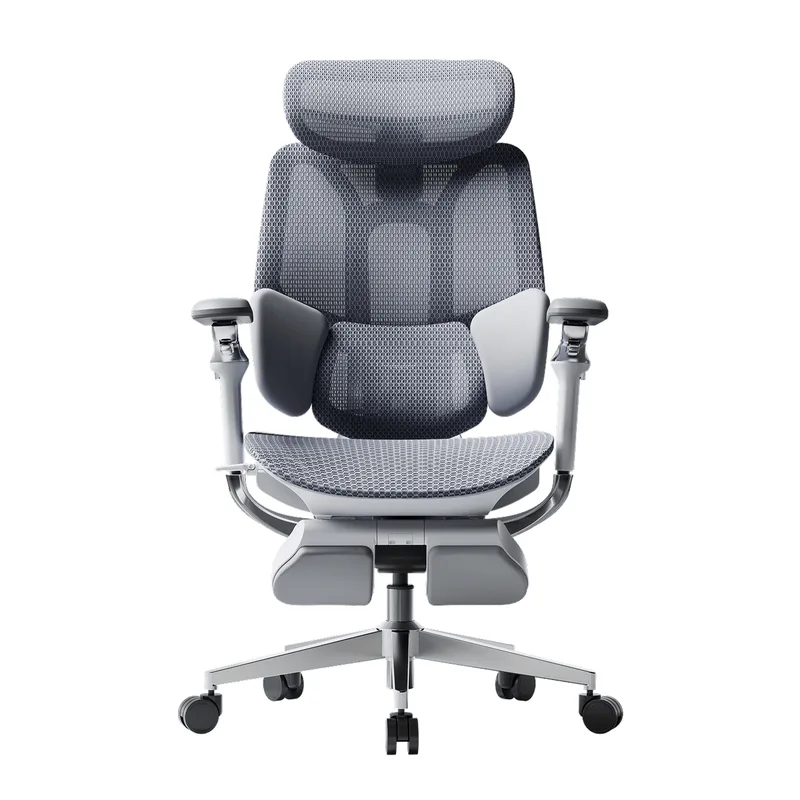
Hbada E3 Pro 2026 Edition
Pros
- ✓ 3-zone floating lumbar supports the full lower back, not just one point
- ✓ 720° rotating armrests support more postures than standard 4D arms
- ✓ Redesigned in 2026 based on 100,000+ real user feedback reports
- ✓ Footrest included — useful for shorter users or recline positions
Cons
- ✗ 300 lb weight cap is on the lower side for the price
- ✗ Footrest eats up some under-desk space
- ✗ Back panel slightly firm at first; loosens after a few weeks
HBADA launched the E3 Pro 2026 Edition earlier this year, calling it “the ultimate $500-class ergonomic office chair” after rebuilding the design around 100,000+ user feedback data points. The key upgrade is the 3-Zone floating lumbar system — rather than a single support point, it hits three zones of the lower back independently and floats on a spring mechanism so it stays in contact as you shift.
The 720° rotating armrests are a genuine differentiator. Standard 4D arms move in four axes; the E3 Pro’s arms rotate in a full 720° arc, which means you can angle them to support your elbows in a way that reduces shoulder tension — shoulder tension being one of the most common contributors to compensatory lower back strain. The headrest is 4D bi-axial adjustable, and a footrest is included in the box.
At $549, it sits in a gap between budget chairs and the big names. Owner reviews point to the lumbar system as the clear standout — most report it noticeably better than any chair they had previously at the $300–$500 range.
Best for: Mid-budget buyers who want a 2026 design specifically engineered for lumbar support, with more adjustability than most chairs in this price range.
Branch Ergonomic Chair Pro — Best Mid-Range
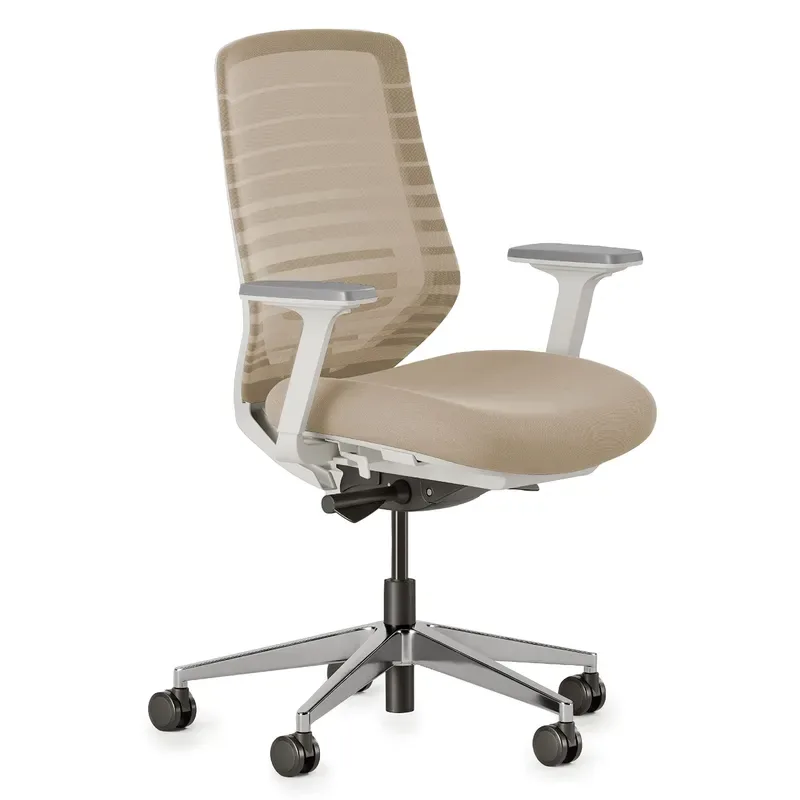
Branch Ergonomic Chair Pro
Pros
- ✓ 14 adjustment points — more than most chairs at this price
- ✓ Lumbar cushion slides up and down to hit your exact pain point
- ✓ 5D armrests move in height, width, depth, pivot, and pad position
- ✓ Forward tilt option helps with active, engaged sitting postures
Cons
- ✗ Some reviewers report a rattle developing over months of use
- ✗ Lumbar pad is soft fabric, not firm mesh — flattens over time
- ✗ 300 lb weight limit
The Branch Ergonomic Chair Pro (launched late 2025, widely available in 2026) earns its spot with 14 adjustment points and a vertically sliding lumbar cushion that is the key differentiator at this price. Most chairs fix the lumbar pad at one height. Branch lets you slide it up or down to put it exactly where your lower back curve peaks. For people with non-standard lumbar positioning — which is most people with chronic pain — this matters more than it sounds.
The 5D armrests (height, width, depth, pivot, pad position) are better than what you get on most $700 chairs. Forward tilt mode is included, which lets you lean into your work without collapsing the lumbar curve the way backward-only recline can.
At $499, it undercuts the Leap V2 by $180 with comparable adjustability. The main trade-off: the lumbar cushion is padded fabric, not a structural lumbar support, so it will soften over years of use. Some owners also report a rattle developing in the seat mechanism after extended use — something Branch has acknowledged. The 7-year warranty should cover any structural issues.
Best for: Budget-conscious buyers who want maximum adjustment points and a lumbar system that can be precisely positioned to their pain zone.
SIHOO Doro C300 — Best Value
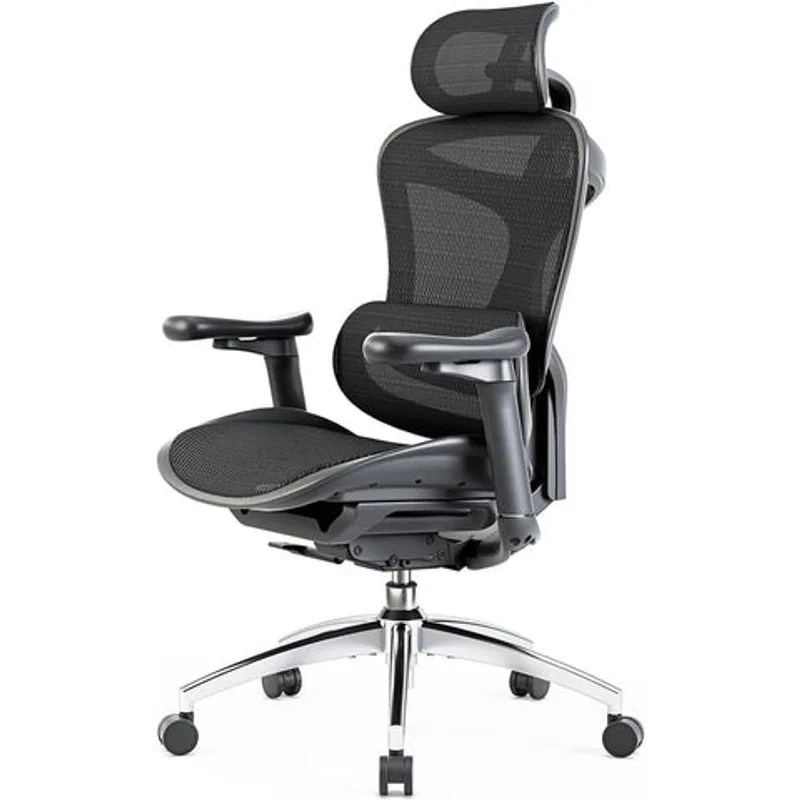
SIHOO Doro C300
Pros
- ✓ Dynamic lumbar floats and adjusts as you shift — no constant manual re-tuning
- ✓ Ultra-soft 3D armrests are noticeably more comfortable than hard plastic pads
- ✓ Seat depth adjustment fits a wide range of leg lengths
- ✓ Solid lumbar design for well under $500
Cons
- ✗ Lumbar adjustment is less precise than premium picks
- ✗ Seat cushion is narrower than chairs in the $600+ range
- ✗ No forward tilt option
The SIHOO Doro C300 takes a different approach to lumbar support: instead of a fixed or manually adjustable pad, it uses a dynamic system that shifts and flexes as your posture changes. The theory is that constant micro-adjustments maintain lumbar contact better than a static pad you set once and forget.
In practice, the C300 works well for people who shift around a lot during the day — leaning forward for focus work, reclining for calls, twisting to reach things. The ultra-soft 3D armrests are a genuine comfort upgrade over the hard plastic found on most chairs in this range. Seat depth is adjustable, which matters for lower back ergonomics since a too-short seat depth causes you to perch forward, losing lumbar contact.
At $279.99, it delivers real lumbar engineering at a sub-premium price. The trade-offs are a narrower seat than the chairs above it and fewer precise adjustments — it does not give you a lumbar firmness dial or a height slider. What it does give you is active support that keeps working even when you are not thinking about it.
Best for: Users in the $250–$400 range who want a dynamic lumbar system rather than a static pad, especially if they tend to shift and move throughout the day.
GABRYLLY Ergonomic Office Chair High Back — Best Budget
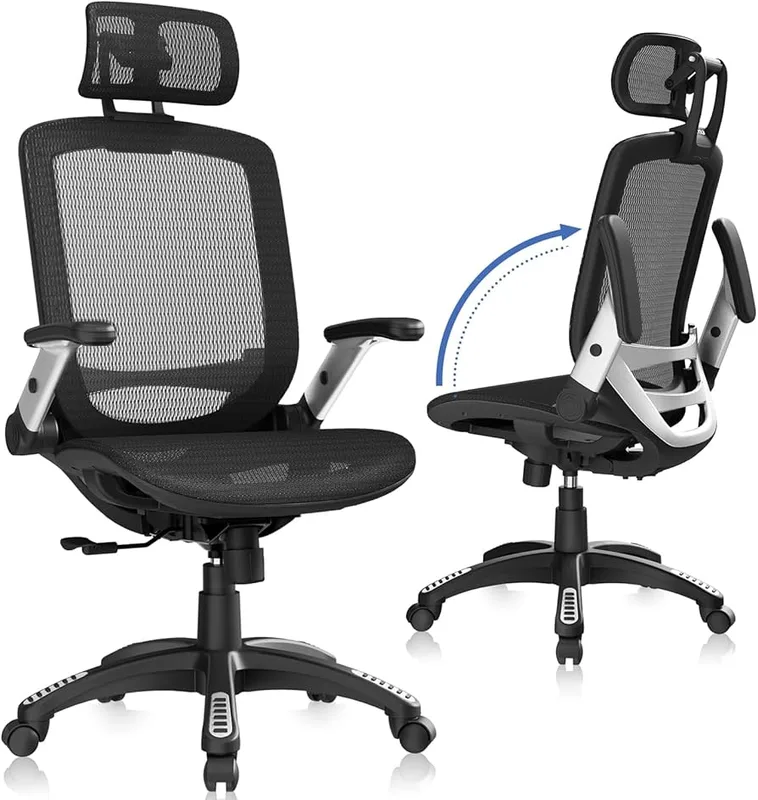
GABRYLLY Ergonomic Office Chair High Back
Pros
- ✓ Under $200 with headrest, flip-up arms, and tilt lock
- ✓ Mesh back keeps airflow decent for long sessions
- ✓ Flip-up arms let you push right up to the desk
- ✓ 300 lb capacity at this price is better than average
Cons
- ✗ Fixed lumbar pad — cannot move it up or down
- ✗ Foam seat compresses noticeably within 12–18 months
- ✗ Limited adjustability compared to everything else on this list
At $189, the GABRYLLY is not going to fix a chronic lumbar condition — no budget chair will. What it does is provide a decent mesh back with a built-in lumbar support pad, an adjustable headrest, and flip-up arms in a package that costs less than one session with a chiropractor. For home office workers who are between chairs, students, or people who only need occasional support, it covers the basics.
The flip-up arms are a practical feature that higher-priced chairs often omit. Push the arms up, roll right to the desk edge. The 90°–120° tilt lock helps if you alternate between active desk work and reclining during calls.
The honest limitation: the lumbar pad is fixed in place, the foam seat compresses within a year or two of daily use, and the overall build quality reflects the price. Think of this as a stopgap or a secondary chair, not a long-term ergonomic solution. For under $300, the SIHOO Doro C300 is the better investment if your back pain is serious.
Best for: Budget-limited buyers who want something better than a basic task chair, students, or a secondary home office chair for occasional use.
Comparison Table
| Chair | Price | Lumbar Type | Adjustments | Weight Cap | Warranty |
|---|---|---|---|---|---|
| Steelcase Leap V2 | $615.00-$1499.00 as of Oct 18, 2026 | LiveBack flexible zone | 14+ | 400 lbs | 12 yr |
| Herman Miller Aeron B | $1649.99 as of Oct 18, 2026 | PostureFit SL (sacrum + lumbar) | 12+ | 350 lbs | 12 yr |
| Hbada E3 Pro 2026 | $538.99 as of Oct 18, 2026 | 3-Zone 8D floating | 22+ | 300 lbs | 5 yr |
| Branch Ergo Pro | Unavailable | Sliding padded cushion | 14 | 300 lbs | 7 yr |
| SIHOO Doro C300 | $299.99-$349.99 as of Oct 18, 2026 | Dynamic adaptive | 8+ | 300 lbs | 3 yr |
| GABRYLLY High Back | $219.50-$239.50 as of Oct 18, 2026 | Fixed pad | 4 | 300 lbs | 1 yr |
Buying Guide: What Actually Matters for Lower Back Pain
Lumbar support type matters more than lumbar support presence
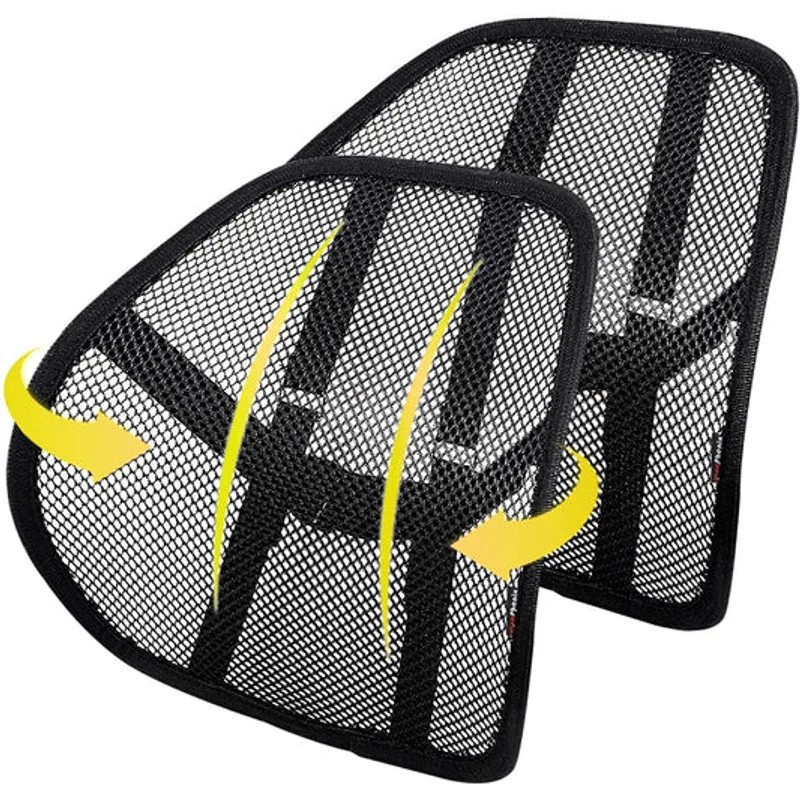
Most chairs advertise “lumbar support.” Very few deliver meaningful lumbar support. The difference is in the mechanism:
- Fixed pad: A foam or plastic bump at a set position. Fine if the bump happens to land where your lumbar curve peaks. Useless if it does not.
- Height-adjustable: Better — you can slide it to match your anatomy. This is the minimum to look for.
- Dynamic/floating: Actively moves as you shift. More forgiving of posture changes. SIHOO’s approach.
- Structural zoned support: The backrest itself is engineered to be stiffer in the lumbar zone. Herman Miller and Steelcase do this. Most effective but most expensive.
Seat depth adjustment
This is underrated. If the seat is too deep, your back slides away from the backrest and you lose lumbar contact. If it is too shallow, your thighs are unsupported. An adjustable seat depth slider (standard on the Steelcase and Branch) lets you set a 2–3” gap between the seat edge and the back of your knees, keeping your pelvis fully supported in the chair.
Forward tilt
Controversial but useful. Forward tilt angles the seat pan slightly downward at the front, tilting the pelvis forward and naturally increasing lumbar curvature. The Branch Pro and Steelcase Leap have it. Many cheaper chairs do not. If you find yourself constantly slouching and losing the lumbar curve, forward tilt can help.
Chair height vs. desk height
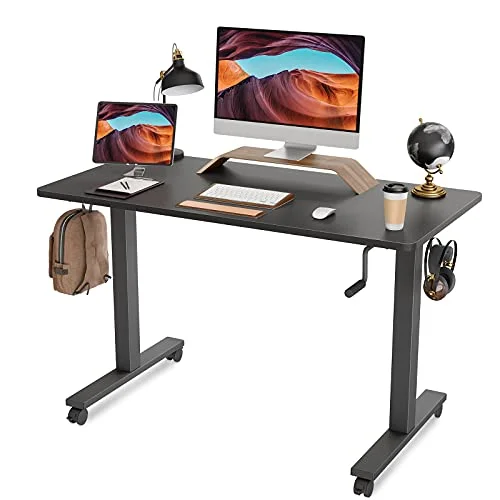
A great ergonomic chair is undermined by a desk that is the wrong height. Your elbows should be at approximately desk height when your arms hang relaxed. If the desk is too high, you hunch your shoulders and lose the lumbar curve. A sit-stand desk or an adjustable-height desk eliminates this entirely. See also best ergonomic seat cushions for 2026 if you need a few extra inches of height adjustment before you can justify a desk upgrade.
Budget reality check
You do not need to spend $1,521 for a chair that helps your lower back. The Steelcase Leap V2 at $679 and the Branch Pro at $499 are both genuinely effective. Below $300, the SIHOO Doro C300 does real lumbar work. Under $200, you are in compromise territory — the Gabrylly at $189 will be better than a basic task chair but will not address a chronic problem.
FAQ
What type of chair is best for lower back pain?
A chair with adjustable lumbar support, adjustable seat depth, and a backrest that tilts rather than just reclines. The Steelcase Leap V2 is the most commonly cited option among ergonomics professionals because of its LiveBack system, which adapts to spinal movement rather than resisting it.
Is a firm or soft lumbar support better?
For most people with lower back pain, firmer is better. Soft foam lumbar pads feel comfortable initially but compress over hours and stop providing structural support. The Herman Miller Aeron’s mesh-based lumbar zone stays firm because it is structural (the mesh is tighter in the lumbar zone), not a foam insert.
Can an office chair fix back pain?
A chair cannot fix underlying structural issues — that requires medical evaluation. But a poorly supported chair causes and exacerbates lower back pain, and switching to a properly adjusted ergonomic chair can significantly reduce pain symptoms according to a systematic review in the Journal of Clinical Medicine (2025). Think of a good chair as removing a source of harm rather than providing treatment.
How do I set up my chair to reduce lower back pain?
Set seat height so your feet are flat on the floor and your knees are at 90°. Push your hips all the way back into the seat. Adjust the lumbar support to contact the curve of your lower back without pushing forward. Set armrests so your elbows are at desk height with relaxed shoulders. Lean back slightly (100–110°) rather than sitting bolt upright. Check out the complete lower back pain chair guide for a full step-by-step setup.
What is the difference between lumbar support and sacral support?
The sacrum is the bone at the very base of the spine, below the lumbar curve. Most chairs only support the lumbar curve (the inward curve of the lower back). The Herman Miller Aeron with PostureFit SL supports both — the sacrum and the lumbar independently. Sacral support helps maintain pelvic tilt, which in turn maintains the lumbar curve. For people with persistent lower back pain, both supports together are significantly more effective than lumbar alone.
How long does a good ergonomic chair last?
Premium chairs from Steelcase and Herman Miller are designed for 12-year warranties and often last 15+ years. Mid-range chairs in the $400–$600 range typically last 5–8 years with the foam and mesh staying functional. Budget chairs under $200 have a realistic useful life of 2–4 years before the foam compresses and structural components loosen.
Conclusion
For most people with lower back pain, the Steelcase Leap V2 is the right answer. The LiveBack system and firm lower back support zone genuinely outperform everything else at that price, and the 400 lb capacity and 12-year warranty make the $679 investment reasonable for daily use.
Step up to the Herman Miller Aeron Size B if you want the most clinically supported lumbar mechanism available. PostureFit SL — with separate sacrum and lumbar adjustments — is in a different class.
On a tighter budget: the Hbada E3 Pro 2026 at $549 and the Branch Ergonomic Chair Pro at $499 are both solid daily drivers with real lumbar engineering. Under $400, the SIHOO Doro C300 offers active lumbar support that punches above its price. And under $200, the GABRYLLY High Back is a reasonable stopgap.
No chair compensates for sitting for eight straight hours. Combine any of these picks with hourly movement breaks and a properly adjusted monitor height for real results. If you are dealing with hip pain alongside lower back pain, see our best chairs for hip and tailbone pain guide for chairs that address both simultaneously.