Working from a home office with a window behind or beside your monitor, or dealing with overhead fluorescent lights that turn your screen into a mirror — these are problems screen protectors were literally built for. In 2026, anti-glare screen protectors have gotten better: more reliable attachment methods, cleaner optical films, and options that combine glare reduction with privacy filters for open-plan offices.
BenQ has been pushing Nano Matte panel technology in high-end monitors this year, with built-in anti-glare treatment at the display level. That’s great for new monitor buyers, but for everyone already working with a glossy screen, a screen protector remains the most practical and affordable fix.
In a hurry? The 3M Anti-Glare Filter (AG270W9B) is the pick for pure glare reduction. If you need both glare protection and screen privacy, go with the Kensington FP270W9 at $95.
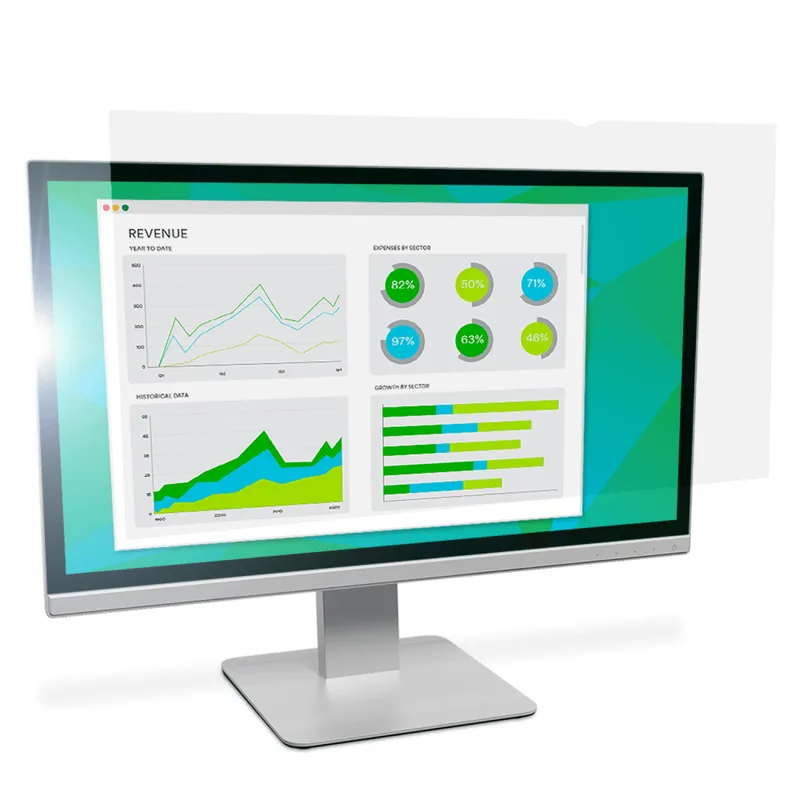
1. 3M Anti-Glare Filter for 27in Monitor — Editor’s Pick
3M Anti-Glare Filter for 27in Monitor (AG270W9B)
Pros
- ✓ Professional-grade 3M optical film reduces glare without muddying image clarity
- ✓ Pure anti-glare without the brightness loss of privacy+glare combos
- ✓ Scratch and fingerprint resistant coating holds up to daily use
- ✓ Removable and re-attachable — leaves no residue
Cons
- ✗ No privacy protection — only reduces glare and reflections
- ✗ Higher price than budget film alternatives
- ✗ One size per purchase — check your exact monitor dimensions first
The 3M AG270W9B uses 3M’s own micro-louvered optical film — the same technology used in corporate workplaces and enterprise environments for decades. It diffuses reflections from windows and overhead lighting without the murky, darkened look you get from cheap alternatives.
What makes this different from budget matte films: it’s pure anti-glare, not a privacy combo. No darkening from the sides. No blue-tint trade-off. Just reduced reflections with the original colors mostly intact. According to owner reports, text sharpness holds up better than with budget options.
It attaches with optically clear adhesive strips that hold firmly but release cleanly when removed. Fingerprint-resistant coating keeps it from building up smudges over time.
It comes in sizes ranging from 19” to 30”, so check your exact diagonal measurement before buying — not just the nominal monitor size.
Best for: Home offices and workstations where glare is the main problem and privacy isn’t a concern.
2. Kensington FP270W9 Privacy Screen — Best for Privacy
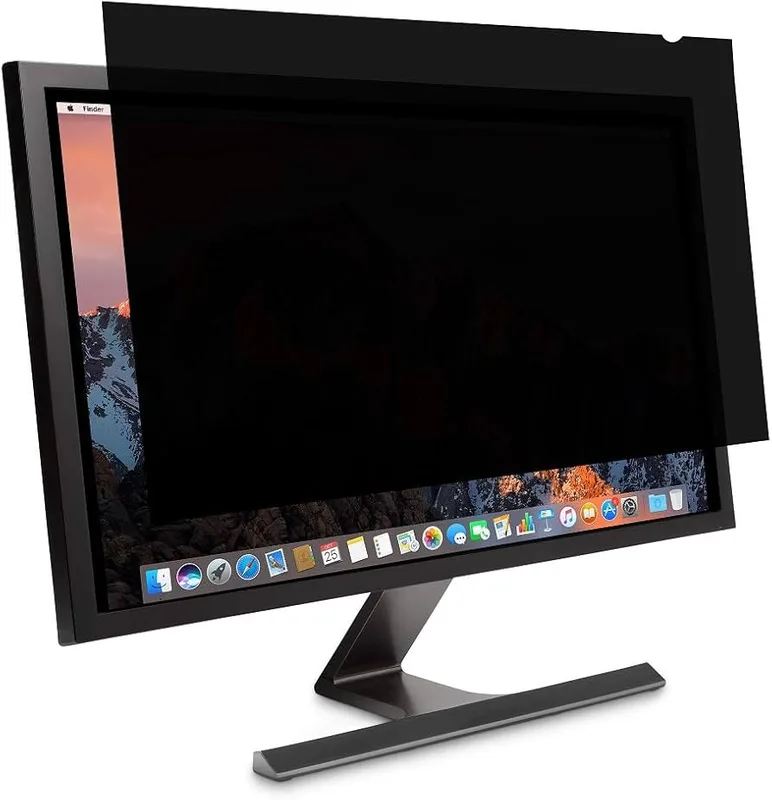
Kensington FP270W9 Privacy Screen for 27in Monitor
Pros
- ✓ Limits viewing angle to ±30 degrees — nobody can shoulder-surf your screen
- ✓ Reversible: flip to glossy side for clearer colors when privacy not needed
- ✓ Reduces blue light by up to 30% without noticeable color shift
- ✓ Anti-glare matte coating handles both window glare and ceiling light reflections
Cons
- ✗ Most expensive option in this roundup
- ✗ Privacy tinting darkens the screen slightly even on matte side
- ✗ Requires careful measurement — ensure 16:9 ratio, not 16:10
If you work in an open-plan office, a co-working space, or anywhere strangers can glance at your screen, the Kensington FP270W9 solves two problems at once. The privacy angle is ±30 degrees — anyone off to the side sees a dark screen. Straight-on viewing stays clear.
The matte side handles glare, the glossy side is clearer for solo work. Flip it depending on your lighting situation and when working in a shared space. Blue light reduction comes in at up to 30%, which is noticeable on long work sessions without making the screen look yellow.
Kensington products are built for enterprise use — TAA compliant, regularly stocked at B2B suppliers, and designed to survive repeated install/removal cycles without adhesive degradation.
The $95 price is steep compared to non-privacy options, but you’re getting two functions for one purchase. If your workplace handles sensitive data, this pays for itself quickly.
Best for: Open-plan offices, co-working spaces, and anyone working with confidential data.
3. SightPro 27 Inch Privacy Screen — Best for Open Offices
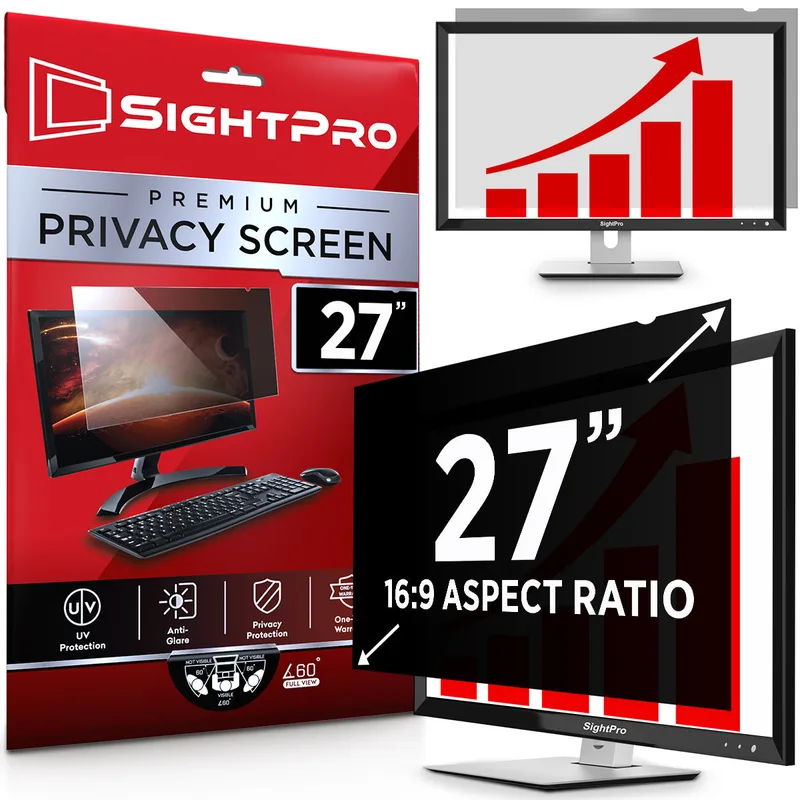
SightPro 27 Inch Privacy Screen Filter
Pros
- ✓ US-based brand with responsive customer support and 60-day return window
- ✓ Dual installation: adhesive strips or slide-on tabs if your monitor has a bezel
- ✓ Reduces glare and UV while maintaining readable brightness levels
- ✓ Reversible matte/glossy sides for different lighting conditions
Cons
- ✗ Slight color shift compared to unfiltered viewing
- ✗ Slide mount tabs only work on monitors with a raised bezel
- ✗ Not the cheapest option for pure anti-glare without privacy
SightPro is a US-based company that makes nothing but privacy screen filters, and the quality shows. The 27 Inch filter does the same privacy + anti-glare combination as the Kensington at about $33 less.
The standout feature is the dual installation method. If your monitor has a raised bezel, you can use the slide mount tabs — attach them once, then slide the filter on and off in seconds. That’s genuinely useful when you’re moving between private work and collaborative sessions. The adhesive strip method is the fallback for bezel-less monitors.
The 60-day return policy and responsive US-based support make it lower-risk to try than lesser-known brands. Owner feedback consistently praises the customer service for dealing with sizing mistakes.
The trade-off: the matte side does add a slight color shift, and the tint is more noticeable than on the 3M pure anti-glare. But for privacy + anti-glare in a mid-range budget, it’s the most polished option.
Best for: Open offices where you want quick on/off installation and reliable customer support.
4. VINTEZ 27 Inch Privacy Screen — Best Value
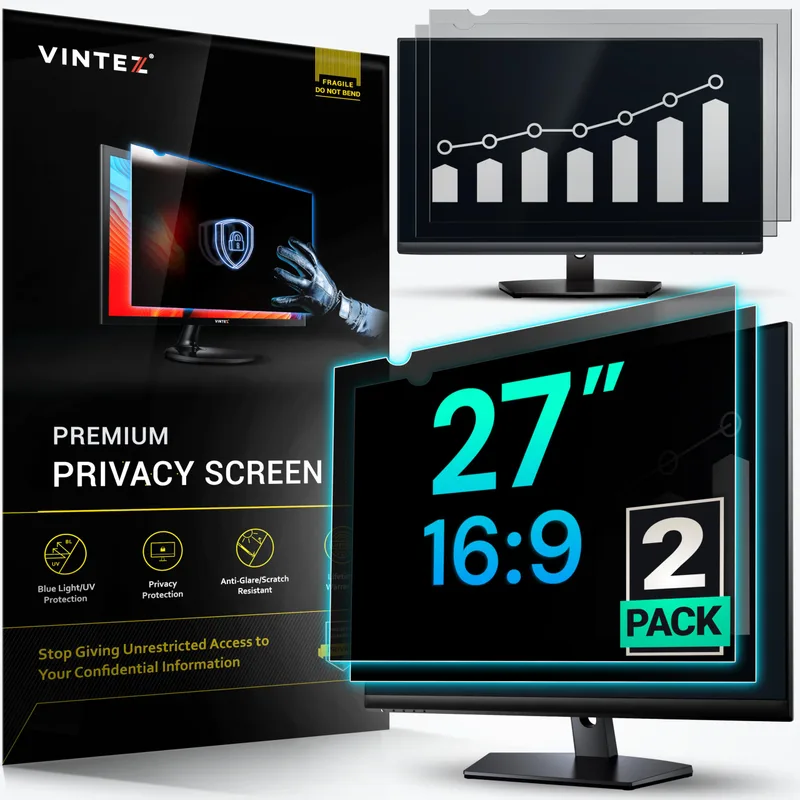
VINTEZ 27 Inch Privacy Screen Monitor Filter
Pros
- ✓ Lifetime replacement policy — unusually strong guarantee for this price point
- ✓ Filters blue light and UV in addition to anti-glare
- ✓ Compatible with HP, Samsung, Dell, ASUS, LG, and other major brands
- ✓ Reversible gloss/matte sides so you choose the finish for your environment
Cons
- ✗ Some owner reports of a slight yellow tint on the glossy side
- ✗ Ships from Vintez directly — delivery slower than Prime-eligible options
- ✗ Narrower privacy angle (27°) vs Kensington's 30° — less aggressive privacy
VINTEZ’s 27 Inch filter comes in at $52 with a lifetime replacement warranty — the strongest guarantee in this category. If it doesn’t fit your monitor, they’ll swap it. If the film degrades, they’ll replace it.
The filter covers blue light and UV in addition to anti-glare, making it more comprehensive than the 3M pure filter at a similar price. The reversible design (glossy vs. matte) lets you choose the finish: matte for glare-heavy environments, glossy when you want slightly better color fidelity.
The privacy angle starts at 27 degrees rather than 30 degrees, so the privacy effect is slightly less aggressive than the Kensington or SightPro. In a well-separated office setup that’s usually fine — you’d need to be almost 90 degrees from center before the screen fully blacks out.
Some owner reports mention a slight yellow tint on the glossy side when using the screen in dim lighting. Not a dealbreaker, but worth knowing.
Best for: Home office workers who want glare + blue light protection in one package and strong warranty coverage.
5. F FORITO 2-Pack 27 Inch Anti-Glare Matte — Best Budget
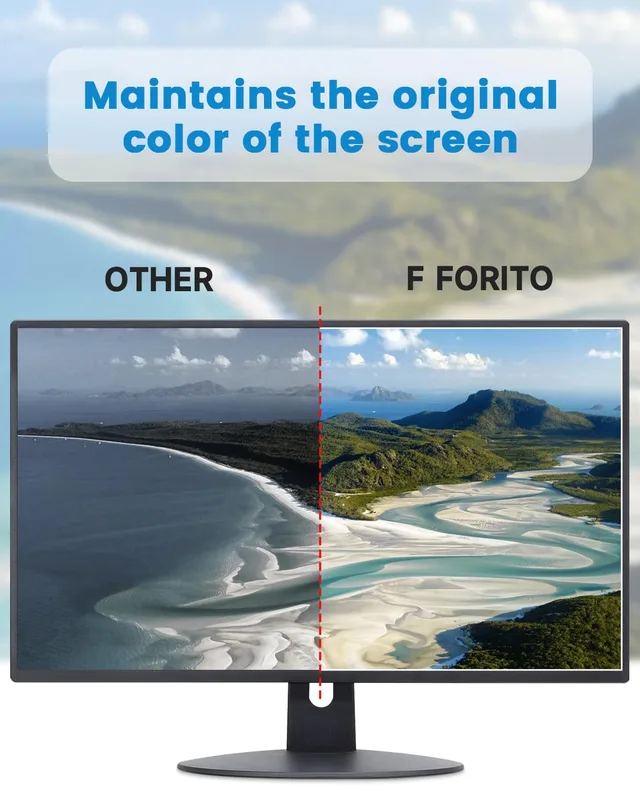
F FORITO 2-Pack 27 Inch Anti-Glare Matte Screen Protector
Pros
- ✓ Two screens for the price of one — use the second as a backup or second monitor
- ✓ Electrostatic adhesion attaches without glue or residue
- ✓ Noticeably reduces glare from overhead office lighting at a very low cost
- ✓ Compatible with Sceptre, Acer, ASUS, Dell, LG, AOC, Samsung, HP monitors
Cons
- ✗ Matte coating softens image sharpness more than premium optical film
- ✗ No privacy protection whatsoever
- ✗ Thinner film more prone to wrinkling during installation
For $20 you get two screens. That’s the FORITO pitch, and for basic glare reduction in a home office it delivers. The electrostatic adhesion method means no glue — the film clings to the screen by static and peels off cleanly.
The matte coating diffuses overhead lighting reflections effectively. It’s not going to approach the optical quality of the 3M film, and you’ll notice some loss of sharpness compared to an unfiltered screen — but at this price, it handles the primary job.
The second screen in the pack means you have a spare if the first gets damaged, or you can use it on a second monitor for a matching setup.
No privacy protection. No meaningful blue light filtering. If those are priorities, spend more and get the SightPro or Kensington instead.
Best for: Budget-conscious home office workers who just need basic glare reduction from windows or overhead lights.
Comparison: Anti-Glare Screen Protectors for Monitors
| Product | Price | Size | Type | Privacy | Blue Light | Rating |
|---|---|---|---|---|---|---|
| 3M AG270W9B | Unavailable | 27” | Anti-glare only | No | No | 9.2 |
| Kensington FP270W9 | $51.16-$98.51 as of Oct 18, 2026 | 27” | Privacy + anti-glare | ±30° | Up to 30% | 8.8 |
| SightPro 27” | $49.49 as of Oct 18, 2026 | 27” | Privacy + anti-glare | ±30° | Yes | 8.4 |
| VINTEZ 27” | $51.29-$53.99 as of Oct 18, 2026 | 27” | Privacy + anti-glare + blue light | 27° | Yes | 8.0 |
| FORITO 2-Pack | Unavailable | 27” | Anti-glare only (x2) | No | Minimal | 7.5 |
All products also available in 21.5”, 24”, and 32” sizes — check the brand’s listings for your exact monitor size.
How to Choose an Anti-Glare Screen Protector for Your Monitor
Do You Actually Need Privacy?
Anti-glare and privacy are often bundled together, but they’re different things. Anti-glare diffuses reflections — it helps with windows, overhead lights, and indirect light sources. Privacy filters limit the viewing angle so people beside you can’t read your screen.
If you work alone at home, you probably don’t need the privacy component. A pure anti-glare filter like the 3M AG270W9B will give you clearer colors since it’s not adding the privacy darkening layer.
If you’re in an open plan office or frequently share workspace with others, the privacy combo (Kensington, SightPro, VINTEZ) handles both problems at once.
Sizing: It Matters More Than You’d Think
Manufacturers sell screen protectors by monitor size (24”, 27”, 32”), but those numbers are diagonal measurements — not actual filter dimensions. Two 27” monitors from different brands can have slightly different bezels and exact panel dimensions.
Before buying, check your monitor’s spec sheet for the exact panel size. Then verify the filter’s physical dimensions (usually listed in the product description) match. Most 27” 16:9 monitors have a panel of roughly 23.5” x 13.2” — but check your specific model.
Matte Film vs. Glass Protectors
Budget anti-glare products use flexible film. Premium options also use film, but with higher-grade optical coatings. Glass protectors (common for phones, less so for monitors) are rarer in this category but offer harder scratch protection.
For desktop monitors, film is the standard. Glass would add significant weight and usually requires custom sizing. Stick to film.
Blue Light Filtering: Does It Help?
The research on blue light and sleep disruption is mixed — the effect is real but relatively modest for most people. If you work late evenings and notice trouble sleeping, a blue-light filter can help. If you’re just looking to reduce glare during the day, it’s not the priority feature.
Several products in this roundup (Kensington, VINTEZ, SightPro) include blue light reduction as part of the privacy combo. The 3M pure anti-glare filter doesn’t include it — if blue light reduction is a priority, one of the combo options may make more sense.
Attachment Methods
- Adhesive strips: Permanent-ish but removable. Best for monitors you don’t move.
- Slide mount tabs: Quick on/off for monitors with a bezel. SightPro does this well.
- Electrostatic film (FORITO): Clings without glue. Easiest removal but can shift if bumped.
Frequently Asked Questions
Do anti-glare screen protectors actually work?
Yes, noticeably so. A quality anti-glare film or filter diffuses direct reflections from windows and ceiling lights, making your screen readable in environments where it would otherwise look like a mirror. The optical quality varies — 3M and Kensington use better materials than budget brands — but all the products in this roundup do reduce glare meaningfully.
Will an anti-glare filter make my screen darker?
Slightly. All filters reduce some light transmission. Pure anti-glare filters (like the 3M) have less brightness loss than privacy+anti-glare combos, which need the darker film to achieve the side-viewing blackout effect. Budget matte films typically reduce brightness more than premium optical films at the same glare-reduction level.
Can I use an anti-glare filter on a curved monitor?
Most anti-glare film filters are flexible enough to fit curved monitors with mild to moderate curvature (1500R to 1800R). Very aggressive curves (1000R or tighter) may cause the film to lift at the edges. Check the product listing to confirm curved monitor compatibility.
Are these universal, or do I need one for my specific monitor brand?
Anti-glare filters are sold by size (e.g., “27 inch 16:9”) not by brand. If your monitor is 27” with a 16:9 aspect ratio and the filter is made for 27” 16:9 monitors, it will fit — regardless of whether your monitor is Dell, LG, ASUS, Samsung, or another brand. Aspect ratio matters: 16:10 monitors (slightly taller) need a 16:10 filter.
How do I clean an anti-glare screen protector?
Use a dry microfiber cloth or a lightly dampened (not wet) microfiber cloth. Avoid paper towels, which can scratch the coating. Don’t use alcohol-based cleaners or ammonia-based glass cleaner on the filter itself — these degrade anti-glare coatings over time.
Do anti-glare screen protectors reduce eye strain?
Indirectly, yes. Reducing glare reduces the constant eye adjustment your pupils make when bright reflections compete with the screen content. Over a full work day, that reduced pupil strain adds up. This is different from (and separate from) blue light filtering, which addresses a different mechanism of digital eye strain.
Conclusion: Which Anti-Glare Screen Protector Should You Buy?
For most home office workers dealing with window glare or overhead lights, the 3M AG270W9B is the cleanest solution at $60. The optical quality is noticeably better than budget films, and the pure anti-glare approach without the privacy layer means your colors stay accurate.
If you’re in an open-plan environment where screen privacy matters, the Kensington FP270W9 at $95 handles both problems in one. It’s the most complete solution for shared workspaces.
The SightPro 27” at $62 is worth considering if you want privacy + anti-glare at a lower price than Kensington, with the bonus of US-based customer support and flexible installation options.
On a tight budget? The FORITO 2-Pack at $20 gets the job done for basic glare reduction. You’ll give up some image sharpness compared to premium options, but for basic home office use, it works.
All of these are available in multiple sizes. Check your monitor’s aspect ratio (16:9 is standard, 16:10 is taller and less common) before buying.
Looking to reduce eye strain beyond screen protection? Pair your anti-glare filter with a properly positioned monitor arm and an ergonomic chair — the complete standing desk setup guide covers monitor positioning in detail.