Wireless charging desk mats had a genuine breakout moment at CES 2026. ESR announced a full Qi2.2 lineup pushing 25W, Journey launched the ALTI Lift with Qi2 15W fast charging and a built-in rotating phone stand, and suddenly the category went from “niche accessory” to “thing I actually want.” The concept is simple: your desk mat charges your phone when you set it down, no plugging in required. Your phone is always charged, your desk has one less cable, and you’ll never scramble for a charger before a call again.
If you’re already looking at a standing desk setup or upgrading your desk accessories, a wireless charging mat is one of the highest-value upgrades you can make. The best option overall is the Journey ALTI Lift — Qi2 15W, a rotating phone stand, and a dual-surface design at $149.99. For most people, though, the ZAGG desk mat at around $50 hits the sweet spot.
1. Journey ALTI Lift Wireless Charging Desk Mat — Editor’s Pick
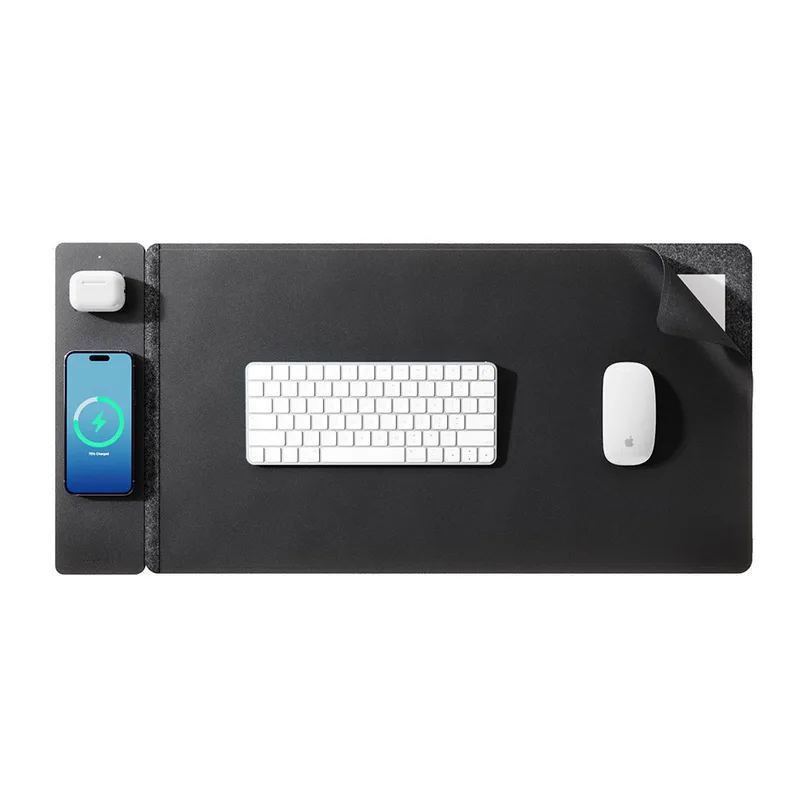
Journey ALTI Lift Wireless Charging Desk Mat
Pros
- ✓ Qi2 15W fast charging — the fastest you'll get on a desk mat
- ✓ Rotating phone stand doubles as a display perch for video calls
- ✓ Dual-surface design (flip for felt or leather depending on mood)
- ✓ Hidden storage layer keeps cables and accessories out of sight
Cons
- ✗ 30W USB-C wall adapter not included — budget for one
- ✗ Direct-only brand, no Amazon listing
- ✗ Priciest option on this list at $149.99
The ALTI Lift earned a Macworld Editors’ Choice award in January 2026, and for good reason. It’s the only desk mat on this list with Qi2 certified 15W charging — meaningful if you own an iPhone 13 or newer — plus a rotating and tilting phone stand that snaps into the side of the mat. That stand is genuinely clever: it holds your phone at eye level for video calls, then tucks away when you don’t need it.
The dual-surface design is a nice bonus. One side is warm premium felt; flip it and you get a cooler vegan leather surface. Hidden storage between the layers sounds gimmicky until you actually use it to stash a cable or a few sticky notes. The mat measures 28.7” x 14.6” — large enough for a full keyboard and mouse footprint.
The catch: Journey sells direct only. You won’t find this on Amazon. The $149.99 price also stings, and the 30W USB-C wall adapter is not included (budget another $15–20). But if you want the best wireless charging desk mat available in 2026, this is it.
Journey ALTI Lift Wireless Charging Desk Mat
Pros
- ✓ Qi2 15W fast charging — the fastest you'll get on a desk mat
- ✓ Rotating phone stand doubles as a display perch for video calls
- ✓ Dual-surface design (flip for felt or leather depending on mood)
- ✓ Hidden storage layer keeps cables and accessories out of sight
Cons
- ✗ 30W USB-C wall adapter not included — budget for one
- ✗ Direct-only brand, no Amazon listing
- ✗ Priciest option on this list at $149.99
Best For: Power users, iPhone owners who want Qi2 fast charging, people who want their mat to pull double duty as a phone stand.
2. ZAGG Mouse Pad Desk Mat with Wireless Charging — Best Value
ZAGG Mouse Pad Desk Mat with Wireless Charging
Pros
- ✓ Premium felt surface looks and feels genuinely high-end
- ✓ Integrated USB-C cable means no extra adapter hunting
- ✓ Compatible with MagSafe iPhones and standard Qi Android devices
- ✓ Desk organizer groove keeps styluses and pens from rolling
Cons
- ✗ 10W only — not Qi2, won't hit peak speeds on newer iPhones
- ✗ Felt surface shows dust and fingerprints more than cloth
- ✗ Single charging spot means one device at a time
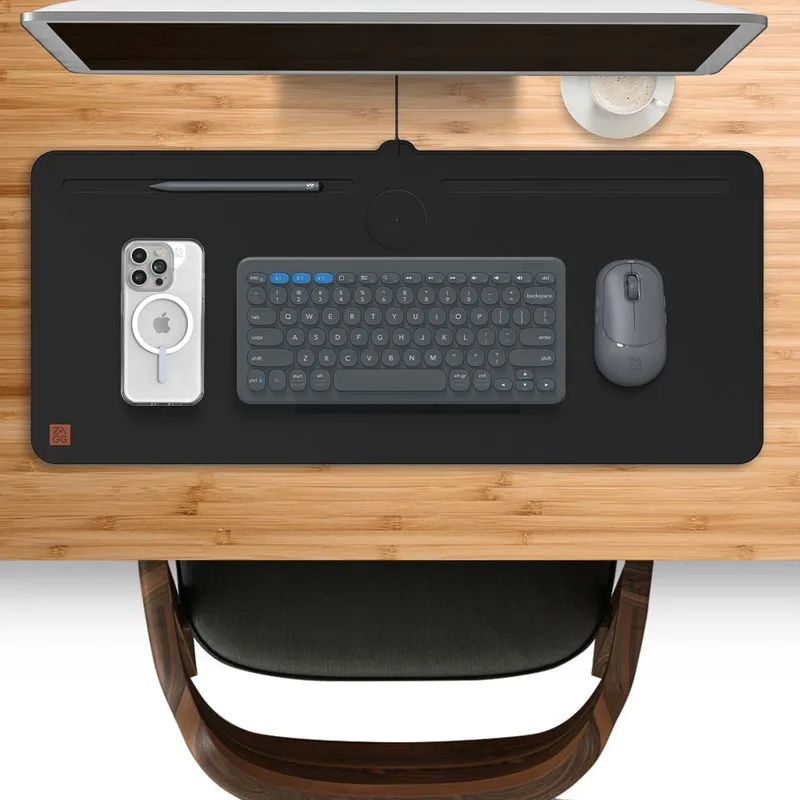
The ZAGG desk mat is what I’d recommend to most people. It’s around $50 on Amazon, has a premium pressed-felt surface that looks far more expensive than it costs, and uses an integrated USB-C cable so there’s nothing to lose or plug in. The 10W Qi charging is compatible with MagSafe iPhones and Android Qi devices alike.
The felt surface has a distinctly upscale look that works in a home office without screaming “gaming setup.” There’s a slim groove near the edge for a stylus or pen, which is a small but thoughtful touch. The non-slip rubber base holds firm on wood, glass, or laminate.
The 10W ceiling is the honest tradeoff. It won’t charge a newer iPhone at Qi2’s maximum 15W, and it won’t charge multiple devices simultaneously. But for keeping your phone topped up while you work — which is the whole point — 10W is plenty fast. The ZAGG regularly goes on sale for under $30, making it an even easier recommendation.
ZAGG Mouse Pad Desk Mat with Wireless Charging
Pros
- ✓ Premium felt surface looks and feels genuinely high-end
- ✓ Integrated USB-C cable means no extra adapter hunting
- ✓ Compatible with MagSafe iPhones and standard Qi Android devices
- ✓ Desk organizer groove keeps styluses and pens from rolling
Cons
- ✗ 10W only — not Qi2, won't hit peak speeds on newer iPhones
- ✗ Felt surface shows dust and fingerprints more than cloth
- ✗ Single charging spot means one device at a time
Best For: Home office workers who want a clean, premium-looking mat without gaming aesthetics.
3. ASUS ROG Balteus Qi — Best for Gamers
ASUS ROG Balteus Qi Wireless Charging Mouse Pad
Pros
- ✓ Hard micro-textured surface delivers precise mouse tracking for gaming
- ✓ 15-zone Aura Sync RGB looks sharp in any gaming setup
- ✓ USB pass-through port is genuinely useful for connecting peripherals
- ✓ Built-in LED charging indicator shows when your phone is aligned
Cons
- ✗ Portrait/vertical format is unusual — takes getting used to
- ✗ Standard Qi only, not Qi2
- ✗ Smaller footprint than full desk mats — keyboard sits off the pad
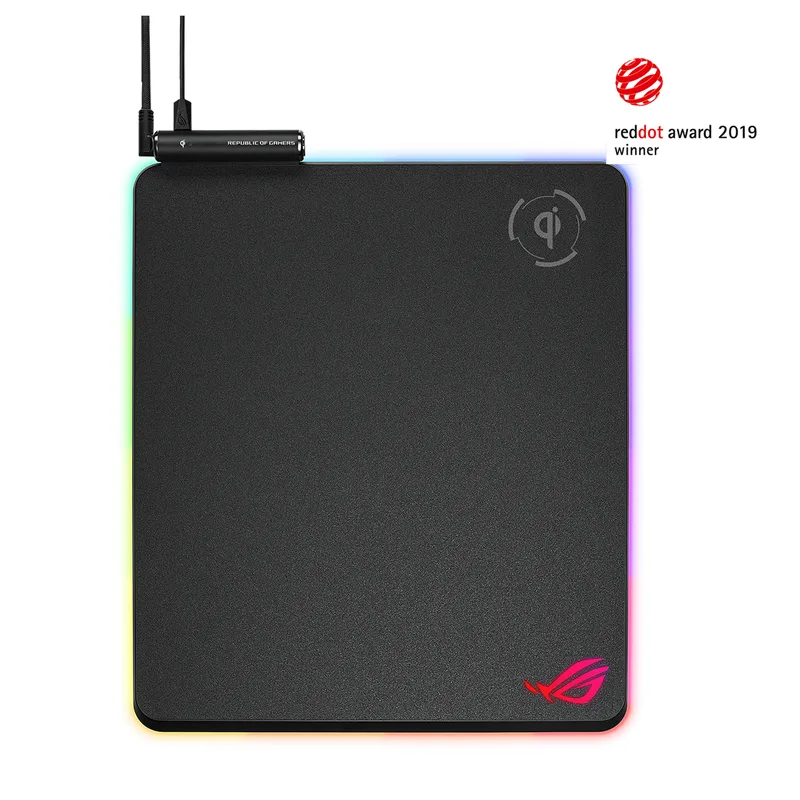
The ROG Balteus Qi takes a different approach to the format. It’s a hard micro-textured gaming surface in a portrait/vertical orientation (12.6” x 14.6”), with a Qi wireless charging zone at the top, 15 individually customizable Aura Sync RGB zones across the surface, and a USB 2.0 pass-through port on the side.
The hard surface is the key differentiator. If you play games where surface friction matters — FPS titles, MOBAs — a hard pad delivers more consistent mouse tracking than cloth. The Balteus pairs that precision with wireless charging so you’re not giving anything up. The RGB is legitimately well-done: 15 zones is enough resolution to show effects across the pad, and Aura Sync integration means it matches your keyboard, GPU, and case lighting.
The portrait format is odd at first. It places the charging zone at the top of a taller-than-wide pad rather than a standard horizontal desk mat. Some users love having the phone directly in front of them to the right; others find it awkward. At 12.6” x 14.6”, this covers your mouse area only — your keyboard will sit on the desk surface beside it. If you want a full desk-spanning mat with gaming pedigree, this isn’t it.
ASUS ROG Balteus Qi Wireless Charging Mouse Pad
Pros
- ✓ Hard micro-textured surface delivers precise mouse tracking for gaming
- ✓ 15-zone Aura Sync RGB looks sharp in any gaming setup
- ✓ USB pass-through port is genuinely useful for connecting peripherals
- ✓ Built-in LED charging indicator shows when your phone is aligned
Cons
- ✗ Portrait/vertical format is unusual — takes getting used to
- ✗ Standard Qi only, not Qi2
- ✗ Smaller footprint than full desk mats — keyboard sits off the pad
Best For: PC gamers who want wireless charging integrated into their gaming surface without sacrificing tracking performance.
4. GIM RGB Gaming Mouse Pad with Wireless Charging
GIM RGB Gaming Mouse Pad with Wireless Charging
Pros
- ✓ 15W Qi fast charging — faster than the Corsair MM1000 it replaces
- ✓ 10 RGB lighting modes add visual flair to a gaming setup
- ✓ Full desk mat size covers keyboard and mouse area
- ✓ Charging indicator LED confirms phone alignment
Cons
- ✗ No USB pass-through port — the main trade-off vs. the Corsair MM1000
- ✗ 9V/2A power adapter not included — budget for one
- ✗ Less name-brand recognition than Corsair or ASUS
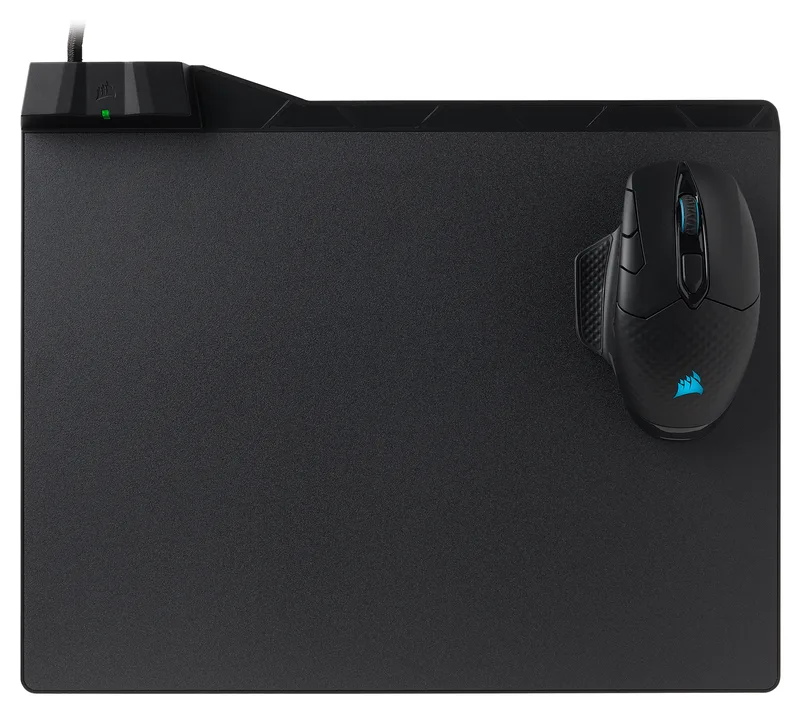
The GIM fills the slot for gamers who want wireless charging integrated into their desk setup without spending $99–$149 on the ASUS ROG Balteus. At around $40, it’s a soft cloth extended desk mat (31.5” x 11.8”) with 15W Qi fast charging built in — faster than what the older Corsair MM1000 offered — and 10 RGB lighting modes that look sharp in any gaming setup.
The soft micro-woven cloth surface tracks well with both optical and laser mice, and the non-slip rubber base with stitched edges keeps the mat in place and prevents fraying over time. A charging indicator LED confirms when your phone is correctly aligned on the coil. The mat is waterproof, so spills wipe clean.
The honest trade-offs: there’s no USB pass-through port (unlike the old MM1000), and the 9V/2A power adapter needed to reach full 15W isn’t included. A standard 5W USB charger will still charge devices, just slower. GIM is also a less-recognized brand than Corsair or ASUS — but at this price, the value is hard to argue with.
GIM RGB Gaming Mouse Pad with Wireless Charging
Pros
- ✓ 15W Qi fast charging — faster than the Corsair MM1000 it replaces
- ✓ 10 RGB lighting modes add visual flair to a gaming setup
- ✓ Full desk mat size covers keyboard and mouse area
- ✓ Charging indicator LED confirms phone alignment
Cons
- ✗ No USB pass-through port — the main trade-off vs. the Corsair MM1000
- ✗ 9V/2A power adapter not included — budget for one
- ✗ Less name-brand recognition than Corsair or ASUS
Best For: Gamers who want RGB aesthetics and wireless charging in a full desk mat format without paying premium brand prices.
5. Officity Wireless Charging Desk Mat — Best Budget
Officity Wireless Charging Desk Mat
Pros
- ✓ 15W Qi charging at a sub-$35 price is genuinely impressive
- ✓ Full desk mat size covers keyboard and mouse area
- ✓ Water-resistant surface wipes clean easily
- ✓ Non-slip base stays put even on glass or laminate desks
Cons
- ✗ Charging alignment spot requires some trial and error
- ✗ Stitched edges can fray with heavy daily use over time
- ✗ Not Qi2 — charging is slower on newer iPhones than Qi2 pads
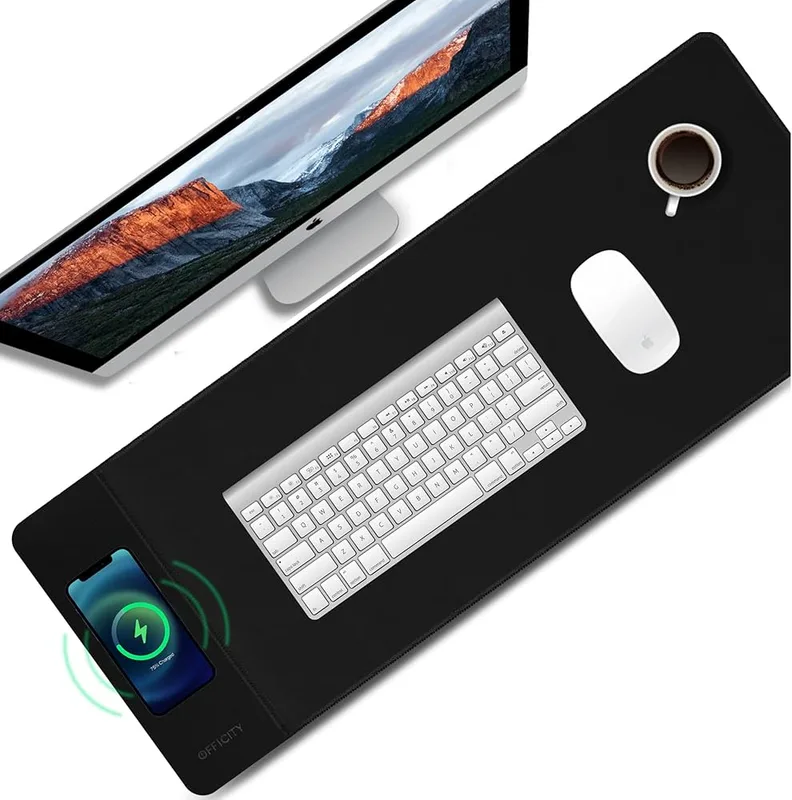
At around $30, the Officity is the only full desk mat format on this list under $35. It spans 31.49” x 11.81” — wide enough for a keyboard and mouse side by side — and still manages 15W Qi charging. The smooth cloth surface is water-resistant and wipes clean with a damp cloth. The non-slip rubber base holds on both wood and glass desks.
Owner reports are fairly positive for the price: charging works reliably once you learn the sweet spot location, and the mat stays flat without curling at the edges. The main complaints from real users are that the stitching can fray over time with heavy use, and the single charging spot requires deliberate phone placement rather than the seamless “put it anywhere” experience you get from pads with larger coils.
This isn’t the mat I’d buy if budget wasn’t a concern. But if $30 is your ceiling, the Officity is a real desk mat with working wireless charging — not a watered-down mini pad.
Officity Wireless Charging Desk Mat
Pros
- ✓ 15W Qi charging at a sub-$35 price is genuinely impressive
- ✓ Full desk mat size covers keyboard and mouse area
- ✓ Water-resistant surface wipes clean easily
- ✓ Non-slip base stays put even on glass or laminate desks
Cons
- ✗ Charging alignment spot requires some trial and error
- ✗ Stitched edges can fray with heavy daily use over time
- ✗ Not Qi2 — charging is slower on newer iPhones than Qi2 pads
Best For: Budget shoppers, students, and anyone who wants to try wireless charging desk mats without committing to a premium product.
Complete the Setup
A charging mat solves the cable problem on your desk, but it introduces a couple of new ones: most of these need a wall adapter that isn’t in the box, and none of them come with anywhere to prop your phone if you don’t buy the Journey ALTI Lift. These three products round out the setup.
Anker Nano Power Strip (Desk Clamp)
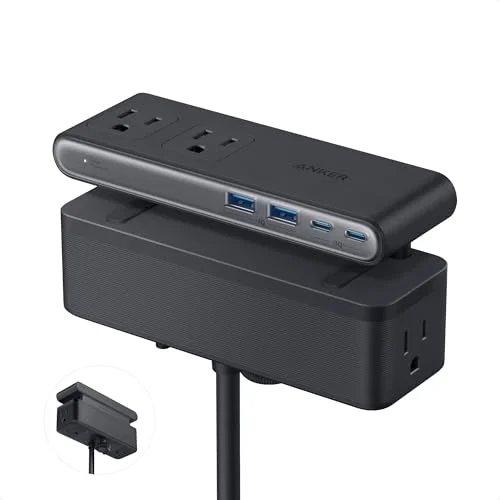
Two mats on this list — the Journey ALTI Lift and the GIM — need a wall adapter you have to buy separately to hit their full charging speed. Instead of adding one more brick plugged into an already-crowded outlet, a clamp-mount power strip like this keeps the adapter off the desk entirely and leaves outlets free for your laptop charger and monitor.
Anker Nano Power Strip (Desk Clamp, A9196)
Pros
- ✓ 70W combined USB-C output covers the wall adapter every Qi2/15W mat on this list needs but doesn't include
- ✓ Clamp mount keeps the adapter off the desk surface instead of adding another brick next to your mat
- ✓ Outlets spread across three sides so bulky adapters don't block each other
- ✓ Powers your mat's adapter plus a laptop charger and a monitor without hunting for a second outlet
Cons
- ✗ Most expensive strip in its category, especially before Anker's frequent sales
- ✗ Clamp needs a desk edge under 1.8 inches thick
- ✗ Overkill if you only need power for the mat itself
Lamicall Foldable Phone Stand for Desk
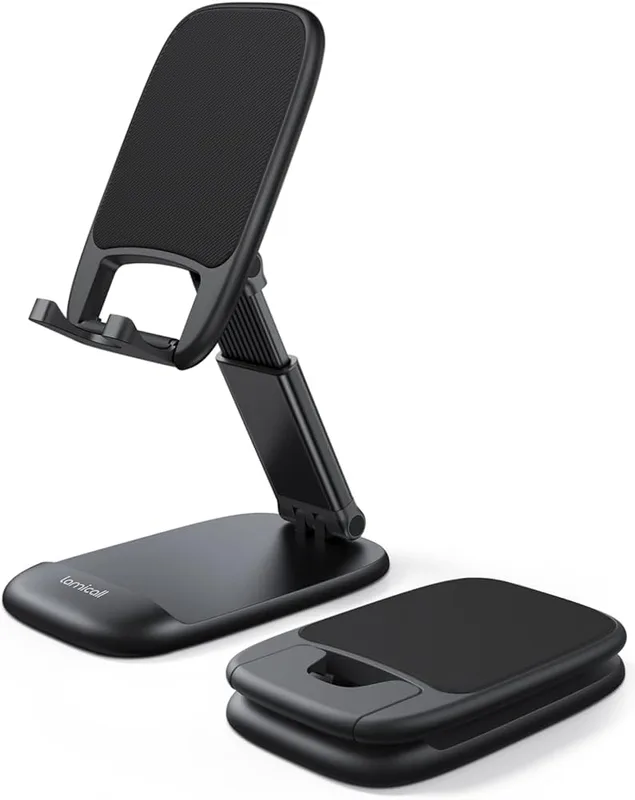
Only the Journey ALTI Lift includes a built-in stand. If you’re charging your phone flat on one of the other four mats, it’s face-down on the desk during calls — not ideal. A cheap folding stand next to the charging zone gives you the same eye-level-on-calls benefit the ALTI Lift charges a premium for.
Lamicall Foldable Phone Stand for Desk
Pros
- ✓ Props your phone at eye level for calls on any mat that doesn't include a built-in stand
- ✓ Weighted metal base stays planted even when tapping the screen while it's charging
- ✓ Folds flat in seconds if you want the desk clear for other work
- ✓ Anti-slip silicone pads protect the mat surface underneath
Cons
- ✗ Height range tops out at 3.2 inches — not full eye level for everyone
- ✗ One more accessory to sit next to the mat instead of on it
- ✗ No MagSafe attachment
Simple Houseware Mesh Desk Organizer
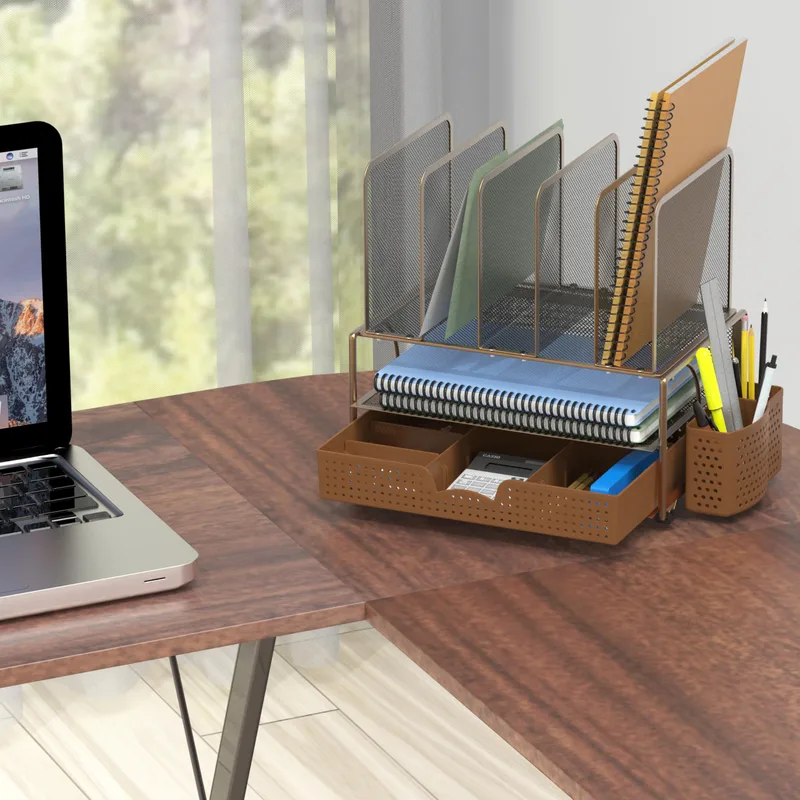
A charging mat is supposed to cut down on desk clutter, but the spare USB-C cable, the wall adapter you’re not using at the moment, and the little cleaning cloth that ships with some of these mats all need somewhere to live. A mesh organizer keeps that gear a few inches from the mat instead of loose on the desk.
Simple Houseware Mesh Desk Organizer
Pros
- ✓ Keeps the USB-C cable, spare adapter, and cleaning cloth that come with a charging mat out of sight but within reach
- ✓ 35,000+ Amazon reviews back up consistent build quality
- ✓ 5 upright sections handle notebooks and folders without collapsing
- ✓ Steel mesh lets you see what's inside at a glance
Cons
- ✗ Black color only (silver and copper differ slightly in section count)
- ✗ Front-facing design isn't suited to very deep desks
- ✗ No dedicated slot for a bulky wall adapter
Wireless Charging Desk Mat Comparison Table
| Product | Price | Charging Standard | Max Watts | Size | Surface |
|---|---|---|---|---|---|
| Journey ALTI Lift | $149.99 | Qi2 | 15W | 28.7” x 14.6” | Felt / Vegan Leather |
| ZAGG Desk Mat | $48.00 as of Oct 18, 2026 | Qi / MagSafe | 10W | Full desk mat | Premium Felt |
| ASUS ROG Balteus Qi | Unavailable | Qi | 10W | 12.6” x 14.6” | Hard Micro-Textured |
| GIM RGB Wireless Charging Mat | Unavailable | Qi | 15W | 31.5” x 11.8” | Soft Cloth |
| Officity Desk Mat | Unavailable | Qi | 15W | 31.49” x 11.81” | Smooth Cloth |
Buying Guide: What to Look for in a Wireless Charging Desk Mat
Qi vs. Qi2 — Does It Actually Matter?
Qi2 is the 2026 update to the wireless charging standard, offering 15W charging for compatible iPhone 13 and newer devices (versus 7.5W under older Qi). For Android phones, Qi2 matters less — most Android fast wireless charging uses proprietary protocols that work over standard Qi anyway.
Bottom line: If you own an iPhone 13 or newer and care about charging speed, get a Qi2 mat. The Journey ALTI Lift is the only one here that qualifies. For everyone else, a standard 10–15W Qi mat charges your phone at a useful rate throughout the workday.
Size: Mouse Pad vs. Full Desk Mat

This is the biggest category split. “Mouse pad” size mats (the ROG Balteus) cover your mouse area only — roughly 12–15” in each direction. “Full desk mat” size products (ZAGG, Officity, GIM, Journey ALTI Lift) cover your keyboard and mouse together, running 28–36” wide.
If you want a mat that looks like it belongs on a grown-up desk and doubles as a desk pad, go for full mat size. If you want wireless charging integrated into your existing gaming mouse pad position, the smaller format works.
Surface Material: Cloth, Felt, or Hard?
- Cloth (GIM, Officity): Classic gaming pad feel, good mouse tracking, comfortable wrist rest
- Felt (ZAGG, Journey ALTI Lift): Premium aesthetic, quieter surface, shows dust more easily
- Hard micro-textured (ROG Balteus): Best for FPS gaming precision, wipes completely clean, firm feedback
Phone Alignment
Standard Qi requires reasonably precise phone placement on the charging coil. Higher-end mats use larger coils or indicator lights to reduce frustration. The Journey ALTI Lift eliminates the problem entirely with a dedicated phone stand. If you switch positions frequently or tend to slam your phone down and forget it, look for mats with a visual indicator LED.
Budget Expectations
- Under $55: Officity ($30) and GIM ($40) and ZAGG ($50) cover this range well. All deliver 10–15W Qi charging in a full mat format.
- $100–$150: ROG Balteus ($149) — premium gaming hard-surface mat with wireless charging built in.
- Over $140: Journey ALTI Lift ($149.99) is the only option with Qi2. Worth it if you’re building a refined workspace and own a recent iPhone.
FAQ
Do wireless charging desk mats work with phone cases?
Most Qi desk mats charge through cases up to about 3–5mm thick. Thin silicone, plastic, and leather cases are universally fine. Very thick rugged cases or cases with metal plates (for magnetic car mounts) can block charging. Qi2 mats, like the Journey ALTI Lift, are generally more tolerant of case thickness due to higher magnetic alignment force.
Can wireless charging desk mats charge AirPods or earbuds?
Yes — any Qi-compatible wireless earbuds charge on these mats, including AirPods Pro, AirPods 4, and most Samsung Galaxy Buds. You typically need to set the case in the charging zone. The Journey ALTI Lift can charge a phone on the stand and AirPods on the mat simultaneously.
Do wireless charging desk mats interfere with mouse tracking?
No. The charging coil sits beneath the surface and does not affect optical or laser mouse sensors. Both the cloth and hard surface mats on this list have been confirmed to work with popular gaming mice without interference or tracking jitter.
Are wireless charging desk mats safe to use all day?
Yes, with a caveat. Leaving a phone charging on a Qi mat all day is fine — the mat and phone negotiate charge rate and stop pulling power when full. Heat is the main concern: phone cases should be removed if you notice significant warmth during extended charging. The Journey ALTI Lift’s Qi2 certification includes tighter thermal management specs than older Qi products.
What wattage adapter do I need?
Most mats draw between 5W and 18W during active charging. A standard USB-C 18W or 20W adapter is sufficient for all options here. The Journey ALTI Lift specifically recommends a 30W adapter to ensure the stand charges at full 15W Qi2 speed while the mat’s USB-C cable is in use.
Can I use a wireless charging mat with a standing desk?
Absolutely — and it’s one of the best pairings. The mat stays on the desk surface regardless of height adjustments, and having your phone charge automatically while you’re standing means it’s always ready to grab. If you’re building out a standing setup, check out our full standing desk setup guide and our roundup of the best desk accessories for remote work.
Final Verdict
The wireless charging desk mat category in 2026 is better than it’s ever been, and there’s a clear pick at every price point.
The Journey ALTI Lift ($149.99) is the best wireless charging desk mat available right now. Qi2 15W, a rotating phone stand, dual surfaces, and enough premium details to justify the price if you’re building a serious workspace.
The ZAGG desk mat (~$50) is what most people should buy. Premium felt surface, MagSafe/Qi compatible, integrated cable, no fuss. It regularly goes on sale under $35.
The ASUS ROG Balteus Qi ($149) is the right pick if you’re a gamer who wants precise hard-surface tracking with charging built in.
The GIM RGB Mat ($40) earns its spot as the budget gaming option — 15W Qi charging and RGB lighting in a full desk mat format for less than half the price of the ROG Balteus.
The Officity ($30) is the honest budget pick — a full desk mat with real wireless charging for less than the price of a standalone wireless charger.
One thing they all have in common: after a week of use, plugging your phone in at your desk will feel genuinely annoying. That’s the real test.