If your headphones are sitting flat on a hard desk surface every day, you’re slowly compressing the headband padding and tangling the cable. For $30–$80, a proper stand protects that investment, clears desk clutter, and looks good doing it. The “battlestation” desk setup trend has only accelerated in 2026, and headphone stands have become a standard part of any organized workspace.
The best overall pick is the Elago H Stand — premium aluminum, scratch-free padding, and a sub-$35 price make it hard to beat. For buyers who want a USB hub built-in, the Satechi USB Hub Stand adds three USB 3.0 ports for $10 more. Below, every option is covered from a $29.99 slim stand to the full-featured Corsair ST100 RGB.
Quick Comparison: Best Headphone Stands for 2026
| Stand | Price | Material | USB Ports | RGB | Best For |
|---|---|---|---|---|---|
| Elago H Stand | $49.99 as of Oct 18, 2026 | Aluminum | None | No | Minimalist setups |
| Satechi USB Hub V2 | Unavailable | Aluminum | 3x USB 3.0 | No | Mac/productivity desks |
| Oakywood Walnut | $65.00 as of Oct 18, 2026 | Solid Walnut | None | No | Premium aesthetics |
| Corsair ST100 RGB | Unavailable | Aluminum/ABS | 2x USB 3.1 | 9-zone | Gaming battlestations |
| Satechi Slim | Unavailable | Aluminum | None | No | Budget Apple setups |
1. Elago H Stand — Editor’s Pick
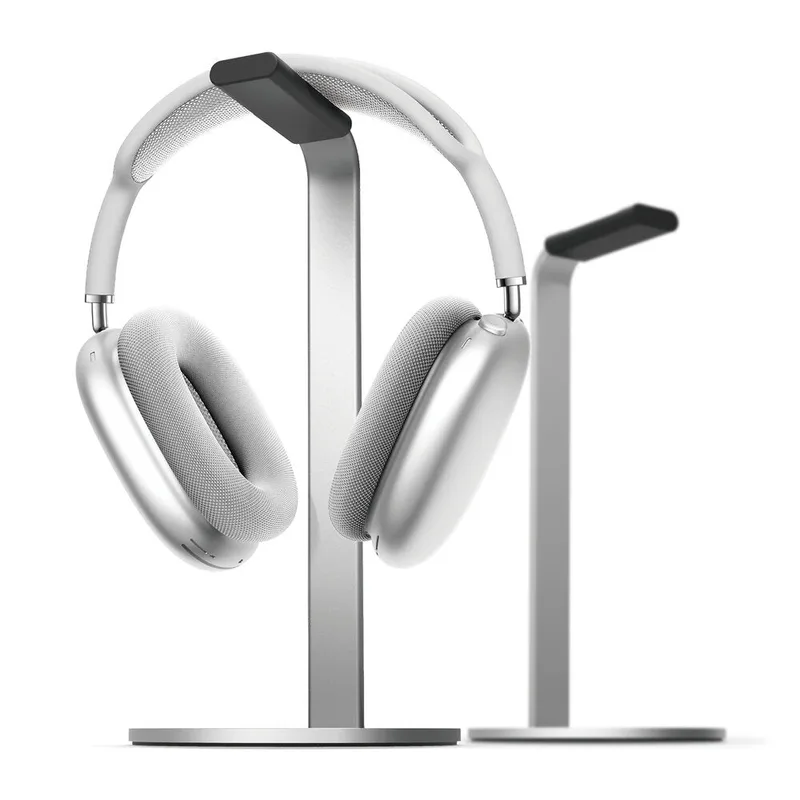
Elago H Stand
Pros
- ✓ Full aluminum construction feels premium and looks expensive
- ✓ Scratch-free silicone padding protects headband and ear cups from marks
- ✓ Weighted base stays planted even with heavier headsets
- ✓ Three colorways including Champagne Gold match Apple and minimalist setups
Cons
- ✗ No USB ports, charging, or cable management features
- ✗ Very minimalist — if you want extra functionality, look elsewhere
- ✗ Only one stand height — not adjustable
The elago H Stand is the kind of product that seems almost too simple until you actually put it on your desk. Full premium aluminum, scratch-free silicone on the hanger, silicone base that actually grips — and it comes in three finishes including a Champagne Gold that matches AirPods Max and Apple peripherals perfectly.
At 10.5 inches tall, it’s designed specifically with headphone proportions in mind. Most stands are either too short (headphones graze the desk) or so tall they wobble with heavier cans. The elago handles Sony XM5s, Bose QuietComfort 45s, and full-size audiophile headphones alike without flinching.
There’s nothing extra here. No USB hub, no RGB, no charging. For a lot of people, that’s the point. The stand earns its desk space purely on design and build quality.
Best for: Minimalist setups, audiophiles, Apple workspace aesthetics.
2. Satechi Aluminum USB Hub Headphone Stand V2 — Best Value
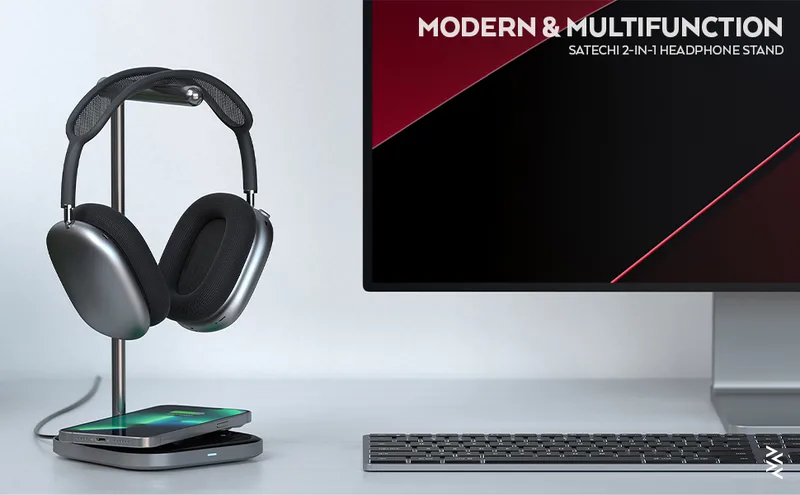
Satechi Aluminum USB Hub Headphone Stand V2
Pros
- ✓ Three USB 3.0 ports turn the stand into a mini hub — keyboard, mouse, and flash drive all connect
- ✓ 3.5mm AUX port lets you plug wired headphones in at desk level instead of reaching around the PC
- ✓ Brushed aluminum matches MacBooks and Apple peripherals beautifully
- ✓ Rear cable management hook routes cords behind the stand
Cons
- ✗ USB ports are data transfer only — no charging capability
- ✗ Only available in Space Gray; no color options
- ✗ Ten-dollar premium over the slim version for a feature some users won't need
The Satechi V2 solves a specific frustration: not enough USB-A ports on modern MacBooks. The stand’s base houses three USB 3.0 data ports and a 3.5mm AUX jack, so your keyboard, mouse, and a flash drive all connect through the stand itself. That’s legitimate desk decluttering beyond just storing headphones.
One important note: the USB ports are data transfer only. They won’t charge a phone or other devices. If you need charging ports, look at the Corsair ST100 instead. But for plugging in peripherals and routing the 3.5mm headphone cable to somewhere accessible, the V2 is the most functional stand at this price.
The brushed aluminum finish matches the MacBook Pro color palette closely, and the rear cable hook keeps the USB cables from spilling out the front. If your desk runs a MacBook setup with a lot of dongles, this stand consolidates the chaos for $39.99.
Best for: Mac users who need USB-A expansion, productivity desks, anyone who hates dongles.
3. Oakywood Handcrafted Walnut Headphone Stand — Best for Aesthetics
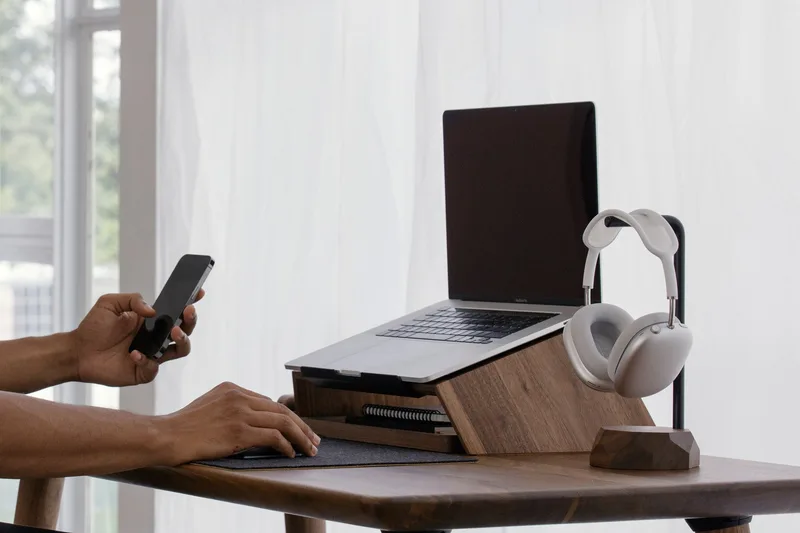
Oakywood Handcrafted Walnut Headphone Stand
Pros
- ✓ Genuine solid walnut — every stand has a unique grain pattern
- ✓ Rich chocolate tone looks striking on light-colored desk surfaces
- ✓ Non-toxic wax oil coating preserves the wood's natural texture without sealing the pores
- ✓ Steel base is heavy enough that even full-size cans won't tip it
Cons
- ✗ No functional extras — it's a beautiful stand and nothing more
- ✗ Wood needs occasional re-oiling to maintain the finish over time
- ✗ Ships from Poland — delivery takes longer for US buyers
Most desk accessories are aluminum, plastic, or a combination of the two. The Oakywood Walnut stand is the exception — solid, handcrafted walnut wood on a powder-coated steel base, made in Poland by a small team using traditional woodworking techniques.
The walnut version has that deep chocolate-brown grain you can’t replicate with veneer or stain. Each stand looks slightly different because no two pieces of wood are the same. Non-toxic wax oil preserves the natural pores of the wood rather than sealing them with lacquer, which means the texture is smooth but still feels like real wood rather than plastic with a wood pattern.
The steel base is heavier than it looks and keeps the stand planted even with large over-ear headphones. The 11.8-inch height works for everything from Apple AirPods Max to Beyerdynamic DT 990 Pros.
At $65, you’re paying for craftsmanship and materials, not features. There’s no USB hub or cable management beyond the stand itself. For some desks — especially those with natural wood surfaces, plants, or an analog aesthetic — the Oakywood is the only stand worth considering.
Best for: Premium wood desk setups, remote workers who care about workspace aesthetics, gifts.
4. Corsair ST100 RGB Premium Headset Stand — Best for Gaming
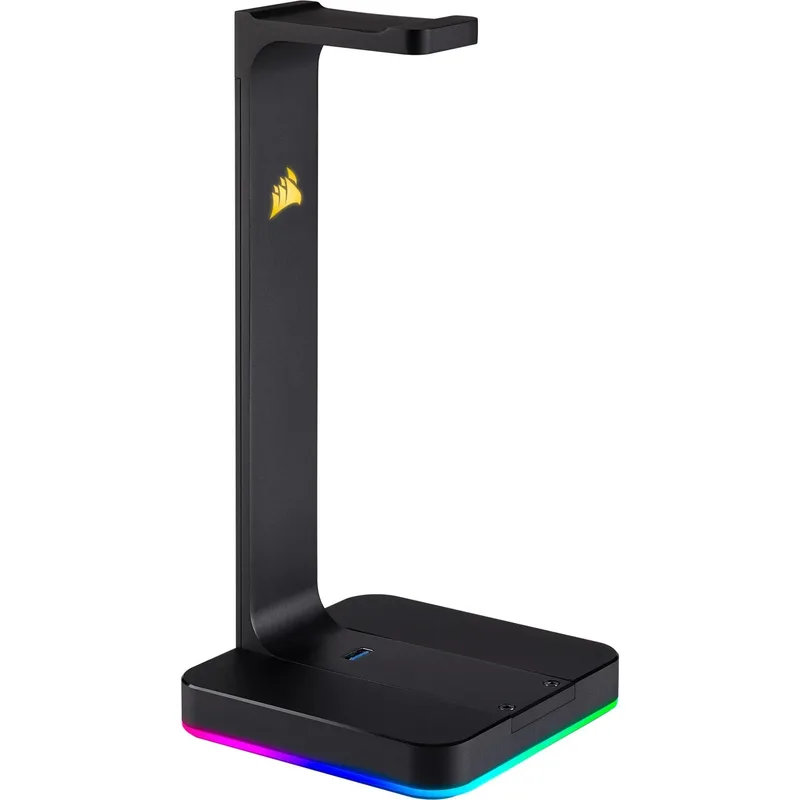
Corsair ST100 RGB Premium Headset Stand
Pros
- ✓ Virtual 7.1 surround sound works with any wired headset — no separate DAC needed
- ✓ Two USB 3.1 ports actually charge devices, unlike data-only hubs
- ✓ Nine-zone RGB syncs with other Corsair peripherals through iCUE software
- ✓ Rubberized base grips glass, wood, and mat surfaces without sliding
Cons
- ✗ RGB and iCUE are overkill if you don't already use Corsair peripherals
- ✗ Larger footprint than minimalist stands — takes up meaningful desk space
- ✗ Premium price means you're paying for gaming features you may not use
The Corsair ST100 is the only stand on this list that actually does something with your audio. The built-in 3.5mm DAC delivers virtual 7.1 surround sound to any wired headset — not just Corsair headsets, any headset with a 3.5mm cable. For gaming, that spatial audio positioning can genuinely help with competitive play.
Two USB 3.1 ports sit on the base and actually charge devices (unlike the Satechi hub). Combined with the 9-zone RGB lighting controlled through Corsair’s iCUE software, the ST100 turns a headphone stand into a functional centerpiece for battlestation setups.
At $79.99, it’s the priciest stand here, and the RGB/iCUE ecosystem becomes genuinely useful only if you already use Corsair peripherals. For a desk running a Corsair keyboard, mouse, and headset, the ST100 completes the setup. For an otherwise non-Corsair desk, you’re paying for features you won’t fully use.
The aluminum frame handles heavy gaming headsets with ease, and the rubberized base doesn’t slide on glass, wood, or desk mats. If you want the most functional headphone stand and play games with a wired headset, this is it.
Best for: Corsair ecosystem setups, gamers who want 7.1 surround without a separate DAC, RGB battlestations.
5. Satechi Aluminum Slim Headphone Stand — Best Budget
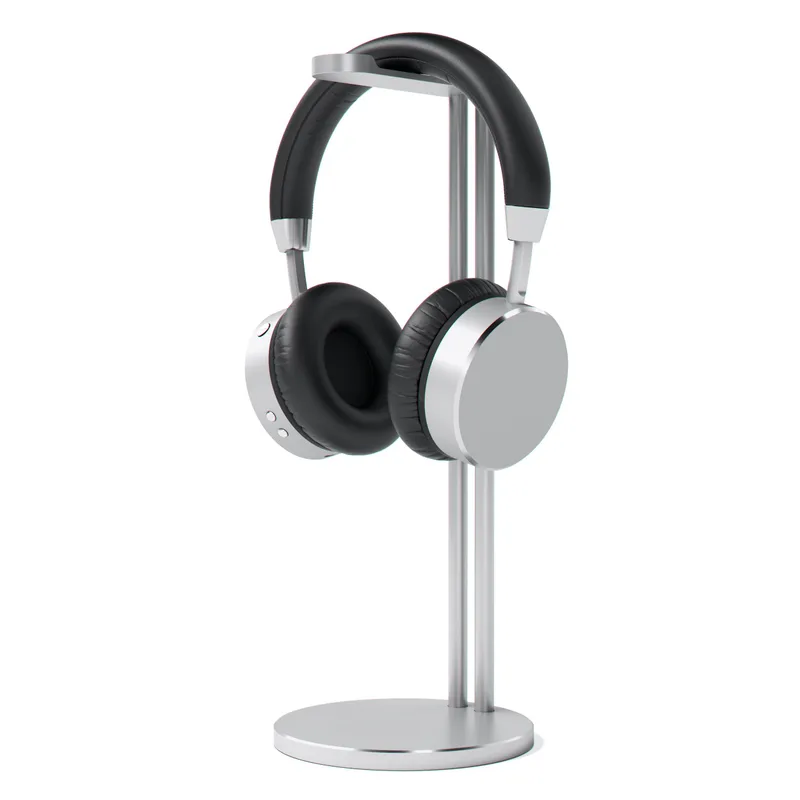
Satechi Aluminum Slim Headphone Stand
Pros
- ✓ Satechi build quality at the lowest price point in their lineup
- ✓ Four color options including Rose Gold — more choices than any other stand here
- ✓ Slim, narrow profile fits in tight spots between monitors and desk items
- ✓ Rear cable hook keeps desk tidy without a USB hub
Cons
- ✗ No USB ports or AUX — pure headphone storage only
- ✗ Bare aluminum on the hanger arm — no silicone padding unlike the elago
- ✗ No adjustability in height or angle
The slim version removes the USB hub from the V2 and drops the price to $29.99. What’s left is a clean, brushed aluminum stand in four color options — Silver, Space Gray, Gold, and Rose Gold — with a rear cable hook for simple cord management.
The hanger arm is bare brushed aluminum rather than silicone-padded like the Elago. Over time, uncoated metal on headband padding can leave micro-marks, so it’s worth checking your headphone’s headband material before committing. Hard plastic headbands are fine; soft leather and fabric headbands may show wear over years of daily contact.
For an Apple-adjacent desk with color-matched peripherals, the Rose Gold or Silver versions look deliberate rather than generic. The slim profile fits between a monitor and a desktop speaker without consuming space. If you want Satechi build quality without paying for the USB hub, this is the call.
Best for: Apple setups on a budget, tight desk spaces, buyers who only need headphone storage.
Headphone Stand Buying Guide
Desk Stand vs. Under-Desk Hook vs. Clamp Mount
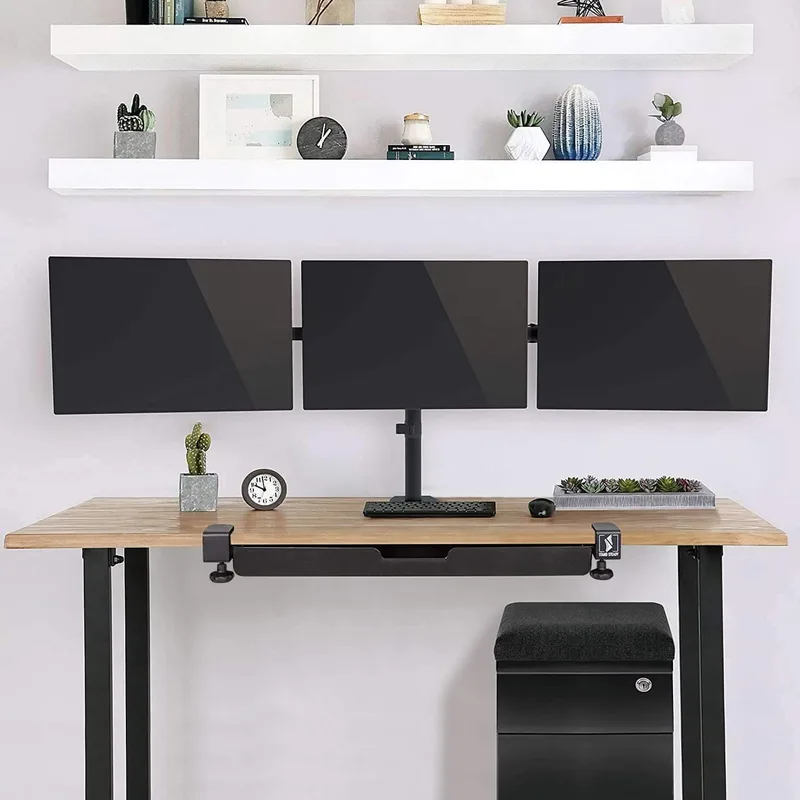
Desk stands (all five picks here) sit on the desk surface and display your headphones while keeping them accessible. Best for frequent use — one motion to grab and one to return.
Under-desk hooks mount beneath the desk with adhesive or a clamp. They free up desk surface area but require reaching under the desk. Good for headphones you use occasionally rather than daily.
Clamp mounts attach to the desk edge. They’re adjustable and don’t use desk surface space, but the clamp can interfere with desk drawer pulls or cable routing.
Materials That Matter
Aluminum stands (Elago, Satechi, Corsair) stay cool, resist dents, and clean easily with a microfiber cloth. The main variance is in the padding: the Elago’s silicone-coated hanger protects premium headband materials better than bare metal.
Solid wood stands (Oakywood) look the best but require occasional maintenance. Wax oil finishes need re-application every 12–18 months to stay protected.
ABS plastic is fine for budget picks not featured here, but it scratches easily and feels less premium over time.
Weight Capacity and Headset Compatibility
Most desktop headphone stands handle anything up to 500g comfortably. Gaming headsets with large ear cups and boom microphones (250–400g) need a base that’s proportionally weighted. The Corsair ST100 and Oakywood Walnut handle heavier headsets best due to their lower center of gravity bases.
AirPods Max (386g) fit all five stands listed here without issue.
USB Hub Stands: What to Expect
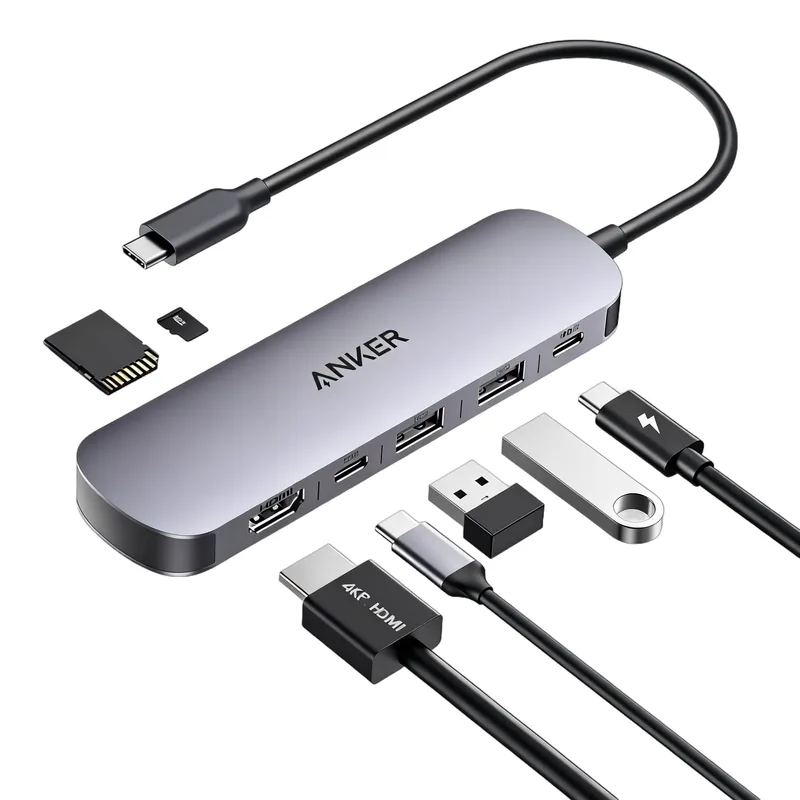
A USB hub built into a headphone stand is convenient but comes with limitations. The Satechi V2’s three USB 3.0 ports are data only — keyboard and flash drive, not phone charging. The Corsair ST100’s USB 3.1 ports do charge devices. Know which you need before buying.
FAQ
Do headphone stands damage headphones over time?
Stands with unpadded metal hangers can leave micro-impressions on soft leather headbands with prolonged contact. Silicone-padded stands like the Elago H Stand are safer for premium headphones with genuine leather headbands. Fabric and hard plastic headbands are not affected.
What height headphone stand do I need?
Most over-ear headphones are 8–9 inches tall. A stand with a 10–12 inch hanger height keeps the ear cups from resting on the base. All five picks here fall in this range. Shorter novelty stands can cause the ear cups to contact the desk, which defeats the purpose.
Can I use a headphone stand for gaming headsets with boom mics?
Yes, but the boom mic needs to fold or swing out of the way. Most boom mics on gaming headsets fold flat to the ear cup when not in use. The Corsair ST100, designed specifically for gaming headsets, accommodates the largest ear cups and boom mic brackets without issue.
Does a wooden headphone stand require special care?
The Oakywood stand uses a wax oil finish that should be re-applied once or twice a year with a wood-compatible finishing oil. Between applications, cleaning with a barely damp cloth and drying immediately is sufficient. Avoid harsh chemicals and direct sunlight, which can dry out and fade the wood.
Can headphone stands hold multiple headsets?
The stands listed here are designed for one headset. For two-headset storage, look for dual-arm stands or wall-mounted multi-hook systems. The Satechi V2’s USB hub means you can rest headphones plus run peripherals from a single footprint, but it doesn’t hold two headsets simultaneously.
Is the Corsair ST100’s 7.1 surround sound actually good?
Virtual 7.1 through a 3.5mm DAC is a significant step up from standard stereo for gaming, particularly for positional audio in competitive shooters. It’s not audiophile-grade compared to a dedicated external DAC, but at $79.99 all-in, it’s solid value for a gaming desk. The surround works with any wired headset, not just Corsair’s lineup.
The Bottom Line
For most desks, the Elago H Stand is the right call — premium aluminum, scratch-free padding, and a clean look for $34.99. It’s the stand that disappears into a well-organized desk without drawing attention to itself.
If your MacBook is starved for USB-A ports, the Satechi USB Hub V2 adds three data ports for $10 more, making it the most functional mid-range option.
For a gaming desk, the Corsair ST100 RGB integrates virtual 7.1 surround, USB charging, and RGB into one footprint — premium, but it earns the price if you use all three features.
And if you want a stand that looks as good as the headphones sitting on it, the Oakywood Walnut is the only choice. No USB ports, no RGB — just solid walnut wood handcrafted in Poland.
For more accessories to complete your setup, see our full guide to ergonomic desk accessories for remote workers and keyboard trays for standing desks.